> ## Documentation Index
> Fetch the complete documentation index at: https://notes.kodekloud.com/llms.txt
> Use this file to discover all available pages before exploring further.
# S3 ACLs Resource Policies
> This article explains Amazon S3 access control using ACLs and resource policies for managing permissions effectively.
In this article, we’ll clarify how Amazon S3 secures your buckets by default, then dive deep into **resource policies** (bucket policies) and **ACLs**. You’ll learn how to grant, restrict, and block access—step by step.
## Understanding Default S3 Bucket Permissions
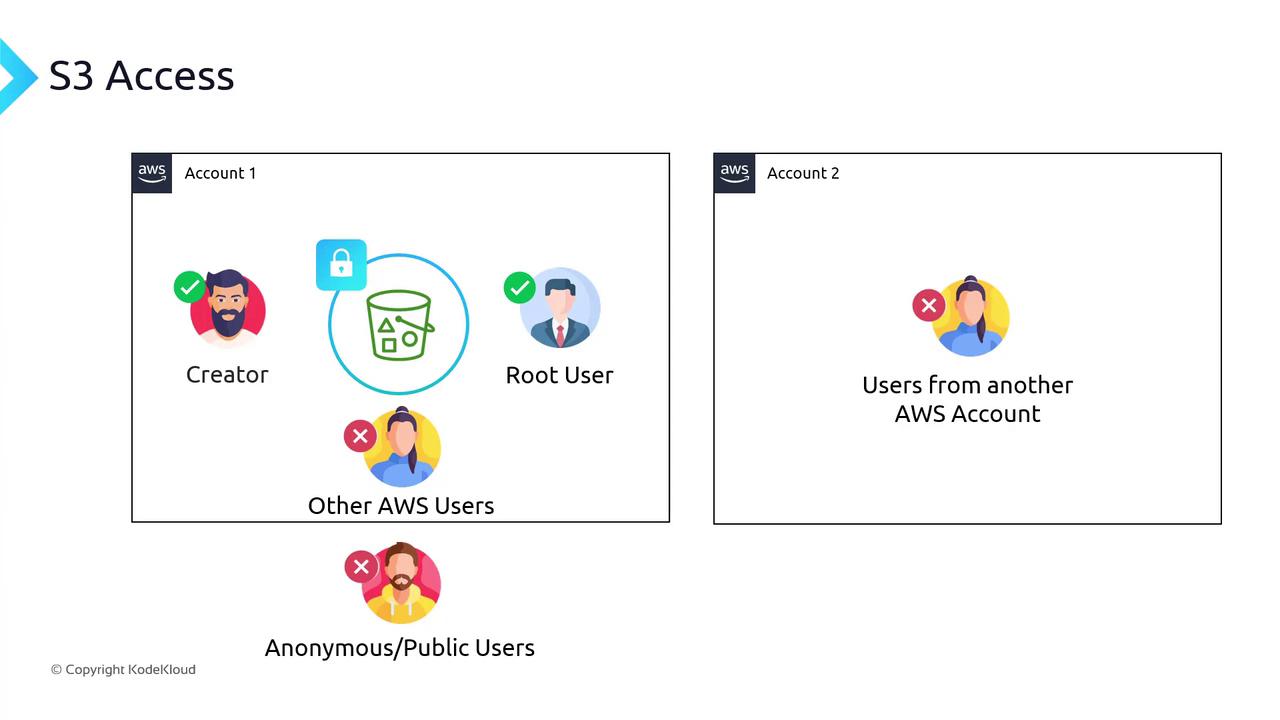
When you create a new S3 bucket:
* Only the **bucket creator** (and the AWS root user) has access.
* No other IAM users—even in your own account—can access it.
* Public or anonymous users are explicitly denied until you grant permission.
## Resource Policies (Bucket Policies)
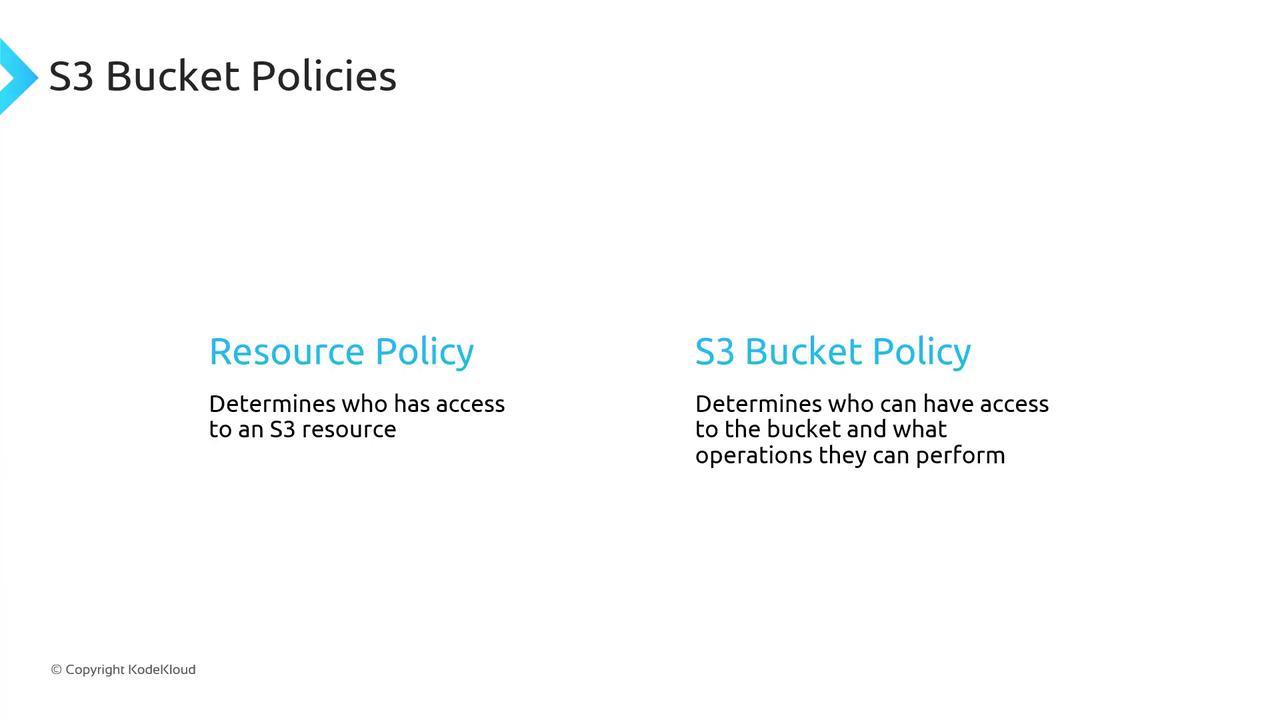
A **resource policy** is a JSON document attached directly to an AWS resource. For S3, this is called a **bucket policy**. It specifies:
* **Principals**: Who can access
* **Effect**: Allow or Deny
* **Actions**: S3 operations
* **Resources**: Which buckets or objects
* **Conditions** (optional): Additional restrictions
### Anatomy of a Bucket Policy
Below is a minimal bucket policy. Use this as a template:
```json theme={null}
{
"Version": "2012-10-17",
"Statement": [
{
"Sid": "AllowRule",
"Principal": {
"AWS": "arn:aws:iam::111122223333:user/JohnDoe"
},
"Effect": "Allow",
"Action": ["s3:GetObject"],
"Resource": ["arn:aws:s3:::DOC-EXAMPLE-BUCKET/*"]
}
]
}
```
| Field | Description |
| --------- | ------------------------------------------------------------------------------------------- |
| Version | Policy language version (use `2012-10-17` unless updated by AWS). |
| Sid | Statement identifier (optional). |
| Principal | AWS account, user, role, or `*` (everyone). |
| Effect | `Allow` or `Deny`. |
| Action | S3 operations, e.g., `s3:GetObject`, `s3:ListBucket`, or `s3:*`. |
| Resource | ARN of bucket or objects, e.g., `arn:aws:s3:::bucket-name` or `arn:aws:s3:::bucket-name/*`. |
Always specify the least-privilege permissions. Start by allowing only the actions and resources that are strictly required.
## Multiple Statements
You can combine statements in one policy. For example, allow everyone to read objects but deny one user:
```json theme={null}
{
"Version": "2012-10-17",
"Statement": [
{
"Sid": "AllowAll",
"Principal": "*",
"Effect": "Allow",
"Action": ["s3:GetObject"],
"Resource": ["arn:aws:s3:::DOC-EXAMPLE-BUCKET/*"]
},
{
"Sid": "DenyDaisy",
"Principal": {
"AWS": "arn:aws:iam::666438:user/DaisyM"
},
"Effect": "Deny",
"Action": ["s3:GetObject"],
"Resource": ["arn:aws:s3:::DOC-EXAMPLE-BUCKET/*"]
}
]
}
```
* A principal of `*` covers all AWS users and anonymous/public users.
* You may add as many statements as needed.
## Restricting by Prefix
To limit access to a specific “folder” (prefix):
```json theme={null}
{
"Version": "2012-10-17",
"Statement": [
{
"Sid": "AllowDaisyMedia",
"Principal": {
"AWS": "arn:aws:iam::666438:user/DaisyM"
},
"Effect": "Allow",
"Action": ["s3:GetObject"],
"Resource": ["arn:aws:s3:::DOC-EXAMPLE-BUCKET/media/*"]
}
]
}
```
## Adding Conditions
You can enforce network or request constraints:
```json theme={null}
{
"Id": "PolicyId2",
"Version": "2012-10-17",
"Statement": [
{
"Sid": "AllowFromIP",
"Effect": "Allow",
"Principal": "*",
"Action": "s3:*",
"Resource": [
"arn:aws:s3:::DOC-EXAMPLE-BUCKET",
"arn:aws:s3:::DOC-EXAMPLE-BUCKET/*"
],
"Condition": {
"IpAddress": {
"aws:SourceIp": ["192.0.2.0/24"]
}
}
}
]
}
```
## Granting Access to Multiple Folders
Use `StringEquals` on `s3:prefix` and `s3:delimiter`:
```json theme={null}
{
"Id": "PolicyId3",
"Version": "2012-10-17",
"Statement": [
{
"Sid": "AllowAudioVideo",
"Effect": "Allow",
"Principal": "*",
"Action": "s3:*",
"Resource": [
"arn:aws:s3:::DOC-EXAMPLE-BUCKET",
"arn:aws:s3:::DOC-EXAMPLE-BUCKET/*"
],
"Condition": {
"StringEquals": {
"s3:prefix": ["audio/", "video/"],
"s3:delimiter": ["/"]
}
}
}
]
}
```
## Block Public Access Settings
Even if a bucket policy uses `Principal: "*"`, AWS provides **Block Public Access** as a safety net. With these settings enabled, public policies are overridden until you disable them.
```json theme={null}
{
"Sid": "AllowAll",
"Effect": "Allow",
"Principal": "*",
"Action": "s3:*",
"Resource": ["arn:aws:s3:::DOC-EXAMPLE-BUCKET1/*"]
}
```
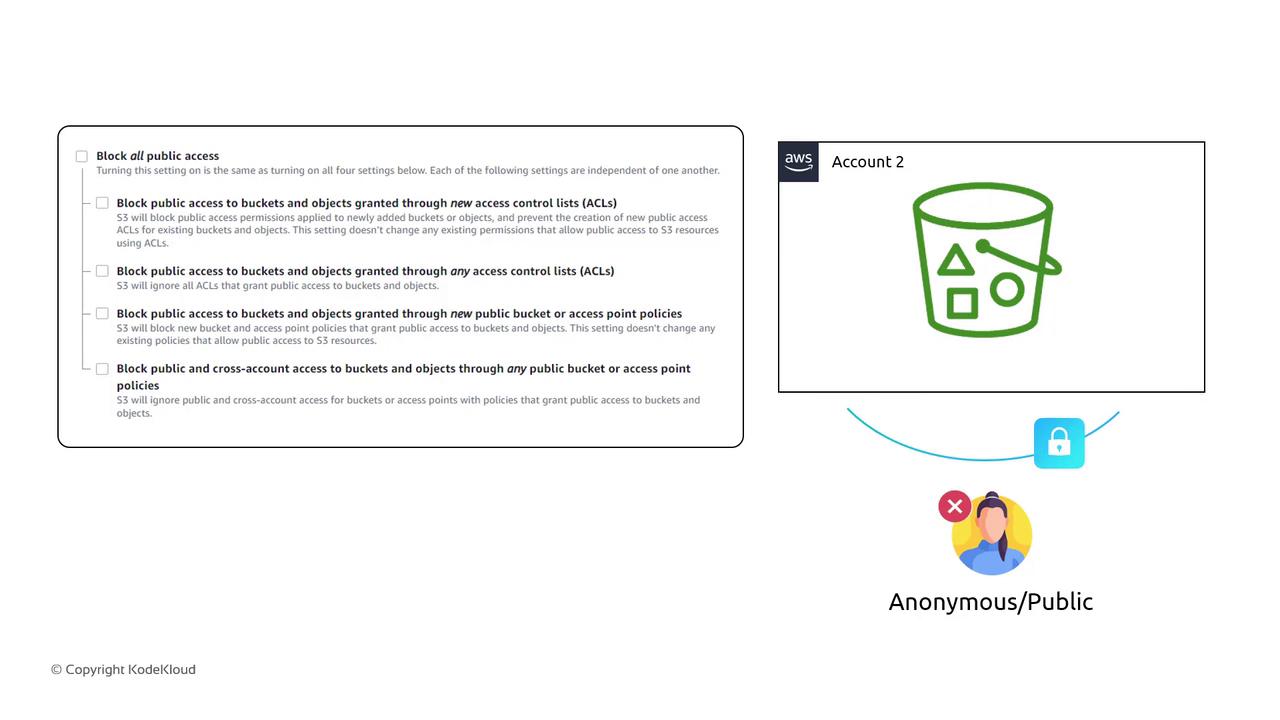
Disabling **Block Public Access** can expose your data to the internet. Confirm your policies and audit logs before making public.
## IAM Policies vs. Resource Policies
| Policy Type | Attached To | Scope | Can Include Public |
| --------------- | ------------------------ | ----------------------------------- | ------------------ |
| IAM Policy | IAM user, group, or role | Authenticated AWS principals | No |
| Resource Policy | S3 bucket (or other) | Any principal (including anonymous) | Yes |
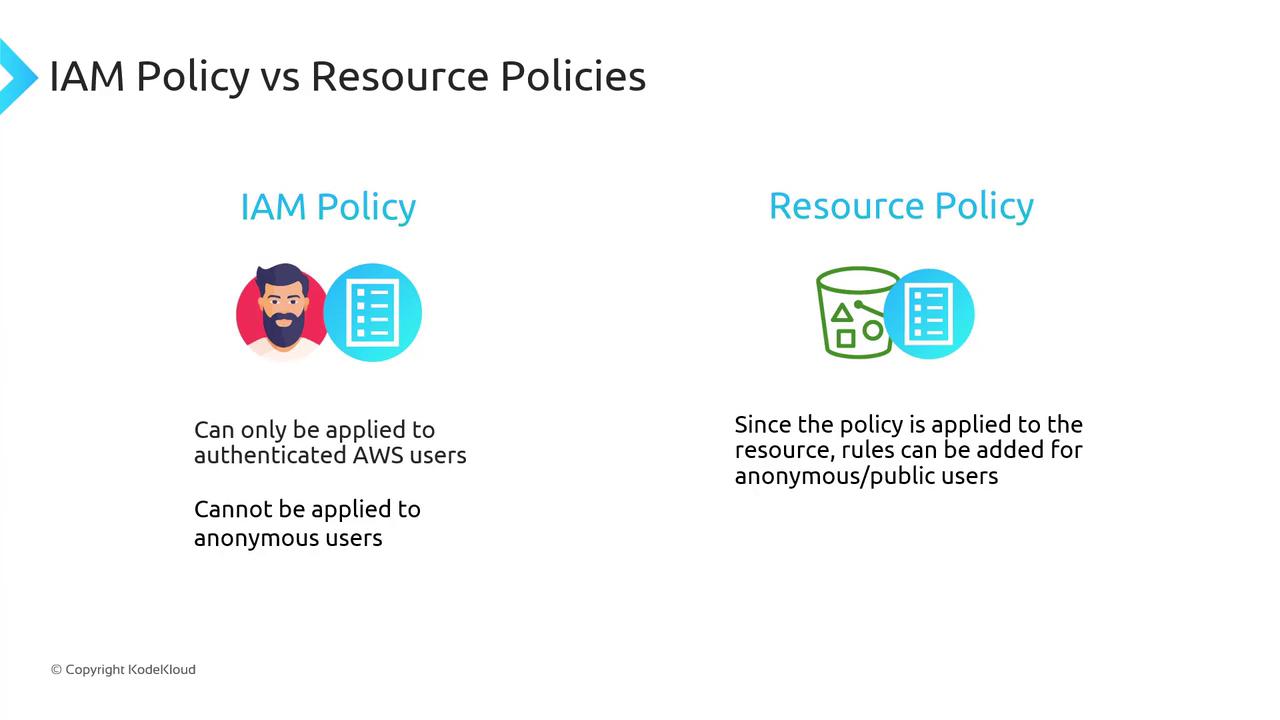
Both must allow an action for access to succeed. A deny in either one blocks access.
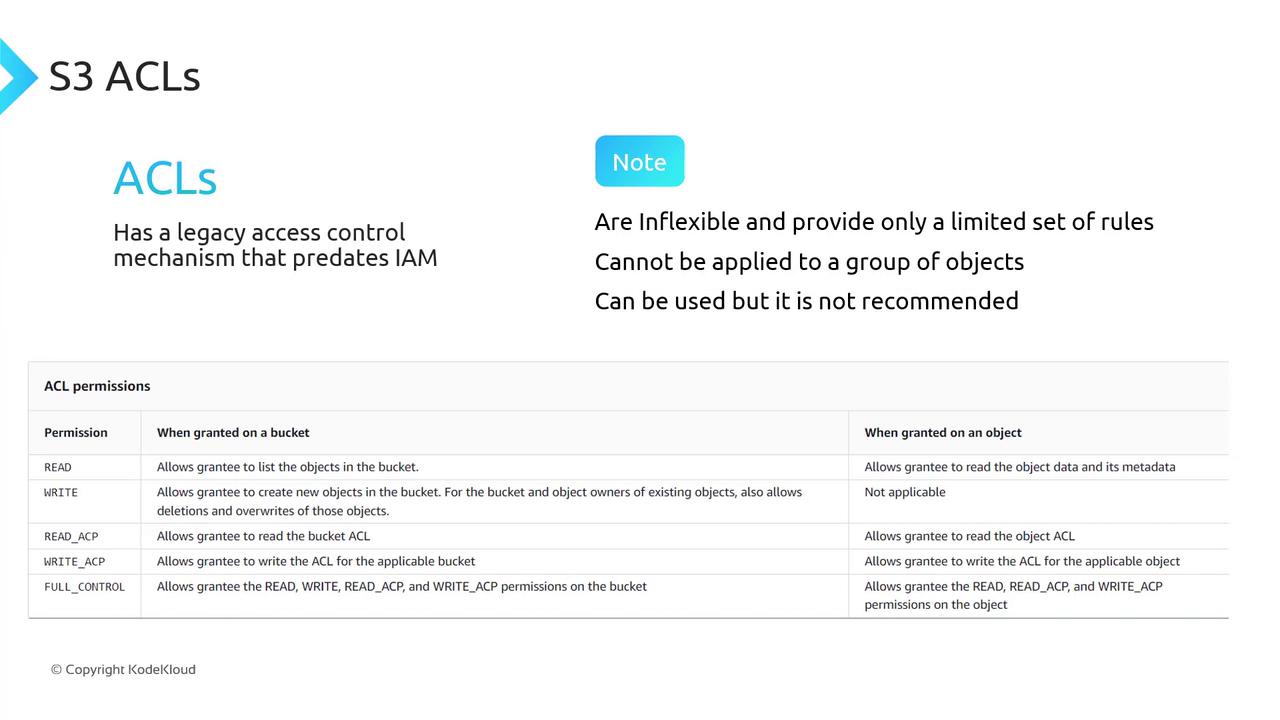
## ACLs (Legacy)
S3 ACLs predate IAM and offer only five permission sets:
| ACL Permission | Description |
| -------------- | ------------------------------ |
| READ | Read objects |
| WRITE | Write objects |
| READ\_ACP | Read bucket ACL |
| WRITE\_ACP | Write bucket ACL |
| FULL\_CONTROL | Full control (all permissions) |
AWS recommends using IAM policies and bucket policies instead of ACLs for fine-grained access control.
***
By combining **IAM policies**, **bucket policies**, and **block public access** settings, you can lock down your S3 buckets and grant exactly the permissions your applications need.
## Links and References
* [Amazon S3 Bucket Policies](https://docs.aws.amazon.com/AmazonS3/latest/userguide/example-bucket-policies.html)
* [Amazon S3 Block Public Access](https://docs.aws.amazon.com/AmazonS3/latest/userguide/access-control-block-public-access.html)
* [AWS IAM Policies](https://docs.aws.amazon.com/IAM/latest/UserGuide/access_policies.html)