> ## Documentation Index
> Fetch the complete documentation index at: https://notes.kodekloud.com/llms.txt
> Use this file to discover all available pages before exploring further.
# Storage Classes
> Amazon S3 provides various storage classes to optimize costs and ensure data availability based on access patterns and durability needs.
Amazon S3 offers multiple storage classes tailored to different access patterns, durability needs, and cost objectives. Selecting the right class helps you optimize costs and ensure your data is available when you need it.
## Overview of S3 Storage Classes
| Storage Class | Access Pattern | Durability | Availability Zones | Retrieval | Minimum Duration | Use Case |
| ----------------------------- | --------------- | ------------------------ | ------------------ | ------------- | ---------------- | ------------------------------- |
| S3 Standard | Frequent | 11 nines (99.999999999%) | ≥3 AZs | Milliseconds | None | Website hosting, hot data |
| S3 Standard-IA | Infrequent | 11 nines | ≥3 AZs | Milliseconds | 30 days | Long-lived but infrequent data |
| S3 One Zone-IA | Infrequent | 11 nines (in one AZ) | 1 AZ | Milliseconds | 30 days | Secondary backups, infrequent |
| S3 Glacier Instant Retrieval | Rare, immediate | 11 nines | ≥3 AZs | Milliseconds | 90 days | Archive with immediate access |
| S3 Glacier Flexible Retrieval | Rare, delayed | 11 nines | ≥3 AZs | Minutes–Hours | 90 days | Cost-optimized archives |
| S3 Glacier Deep Archive | Almost never | 11 nines | ≥3 AZs | Hours–Days | 180 days | Compliance, long-term retention |
| S3 Intelligent-Tiering | Variable | 11 nines | ≥3 AZs | Automatic | None | Automated cost optimization |
***
## S3 Standard
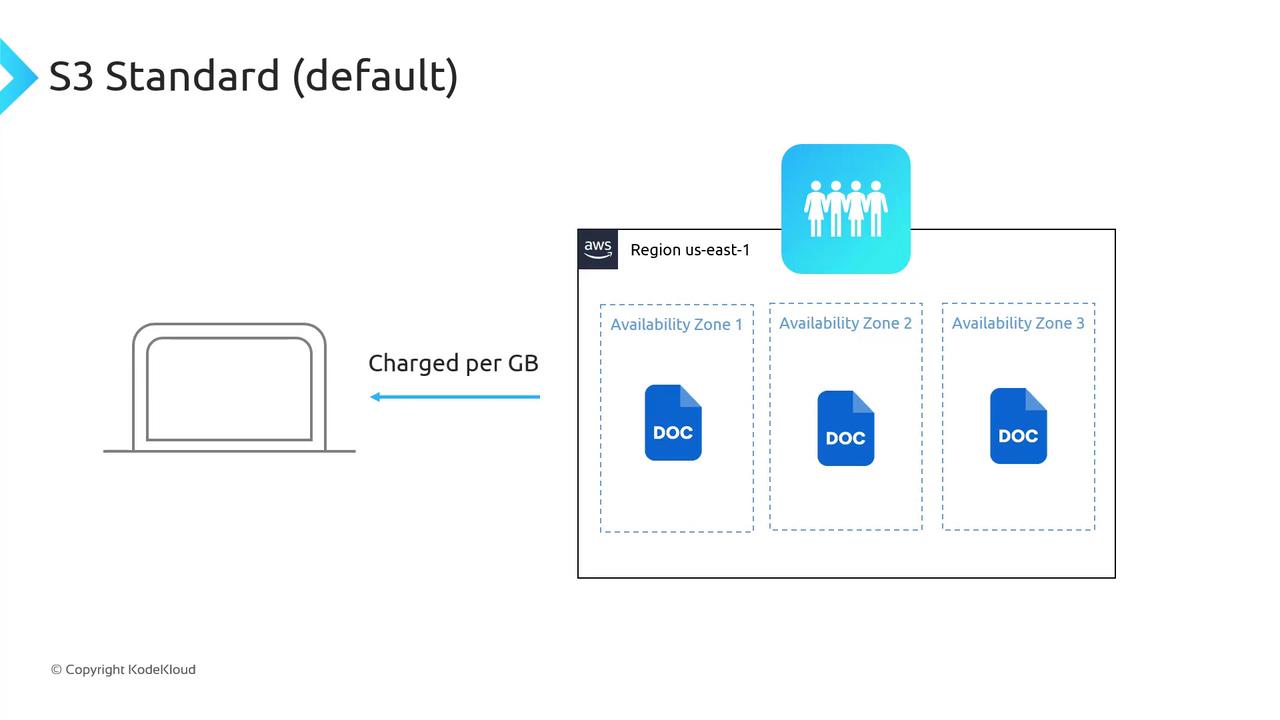
The default class for frequently accessed (“hot”) data:
* **Durability:** 99.999999999%
* **Availability:** Tolerates two concurrent AZ failures
* **Latency:** Millisecond reads/writes
* **Pricing:**
* Storage: per GB/month
* Data ingress: Free
* Data egress: per GB (no retrieval fee)
## S3 Standard-IA (Infrequent Access)
For long-lived data accessed less frequently:
* **Same durability** as S3 Standard
* **Millisecond access latency**
* **Pricing:**
* Storage: lower per GB than Standard
* Retrieval fee: per GB + egress rate
* Minimum duration: 30 days
* Minimum object size: 128 KB
Standard-IA is perfect for backups and replicas that you need fast access to but rarely retrieve.
## S3 One Zone-IA
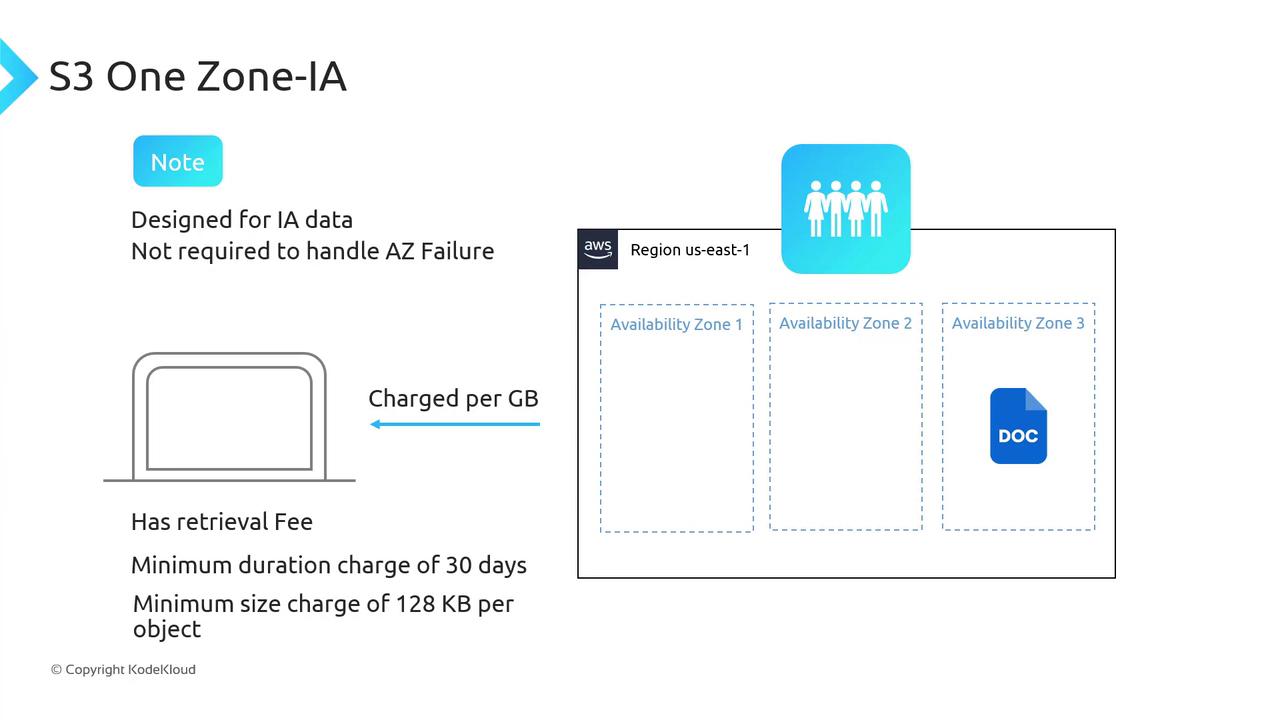
Cost-optimized for infrequently accessed data **not** requiring multi-AZ resilience:
* **Durability:** Stored in a single AZ
* **Latency:** Millisecond access
* **Pricing:**
* Storage: lowest among IA classes
* Retrieval fee: per GB + egress rate
* Minimum duration: 30 days
* Minimum object size: 128 KB
One Zone-IA stores data in a single Availability Zone. If that AZ fails, your objects become unavailable.
## S3 Glacier Instant Retrieval
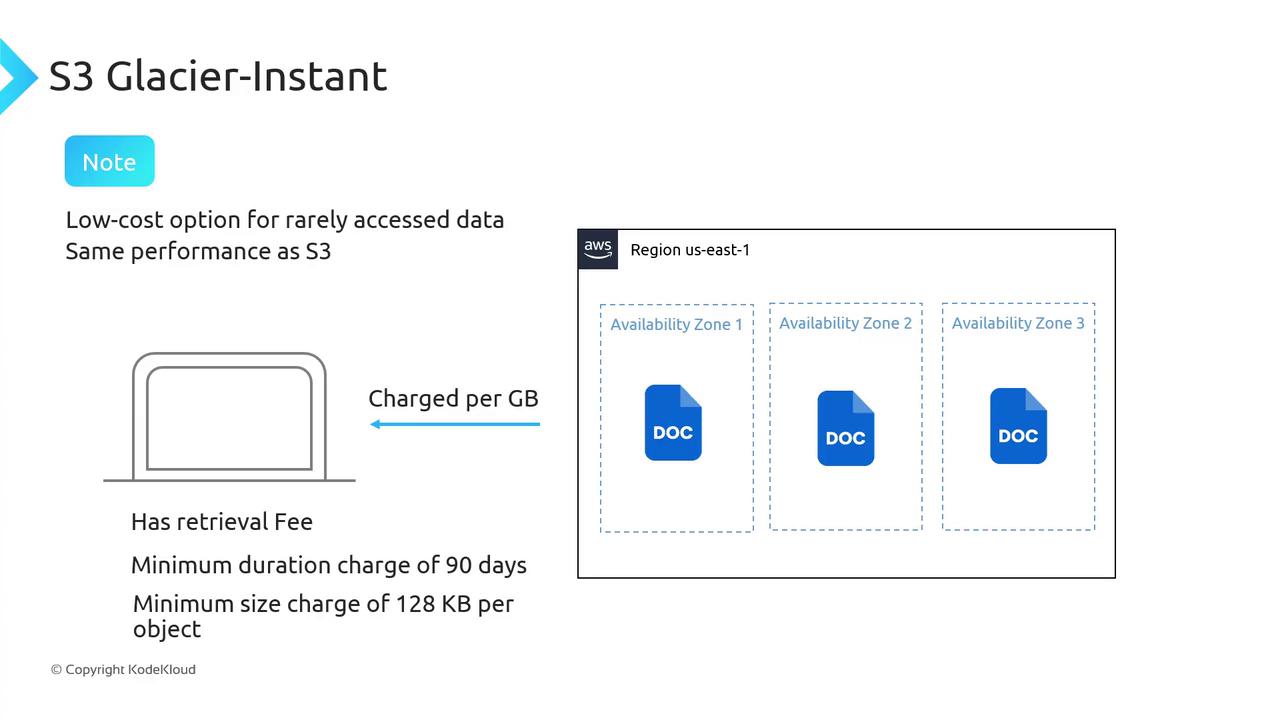
Archival storage with immediate access for rare use cases:
* **Durability & resiliency:** Same as Standard (≥3 AZs)
* **Latency:** Millisecond retrieval
* **Pricing:**
* Storage: archival rate per GB
* Retrieval fee: per GB
* Minimum duration: 90 days
* Minimum object size: 128 KB
Not recommended for direct website hosting—use S3 Standard for public assets.
## S3 Glacier Flexible Retrieval
Previously known as “Glacier,” suitable for archive data with retrieval delays:
* **Availability:** Objects must be restored before access
* **Pricing:**
* Storage: slightly lower per GB than Standard-IA
* Retrieval fee: varies by retrieval tier
* Minimum duration: 90 days
* Minimum object size: 40 KB
**Retrieval Tiers**
* Expedited: 1–5 minutes
* Standard: 3–5 hours
* Bulk: 5–12 hours
Restored objects are copied to Standard-IA for the duration of your restore request.
## S3 Glacier Deep Archive
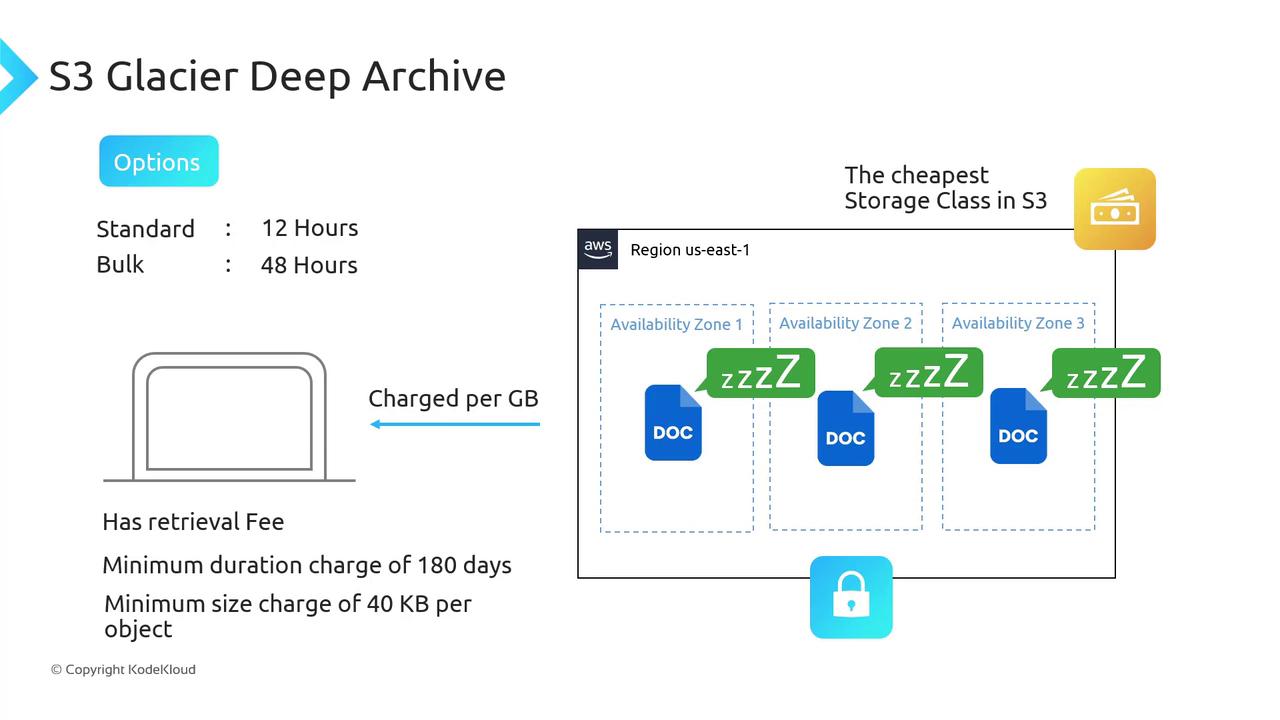
The lowest-cost class for data accessed once or twice a year:
* **Availability:** Retrieval can take hours or days
* **Pricing:**
* Storage: lowest in Amazon S3
* Retrieval fee: per GB + tier fee
* Minimum duration: 180 days
* Minimum object size: 40 KB
**Retrieval Tiers**
* Standard: up to 12 hours
* Bulk: up to 48 hours
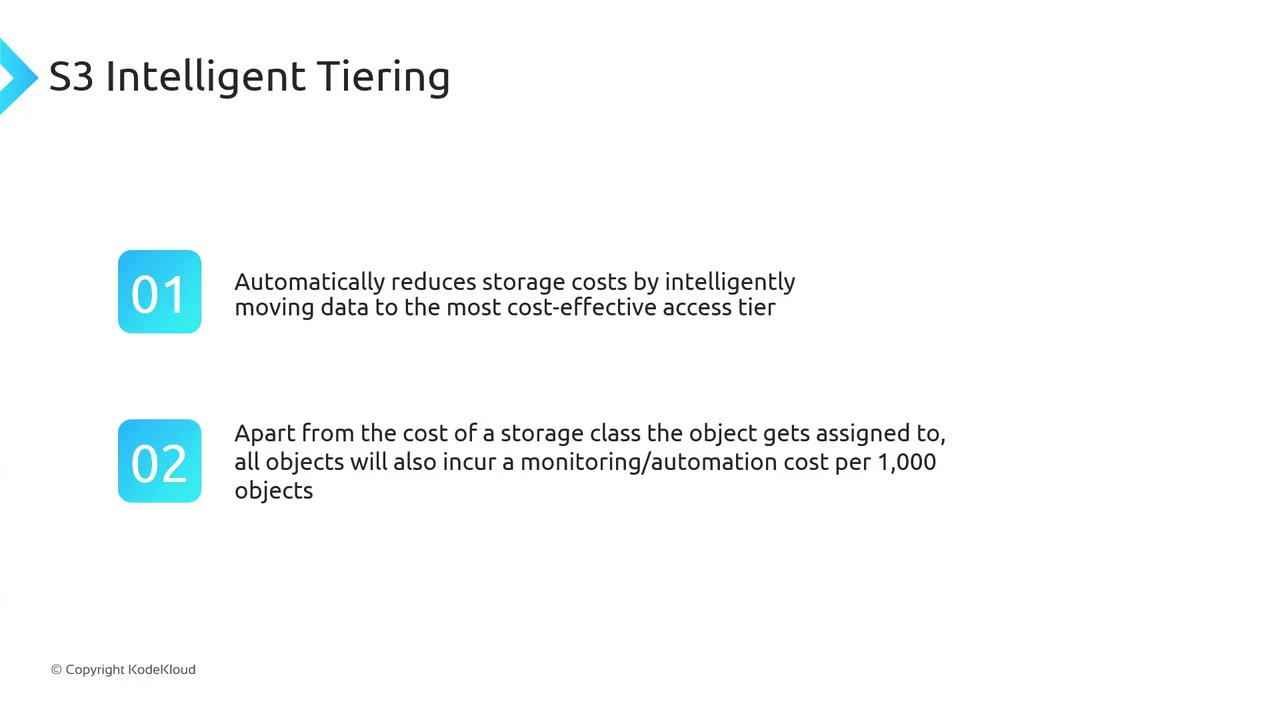
## S3 Intelligent Tiering
Automatically optimizes costs for data with unknown or changing access patterns:
* **Automated monitoring** moves objects between frequent & infrequent tiers
* **No retrieval fees** for tier transitions
* **Monitoring & automation charge:** per 1,000 objects
Enable Intelligent Tiering to reduce manual effort and optimize monthly storage bills.
***
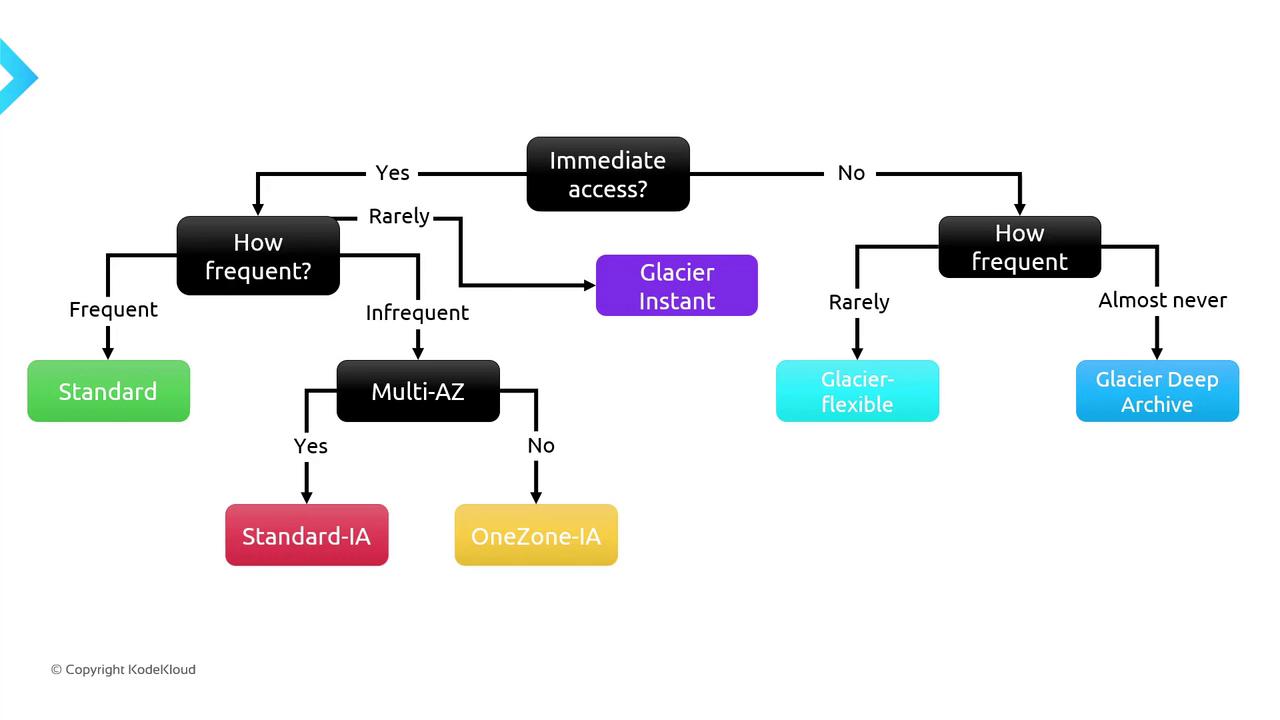
## Selecting the Right S3 Storage Class
Use the decision flowchart below to pick the optimal storage class based on access frequency and immediacy:
1. **Immediate (millisecond) access?**
* Yes → Frequency?
* Frequent → **S3 Standard**
* Infrequent → Multi-AZ?
* Yes → **Standard-IA**
* No → **One Zone-IA**
* Rare → **Glacier Instant Retrieval**
* No → Frequency?
* Almost never → **Glacier Deep Archive**
* Occasionally → **Glacier Flexible Retrieval**
***
## Additional Resources
* [AWS S3 Storage Classes Documentation](https://docs.aws.amazon.com/AmazonS3/latest/userguide/storage-class-intro.html)
* [Optimizing Costs with S3 Intelligent-Tiering](https://aws.amazon.com/blogs/aws/amazon-s3-intelligent-tiering/)
* [Amazon S3 Pricing](https://aws.amazon.com/s3/pricing/)