> ## Documentation Index
> Fetch the complete documentation index at: https://notes.kodekloud.com/llms.txt
> Use this file to discover all available pages before exploring further.
# S3 Access Logs
> Amazon S3 server access logging captures detailed records for every request to a bucket, enabling auditing, debugging, and storage optimization.
Amazon S3 server access logging captures detailed records for every request to a bucket, enabling you to audit access, debug issues, and optimize storage. Each operation—such as a GET on `file1.txt`—generates a log entry that records who accessed the object, when the request occurred, and which API call was performed:
```text theme={null}
John [06/Feb/2019:00:00:38 +0000] GET /file1.txt
```
## Why Enable Access Logs?
Enabling server access logging provides several advantages:
| Benefit | Description |
| ----------------------- | -------------------------------------------------------------------------- |
| Security & Auditing | Track who accessed objects and when, supporting compliance requirements. |
| Usage Patterns | Analyze request frequency to select the most cost-effective storage class. |
| Centralized Log Storage | Collect logs in a dedicated bucket for easy management and analysis. |
Storing and analyzing access logs may incur additional storage and request charges. Review your AWS billing dashboard to estimate costs.
## What Information Is Logged?
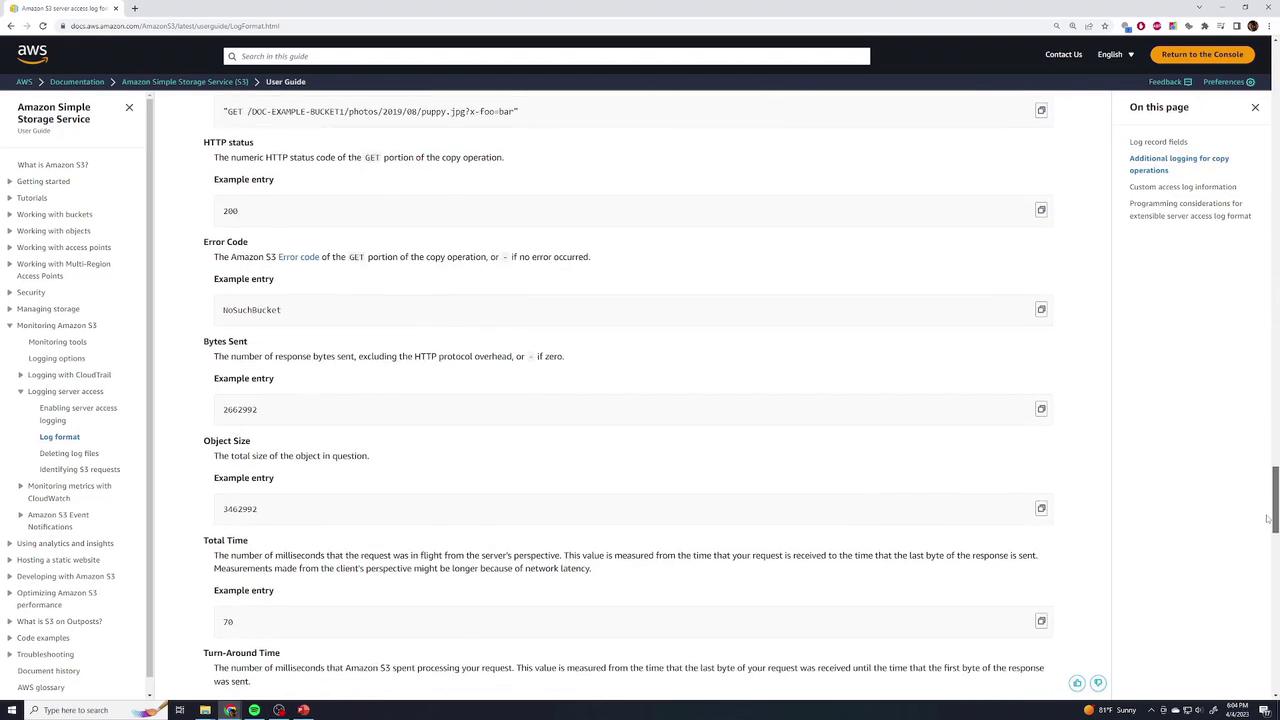
Each log record consists of numerous fields, including:
| Field | Description |
| --------------------- | --------------------------------------------------------------- |
| Bucket owner | AWS account ID of the bucket owner |
| Bucket name | Name of the S3 bucket |
| Timestamp | Date and time of the request (in UTC) |
| Requester IP & ID | Client IP address and AWS user identifier (or `-` if anonymous) |
| Request ID | Unique ID assigned by S3 for the request |
| Operation | API action (e.g., `REST.GET.OBJECT`, `REST.PUT.OBJECT`) |
| Object key & Version | Requested object path and version ID |
| HTTP status & Error | HTTP response code and any error codes |
| Bytes sent & Received | Payload sizes in bytes and response timing |
| User agent | Client application or browser details |
For the complete list of log fields, see **Monitoring Amazon S3 > Log Format** in the [AWS documentation][aws-logs]:
## Sample Log Entry
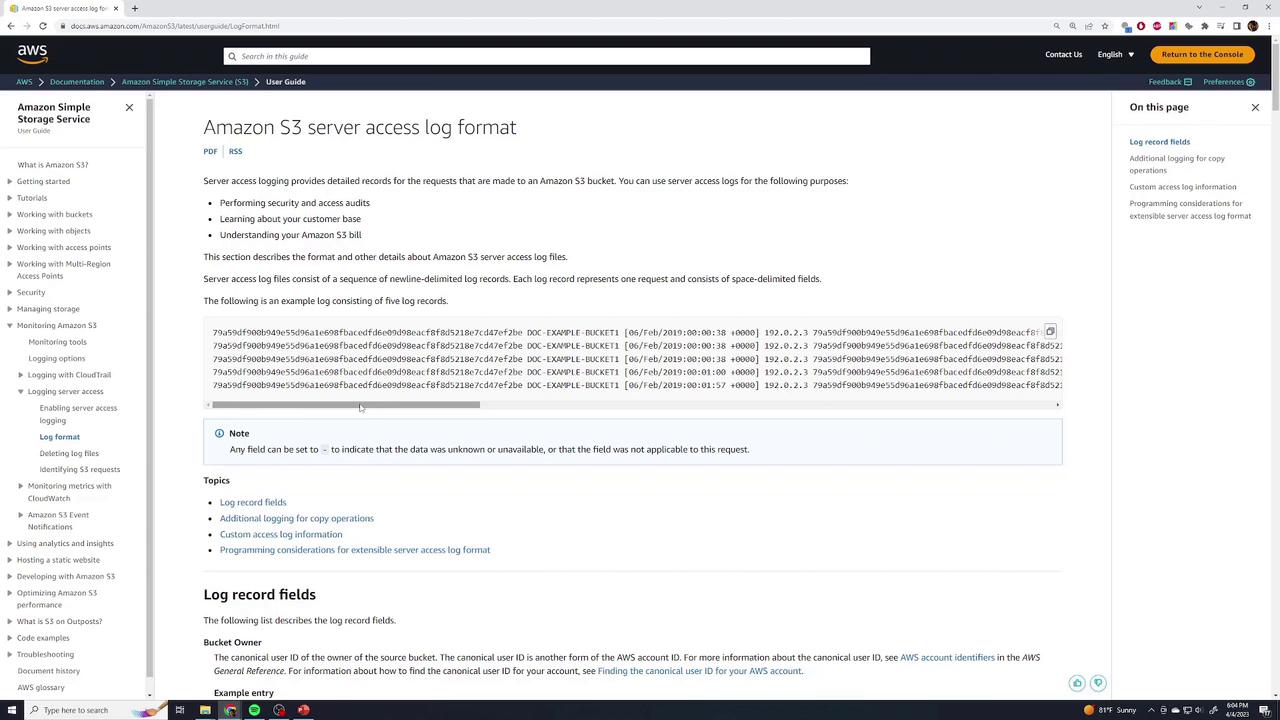
A typical S3 access log record begins with the bucket owner and bucket name, followed by the timestamp and requester details:
```text theme={null}
1e69f8cfa4d16e09c88f48d218e7c47fe2be DOC-EXAMPLE-BUCKET1 [06/Feb/2019:00:00:38 +0000] 192.0.2.3 79d59f4b900b49e95d5e1a69f8f8c49c8e9e09b0c8af8d218e7c47fe2be 3571 0 0
```
Subsequent fields describe the operation, request line, status, bytes, and user agent:
```text theme={null}
b0a88ac8fa921b2c7dfe 3E74277EXAMPLE REST.GET.VERSIONING "GET /DOC-EXAMPLE-BUCKET17/versioning HTTP/1.1" 200 113 "-" "$3Console/0.4" s9i2nYFfP76zVrKcP9<5
b0a88ac8fa921b2c7dfe 89C12E74EXAMPLE REST.GET.LOGGING_STATUS "GET /DOC-EXAMPLE-BUCKET17/logging HTTP/1.1" 200 242 11 "-" "$3Console/0.4" -9xkBeVhWfNxiM2bLxmOk0xq
b0a88ac8fa921b2c7dfe A2401f406E12 REST.GET.BUCKETPOLICY "GET /DOC-EXAMPLE-BUCKET17/policy HTTP/1.1" 404 NoSuchBucketPolicy 29 "-" "$3Console/0.4" -bMBSx0xqo
b0a88ac8fa921b2c7dfe REST.PUT.OBJECT s3-dg.pdf "PUT /DOC-EXAMPLE-BUCKET17/s3-dg.pdf HTTP/1.1" 200 - 28 "-" "$3Console/0.4" 160621Z1v8K1v8
```
All generated log files are delivered as plain text to your designated logging bucket:
## Links and References
* [Monitoring Amazon S3 server access logging][aws-logs]
* [Analyzing S3 access logs with Amazon Athena](https://docs.aws.amazon.com/athena/latest/ug/querying-s3-logs.html)
* [AWS S3 CLI Reference](https://docs.aws.amazon.com/cli/latest/reference/s3/index.html)
[aws-logs]: https://docs.aws.amazon.com/AmazonS3/latest/userguide/ServerLogs.html#logging-record-contents