> ## Documentation Index
> Fetch the complete documentation index at: https://notes.kodekloud.com/llms.txt
> Use this file to discover all available pages before exploring further.
# Open Service Mesh
> This article discusses Open Service Mesh in Kubernetes, focusing on its architecture, features, and deployment on Azure Kubernetes Service.
A service mesh in Kubernetes offers a dedicated communication layer that abstracts networking and infrastructure concerns away from application code. By injecting a lightweight proxy—called a sidecar—next to each service instance, it intercepts all inbound and outbound traffic. This approach provides consistent traffic management, mTLS security, and observability without changing your application.
Services (e.g., frontend, middle-tier, backend) run alongside their respective sidecar proxies. Although deployed together, proxies are managed independently, allowing you to update or scale them separately. The result is a clean codebase while the mesh transparently handles retries, circuit breaking, encryption, and more.
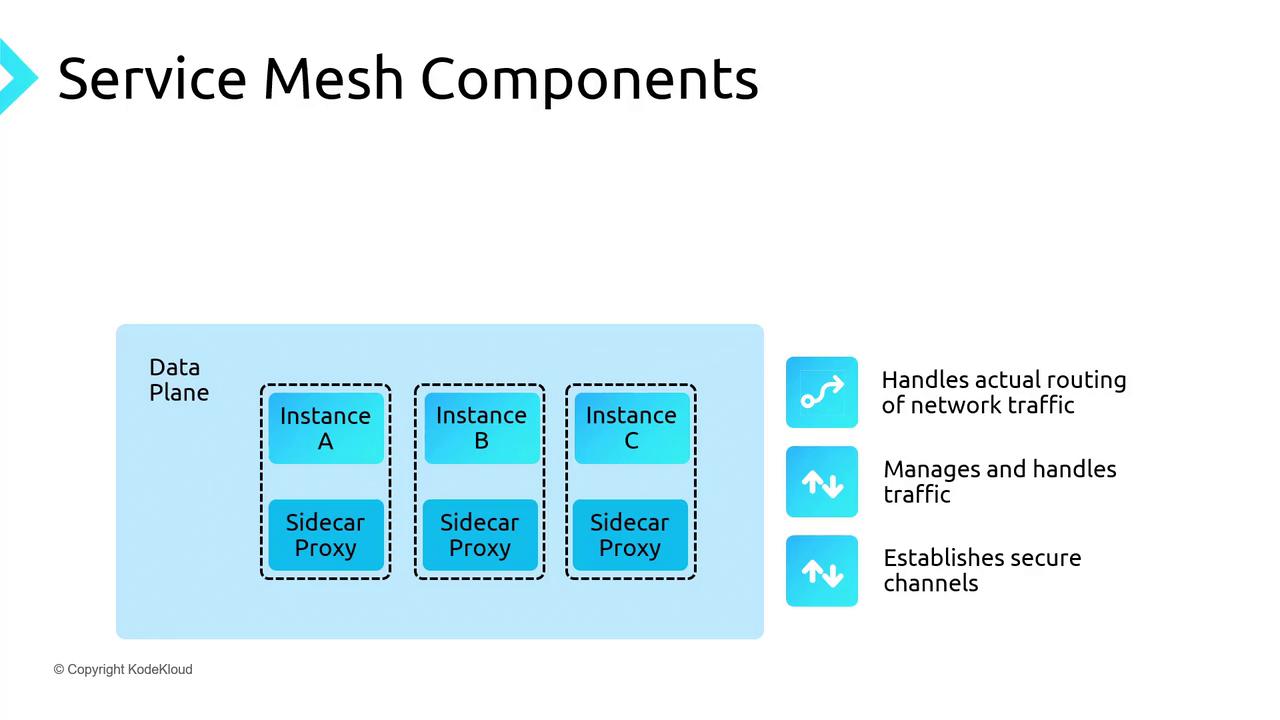
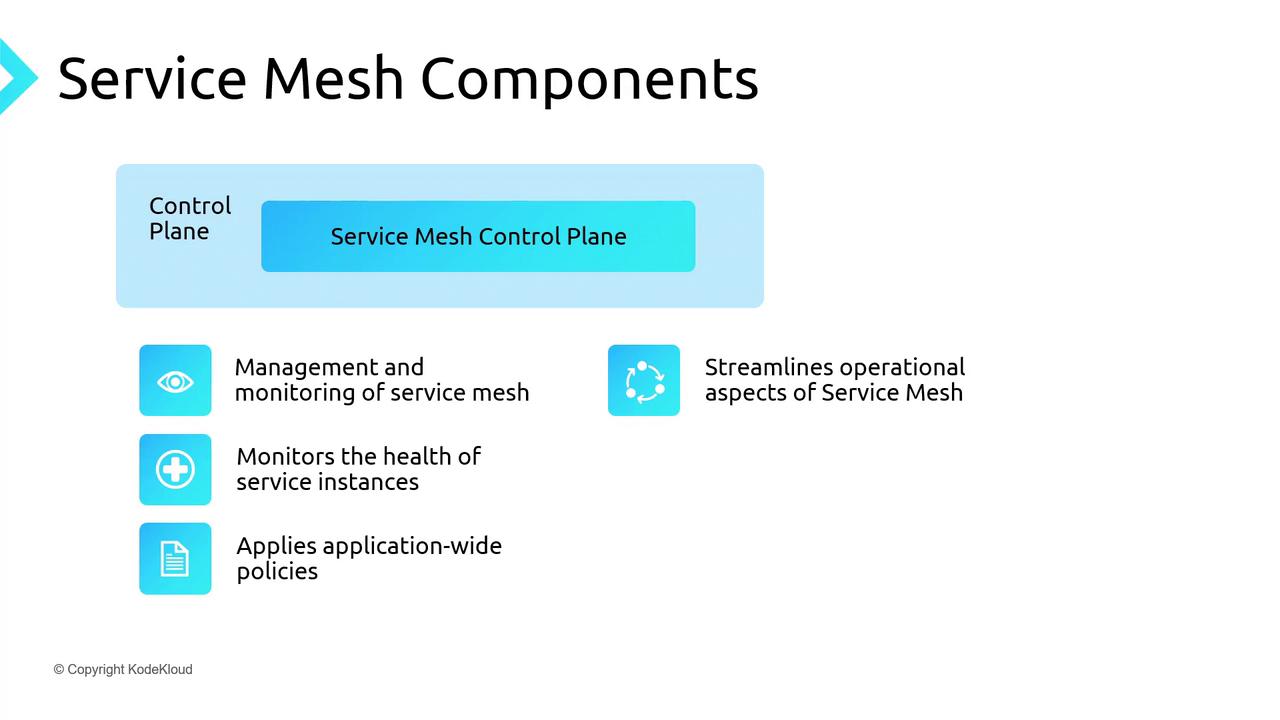
Open Service Mesh (OSM) for AKS consists of two main layers: the data plane and the control plane.
## Data Plane
The data plane is responsible for the actual routing of network traffic between services. Its key functions include:
* **Service discovery**: Automatically finding and routing to healthy instances.
* **Traffic management**: Implementing retries, circuit breakers, and load balancing.
* **Security**: Establishing mutual TLS (mTLS) channels for encrypted, authenticated communication.
## Control Plane
The control plane provides centralized orchestration and visibility. It:
* **Provisions** and scales service instances.
* **Monitors** pod health and replaces unhealthy instances.
* **Enforces policies** such as rate limits, access control, and routing rules.
## Popular Service Mesh Implementations
| Implementation | Language/Platform | Key Characteristics |
| ----------------------- | ----------------- | ------------------------------------------------------ |
| Istio | Go | Extensible, full-featured, advanced policy engine |
| Linkerd | Scala (JVM) | Lightweight, simplicity-first, low overhead |
| Open Service Mesh (OSM) | Go | CNCF-compliant, Envoy-based, lightweight control plane |
On Azure Kubernetes Service (AKS), OSM was the original built-in mesh, and Istio is now available in preview. This guide will focus on deploying and using OSM on AKS.
## Features of Open Service Mesh
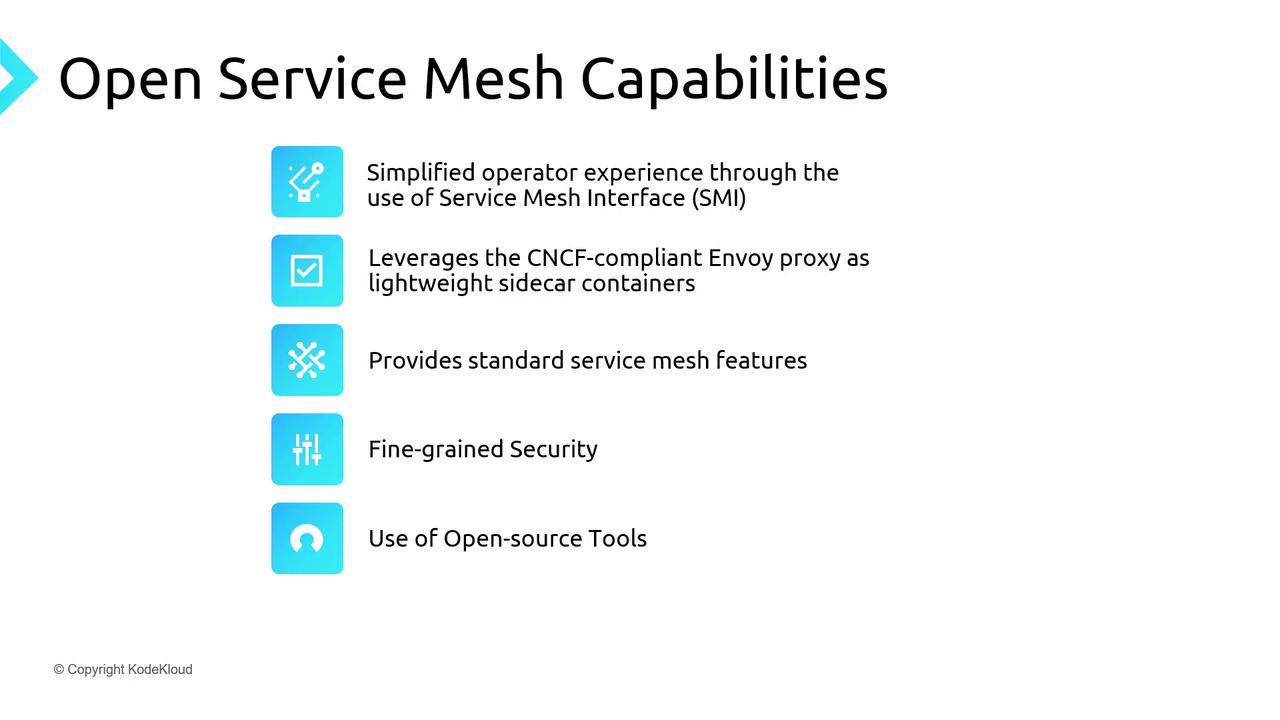
* Simplified control plane for easy operations
* Envoy sidecars for CNCF-approved, high-performance proxying
* Traffic policies: access control, traffic splitting, telemetry
* Fine-grained mTLS for service-to-service encryption
* Integration with Prometheus, Grafana, Jaeger for monitoring and tracing
* Support for external certificate authorities in production
## Demo Architecture
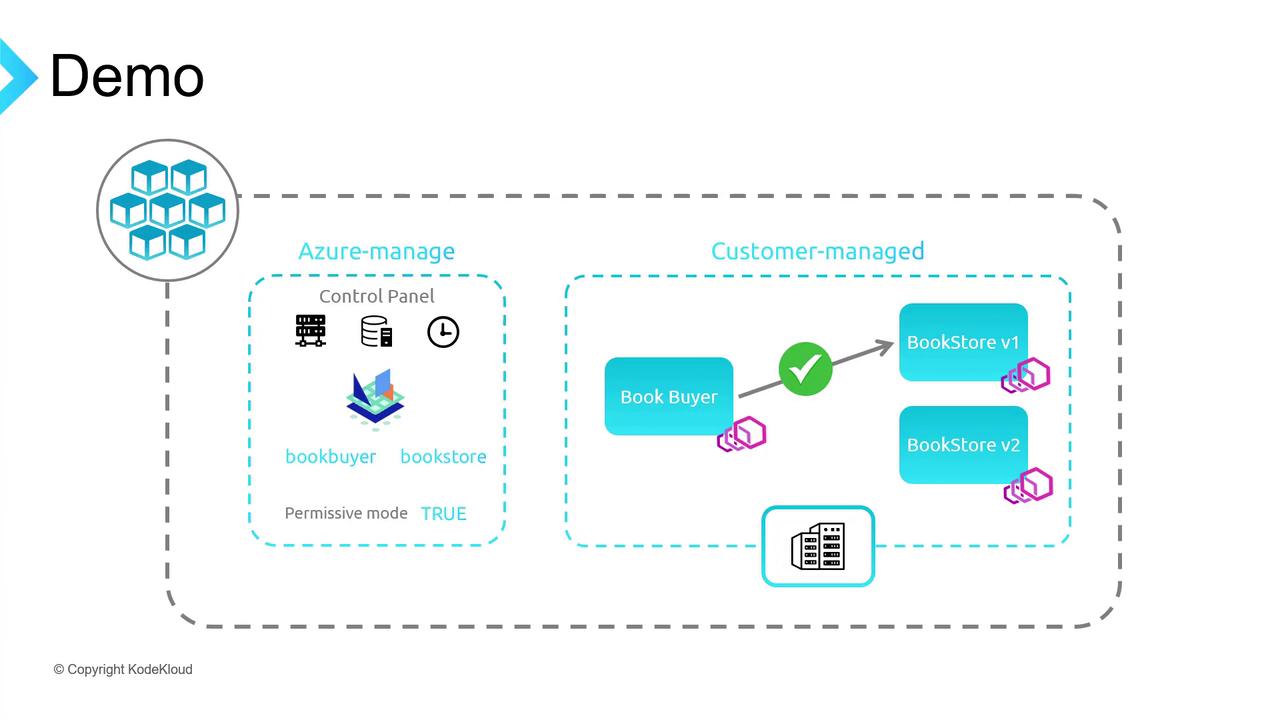
We’ll deploy a sample **bookstore** application on AKS with OSM in permissive mode. The demo includes:
* **Book Buyer** (client)
* **Bookstore V1** (primary backend)
* **Bookstore V2** (for traffic splitting)
* **Book Warehouse** (additional service)
The workflow covers enabling OSM, onboarding namespaces, testing default traffic, toggling permissive mode, applying explicit policies, and performing traffic splits.
### Prerequisites
* Azure CLI installed
* `kubectl` configured locally
* `osm` CLI for namespace onboarding
### 1. Create Resource Group and AKS Cluster
```bash theme={null}
# Create a resource group
az group create -l southeastasia -n kodekloud-osmdemo-rg
# Create AKS cluster with the OSM add-on
az aks create \
-g kodekloud-osmdemo-rg \
-n kk-aks-osmdemo \
--enable-addons open-service-mesh
```
### 2. Configure kubectl Context
```bash theme={null}
# Fetch AKS credentials
az aks get-credentials -g kodekloud-osmdemo-rg -n kk-aks-osmdemo
# Confirm the current context
kubectl config current-context
```
### 3. Create Namespaces and Onboard to OSM
```bash theme={null}
# Create application namespaces
kubectl create ns bookbuyer bookstore bookwarehouse
# Add namespaces to the mesh
osm namespace add bookbuyer bookstore bookwarehouse
```
### 4. Deploy Sample Applications
```bash theme={null}
# Deploy the Book Buyer client
kubectl apply -f https://raw.githubusercontent.com/openservicemesh/osm/release-v0.11/docs/example/manifests/apps/bookbuyer.yaml
# Deploy Bookstore V1
kubectl apply -f https://raw.githubusercontent.com/openservicemesh/osm/release-v0.11/docs/example/manifests/apps/bookstore.yaml
# Deploy the Book Warehouse
kubectl apply -f https://raw.githubusercontent.com/openservicemesh/osm/release-v0.11/docs/example/manifests/apps/bookwarehouse.yaml
```
Wait for the Book Buyer pod:
```bash theme={null}
kubectl get pods -n bookbuyer -w
```
### 5. Port-Forward and Verify Default Traffic
```bash theme={null}
# Retrieve the Book Buyer pod name
POD=$(kubectl get pod -n bookbuyer -l app=bookbuyer -o jsonpath='{.items[0].metadata.name}')
# Forward local port 8081 to the sidecar port
kubectl port-forward -n bookbuyer $POD 8081:14001
```
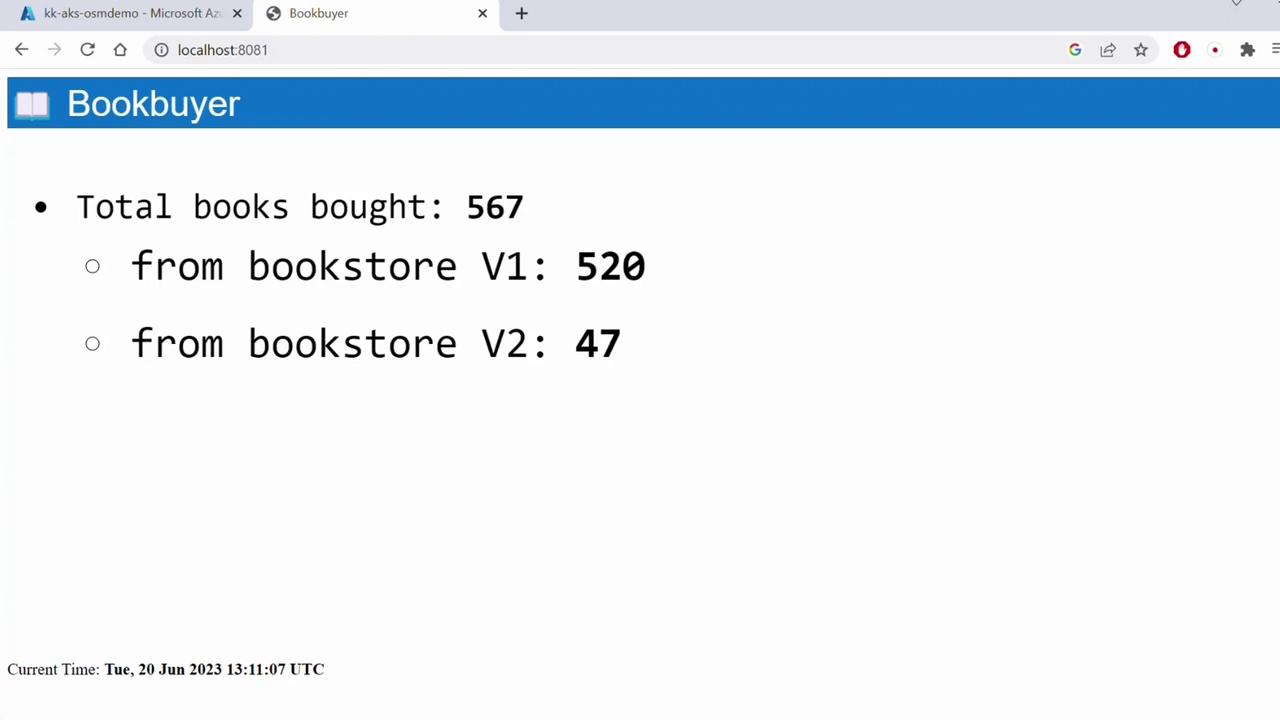
Open `http://localhost:8081` to see Book Buyer successfully fetching from Bookstore V1 under OSM’s permissive policy.
Permissive mode allows all services in the mesh to communicate without explicit SMI traffic policies.
### 6. Disable Permissive Traffic Policy
In the Azure Portal under **AKS → Open Service Mesh → Configuration**, update:
```yaml theme={null}
traffic:
enableEgress: true
enablePermissiveTrafficPolicyMode: false
```
After saving, Book Buyer will fail to reach Bookstore V1.
```bash theme={null}
kubectl logs -n bookbuyer $POD
# Look for denied request errors.
```
Disabling permissive mode without defining traffic policies will block all inter-service communication.
### 7. Apply Explicit Allow Traffic Policy
```bash theme={null}
kubectl apply -f https://raw.githubusercontent.com/openservicemesh/osm-docs/release-v1.2/manifests/access/traffic-access-v1.yaml
```
This SMI policy permits Book Buyer to call Bookstore. Reload `http://localhost:8081` to confirm connectivity.
### 8. Demonstrate Traffic Splitting
Create `traffic-split.yaml`:
```yaml theme={null}
apiVersion: split.smi-spec.io/v1alpha2
kind: TrafficSplit
metadata:
name: bookstore-split
namespace: bookstore
spec:
service: bookstore
backends:
- service: bookstore-v1
weight: 500m
- service: bookstore-v2
weight: 500m
```
Apply the split:
```bash theme={null}
kubectl apply -f traffic-split.yaml
```
Refresh the Book Buyer page—traffic should now be distributed evenly between V1 and V2. Adjust the `weight` values to shift more traffic to a particular version.
***
## References
* [Kubernetes Concepts](https://kubernetes.io/docs/concepts/overview/what-is-kubernetes/)
* [Open Service Mesh (OSM) Documentation](https://openservicemesh.io/docs/)
* [SMI Specifications](https://smi-spec.io/)
## Further Reading
* [Azure Kubernetes Service Documentation](https://docs.microsoft.com/azure/aks/)
* [Envoy Proxy](https://www.envoyproxy.io/)