> ## Documentation Index
> Fetch the complete documentation index at: https://notes.kodekloud.com/llms.txt
> Use this file to discover all available pages before exploring further.
# AKS Networking Options
> This article discusses networking options for Azure Kubernetes Service, focusing on Kubenet and Azure CNI plugins for performance, security, and scalability.
When you provision an Azure Kubernetes Service (AKS) cluster, selecting the right network plugin is crucial for performance, security, and scalability. AKS supports two primary options:
* **Kubenet** (Basic): Uses separate address spaces for nodes and pods, with NAT and user-defined routes (UDRs).
* **Azure CNI** (Advanced): Integrates pods directly into your Azure Virtual Network (VNet), assigning them first-class IPs.
Both plugins install automatically on each node during cluster creation and handle pod-to-node and inter-node communication.
***
## Kubenet Overview
With Kubenet, AKS allocates node IPs from your VNet subnet and assigns pods to a secondary, logically distinct address space (by default a /24 per node). Outbound traffic from pods uses SNAT on the node IP, and inter-node pod traffic flows via UDRs you configure.
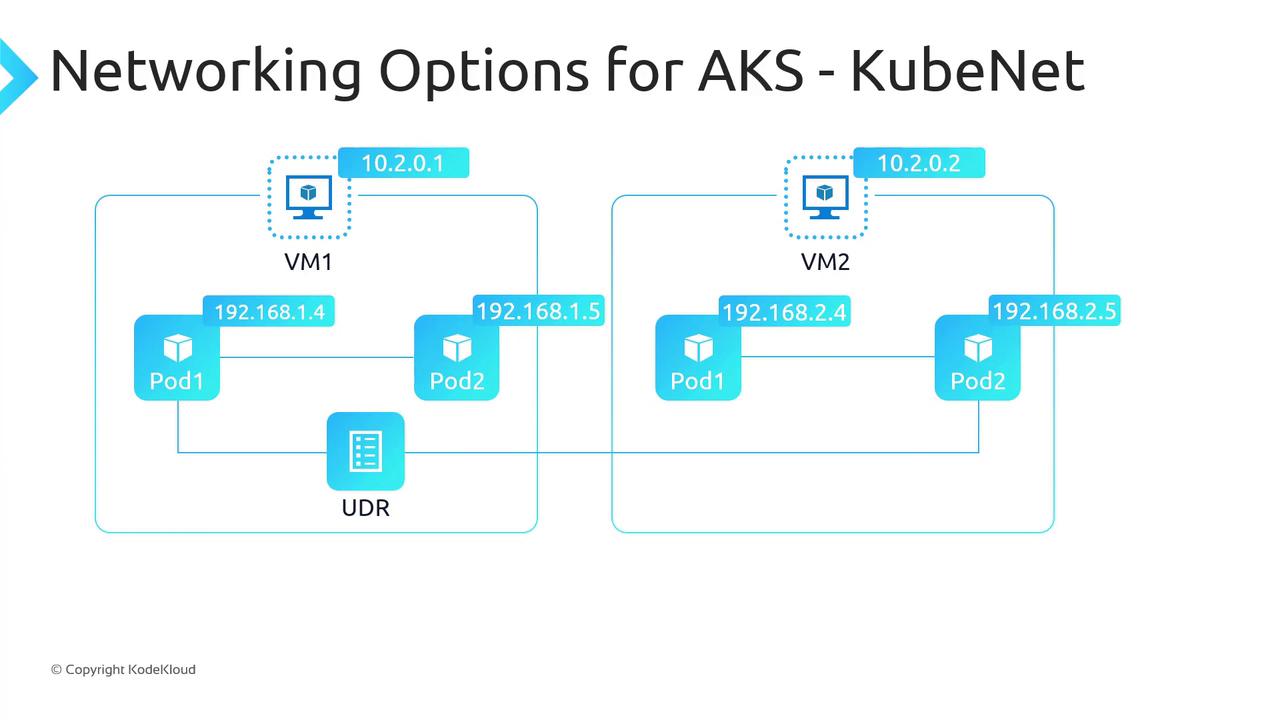
For example, pod1 on VM1 sending packets to pod1 on VM2 is routed through a UDR on Subnet1, directing traffic to VM2, which then forwards to the target pod.
When pods access external resources, AKS applies SNAT:
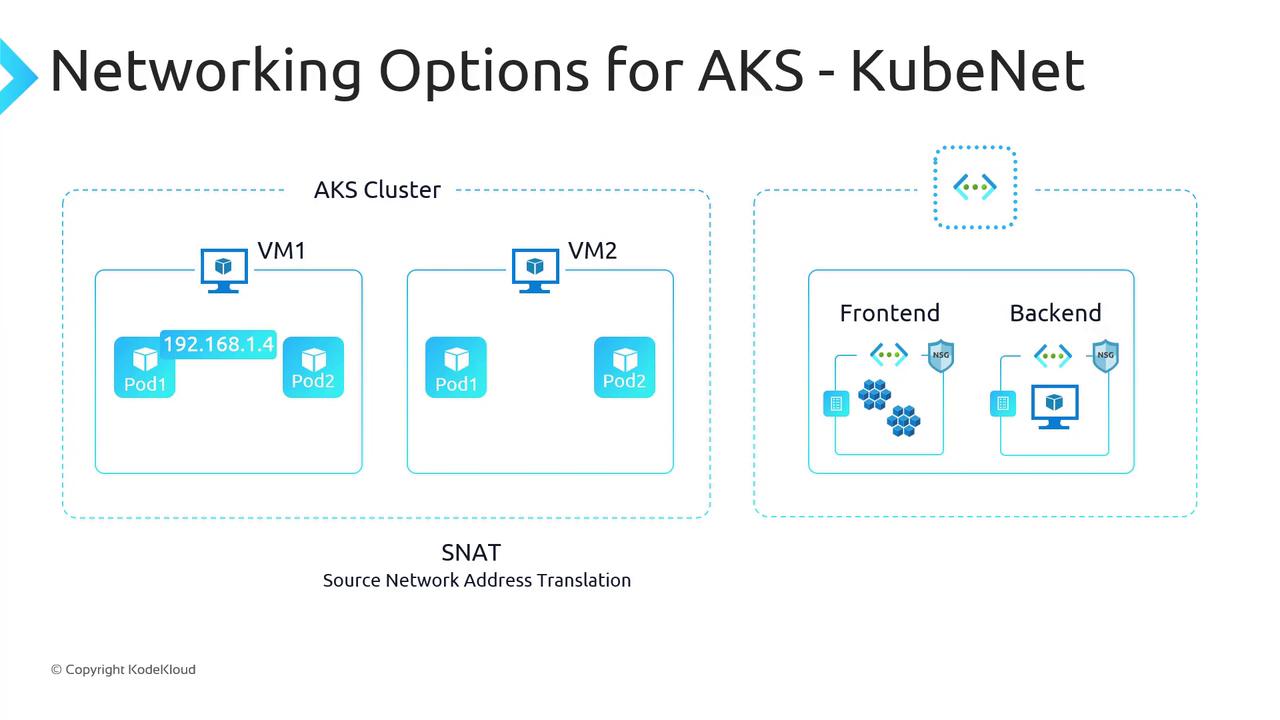
In this scenario, a pod with IP `192.168.1.4` reaching a VM in another VNet (`10.10.1.1`) appears as the node’s IP and port to the destination.
Ensure your subnet and SNAT port allocation can handle peak pod-to-external flows. SNAT port exhaustion can disrupt outbound connectivity.
***
## Azure CNI Overview
Azure CNI integrates directly into your Azure VNet, assigning both nodes and pods IPs from the same subnet. Pods become first-class citizens on the VNet, enabling native routing to other Azure services, on-premises systems, and peered VNets (subject to NSGs/UDRs).
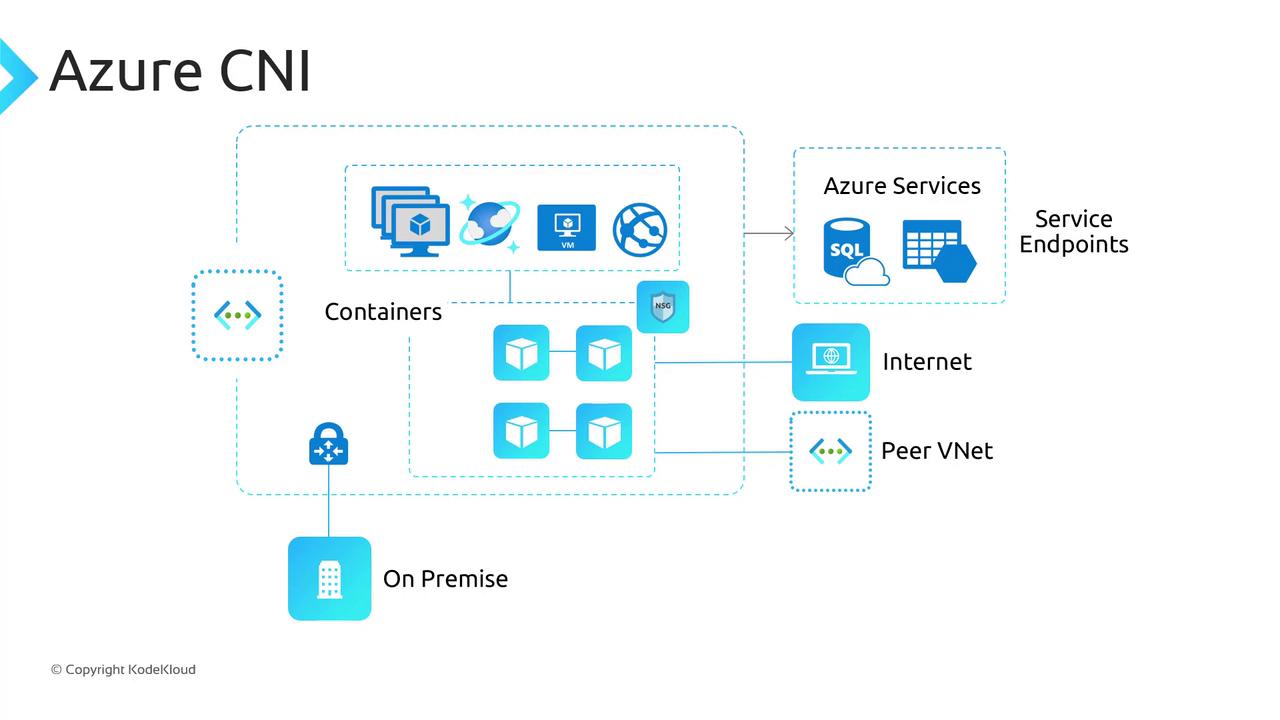
Key benefits:
* **Native IPs** for pods—no SNAT for intra-VNet traffic.
* **Automatic NSG/UDR enforcement** on pod interfaces.
* **Compatibility** with Ingress controllers, DNS, Kubernetes Network Policies, and Windows Server node pools.
Plan VNet size carefully: Azure CNI consumes one IP per pod. A /24 supports up to 250 pods per node, so allocate your address space accordingly.
***
## How Azure CNI Works
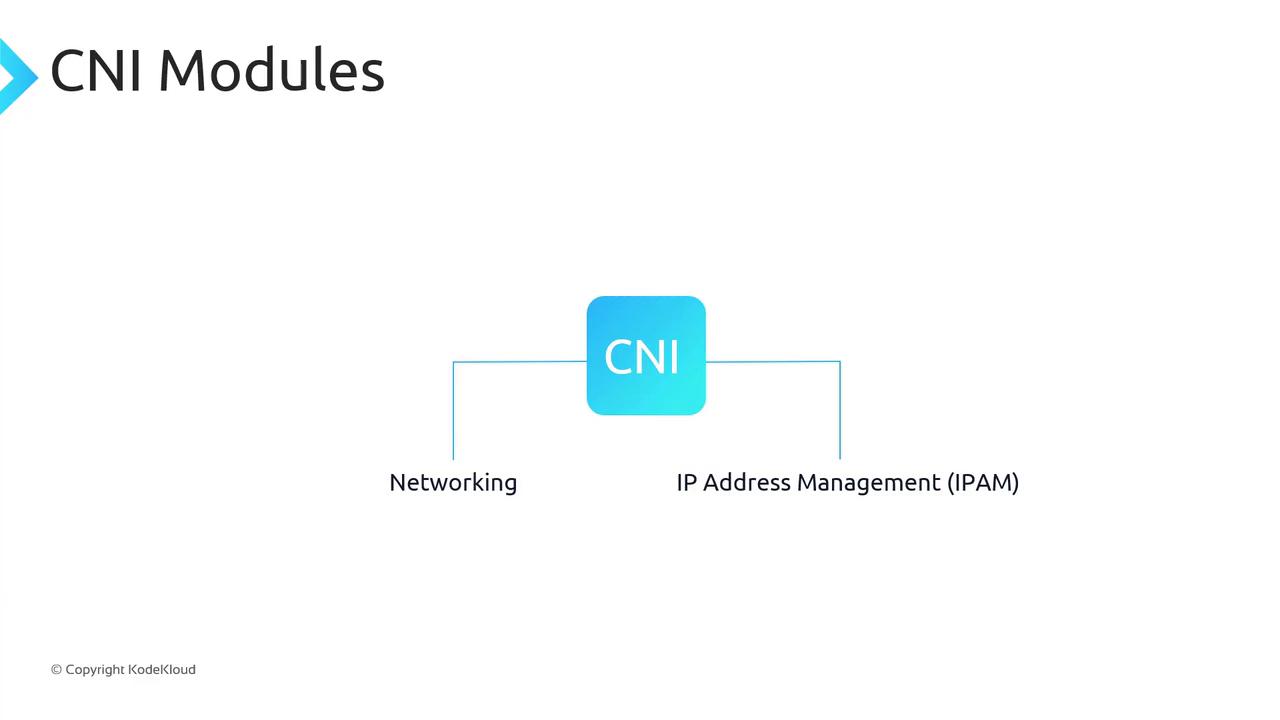
Azure CNI implements the [CNI spec](https://github.com/containernetworking/cni) with two modules:
1. **Networking**: Attaches a virtual network interface (vNIC) to each container.
2. **IP Address Management (IPAM)**: Allocates/deallocates IPs from the subnet pool.
At cluster creation, Azure reserves a pool of secondary IPs on each node’s NIC equal to your max pods-per-node setting (e.g., 30 secondary IPs for 30 pods). When a container starts, Azure CNI assigns an IP from this pool to the pod’s vNIC; it returns to the pool on termination.
Under the hood, a VNet bridge orchestrates these assignments:
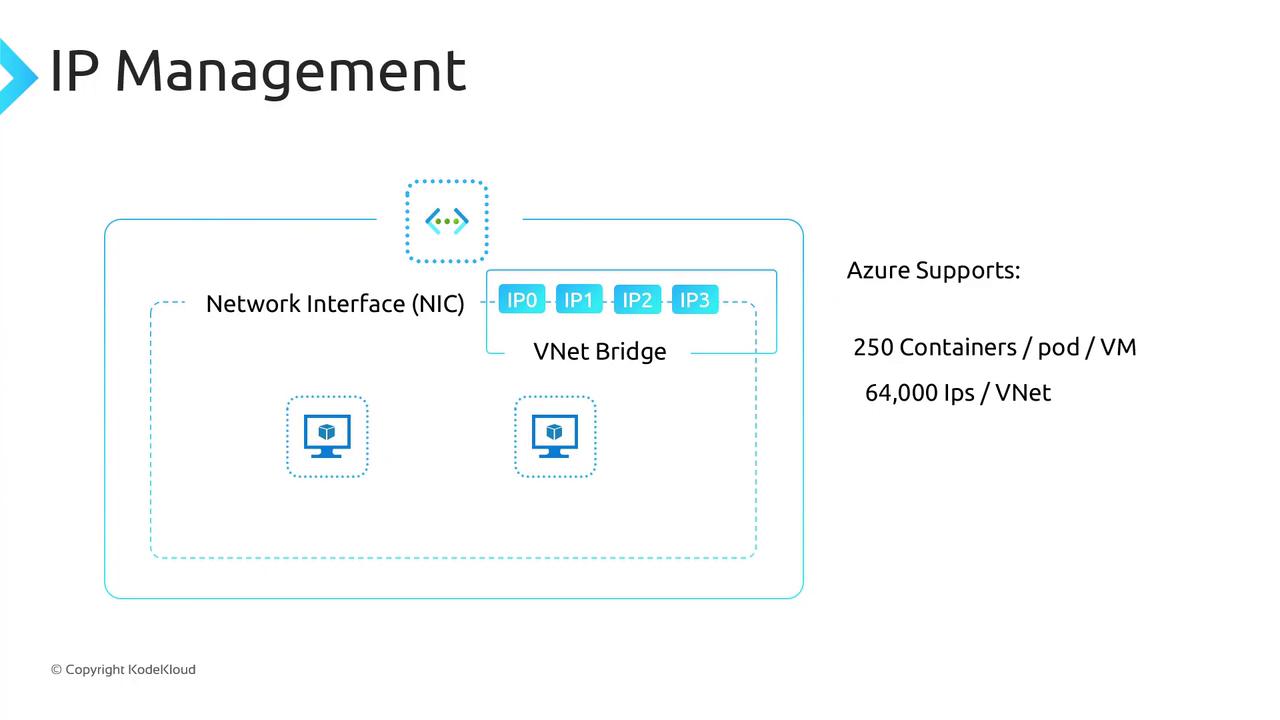
Azure currently supports up to **250 pods per node** and **64,000 IP addresses per VNet** (a /16).
***
## Comparing Kubenet and Azure CNI
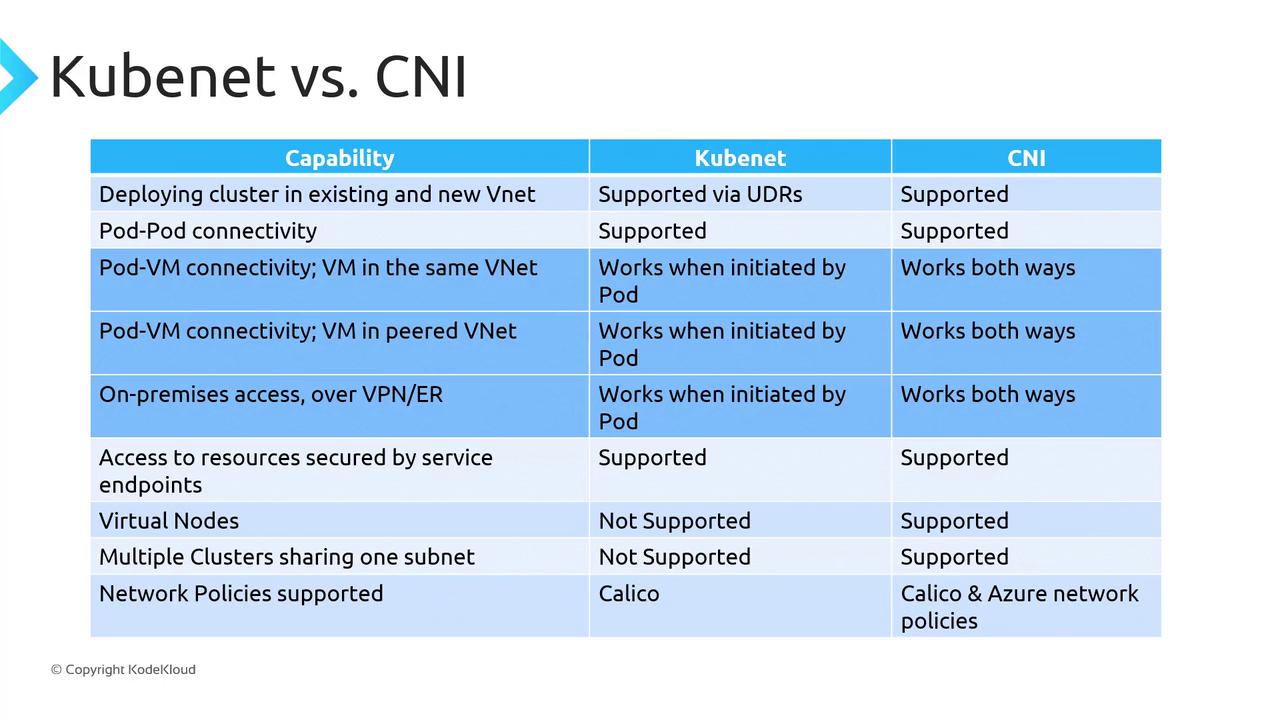
| Feature | Kubenet | Azure CNI |
| ------------------------- | ------------------------------------------ | --------------------------- |
| Pod IP allocation | Secondary network (/24 per node) | First-class VNet IP |
| Outbound NAT | SNAT on node IP | No SNAT for VNet traffic |
| NSG & UDR enforcement | Nodes only | Pods and nodes |
| Max pods per node | Limited by secondary CIDR (/24 ≈ 250 pods) | Up to 250 pods per node |
| Windows Server node pools | Supported | Supported (only CNI option) |
| Virtual nodes | Not supported | Supported |
### When to Use Each Plugin
| Use Case | Recommended Plugin |
| ------------------------------------ | ------------------ |
| Limited VNet address space | Kubenet |
| No need for pod inbound connectivity | Kubenet |
| Can tolerate SNAT overhead | Kubenet |
| Pods require direct VNet routing | Azure CNI |
| Advanced Azure Network Policies | Azure CNI |
| Virtual nodes or Windows pools | Azure CNI |
***
## Links and References
* [Kubernetes CNI Plugins](https://kubernetes.io/docs/concepts/extend-kubernetes/compute-storage-net/network-plugins/)
* [AKS Networking Documentation](https://docs.microsoft.com/azure/aks/concepts-network)
* [Azure Virtual Network](https://docs.microsoft.com/azure/virtual-network/)
* [Container Networking Interface (CNI) Spec](https://github.com/containernetworking/cni)