> ## Documentation Index
> Fetch the complete documentation index at: https://notes.kodekloud.com/llms.txt
> Use this file to discover all available pages before exploring further.
# CDKTF Development Best Practices
> Practical best practices for CDK for Terraform covering when to import modules versus write constructs, incremental migration from Terraform, examples, design guidance, and learning resources
This final lesson summarizes practical best practices for CDK for Terraform (CDKTF). We'll revisit key concepts, show examples for when to import Terraform modules versus writing CDKTF constructs, outline an incremental migration workflow for existing Terraform projects, and point to further learning resources.
## Should you import a module or write a CDKTF construct?
There are three common approaches when implementing reusable infrastructure components:
* Reuse a published Terraform module from the Terraform Registry.
* Import a local Terraform module (from another repo or a local path).
* Re-implement the logic as a CDKTF construct in TypeScript (or your chosen language) using provider bindings.
Use the option that best matches your trade-offs: speed vs. customization vs. long-term maintainability.
Tip: Start by importing modules to move quickly. When a component requires frequent changes or language-level abstractions, gradually rewrite it as a CDKTF construct.
## Example: S3 bucket implemented as a CDKTF construct
Below is a concise CDKTF construct example that creates an S3 bucket and tags it with an `env` tag. This TypeScript construct demonstrates a language-level abstraction you might prefer when you want a stable, reusable building block in your codebase.
```typescript theme={null}
// s3-bucket-with-env-tag.ts
import { Construct } from 'constructs';
import { s3Bucket } from '@cdktf/provider-aws';
interface S3BucketWithEnvTagProps {
env: 'dev' | 'prod';
name: string;
}
export class S3BucketWithEnvTag extends Construct {
constructor(scope: Construct, id: string, { env, name }: S3BucketWithEnvTagProps) {
super(scope, id);
// Create the S3 bucket
new s3Bucket.S3Bucket(this, 's3-bucket', {
bucket: name,
objectLockEnabled: true,
tags: {
env: env,
},
});
}
}
```
You can either:
* Re-implement that logic as a CDKTF construct (above),
* Import a published Terraform module from the registry, or
* Import a local Terraform module.
## Import a local Terraform module using cdktf.json
To import a local module and have CDKTF generate bindings for it, add the module to your `cdktf.json` using a relative or absolute `source`. Example:
```json theme={null}
{
"language": "typescript",
"app": "npx ts-node main.ts",
"projectId": "244e6594-8fee-4789-9b66-45ed8e1b1f28",
"sendCrashReports": "false",
"terraformProviders": [],
"terraformModules": [
{
"name": "s3_bucket_with_env_tag",
"source": "/root/code/tf/modules/s3_bucket_with_env_tag"
}
],
"context": {}
}
```
After updating `cdktf.json`:
```bash theme={null}
yarn install
yarn cdktf get
```
CDKTF will generate module bindings under `.gen`, allowing you to import and use the module like any construct.
## Using the generated module from TypeScript
Once generated, import the module and use it in your stack similarly to native constructs:
```typescript theme={null}
import { Construct } from 'constructs';
import { App, TerraformStack } from 'cdktf';
import { provider, s3Bucket } from '@cdktf/provider-aws';
import * as random from '@cdktf/provider-random';
import * as S3BucketWithEnvTag from './.gen/modules/modules/s3_bucket_with_env_tag';
class MyStack extends TerraformStack {
constructor(scope: Construct, id: string) {
super(scope, id);
// Configure the random provider
new random.provider.RandomProvider(this, 'random-provider');
const randomId = new random.id.Id(this, 'random-id', {
byteLength: 4,
});
// Create the S3 bucket (direct provider binding)
new s3Bucket.S3Bucket(this, 's3-bucket', {
bucket: `cdktf-demo-bucket-1-${randomId.hex}`,
objectLockEnabled: true,
});
// Use the generated module construct
new S3BucketWithEnvTag.S3BucketWithEnvTag(this, 's3-bucket-with-env-tag', {
name: `cdktf-demo-bucket-2-${randomId.hex}`,
env: 'dev',
});
}
}
```
## Decision guidance: import module vs write a construct
Use this table to choose the best approach for your component:
| Option | Best for | When to prefer |
| ---------------------------------- | -------------------------------------------: | ----------------------------------------------------------- |
| Import Terraform module (registry) | Rapid delivery of stable components | The module exists, is well-maintained, and you need speed |
| Import local Terraform module | Reuse shared infra code across repos | You already have tested modules within your org |
| Write CDKTF construct | Language-level APIs and fine-grained control | You want TypeScript abstractions or expect frequent changes |
## Using CDKTF in an existing Terraform project (incremental migration)
You can migrate existing Terraform projects into CDKTF incrementally. Typical workflow:
1. Create a new folder and initialize a CDKTF project.
2. Install the CDKTF CLI and run `cdktf init`, choosing "Start from an existing Terraform project" when prompted.
Example session (abbreviated):
```bash theme={null}
# create a project folder and initialize
mkdir cdktf2
cd cdktf2
# install the CDKTF CLI if not installed
npm i -g cdktf-cli
# initialize a new TypeScript CDKTF project
cdktf init
# follow interactive prompts:
# - Terraform Cloud State Management? No
# - Template? TypeScript
# - Project name? cdktf2
# - Start from existing Terraform project? Yes
# - Enter the path to the existing Terraform project
# - Select providers used in the project (e.g., aws, random)
```
CDKTF will scan your Terraform configuration, import providers/modules, and generate TypeScript code. Expect to clean up a few items: duplicate imports, missing provider declarations, and any provider-specific nuances.
The conversion tool is a strong starting point but not a full one-click migration. For larger projects, plan time to resolve generated import issues and to refactor modules into idiomatic CDKTF constructs where needed.
### Example generated TypeScript (from conversion)
A converted `main.ts` may include generated provider and module bindings like this:
```typescript theme={null}
import { Construct } from 'constructs';
import { App, LocalBackend, TerraformStack } from 'cdktf';
import { AwsProvider } from './.gen/providers/aws/provider';
import { S3Bucket } from './.gen/providers/aws/s3-bucket';
import { Id } from './.gen/providers/random/id';
import * as S3BucketWithEnvTag from './.gen/modules/modules/s3_bucket_with_env_tag';
import { RandomProvider } from '@cdktf/provider-random/lib/provider';
class MyStack extends TerraformStack {
constructor(scope: Construct, id: string) {
super(scope, id);
new LocalBackend(this, {
path: 'terraform.tfstate',
});
new AwsProvider(this, 'aws', {
region: 'us-east-1',
});
new RandomProvider(this, 'random');
const bucketId = new Id(this, 'bucket_id', {
byteLength: 4,
});
new S3BucketWithEnvTag.S3BucketWithEnvTag(this, 's3_bucket', {
env: 'dev',
name: `tf-demo-bucket-2-${bucketId.hex}`,
});
new S3Bucket(this, 'tf-demo-bucket-1', {
bucket: `tf-demo-bucket-1-${bucketId.hex}`,
objectLockEnabled: true,
});
}
}
```
After adjustments:
```bash theme={null}
# install dependencies
yarn install
# synth / deploy
yarn cdktf synth
yarn cdktf deploy
```
## Design guidance: constructs and stacks
* Constructs
* Encapsulate a single responsibility (e.g., "S3 bucket with logging" or "API with backend Lambda").
* Keep public props minimal and stable.
* Group resources by deployment/ownership and dependency boundaries.
* Avoid embedding business logic that changes frequently into a low-level construct.
* Stacks
* A stack should represent a deployable business unit (for example: API, frontend, database tier).
* Deploy stacks independently when you need separate lifecycle, teams, or scaling.
* Design stacks to match your deployment and ownership boundaries.
## Further learning and resources
* CDKTF docs — Language-specific guidance and examples: [https://developer.hashicorp.com/terraform/cdktf](https://developer.hashicorp.com/terraform/cdktf)
* Terraform Registry — Reusable Terraform modules: [https://registry.terraform.io/](https://registry.terraform.io/)
* CDKTF community discussions and forum posts — practical patterns and troubleshooting
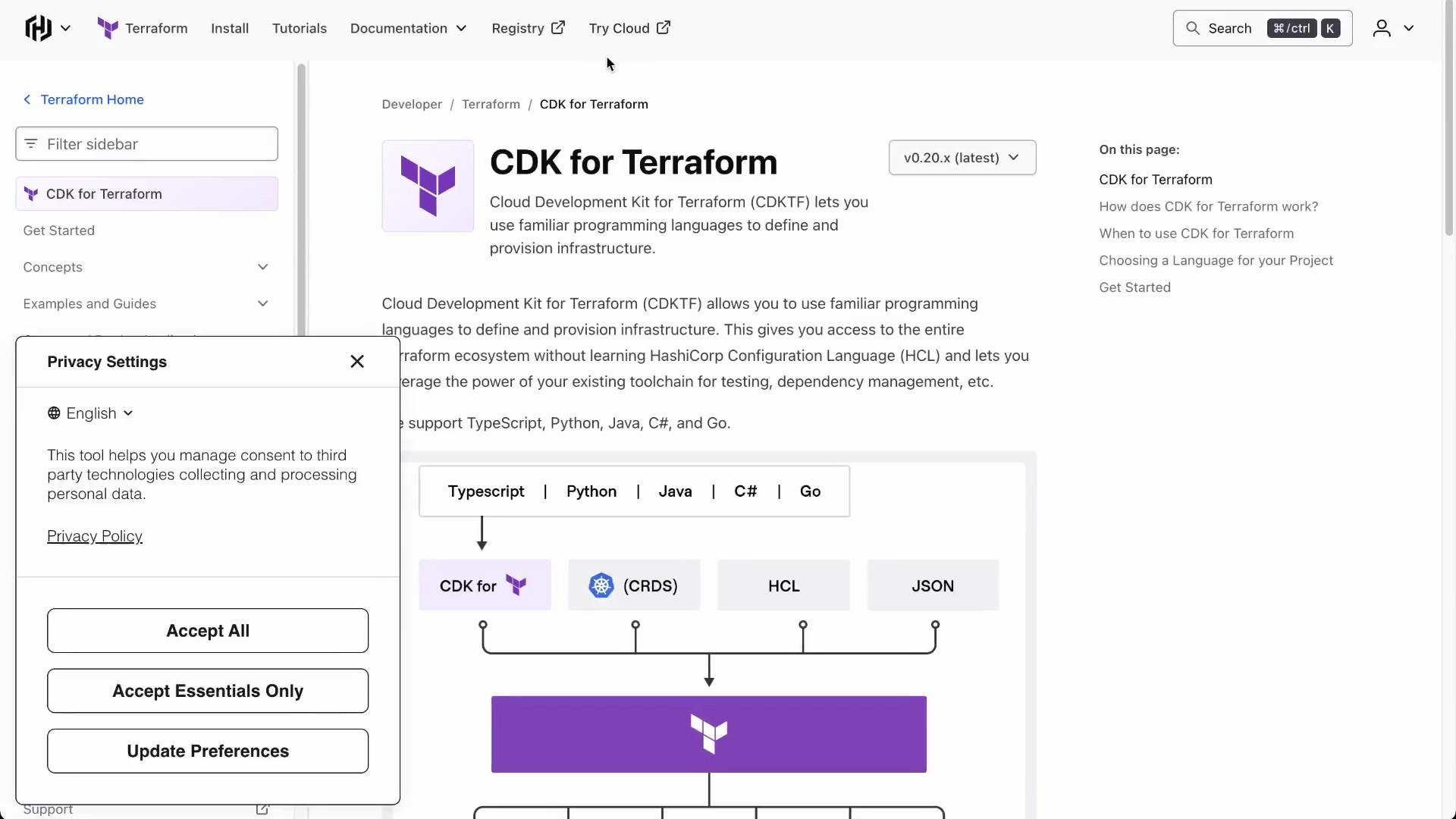 Other recommended resources:
* [CDKTF documentation](https://developer.hashicorp.com/terraform/cdktf) (TypeScript examples included)
* Community forums and GitHub discussions for real-world patterns
* Build hands-on projects — practical experience is the best teacher
## Summary
* Use imported Terraform modules to move quickly for stable, well-maintained components.
* Prefer CDKTF constructs when you need TypeScript-first abstractions or expect frequent changes.
* Use the CDKTF conversion tooling to speed migration from Terraform, then incrementally refactor generated code.
* Design constructs to have a single responsibility and design stacks around deployable business functionality.
Thank you — I hope this lesson clarified CDKTF best practices and helps you build maintainable Infrastructure as Code.
Other recommended resources:
* [CDKTF documentation](https://developer.hashicorp.com/terraform/cdktf) (TypeScript examples included)
* Community forums and GitHub discussions for real-world patterns
* Build hands-on projects — practical experience is the best teacher
## Summary
* Use imported Terraform modules to move quickly for stable, well-maintained components.
* Prefer CDKTF constructs when you need TypeScript-first abstractions or expect frequent changes.
* Use the CDKTF conversion tooling to speed migration from Terraform, then incrementally refactor generated code.
* Design constructs to have a single responsibility and design stacks around deployable business functionality.
Thank you — I hope this lesson clarified CDKTF best practices and helps you build maintainable Infrastructure as Code.