

Background: Using Services for External Access
Imagine you are deploying an application for a company with an online store at myonlinestore.com. You build your application as a Docker image and deploy it on a Kubernetes cluster as a pod within a Deployment. The application requires a database, so you deploy a MySQL pod and expose it with a ClusterIP Service named MySQL service. Internally, your application functions properly. To expose the application externally, you create a Service of type NodePort, mapping the application to a high port (e.g., 38080) on your cluster nodes. In this configuration, users access your application using a URL like: http://<node_IP>:38080 As traffic increases, the Service load-balances the requests among multiple application pods. In a production environment, however, you likely want users to access your application through a user-friendly domain name instead of a node IP address with a high port number. To achieve this, you would update your DNS configuration to point to your node IPs and deploy a proxy server that forwards requests from standard port 80 (or 443 for HTTPS) on your DNS to the NodePort defined in your cluster. With this approach, users can simply navigate to myonlinestore.com. Cloud-Native Approach with LoadBalancer If your application is hosted on a public cloud platform like Google Cloud Platform (GCP), the process can be simplified further. Instead of creating a NodePort Service, you can deploy a Service of type LoadBalancer. In this setup:- Kubernetes assigns an internal high port.
- It sends a request to GCP to deploy a network load balancer.
- The cloud load balancer routes traffic to the internal port across all nodes.
- An external IP is provided by the load balancer, which you point your DNS to.
The Need for Ingress
Imagine your company expands and you launch new services. For example, you might offer:- A video streaming service on myonlinestore.com/watch
- The original application on myonlinestore.com/wear
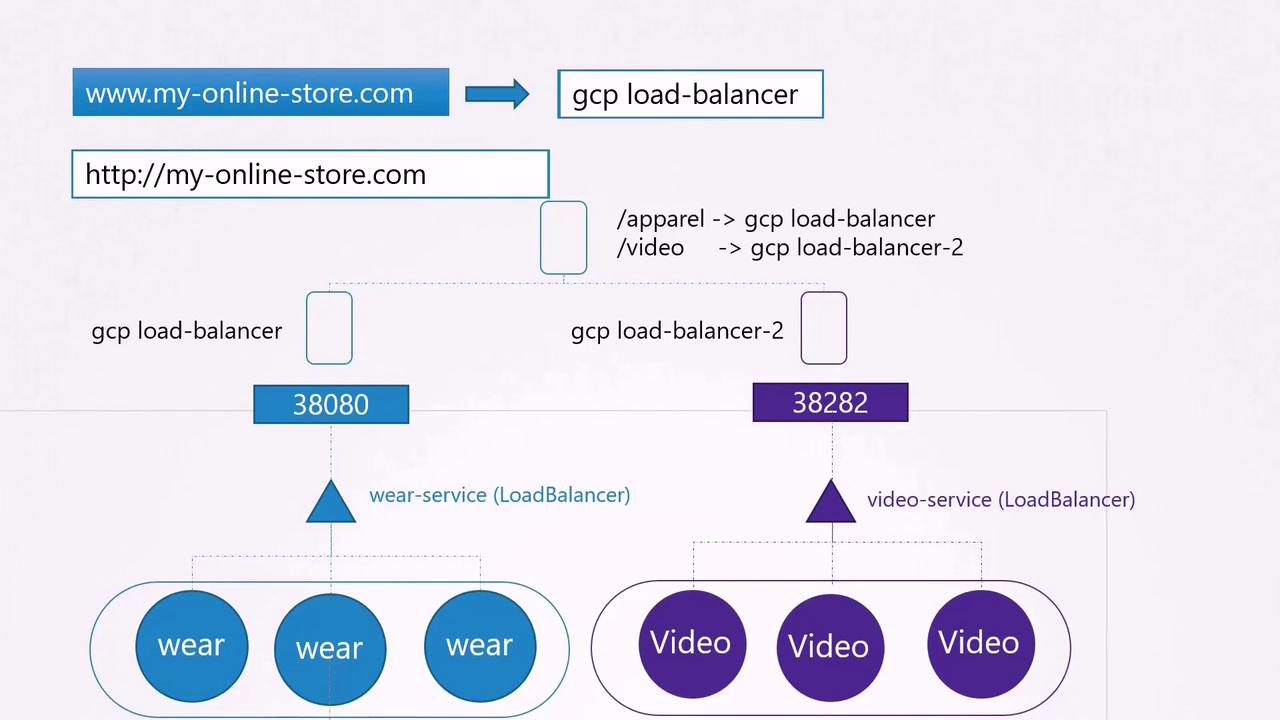
Introducing Ingress
Ingress simplifies external access by providing a single externally accessible IP for your Kubernetes applications. It allows you to configure URL-based routing rules, SSL termination, authentication, and more—acting as a built-in layer 7 load balancer. Even with Ingress, you still need an initial exposure mechanism (via NodePort or a cloud-native LoadBalancer). However, once this is set up, all further changes are made through the Ingress controller.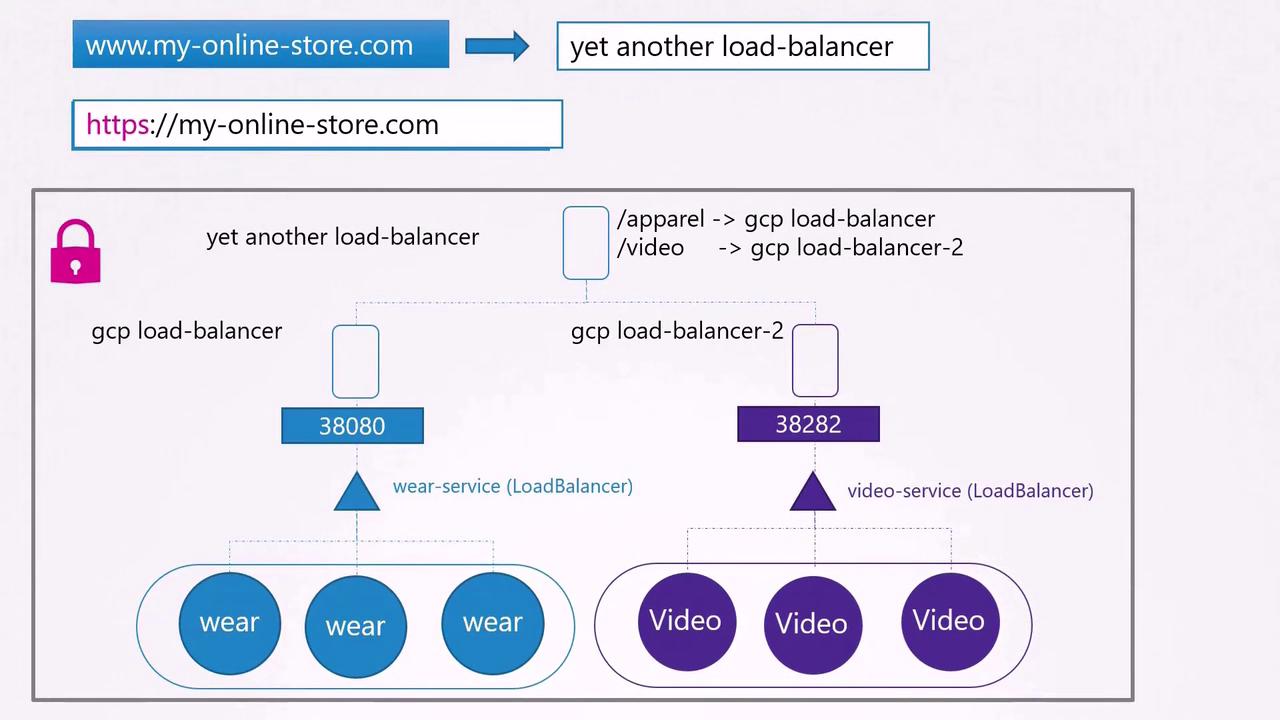
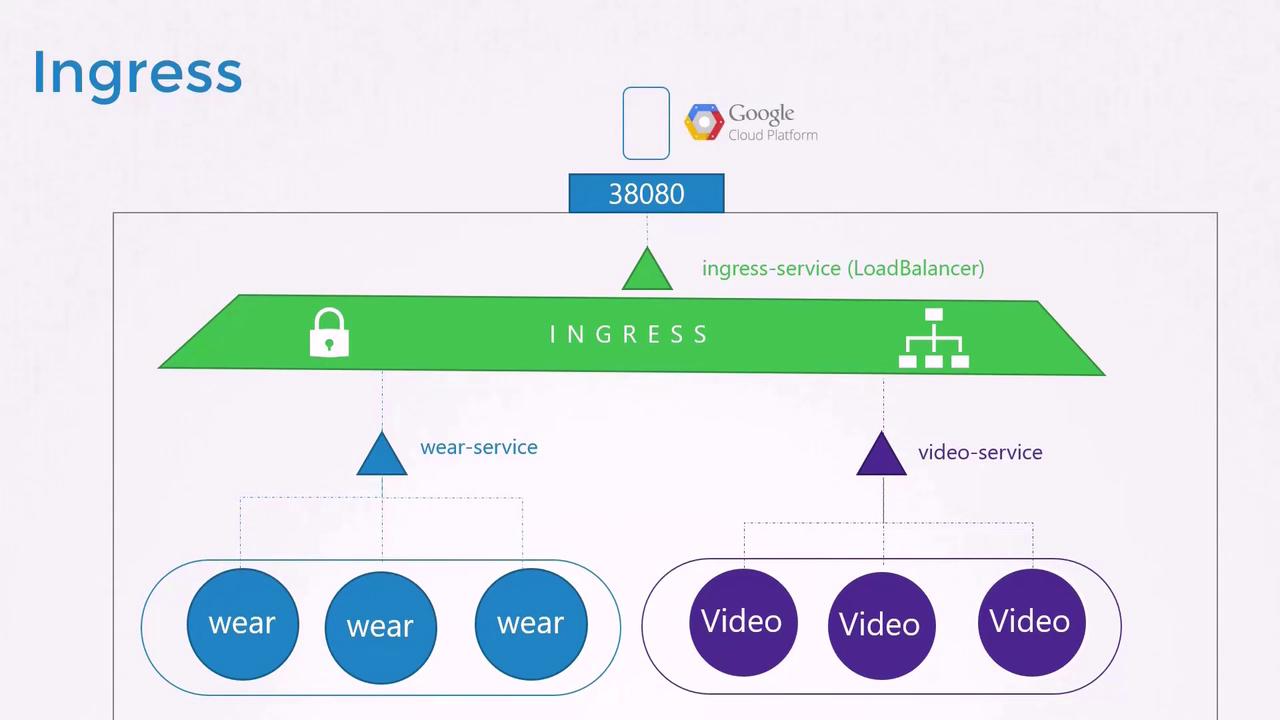
Deploying an Ingress Controller
To use Ingress, you must first deploy an Ingress controller. The controller continuously monitors the cluster for changes in Ingress resources and reconfigures the underlying load balancing solution accordingly.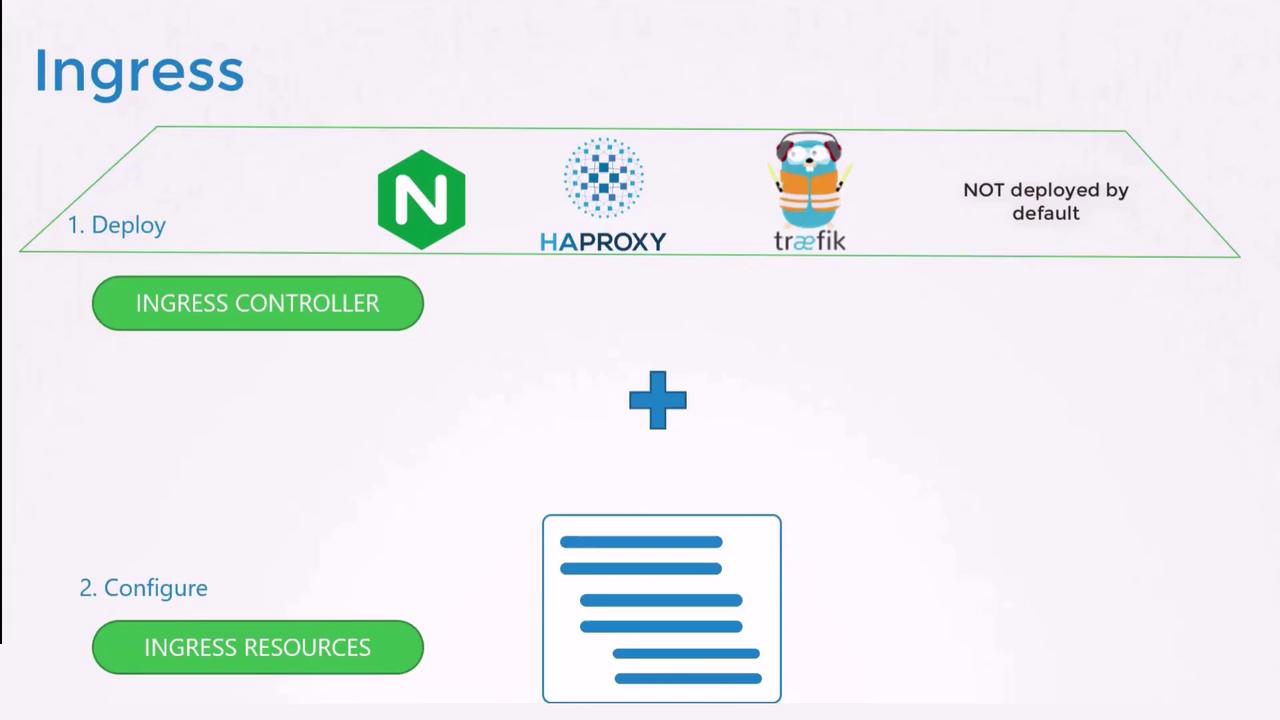
A Kubernetes cluster does not include an Ingress controller by default. If you create Ingress resources without deploying an Ingress controller, they will have no effect.
Deploying the NGINX Ingress Controller
Below is an example of an NGINX Ingress controller deployment:Creating Ingress Resources
Once the NGINX Ingress controller is deployed, you can begin creating Ingress resources that define rules and configurations for routing external traffic to backend Services.Simple Ingress for a Single Service
The following Ingress resource routes all incoming traffic to a single backend Service named “wear-service” on port 80:Ingress with Multiple URL Paths
For more complex routing—such as directing traffic from different URL paths to different backend Services—use Ingress rules. Suppose you want:- Traffic to myonlinestore.com/wear to go to “wear-service”
- Traffic to myonlinestore.com/watch to go to “watch-service”
Ingress Based on Host Names
Another common scenario involves routing traffic based on host names. For example, you might want:- Traffic for myonlinestore.com to go to “primary-service”
- Traffic for www.myonlinestore.com to go to “secondary-service”
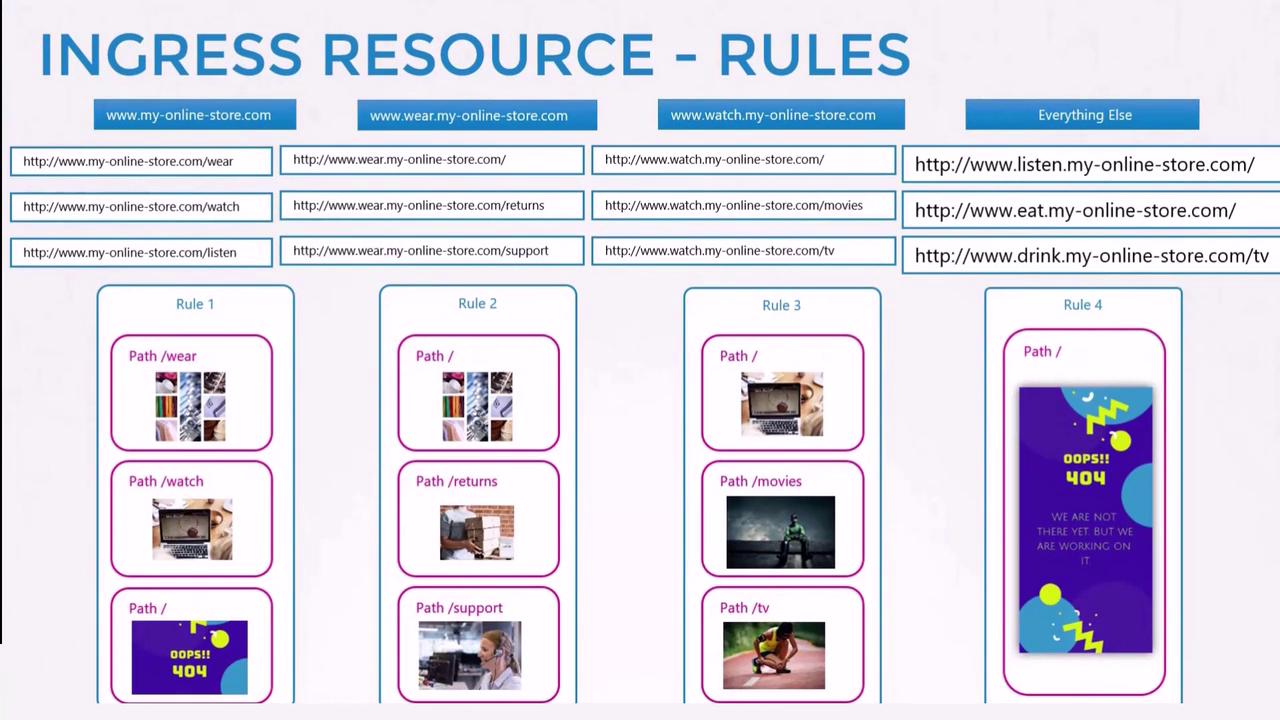
Splitting traffic by URL involves one rule with multiple paths, whereas splitting traffic by domain requires multiple rules with specific host fields. If you do not define a host, the Ingress rule will match all incoming traffic, regardless of the domain.