> ## Documentation Index
> Fetch the complete documentation index at: https://notes.kodekloud.com/llms.txt
> Use this file to discover all available pages before exploring further.
# Demo Using GenAI to Generate Steps for Lambda Deployment
> This article outlines steps to deploy a Node.js application to AWS Lambda using a Jenkins pipeline, leveraging Microsoft Copilot for guidance.
Before automating AWS Lambda deployment with a Jenkins pipeline, it’s crucial to adapt a Node.js application (originally designed for Docker on EC2 and Kubernetes) to run seamlessly in a serverless environment. Instead of sifting through extensive AWS documentation, we used Microsoft Copilot to outline high-level steps. Below are the questions we asked and the concise answers that guided our Lambda-ready changes and pipeline design.
***
## 1. What are the steps required to deploy a Node.js application to AWS Lambda using a Jenkins pipeline?
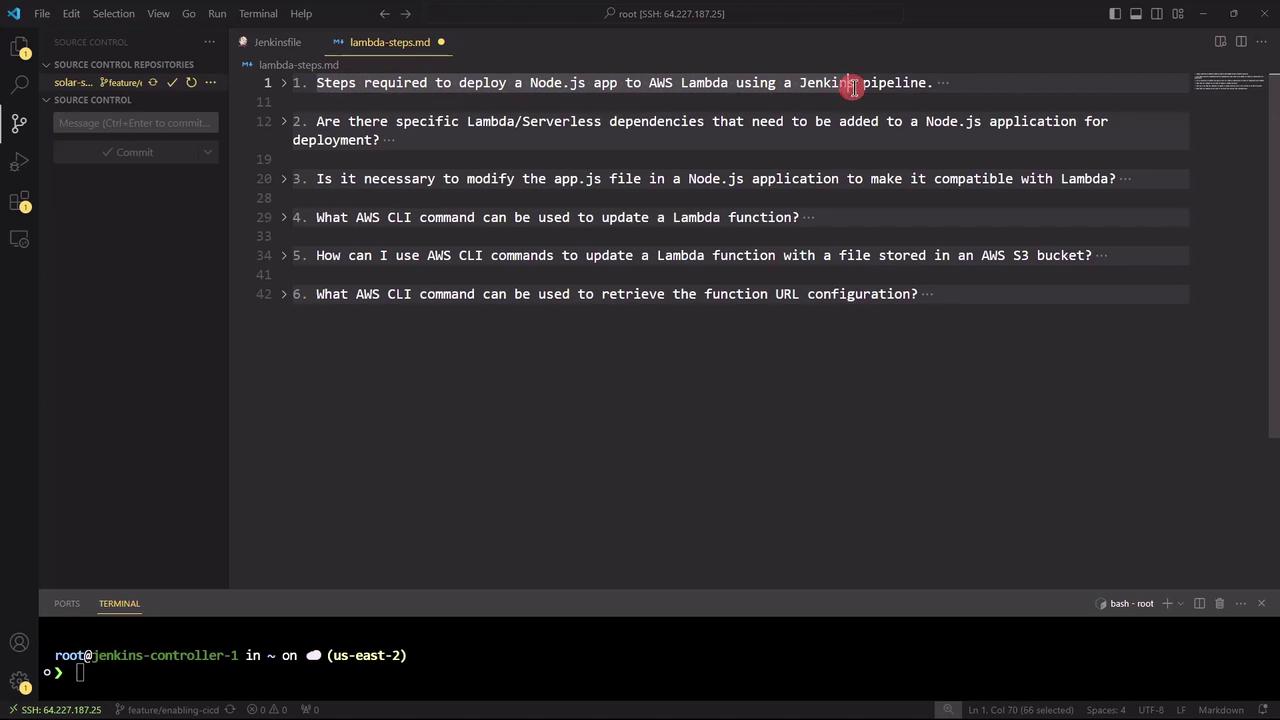
Copilot mapped out these key stages:
1. Configure AWS and Jenkins
* Ensure AWS CLI is installed and credentials are set:\
`aws configure`
* Install Jenkins plugins: Git, NodeJS, AWS Lambda, Pipeline
2. Install Dependencies
```bash theme={null}
npm install
```
3. Run Tests (if applicable)
```bash theme={null}
npm test
```
4. Package the Application
```bash theme={null}
zip -r my-node-app.zip index.js node_modules
```
5. Deploy to Lambda
```bash theme={null}
aws lambda create-function \
--function-name my-node-app \
--zip-file fileb://my-node-app.zip \
--handler index.handler \
--runtime nodejs14.x \
--role arn:aws:iam:::role/
```
6. Define Jenkins Pipeline (Jenkinsfile)
```groovy theme={null}
pipeline {
agent any
stages {
stage('Checkout') { steps { git url: 'https://repo-url.git' } }
stage('Install') { steps { sh 'npm install' } }
stage('Test') { steps { sh 'npm test' } }
stage('Package') { steps { sh 'zip -r my-node-app.zip index.js node_modules' } }
stage('Deploy') {
steps {
withAWS(credentials: 'aws-creds') {
sh '''
aws lambda update-function-code \
--function-name my-node-app \
--zip-file fileb://my-node-app.zip \
--publish
'''
}
}
}
}
}
```
Ensure that your Jenkins `aws-creds` credential has the necessary IAM permissions to create and update Lambda functions.
To summarize, here’s a quick overview of each pipeline stage:
| Stage | Description | Command |
| -------- | --------------------------------------------- | ---------------------------------------------------------------------------------------------------------- |
| Checkout | Clone the Git repository | `git clone https://repo-url.git` |
| Install | Install Node.js dependencies | `npm install` |
| Test | Run unit and integration tests | `npm test` |
| Package | Archive the application code and dependencies | `zip -r my-node-app.zip index.js node_modules` |
| Deploy | Update AWS Lambda function code | `aws lambda update-function-code --function-name my-node-app --zip-file fileb://my-node-app.zip --publish` |
***
## 2. Are there any specific Lambda or serverless dependencies to add?
To adapt Express for Lambda’s event-driven model, install these packages:
```bash theme={null}
npm install express serverless-http
# (Optional) Install the Serverless Framework CLI globally
npm install -g serverless
```
The `serverless-http` library wraps your Express application into a handler function that AWS Lambda can invoke.
***
## 3. Do we need to modify the application code (`app.js`) for AWS Lambda?
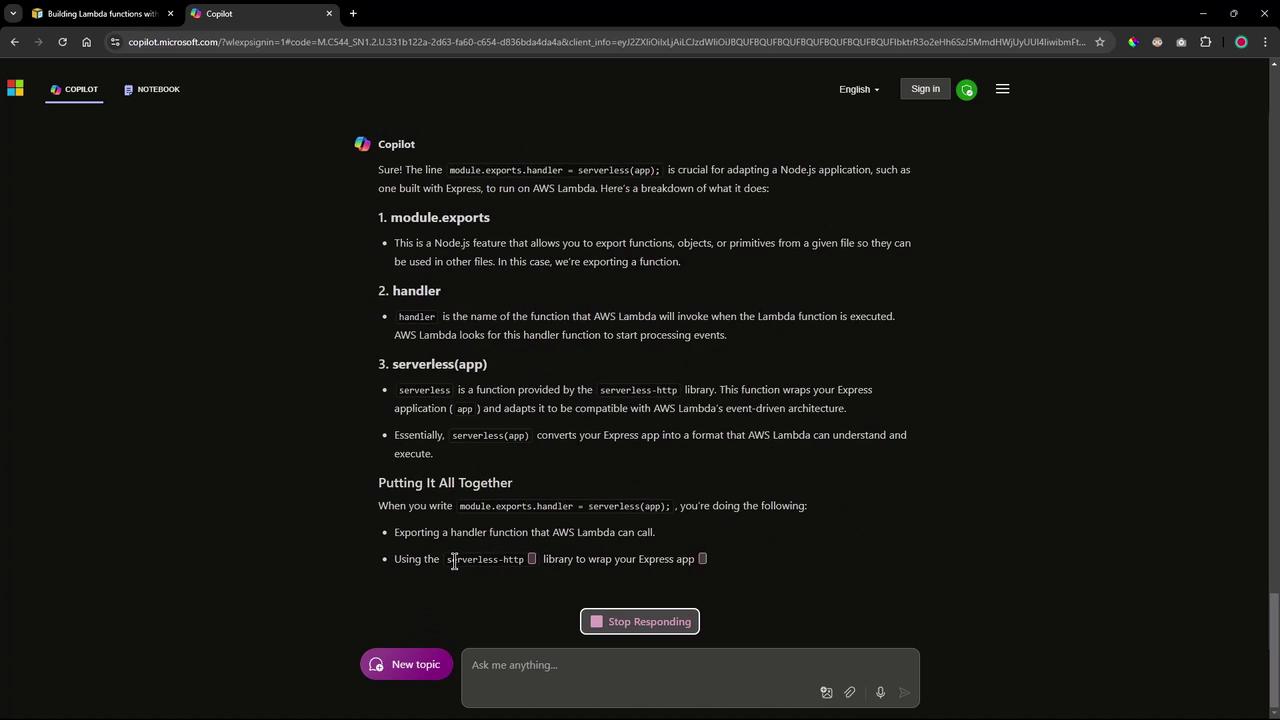
Yes. Wrap your Express app using `serverless-http` and export the handler:
```javascript theme={null}
const express = require('express');
const serverless = require('serverless-http');
const app = express();
app.get('/', (req, res) => {
res.send('Hello, AWS Lambda!');
});
module.exports.handler = serverless(app);
```
***
## 4. What is the AWS CLI command to update a Lambda function’s code?
If your function already exists, run:
```bash theme={null}
aws lambda update-function-code \
--function-name my-node-app \
--zip-file fileb://my-node-app.zip \
--publish
```
Or update from an S3 bucket:
```bash theme={null}
aws lambda update-function-code \
--function-name my-node-app \
--s3-bucket my-bucket \
--s3-key my-node-app.zip
```
***
## 5. How can we retrieve the Function URL configuration via AWS CLI?
To fetch the function URL settings after deployment:
```bash theme={null}
aws lambda get-function-url-config \
--function-name my-node-app
```
***
With these steps, you now have a clear roadmap:
* Integrate `serverless-http` into your Node.js app and export a Lambda handler.
* Zip your application code and dependencies.
* Use AWS CLI commands within a Jenkins pipeline to deploy and update your Lambda function.
* Retrieve and test the Function URL configuration with a simple CLI call.
In the next session, we’ll manually execute these commands to confirm the deployment before fully automating the workflow using our Jenkins pipeline.
## Links and References
* [AWS Lambda Developer Guide](https://docs.aws.amazon.com/lambda/latest/dg/welcome.html)
* [Jenkins Pipeline Syntax](https://www.jenkins.io/doc/book/pipeline/syntax/)
* [serverless-http on npm](https://www.npmjs.com/package/serverless-http)
* [Serverless Framework Documentation](https://www.serverless.com/framework/docs/)