> ## Documentation Index
> Fetch the complete documentation index at: https://notes.kodekloud.com/llms.txt
> Use this file to discover all available pages before exploring further.
# Demo Utilize Agents in Jobs
> Demonstrates using Jenkins agents to run Freestyle and Declarative Pipeline jobs on labeled external nodes, including stage-level agent overrides and workspace verification.
In this lesson we demonstrate how to use Jenkins agents (nodes) with both Freestyle and Declarative Pipeline jobs. You will learn how to:
* Run Freestyle jobs on an external agent using labels.
* Pin specific pipeline stages to a particular agent.
* Inspect workspace locations to verify where each stage or job executed.
Prerequisites: a running external agent registered with your Jenkins controller.
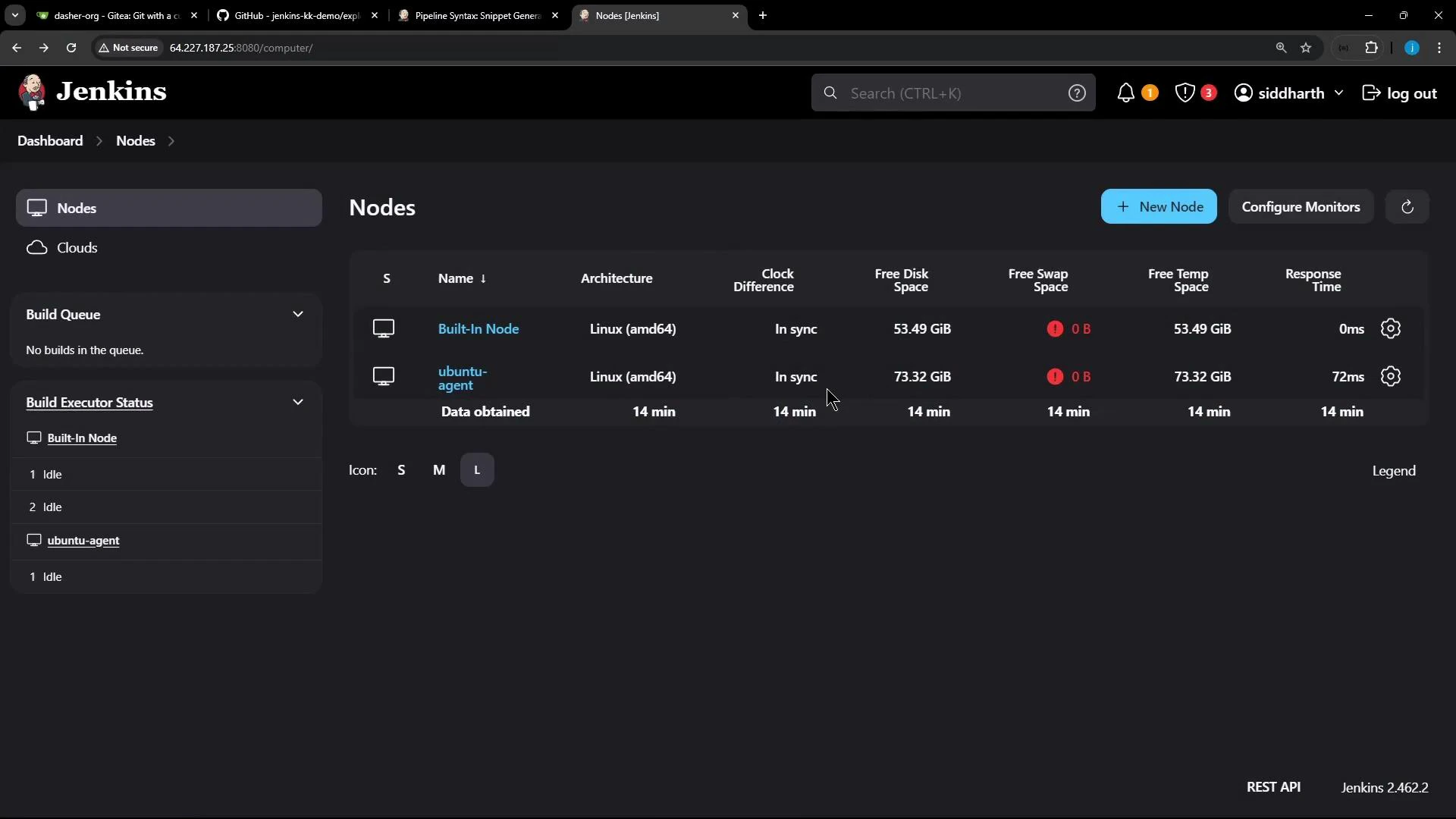 ## 1) Freestyle Job on an External Agent
Create a new Freestyle job — for example, name it `freestyle-external-agent`.
## 1) Freestyle Job on an External Agent
Create a new Freestyle job — for example, name it `freestyle-external-agent`.
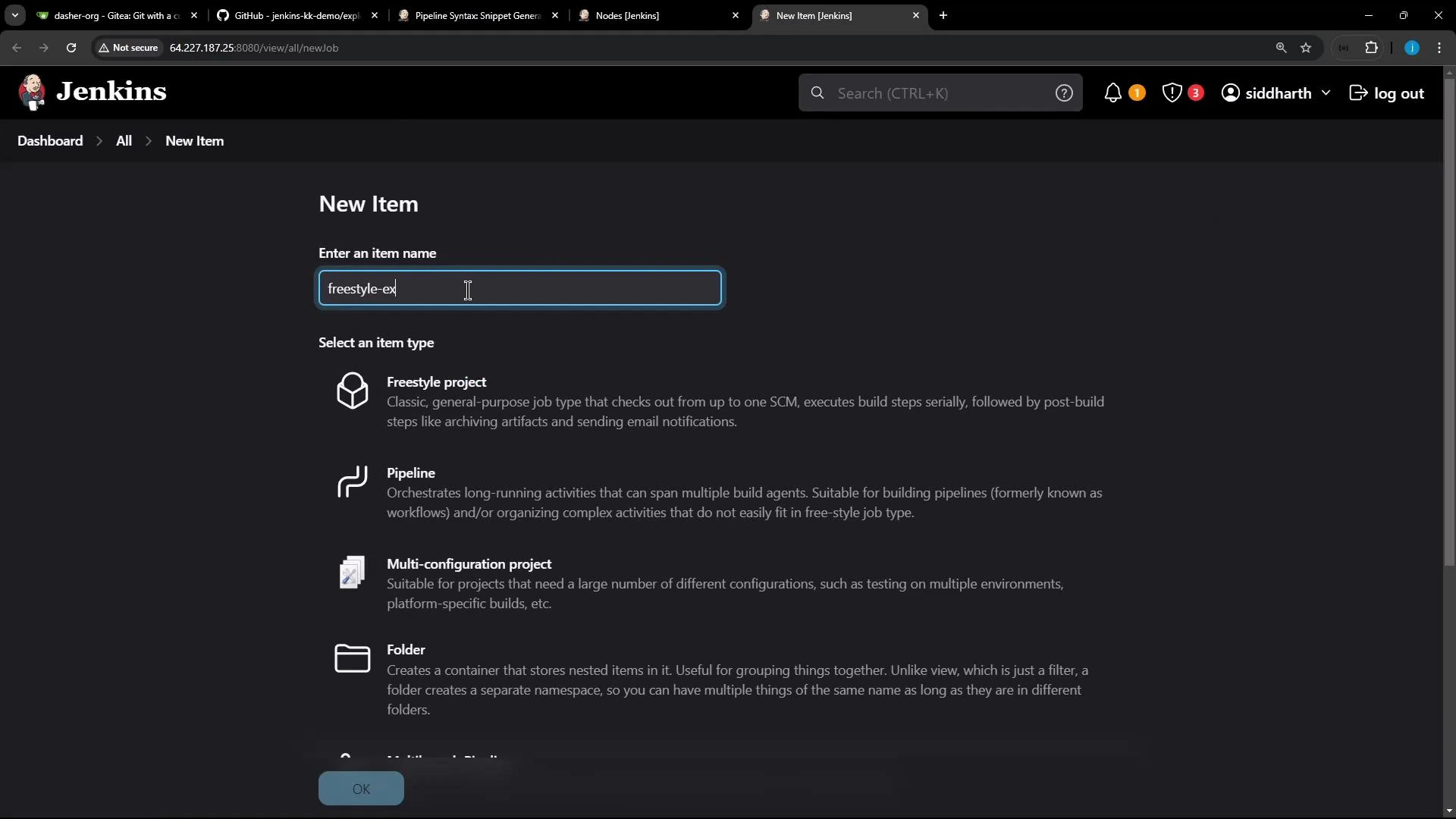 In the job configuration:
* Add a build step "Execute shell" and include commands to print OS and Node/NPM versions:
```bash theme={null}
cat /etc/os-release
node -v
npm -v
```
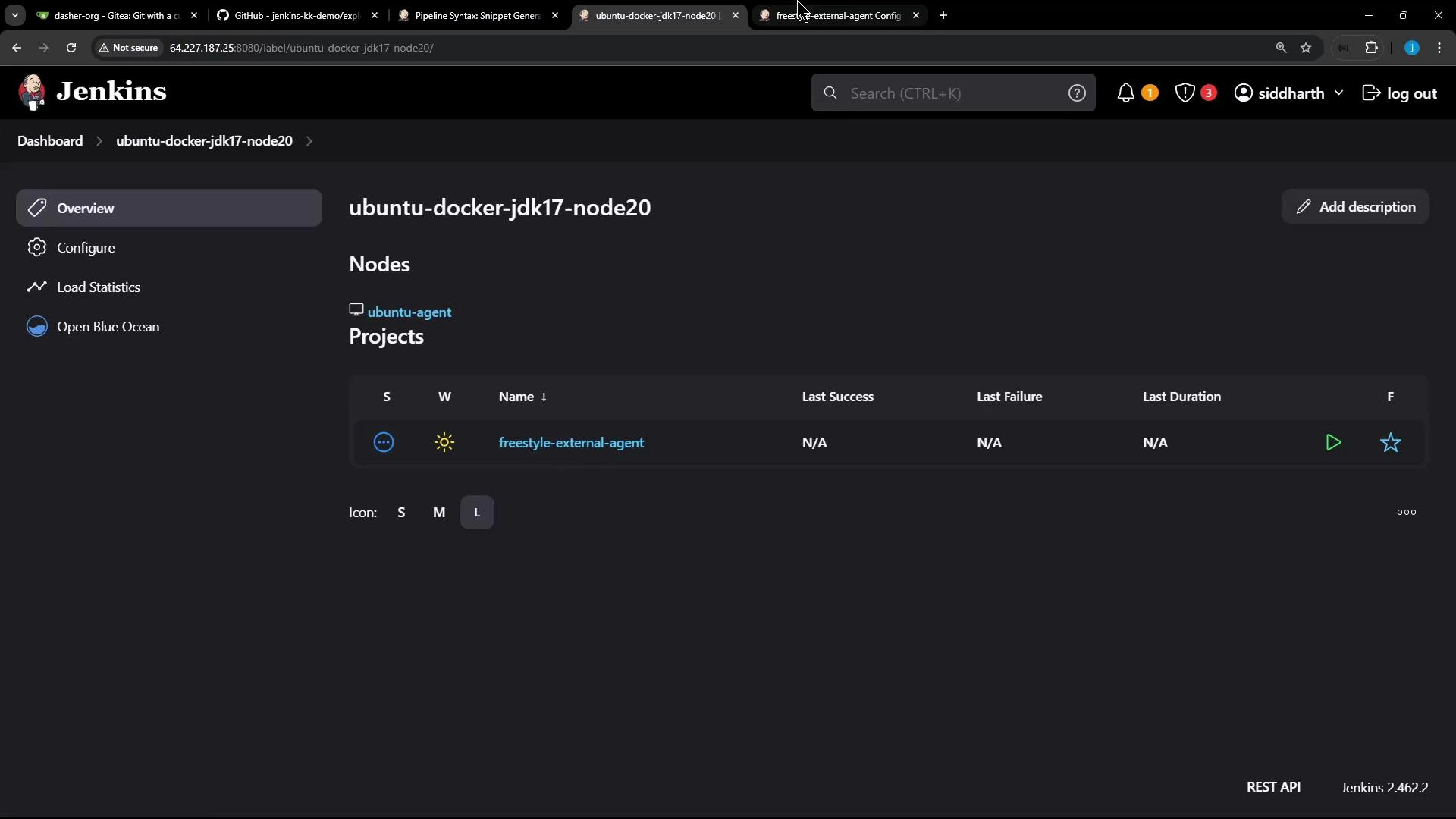
* Under "Restrict where this project can be run", paste the external agent's label (for example `ubuntu-docker-jdk17-node20`) so the job executes on that agent.
After saving, the node should list the job as a project assigned to it.
In the job configuration:
* Add a build step "Execute shell" and include commands to print OS and Node/NPM versions:
```bash theme={null}
cat /etc/os-release
node -v
npm -v
```
* Under "Restrict where this project can be run", paste the external agent's label (for example `ubuntu-docker-jdk17-node20`) so the job executes on that agent.
After saving, the node should list the job as a project assigned to it.
 Example console output from a successful Freestyle build on the Ubuntu agent (note the "Building remotely" message and the workspace path on the agent):
```text theme={null}
Started by user siddharth
Running as SYSTEM
Building remotely on ubuntu-agent (ubuntu-docker-jdk17-node20) in workspace /home/jenkins-agent/workspace/freestyle-external-agent
[freestyle-external-agent] $ /bin/sh -xe /tmp/jenkins17351491148126919661.sh
+ cat /etc/os-release
PRETTY_NAME="Ubuntu 24.04 LTS"
...
+ node -v
v22.11.0
+ npm -v
10.9.0
[Gitea] do not publish assets due to source being no GiteaSCMSource
Finished: SUCCESS
```
Running Freestyle jobs on labeled agents is an easy way to direct platform-specific or dependency-heavy builds to machines prepared with the required environment.
## 2) Pipeline Job with Stage-Level Agent Selection
Next, demonstrate the same checks using a Declarative Pipeline and show how to override the pipeline-level agent for a specific stage.
Import or create a repository in your Git hosting (Gitea in this example) and include a Jenkinsfile in the repo. In the UI, create a Pipeline job (for example `pipeline-external-agent`) and point its Pipeline script to the Jenkinsfile stored in the repository.
Example console output from a successful Freestyle build on the Ubuntu agent (note the "Building remotely" message and the workspace path on the agent):
```text theme={null}
Started by user siddharth
Running as SYSTEM
Building remotely on ubuntu-agent (ubuntu-docker-jdk17-node20) in workspace /home/jenkins-agent/workspace/freestyle-external-agent
[freestyle-external-agent] $ /bin/sh -xe /tmp/jenkins17351491148126919661.sh
+ cat /etc/os-release
PRETTY_NAME="Ubuntu 24.04 LTS"
...
+ node -v
v22.11.0
+ npm -v
10.9.0
[Gitea] do not publish assets due to source being no GiteaSCMSource
Finished: SUCCESS
```
Running Freestyle jobs on labeled agents is an easy way to direct platform-specific or dependency-heavy builds to machines prepared with the required environment.
## 2) Pipeline Job with Stage-Level Agent Selection
Next, demonstrate the same checks using a Declarative Pipeline and show how to override the pipeline-level agent for a specific stage.
Import or create a repository in your Git hosting (Gitea in this example) and include a Jenkinsfile in the repo. In the UI, create a Pipeline job (for example `pipeline-external-agent`) and point its Pipeline script to the Jenkinsfile stored in the repository.
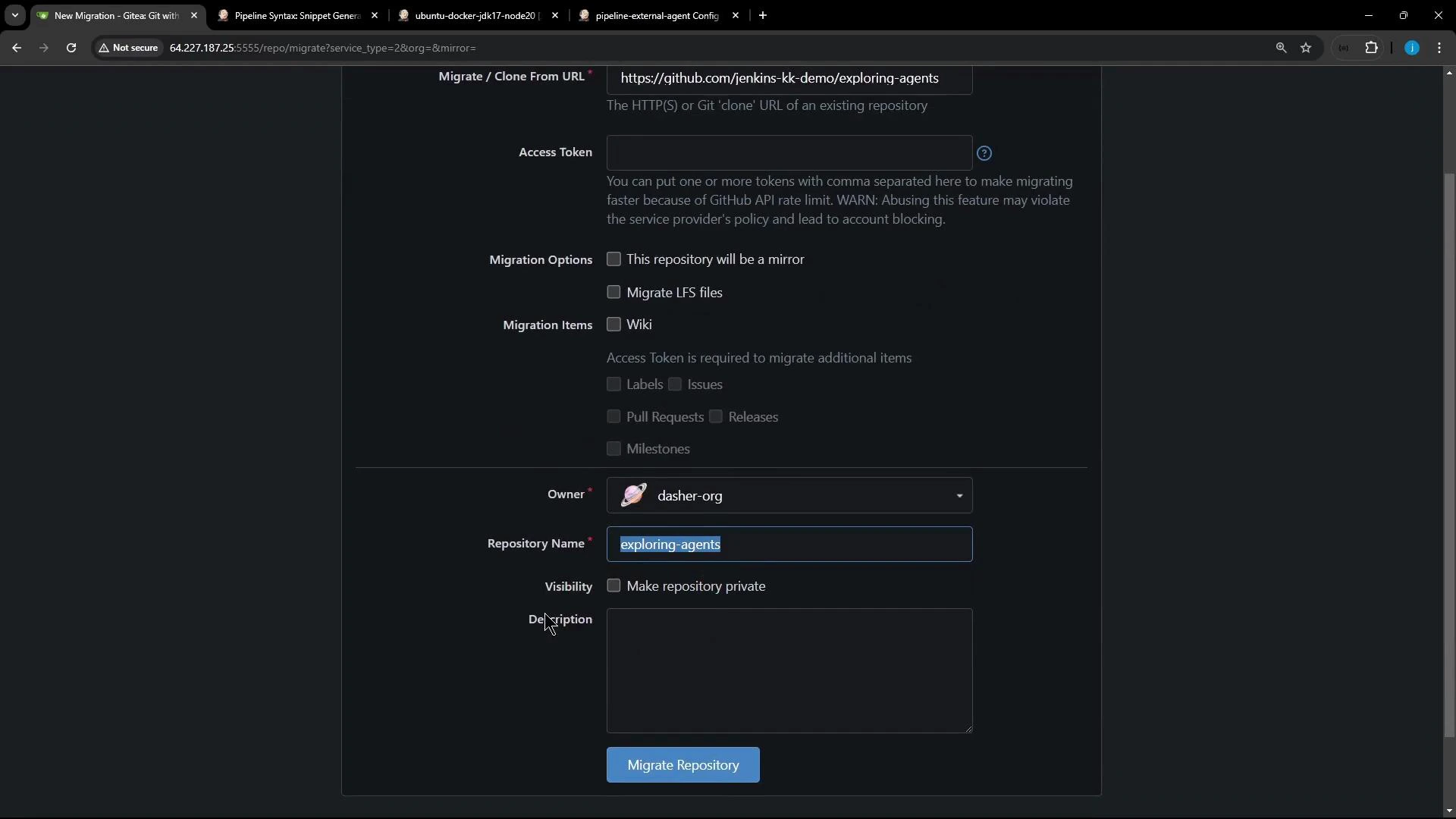
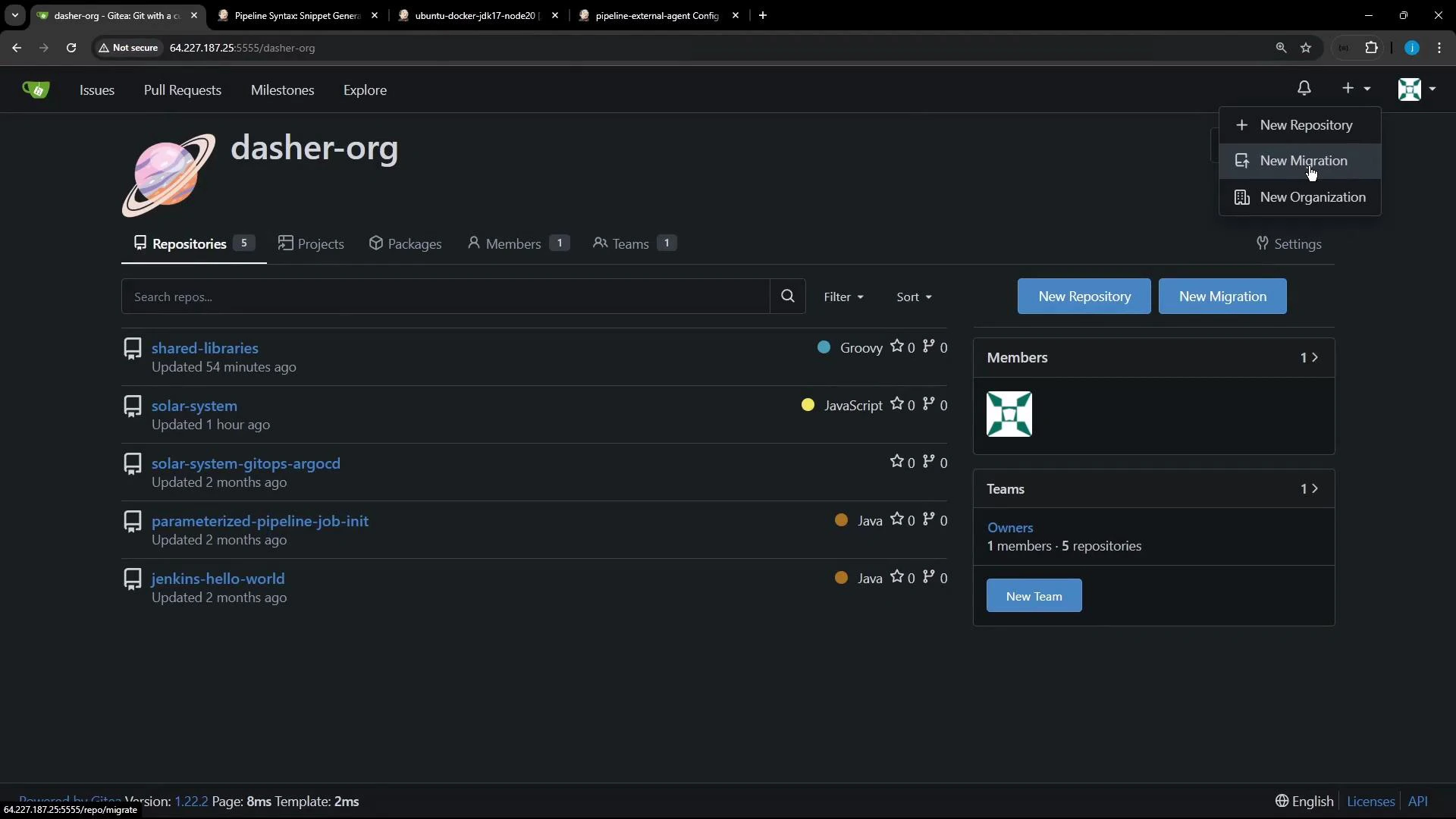 If you need to import/migrate a repository, use your Git UI to clone or migrate into the desired organization (example below).
 A compact Declarative Jenkinsfile that demonstrates a global agent with a stage-level agent override:
```groovy theme={null}
pipeline {
agent any
stages {
stage('S1-Any Agent') {
steps {
sh 'cat /etc/os-release'
sh 'node -v'
sh 'npm -v'
}
}
stage('S2-Ubuntu Agent') {
agent {
label 'ubuntu-docker-jdk17-node20'
}
steps {
sh 'cat /etc/os-release'
sh 'node -v'
sh 'npm -v'
}
}
}
}
```
Defining an `agent` inside a `stage` overrides the pipeline-level agent for that stage — useful for running platform-specific builds or tests on dedicated machines.
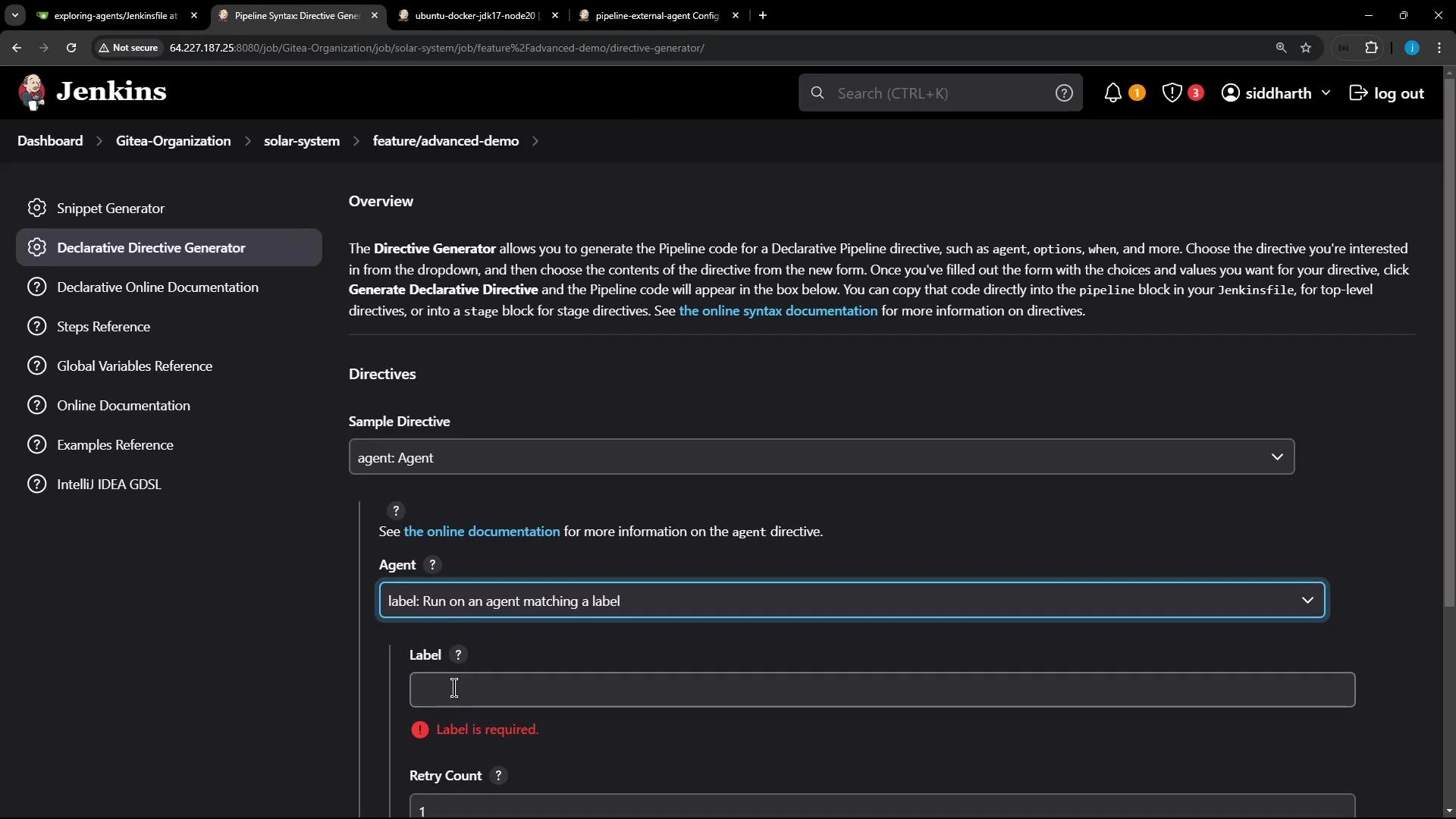
Tip: Jenkins includes a Declarative Directive Generator (choose "agent" → "label") which can produce the correct agent snippet for you.
A compact Declarative Jenkinsfile that demonstrates a global agent with a stage-level agent override:
```groovy theme={null}
pipeline {
agent any
stages {
stage('S1-Any Agent') {
steps {
sh 'cat /etc/os-release'
sh 'node -v'
sh 'npm -v'
}
}
stage('S2-Ubuntu Agent') {
agent {
label 'ubuntu-docker-jdk17-node20'
}
steps {
sh 'cat /etc/os-release'
sh 'node -v'
sh 'npm -v'
}
}
}
}
```
Defining an `agent` inside a `stage` overrides the pipeline-level agent for that stage — useful for running platform-specific builds or tests on dedicated machines.
Tip: Jenkins includes a Declarative Directive Generator (choose "agent" → "label") which can produce the correct agent snippet for you.
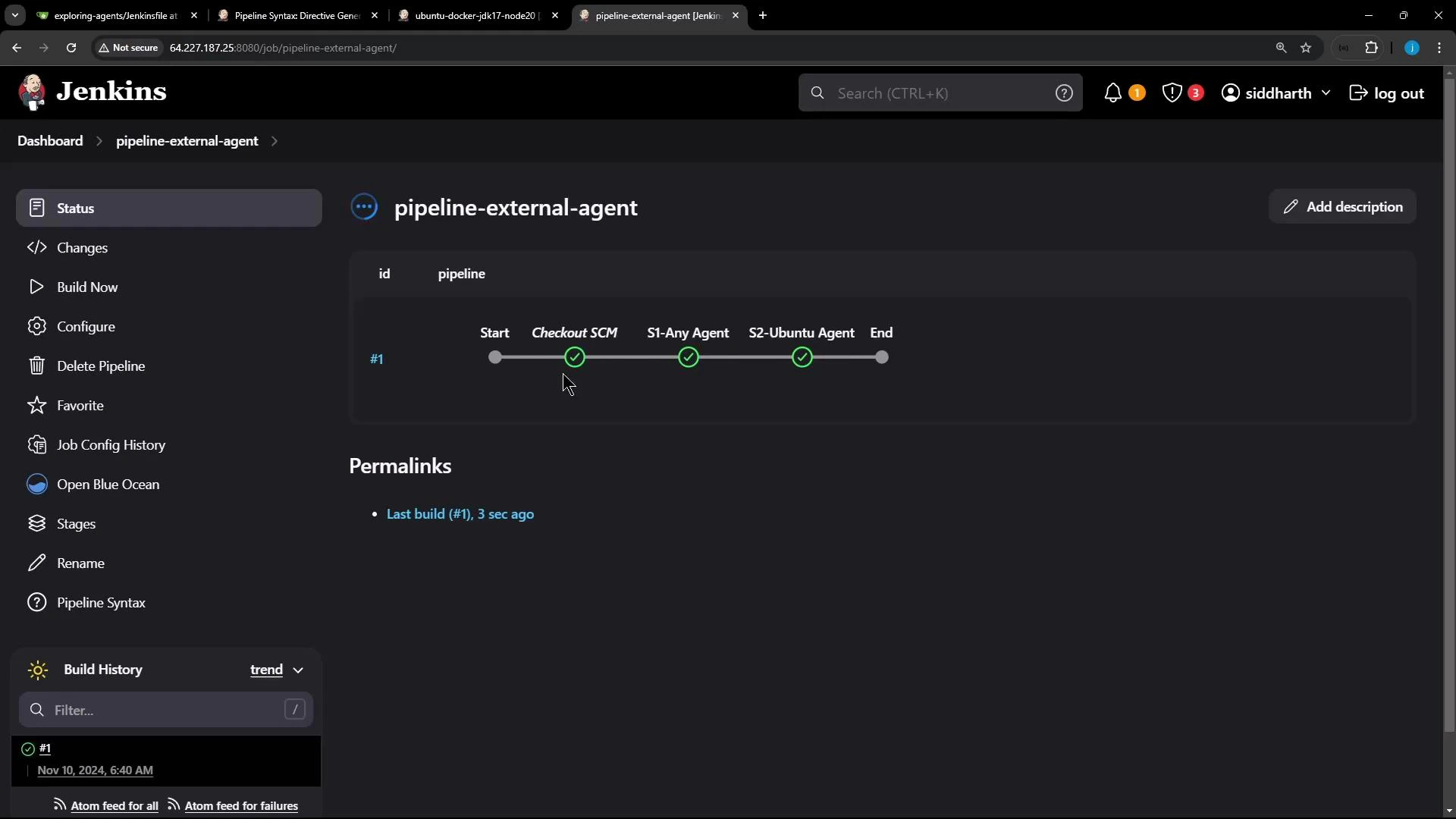
 After configuring the Pipeline job to use the repository Jenkinsfile and running a build, Jenkins performs a checkout and then runs stage steps. The pipeline UI highlights each stage and shows where each executed.
 Example console output snippets to illustrate agent selection and workspace locations:
* Checkout and stage S1 run on the pipeline-level (global) agent — often the controller when `agent any` is satisfied there. Workspace example: `/var/lib/jenkins/workspace/pipeline-external-agent`.
```text theme={null}
Started by user siddharth
Obtained Jenkinsfile from git http://64.227.187.25:5555/dasher-org/exploring-agents
[Pipeline] Start of Pipeline
[Pipeline] node
Running on Jenkins in /var/lib/jenkins/workspace/pipeline-external-agent
...
+ node -v
v20.16.0
+ npm -v
10.8.1
```
* Stage S2 uses the stage-level agent and runs on the specified Ubuntu agent. Workspace example on the agent: `/home/jenkins-agent/workspace/pipeline-external-agent`.
```text theme={null}
[Pipeline] stage
[Pipeline] { (S2-Ubuntu Agent)
[Pipeline] node
Running on ubuntu-agent in /home/jenkins-agent/workspace/pipeline-external-agent
...
+ cat /etc/os-release
PRETTY_NAME="Ubuntu 24.04 LTS"
...
+ node -v
v22.11.0
+ npm -v
10.9.0
```
## Workspace and Agent Comparison
| Agent scope | Where it runs | Example workspace path | Use case |
| ----------------------------------------------- | --------------------------------- | ------------------------------------------------------ | ------------------------------------------------------ |
| Pipeline-level (`agent any`) | Controller or any available agent | /var/lib/jenkins/workspace/pipeline-external-agent | General pipeline steps and SCM checkout |
| Stage-level (`stage { agent { label '...' } }`) | Specified external agent | /home/jenkins-agent/workspace/pipeline-external-agent | Platform-specific build/test or dependency-heavy tasks |
| Freestyle job with label | Specified agent | /home/jenkins-agent/workspace/freestyle-external-agent | Jobs targeted to agents with required tools |
Avoid running long-running or resource-intensive builds on the controller (master). Use labels to route those builds to dedicated agents to keep the controller responsive.
## Summary
* Use "Restrict where this project can be run" to pin Freestyle jobs to an agent by label.
* Use a stage-level `agent` in Declarative Pipeline to run a single stage on a specific node without affecting other stages.
* Verify where stages executed by inspecting console logs and the workspace paths shown for each node.
Further reading and references:
* [Jenkins Documentation — Pipeline Syntax](https://www.jenkins.io/doc/book/pipeline/syntax/)
* [Jenkins — Distributed builds and agents](https://www.jenkins.io/doc/book/using/using-agents/)
* [Gitea — Self-hosted Git service](https://gitea.io/en-us/)
That's all for now.
Example console output snippets to illustrate agent selection and workspace locations:
* Checkout and stage S1 run on the pipeline-level (global) agent — often the controller when `agent any` is satisfied there. Workspace example: `/var/lib/jenkins/workspace/pipeline-external-agent`.
```text theme={null}
Started by user siddharth
Obtained Jenkinsfile from git http://64.227.187.25:5555/dasher-org/exploring-agents
[Pipeline] Start of Pipeline
[Pipeline] node
Running on Jenkins in /var/lib/jenkins/workspace/pipeline-external-agent
...
+ node -v
v20.16.0
+ npm -v
10.8.1
```
* Stage S2 uses the stage-level agent and runs on the specified Ubuntu agent. Workspace example on the agent: `/home/jenkins-agent/workspace/pipeline-external-agent`.
```text theme={null}
[Pipeline] stage
[Pipeline] { (S2-Ubuntu Agent)
[Pipeline] node
Running on ubuntu-agent in /home/jenkins-agent/workspace/pipeline-external-agent
...
+ cat /etc/os-release
PRETTY_NAME="Ubuntu 24.04 LTS"
...
+ node -v
v22.11.0
+ npm -v
10.9.0
```
## Workspace and Agent Comparison
| Agent scope | Where it runs | Example workspace path | Use case |
| ----------------------------------------------- | --------------------------------- | ------------------------------------------------------ | ------------------------------------------------------ |
| Pipeline-level (`agent any`) | Controller or any available agent | /var/lib/jenkins/workspace/pipeline-external-agent | General pipeline steps and SCM checkout |
| Stage-level (`stage { agent { label '...' } }`) | Specified external agent | /home/jenkins-agent/workspace/pipeline-external-agent | Platform-specific build/test or dependency-heavy tasks |
| Freestyle job with label | Specified agent | /home/jenkins-agent/workspace/freestyle-external-agent | Jobs targeted to agents with required tools |
Avoid running long-running or resource-intensive builds on the controller (master). Use labels to route those builds to dedicated agents to keep the controller responsive.
## Summary
* Use "Restrict where this project can be run" to pin Freestyle jobs to an agent by label.
* Use a stage-level `agent` in Declarative Pipeline to run a single stage on a specific node without affecting other stages.
* Verify where stages executed by inspecting console logs and the workspace paths shown for each node.
Further reading and references:
* [Jenkins Documentation — Pipeline Syntax](https://www.jenkins.io/doc/book/pipeline/syntax/)
* [Jenkins — Distributed builds and agents](https://www.jenkins.io/doc/book/using/using-agents/)
* [Gitea — Self-hosted Git service](https://gitea.io/en-us/)
That's all for now.