> ## Documentation Index
> Fetch the complete documentation index at: https://notes.kodekloud.com/llms.txt
> Use this file to discover all available pages before exploring further.
# Demo Jenkins REST API install a plugin
> Automate CI/CD tasks with Jenkins REST API, including job management and plugin installation using `curl` commands and API tokens.
Leverage the Jenkins REST API to automate common CI/CD tasks—listing jobs, inspecting job details, triggering parameterized builds, and installing plugins programmatically. This tutorial demonstrates each step using `curl` commands, JSON/XML endpoints, and Jenkins API tokens.
## Key Jenkins REST API Endpoints
| Endpoint | Action | HTTP Method |
| ---------------------------------------- | ------------------------------ | ----------- |
| `/api/json?tree=jobs[name]` | List all jobs | GET |
| `/job/{JOB_NAME}/api/json` | Retrieve detailed job metadata | GET |
| `/job/{JOB_NAME}/buildWithParameters` | Trigger a parameterized build | POST |
| `/crumbIssuer/api/json` | Obtain CSRF crumb | GET |
| `/pluginManager/installNecessaryPlugins` | Install one or more plugins | POST |
***
## 1. Retrieving the List of Jobs
Fetch all jobs in JSON and limit the fields with the `tree` parameter to minimize payload:
```bash theme={null}
curl http://JENKINS_URL/api/json?tree=jobs[name]
```
Sample response:
```json theme={null}
{
"_class": "hudson.model.Hudson",
"jobs": [
{"_class":"hudson.model.FreeStyleProject","name":"ascii-build-job"},
{"_class":"hudson.model.FreeStyleProject","name":"ascii-deploy-job"},
{"_class":"hudson.model.FreeStyleProject","name":"ascii-test-job"},
{"_class":"hudson.model.FreeStyleProject","name":"Generate ASCII Artwork"},
{"_class":"org.jenkinsci.plugins.workflow.job.WorkflowJob","name":"hello-world-pipeline"},
{"_class":"org.jenkinsci.plugins.workflow.multibranch.WorkflowMultiBranchProject","name":"jenkins-hello-world"},
{"_class":"org.jenkinsci.plugins.workflow.job.WorkflowJob","name":"parameterized-pipeline-job"}
]
}
```
The `tree=jobs[name]` query reduces the JSON to just the `name` field of each job.
***
## 2. Retrieving Job Details
Query a specific job’s API endpoint with authentication. Using [`jq`](https://stedolan.github.io/jq/) formats the JSON:
```bash theme={null}
curl -u admin:API_TOKEN \
http://JENKINS_URL/job/parameterized-pipeline-job/api/json | jq
```
Abbreviated example output:
```json theme={null}
{
"name": "parameterized-pipeline-job",
"url": "http://JENKINS_URL/job/parameterized-pipeline-job/",
"buildable": true,
"builds": [
{"number":5,"url":".../job/parameterized-pipeline-job/5/"},
{"number":4,"url":".../job/parameterized-pipeline-job/4/"}
],
"nextBuildNumber": 6,
"property": [
{
"_class": "hudson.model.ParametersDefinitionProperty",
"parameterDefinitions": [
{
"name": "BRANCH_NAME",
"defaultParameterValue": {"value": "main"},
"description": "The Git branch to build"
},
{
"name": "APP_PORT",
"defaultParameterValue": {"value": "6767"},
"description": "Application port for tests"
}
]
}
]
}
```
***
## 3. Triggering a Build with Parameters
Use the `buildWithParameters` endpoint to start a parameterized job. Always use the `POST` method:
```bash theme={null}
curl -u admin:API_TOKEN \
-X POST \
http://JENKINS_URL/job/parameterized-pipeline-job/buildWithParameters \
-d BRANCH_NAME=test \
-d APP_PORT=6767
```
If Jenkins enforces CSRF protection, you will receive a `403 No valid crumb` error unless you include a valid crumb header.
### 3.1 Obtaining and Using a Crumb
1. Fetch the crumb from Jenkins:
```bash theme={null}
CRUMB=$(curl -u admin:API_TOKEN \
http://JENKINS_URL/crumbIssuer/api/json | jq -r .crumb)
```
2. Include the crumb in your build request:
```bash theme={null}
curl -u admin:API_TOKEN \
-H "Jenkins-Crumb:$CRUMB" \
-X POST \
http://JENKINS_URL/job/parameterized-pipeline-job/buildWithParameters \
-d BRANCH_NAME=test \
-d APP_PORT=6767
```
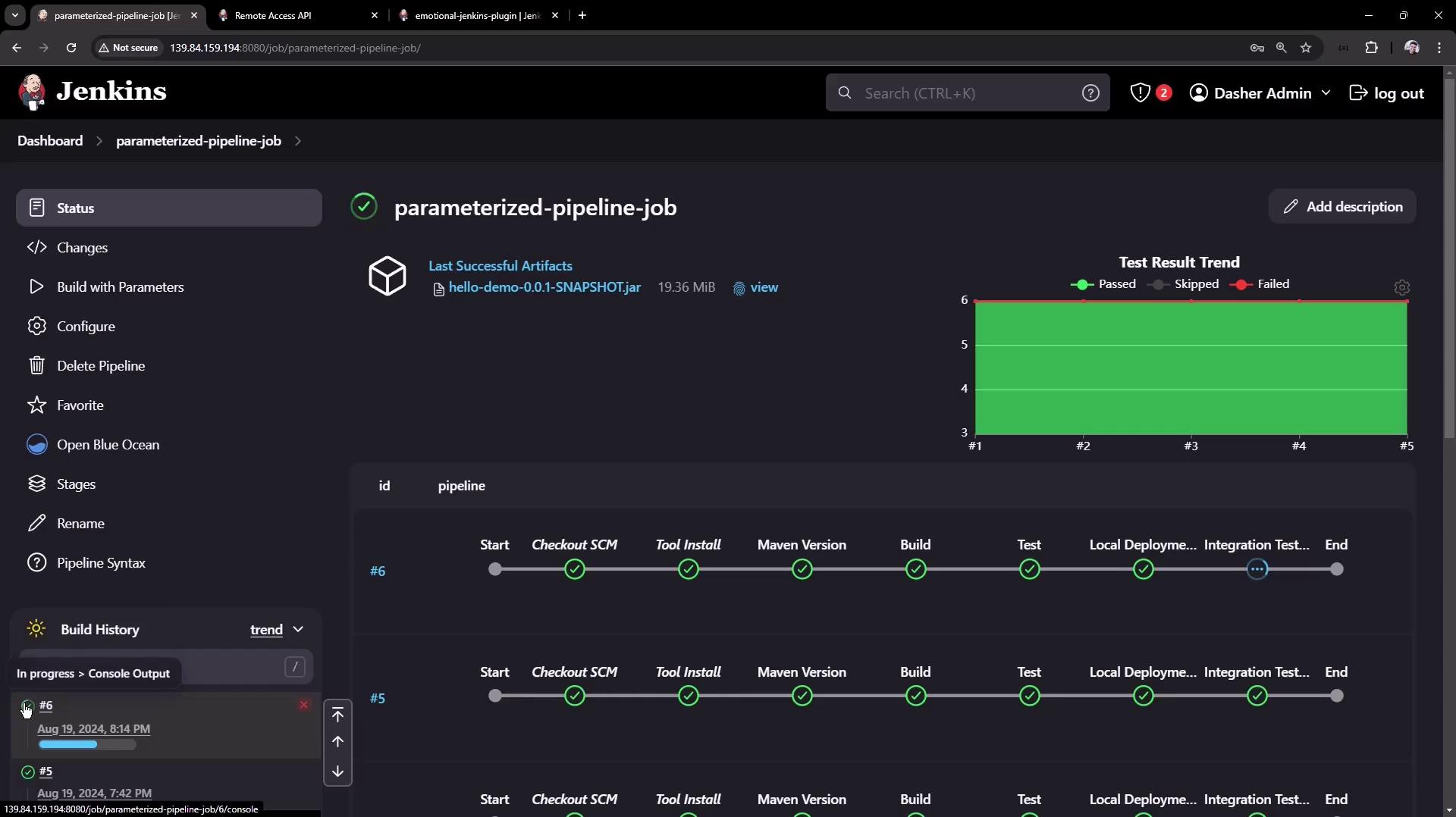
After triggering, verify in the Jenkins UI that build #6 is “in progress”:
***
## 4. Installing a Plugin via REST API
You can install plugins by posting an XML payload to the `installNecessaryPlugins` endpoint.
```bash theme={null}
curl -u admin:API_TOKEN \
-X POST http://JENKINS_URL/pluginManager/installNecessaryPlugins \
-H 'Content-Type: text/xml' \
-d '
'
```
Always authenticate using an API token and set `Content-Type: text/xml` when sending XML payloads.
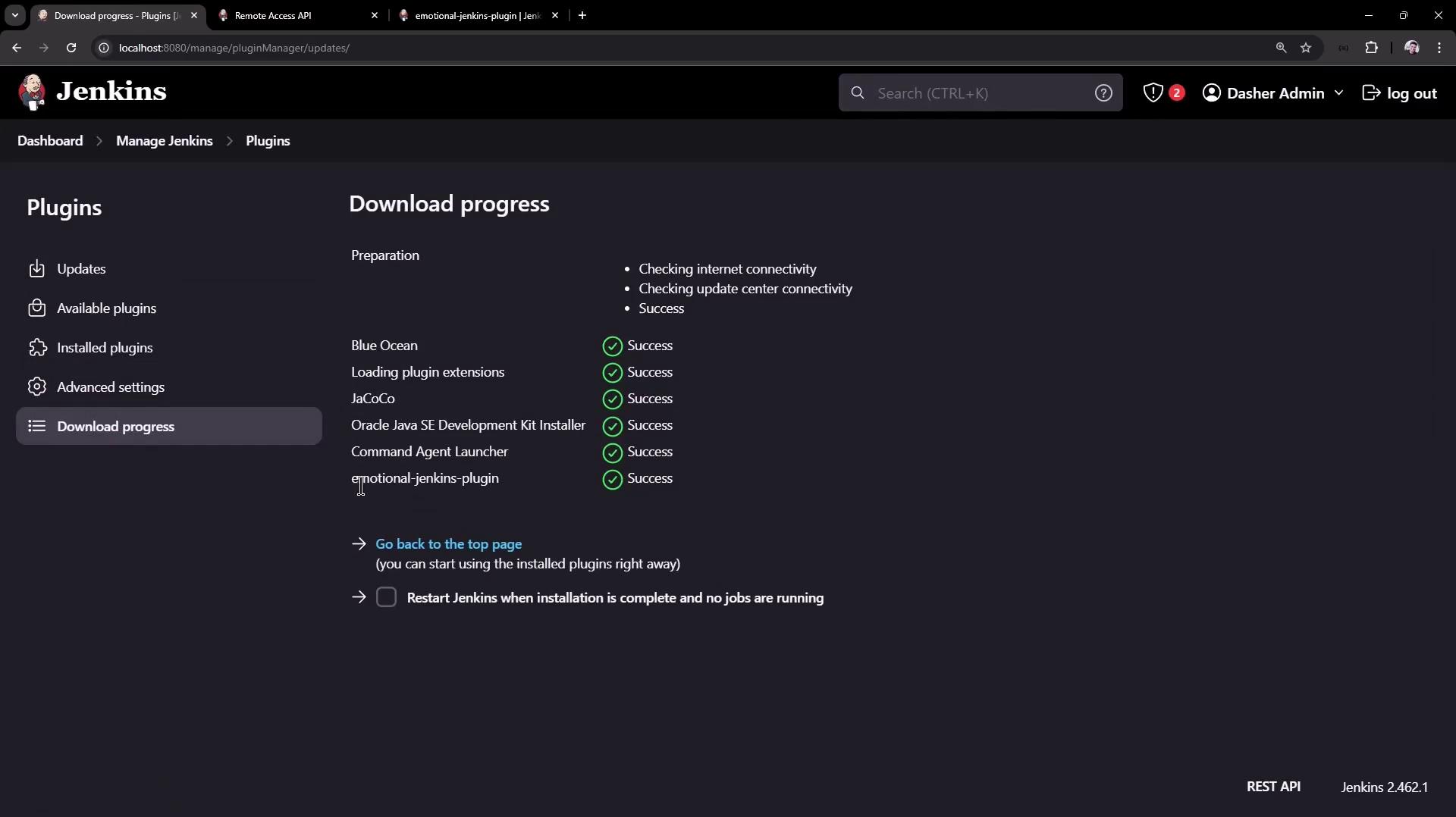
Once the request completes, navigate to **Manage Jenkins → Manage Plugins → Advanced** to monitor download progress:
***
## Conclusion
In this article, you have learned how to:
* List and filter jobs using the Jenkins REST API
* Retrieve detailed metadata for a given job
* Trigger parameterized builds, handling CSRF crumbs
* Install and manage Jenkins plugins programmatically
Use these API techniques to integrate Jenkins into your automation workflows and scale your CI/CD pipelines.
## Links and References
* [Jenkins REST API Reference](https://www.jenkins.io/doc/book/using/remote-access-api/)
* [Jenkins Pipeline Syntax](https://www.jenkins.io/doc/book/pipeline/syntax/)
* [Jenkins CSRF Protection](https://www.jenkins.io/doc/book/system-administration/security/#cross-site-request-forgery-csrf-protection)