> ## Documentation Index
> Fetch the complete documentation index at: https://notes.kodekloud.com/llms.txt
> Use this file to discover all available pages before exploring further.
# Demo String Interpolation
> This guide demonstrates string interpolation in Jenkins pipelines using Groovy for dynamic build messages and parameterized workflows.
Understanding string interpolation in Jenkins pipelines is essential for creating dynamic build messages, parameterized workflows, and environment-aware configurations. This guide demonstrates how Groovy handles single-quoted and double-quoted strings and walks through a Jenkinsfile showcasing various interpolation techniques.
## Why String Interpolation Matters
* Simplifies logging and notifications
* Enables dynamic parameter and environment variable usage
* Integrates arithmetic and complex Groovy expressions
In Groovy, single quotes produce literal strings, while double quotes evaluate `${}` expressions.
## Single vs. Double-Quoted Strings
```groovy theme={null}
def singlyQuoted = 'Hello'
def doublyQuoted = "World"
def username = 'Jenkins'
echo 'Hello Mr. ${username}' // Outputs: Hello Mr. ${username}
echo "I said, Hello Mr. ${username}" // Outputs: I said, Hello Mr. Jenkins
```
| Quote Type | Behavior | Example |
| ------------- | ----------------------- | -------------------- |
| Single Quotes | Literal string; no eval | 'Hello \${username}' |
| Double Quotes | Enables interpolation | "Hello \${username}" |
***
## Complete Jenkinsfile Example
```groovy theme={null}
pipeline {
agent any
parameters {
string(
name: 'USER_NAME',
defaultValue: 'Hello, Jenkins from Parameter',
description: 'Name of the user'
)
}
environment {
GREETING = 'Hello, Jenkins! from environment variable'
}
stages {
stage('Print Basic String') {
steps {
echo 'Basic String Interpolation Examples:'
}
}
stage('Interpolation with Variable') {
steps {
script {
def name = 'Jenkins User'
echo 'Hello, ${name}!' // single quotes: no interpolation
echo "Hello, ${name}!" // double quotes: interpolates
}
}
}
stage('Interpolation with Parameter') {
steps {
script {
echo "Hello, ${params.USER_NAME}"
}
}
}
stage('Interpolation with Environment Variable') {
steps {
script {
echo "Environment Variable Greeting: ${env.GREETING}"
}
}
}
stage('Interpolation with Expression') {
steps {
script {
def x = 5
def y = 10
echo "Sum of x and y is: ${x + y}"
}
}
}
stage('Complex Interpolation') {
steps {
script {
def list = [1, 2, 3]
echo "The list has ${list.size()} items: ${list.join(', ')}"
}
}
}
stage('Job Parameters') {
steps {
script {
def buildNumber = currentBuild.number
echo "This is build number ${buildNumber}"
}
}
}
}
}
```
***
## Stage 1: Print Basic String
A straightforward echo of a static message.
```text theme={null}
Basic String Interpolation Examples:
```
***
## Stage 2: Interpolation with Variable
Comparing single vs. double quotes around a Groovy variable.
```groovy theme={null}
def name = 'Jenkins User'
echo 'Hello, ${name}!' // single quotes: no interpolation
echo "Hello, ${name}!" // double quotes: interpolates
```
```text theme={null}
Hello, ${name}!
Hello, Jenkins User!
```
***
## Stage 3: Interpolation with Parameter
Displaying a pipeline parameter using `params`.
```groovy theme={null}
echo "Hello, ${params.USER_NAME}"
```
```text theme={null}
Hello, Hello, Jenkins from Parameter
```
***
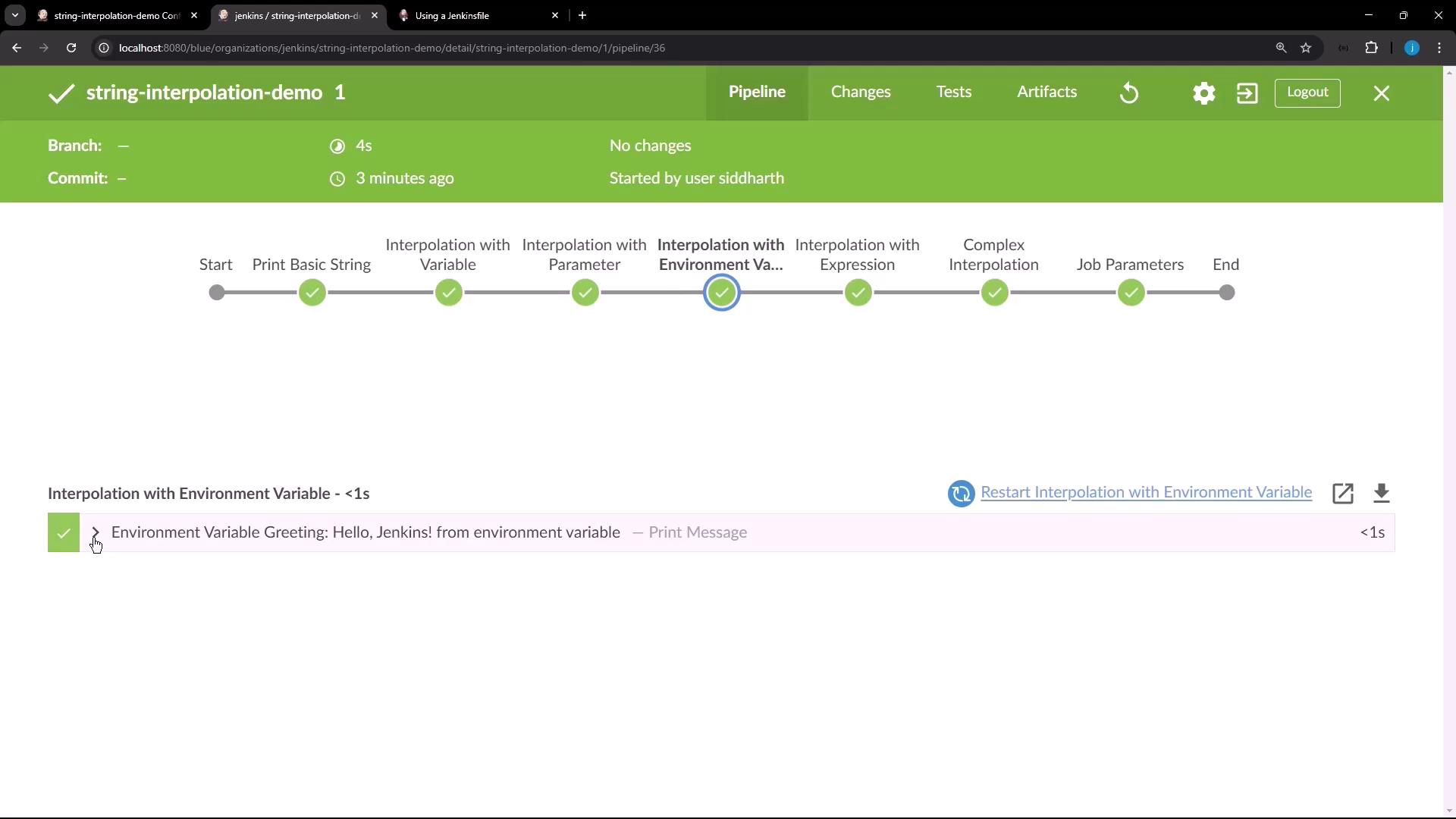
## Stage 4: Interpolation with Environment Variable
Pulling in an environment variable via `env`.
```groovy theme={null}
echo "Environment Variable Greeting: ${env.GREETING}"
```
```text theme={null}
Environment Variable Greeting: Hello, Jenkins! from environment variable
```
***
## Stage 5: Interpolation with Expression
Executing arithmetic inside the interpolation.
```groovy theme={null}
def x = 5
def y = 10
echo "Sum of x and y is: ${x + y}"
```
```text theme={null}
Sum of x and y is: 15
```
***
## Stage 6: Complex Interpolation
Leveraging list methods directly in the string.
```groovy theme={null}
def list = [1, 2, 3]
echo "The list has ${list.size()} items: ${list.join(', ')}"
```
```text theme={null}
The list has 3 items: 1, 2, 3
```
***
## Stage 7: Job Parameters
Accessing the current build number for dynamic context.
```groovy theme={null}
def buildNumber = currentBuild.number
echo "This is build number ${buildNumber}"
```
```text theme={null}
This is build number 1
```
***
## Additional Resources
* [Jenkins Pipeline Syntax](https://www.jenkins.io/doc/book/pipeline/syntax/)
* [Groovy String Interpolation](http://groovy-lang.org/syntax.html#_string_interpolation)
* [Jenkins Environment Variables](https://www.jenkins.io/doc/book/pipeline/jenkinsfile/#using-environment-variables)