> ## Documentation Index
> Fetch the complete documentation index at: https://notes.kodekloud.com/llms.txt
> Use this file to discover all available pages before exploring further.
# SonarQube Intro
> This article explores how SonarQube enhances static analysis to identify security flaws and code-quality issues early in the software development lifecycle.
In this lesson, we explore Static Application Security Testing (SAST)—commonly referred to as static analysis—and demonstrate how SonarQube empowers developers to identify security flaws and code-quality issues early in the software development lifecycle (SDLC).
## What Is Static Analysis?
Static analysis inspects your application’s source code *without* executing it. By scanning for vulnerabilities, code smells, and structural issues, it acts as an automated gatekeeper that flags potential problems before they reach production.
Static analysis works across multiple programming languages and frameworks, providing instant feedback within your IDE or CI/CD pipeline.
## Introducing SonarQube
[SonarQube](https://www.sonarsource.com/products/sonarqube/) is an open-source code quality and security inspection platform from SonarSource. It integrates seamlessly with popular build tools and continuous integration systems, offering:
* Automated code reviews with actionable guidance
* Live feedback on new code in pull requests
* Customizable rule sets to enforce best practices
## Key Benefits of Static Analysis with SonarQube
| Benefit | Description |
| --------------------------- | ---------------------------------------------------------------------------------------------- |
| Early Defect Detection | Catch bugs and security flaws on commit, slashing remediation time and cost. |
| Consistent Coding Standards | Apply team-specific rules automatically to maintain code uniformity and readability. |
| Code Structure Insights | Identify hotspots for refactoring, improve maintainability, and reduce technical debt. |
| Security Vulnerability Scan | Reveal common security issues—such as SQL injection or cross-site scripting—before deployment. |
By regularly analyzing your code, SonarQube helps you prioritize and address issues, driving better software quality.
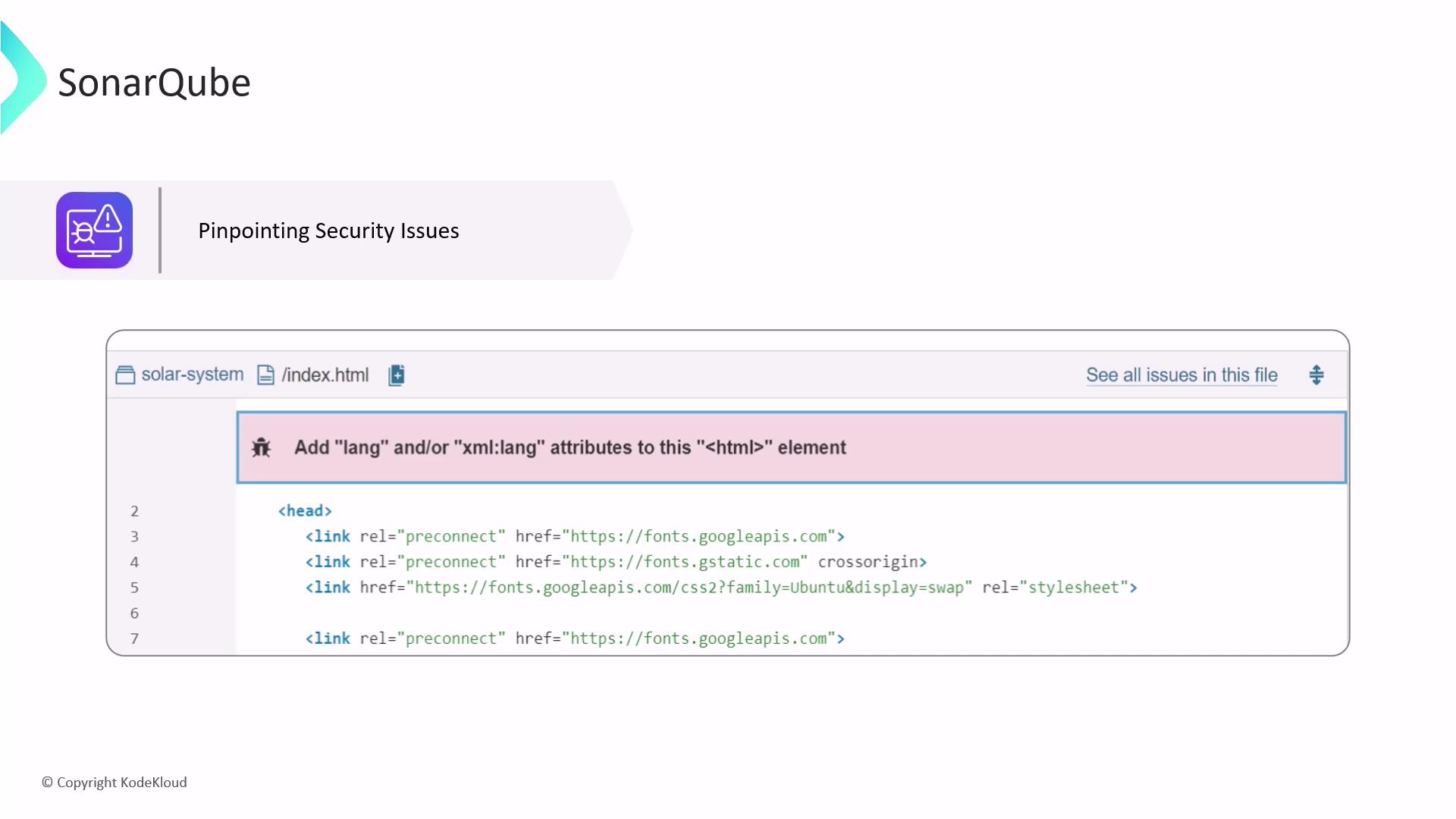
## Pinpointing Security Issues
SonarQube drills down to the exact line of code where risks appear, providing clear remediation steps.
## Quality Gates & Key Metrics
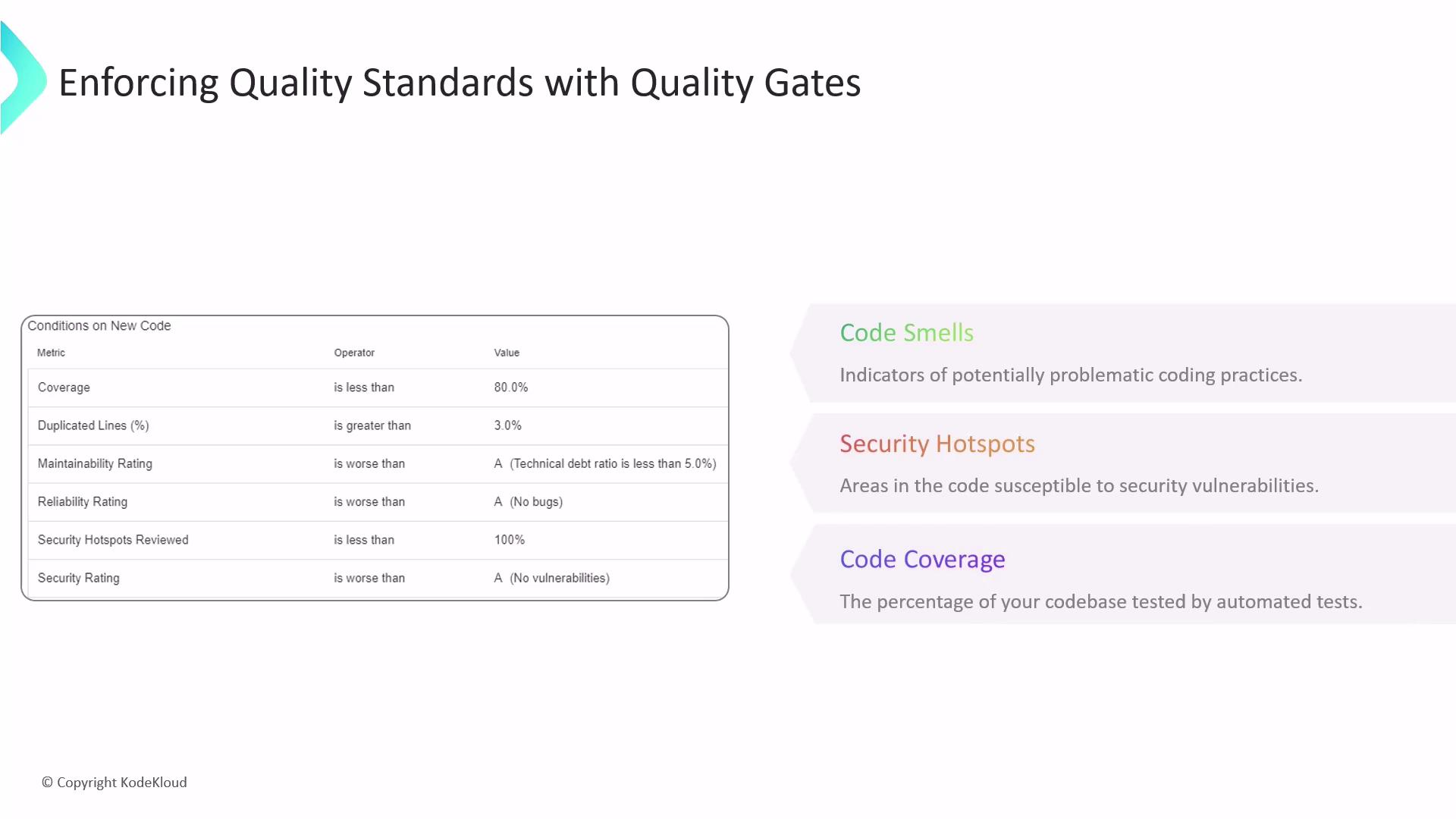
Quality Gates define pass/fail conditions that help you enforce quality and security thresholds automatically in your CI pipeline.
| Metric | Purpose | Example Threshold |
| ----------------- | ---------------------------------------------------- | ----------------- |
| Code Smells | Flags maintainability issues (e.g., unused code) | \< 5% |
| Security Hotspots | Highlights fragments requiring security review | 0 unresolved |
| Code Coverage | Percentage of code exercised by automated tests | ≥ 80% |
| Duplications (%) | Measures duplicated code blocks to reduce redundancy | \< 3% |
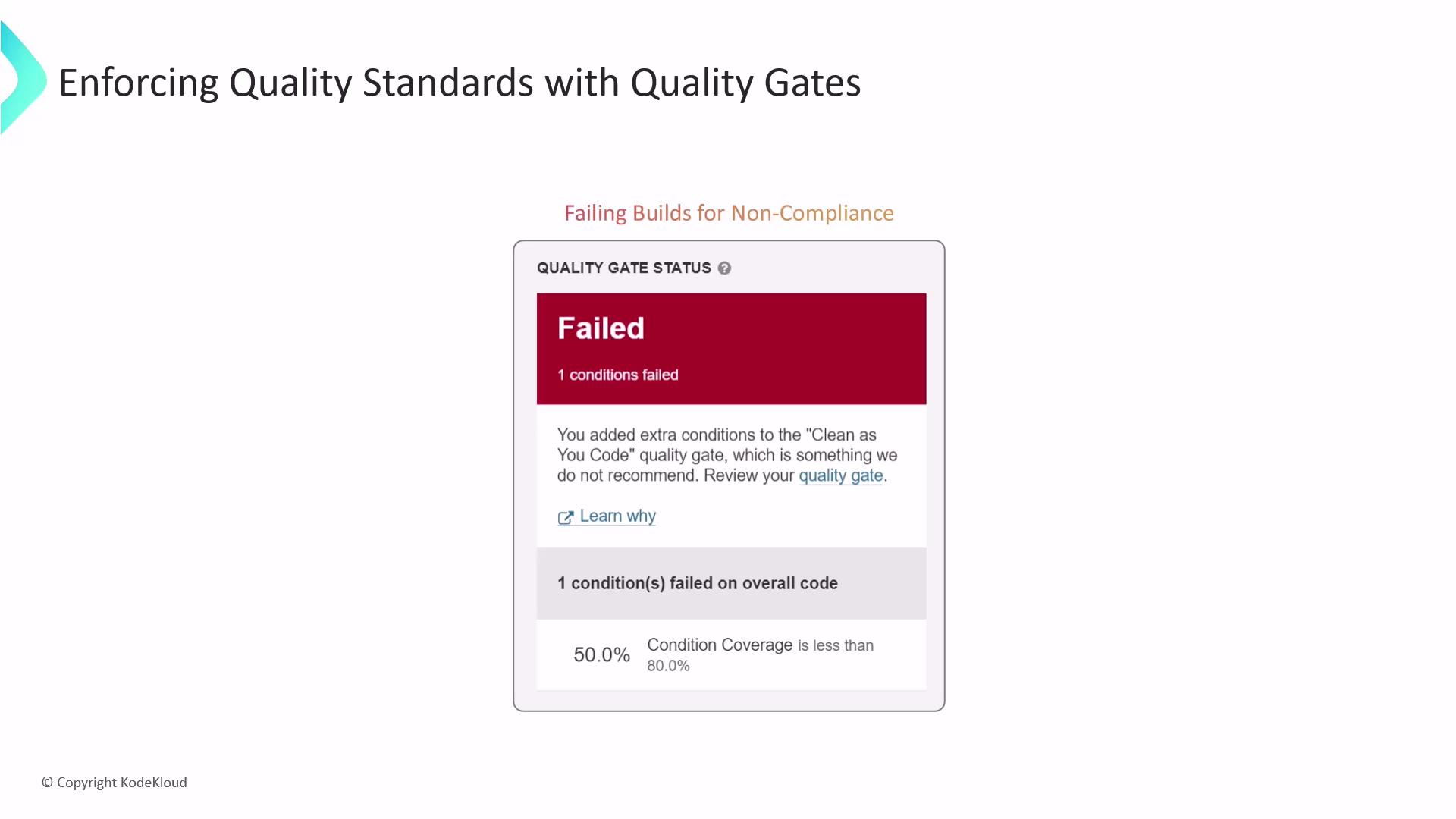
If any Quality Gate condition fails—such as coverage dropping below the defined threshold—the build will be marked as failed. Ensure you resolve highlighted issues to keep your pipeline green.
## Enforcing Quality Gates
When a Quality Gate is violated, SonarQube prevents deployments until violations are resolved, integrating with CI servers like Jenkins, GitLab CI, or GitHub Actions.
## Conclusion
Integrating SonarQube into your CI/CD pipeline delivers continuous code quality and security insights. By automating checks and enforcing Quality Gates, you can:
* Prevent critical issues from reaching production
* Maintain high standards across your codebase
* Streamline development with real-time feedback
By adopting SonarQube as part of your SDLC, you drive more reliable, secure, and maintainable software.
## Links and References
* [SonarQube Official Site](https://www.sonarsource.com/products/sonarqube/)
* [OWASP Static Analysis Tools](https://owasp.org/www-project-static-application-security-testing/)
* [Jenkins Integration Guide](https://www.jenkins.io/doc/)
* [Kubernetes Basics](https://kubernetes.io/docs/concepts/overview/what-is-kubernetes/)