> ## Documentation Index
> Fetch the complete documentation index at: https://notes.kodekloud.com/llms.txt
> Use this file to discover all available pages before exploring further.
# Demo Build Docker Image
> This guide explains how to build a Docker image in a Jenkins CI/CD pipeline, tagging it with the Git commit SHA for traceability.
In this guide, we’ll walk through building a Docker image in a Jenkins **CI/CD pipeline**, tagging each build with the Git commit SHA for traceability.
## Add the Build Docker Image Stage
Open your `Jenkinsfile` and, right after the SonarQube stage, insert a new stage named **Build Docker Image**. This stage prints all environment variables and then builds the Docker image using the current Git commit hash (`GIT_COMMIT`) as the tag.
```groovy theme={null}
stage('Build Docker Image') {
steps {
// Print all available environment variables
sh 'printenv'
// Build and tag the Docker image
sh 'docker build -t siddharth67/solar-system:$GIT_COMMIT .'
}
}
```
`GIT_COMMIT` is a built-in Jenkins variable provided when you use the `checkout` step. It resolves to the current commit SHA, ensuring each Docker image is uniquely tagged.
## Jenkinsfile Reference
For more information on pipeline syntax and environment variables, see the [Jenkins Pipeline Syntax](https://www.jenkins.io/doc/book/pipeline/syntax/) documentation.
***
## Dockerfile Breakdown
Your repository includes this `Dockerfile`, which defines how to build the Node.js application image.
```Dockerfile theme={null}
FROM node:18-alpine3.17
WORKDIR /usr/app
COPY package*.json /usr/app/
RUN npm install
COPY . .
# Placeholder environment variables for MongoDB credentials
ENV MONGO_URI=uriPlaceholder
ENV MONGO_USERNAME=usernamePlaceholder
ENV MONGO_PASSWORD=passwordPlaceholder
EXPOSE 3000
CMD [ "npm", "start" ]
```
Key steps:
1. **FROM**: Start from the lightweight `node:18-alpine3.17` base image.
2. **WORKDIR**: Set `/usr/app` as the working directory.
3. **COPY package\*.json**: Copy dependency manifests and install packages.
4. **COPY . .**: Add application source code.
5. **ENV**: Define placeholders for MongoDB connection.
6. **EXPOSE**: Open port 3000.
7. **CMD**: Launch the app with `npm start`.
For complete details, refer to the [Dockerfile reference](https://docs.docker.com/engine/reference/builder/).
***
## .dockerignore
Optimize build context by excluding unnecessary files. Place this **.dockerignore** in the project root:
```text theme={null}
# Source control and metadata
.git
.github/
# Node.js dependencies
node_modules
# Configuration and reports
.*
!.README*.md
README-secret.md
solar-system.png
.nyc_output
.talismanrc
coverage
test-results.xml
reports*
zap*
dependency*
jenkins*
trivy-image*
```
Be cautious when excluding files. Make sure you don’t accidentally omit critical configuration, scripts, or assets required at runtime.
See the [Dockerignore reference](https://docs.docker.com/engine/reference/builder/#dockerignore-file) for patterns and best practices.
***
## Jenkins Pipeline Environment Variables
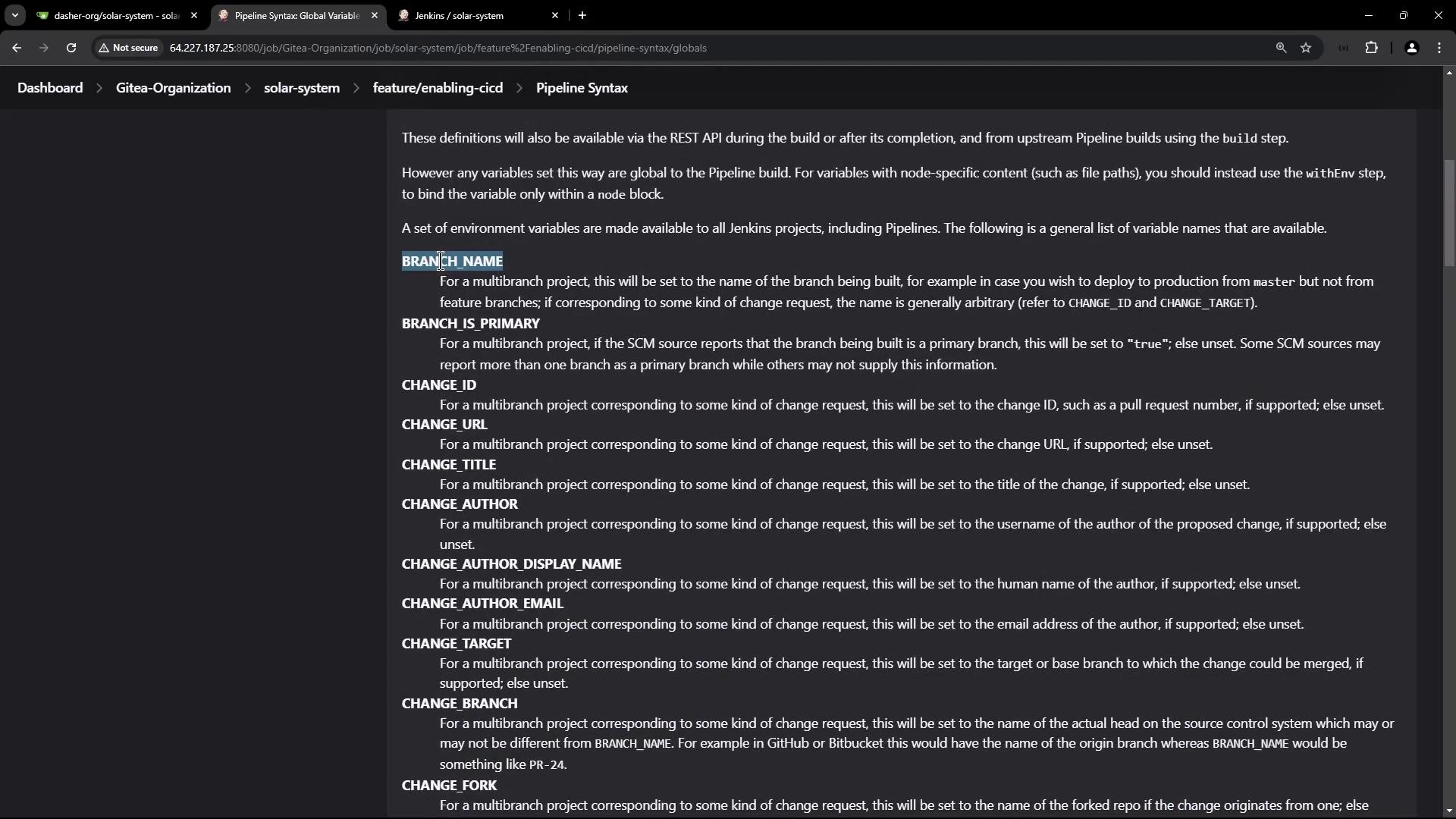
Jenkins exposes numerous environment variables in multibranch pipelines. Visit **Pipeline Syntax** → **Global variables reference** to explore them all.
| Variable | Description |
| ------------- | ------------------------------------------------ |
| GIT\_COMMIT | Current commit SHA (requires `checkout`) |
| BRANCH\_NAME | Active branch in a multibranch pipeline |
| CHANGE\_ID | Pull request or change request identifier |
| BUILD\_NUMBER | Sequential build number |
| BUILD\_ID | Unique build identifier |
| WORKSPACE | Path to the workspace on the agent |
| NODE\_NAME | Name of the Jenkins agent node running the build |
***
## Pipeline Execution
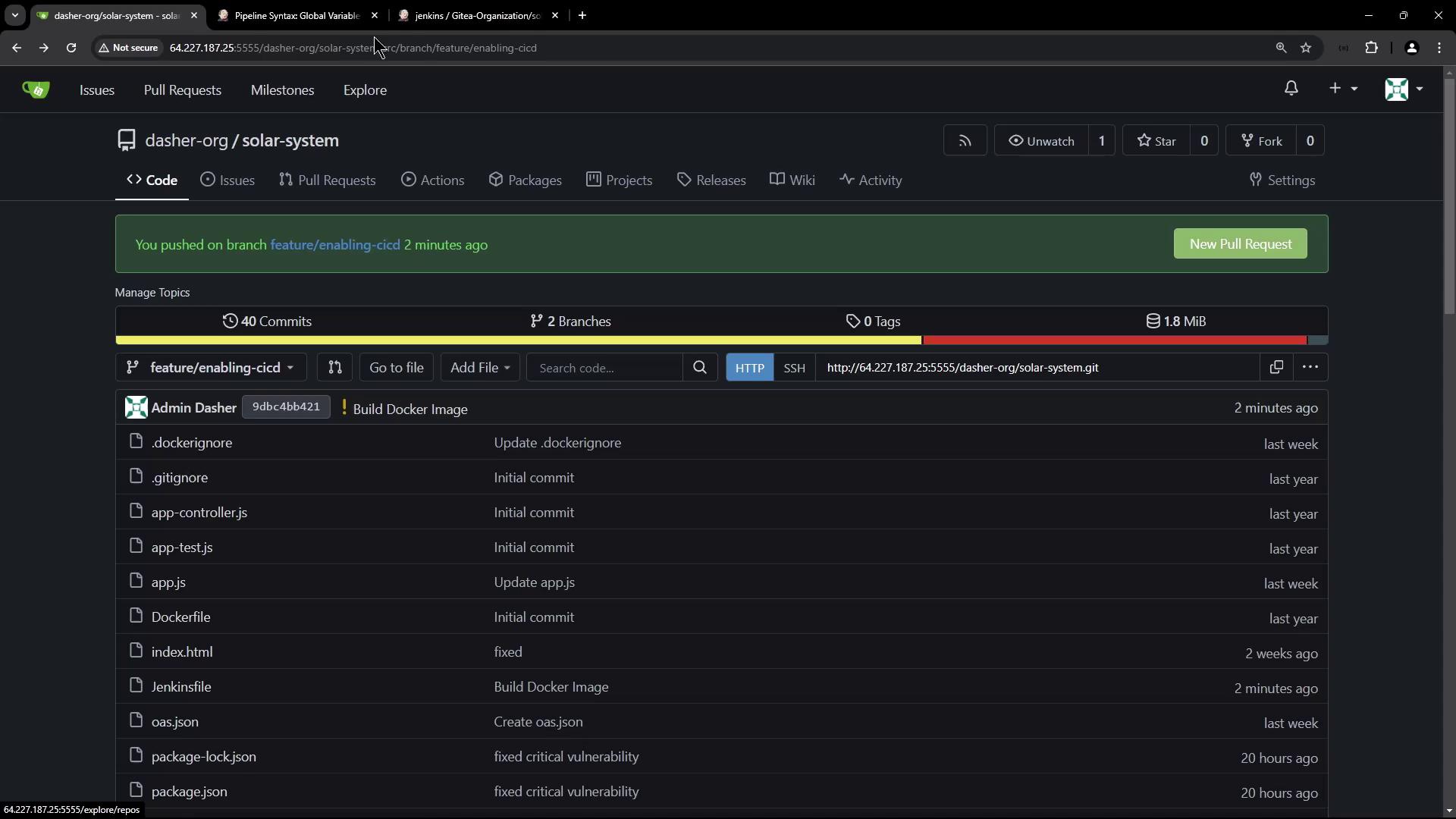
After committing and pushing the updated `Jenkinsfile`, Jenkins triggers a new run. Once earlier stages finish, the **Build Docker Image** stage will begin:
```shell theme={null}
docker build -t siddharth67/solar-system:$GIT_COMMIT .
```
### Print Environment Variables
This step logs all environment variables visible to the build stage:
```shell theme={null}
+ printenv
JENKINS_HOME=/var/lib/jenkins
GIT_PREVIOUS_SUCCESSFUL_COMMIT=10f241dbfe4218e2d9acd44b9950c4144
MONGO_DB_CREDS_PSW=****
USER=jenkins
CI=true
…
GIT_COMMIT=0bb4c412562f4f1db4c2149f834e29f3
BUILD_URL=http://jenkins.example.com/job/.../28/
WORKSPACE=/var/lib/jenkins/workspace/solar-system_feature_enabling-cicd
STAGE_NAME=Build Docker Image
GIT_BRANCH=feature/enabling-cicd
BUILD_TAG=jenkins-Gitea-Organization-solar-system-feature%252Fenabling-cicd-28
```
### Docker Build Logs
Jenkins streams the Docker build output, showing layer creation and tagging:
```shell theme={null}
#1 [internal] load build definition from Dockerfile
#1 transferring dockerfile: 2828B done
…
#9 naming to docker.io/siddharth67/solar-system:9dbc4b421562f410b4dec2141938fd2a5ac0ad1 done
#9 DONE 0.0s
```
Verify the image tag in your registry or local Docker daemon to ensure it matches the commit SHA.
***
## Next Steps
You’ve successfully built and tagged a Docker image via Jenkins. In the next tutorial, we’ll scan this image for vulnerabilities and push it to Docker Hub.
***
## Links and References
* [Jenkins Pipeline Syntax](https://www.jenkins.io/doc/book/pipeline/syntax/)
* [Dockerfile reference](https://docs.docker.com/engine/reference/builder/)
* [Dockerignore file](https://docs.docker.com/engine/reference/builder/#dockerignore-file)
* [Jenkins Environment Variables](https://www.jenkins.io/doc/book/pipeline/jenkinsfile/#using-environment-variables)