> ## Documentation Index
> Fetch the complete documentation index at: https://notes.kodekloud.com/llms.txt
> Use this file to discover all available pages before exploring further.
# Jenkins Plugins
> Jenkins plugins extend CI/CD pipeline capabilities with integrations for source control, build tools, notifications, security, and cloud services.
Jenkins plugins are the building blocks that extend your CI/CD pipeline’s capabilities. With over 1,900 community-developed plugins, you can integrate source control, build tools, notifications, security scanners, and cloud services into your automation workflow.
## Common Plugin Categories
| Category | Purpose | Example Plugins |
| ------------------------- | --------------------------------------------------------------- | --------------------------------------------- |
| Source Control Management | Integrate with Git providers | `Git`, `GitHub Branch Source` |
| Build Tools | Automate builds with popular frameworks | `Maven Integration`, `Gradle Plugin` |
| Quality & Security | Perform static analysis, code coverage, and vulnerability scans | `SonarQube Scanner`, `OWASP Dependency-Check` |
| Notifications | Send build and deployment alerts | `Slack Notification`, `Email Extension` |
| Cloud Integrations | Manage resources on public clouds | `AWS Steps`, `Google Cloud Build` |
| Distributed Builds | Scale workloads across multiple agents | `Distributed Builds Plugin`, `Swarm Plugin` |
## How Plugins Are Packaged
Jenkins plugins are distributed as JAR archives with `.hpi` (legacy) or `.jpi` (modern) extensions. Each package contains:
* Plugin code (Java/Groovy classes)
* Static resources (JavaScript, CSS)
* Metadata (`pom.xml`, `plugin.xml`)
By default, Jenkins stores them in:
```bash theme={null}
cd /var/lib/jenkins/plugins
```
Jenkins gives priority to a plugin if both `.jpi` and `.hpi` versions are present.
## Installing Plugins
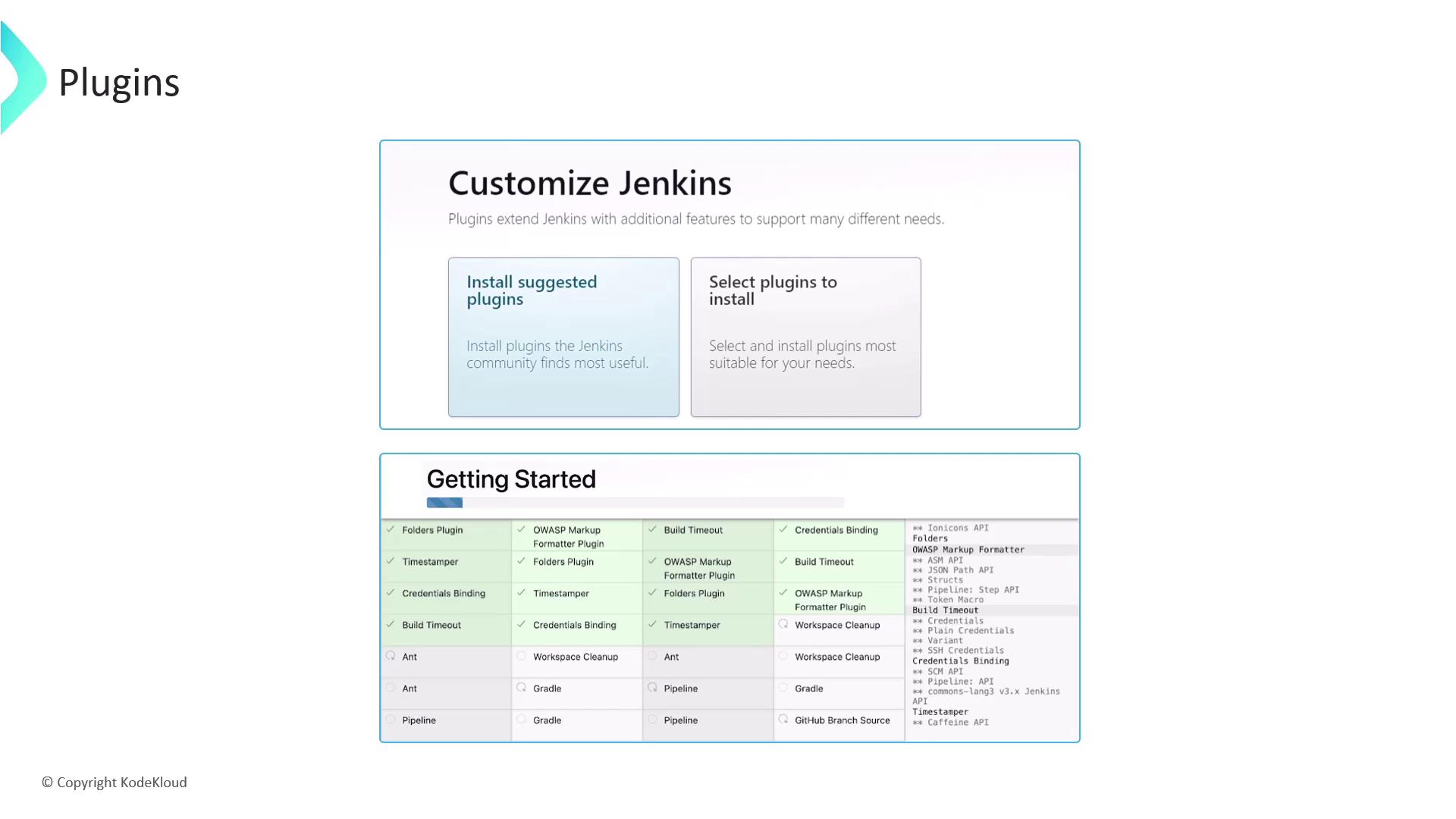
When you set up Jenkins for the first time, choose one of the following:
1. **Install Suggested Plugins**
2. **Select Plugins Manually**
Choosing **Install Suggested Plugins** provides a curated set of essential plugins, making it ideal for newcomers.
## Recommended Starter Plugins
* Git Integration
* Pipeline (Workflow)
* Maven Integration
* Gradle Plugin
* Docker Pipeline
## Managing Installed Plugins
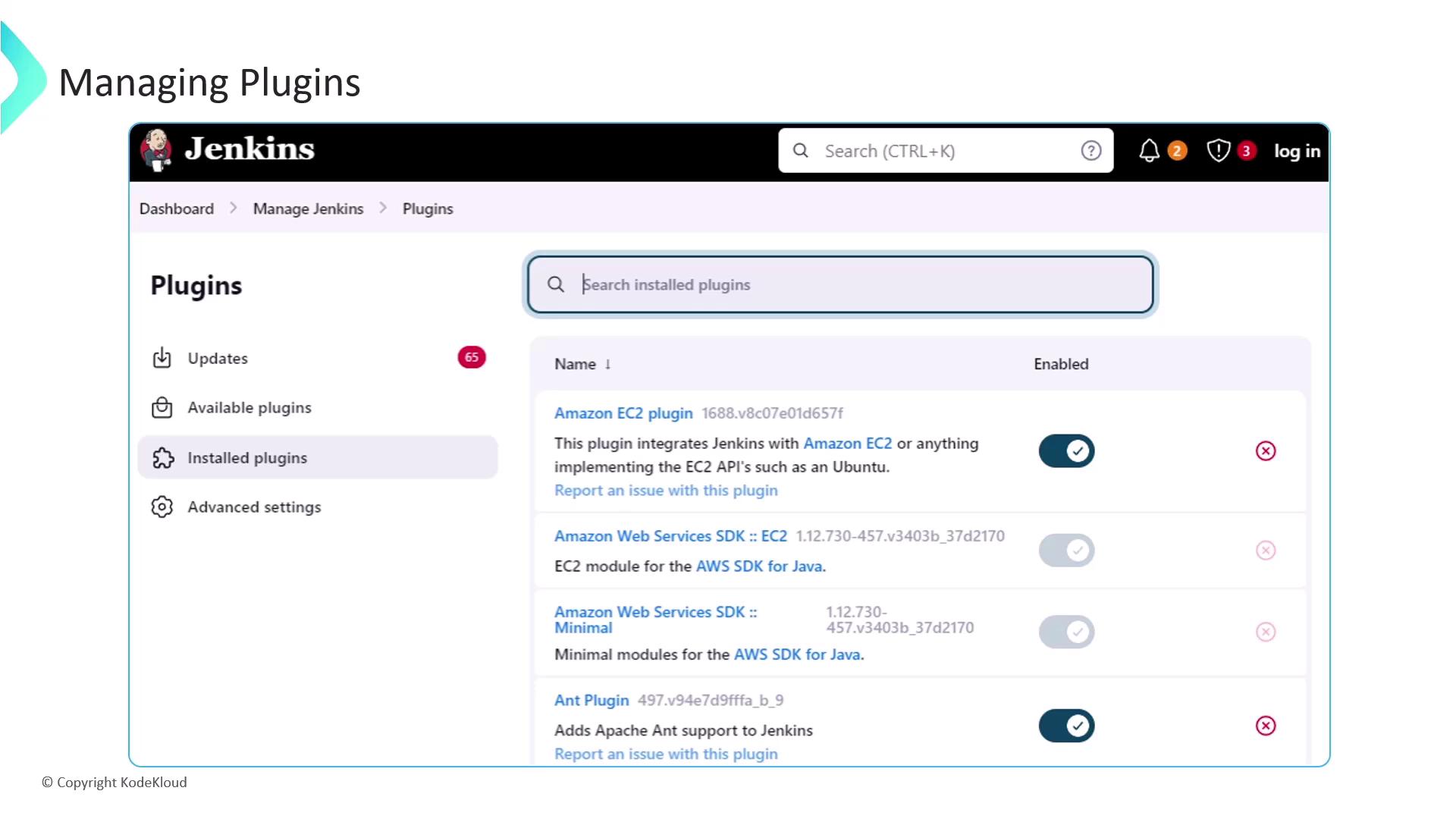
After installation, head to **Manage Jenkins ➔ Manage Plugins** to enable, disable, update, or uninstall extensions.
Removing a plugin can break dependent functionality. Always verify plugin dependencies before uninstalling.
### Plugin Update Center
The **Updates** tab shows available plugin updates. Regularly update to benefit from new features and security fixes.
## Next Steps
* Automate plugin installation via Jenkins Configuration as Code
* Explore advanced plugins (Blue Ocean, Kubernetes, Terraform)
* Integrate with external security scanners and compliance tools
## Links and References
* [Jenkins Documentation][jenkins-docs]
* [GitHub][github] | [Bitbucket][bitbucket] | [GitLab][gitlab]
* [Maven][maven] | [Gradle][gradle] | [Node.js][nodejs]
* [Slack][slack] | [PagerDuty][pagerduty]
* [AWS][aws] | [Google Cloud][gcp] | [Azure][azure]
[jenkins-docs]: https://www.jenkins.io/doc/
[github]: https://github.com
[bitbucket]: https://bitbucket.org
[gitlab]: https://gitlab.com
[maven]: https://maven.apache.org
[gradle]: https://gradle.org
[nodejs]: https://nodejs.org
[slack]: https://slack.com
[pagerduty]: https://www.pagerduty.com
[aws]: https://aws.amazon.com
[gcp]: https://cloud.google.com
[azure]: https://azure.microsoft.com