> ## Documentation Index
> Fetch the complete documentation index at: https://notes.kodekloud.com/llms.txt
> Use this file to discover all available pages before exploring further.
# SCM Terminology
> This article covers Source Control Management terminology and best practices for using Git in Jenkins CI/CD pipelines.
Effective Source Control Management (SCM) is the foundation of reliable CI/CD pipelines in Jenkins. By storing your application code in a versioned repository—commonly referred to as a **repo**—you gain access to branching, change history, and granular permissions that enhance collaboration and security.
Best practices for repository organization:
* Maintain one repository per product or microservice
* Assign **read**, **write**, or **admin** roles to teams or individuals
* Protect the main branch with branch protection rules in your SCM
## Standard Git Workflow
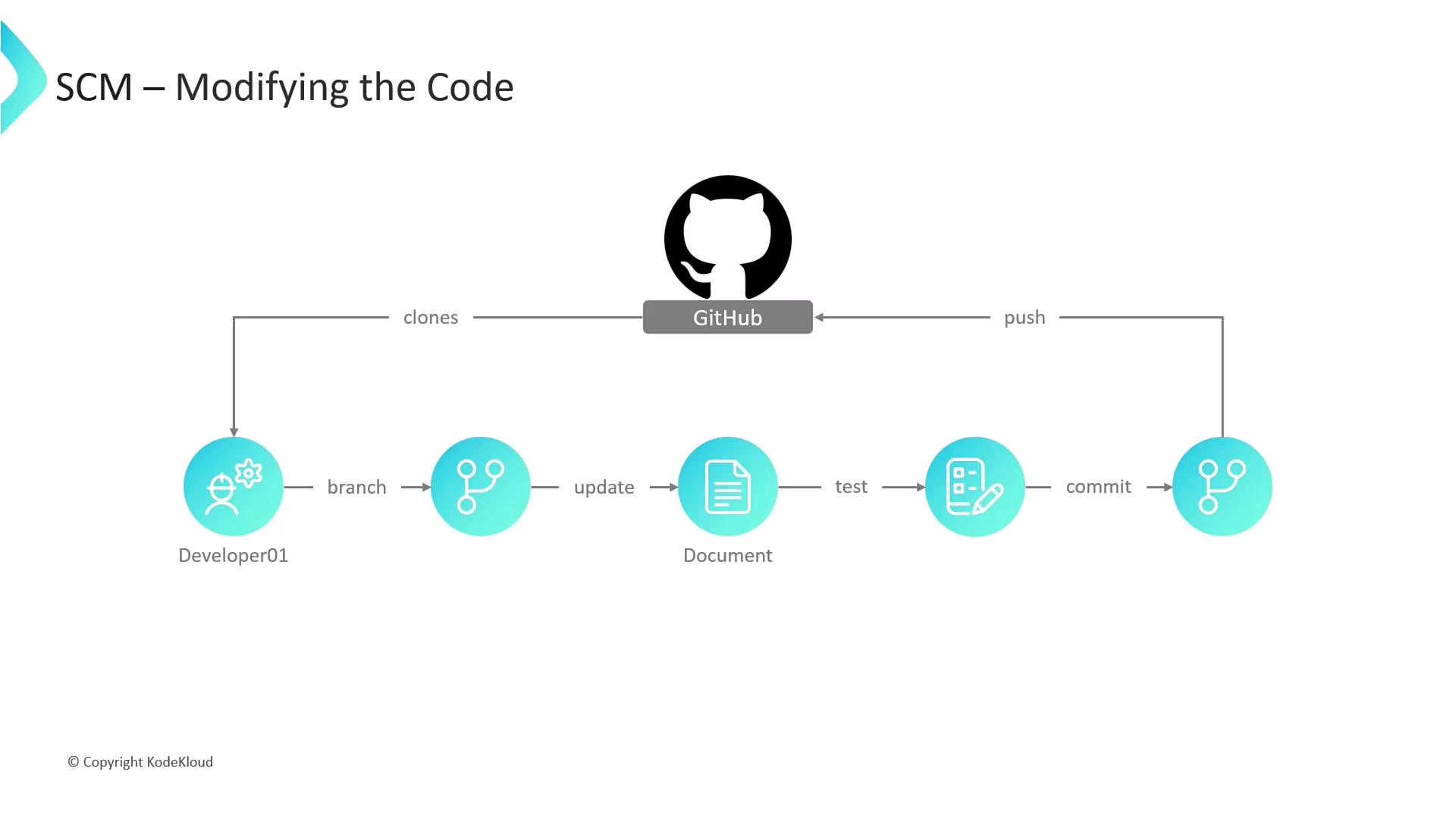
A consistent workflow ensures that developers can work in parallel without destabilizing the main codebase. Below is a step-by-step guide using Git commands:
1. Clone the repository
```bash theme={null}
git clone https://github.com/your-org/your-repo.git
```
2. Create a feature branch
```bash theme={null}
git checkout -b feature/your-feature-name
```
3. Develop and test locally
* Make code changes in your IDE
* Run unit tests or integration tests
4. Commit your changes
```bash theme={null}
git add .
git commit -m "Implement user authentication flow"
```
5. Push your branch to the remote
```bash theme={null}
git push -u origin feature/your-feature-name
```
Use clear, descriptive branch names (e.g., `feature/payment-api`) to make pull request reviews and CI/CD tracking easier.
## Key SCM Terms
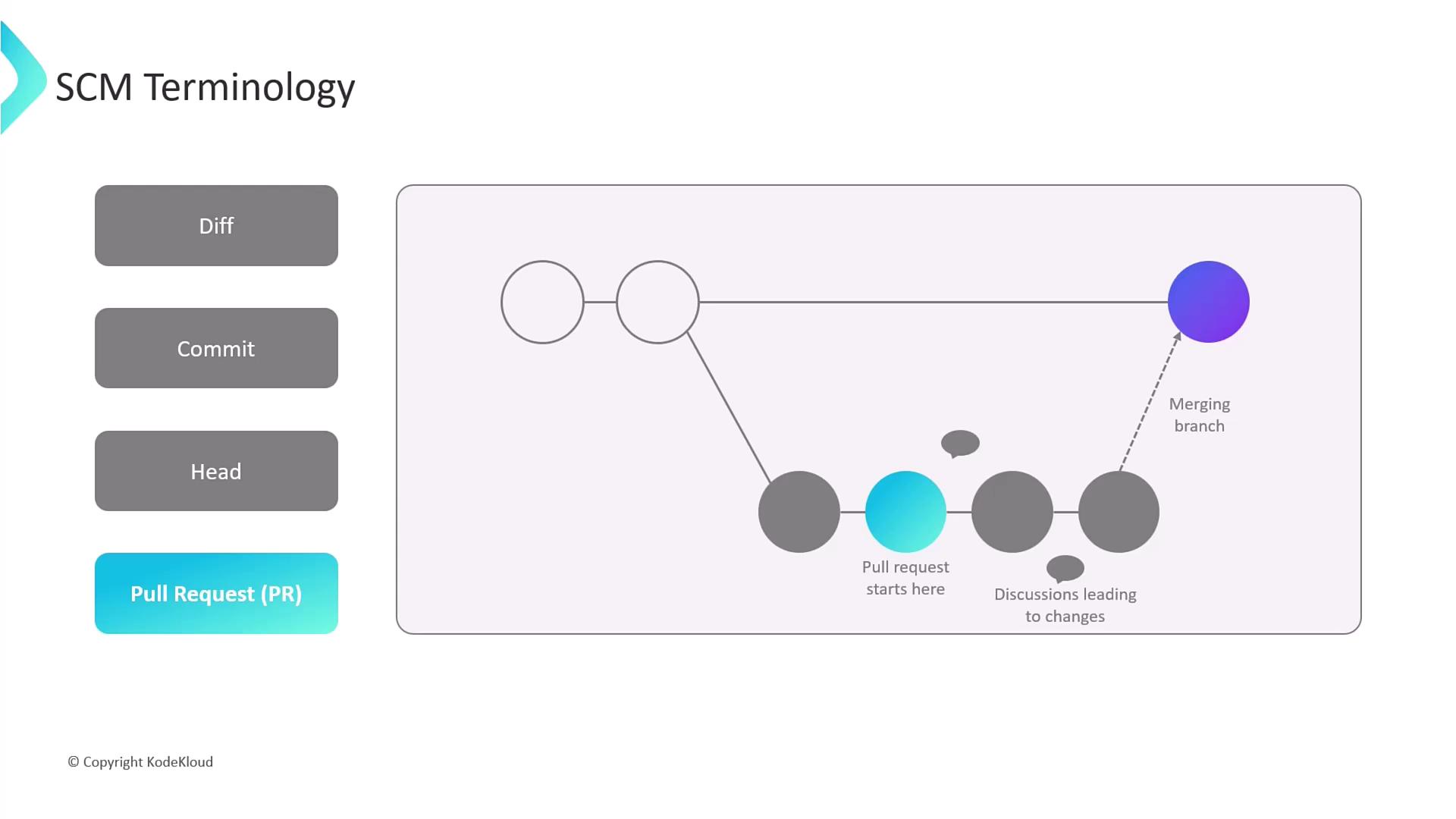
Below is a quick reference table for essential Git concepts you’ll encounter in Jenkins pipelines and code reviews:
| Term | Description |
| ----------------- | ------------------------------------------------------------------------------------------------------- |
| Diff | A line-by-line comparison showing additions, deletions, and modifications between file versions. |
| Commit | A snapshot of your codebase at a given point, bundling one or more diffs with a commit message. |
| HEAD | A movable pointer referencing the latest commit on your current branch (the tip of development). |
| Pull Request (PR) | A request to merge changes from one branch into another, enabling discussion and review before merging. |
Never push directly to the protected `main` branch. Always open a pull request to enforce code reviews, automated testing, and compliance checks.
## References
* [Git Official Documentation](https://git-scm.com/doc)
* [GitHub Flow Guide](https://guides.github.com/introduction/flow/)
* [Jenkins SCM Plugin](https://plugins.jenkins.io/scm/)