> ## Documentation Index
> Fetch the complete documentation index at: https://notes.kodekloud.com/llms.txt
> Use this file to discover all available pages before exploring further.
# Demo Send Slack Notification
> This guide enhances a Jenkinsfile to send Slack notifications based on build outcomes, creating a reusable Groovy helper for team alerts.
In this guide, you’ll enhance the `Jenkinsfile` in the **solar-system** repository to send Slack notifications based on build outcomes. By the end, you’ll have a reusable Groovy helper and a DRY pipeline that alerts your team of successes, instabilities, and failures.
## 1. Create a Feature Branch
Start by branching off from `main`:
```bash theme={null}
git checkout -b feature/enabling-slack
Switched to a new branch 'feature/enabling-slack'
```
## 2. Generate the Slack Step
Open **Pipeline Syntax** in Jenkins:
1. Select **Slack Send**.
2. Configure your channel (e.g., `#dasher-notifications`).
3. Set a default message and a hex color for “Build Started.”
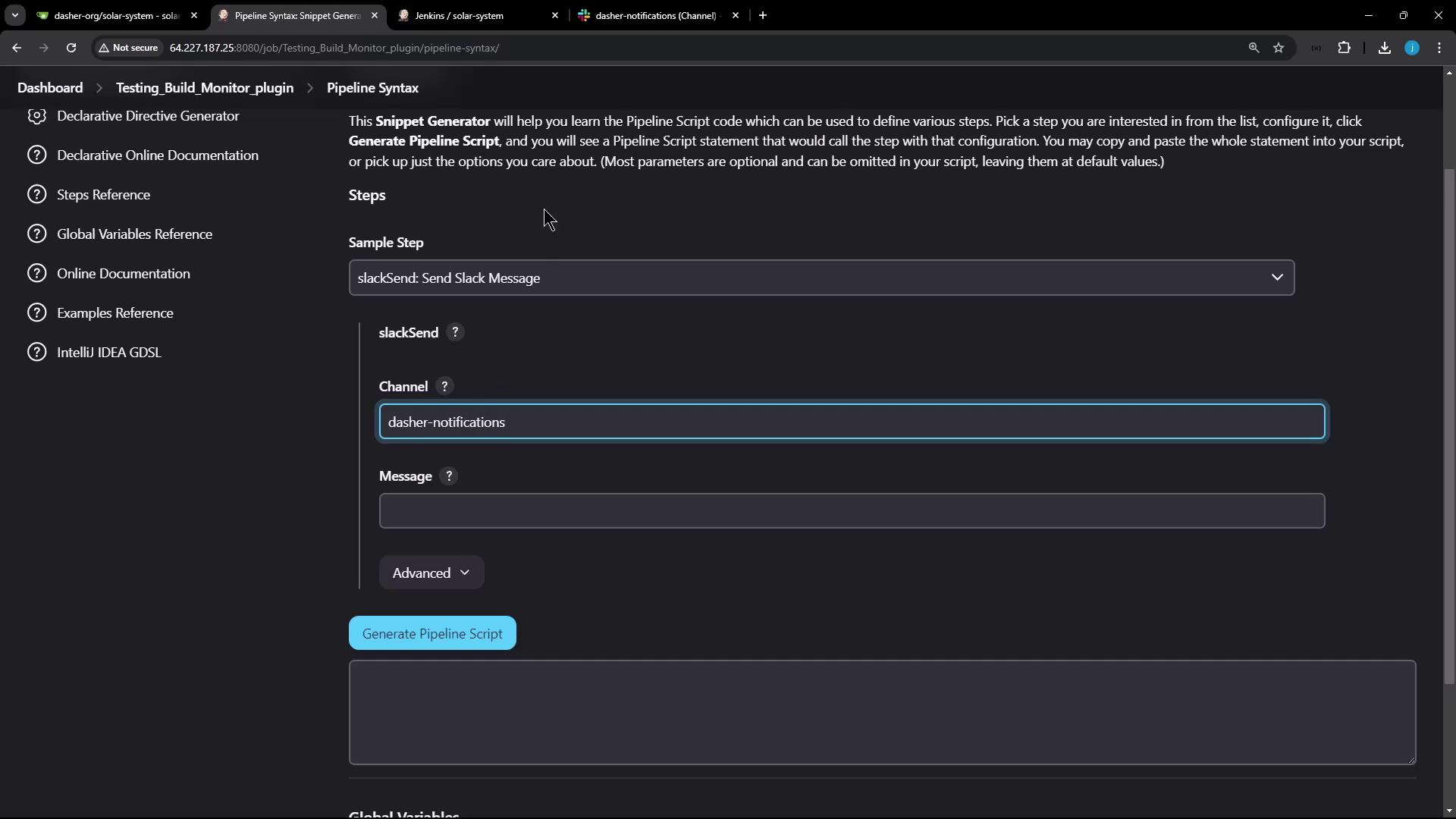
You can pick a hex code to reflect status:
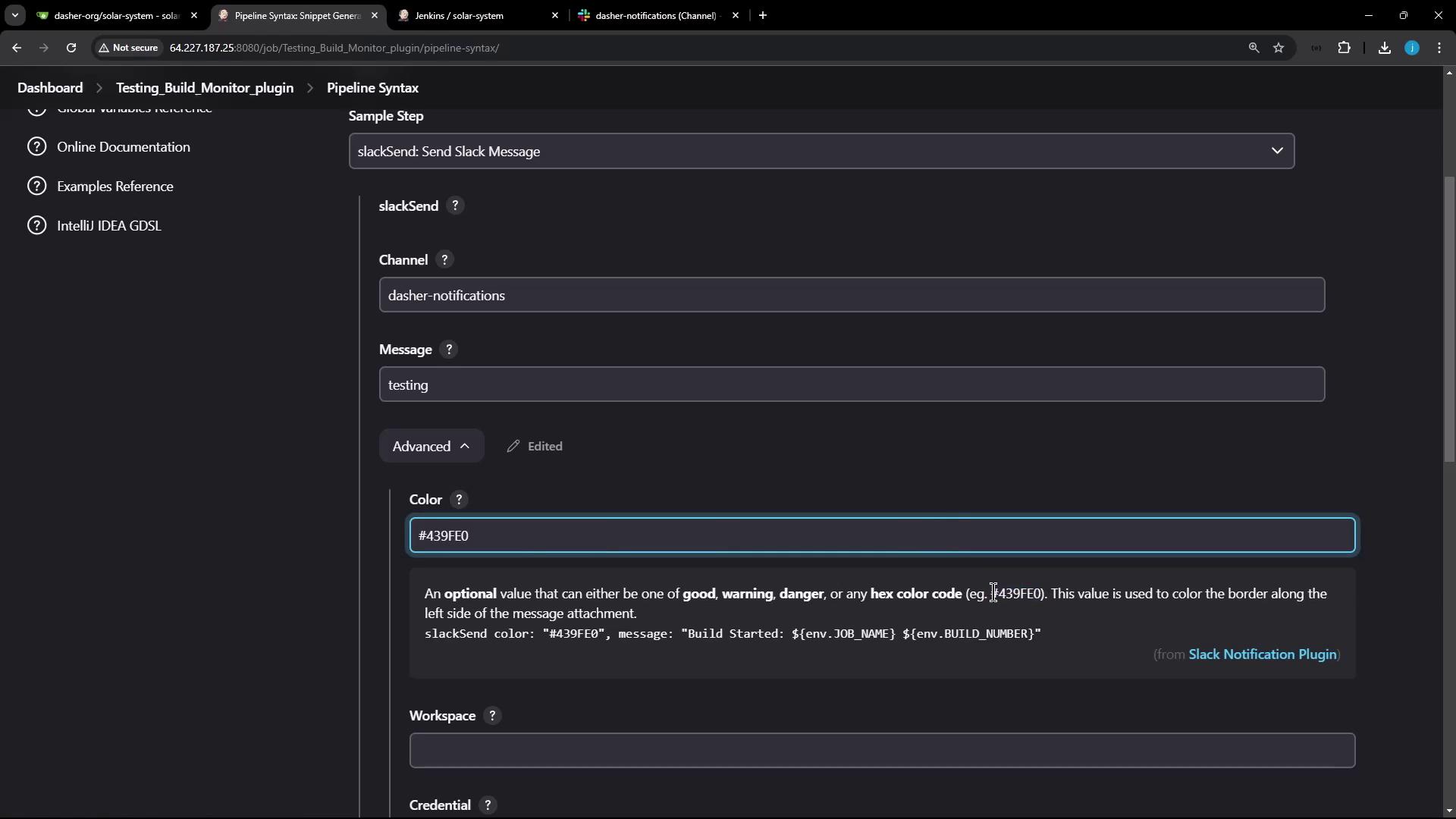
Pipeline syntax will produce:
```groovy theme={null}
slackSend botUser: true,
channel: '#dasher-notifications',
color: '#439FE0',
message: "Build Started: ${env.JOB_NAME} ${env.BUILD_NUMBER}"
```
Ensure you have [configured your Slack App and credentials](/docs/slack-integration#setup) in Jenkins **Manage Credentials** before using `slackSend`.
## 3. Why Reuse Is Better
Adding identical `slackSend` calls under every stage’s `post` block quickly becomes unwieldy:
```groovy theme={null}
pipeline {
/* ... */
stages {
stage('Upload - AWS S3') {
steps { /* ... */ }
post {
success {
slackSend botUser: true,
channel: '#dasher-notifications',
color: '#47ec05',
message: "Upload S3 succeeded: ${env.BUILD_NUMBER}"
}
failure {
slackSend botUser: true,
channel: '#dasher-notifications',
color: '#ec2805',
message: "Upload S3 failed: ${env.BUILD_NUMBER}"
}
}
}
// more stages...
}
}
```
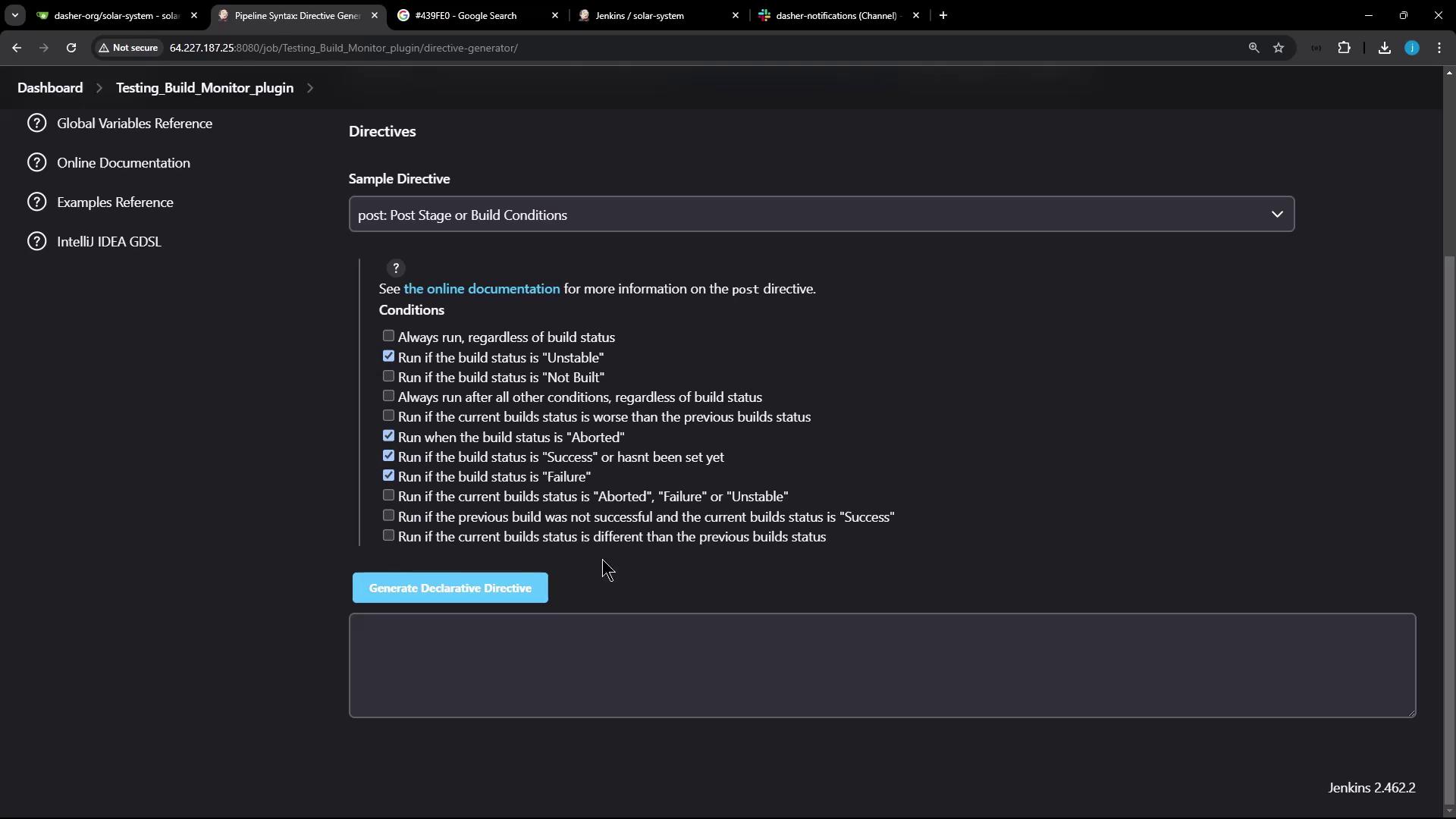
## 4. Define a Reusable Slack Method
At the top of your `Jenkinsfile`, add:
```groovy theme={null}
def slackNotification(String buildStatus = 'STARTED') {
buildStatus = buildStatus ?: 'SUCCESS'
// Map status to color
def color = buildStatus == 'SUCCESS' ? '#47ec05' :
buildStatus == 'UNSTABLE' ? '#d5ee0d' :
'#ec2805'
// Construct message
def msg = "${buildStatus}: ${env.JOB_NAME} #${env.BUILD_NUMBER}\n${env.BUILD_URL}"
slackSend color: color, message: msg
}
```
### Build Status Color Mapping
| Build Status | Hex Color |
| ------------ | --------- |
| SUCCESS | #47ec05 |
| UNSTABLE | #d5ee0d |
| FAILURE | #ec2805 |
## 5. Update the Pipeline
Use a single `post { always { ... } }` block:
```groovy theme={null}
pipeline {
agent any
tools {
// e.g., nodejs '12.x'
}
stages {
stage('Installing Dependencies') {
steps {
sh 'npm install --no-audit'
}
}
stage('Code Coverage') {
steps {
catchError(buildResult: 'SUCCESS', message: 'Coverage step failed but allowed') {
sh 'npm run coverage'
}
}
}
// additional stages...
}
post {
always {
slackNotification(currentBuild.result)
}
cleanup {
sh 'rm -rf solar-system-gitops-argocd'
}
junit allowEmptyResults: true, testResults: 'test-results.xml'
}
}
```
Commit and push:
```bash theme={null}
git add Jenkinsfile
git commit -m "feat: enable Slack notifications"
git push -u origin feature/enabling-slack
```
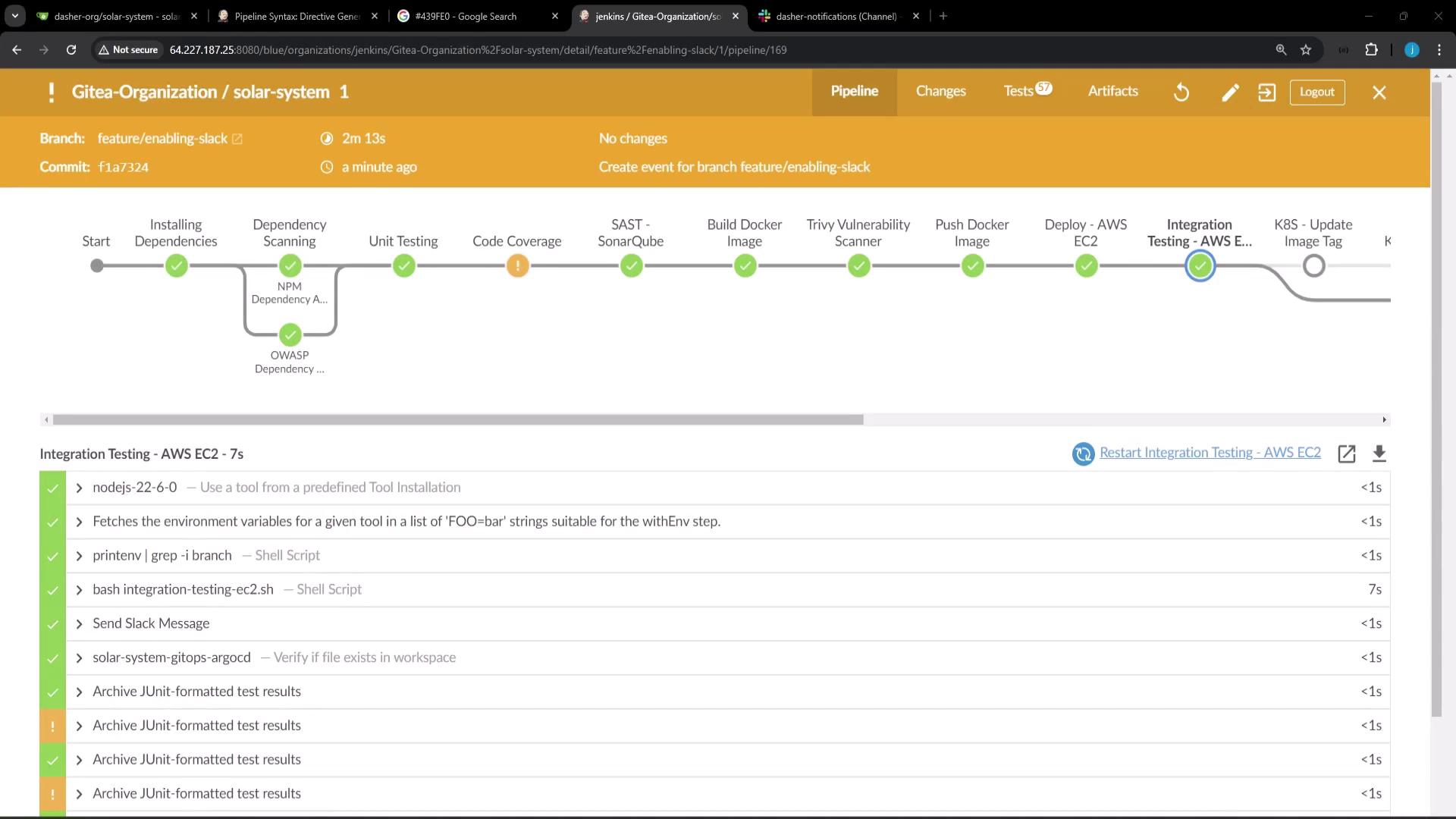
Trigger a build to see the consolidated Slack notification:
## 6. Demonstrate Failure
Add a failing step to confirm a red alert:
```groovy theme={null}
pipeline {
agent any
stages {
stage('Fail Fast') {
steps {
sh 'echo "Simulating failure"; exit 1'
}
}
}
post {
always {
slackNotification(currentBuild.result)
}
}
}
```
Push and rebuild. The Slack notification color should switch to red on failure.
Never hardcode sensitive tokens in your `Jenkinsfile`. Use [Jenkins Credentials Binding](/docs/credentials-binding) for secure handling.
## 7. Next Steps
To reuse `slackNotification` across multiple repositories, extract it into a [Shared Library](https://www.jenkins.io/doc/book/pipeline/shared-libraries/). This centralizes common pipeline logic and keeps your `Jenkinsfile` lean.
***
## Links and References
* [Jenkins Pipeline Syntax](https://www.jenkins.io/doc/book/pipeline/syntax/)
* [Slack Plugin for Jenkins](https://plugins.jenkins.io/slack/)
* [Jenkins Shared Libraries](https://www.jenkins.io/doc/book/pipeline/shared-libraries/)
* [JUnit Plugin](https://plugins.jenkins.io/junit/)