> ## Documentation Index
> Fetch the complete documentation index at: https://notes.kodekloud.com/llms.txt
> Use this file to discover all available pages before exploring further.
# Demo Groovy Sandbox and In process Script Approval Part 3
> This demo explains how Jenkins Groovy Sandbox enforces security through whitelisting and blacklisting methods, and how to approve blocked signatures.
Welcome to the third installment of our Jenkins Groovy Sandbox series. In this demo you’ll learn how the sandbox enforces security by whitelisting and blacklisting Groovy methods, and how administrators can approve blocked signatures via **In-process Script Approval**.
***
## Table of Contents
1. [Understanding Whitelists & Blacklists](#understanding-whitelists--blacklists)
2. [Inspecting the Whitelist](#inspecting-the-whitelist)
3. [Inspecting the Blacklist](#inspecting-the-blacklist)
4. [Adding Blacklisted Calls to a Pipeline](#adding-blacklisted-calls-to-a-pipeline)
5. [First Build: `getInstance` Blocked](#first-build-getinstance-blocked)
6. [Approving Signatures in Jenkins](#approving-signatures-in-jenkins)
7. [Second Build: `getProperty` Blocked](#second-build-getproperty-blocked)
8. [Final Build: Success!](#final-build-success)
9. [References](#references)
***
## Understanding Whitelists & Blacklists
Jenkins uses the [script-security plugin](https://github.com/jenkinsci/script-security-plugin) to sandbox Groovy scripts.\
Under `src/main/resources/org/jenkinsci/plugins/scriptsecurity/sandbox/whitelists` you’ll find files that list allowed methods. The same folder contains a `blacklist` file defining methods that are blocked by default and require admin approval.
| List Type | Purpose | Sample Entry |
| --------- | --------------------------------------------------- | -------------------------------------------- |
| Whitelist | API methods and signatures allowed in sandbox | `method hudson.model.Run getFullDisplayName` |
| Blacklist | Methods blocked unless approved via Script Approval | `method java.io.Reader read` |
***
## Inspecting the Whitelist
Browse the [Jenkins script-security-plugin repository on GitHub](https://github.com/jenkinsci/script-security-plugin) and open the `whitelists` folder:
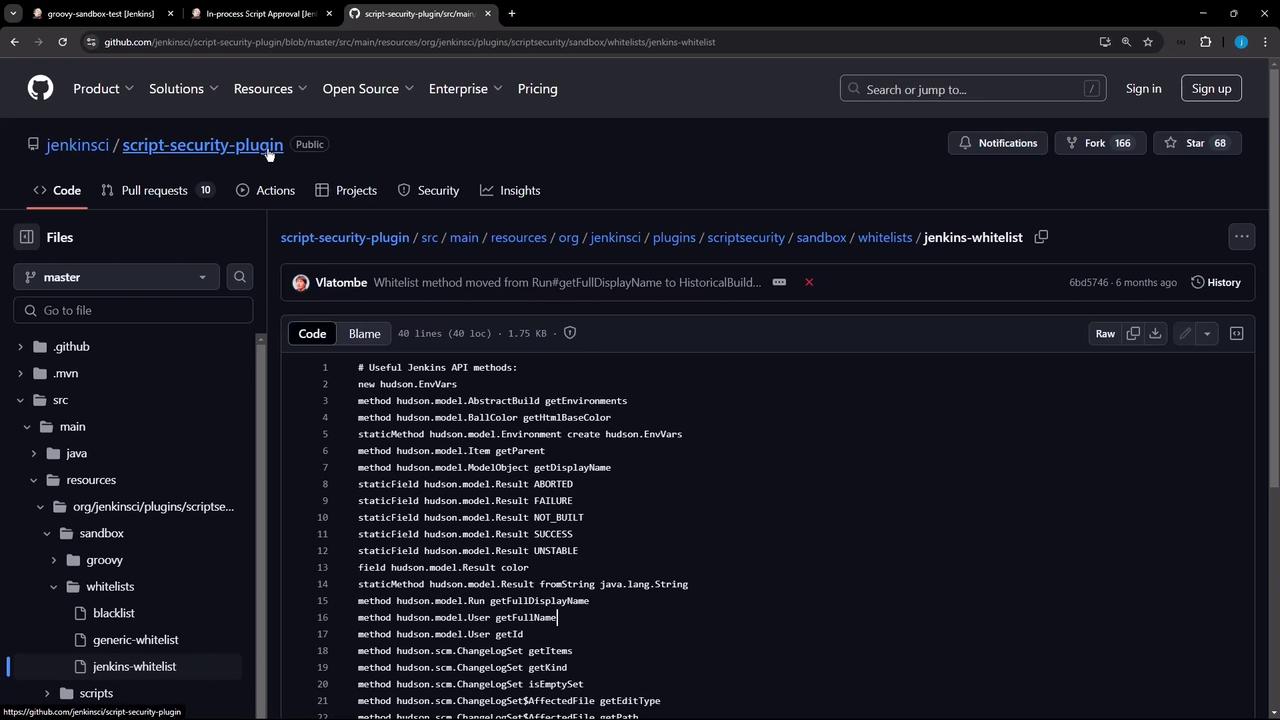
An excerpt from `jenkins-whitelist`:
```plaintext theme={null}
staticField hudson.model.Result ABORTED
staticField hudson.model.Result FAILURE
staticMethod hudson.model.Result fromString java.lang.String
method hudson.model.Run getFullDisplayName
method hudson.model.User getId
...
staticField jenkins.model.Jenkins VERSION
```
***
## Inspecting the Blacklist
The `blacklist` file in the same directory lists methods that are disallowed by default:
```plaintext theme={null}
method groovy.lang.Closure ncurry int java.lang.Object
new java.io.PrintWriter java.lang.String
method java.io.Reader read char[] int int
...
staticMethod groovy.xml.XmlUtil escapeXml java.lang.String
```
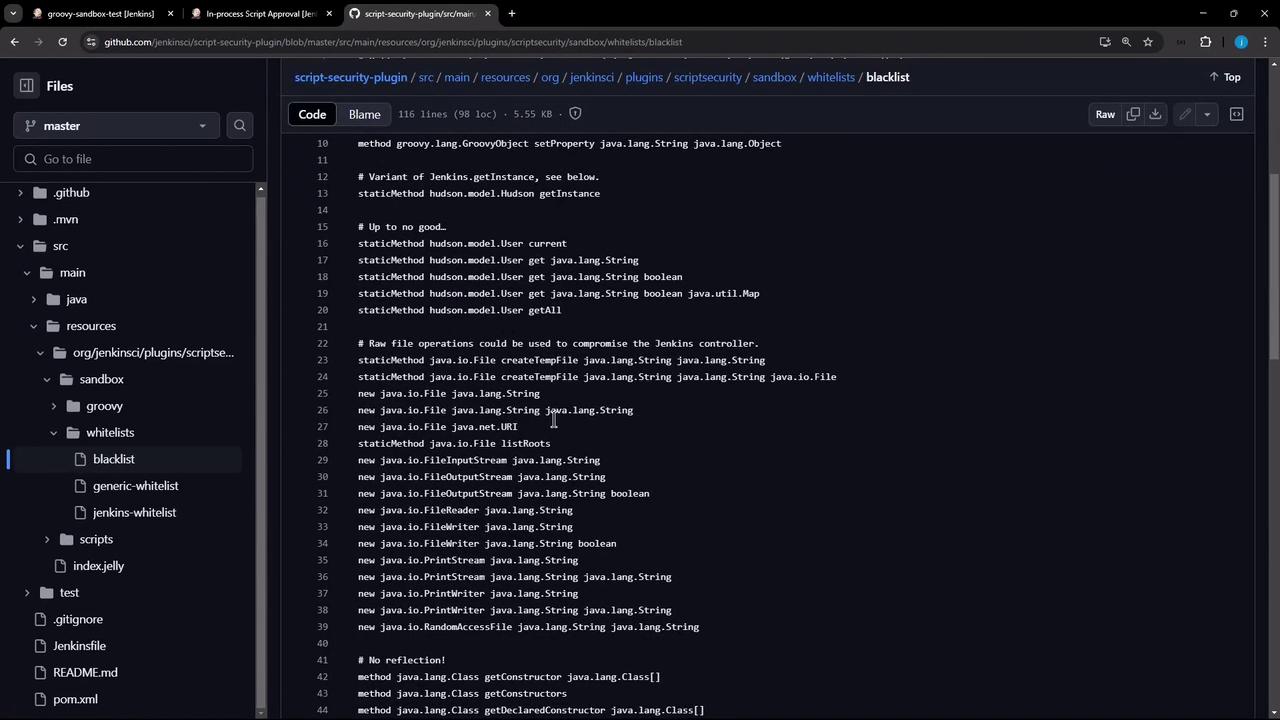
Any invocation of these methods in a sandboxed pipeline will be rejected unless approved.
***
## Adding Blacklisted Calls to a Pipeline
Let’s modify a declarative pipeline to call two blacklisted methods:
```groovy theme={null}
pipeline {
agent any
stages {
stage('Topic') {
steps {
echo 'Exploring Groovy Sandbox'
}
}
stage('Get Hudson Instance') {
steps {
script {
// This staticMethod is blacklisted by default
def hudson = hudson.model.Hudson.getInstance()
println "Hudson Instance: ${hudson}"
}
}
}
stage('Get System Property') {
steps {
script {
// This method is also blacklisted by default
def userName = java.lang.System.getProperty("user.name")
println "System Property: ${userName}"
}
}
}
}
}
```
Make sure **Use Groovy Sandbox** is checked in your pipeline configuration before running the build.

***
## First Build: getInstance Blocked
The **Topic** stage will pass, but **Get Hudson Instance** fails due to the blacklist:

Console output:
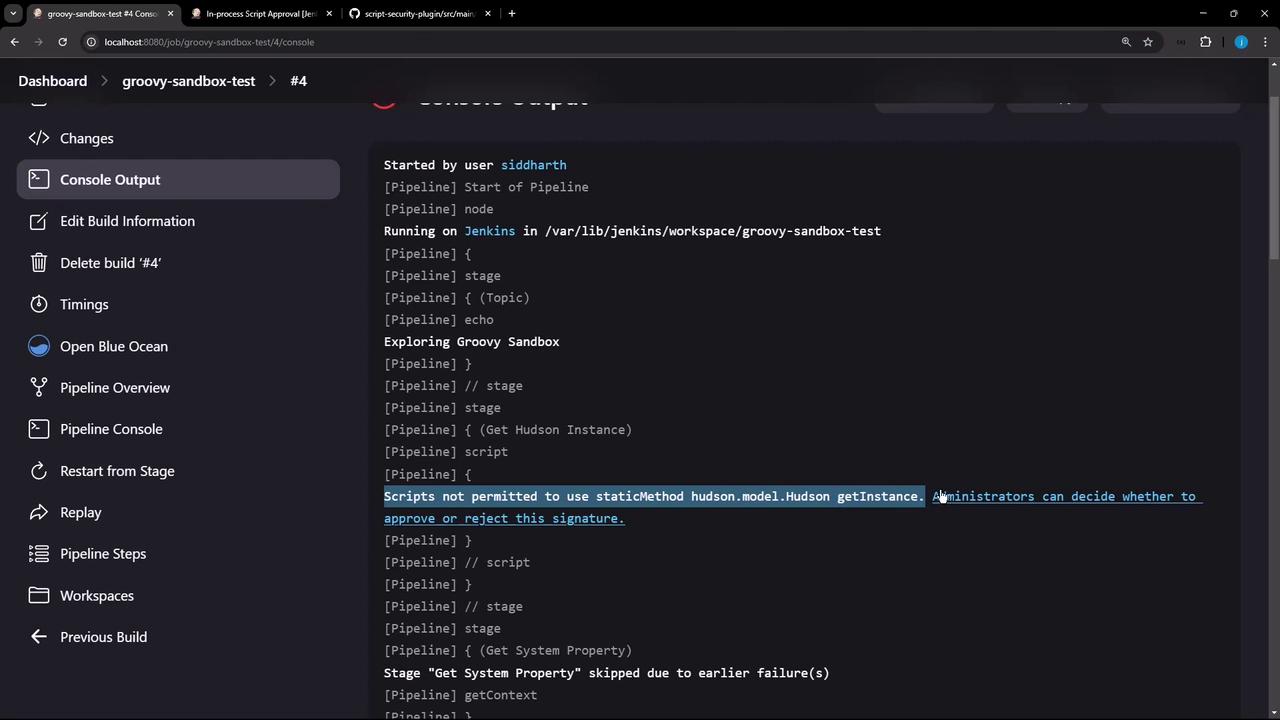
```plaintext theme={null}
Scripts not permitted to use staticMethod hudson.model.Hudson getInstance
```
***
## Approving Signatures in Jenkins
Click the error link or navigate to **Manage Jenkins → In-process Script Approval** to review pending signatures:
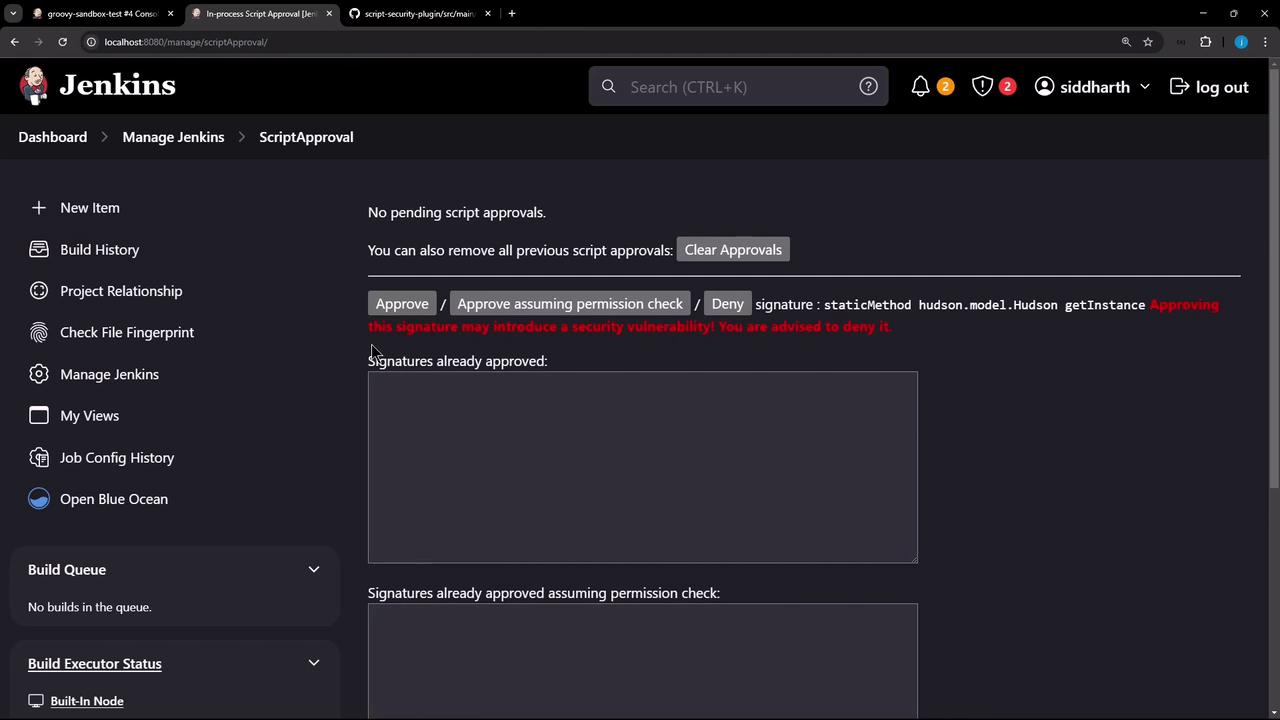
Approving method signatures grants scripts additional privileges. Review each request carefully.
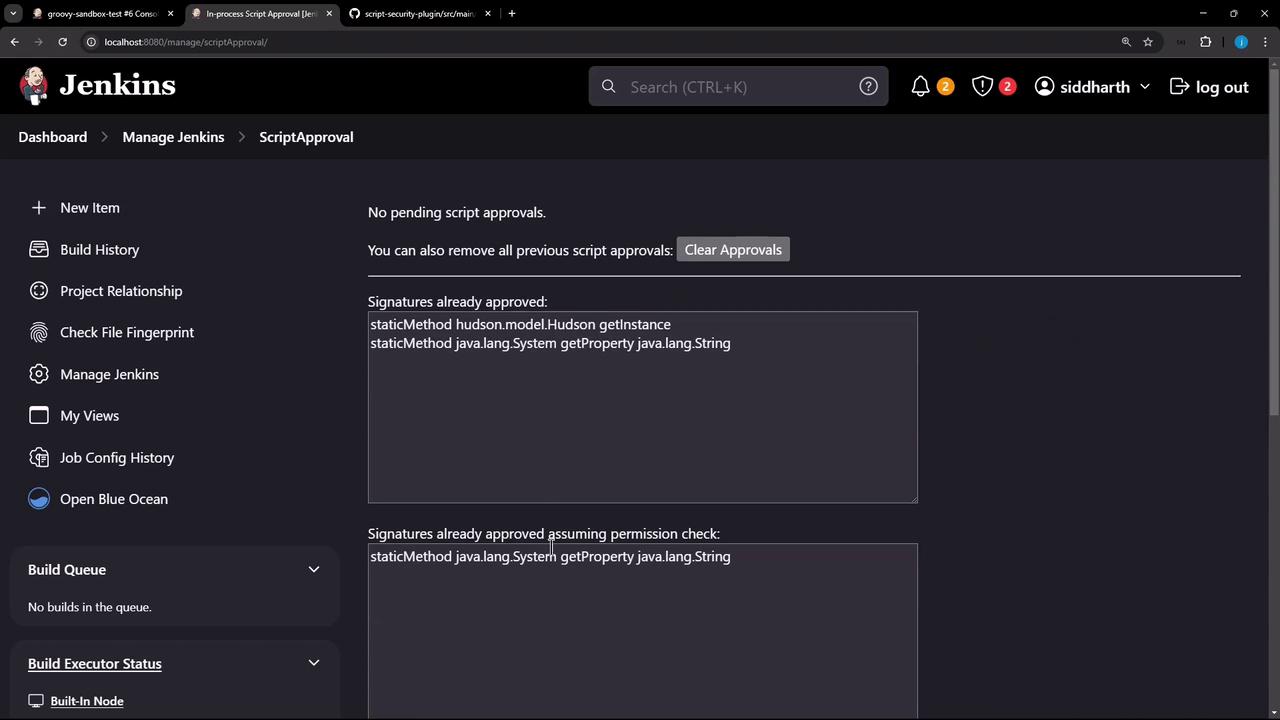
Approve the `hudson.model.Hudson getInstance` signature, then rerun the build.
***
## Second Build: getProperty Blocked
After approving, **Get Hudson Instance** now succeeds but **Get System Property** fails:
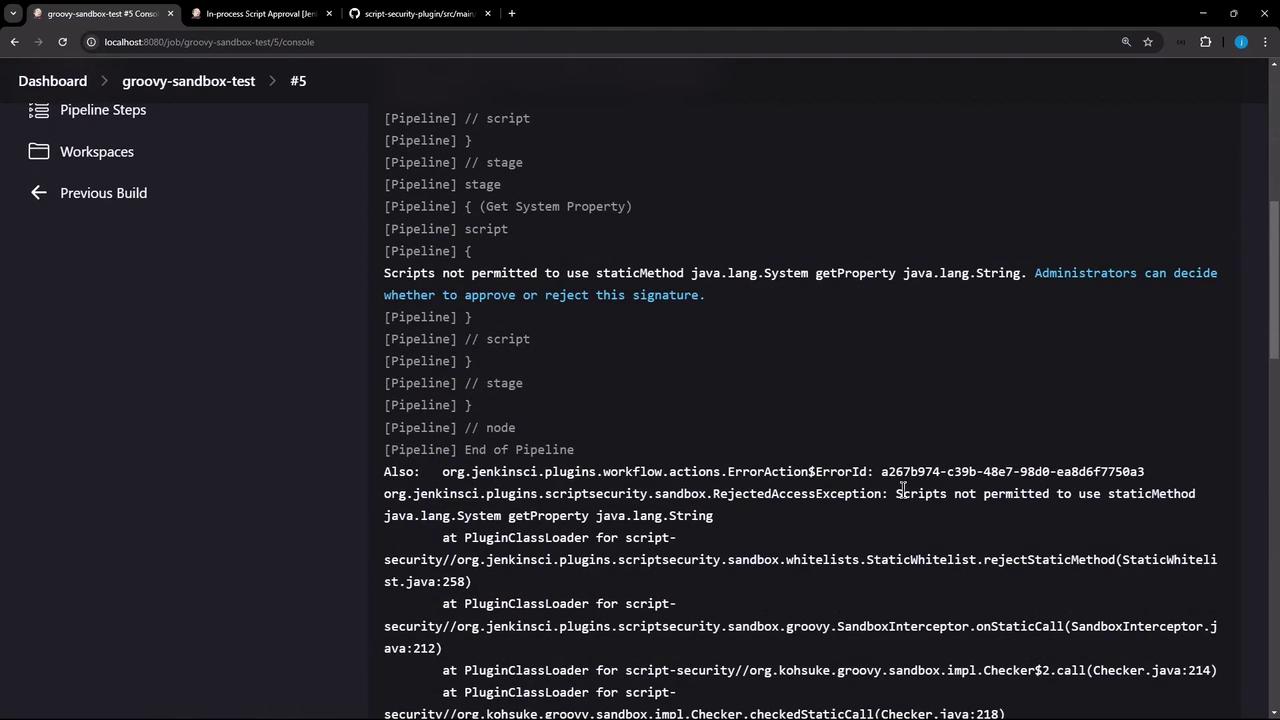
Return to Script Approval and approve the `java.lang.System getProperty` signature:
***
## Final Build: Success!
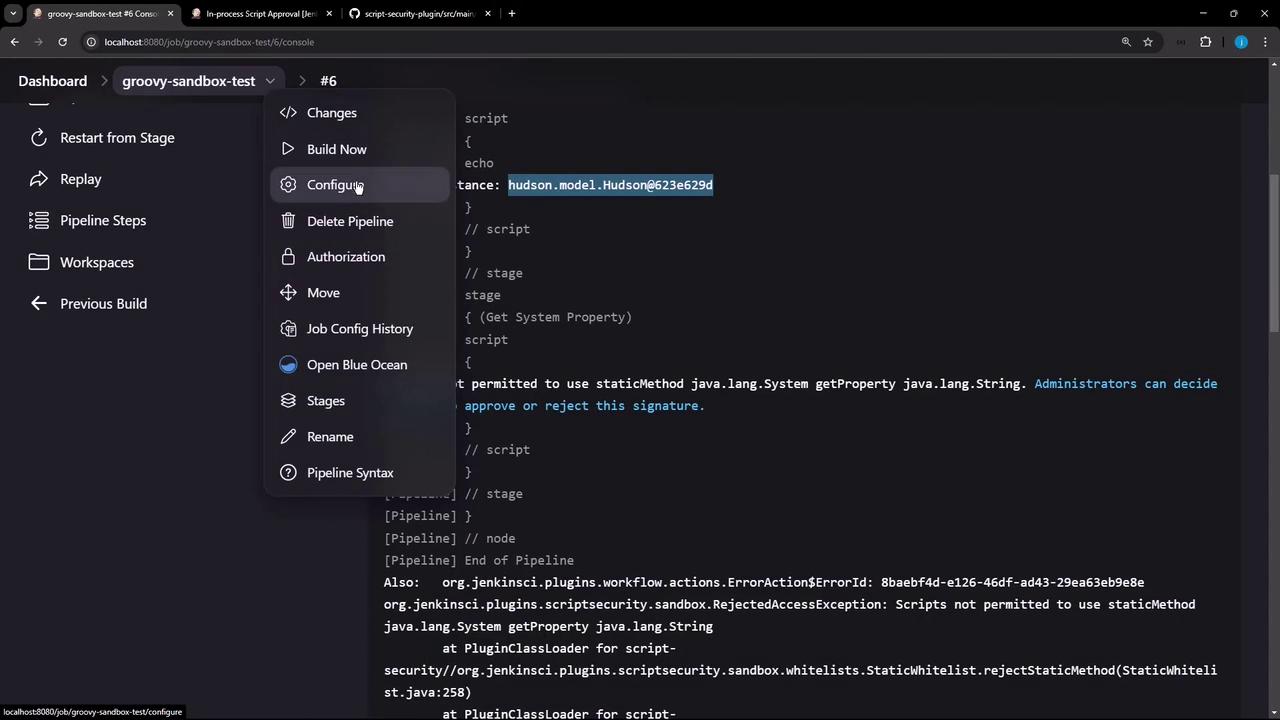
Run the pipeline one last time. All stages should complete without errors:
```plaintext theme={null}
Running on Jenkins in /var/lib/jenkins/workspace/groovy-sandbox-test
[Pipeline] {
[Pipeline] stage
[Pipeline] { (Topic)
[Pipeline] echo
Exploring Groovy Sandbox
[Pipeline] }
[Pipeline] // stage
[Pipeline] stage
[Pipeline] { (Get Hudson Instance)
[Pipeline] script
[Pipeline] {
[Pipeline] echo
Hudson Instance: hudson.model.Hudson@623e629d
[Pipeline] }
[Pipeline] // script
[Pipeline] stage
[Pipeline] { (Get System Property)
[Pipeline] script
[Pipeline] {
[Pipeline] echo
System Property: jenkins
[Pipeline] }
[Pipeline] // script
```
***
## References
* [script-security Plugin on GitHub](https://github.com/jenkinsci/script-security-plugin)
* [Jenkins Pipeline Documentation](https://www.jenkins.io/doc/book/pipeline/)
* [In-process Script Approval](https://www.jenkins.io/doc/book/managing/script-approval/)
* [Jenkins Official Site](https://www.jenkins.io/)