> ## Documentation Index
> Fetch the complete documentation index at: https://notes.kodekloud.com/llms.txt
> Use this file to discover all available pages before exploring further.
# Demo Deploy to Prod
> This lesson extends a CI/CD pipeline to include a manual approval gate before deploying to AWS Lambda.
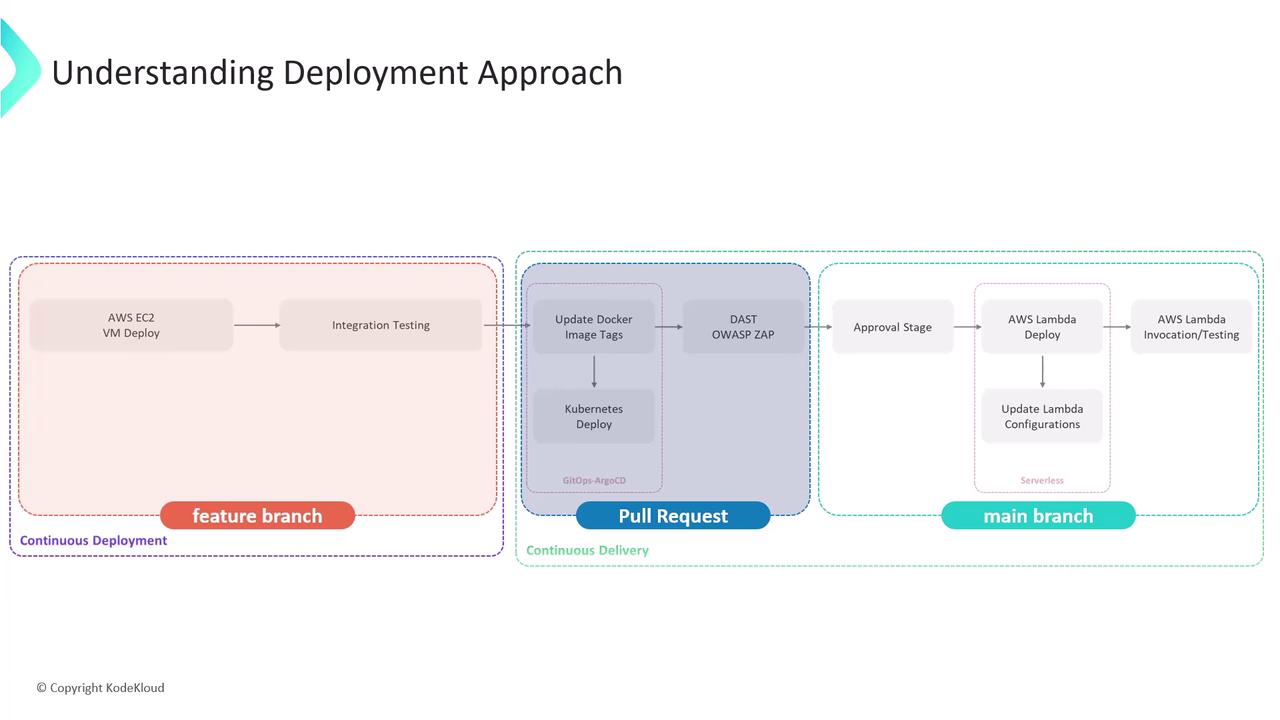
In this lesson, we'll extend our CI/CD pipeline to include a manual approval gate before deploying to AWS Lambda. Previously, we covered:
* Deploying to AWS EC2 VMs
* Running integration tests
* Opening a pull request for Kubernetes via Argo CD
* Performing a DAST scan with OWASP ZAP
Now, on the `main` branch, we'll pause for an admin’s go‐ahead, update Lambda configuration, and run function tests. All stages trigger only on new pushes to `main`.
| Stage | Branch/Trigger | Purpose |
| ----------------------------- | -------------- | ------------------------------------------ |
| Integration Testing – AWS EC2 | any branch | Validate code on EC2 instances |
| K8S – Update Image Tag | any branch | Bump container image in manifests |
| K8S – Raise PR | any branch | Create PR for K8s changes |
| App Deployed? | any branch | Confirm deployment status |
| DAST – OWASP ZAP | any branch | Run security scan via OWASP ZAP |
| Upload – AWS S3 | PR\*, main | Upload test/report artifacts to S3 |
| Deploy to Prod? | main | Manual approval gate for production deploy |
## 1. Add a Manual Approval Stage in Jenkinsfile
Edit your **Jenkinsfile** on the feature branch. After the AWS S3 upload, insert a `Deploy to Prod?` stage that runs only on `main` and waits up to one day for an admin to confirm.
### 1.1. Current CI Stages
```groovy theme={null}
stage('Integration Testing - AWS EC2') {
// existing steps
}
stage('K8S - Update Image Tag') {
// existing steps
}
stage('K8S - Raise PR') {
// existing steps
}
stage('App Deployed?') {
// existing steps
}
stage('DAST - OWASP ZAP') {
// existing steps
}
stage('Upload - AWS S3') {
// existing steps
}
post {
always {
// cleanup or notifications
}
}
```
The `post { always { … } }` block runs regardless of build outcome—ideal for reporting.
### 1.2. New Approval Stage
```groovy theme={null}
stage('Deploy to Prod?') {
when {
branch 'main'
}
steps {
timeout(time: 1, unit: 'DAYS') {
input message: 'Deploy to Production?',
ok: 'YES! Let us try this on Production',
submitter: 'admin'
}
}
}
```
The `submitter: 'admin'` line restricts approval to users in the **admin** group.
***
## 2. Testing the Approval Mechanism
1. Commit and push your updated Jenkinsfile.
2. Open a pull request, merge it into `main`.
3. Jenkins will start a fresh pipeline on `main`.
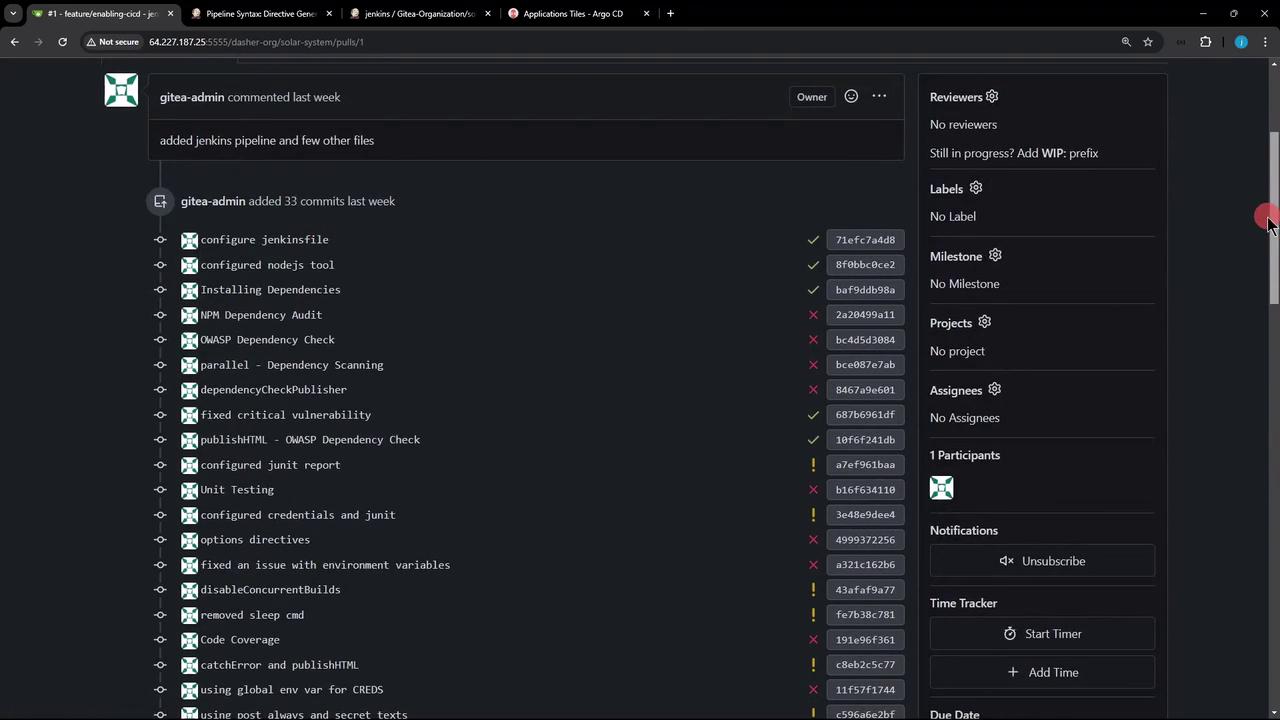
Even if a prior build was aborted, merging triggers a new run:
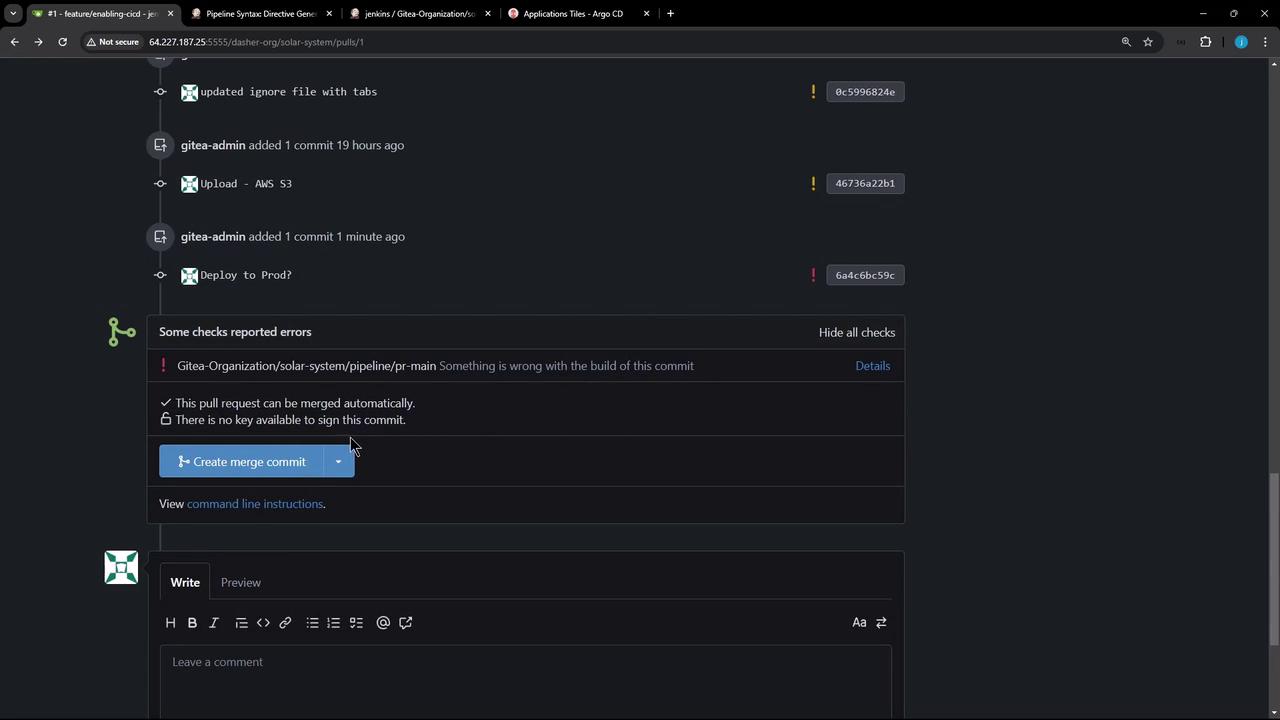
In Jenkins Blue Ocean, all CI stages skip except the approval prompt:

***
## 3. Adjusting Stage Conditions for AWS S3
If you’d like the AWS S3 upload to run on both PRs and `main`, update the `when` clause:
```groovy theme={null}
stage('Upload - AWS S3') {
when {
anyOf {
branch 'PR*'
branch 'main'
}
}
steps {
withAWS(credentials: 'aws-s3-ec2-lambda-creds', region: 'us-east-2') {
sh '''
ls -ltr
mkdir reports-$BUILD_ID
cp -rf coverage/ reports-$BUILD_ID/
cp dependency* test-results.xml trivy* zap* reports-$BUILD_ID/
ls -ltr reports-$BUILD_ID/
'''
s3Upload(file: "reports-$BUILD_ID",
bucket: "solar-system-jenkins-reports-bucket",
path: "jenkins-$BUILD_ID/")
}
}
}
```
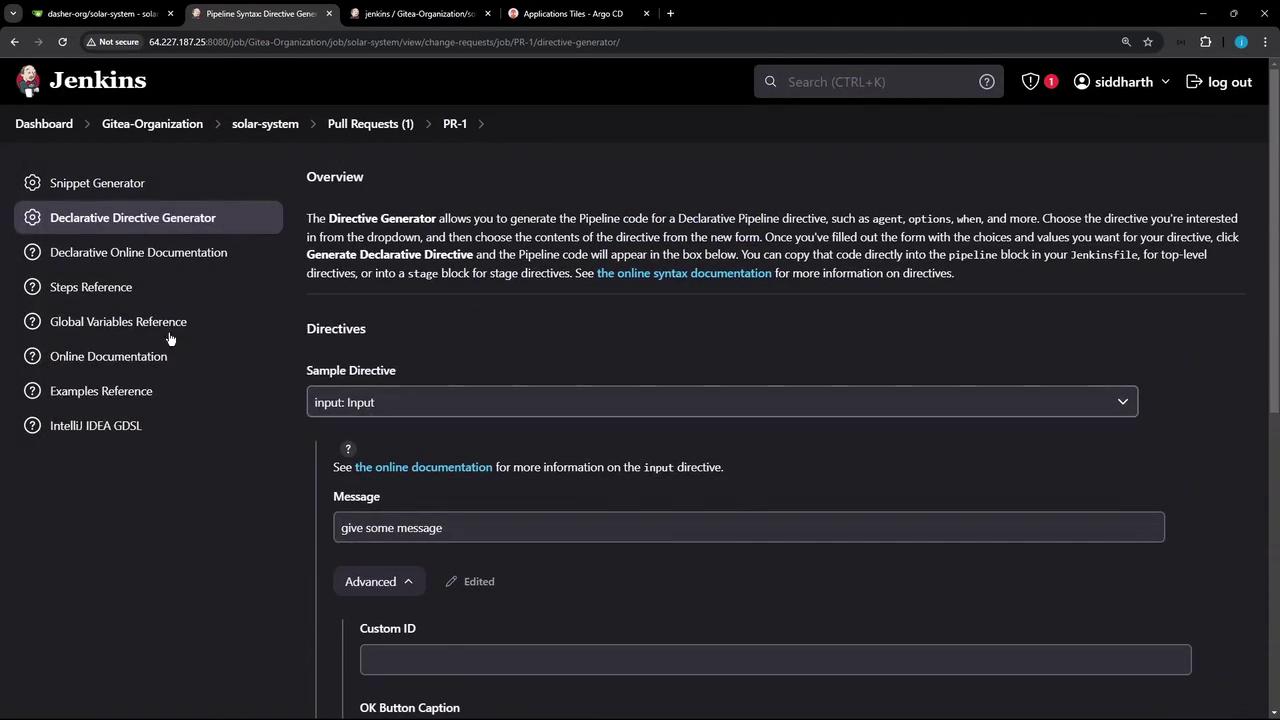
Use the [Declarative Directive Generator](https://www.jenkins.io/doc/book/pipeline/syntax/#declarative-directive-generator) to craft complex `allOf`/`anyOf` logic:
***
## 4. Verifying Submitter Restrictions
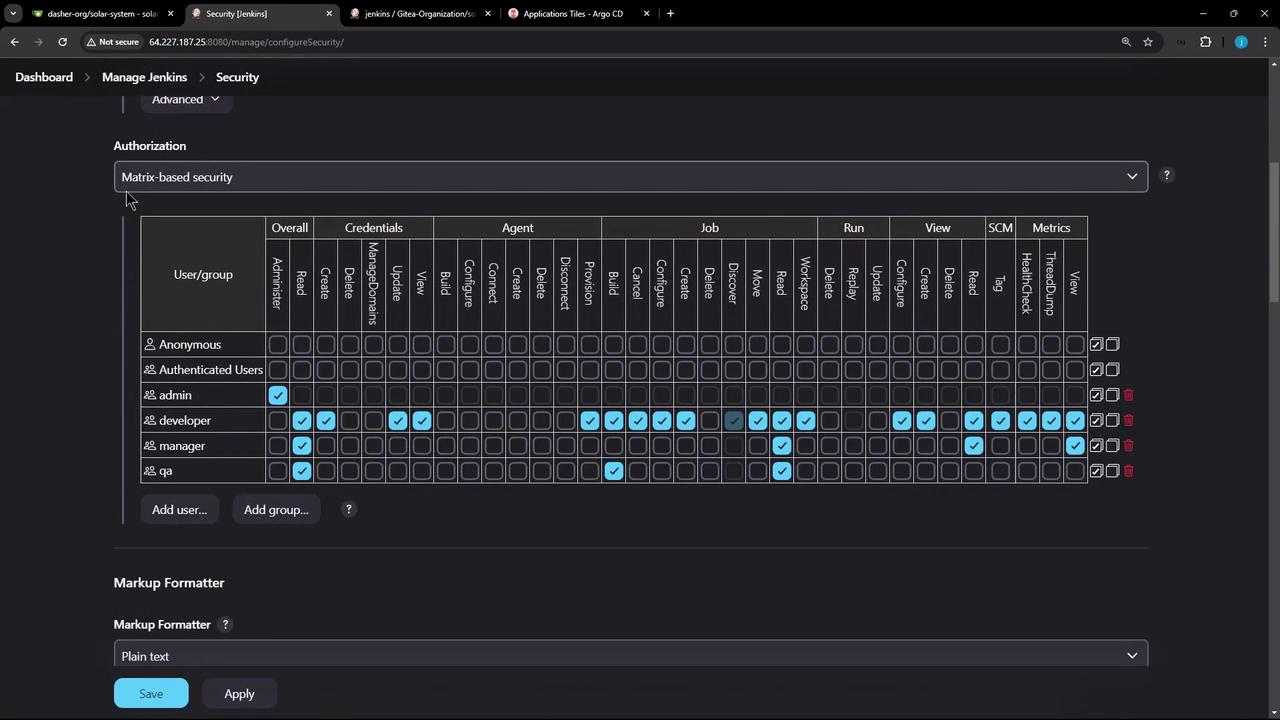
Our security uses a mock realm with [matrix-based authorization](https://www.jenkins.io/doc/book/system-administration/security/#matrix-based-security). The **admin** group has full rights; developers are read-only:
When a non-admin (for example, **EMA**) tries to approve, they’ll be blocked:
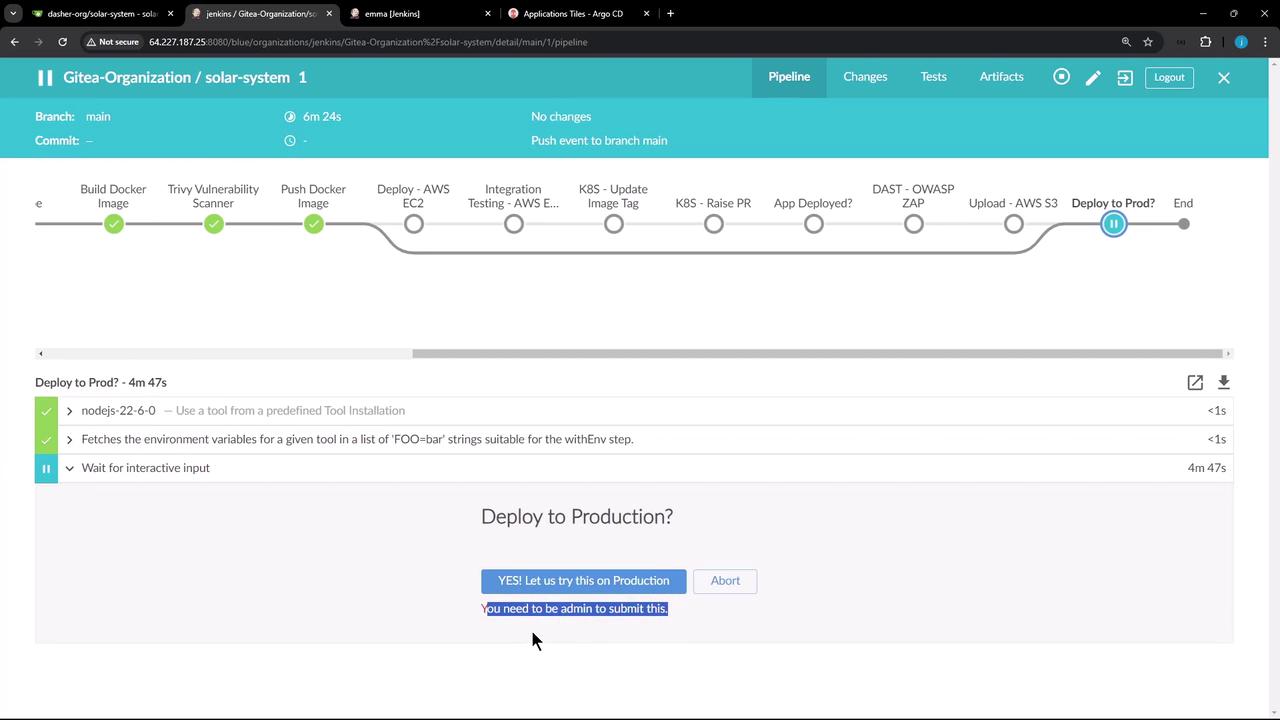
Ensure your Jenkins authorization matrix prevents unauthorized users from clicking `Proceed`.
***
That’s it for adding an approval gate! Next, we’ll cover deploying your application to AWS Lambda and running automated function tests.
## Links and References
* [Jenkins Pipeline Syntax](https://www.jenkins.io/doc/book/pipeline/syntax/)
* [AWS Lambda Documentation](https://docs.aws.amazon.com/lambda/)
* [OWASP ZAP](https://www.zaproxy.org/)
* [Argo CD](https://argo-cd.readthedocs.io/en/stable/)