> ## Documentation Index
> Fetch the complete documentation index at: https://notes.kodekloud.com/llms.txt
> Use this file to discover all available pages before exploring further.
# Demo Kubernetes Deploy Raise PR
> This workflow automates PR creation, image updates, and GitOps-driven deployment using Jenkins and Argo CD.
In this guide, we’ll automate creating a pull request on GitHub/Gitea using a Jenkins pipeline. You’ll learn how to:
* Explore the Pull Request REST API
* Test `curl` calls in Swagger UI
* Integrate the command into a `Jenkinsfile`
* Enforce branch protection and sync with Argo CD
## Exploring the Pull Request REST API
Most Git hosting platforms expose a [REST API](https://docs.gitea.io/en-us/api-usage/) for every UI action. To create a pull request via API:
1. Navigate to your repository in the web UI.
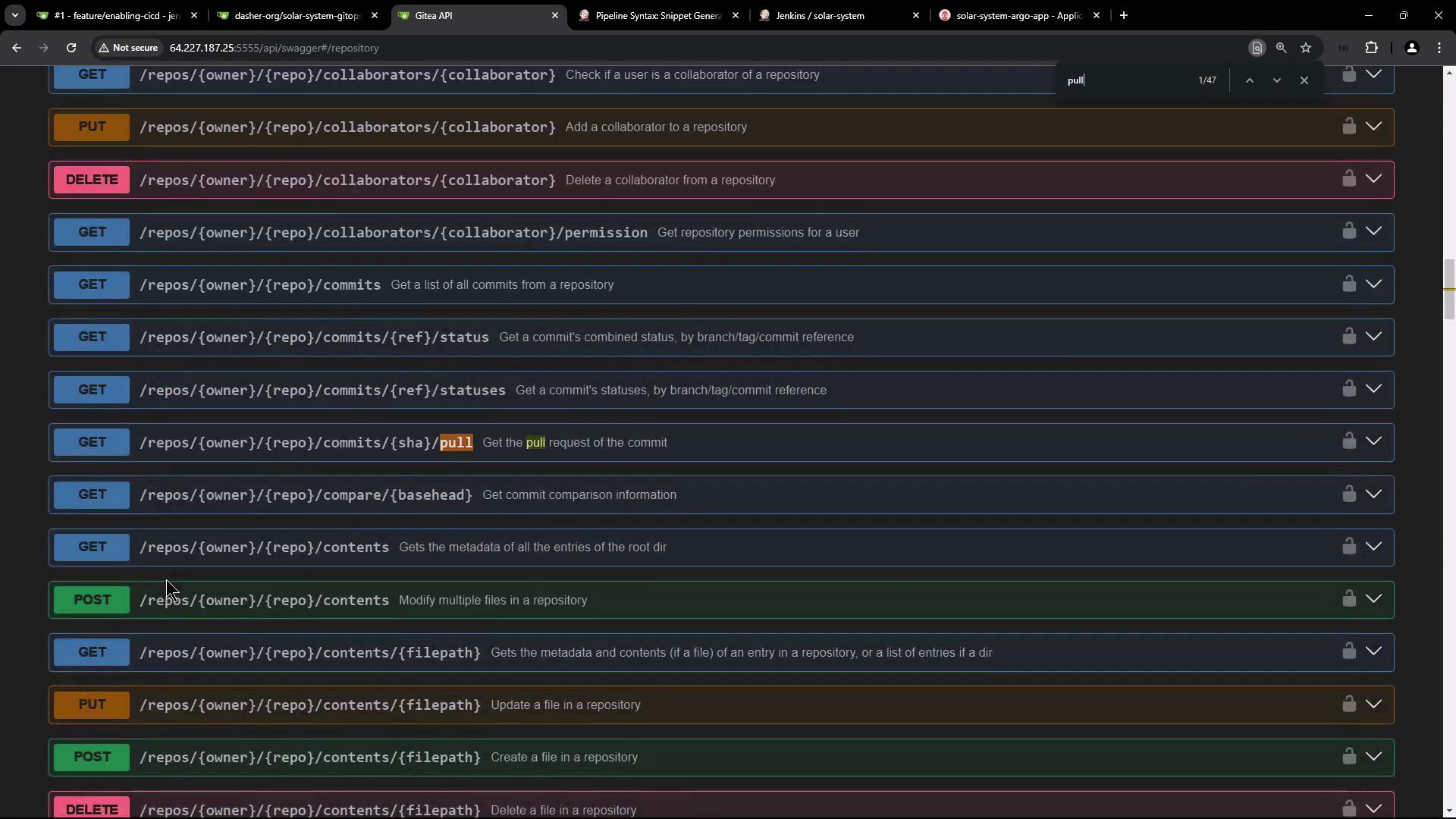
2. Open the embedded API (Swagger) documentation.
3. Locate **Pulls** (GitHub) or **Pull Requests** (Gitea) under **Repository**.
## Creating a Pull Request via Swagger UI
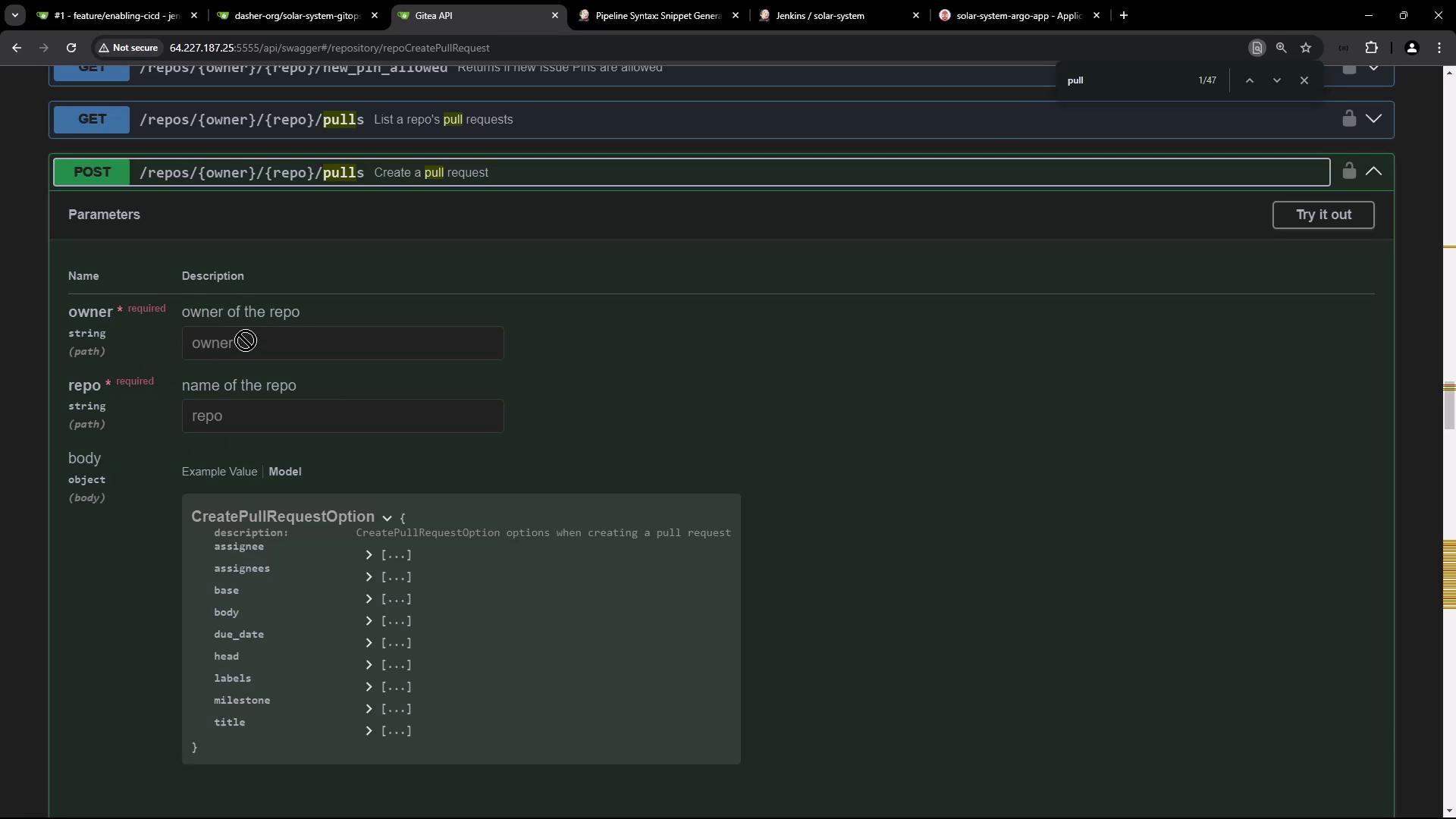
Search for `pull` and expand the `POST /repos/{owner}/{repo}/pulls` endpoint to view required parameters: `owner`, `repo`, `head`, `base`, `title`, etc.
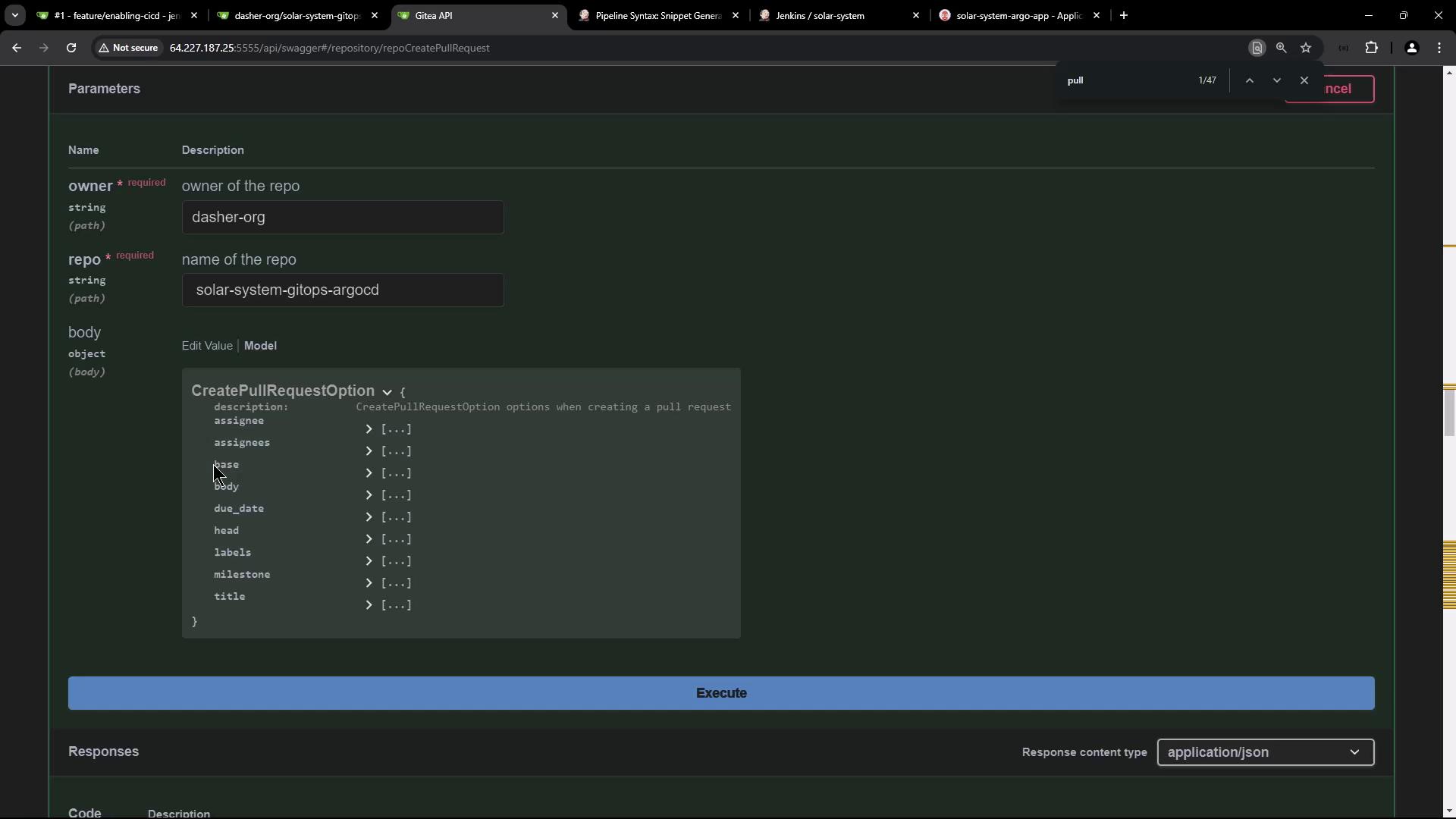
Click **Try it out** and fill in:
* owner: `dasher-org`
* repo: `solar-system-gitops-argocd`
* head: feature branch (e.g., `feature-123`)
* base: `main`
* title, body, assignees, labels
### Request Body Schema
```json theme={null}
{
"assignee": "string",
"assignees": ["string"],
"base": "string",
"body": "string",
"due_date": "2024-09-24T17:50:33.424Z",
"head": "string",
"labels": [0],
"milestone": 0,
"title": "string"
}
```
Executing **Try it out** generates this `curl` command:
```bash theme={null}
curl -X POST "http://64.227.187.25:5555/api/v1/repos/dasher-org/solar-system-gitops-argocd/pulls" \
-H "accept: application/json" \
-H "Content-Type: application/json" \
-d '{
"assignee": "string",
"assignees": ["string"],
"base": "string",
"body": "string",
"due_date": "2024-09-24T17:50:33.424Z",
"head": "string",
"labels": [],
"milestone": 0,
"title": "string"
}'
```
* **404 Not Found**: Verify the URL, `owner`, and `repo` names.
* **401 Unauthorized**: Provide a valid API token prefixed with `token `.
Authorize via Swagger’s **Authorize** lock icon or add:
```bash theme={null}
-H "Authorization: token YOUR_TOKEN_HERE"
```
Example with a real token:
```bash theme={null}
curl -X POST "http://64.227.187.25:5555/api/v1/repos/dasher-org/solar-system-gitops-argocd/pulls" \
-H "accept: application/json" \
-H "Authorization: token $GITEA_TOKEN" \
-H "Content-Type: application/json" \
-d '{
"assignee": "gitea-admin",
"assignees": ["gitea-admin"],
"base": "main",
"body": "Updated Docker image in deployment manifest",
"head": "feature-123",
"title": "Updated Docker Image"
}'
```
## Integrating into a Jenkins Pipeline
Add the validated `curl` call to your `Jenkinsfile`. Store `GITEA_TOKEN` in [Jenkins Credentials](https://www.jenkins.io/doc/book/administration/credentials/):
```groovy theme={null}
pipeline {
agent any
environment {
GITEA_TOKEN = credentials('gitea-token')
}
stages {
stage('Build Docker Image') {
steps { /* ... */ }
}
stage('Trivy Vulnerability Scan') {
steps { /* ... */ }
}
stage('Push Docker Image') {
steps { /* ... */ }
}
stage('Deploy to AWS EC2') {
steps { /* ... */ }
}
stage('Integration Testing - AWS EC2') {
steps { /* ... */ }
}
stage('K8S - Update Image Tag') {
steps { /* ... */ }
}
stage('K8S - Raise PR') {
when { branch 'PR*' }
steps {
sh """
curl -X POST \
"http://64.227.187.25:5555/api/v1/repos/dasher-org/solar-system-gitops-argocd/pulls" \
-H "accept: application/json" \
-H "Authorization: token $GITEA_TOKEN" \
-H "Content-Type: application/json" \
-d '{
"assignee": "gitea-admin",
"assignees": ["gitea-admin"],
"base": "main",
"body": "Updated Docker image in deployment manifest",
"head": "feature-${BUILD_ID}",
"title": "Updated Docker Image"
}'
"""
}
}
}
post {
always { /* notifications, cleanup */ }
}
}
```
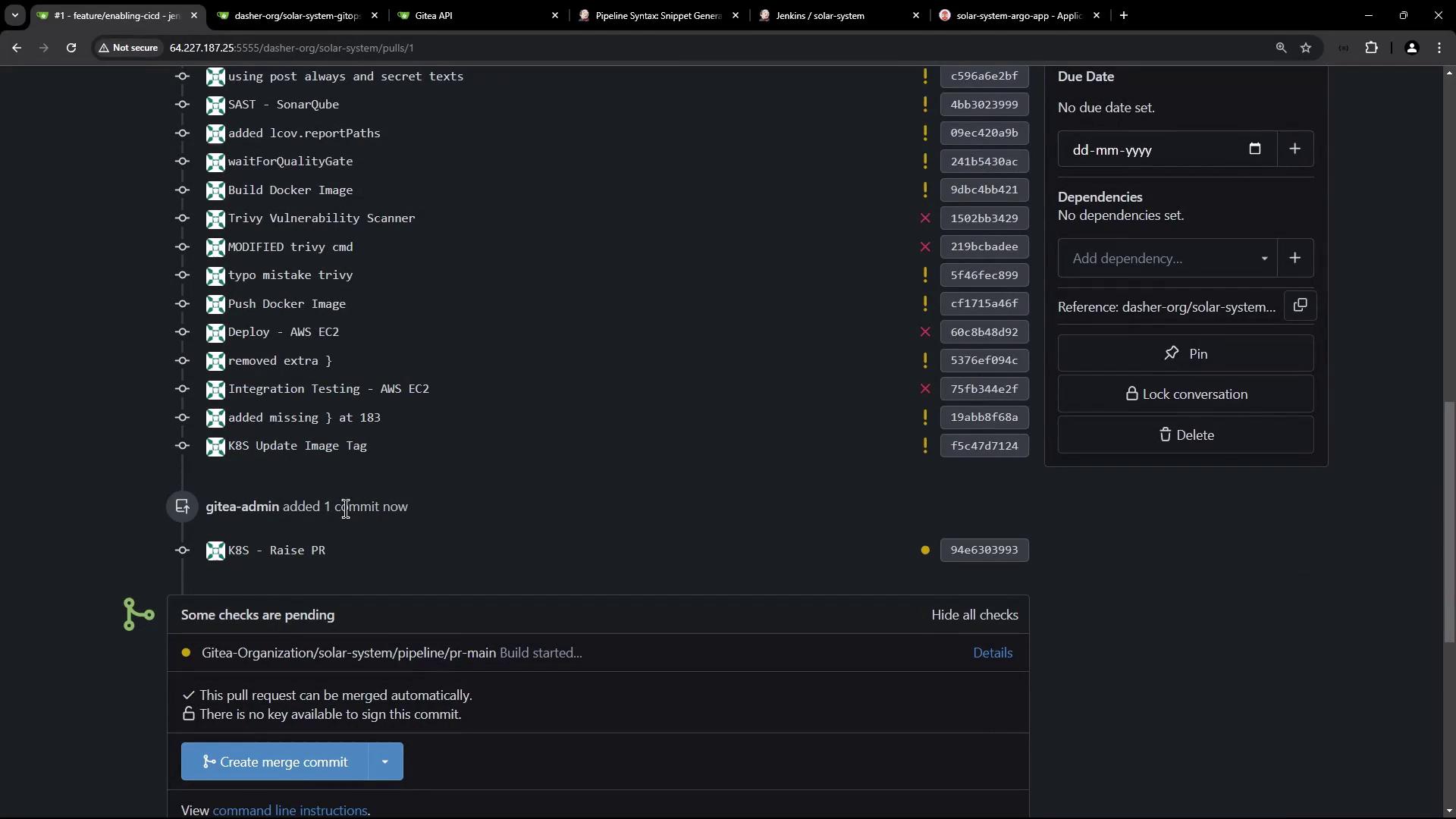
The `when { branch 'PR*' }` condition runs this stage only on branches matching `PR*`. After you push, Jenkins will auto-create a PR:
## Enforcing Branch Protection
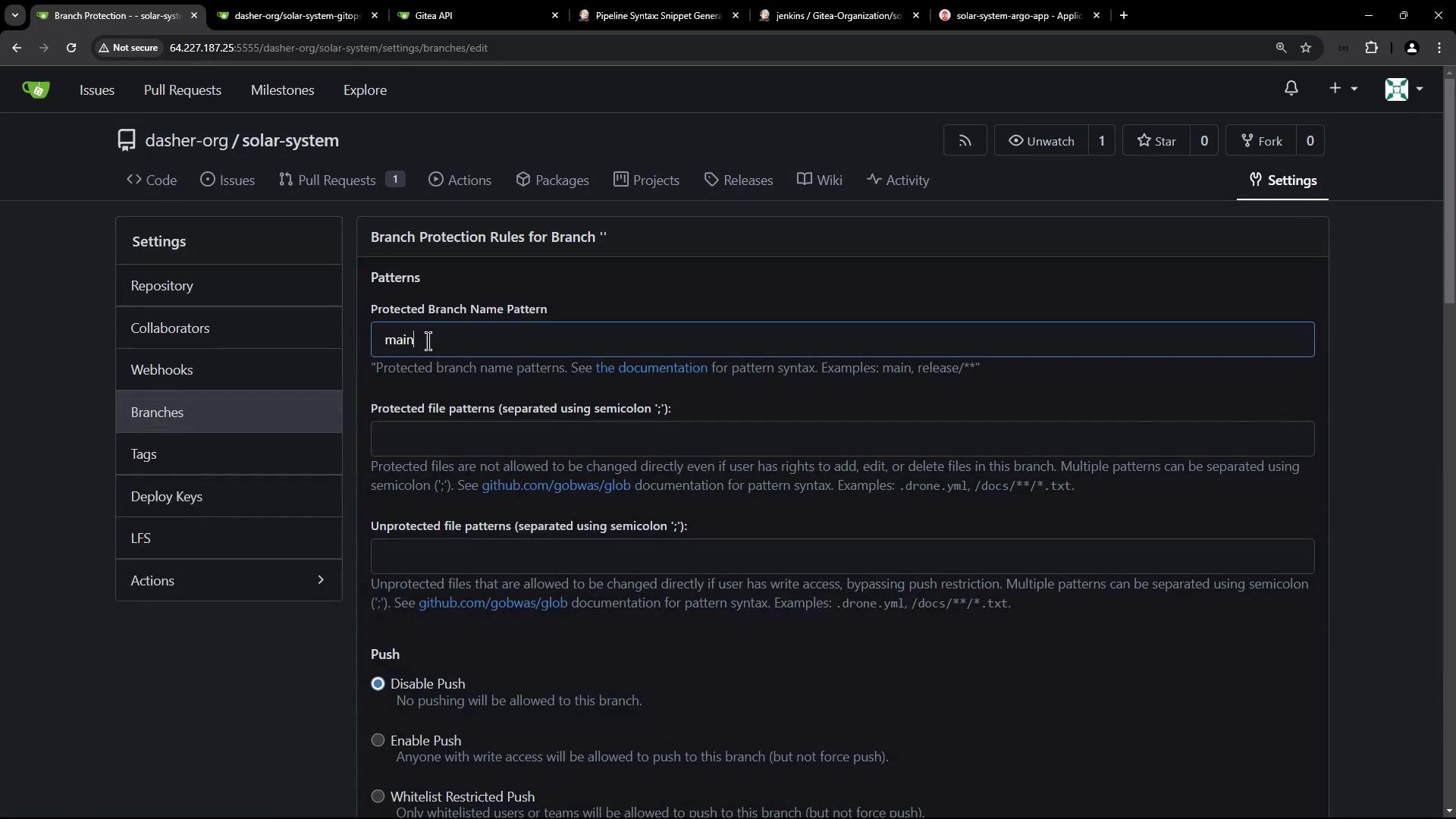
To require successful Jenkins builds before merging:
| Step | Action |
| ---- | -------------------------------------------------------------------------------------- |
| 1 | In your repo, go to **Settings > Branches**. |
| 2 | Click **Add rule** for branch pattern `main`. |
| 3 | Enable **Require status checks to pass before merging** and select your Jenkins check. |
Activating branch protection prevents direct pushes and enforces CI gates before merges.
## Verifying the Pull Request and Merge
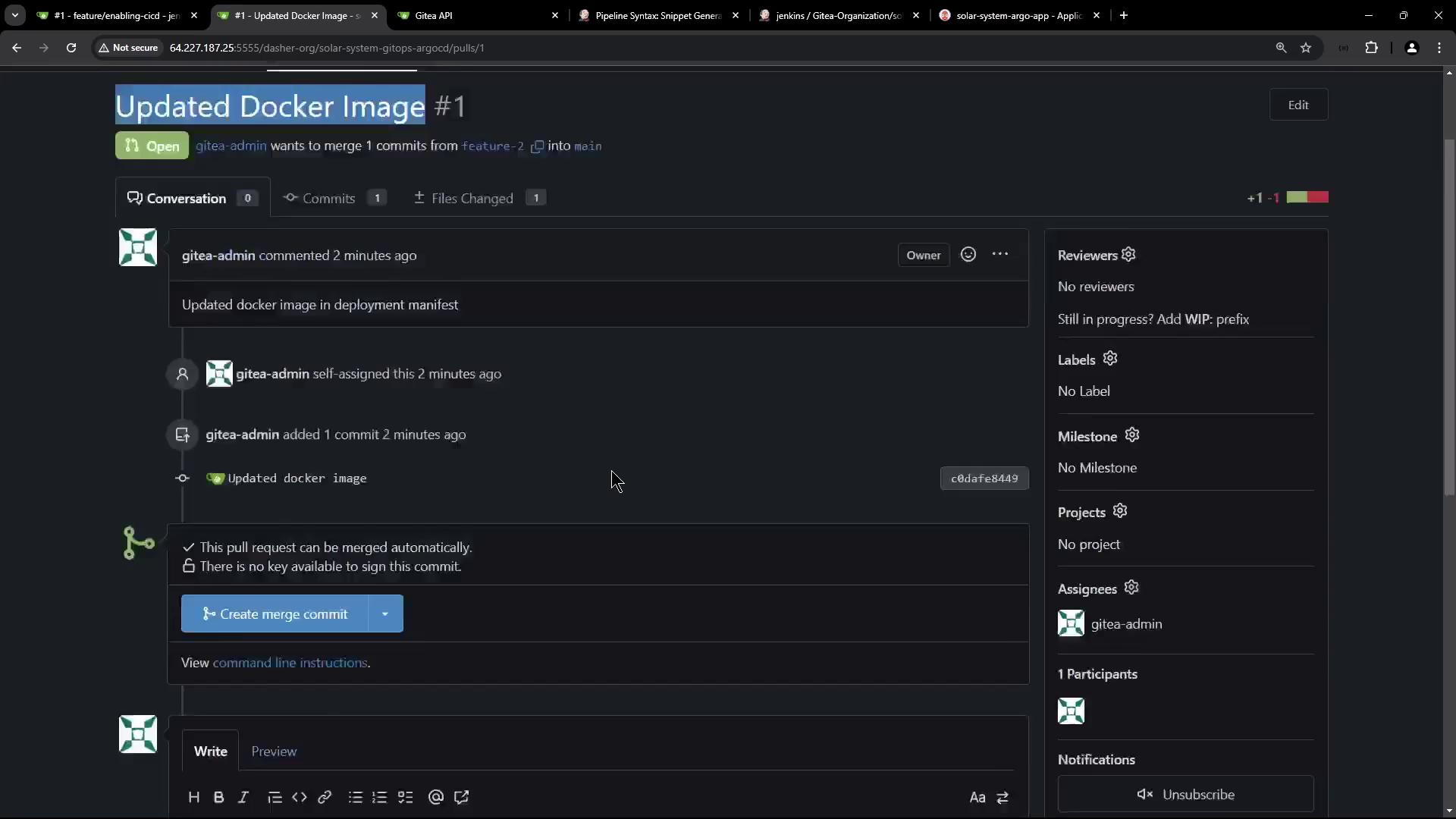
Review and merge your PR into `main`:
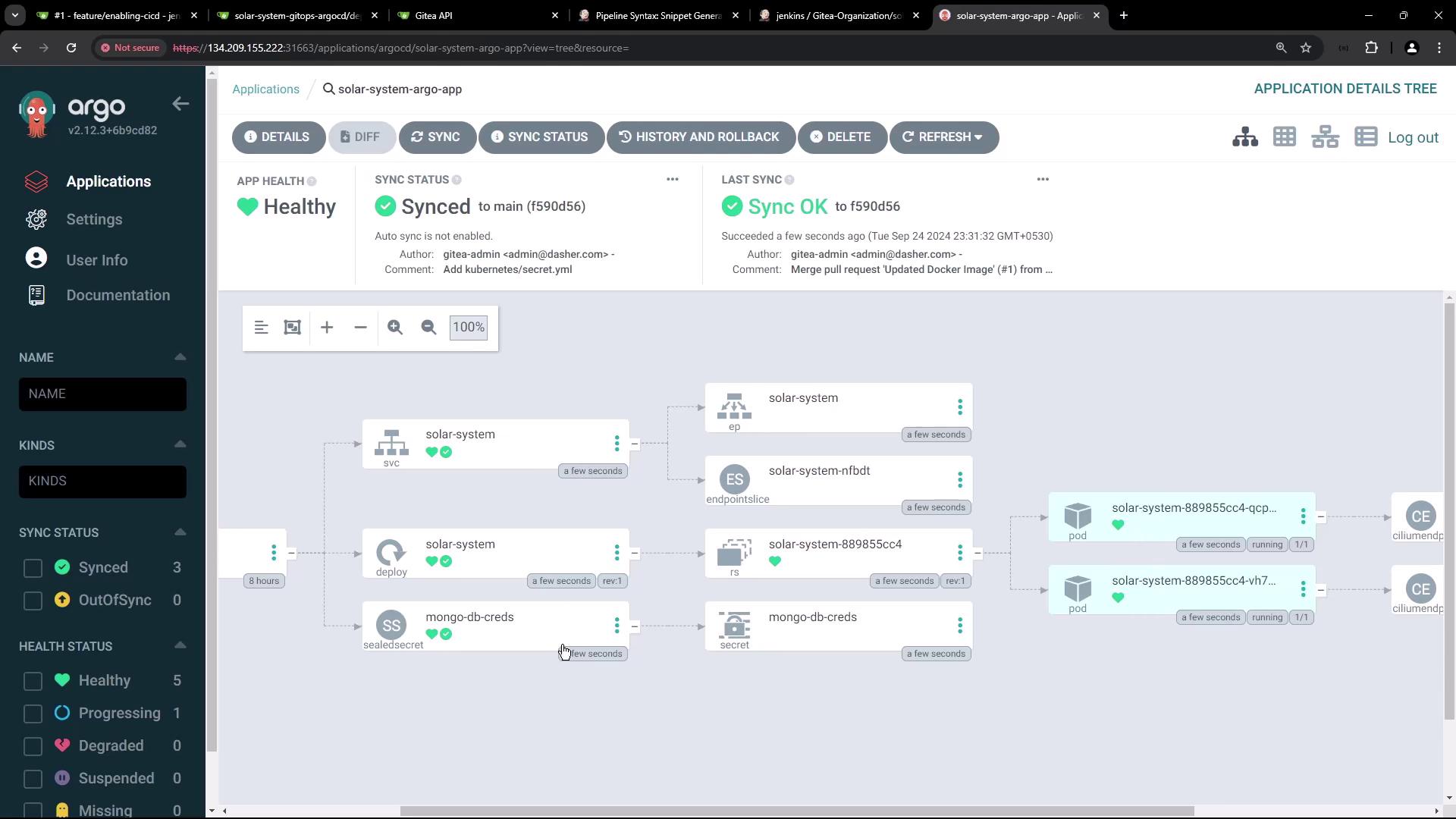
Argo CD will detect the updated image tag (within \~3 minutes) and sync:
```diff theme={null}
- image: siddharth67/solar-system:3e906e3be95342b1916f202c034344fb267dca
+ image: siddharth67/solar-system:946c630393e77939c920a6fab782e4c53d27
```
## Accessing the Application
After sync completes, list Kubernetes resources:
```bash theme={null}
kubectl get all -n solar-system
```
Locate the NodePort service and browse to:
```text theme={null}
http://:30000
```
You should see the Solar System app connected to MongoDB.
## Inspecting the Sealed Secret
Bitnami [Sealed Secrets](https://github.com/bitnami-labs/sealed-secrets) decrypts your sealed YAML into a regular `Secret`:
```yaml theme={null}
apiVersion: v1
kind: Secret
metadata:
name: mongo-db-creds
namespace: solar-system
annotations:
sealedsecrets.bitnami.com/cluster-wide: 'true'
type: Opaque
data:
MONGO_USERNAME: "++++++++"
MONGO_PASSWORD: "++++++++"
MONGO_URI: "++++++++"
```
Retrieve it with:
```bash theme={null}
kubectl get secret mongo-db-creds -n solar-system -o yaml
```
This workflow automates PR creation, image updates, and GitOps-driven deployment using Jenkins and Argo CD.