> ## Documentation Index
> Fetch the complete documentation index at: https://notes.kodekloud.com/llms.txt
> Use this file to discover all available pages before exploring further.

# Demo Kubernetes Deploy Update Image Tag

> This tutorial automates updating Docker image tags in Kubernetes manifests using Jenkins and GitOps with Argo CD.

In this tutorial, we’ll automate updating the Docker image tag in Kubernetes manifests and commit changes back to a GitOps repository using a Jenkins pipeline, triggered by Git webhooks.

## Prerequisites

| Component        | Description                                                 | Reference                                                                       |
| ---------------- | ----------------------------------------------------------- | ------------------------------------------------------------------------------- |
| GitOps Repo      | `solar-system-gitops-argo-cd` in Gitea under `dasher-org`   |                                                                                 |
| Argo CD App      | `solar-system-argo-app` tracking the `kubernetes` directory | [Argo CD Application](https://argo-cd.readthedocs.io/en/stable/user-guide/)     |
| Jenkins Instance | Controller with credentials to push to Gitea                | [Jenkins Credentials](https://www.jenkins.io/doc/book/using/using-credentials/) |

## 1. Inspect the Manifest Repository

Open the Gitea repo `solar-system-gitops-argo-cd` and navigate to the `kubernetes` folder:

<Frame>
  ![The image shows a Gitea interface for the "dasher-org" organization, displaying a list of repositories with options to create a new repository or migration. There are four repositories listed, with details about their last update and programming languages used.](https://kodekloud.com/kk-media/image/upload/v1752870922/notes-assets/images/Certified-Jenkins-Engineer-Demo-Kubernetes-Deploy-Update-Image-Tag/gitea-dasher-org-repositories-list.jpg)
</Frame>

Examine `deployment.yml`:

```yaml theme={null}
apiVersion: apps/v1
kind: Deployment
metadata:
  name: solar-system
  namespace: solar-system
spec:
  replicas: 2
  template:
    spec:
      containers:
      - name: solar-system
        image: siddharth67/solar-system:3e9063be059342b1916f020e034344fb267d1
        imagePullPolicy: Always
        ports:
        - containerPort: 3000
```

## 2. Check Argo CD Application Status

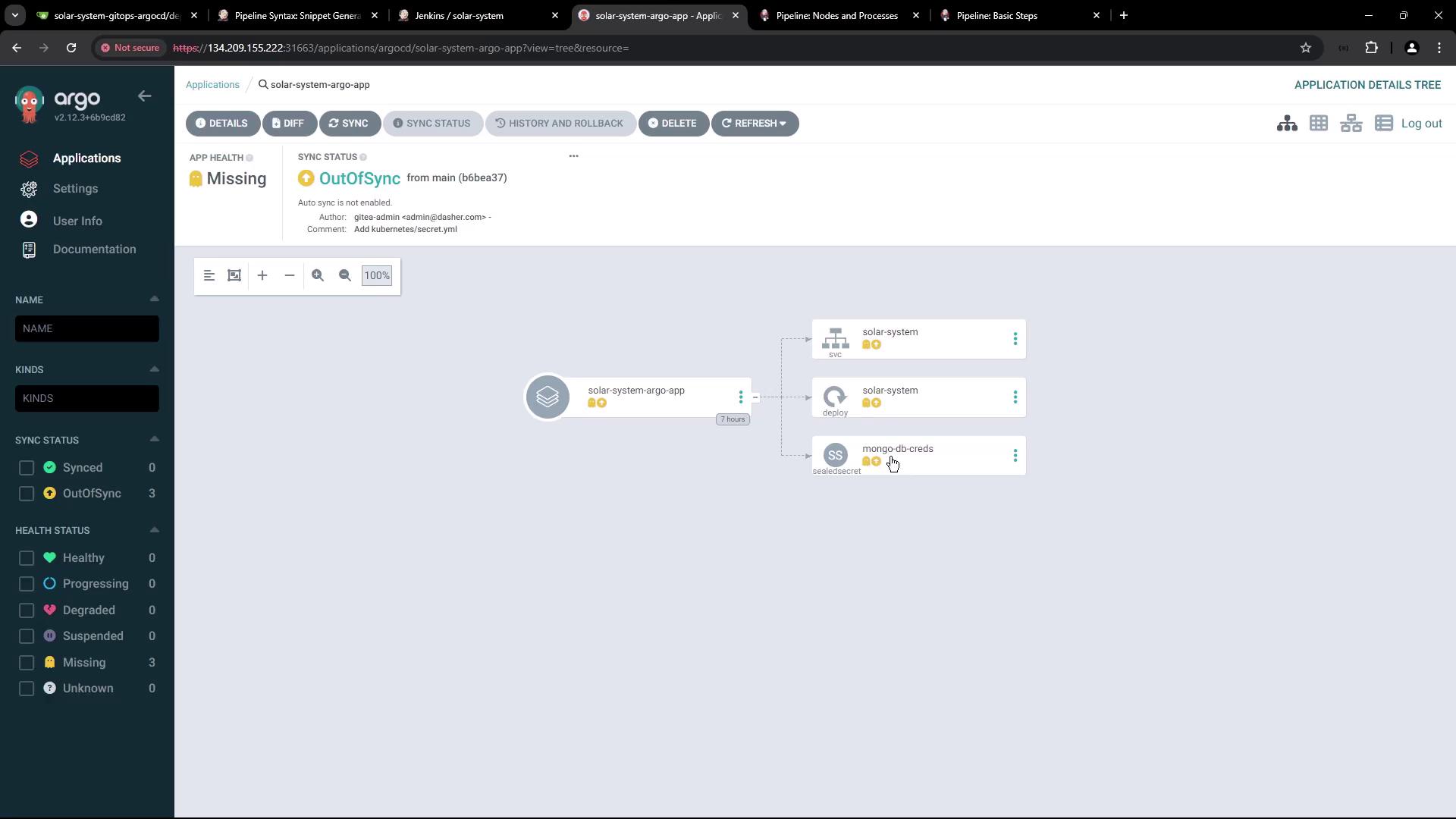
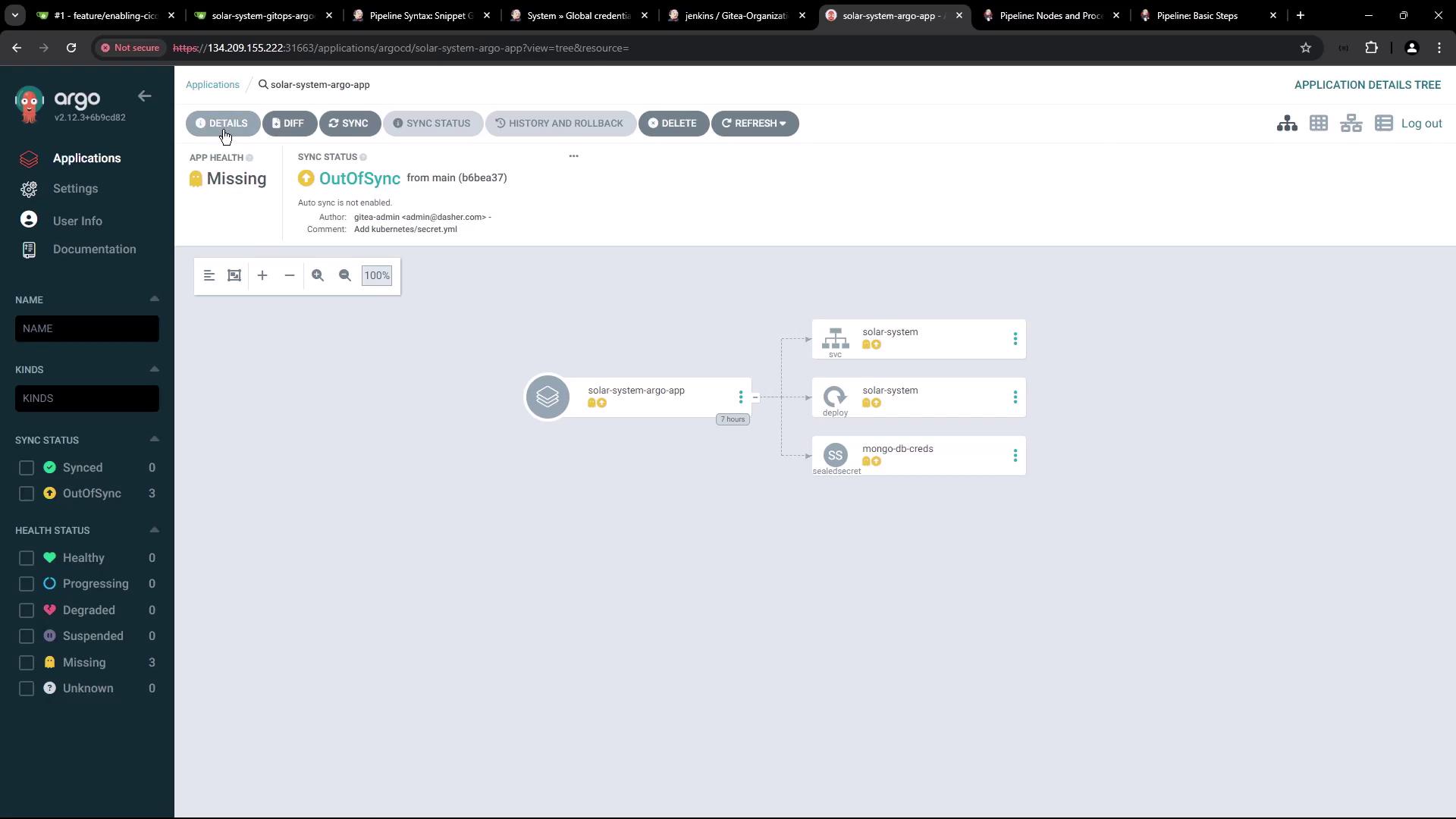
Argo CD will show the application as **OutOfSync** before resources are applied:
<Frame>
  ![The image shows an Argo CD dashboard displaying the status of an application called "solar-system-argo-app," which is out of sync and missing. It includes a visual representation of the application's components, such as "solar-system" and "mongo-db-creds."](https://kodekloud.com/kk-media/image/upload/v1752870923/notes-assets/images/Certified-Jenkins-Engineer-Demo-Kubernetes-Deploy-Update-Image-Tag/argo-cd-dashboard-solar-system.jpg)
</Frame>

Verify no resources exist in the `solar-system` namespace:

```bash theme={null}
kubectl get all -n solar-system
```

## 3. Jenkins Pipeline: Add “K8S Update Image Tag” Stage

Add a new declarative stage to your `Jenkinsfile` to:

* Run only on pull request branches (`PR*`).
* Clone the GitOps repo.
* Update the Docker image tag in `deployment.yml`.
* Commit & push to `feature-$BUILD_ID`.

<Callout icon="lightbulb" color="#1CB2FE">
  Ensure the Jenkins agent has `git` and `sed` installed for cloning and file editing.
</Callout>

```groovy theme={null}
stage('K8S Update Image Tag') {
  when { branch 'PR*' }
  steps {
    script {
      if (fileExists('solar-system-gitops-argo-cd')) {
        sh 'rm -rf solar-system-gitops-argo-cd'
      }
    }
    sh 'git clone -b main http://64.227.187.25:5555/dasher-org/solar-system-gitops-argo-cd'
    dir('solar-system-gitops-argo-cd/kubernetes') {
      sh '''
        git checkout main
        git checkout -b feature-$BUILD_ID

        sed -i "s#image: .*#image: siddharth67/solar-system:$GIT_COMMIT#g" deployment.yml
        git config user.email "jenkins@dasher.com"
        git config user.name "Jenkins"
        git remote set-url origin http://$GITEA_TOKEN@64.227.187.25:5555/dasher-org/solar-system-gitops-argo-cd
        git add deployment.yml
        git commit -m "Update Docker image to $GIT_COMMIT"
        git push -u origin feature-$BUILD_ID
      '''
    }
  }
  post {
    always {
      script {
        if (fileExists('solar-system-gitops-argo-cd')) {
          sh 'rm -rf solar-system-gitops-argo-cd'
        }
      }
    }
  }
}
```

<Frame>
  ![The image shows a webpage from the Jenkins documentation, specifically detailing the "Pipeline: Basic Steps" with a focus on the "catchError" function. It includes a sidebar with a user handbook and a table of contents for various pipeline steps.](https://kodekloud.com/kk-media/image/upload/v1752870925/notes-assets/images/Certified-Jenkins-Engineer-Demo-Kubernetes-Deploy-Update-Image-Tag/jenkins-pipeline-basic-steps-catcherror.jpg)
</Frame>

## 4. Configure Gitea API Token

### 4.1 Generate Token in Gitea

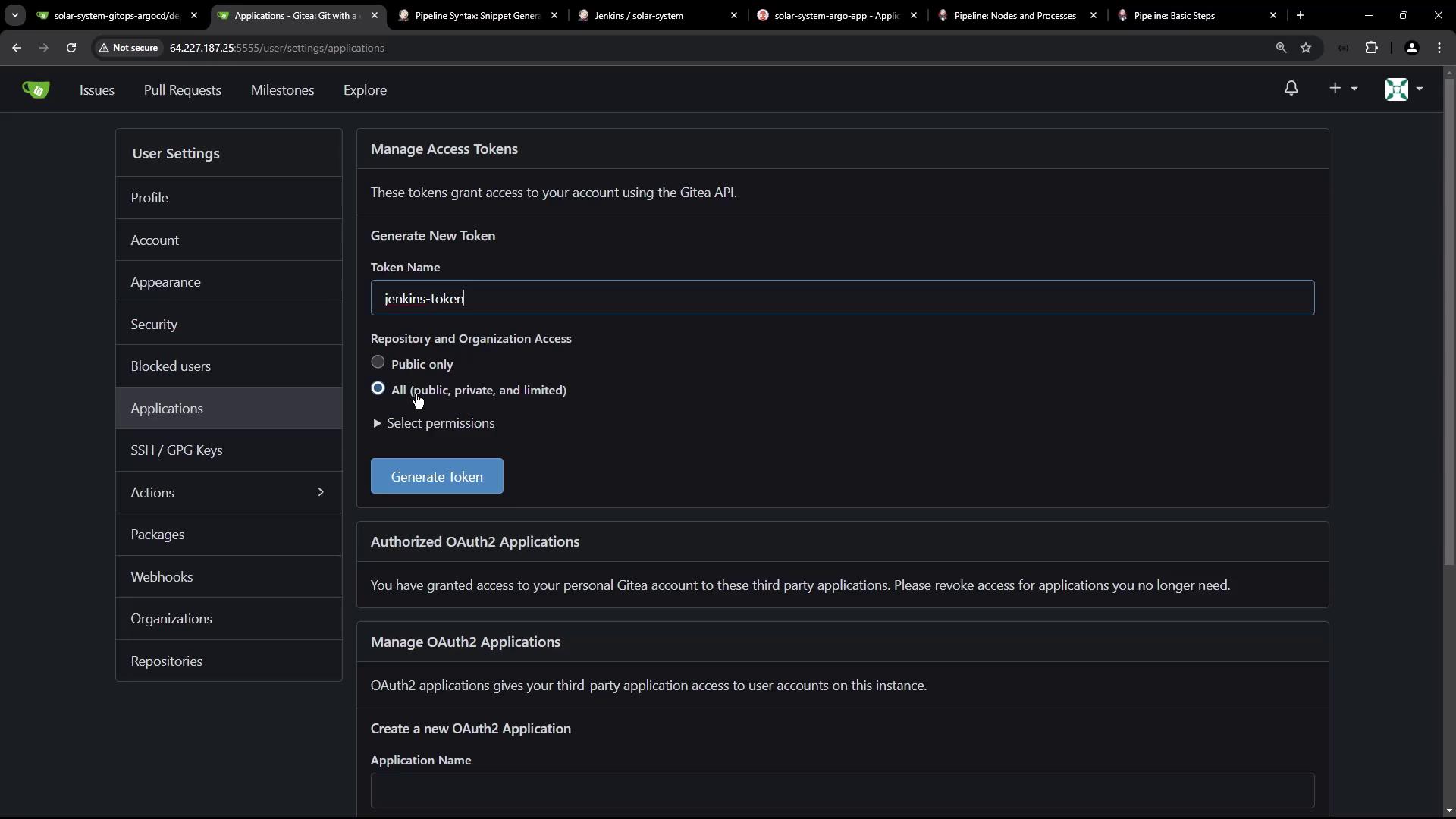
In Gitea user settings, create a new access token named `jenkins-token` with **read/write** scope:
<Frame>
  ![The image shows a Gitea user settings page where a new access token named "jenkins-token" is being generated, with options for repository and organization access.](https://kodekloud.com/kk-media/image/upload/v1752870926/notes-assets/images/Certified-Jenkins-Engineer-Demo-Kubernetes-Deploy-Update-Image-Tag/gitea-user-settings-jenkins-token.jpg)
</Frame>

### 4.2 Add Token to Jenkins Credentials

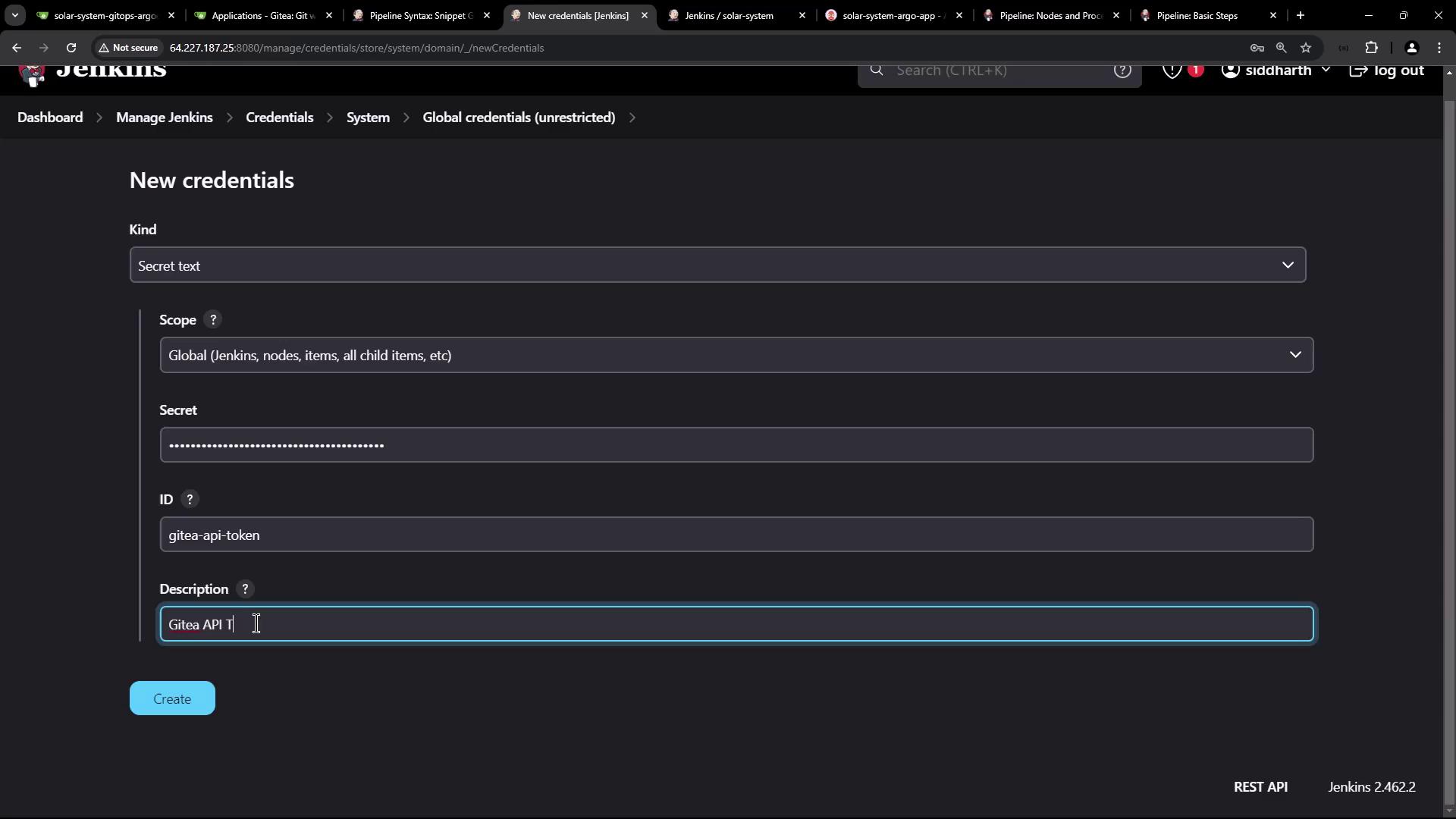
Go to **Credentials > System > Global credentials** in Jenkins and add a **Secret text** credential with ID `gitea-api-token`:

<Frame>
  ![The image shows a Jenkins interface displaying a list of global credentials, including usernames, passwords, and tokens for various services like MongoDB, DockerHub, and AWS.](https://kodekloud.com/kk-media/image/upload/v1752870927/notes-assets/images/Certified-Jenkins-Engineer-Demo-Kubernetes-Deploy-Update-Image-Tag/jenkins-global-credentials-list.jpg)
</Frame>

<Frame>
  ![The image shows a Jenkins interface for adding new credentials, specifically a secret text with fields for kind, scope, secret, ID, and description. The description field mentions "Gitea API Token."](https://kodekloud.com/kk-media/image/upload/v1752870928/notes-assets/images/Certified-Jenkins-Engineer-Demo-Kubernetes-Deploy-Update-Image-Tag/jenkins-add-credentials-gitea-token.jpg)
</Frame>

Reference it:

```groovy theme={null}
environment {
  GITEA_TOKEN = credentials('gitea-api-token')
}
```

<Callout icon="triangle-alert" color="#FF6B6B">
  Keep your API tokens secure. Do not hardcode secrets in your `Jenkinsfile`.
</Callout>

## 5. Webhook Trigger on Pull Requests

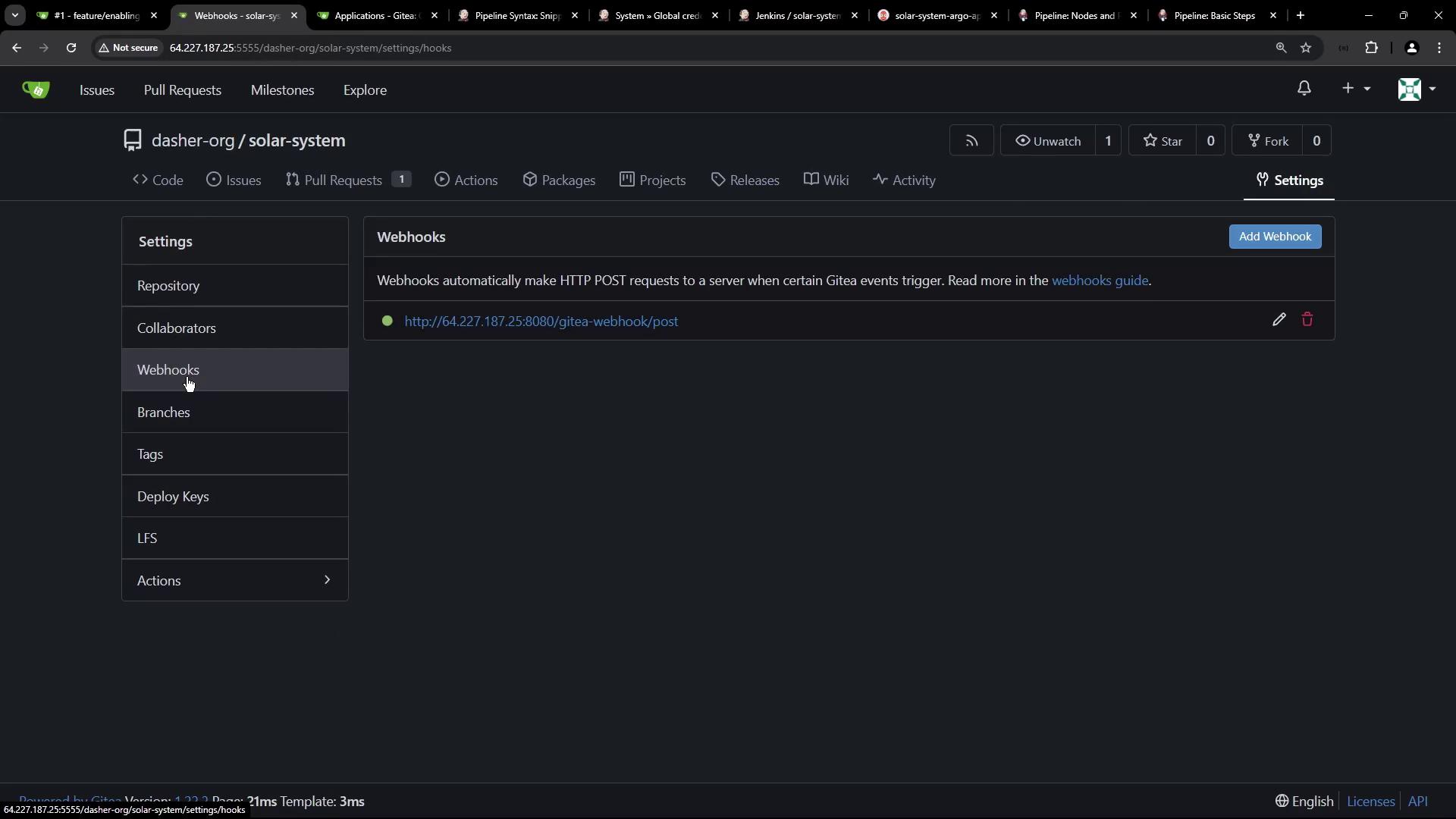
Configure a Gitea webhook to trigger Jenkins on pull request events:
<Frame>
  ![The image shows a web interface for managing webhooks in a repository on Gitea, with options to add or edit webhooks.](https://kodekloud.com/kk-media/image/upload/v1752870929/notes-assets/images/Certified-Jenkins-Engineer-Demo-Kubernetes-Deploy-Update-Image-Tag/gitea-webhook-management-interface.jpg)
</Frame>

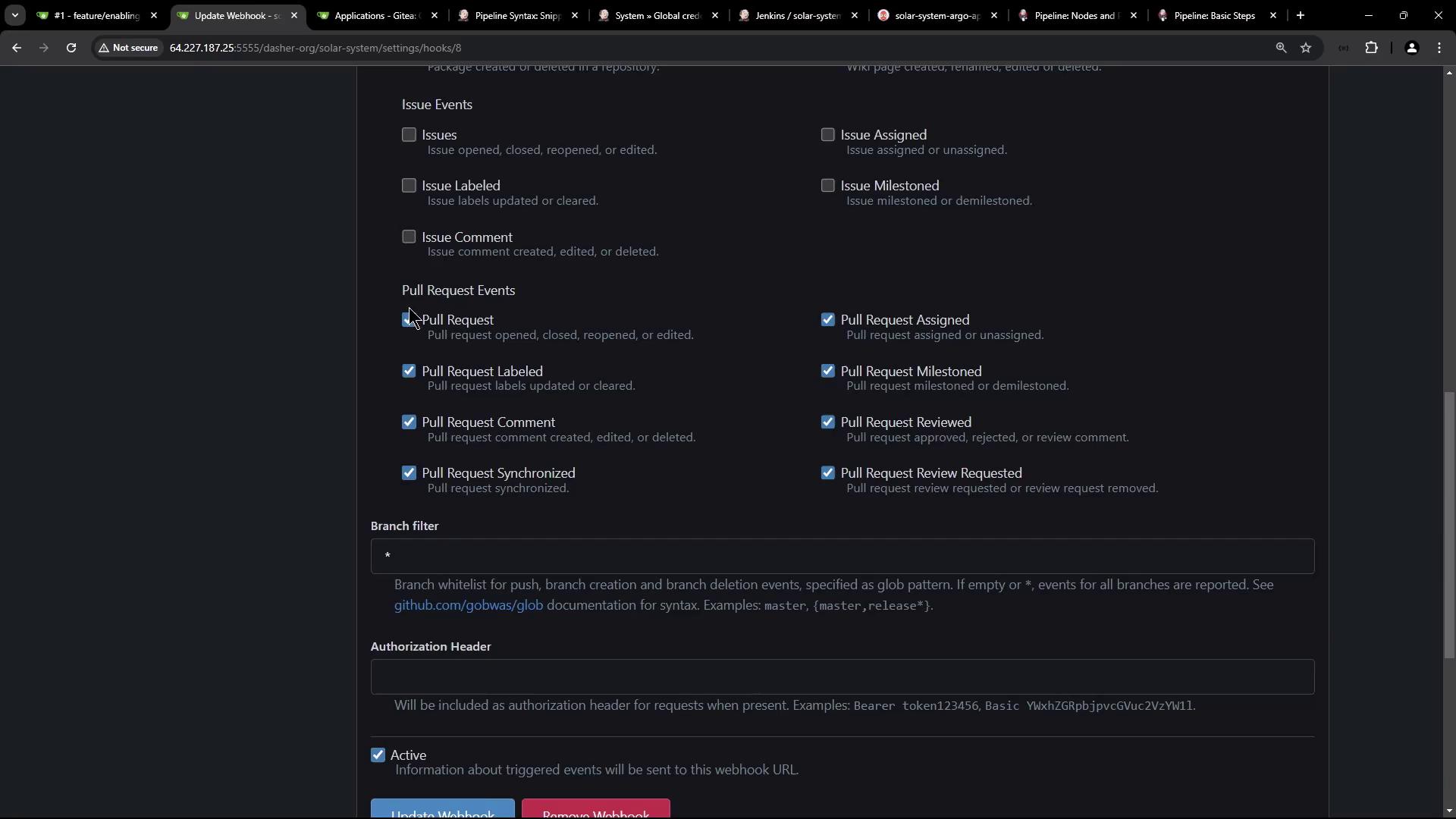
Enable **Pull request events**:

<Frame>
  ![The image shows a settings page for configuring webhook events in a repository, with options for issue and pull request events, branch filters, and authorization headers.](https://kodekloud.com/kk-media/image/upload/v1752870931/notes-assets/images/Certified-Jenkins-Engineer-Demo-Kubernetes-Deploy-Update-Image-Tag/webhook-events-settings-page.jpg)
</Frame>

### 5.1 Create a Pull Request

Open a new PR against `main`:

<Frame>
  ![The image shows a Git repository interface for creating a new pull request, with a list of recent commits and their details.](https://kodekloud.com/kk-media/image/upload/v1752870932/notes-assets/images/Certified-Jenkins-Engineer-Demo-Kubernetes-Deploy-Update-Image-Tag/git-repository-pull-request-interface.jpg)
</Frame>

### 5.2 Observe Jenkins Pipeline Runs

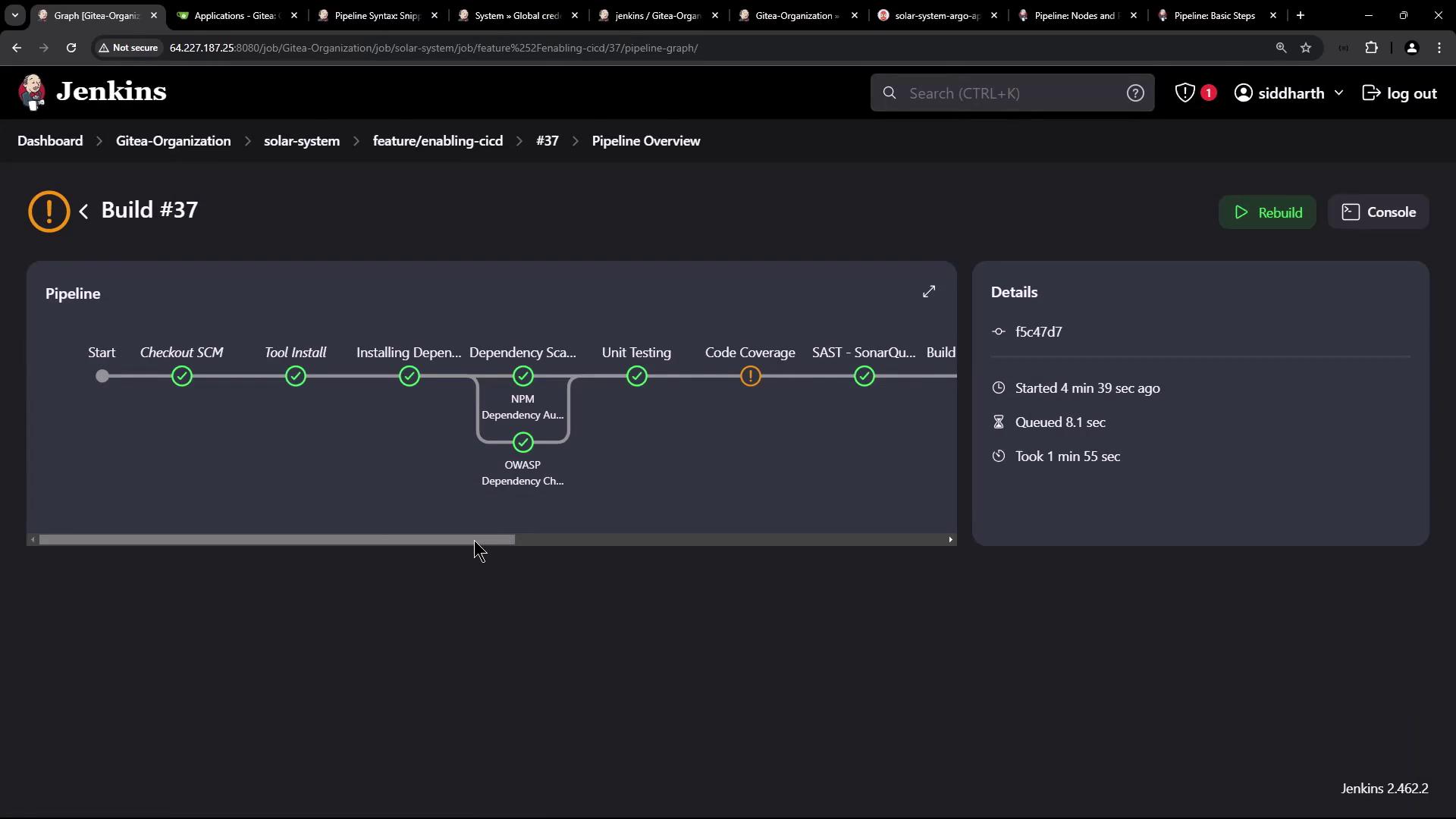
Jenkins will build the PR branch and run the image update:
<Frame>
  ![The image shows a Jenkins pipeline overview for Build #37, displaying various stages such as "Checkout SCM," "Tool Install," "Unit Testing," and "Code Coverage," with some stages marked as completed and one with a warning. Details about the build's start time, queue time, and duration are also provided.](https://kodekloud.com/kk-media/image/upload/v1752870933/notes-assets/images/Certified-Jenkins-Engineer-Demo-Kubernetes-Deploy-Update-Image-Tag/jenkins-pipeline-overview-build-37.jpg)
</Frame>

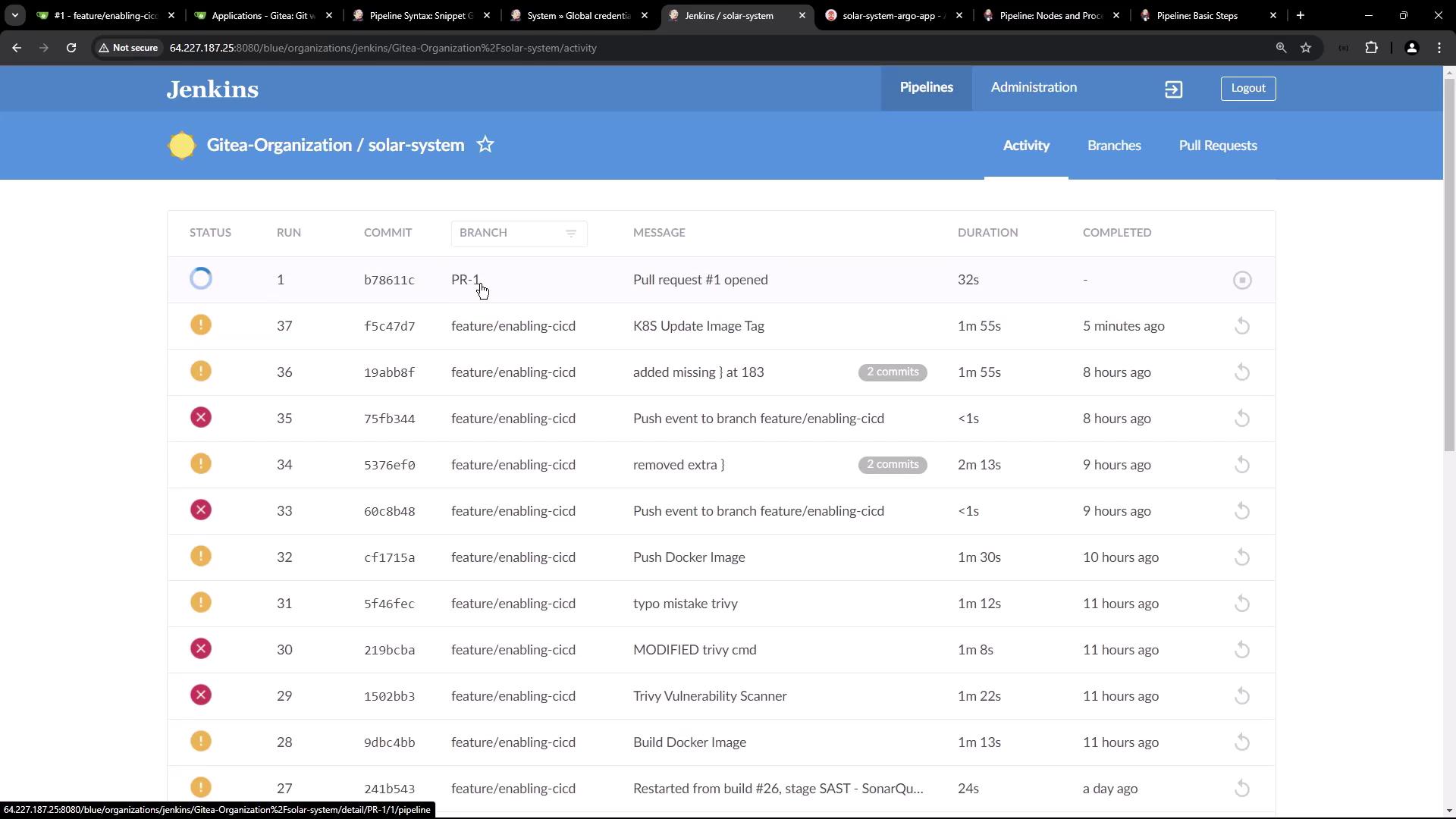
View the pipeline activity dashboard:
<Frame>
  ![The image shows a Jenkins dashboard displaying a list of pipeline activities for a project named "solar-system" under "Gitea-Organization," including details like status, commit ID, branch, message, duration, and completion time.](https://kodekloud.com/kk-media/image/upload/v1752870934/notes-assets/images/Certified-Jenkins-Engineer-Demo-Kubernetes-Deploy-Update-Image-Tag/jenkins-dashboard-solar-system-pipelines.jpg)
</Frame>

## 6. Confirm Image Tag Update

Check console logs:

```bash theme={null}
git clone -b main http://64.227.187.25:5555/dasher-org/solar-system-gitops-argo-cd
git checkout -b feature-1
sed -i "... deployment.yml"
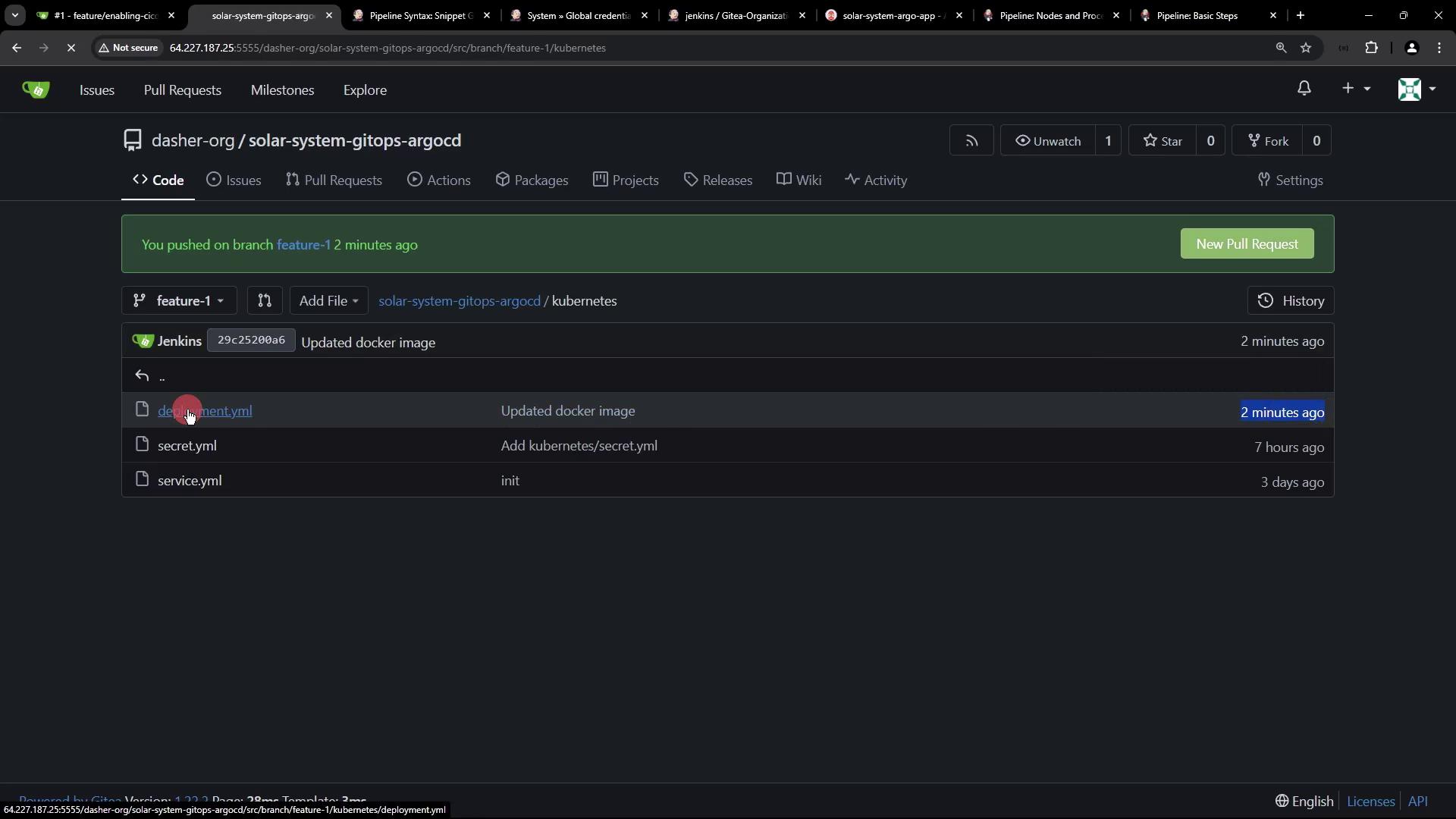
git commit -am "Update Docker image to f5c47d71240f57467b284288f1c452f81341b"
git push -u origin feature-1
```

Inspect the `feature-1` branch in Gitea:
<Frame>
  ![The image shows a code repository interface with a branch named "feature-1" and files related to Kubernetes, including "deployment.yml," "secret.yml," and "service.yml." A recent update to the Docker image is noted.](https://kodekloud.com/kk-media/image/upload/v1752870935/notes-assets/images/Certified-Jenkins-Engineer-Demo-Kubernetes-Deploy-Update-Image-Tag/kubernetes-code-repo-feature-1.jpg)
</Frame>

## 7. Sync with Argo CD

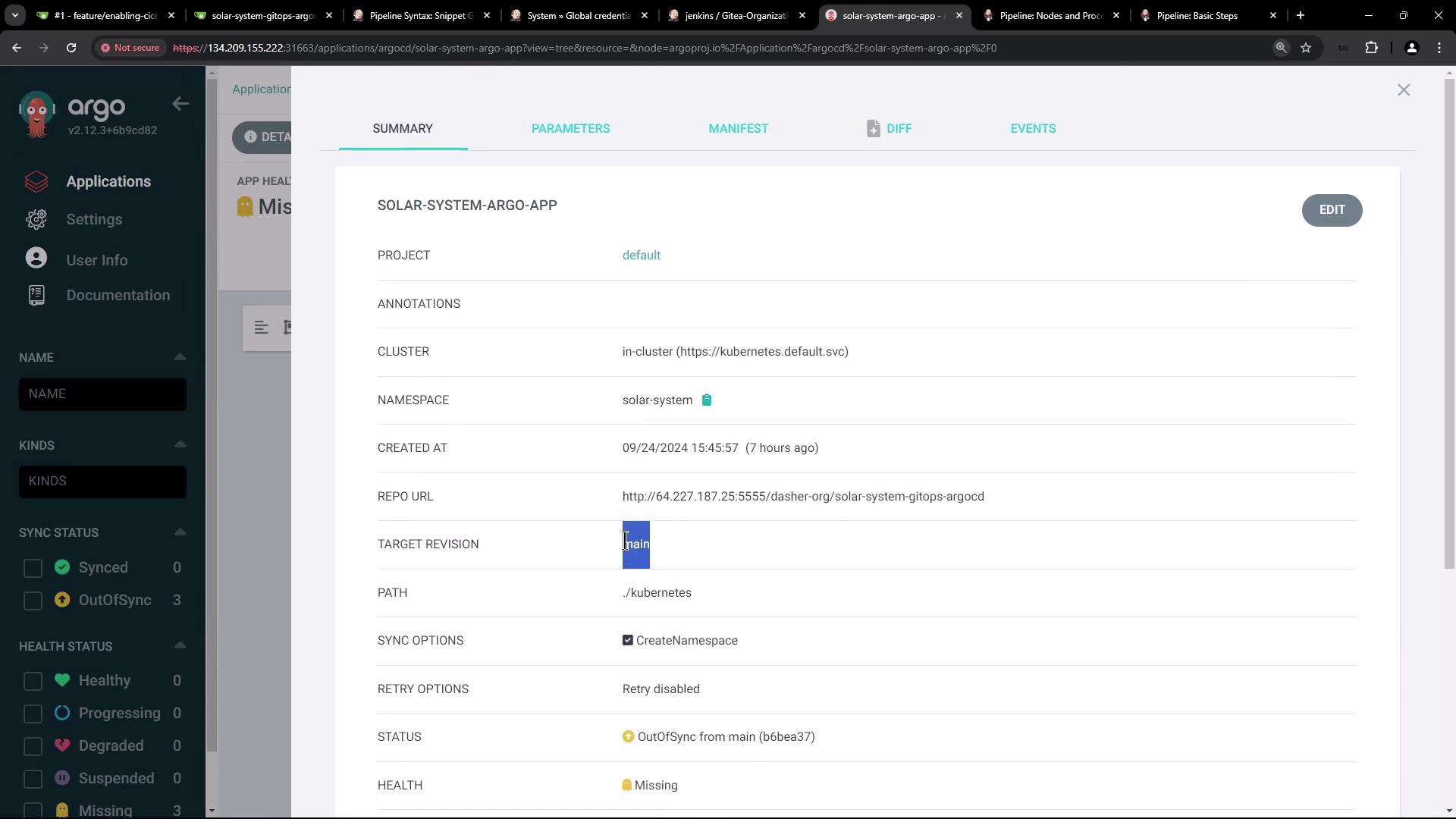
Since Argo CD tracks `main`, it remains **OutOfSync** until you merge `feature-1`:
<Frame>
  ![The image shows an Argo CD interface with an application named "solar-system-argo-app" that is out of sync and missing. It displays a visual representation of the application's components and their statuses.](https://kodekloud.com/kk-media/image/upload/v1752870936/notes-assets/images/Certified-Jenkins-Engineer-Demo-Kubernetes-Deploy-Update-Image-Tag/argo-cd-solar-system-app-status.jpg)
</Frame>

<Frame>
  ![The image shows a dashboard from Argo CD, displaying details of an application named "SOLAR-SYSTEM-ARGO-APP," including project, cluster, namespace, and repository information. The application status is "OutOfSync" and health status is "Missing."](https://kodekloud.com/kk-media/image/upload/v1752870937/notes-assets/images/Certified-Jenkins-Engineer-Demo-Kubernetes-Deploy-Update-Image-Tag/argo-cd-solar-system-dashboard.jpg)
</Frame>

Next, automate merging `feature-1` into `main` so Argo CD can deploy the updated manifest.

## Links and References

* [Kubernetes Documentation](https://kubernetes.io/docs/)
* [Argo CD User Guide](https://argo-cd.readthedocs.io/)
* [Jenkins Pipeline Syntax](https://www.jenkins.io/doc/book/pipeline/syntax/)
* [Gitea Webhooks](https://docs.gitea.io/en-us/webhooks/)

Thank you for following this GitOps workflow!

<CardGroup>
  <Card title="Watch Video" icon="video" cta="Learn more" href="https://learn.kodekloud.com/user/courses/certified-jenkins-engineer/module/01d04ab3-0694-4c67-bd1a-c3eaaa8d64d3/lesson/d983bdc7-a066-4a29-967c-f29aab20054b" />
</CardGroup>