> ## Documentation Index
> Fetch the complete documentation index at: https://notes.kodekloud.com/llms.txt
> Use this file to discover all available pages before exploring further.
# Demo Invalidate Cache
> This guide explains how to automatically invalidate and recreate the build cache in Jenkins when `package-lock.json` changes.
In this guide, we’ll walk through how to automatically invalidate and recreate your build cache in Jenkins whenever `package-lock.json` changes. Leveraging the Job Cache Plugin’s `cacheValidityDecidingFile` option ensures that any update to your dependencies triggers a fresh cache, keeping your builds both fast and reliable.
## Prerequisites
* A Jenkins instance with the **Job Cache Plugin** installed
* A Git repository named `solar-system` checked out on your Jenkins agent
* Node.js and npm configured on the build agent
## 1. Install a New Dependency
First, switch to the `solar-system` repository on your local machine or CI checkout:
```bash theme={null}
cd ~/solar-system
```
Then install the `localtunnel` package:
```bash theme={null}
npm install localtunnel
```
This updates both `package.json` and `package-lock.json`:
```bash theme={null}
➜ npm install localtunnel
added 7 packages, and audited 366 packages in 2s
45 packages are looking for funding
run `npm fund` for details
10 vulnerabilities (1 low, 4 moderate, 5 high)
```
Changing or adding a dependency always modifies `package-lock.json`. We’ll use this file’s hash to decide cache validity.
Commit and push your changes to trigger the Jenkins pipeline:
```bash theme={null}
git add package.json package-lock.json
git commit -m "Add localtunnel dependency"
git push origin feature/advanced-demo
```
## 2. Observe Cache Invalidation in Jenkins
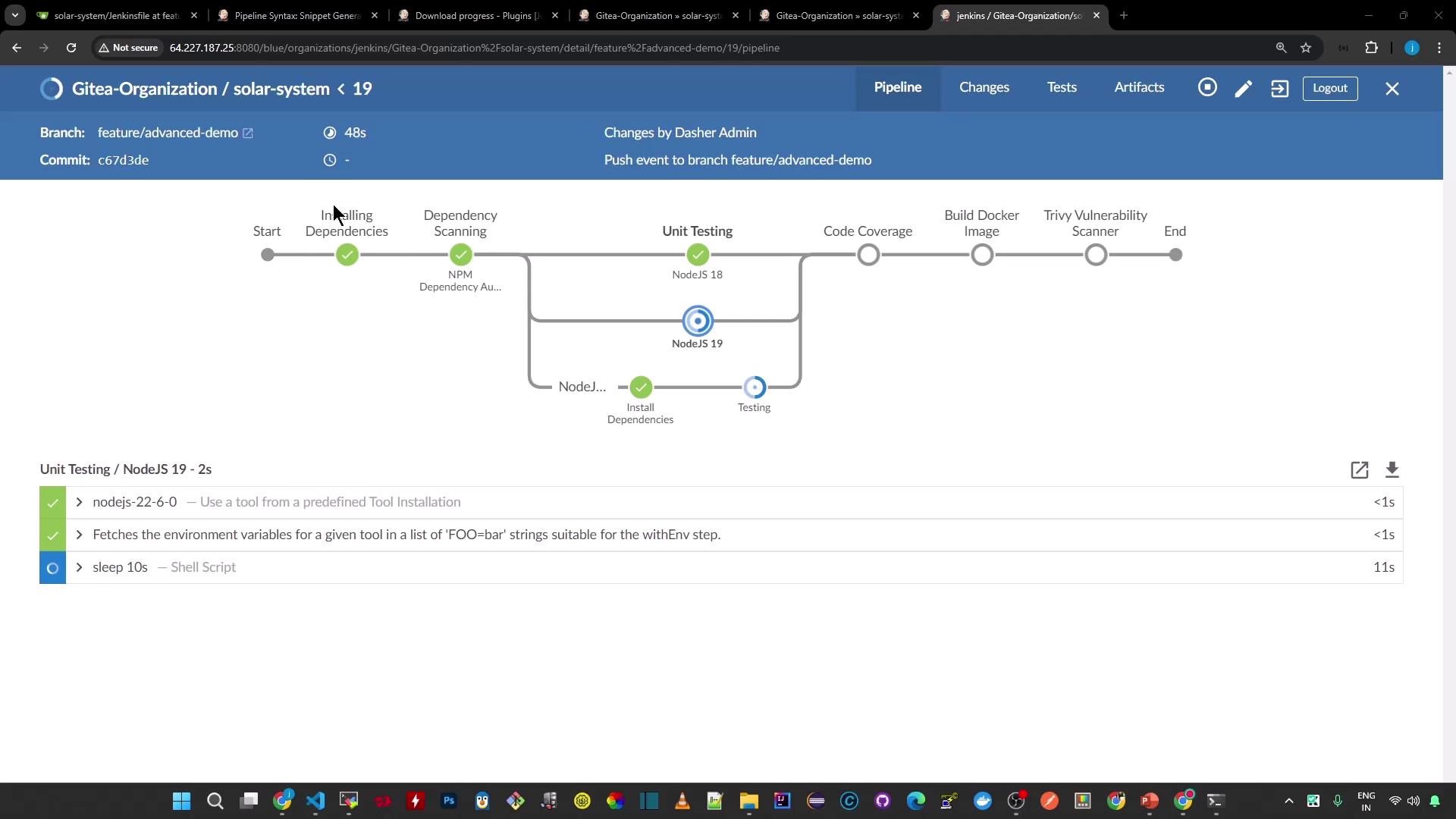
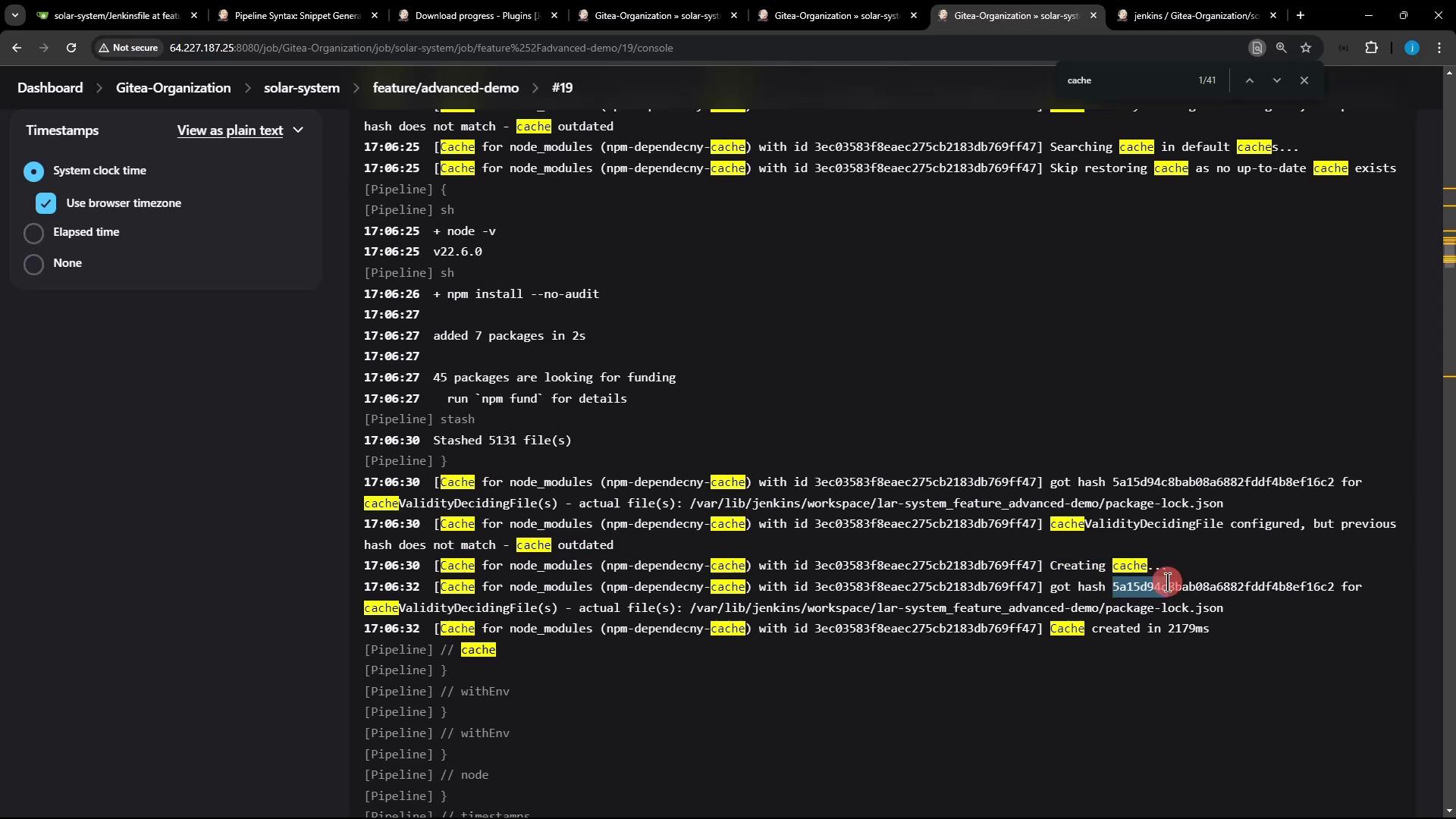
Navigate to your Jenkins job’s **Installing Dependencies** stage for build #19, and search the logs for “cache”:
### Build #19 Logs (Cache Miss)
```text theme={null}
17:06:25 [Pipeline] sh
17:06:25 + node -v
17:06:27 [Pipeline] sh
17:06:27 + npm install --no-audit
17:06:27 added 7 packages in 2s
17:06:27 45 packages are looking for funding
run `npm fund` for details
17:06:30 [Pipeline] stash
17:06:30 Stashed 5131 file(s)
17:06:30 [Pipeline] }
```
Because `package-lock.json` changed, the Job Cache Plugin calculates a new hash, decides the existing cache is outdated, skips the restore, and then stashes all files to create a fresh cache.
### Prior Build (Cache Hit)
```text theme={null}
node -v
v22.6.0
npm install --no-audit
# up-to-date (restored from cache)
```
### Cache Invalidation Details
```text theme={null}
17:06:30 cacheValidityDecidingFile(s) - actual file(s): /var/lib/jenkins/workspace/solar-system_feature_advanced-demo/package-lock.json
17:06:30 hash does not match - cache outdated
17:06:32 Creating cache...
17:06:32 got hash 5a1549c4b8a6882fddf4b8ef16c2 for cacheValidityDecidingFile
17:06:32 Cache created in 2179ms
```
## 3. Cache Behavior Comparison
| Scenario | Cache Restored | Action Taken |
| ----------------------------- | --------------- | --------------------------- |
| `package-lock.json` unchanged | Yes (cache hit) | Skip install, restore cache |
| `package-lock.json` modified | No (cache miss) | Reinstall & stash new cache |
## Conclusion
By configuring the Job Cache Plugin’s `cacheValidityDecidingFile` to point at `package-lock.json`, Jenkins automatically invalidates the cache whenever your dependencies change. This ensures that you always rebuild on the latest set of packages, while still benefiting from caching on subsequent runs.
## Links and References
* [Jenkins Job Cache Plugin](https://plugins.jenkins.io/job-cache/)
* [npm Documentation](https://docs.npmjs.com/)