> ## Documentation Index
> Fetch the complete documentation index at: https://notes.kodekloud.com/llms.txt
> Use this file to discover all available pages before exploring further.
# Demo Refactoring Solar System Pipeline
> This guide transforms a Jenkins pipeline to use a Kubernetes agent for improved CI/CD workflows.
In this guide, we'll transform the existing Solar System Pipeline `Jenkinsfile` from using `agent any` to leveraging a Kubernetes agent. By externalizing Pod definitions into a YAML manifest and targeting specific Node.js containers for build stages, we achieve more consistent, scalable CI/CD workflows.
## Original Jenkinsfile Overview
The current pipeline uses a generic agent and defines global tools, environment variables, and stages:
```groovy theme={null}
pipeline {
agent any
environment {
MONGO_URI = "mongodb+srv://supercluster.d83jj.mongodb.net/superData"
MONGO_DB_CREDS = credentials('mongo-db-credentials')
MONGO_USERNAME = credentials('mongo-db-username')
MONGO_PASSWORD = credentials('mongo-db-password')
SONAR_SCANNER_HOME = tool 'sonarqube-scanner-610'
GITEA_TOKEN = credentials('gitea-api-token')
}
options {
// Shared pipeline options
}
stages {
stage('Installing Dependencies') {
options { timestamps() }
steps {
// npm install, etc.
}
}
// Additional stages...
}
}
```
| Feature | Description |
| --------------------- | ------------------------------------------------------- |
| agent any | Runs on any available Jenkins node |
| environment variables | Database URIs, credentials, and SonarQube scanner path |
| stages | Dependency install, tests, Docker build, security scans |
## Defining the Kubernetes Pod Manifest
Create a `k8s-agent.yaml` at your repo root to specify two Node.js containers:
```yaml theme={null}
apiVersion: v1
kind: Pod
spec:
containers:
- name: node-18
image: node:18-alpine
command: ["cat"]
tty: true
- name: node-19
image: node:19-alpine
command: ["cat"]
tty: true
```
This manifest defines the `node-18` and `node-19` containers that Jenkins will schedule within a single Pod.
Ensure the Kubernetes plugin is installed in Jenkins and your Kubernetes cloud configuration (`dasher-prod-k8s-us-east`) is active before running the refactored pipeline.
## Refactoring Jenkinsfile to Use Kubernetes Agent
Replace the top-level `agent any` with the `kubernetes` agent block, referencing the YAML manifest and defaulting to `node-18`:
```groovy theme={null}
pipeline {
agent {
kubernetes {
cloud 'dasher-prod-k8s-us-east'
yamlFile 'k8s-agent.yaml'
defaultContainer 'node-18'
}
}
tools {
// Tool declarations here
}
environment {
MONGO_URI = "mongodb+srv://supercluster.d83jj.mongodb.net/superData"
MONGO_DB_CREDS = credentials('mongo-db-credentials')
MONGO_USERNAME = credentials('mongo-db-username')
MONGO_PASSWORD = credentials('mongo-db-password')
SONAR_SCANNER_HOME = tool 'sonarqube-scanner-610'
GITEA_TOKEN = credentials('gitea-api-token')
}
options {
// Pipeline-level options
}
stages {
// Updated stages below
}
}
```
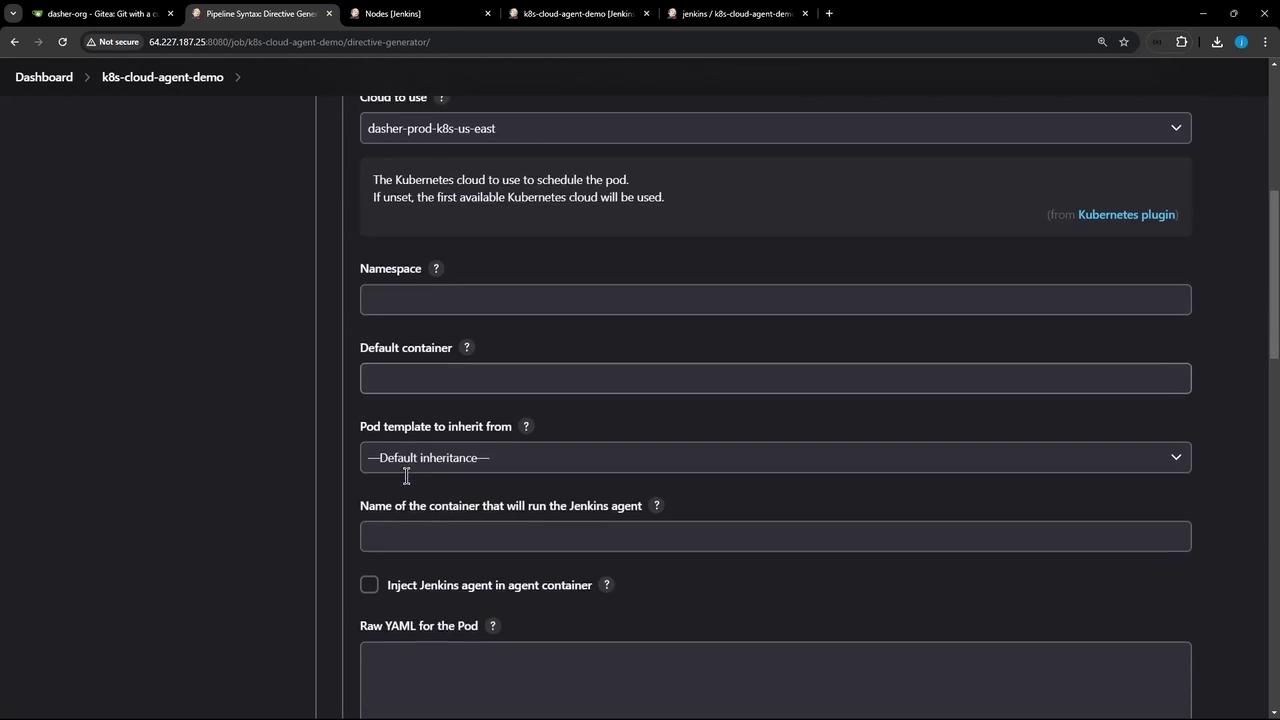
## Stage-Level Container Configuration
We’ll run Node.js–specific stages in `node-18`, while Docker build and security scans fall back to `agent any`. Here’s the updated stage block:
```groovy theme={null}
stages {
stage('Installing Dependencies') {
options { timestamps() }
steps {
container('node-18') {
sh 'node -v'
sh 'npm install --no-audit'
}
}
}
stage('Dependency Scanning') {
parallel {
stage('NPM Dependency Audit') {
steps {
container('node-18') {
sh '''
node -v
npm audit --audit-level=critical
echo $?
'''
}
}
}
}
}
stage('Unit Testing') {
options { retry(2) }
steps {
container('node-18') {
sh 'npm test'
}
}
}
stage('Code Coverage') {
steps {
container('node-18') {
catchError(buildResult: 'SUCCESS', message: 'Coverage step failed, will fix later', stageResult: currentBuild.currentResult) {
sh 'node -v'
sh 'npm run coverage'
}
}
}
}
stage('Build Docker Image') {
agent any
steps {
sh 'printenv'
sh 'docker build -t siddharth67/solar-system:$GIT_COMMIT .'
}
}
stage('Trivy Vulnerability Scanner') {
agent any
steps {
script {
trivyScanScript.vulnerability(imageName: "siddharth67/solar-system:$GIT_COMMIT", severity: "LOW")
trivyScanScript.vulnerability(imageName: "siddharth67/solar-system:$GIT_COMMIT", severity: "MEDIUM")
trivyScanScript.vulnerability(imageName: "siddharth67/solar-system:$GIT_COMMIT", severity: "HIGH")
}
}
}
}
```
| Stage | Container | Agent |
| ----------------------- | ------------ | ---------- |
| Installing Dependencies | node-18 | kubernetes |
| Dependency Scanning | node-18 | kubernetes |
| Unit Testing | node-18 | kubernetes |
| Code Coverage | node-18 | kubernetes |
| Build Docker Image | default host | any |
| Trivy Vulnerability | default host | any |
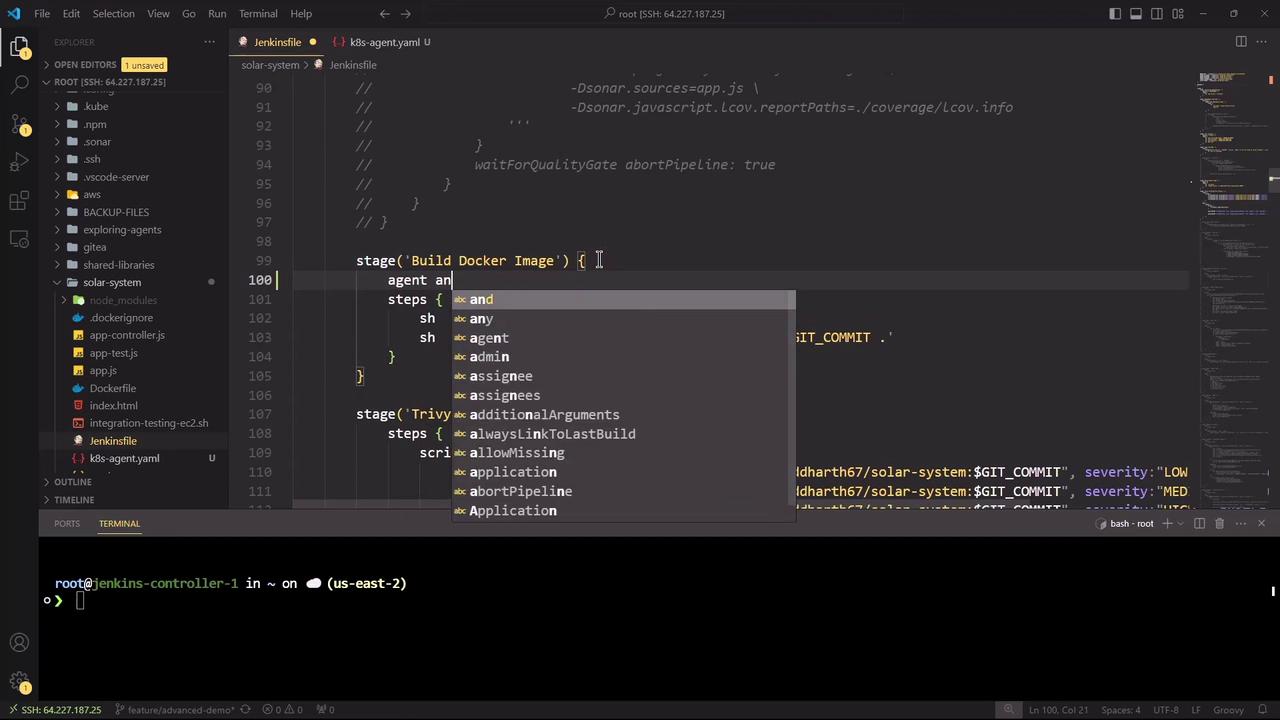
## Running and Monitoring the Refactored Pipeline
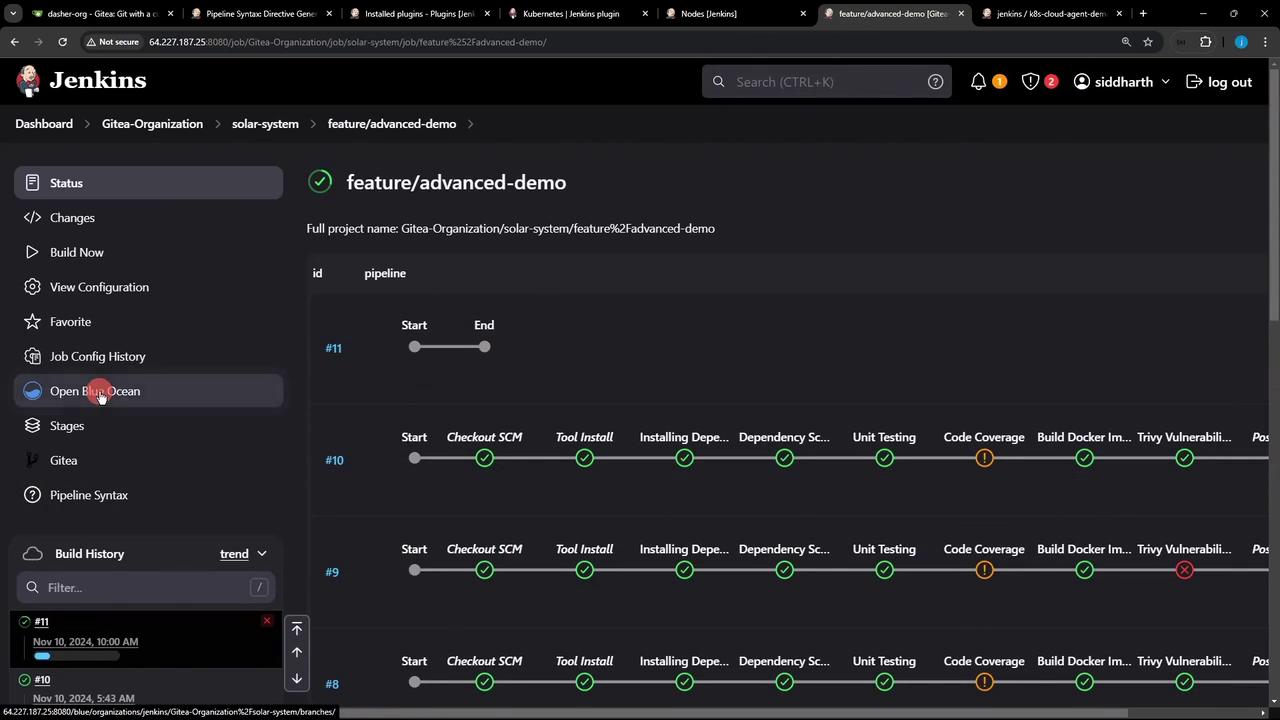
Commit your changes and push to trigger the pipeline. You can monitor status and logs in Blue Ocean:
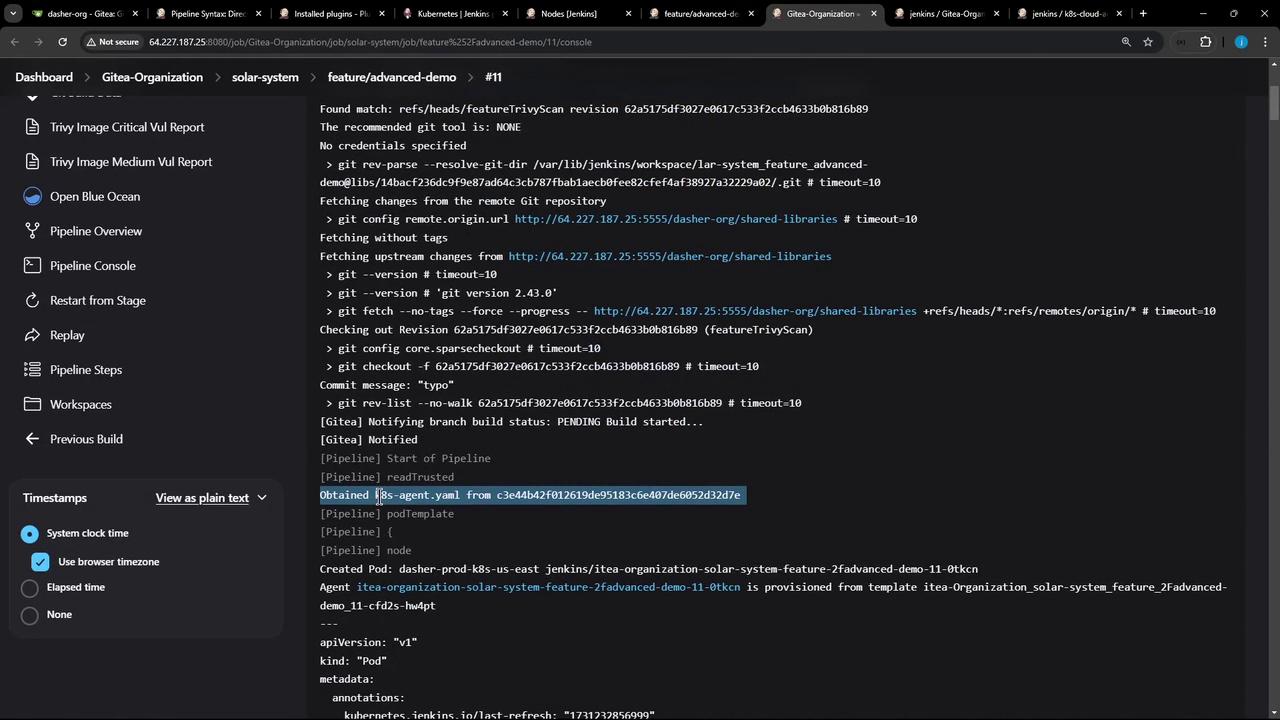
The console output confirms that the Pod definition was fetched and containers spun up:
```bash theme={null}
15:31:10 + node -v
15:31:10 v18.20.4
15:31:11 + npm install --no-audit
15:31:16 added 358 packages in 4s
...
15:31:30 + npm test
...
15:32:02 + npm run coverage
...
```
All Node.js stages share an `emptyDir` volume by default, so dependencies installed in one stage persist for subsequent stages within the same Pod.
## Links and References
* [Jenkins Kubernetes Plugin](https://plugins.jenkins.io/kubernetes)
* [Blue Ocean Documentation](https://www.jenkins.io/projects/blueocean/)
* [Kubernetes Pod Spec](https://kubernetes.io/docs/concepts/workloads/pods/pod-overview/)
* [Trivy Security Scanner](https://github.com/aquasecurity/trivy)
* [Jenkins Pipeline Syntax](https://www.jenkins.io/doc/book/pipeline/syntax/)