> ## Documentation Index
> Fetch the complete documentation index at: https://notes.kodekloud.com/llms.txt
> Use this file to discover all available pages before exploring further.
# Demo Sequential stages
> Sequential stages in Jenkins pipelines enhance visibility by organizing work into ordered steps within parallel branches.
Sequential stages in a Jenkins pipeline let you break down work inside each parallel branch into ordered steps. Introduced in late 2018, this feature boosts pipeline visibility by displaying each sub-stage separately—no need to drill into logs to monitor progress.
You’ll need Jenkins 2.x with Pipeline plugin 2.5 or later to use nested `stages` in a declarative pipeline.
## Original Jenkinsfile
Below is a simplified excerpt showing the original declarative pipeline that defined only one stage per branch. This setup runs Node.js commands and tests all at once.
```groovy theme={null}
pipeline {
agent any
stages {
stage('NodeJS 20') {
agent {
docker {
image 'node:20-alpine'
}
}
options { retry(2) }
steps {
sh 'node -v'
sh 'npm test'
}
}
stage('Code Coverage') {
// Coverage steps...
}
}
}
```
## Adding Sequential Stages
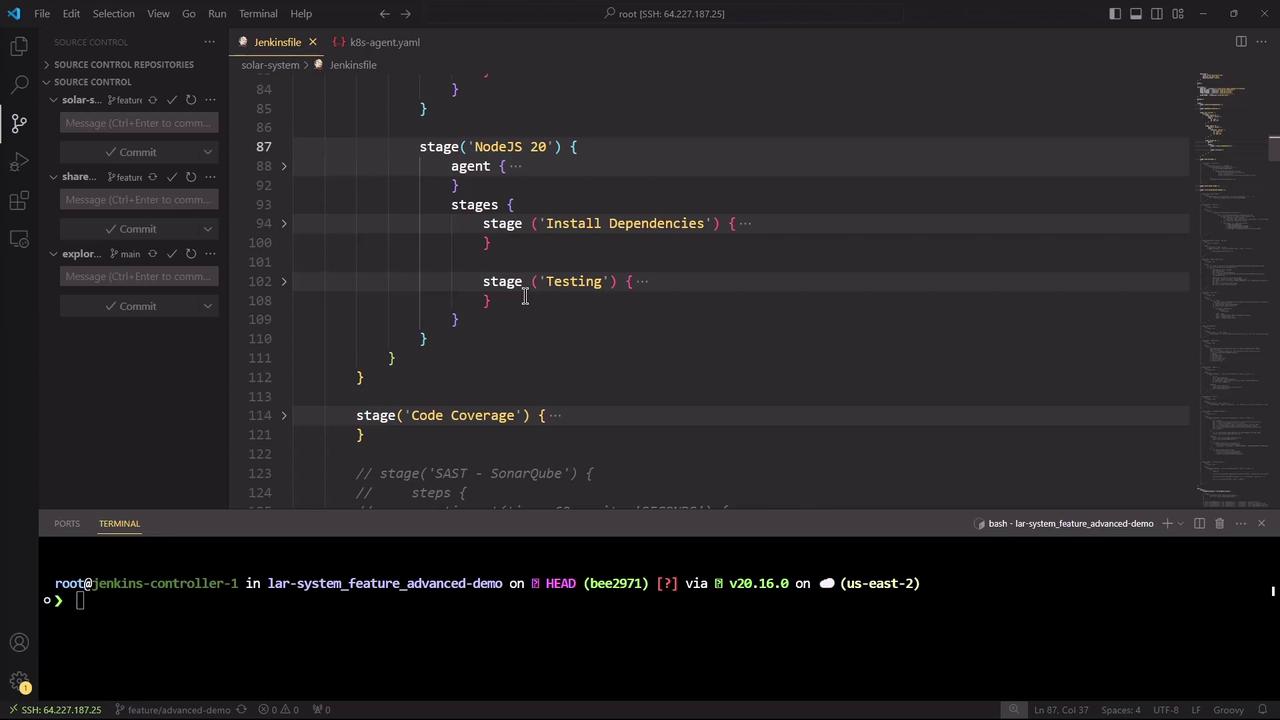
To split the `NodeJS 20` branch into two sequential steps—installing dependencies first, then testing—nest a `stages` block inside the existing stage:
```groovy theme={null}
pipeline {
agent any
stages {
stage('NodeJS 20') {
agent {
docker {
image 'node:20-alpine'
}
}
stages {
stage('Install Dependencies') {
options { retry(2) }
steps {
sh 'node -v'
sh 'npm install --no-audit --cache .'
}
}
stage('Testing') {
options { retry(2) }
steps {
sh 'node -v'
sh 'npm test'
}
}
}
}
stage('Code Coverage') {
// Coverage steps...
}
}
}
```
This configuration ensures `Install Dependencies` completes before `Testing` begins, all within the same parallel branch.
## Committing and Triggering the Pipeline
Save your changes, then commit and push to trigger a new build:
```bash theme={null}
git commit -m "Add sequential stages for NodeJS pipeline"
git push
```
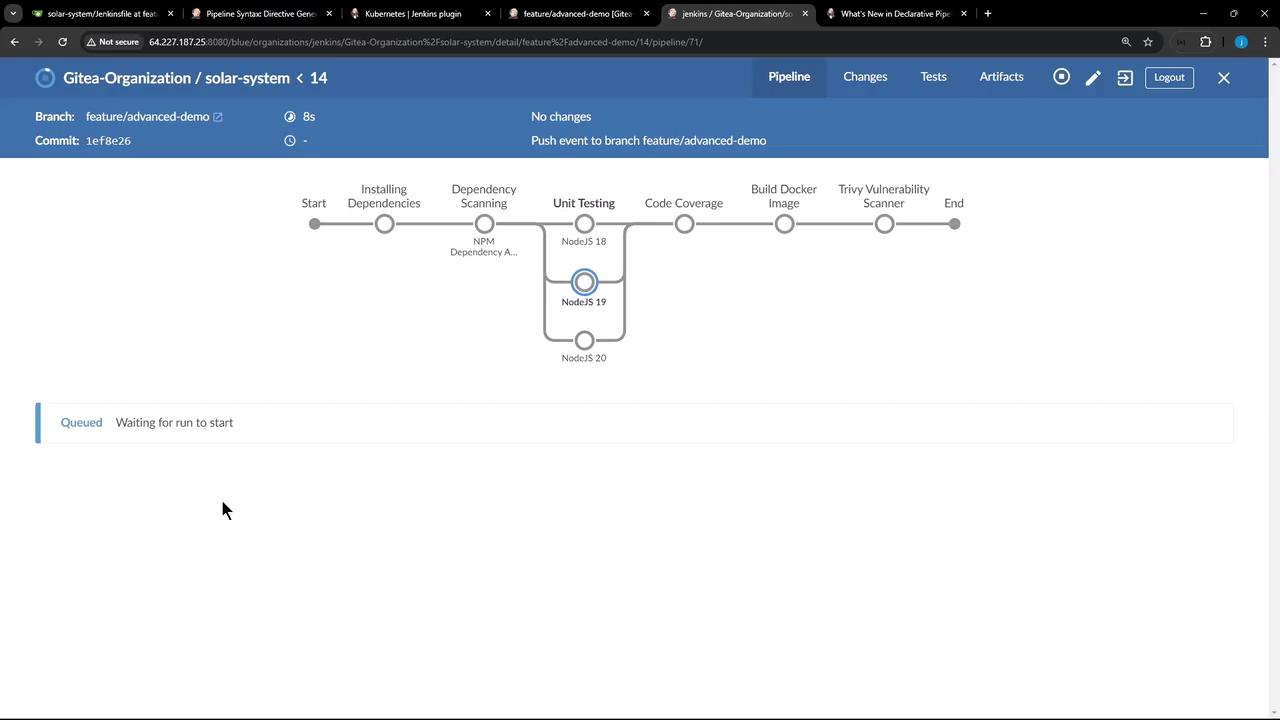
After pushing, Jenkins will queue a new build (for example, pipeline #14). In the Blue Ocean or classic view you’ll now see separate steps for installing dependencies and running tests.
## Viewing the Jenkinsfile in VS Code
Open the Jenkinsfile in your IDE to review the nested `stages` syntax. In this example, Visual Studio Code displays both the pipeline structure and an SSH session to the Jenkins controller.
## Handling a Node.js Cache Error
In one run, the `Install Dependencies` stage failed due to a Node.js cache error:
```bash theme={null}
npm install --no-audit --cache .
npm ERR! code ENOTEMPTY
npm ERR! syscall rename
npm ERR! path '/var/lib/jenkins/workspace/lar-system_feature_advanced-demo/node_modules/chai'
npm ERR! dest '/var/lib/jenkins/workspace/lar-system_feature_advanced-demo/node_modules/.chai-51vnicl6v'
npm ERR! errno -39
npm ERR! ENOTEMPTY: directory not empty, rename '.../node_modules/chai' -> '.../.chai-51vnicl6v'
```
This error originates from Node.js/npm and is not caused by Jenkins. Because `Install Dependencies` failed, the `Testing` stage was skipped—demonstrating how nested stages enforce correct execution order.
## Summary
* **Sequential stages** improve clarity when you need ordered steps inside a parallel branch.
* Nested `stages` blocks are fully compatible with Docker agents, `options`, and `post` actions.
* You can share workspaces (e.g., installed `node_modules`) between sequential stages automatically.
## Links and References
* [Jenkins Pipeline Documentation](https://www.jenkins.io/doc/book/pipeline/)
* [Declarative Pipeline Syntax](https://www.jenkins.io/doc/book/pipeline/syntax/)
* [Node.js Official Site](https://nodejs.org/)
* [npm Install CLI](https://docs.npmjs.com/cli/v9/commands/npm-install)