> ## Documentation Index
> Fetch the complete documentation index at: https://notes.kodekloud.com/llms.txt
> Use this file to discover all available pages before exploring further.
# Demo Sharing a file between containers
> This demo illustrates file sharing between containers in a Kubernetes Pod using a Jenkins pipeline.
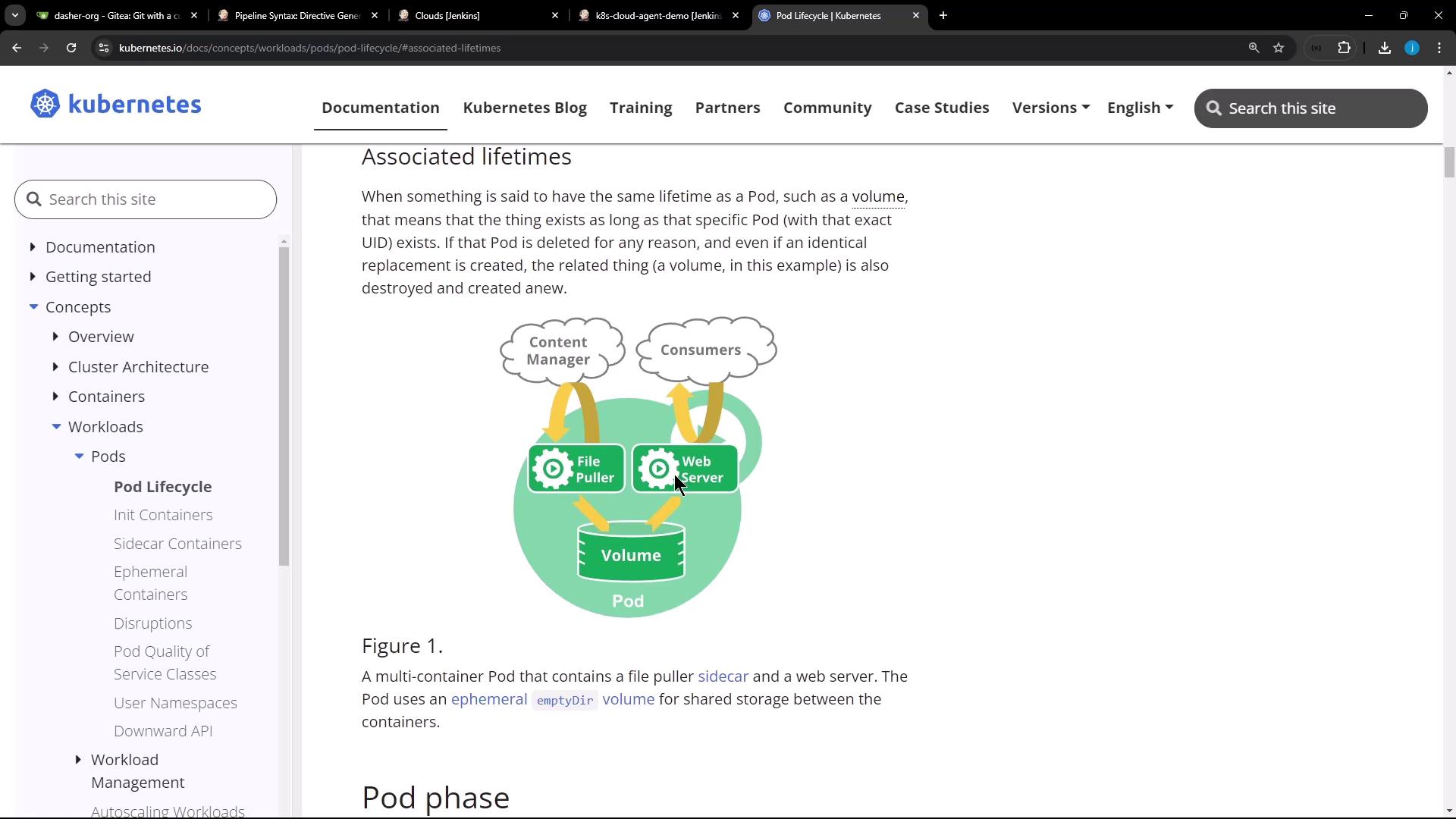
In Kubernetes, all containers in the same Pod share the same filesystem volume. This demo shows how one Jenkins pipeline stage writes a file in an Ubuntu container, and a subsequent stage reads it in a Node.js container—both running side by side in the same Pod.
* A Jenkins server with the \[Kubernetes Plugin]\[] and \[Blue Ocean]\[] installed.
* A connected Kubernetes cluster configured as a cloud agent.
## Jenkinsfile Overview
The following `Jenkinsfile` defines two stages: one running on Ubuntu, the other in a Node.js sidecar. They share the workspace via an `emptyDir` volume.
```groovy theme={null}
pipeline {
agent any
stages {
stage('Write File in Ubuntu') {
steps {
// On the default Ubuntu container
sh 'hostname'
sh 'echo important_UBUNTU_data > ubuntu-${BUILD_ID}.txt'
sh 'ls -ltr ubuntu-${BUILD_ID}.txt'
sh 'sleep 60s' // keep the Pod alive briefly
}
}
stage('Read File in Node.js') {
steps {
container('node-container') {
sh 'node -v'
sh 'npm -v'
// List and display the same file
sh 'ls -ltr ubuntu-${BUILD_ID}.txt'
sh 'cat ubuntu-${BUILD_ID}.txt'
}
}
}
}
}
```
## Executing the Pipeline
When this pipeline runs, Jenkins dynamically provisions a Pod with two containers—`ubuntu-container` (default) and `node-container` (sidecar)—sharing an `emptyDir` workspace volume.
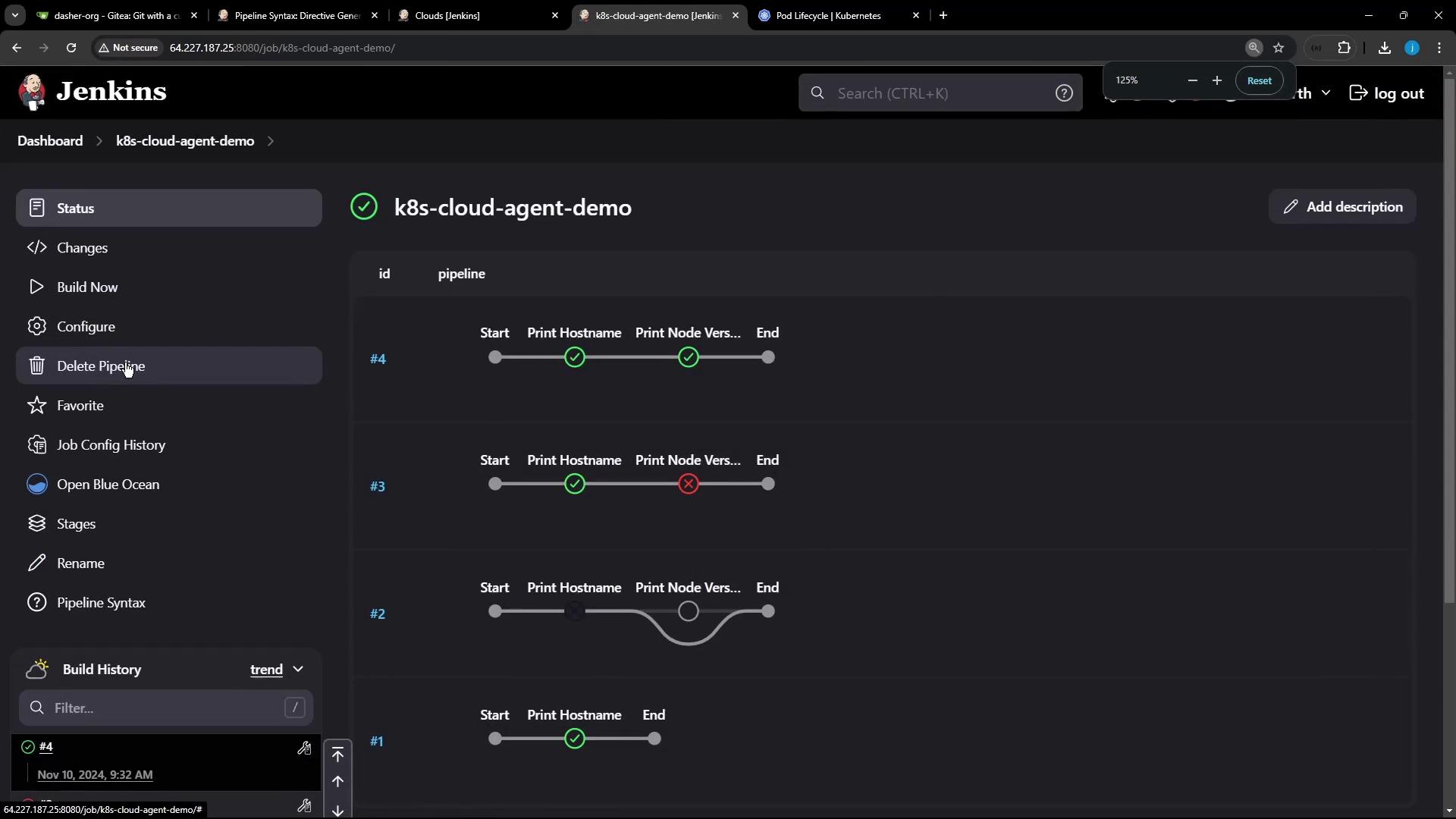
Under the hood, the Pod specification looks like this:
```yaml theme={null}
apiVersion: v1
kind: Pod
metadata:
name: k8s-cloud-agent-demo
spec:
restartPolicy: Never
volumes:
- name: workspace-volume
emptyDir: {}
containers:
- name: ubuntu-container
image: ubuntu:latest
volumeMounts:
- name: workspace-volume
mountPath: /workspace
- name: node-container
image: node:18
volumeMounts:
- name: workspace-volume
mountPath: /workspace
```
## Pipeline Log Example
The log below confirms the file created in the Ubuntu container is accessible in the Node.js container:
```text theme={null}
[Pipeline] stage
[Pipeline] { (Write File in Ubuntu)
+ hostname
k8s-cloud-agent-demo-5-rv7b8-8frt0-n41pw
+ echo important_UBUNTU_data > ubuntu-5.txt
+ ls -ltr ubuntu-5.txt
-rw-r--r-- 1 root root 22 Nov 10 09:47 ubuntu-5.txt
[Pipeline] // stage
[Pipeline] stage
[Pipeline] { (Read File in Node.js)
+ node -v
v18.20.4
+ npm -v
6.14.17
+ ls -ltr ubuntu-5.txt
-rw-r--r-- 1 root root 22 Nov 10 09:47 ubuntu-5.txt
+ cat ubuntu-5.txt
important_UBUNTU_data
[Pipeline] // stage
```
## Static Nodes vs. Dynamic Agents
You can run Jenkins jobs on:
| Agent Type | Description | Pros | Cons |
| ---------------------- | --------------------------------------------------- | ---------------------------------------------- | -------------------------------------------------- |
| Static Node (VM) | A long-running machine with preinstalled tools. | Always available; ideal for specialized builds | Idle resource costs; manual maintenance required. |
| Docker Agent | Containers spun per job and removed when done. | Custom images; resource-efficient | Requires Docker environment setup. |
| Kubernetes Cloud Agent | Pods created on demand, destroyed after completion. | Auto-scaling; shareable volumes per Pod | Kubernetes cluster required; plugin configuration. |
Dynamic agents help you package toolchains into container images, cutting down on idle resources and improving build scalability.
## Further Reading
* [Jenkins Kubernetes Plugin Documentation][]
* [Kubernetes Basics][]
* [Jenkins Blue Ocean][]
[Docker Hub]: https://hub.docker.com/
[Kubernetes Basics]: https://kubernetes.io/docs/concepts/overview/what-is-kubernetes/
[Jenkins Kubernetes Plugin Documentation]: https://www.jenkins.io/doc/book/cloud/kubernetes/
[Jenkins Blue Ocean]: https://www.jenkins.io/projects/blueocean/