> ## Documentation Index
> Fetch the complete documentation index at: https://notes.kodekloud.com/llms.txt
> Use this file to discover all available pages before exploring further.
# Demo Stash and Unstash
> This guide explains how to use stash and unstash in Jenkins Pipelines to share files between stages efficiently.
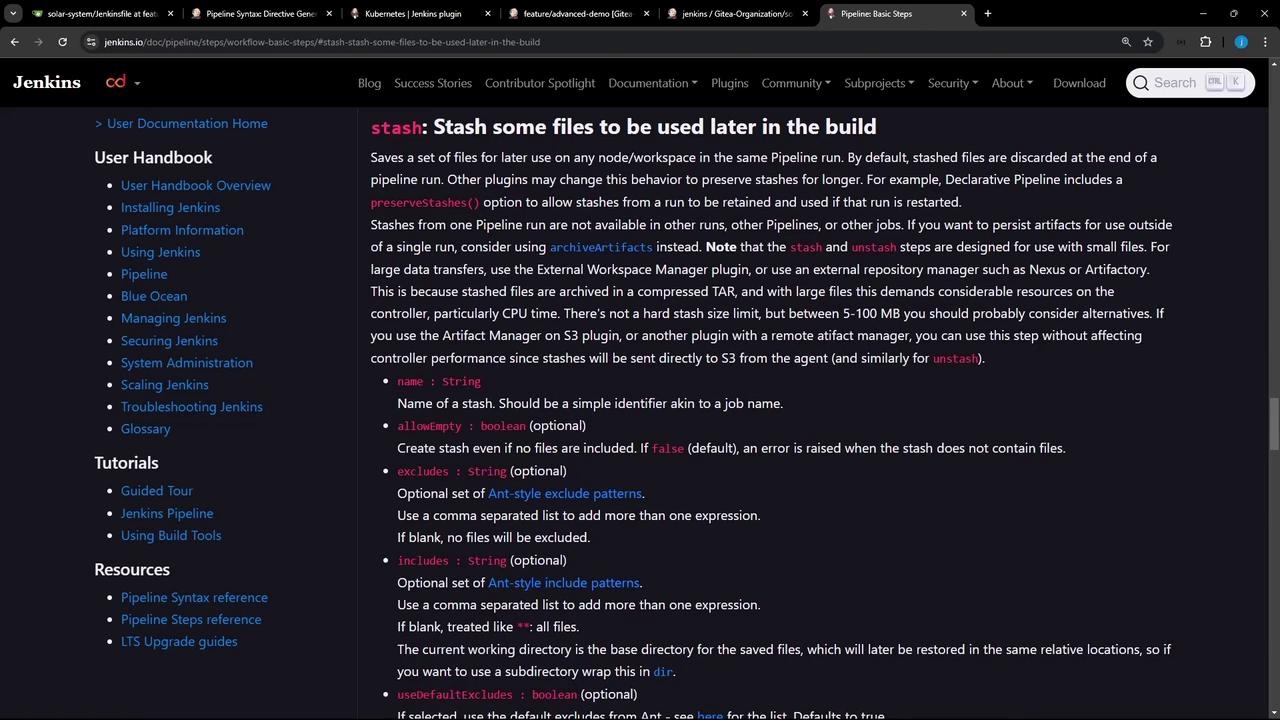
In this guide, we’ll dive into how to leverage the **[`stash`](https://www.jenkins.io/doc/pipeline/steps/workflow-basic-steps/#stash-stash-files-for-later-use)** and **[`unstash`](https://www.jenkins.io/doc/pipeline/steps/workflow-basic-steps/#unstash-unstash-files-for-later-use)** steps to share files between stages. By stashing build artifacts or dependencies once, you can retrieve them later—on any agent or node—without rerunning expensive installation steps.
## Why Use `stash` and `unstash`?
* **Performance**: Avoid duplicate work, such as reinstalling dependencies in each stage.
* **Consistency**: Ensure the same set of files is used across multiple agents.
* **Resilience**: Reduce errors from partial or conflicting installs.
By default, stashes are discarded when the pipeline finishes. To retain stashes across pipeline restarts, enable `preserveStashes()` in a Declarative Pipeline or use plugins that persist stash data.
***
## Common Error: Reinstalling Node Modules
Rerunning `npm install` in every stage can trigger errors like this:
```bash theme={null}
npm install --no-audit --cache .
npm ERR! code ENOTEMPTY
npm ERR! syscall rename
npm ERR! path /var/lib/jenkins/workspace/my-project/node_modules/chai
npm ERR! dest /var/lib/jenkins/workspace/my-project/node_modules/.chai-XYZ
npm ERR! errno -39
npm ERR! ENOTEMPTY: directory not empty, rename '/var/lib/jenkins/workspace/my-project/node_modules/chai' -> '/var/lib/jenkins/workspace/my-project/node_modules/.chai-XYZ'
```
Instead, stash the `node_modules/` folder once and then unstash it in all subsequent stages.
***
## Stash vs. Unstash: At a Glance
| Step | Action | Example |
| ------- | --------------------------------- | --------------------------------------------------- |
| stash | Save files for later use | `stash includes: 'node_modules/', name: 'npm-deps'` |
| unstash | Retrieve previously stashed files | `unstash 'npm-deps'` |
***
## Generating the `stash` Snippet
Use the **[Pipeline Syntax (Snippet Generator)](https://www.jenkins.io/doc/book/pipeline/syntax/#snippet-generator)** in Jenkins to build your `stash` step interactively.

Example output:
```groovy theme={null}
stash includes: 'node_modules/', name: 'solar-system-node-modules'
```
***
## Declarative Pipeline Example
Below is a sample **Declarative Jenkinsfile** that:
1. Installs Node.js dependencies
2. Stashes them
3. Restores them in later stages
```groovy theme={null}
pipeline {
agent any
options {
preserveStashes() // Keep stashes if the build is restarted
}
environment {
MONGO_DB_CREDS = credentials('mongo-db-credentials')
SONAR_SCANNER_HOME = tool('sonarqube-scanner-610')
GITEA_TOKEN = credentials('gitea-api-token')
}
stages {
stage('Install Dependencies') {
options { retry(2); timestamps() }
steps {
sh 'node -v'
sh 'npm install --no-audit'
stash includes: 'node_modules/', name: 'solar-system-node-modules'
}
}
stage('Dependency Scanning') {
steps {
unstash 'solar-system-node-modules'
// e.g., run vulnerability scanner
}
}
stage('Unit Testing') {
steps {
unstash 'solar-system-node-modules'
sh 'npm test'
}
}
// Additional stages…
}
}
```
After pushing this Jenkinsfile, check the build logs:
```bash theme={null}
[2024-11-10T11:12:47.1212] Stashed 4898 file(s)
```
***
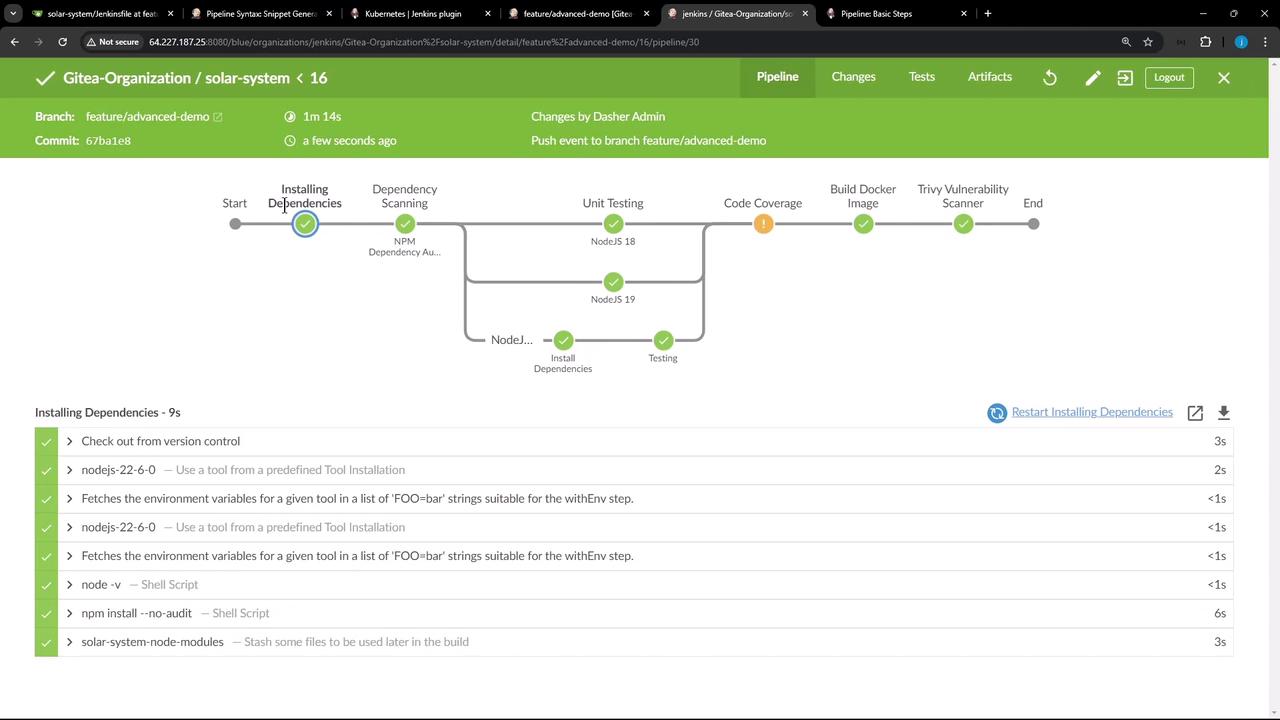
As demonstrated, stashing `node_modules` once and unstashing it in multiple stages—possibly on different agents—saves time, reduces redundant work, and prevents errors from repeated installs.
***
## Links and References
* [Jenkins Pipeline Basics](https://www.jenkins.io/doc/book/pipeline/)
* [Pipeline Syntax Reference](https://www.jenkins.io/doc/book/pipeline/syntax/)
* [stash Step Documentation](https://www.jenkins.io/doc/pipeline/steps/workflow-basic-steps/#stash-stash-files-for-later-use)
* [unstash Step Documentation](https://www.jenkins.io/doc/pipeline/steps/workflow-basic-steps/#unstash-unstash-files-for-later-use)