> ## Documentation Index
> Fetch the complete documentation index at: https://notes.kodekloud.com/llms.txt
> Use this file to discover all available pages before exploring further.
# Demo Scripted Pipeline Initialize
> This guide explains converting a Declarative Pipeline to a Scripted Pipeline in Jenkins for the solar-system repository.
In this guide, you’ll learn how to convert a Declarative Pipeline into a fully Scripted Pipeline for the **solar-system** repository on the `features/advanced-demo` branch. We’ll cover tool setup, environment configuration, caching, timestamps, and concurrency control.
## 1. Review the Existing Declarative Pipeline
The current pipeline installs Node.js, sets environment variables, and caches npm dependencies:
```groovy theme={null}
pipeline {
agent {
tools {
nodejs 'nodejs-22-6-0'
}
}
environment {
SONAR_SCANNER_HOME = tool 'sonarqube-scanner-610'
GITEA_TOKEN = credentials('gitea-api-token')
}
options {
disableResume()
disableConcurrentBuilds(abortPrevious: true)
}
stages {
stage('Installing Dependencies') {
agent any
options { timestamps() }
steps {
cache(maxCacheSize: 550, caches: [
arbitraryFileCache(
cacheName: 'npm-dependency-cache',
cacheValidityDecidingFile: 'package-lock.json'
)
]) {
sh 'node -v'
sh 'npm install --no-audit'
stash(includes: 'node_modules')
}
}
}
}
}
```
## 2. Create and Push the Scripted Branch
```bash theme={null}
git checkout -b pipeline/scripted
git push -u origin pipeline/scripted
```
Pushing this branch triggers a new build in Jenkins.
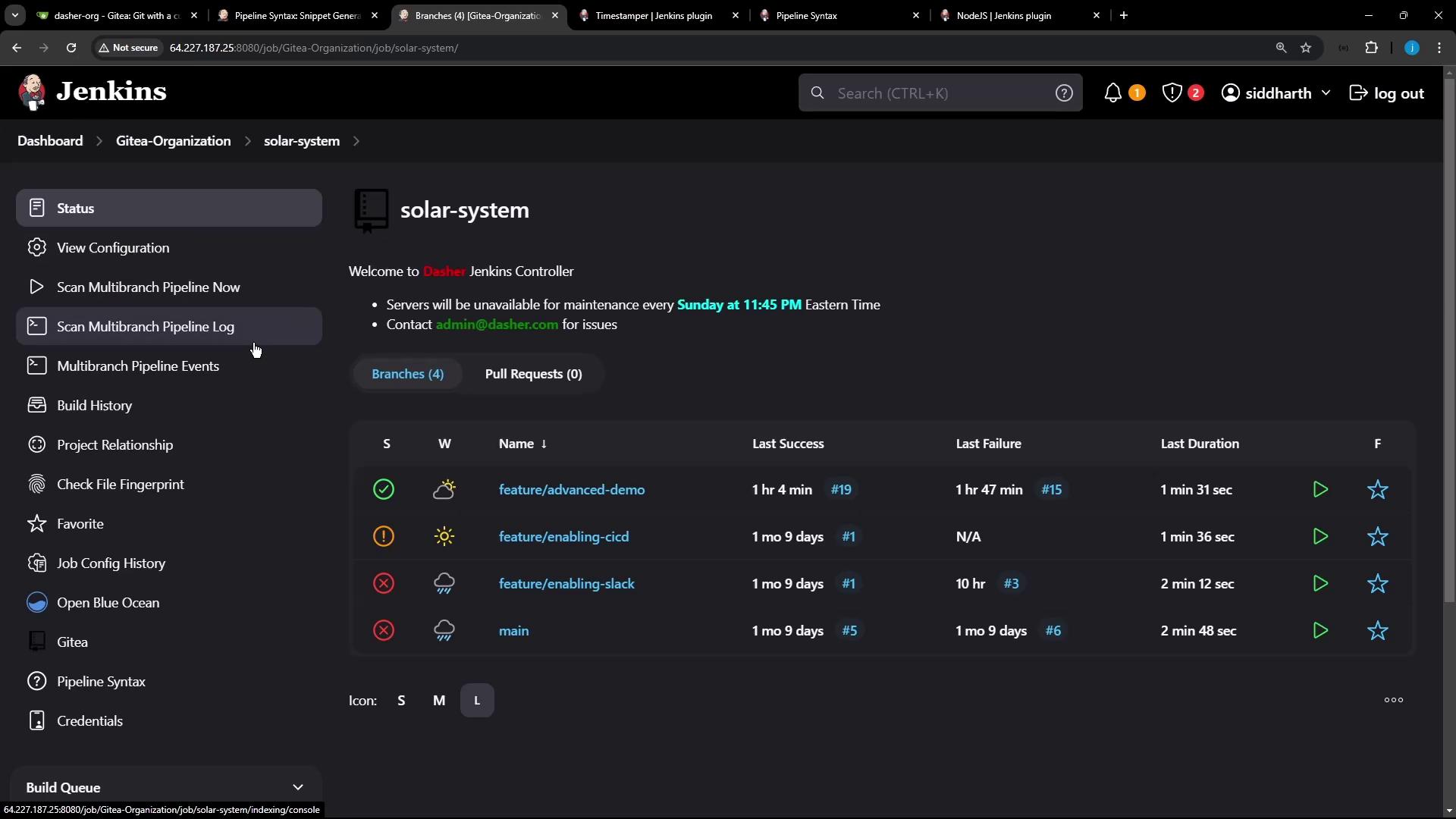
## 3. Define the Scripted Pipeline
Wrap all steps inside a `node` block and configure tools, environment, and build properties:
```groovy theme={null}
node {
// 1. Tool setup: install Node.js and update PATH
env.NODEJS_HOME = tool 'nodejs-22-6-0'
env.PATH = "${env.NODEJS_HOME}/bin:${env.PATH}"
// 2. Prevent concurrent builds and resume
properties([
disableConcurrentBuilds(abortPrevious: true),
disableResume()
])
stage('Checkout') {
checkout scm
}
// 3. Timestamp wrapper for better logs
wrap([$class: 'TimestamperBuildWrapper']) {
stage('Installing Dependencies') {
// 4. Cache npm modules across builds
cache(maxCacheSize: 550, caches: [
arbitraryFileCache(
cacheName: 'npm-dependency-cache',
cacheValidityDecidingFile: 'package-lock.json'
)
]) {
sh 'node -v'
sh 'npm install --no-audit'
stash(includes: 'node_modules')
}
}
}
}
```
Caching `node_modules` speeds up CI by restoring dependencies from the cache on subsequent runs, reducing network overhead.
## 4. Check Pipeline Syntax Reference
If you need to explore other Scripted Pipeline constructs, consult the official syntax guide.
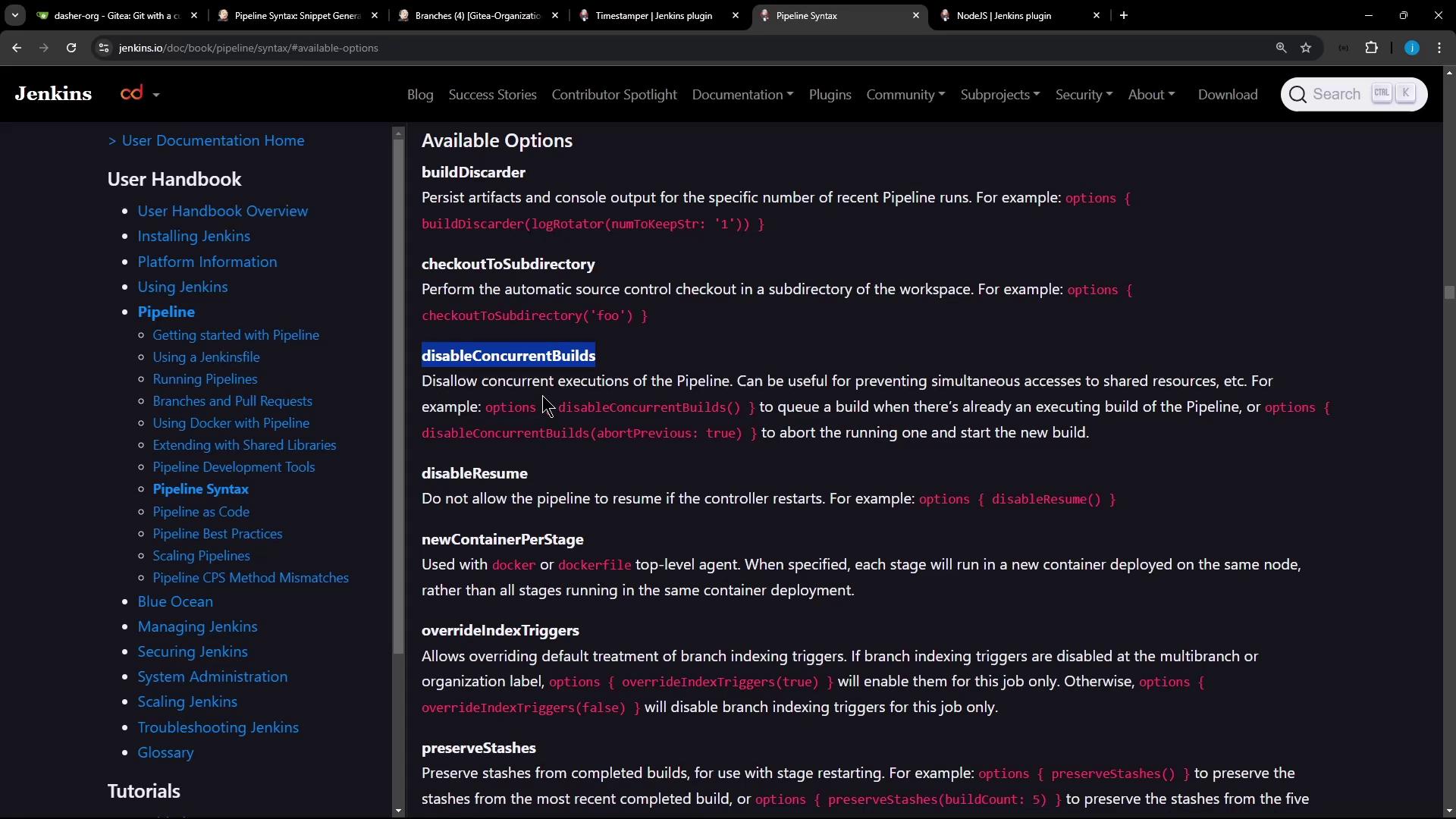
```groovy theme={null}
// Example: wrap([$class: 'TimestamperBuildWrapper']) { ... }
// Visit: https://www.jenkins.io/doc/book/pipeline/syntax/
```
## 5. Validate First and Subsequent Runs
On the **first run**, the cache is empty:
```bash theme={null}
> node -v
v22.6.0
> npm install --no-audit
added 365 packages in 3s
```
On **subsequent runs**, the cache is restored for faster installs:
```bash theme={null}
[Cache ...] Restoring cache...
> node -v
v22.6.0
> npm install --no-audit
up to date in 1s
```
## 6. Ensure Concurrency Control
Start two builds in quick succession; the earlier build will be aborted to honor `abortPrevious: true`.
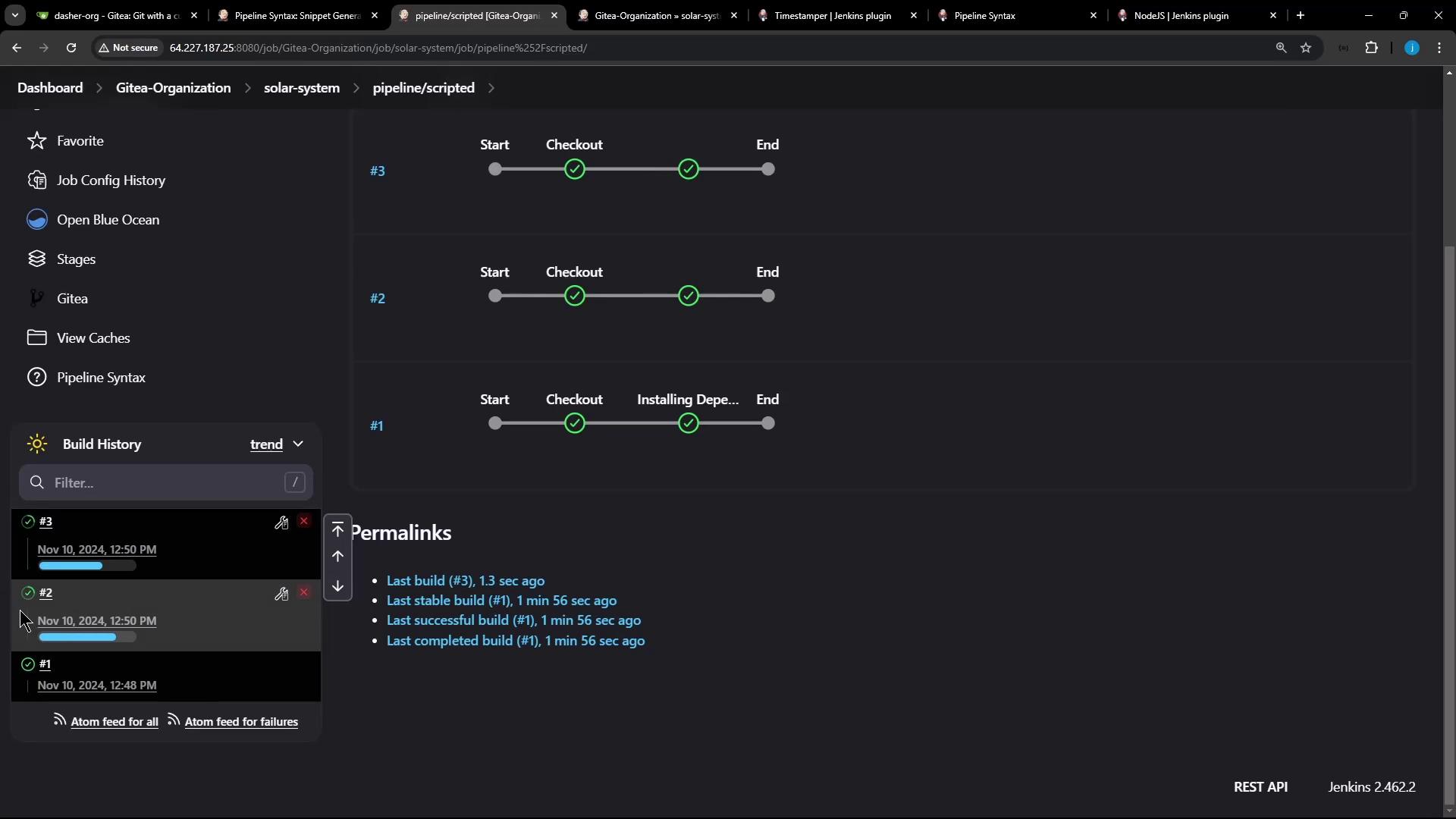
Aborting previous builds can interrupt cleanup tasks. Ensure your pipeline handles partial states and rollbacks correctly.
## Table: Key Pipeline Options
| Option | Purpose |
| ---------------------------------------------- | -------------------------------------------------------------------- |
| `disableConcurrentBuilds(abortPrevious: true)` | Prevents parallel runs by aborting earlier builds on the same branch |
| `disableResume()` | Disables resume from checkpoints to simplify workflow |
| `wrap([$class: 'TimestamperBuildWrapper'])` | Adds timestamps to console output |
| `cache(...)` | Reuses files between builds to speed up dependency installation |
## Links and References
* [Jenkins Pipeline Syntax Reference](https://www.jenkins.io/doc/book/pipeline/syntax/)
* [NodeJS Plugin for Jenkins](https://plugins.jenkins.io/nodejs/)
* [Jenkins Pipeline Caching](https://plugins.jenkins.io/pipeline-build-step/)