> ## Documentation Index
> Fetch the complete documentation index at: https://notes.kodekloud.com/llms.txt
> Use this file to discover all available pages before exploring further.
# Demo Run and Test NodeJS App on Local Machine
> This guide covers running and testing a Solar System Node.js application locally, including setup, testing, and containerization.
In this guide, we’ll walk through running and testing a **Solar System** Node.js application on your local (or virtual) machine. We’ll cover:
* Cloning the repository
* Inspecting `package.json`
* Reviewing application code (`app.js`, controllers, client)
* Executing unit tests and enforcing coverage
* Containerizing with Docker
* Exploring OpenAPI specs
* Running the app and demoing endpoints
* Automating everything with Jenkins pipelines
## Prerequisites
Ensure you have these versions installed:
```bash theme={null}
node --version # v8.11.3+
npm --version # v6.1.0+
```
Install project dependencies:
```bash theme={null}
npm install
```
Run a quick test:
```bash theme={null}
npm test
npm run coverage
```
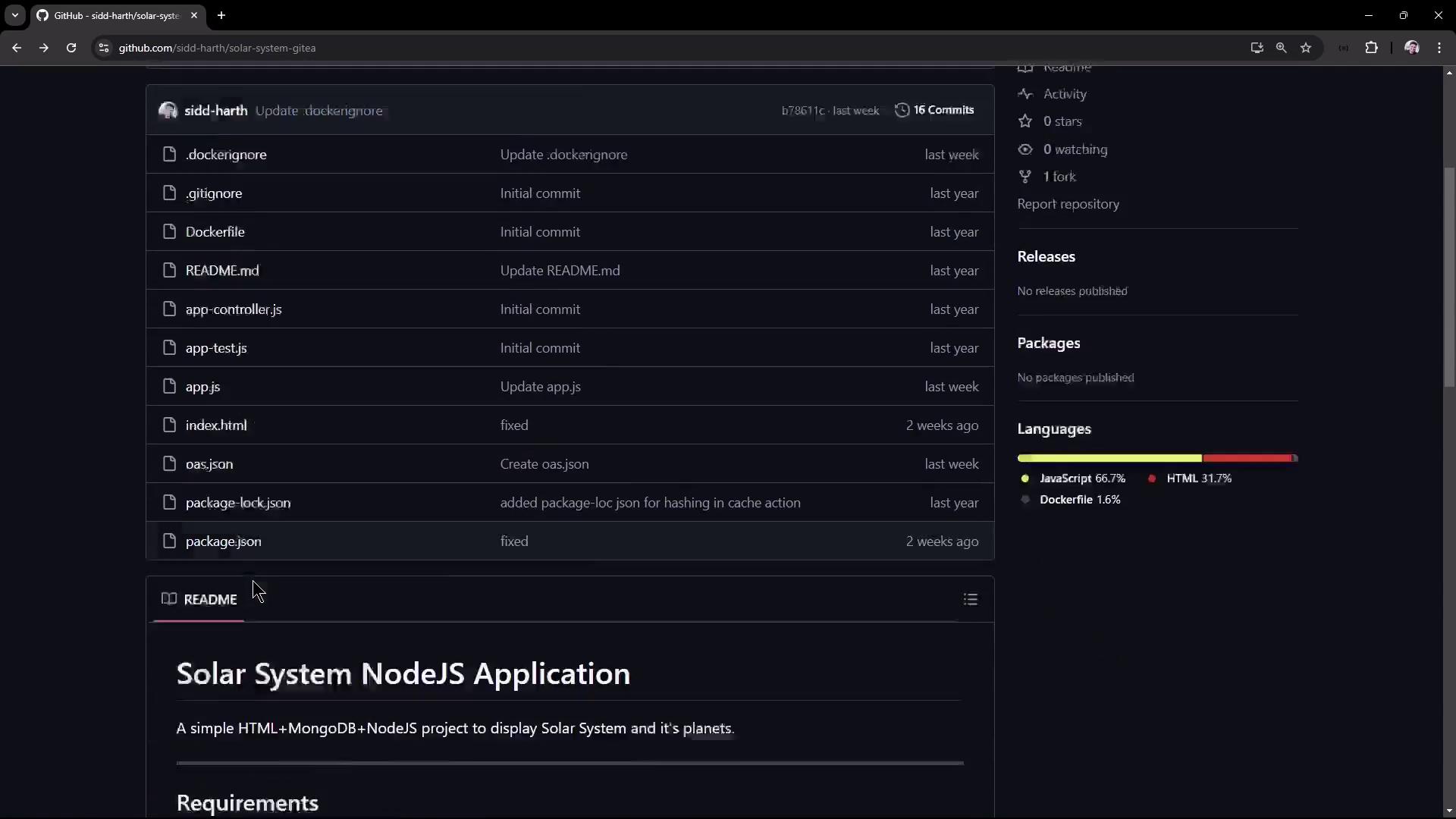
## Repository Overview
The **Solar System** app uses:
* **Express** for the REST API
* **Mongoose** for MongoDB integration
* **Mocha** & **Chai** for testing
* **nyc** for code coverage
* **serverless-http** for AWS Lambda support
### Project Structure
| File/Folder | Purpose |
| ------------------- | ------------------------------------ |
| `package.json` | Metadata, scripts, dependencies |
| `app.js` | Express setup & MongoDB connection |
| `app.controller.js` | Route definitions & Mongoose schemas |
| `client.js` | Frontend logic for `/os` endpoint |
| `app-test.js` | Mocha/Chai test suite |
| `Dockerfile` | Containerization instructions |
| `openapi.yaml` | OpenAPI 3.0 definitions |
| `index.html` | Static frontend |
## 1. Clone the Repository
```bash theme={null}
git clone https://github.com/sidd-harth/solar-system-gitea.git
cd solar-system-gitea/
```
## 2. Inspect `package.json`
Open `package.json` to review scripts and dependencies:
```json theme={null}
{
"name": "Solar System",
"version": "6.7.6",
"scripts": {
"start": "node app.js",
"test": "mocha app-test.js --timeout 10000 --reporter mocha-junit-reporter --exit",
"coverage": "nyc --reporter cobertura --reporter lcov --reporter text --reporter json-summary mocha app-test"
},
"nyc": {
"check-coverage": true,
"lines": 90
},
"dependencies": {
"express": "^4.18.2",
"mongoose": "^5.13.20",
"cors": "^2.8.5",
"serverless-http": "^1.15.0"
},
"devDependencies": {
"mocha": "*",
"chai": "*",
"chai-http": "*"
}
}
```
Key points:
* `test` runs Mocha with JUnit output.
* `coverage` enforces ≥ 90% line coverage via **nyc**.
* **serverless-http** enables AWS Lambda compatibility.
## 3. Application Entry Point (`app.js`)
This file initializes Express, connects to MongoDB, and exports the app for tests and serverless:
```javascript theme={null}
// app.js
const path = require('path');
const express = require('express');
const bodyParser = require('body-parser');
const mongoose = require('mongoose');
const cors = require('cors');
const serverless = require('serverless-http');
const app = express();
app.use(bodyParser.json());
app.use(express.static(path.join(__dirname)));
app.use(cors());
mongoose.connect(process.env.MONGO_URI, {
user: process.env.MONGO_USERNAME,
pass: process.env.MONGO_PASSWORD,
useNewUrlParser: true,
useUnifiedTopology: true
}, err => {
if (err) console.error('MongoDB connection error:', err);
});
// Export for tests & AWS Lambda
module.exports = app;
```
## 4. Controller & Routes (`app.controller.js`)
Define the Mongoose schema and API endpoints:
```javascript theme={null}
// app.controller.js
const os = require('os');
const mongoose = require('mongoose');
const Schema = mongoose.Schema;
const dataSchema = new Schema({
id: Number,
name: String,
description: String,
image: String,
velocity: String,
distance: String
});
const Planet = mongoose.model('planets', dataSchema);
app.post('/planet', (req, res) => {
Planet.findOne({ id: req.body.id }, (err, planet) => {
if (err) return res.status(500).send(err);
res.json(planet);
});
});
app.get('/os', (req, res) => {
res.json({ os: os.hostname() });
});
app.get('/live', (req, res) => {
res.json({ status: 'live' });
});
app.get('/ready', (req, res) => {
res.json({ status: 'ready' });
});
```
## 5. Frontend Logic (`client.js`)
Fetch and display the hostname from `/os`:
```javascript theme={null}
// client.js
window.onload = () => {
fetch('/os')
.then(res => res.ok ? res.json() : Promise.reject('Request failed'))
.then(data => {
document.getElementById('hostname').innerText = `Pod - ${data.os}`;
})
.catch(console.error);
};
const btn = document.getElementById('submit');
if (btn) {
btn.addEventListener('click', () => {
// handle planet search...
});
}
```
## 6. Unit Tests (`app-test.js`)
Validate endpoints with Mocha, Chai, and `chai-http`:
```javascript theme={null}
// app-test.js
const chai = require('chai');
const chaiHttp = require('chai-http');
const app = require('./app');
chai.use(chaiHttp);
chai.should();
describe('Solar System API', () => {
describe('POST /planet', () => {
it('returns Mercury for id=1', done => {
chai.request(app)
.post('/planet')
.send({ id: 1 })
.end((err, res) => {
res.should.have.status(200);
res.body.should.include({ id: 1, name: 'Mercury' });
done();
});
});
});
it('GET /os returns host information', done => {
chai.request(app)
.get('/os')
.end((err, res) => {
res.should.have.status(200);
res.body.should.have.property('os');
done();
});
});
});
```
## 7. Dockerfile
Build an Alpine-based Node.js container:
```dockerfile theme={null}
# Dockerfile
FROM node:18-alpine3.17
WORKDIR /usr/app
COPY package*.json ./
RUN npm install
COPY . .
ENV MONGO_URI=uriPlaceholder
ENV MONGO_USERNAME=usernamePlaceholder
ENV MONGO_PASSWORD=passwordPlaceholder
EXPOSE 3000
CMD ["npm", "start"]
```
## 8. OpenAPI Spec (`openapi.yaml`)
Define three endpoints for probes and host info:
```yaml theme={null}
openapi: 3.0.0
info:
title: Solar System API
version: 1.0
paths:
/os:
get:
responses:
'200':
description: Hostname info
/live:
get:
responses:
'200':
description: Liveness probe
/ready:
get:
responses:
'200':
description: Readiness probe
```
## 9. Run Locally
1. Install dependencies:
```bash theme={null}
npm install
```
2. Export MongoDB credentials or hard-code for quick tests:
If `MONGO_URI` isn’t set, `npm test` will fail. Use:
```bash theme={null}
export MONGO_URI="your-mongo-uri"
export MONGO_USERNAME="user"
export MONGO_PASSWORD="pass"
```
3. Run tests and coverage:
```bash theme={null}
npm test
npm run coverage
```
4. Add a listener in `app.js` to start the server:
```javascript theme={null}
app.listen(3000, () => console.log('Server running on port 3000'));
```
5. Start the application:
```bash theme={null}
npm start
```
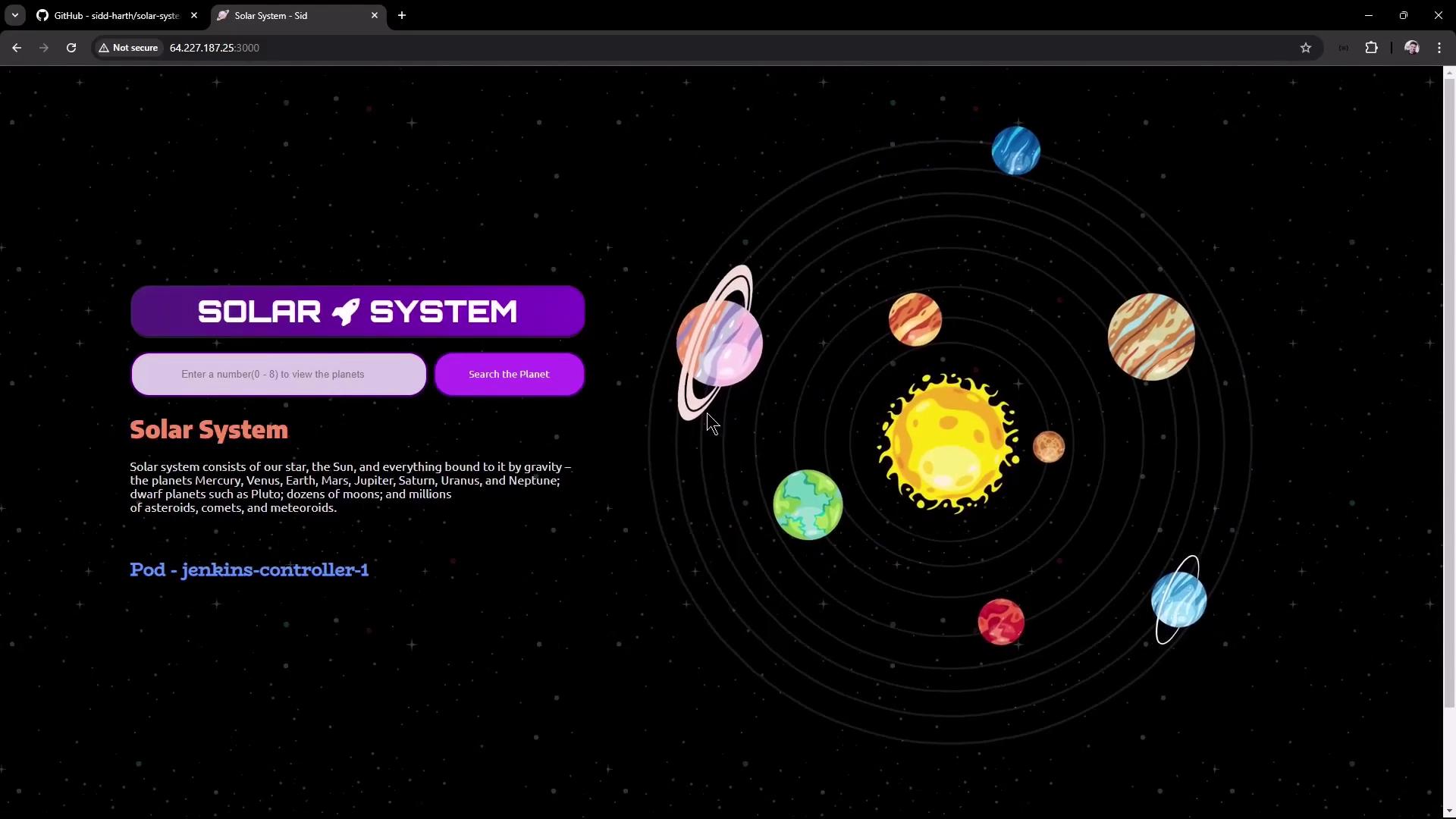
## 10. Explore in Browser
Navigate to `http://:3000` to view and search planets:
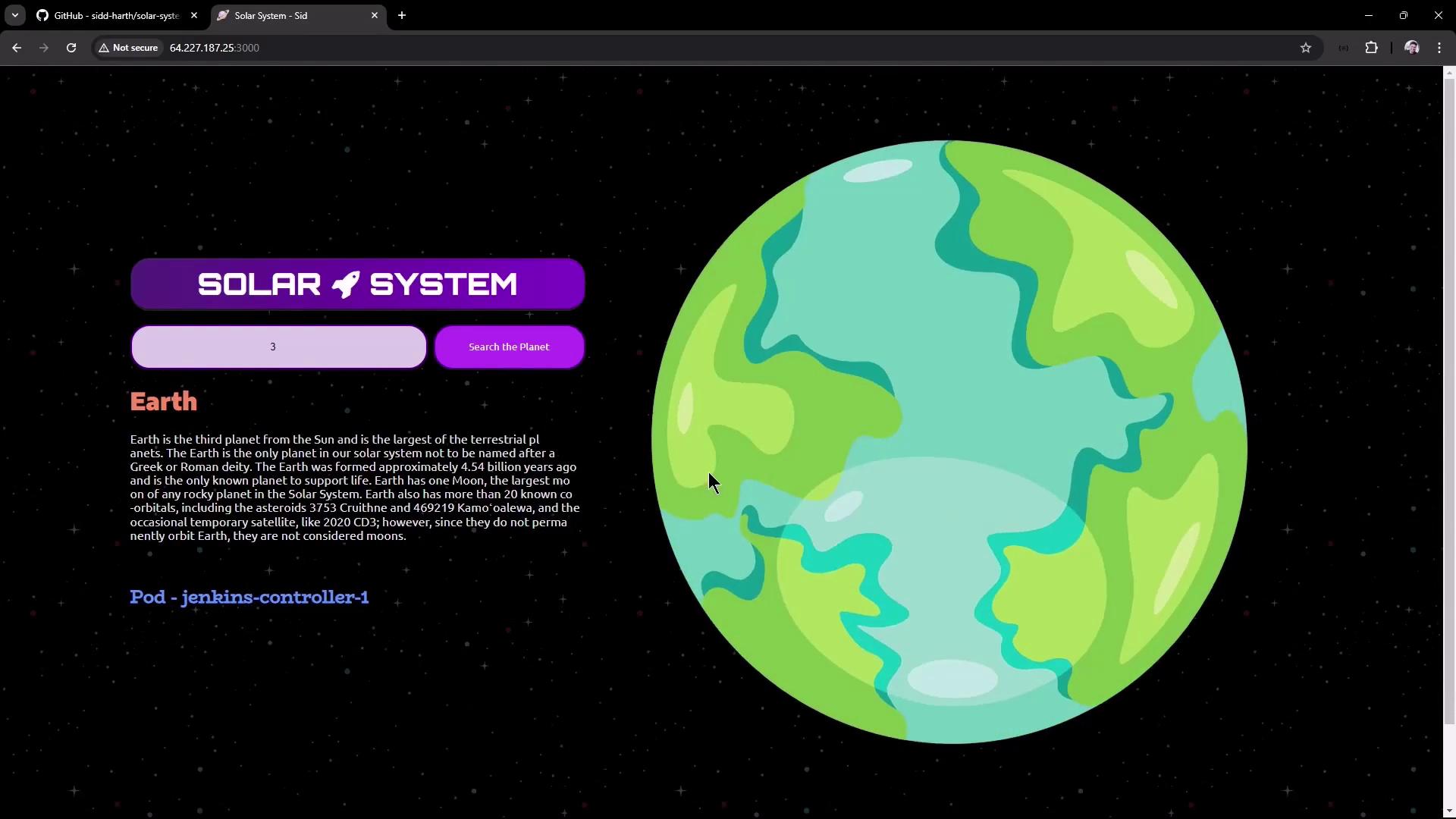
Search for ID “3” (Earth):
Test the JSON endpoints:
```bash theme={null}
curl http://:3000/os # {"os":"jenkins-controller-1"}
curl http://:3000/live # {"status":"live"}
curl http://:3000/ready# {"status":"ready"}
```
***
In the next lesson, we’ll automate cloning, building, testing, coverage enforcement, and deployment with **Jenkins pipelines**.
## Links and References
* [Node.js](https://nodejs.org/)
* [Express Guide](https://expressjs.com/)
* [Mongoose Docs](https://mongoosejs.com/)
* [Mocha](https://mochajs.org/)
* [Chai Assertion Library](https://www.chaijs.com/)
* [nyc (Istanbul CLI)](https://github.com/istanbuljs/nyc)
* [OpenAPI Specification](https://swagger.io/specification/)