> ## Documentation Index
> Fetch the complete documentation index at: https://notes.kodekloud.com/llms.txt
> Use this file to discover all available pages before exploring further.
# Demo Configure Shared Library in Jenkins
> Learn to configure a Shared Library in Jenkins for seamless code fetching and usage in pipelines.
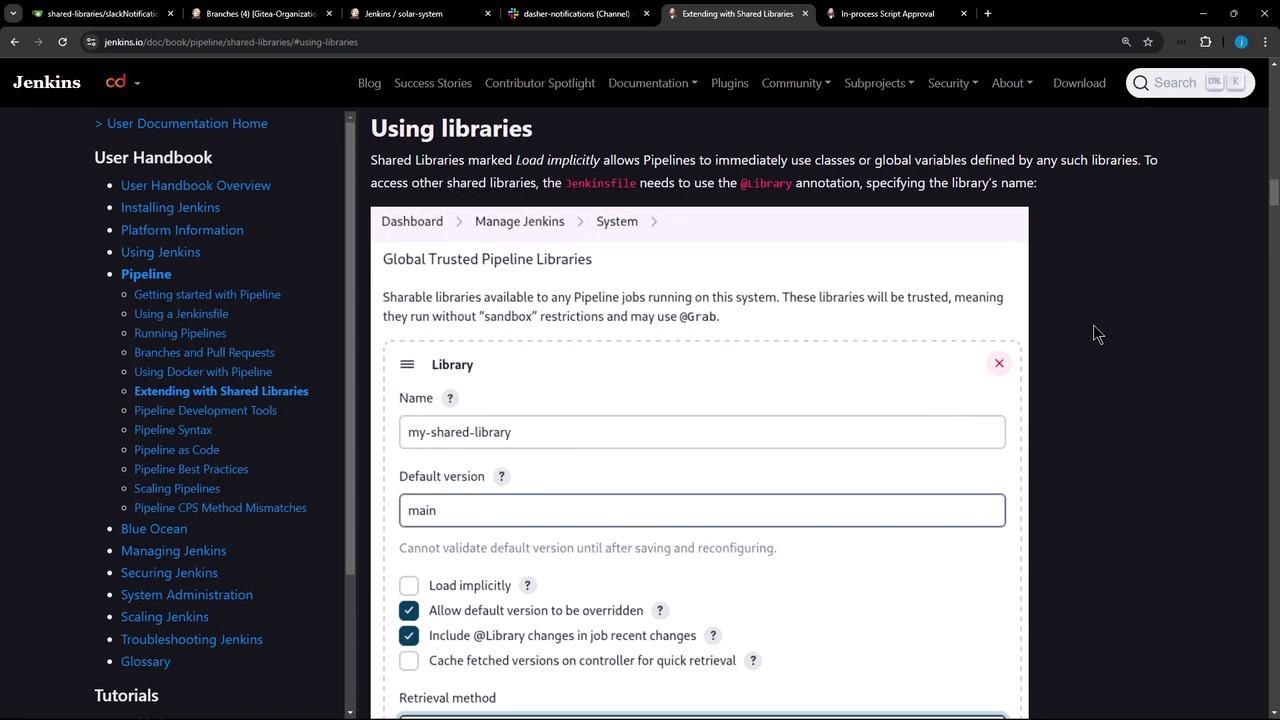
We’ve already created a Shared Library. In this guide, you’ll learn how to configure that library in Jenkins so any pipeline can fetch and use its code seamlessly. For complete reference, see the official [Jenkins Shared Library documentation](https://www.jenkins.io/doc/book/pipeline/shared-libraries/).
## 1. Shared Library Code
Assume your repository has a Groovy helper under `vars/notifySlack.groovy`:
```groovy theme={null}
def call(String buildStatus = 'STARTED') {
buildStatus = buildStatus ?: 'SUCCESS'
def color = '#ee2805'
if (buildStatus == 'SUCCESS') {
color = '#47e0c5'
} else if (buildStatus == 'UNSTABLE') {
color = '#d4e0ed'
}
def msg = "${buildStatus}: '${env.JOB_NAME} #${env.BUILD_NUMBER};\n${env.BUILD_URL}'"
slackSend(color: color, message: msg)
}
```
To use `notifySlack()` in your pipelines, configure the Shared Library in Jenkins.
***
## 2. Configure Shared Library in the Jenkins UI
1. Navigate to **Jenkins Dashboard** → **Manage Jenkins** → **Configure System**.
2. Scroll down to **Global Pipeline Libraries**.
3. Click **Add** to define a new library.
### Trusted vs. Untrusted Libraries
| Library Type | Sandbox | When to Use |
| ------------ | --------------- | ------------------------------------------- |
| Trusted | No restrictions | Your own libraries or organization-owned |
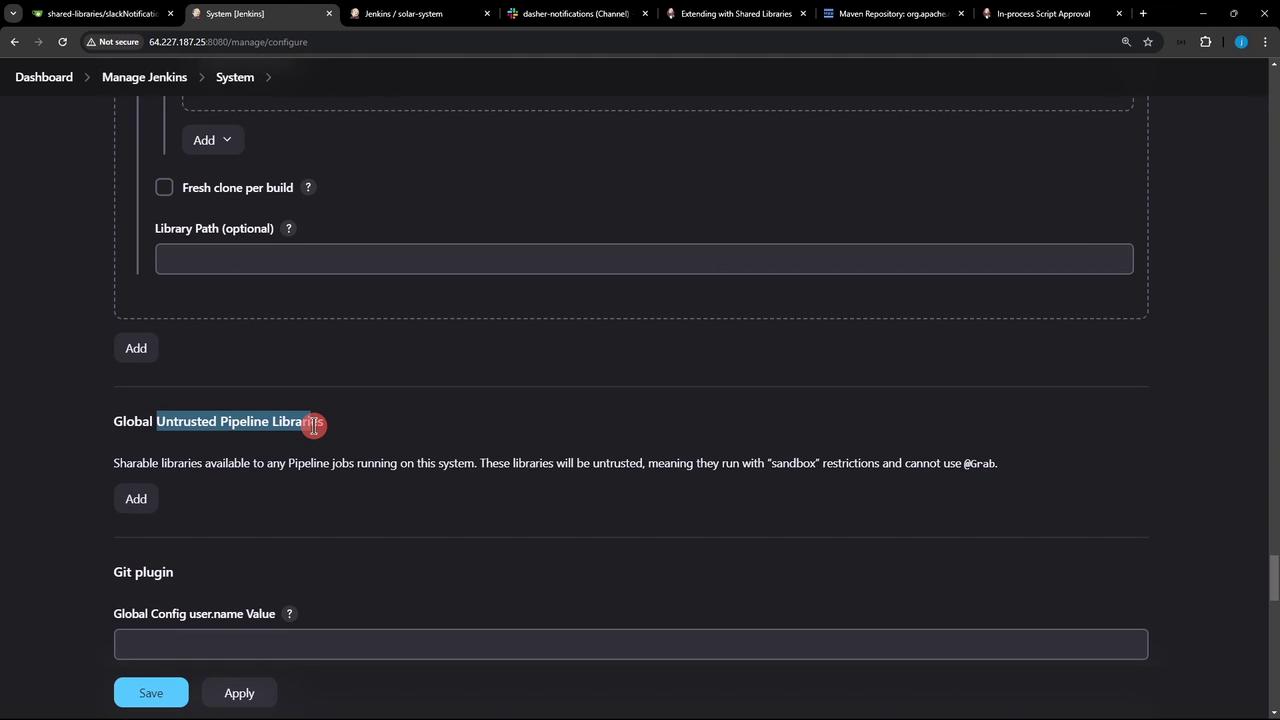
| Untrusted | Groovy sandbox | Community or third-party libraries; limited |
Untrusted libraries run in the Groovy sandbox. If your code calls methods not whitelisted, you’ll see errors like:
```text theme={null}
org.jenkinsci.plugins.scriptsecurity.sandbox.RejectedAccessException:
Scripts not permitted to use staticMethod org.codehaus.groovy.runtime.DefaultGroovyMethods get java.util.Map
```
Admin approval is required to whitelist new methods.
***
## 3. Adding a Trusted Shared Library
In **Global Pipeline Libraries**, fill out:
1. **Name**: `Dasher-Trusted-Shared-Libraries`
2. **Default version**: `main`
3. **Load implicitly**: *unchecked*
4. **Allow default version to be overridden**: *checked*
5. **Include in job recent changes**: *as desired*
6. **Retrieval method**: **Git**
7. **Project repository**: ``
8. **Credentials**: *none* (public repo)
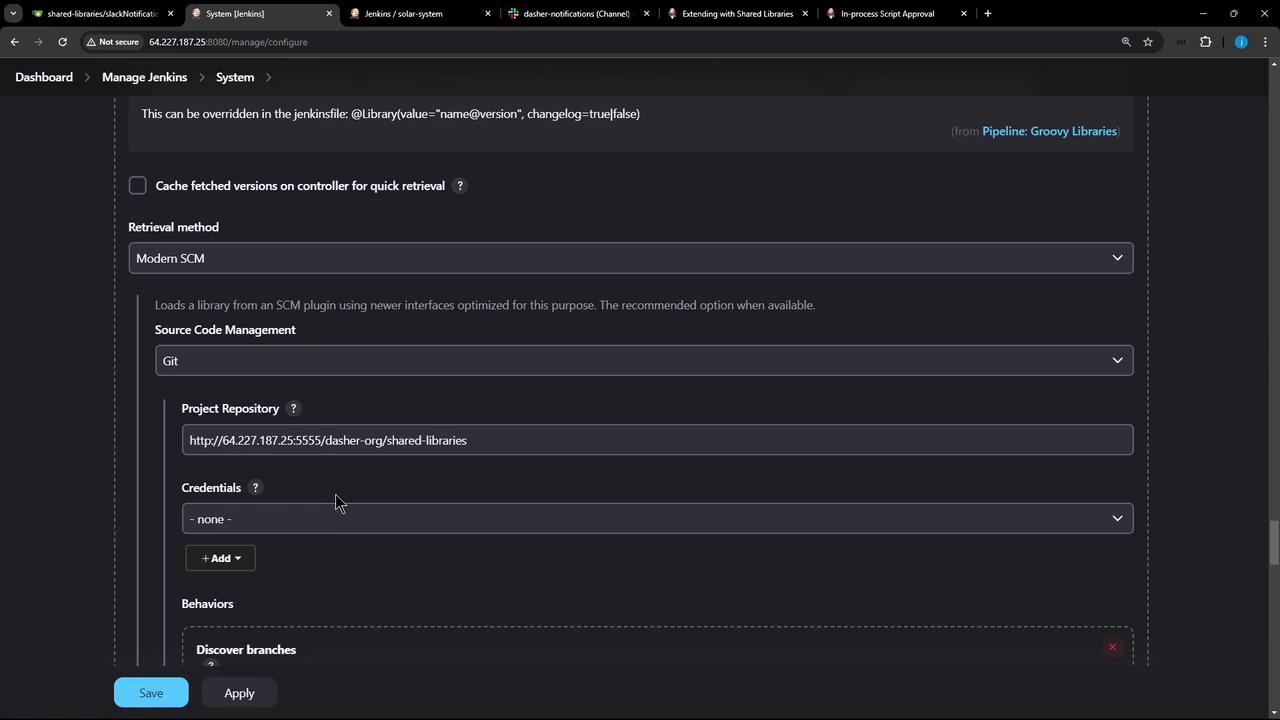
Click **Apply** → **Save**. Your library is now available for pipelines.
***
## 4. Pulling Dependencies with @Grab
Trusted libraries can use `@Grab` to fetch third-party Java dependencies from Maven Central:
```groovy theme={null}
@Grab('org.apache.commons:commons-math3:3.4.1')
import org.apache.commons.math3.primes.Primes
void parallelize(int count) {
if (!Primes.isPrime(count)) {
error "${count} was not prime"
}
// …
}
def request = libraryResource 'mycorp/pipeline/some/lib/request.json'
```
These coordinates correspond to:
```xml theme={null}
org.apache.commons
commons-math3
3.4.1
```
`@Grab` works only in a trusted library (no sandbox). Attempting it in an untrusted library triggers sandbox violations and requires admin approval for each new method.
***
## 5. Next Steps
You’ve configured a trusted Shared Library. Next, we’ll load it in a Jenkinsfile using the `@Library` annotation and demonstrate common patterns for reusable pipeline functions.
## Links and References
* [Jenkins Shared Library](https://www.jenkins.io/doc/book/pipeline/shared-libraries/)
* [Jenkins Pipeline Syntax](https://www.jenkins.io/doc/book/pipeline/syntax/)
* [Script Security Plugin](https://plugins.jenkins.io/script-security/)
* [Maven Central Repository](https://search.maven.org/)