> ## Documentation Index
> Fetch the complete documentation index at: https://notes.kodekloud.com/llms.txt
> Use this file to discover all available pages before exploring further.
# Demo Create a Shared Library for Slack Notification
> Learn to create a Jenkins Shared Library for reusable Slack notifications across multiple pipelines, reducing code duplication and maintenance efforts.
Learn how to extract common Slack notification logic into a reusable Jenkins Shared Library for consistent alerts across multiple pipelines.
## Why Use a Shared Library?
Embedding Slack notification code directly in each `Jenkinsfile` leads to duplicate scripts and maintenance headaches. A Shared Library lets you:
* Centralize notification logic
* Update formats or colors in one place
* Enforce consistent Slack workflows organization-wide
Example of duplicated code in a typical `Jenkinsfile`:
```groovy theme={null}
def slackNotificationMethod(String buildStatus = 'STARTED') {
buildStatus = buildStatus ?: 'SUCCESS'
// ... color logic ...
slackSend(color: color, message: msg)
}
```
## 1. Create the Shared Library Repository
1. In your Git hosting platform (e.g. [Gitea](https://gitea.io), [GitHub](https://github.com)), create a new repository named `shared-libraries` under your organization (`dasher-org`).
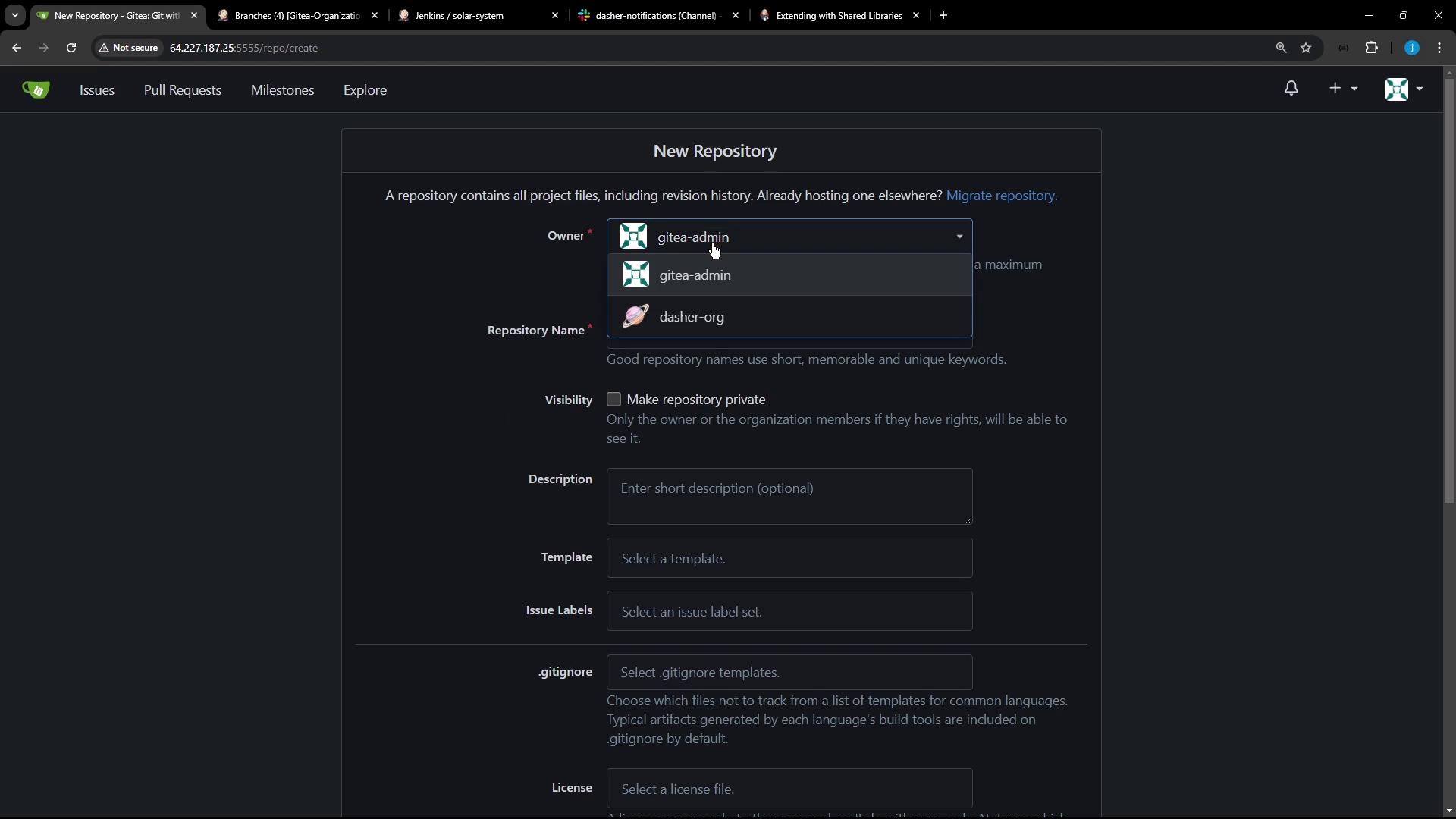
2. Initialize and push to `main`:
```bash theme={null}
touch README.md
git init
git checkout -b main
git add README.md
git commit -m "Initialize shared library repository"
git remote add origin http://64.227.187.25:5555/dasher-org/shared-libraries.git
git push -u origin main
```
## 2. Define the Repository Layout
Jenkins Shared Libraries follow this directory structure:
```text theme={null}
(shared-libraries)
├── src
│ └── org
│ └── foo
│ └── Bar.groovy
├── vars
│ ├── foo.groovy
│ └── foo.txt
└── resources
└── org
└── foo
└── bar.json
```
* `src/org/...` holds Groovy classes.
* `vars/` contains global scripts (e.g., `slackNotification.groovy`) and help text.
* `resources/` stores static assets like JSON.
Learn more in the [Jenkins Shared Library Documentation](https://www.jenkins.io/doc/book/pipeline/shared-libraries/).
## 3. Add Slack Notification Logic
Create `vars/slackNotification.groovy`:
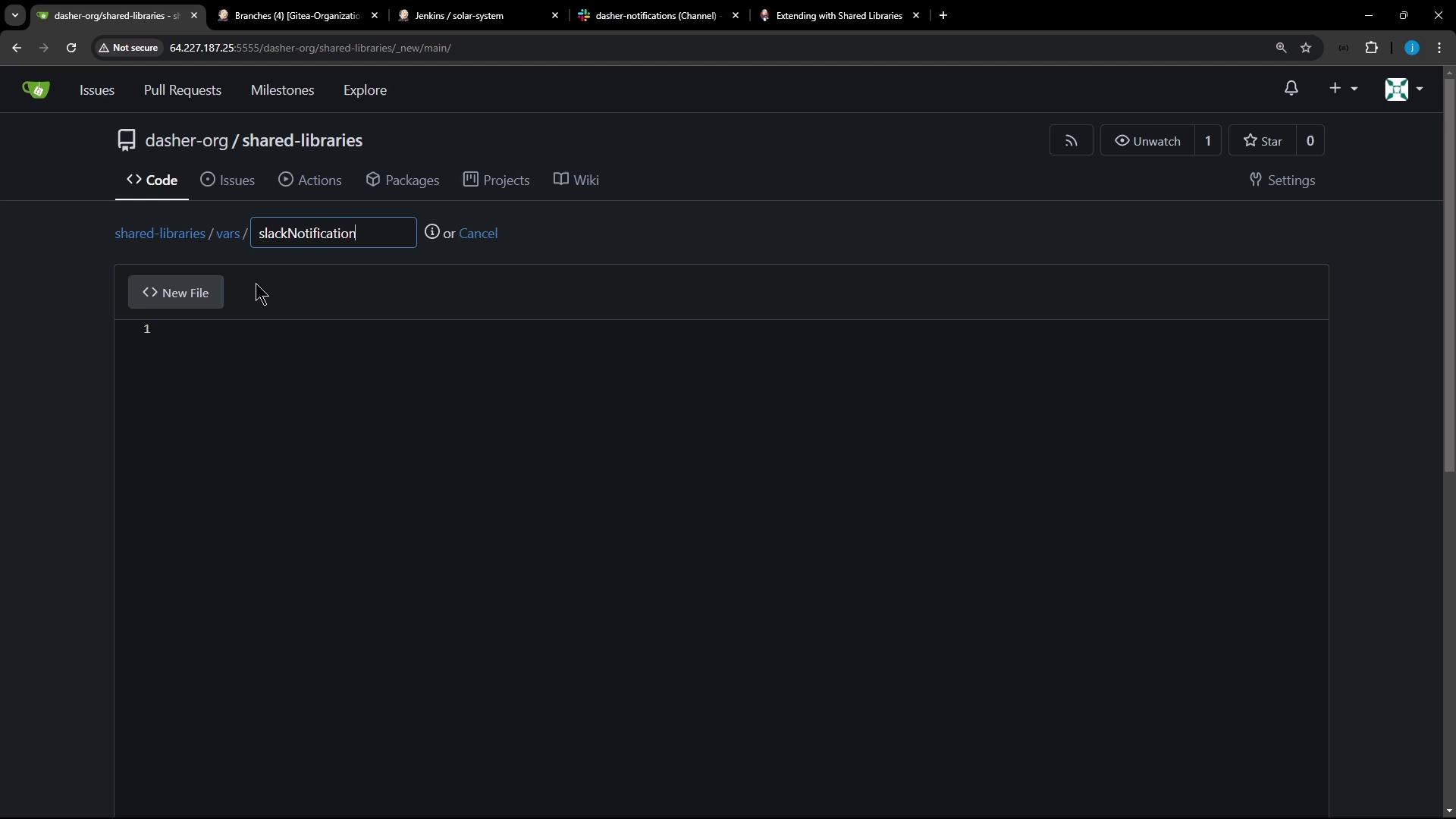
```groovy theme={null}
// vars/slackNotification.groovy
def call(String buildStatus = 'STARTED') {
// Default to SUCCESS if unset
buildStatus = buildStatus ?: 'SUCCESS'
// Map statuses to Slack colors
def color = switch (buildStatus) {
case 'SUCCESS' -> '#47ec05'
case 'UNSTABLE' -> '#d5ee0d'
default -> '#ec2805'
}
// Construct and send the notification
def msg = "${buildStatus}: ${env.JOB_NAME} #${env.BUILD_NUMBER}\n${env.BUILD_URL}"
slackSend(color: color, message: msg)
}
```
Defining a `call` method lets you invoke `slackNotification()` directly in your pipeline like a built-in step.
### Build Status Color Reference
| Build Status | Slack Color Code |
| ------------ | ---------------- |
| SUCCESS | `#47ec05` |
| UNSTABLE | `#d5ee0d` |
| Others | `#ec2805` |
## 4. Use the Shared Library in Your Pipeline
1. Go to **Manage Jenkins** > **Configure System**.
2. Under **Global Pipeline Libraries**, add:
* **Name**: `shared-libraries`
* **Default version**: `main`
* **Retrieval method**: Modern SCM (Git)
Then in any `Jenkinsfile`:
```groovy theme={null}
@Library('shared-libraries') _
pipeline {
agent any
stages {
stage('Build') {
steps {
echo 'Building...'
}
}
stage('Notify') {
steps {
// Default status SUCCESS
slackNotification()
// Or custom status:
// slackNotification('FAILURE')
}
}
}
}
```
Ensure the Slack Notification plugin is installed and a valid Slack workspace credential is configured under **Manage Jenkins** > **Configure System**.
## Links and References
* [Jenkins Shared Libraries](https://www.jenkins.io/doc/book/pipeline/shared-libraries/)
* [Slack Notification Plugin](https://plugins.jenkins.io/slack/)
* [Jenkins Pipeline Syntax](https://www.jenkins.io/doc/book/pipeline/syntax/)
* [Gitea Documentation](https://docs.gitea.io/)