> ## Documentation Index
> Fetch the complete documentation index at: https://notes.kodekloud.com/llms.txt
> Use this file to discover all available pages before exploring further.
# Demo Loading the Shared Library in Pipeline
> Learn to invoke a Jenkins Shared Library from your pipeline to standardize notifications and replace inline Groovy methods.
In a previous tutorial, we configured a [Jenkins Shared Library][jenkins-shared-library]. In this demo, you’ll learn how to invoke that library from your pipeline to replace inline Groovy methods and standardize notifications across jobs.
## 1. Confirm Shared Library Configuration
1. In the Jenkins UI, navigate to **Manage Jenkins > Configure System**.
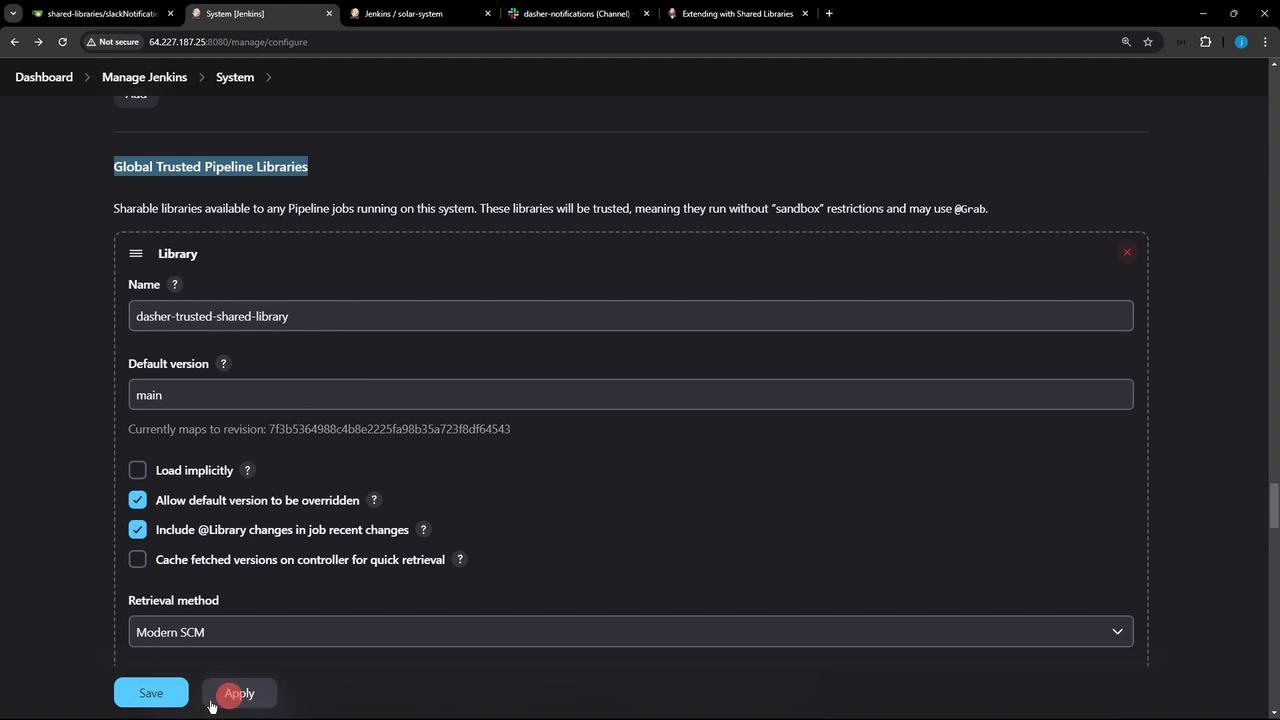
2. Scroll down to the **Global Pipeline Libraries** section.
3. Verify that your library (e.g., `dashers-trusted-shared-library`) is listed with the correct default version (`main`) and retrieval method (e.g., Git).
4. Note the latest commit ID fetched from your repository—this ensures Jenkins is using the intended code.
## 2. Reference the Shared Library in Your Jenkinsfile
Switch to the `feature/advanced-demo` branch of your project repository. First, remove any inline Slack notification methods or other utility functions you intend to centralize.
```groovy theme={null}
// Delete this block from your Jenkinsfile
def slackNotificationMethod(String buildStatus = 'STARTED') {
buildStatus = buildStatus ?: 'SUCCESS'
def color = (buildStatus == 'SUCCESS') ? '#47ec05'
: (buildStatus == 'UNSTABLE') ? '#d5ee0d'
: '#ec2805'
def msg = "${buildStatus}: '${env.JOB_NAME}' #${env.BUILD_NUMBER}:\n${env.BUILD_URL}"
slackSend(color: color, message: msg)
}
```
Instead, add the `@Library` annotation at the very top. Make sure to match the library name configured in Jenkins:
```groovy theme={null}
@Library('dashers-trusted-shared-library') _
pipeline {
agent any
tools {
// e.g., maven 'M3'
}
environment {
MONGO_URI = "mongodb+srv://supercluster.d83jj.mongodb.net/superData"
MONGO_DB_CREDS = credentials('mongo-db-credentials')
MONGO_USERNAME = credentials('mongo-db-username')
MONGO_PASSWORD = credentials('mongo-db-password')
SONAR_SCANNER_HOME = tool 'sonarqube-scanner-610'
GITEA_TOKEN = credentials('gitea-api-token')
}
options {
// Pipeline-level options (timestamps, timeout, etc.)
}
stages {
stage('Installing Dependencies') {
options { timestamps() }
steps {
sh 'npm install --no-audit'
}
}
// Add more stages as needed
}
post {
always {
// Call the shared library’s notification method
slackNotification(currentBuild.result)
script {
if (fileExists('solar-system-gitops-argocd')) {
sh 'rm -rf solar-system-gitops-argocd'
}
}
}
}
}
```
The underscore (`_`) after the `@Library` annotation is mandatory syntax when importing a Shared Library.
## 3. Commit Changes and Trigger the Build
Commit your updated Jenkinsfile and push the feature branch:
```bash theme={null}
git add Jenkinsfile
git commit -m "Load shared library and replace inline Slack notification"
git push origin feature/advanced-demo
```
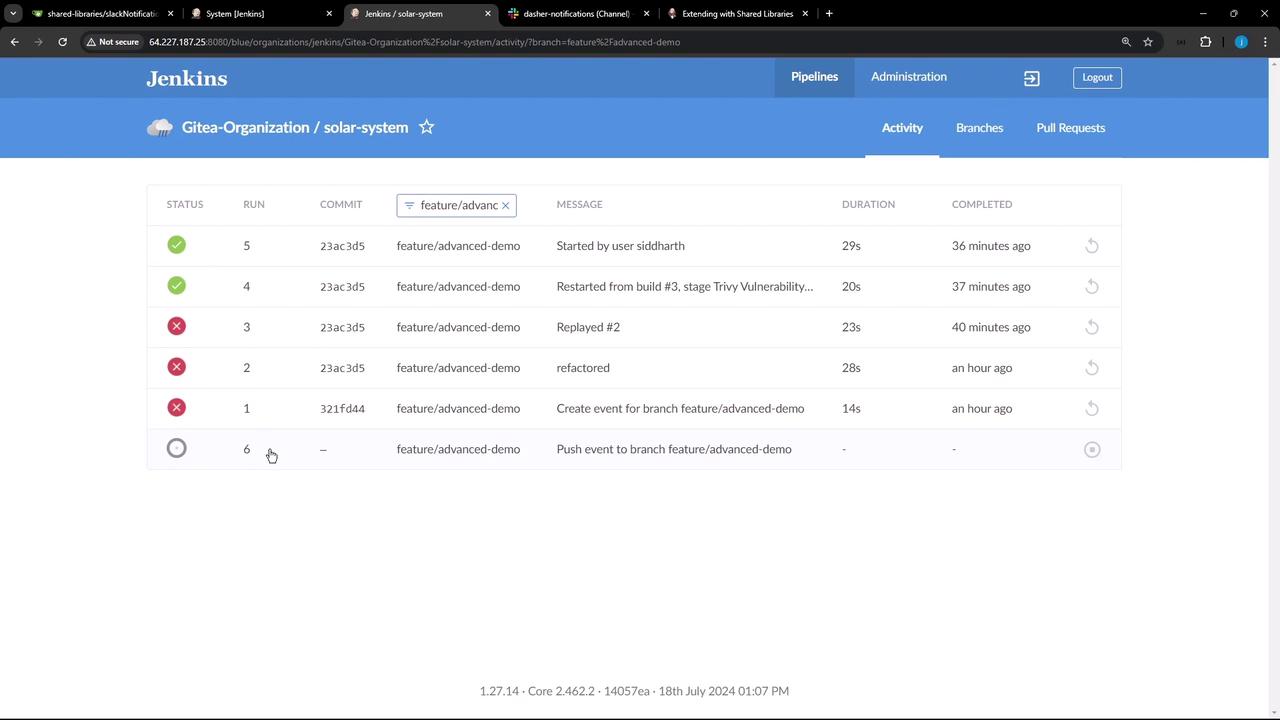
Jenkins will detect the new commit and automatically launch a build. On your Jenkins dashboard, you should see the new build for your project:
## 4. Verify Library Loading in the Console Log
Open the classic console log for the triggered build and search for “Loading library”:
```text theme={null}
[Pipeline] git
Fetching from http://64.227.187.25:5555/dasher-org/shared-libraries
...
[Pipeline] Loading library dashers-trusted-shared-library@main
...
[Pipeline] git
> git fetch --no-tags --progress http://64.227.187.25:5555/dasher-org/shared-libraries +refs/heads/*:refs/remotes/origin/*
> git checkout -f main
...
[Pipeline] slackSend
Slack Send Pipeline step running, values are – channel: dasher-notifications, color: #47ec05, tokenCredentialId: slack-bot-token, …
```
These log entries confirm that Jenkins checked out the Shared Library and invoked its `slackNotification` method (including color logic and messaging).
## 5. Shared Library Benefits
| Benefit | Description |
| ----------------------- | ---------------------------------------------------- |
| DRY | Reuse common pipeline functions across multiple jobs |
| Versioning | Control library versions with Git branches or tags |
| Centralized maintenance | Update shared logic in one place for all pipelines |
## Next Steps
In upcoming tutorials, we will explore:
* Managing multiple library versions with `@Library('lib@1.2.3')`
* Advanced features such as global variables, custom steps, and credentials binding
* Best practices for testing Shared Library code
***
## Links and References
* [Jenkins Shared Library Documentation][jenkins-shared-library]
* [Pipeline Syntax Reference][jenkins-pipeline]
* [Slack Notification Plugin][slack-plugin]
[jenkins-shared-library]: https://www.jenkins.io/doc/book/pipeline/shared-libraries/
[jenkins-pipeline]: https://www.jenkins.io/doc/book/pipeline/syntax/
[slack-plugin]: https://plugins.jenkins.io/slack/