> ## Documentation Index
> Fetch the complete documentation index at: https://notes.kodekloud.com/llms.txt
> Use this file to discover all available pages before exploring further.
# Demo Refactor existing Jenkinsfile
> Learn to streamline an existing Jenkins Pipeline for advanced demonstrations by refactoring the Jenkinsfile to include only essential stages and organized reports.
In this lesson, you will learn how to streamline an existing Jenkins Pipeline in preparation for advanced demonstrations. We assume you’re already familiar with [Jenkins Pipeline basics](https://www.jenkins.io/doc/book/pipeline/). By the end, you’ll have a lean `Jenkinsfile` with only essential stages, organized Trivy reports, and a dedicated branch for future enhancements.
## Recap of Our Jenkins Setup
First, navigate to your Jenkins dashboard. We’re using a **Git Organization Folder** job configured with two repositories. In the `solar-system` repo, we’ve been working on the `feature/enabling-flag` branch.
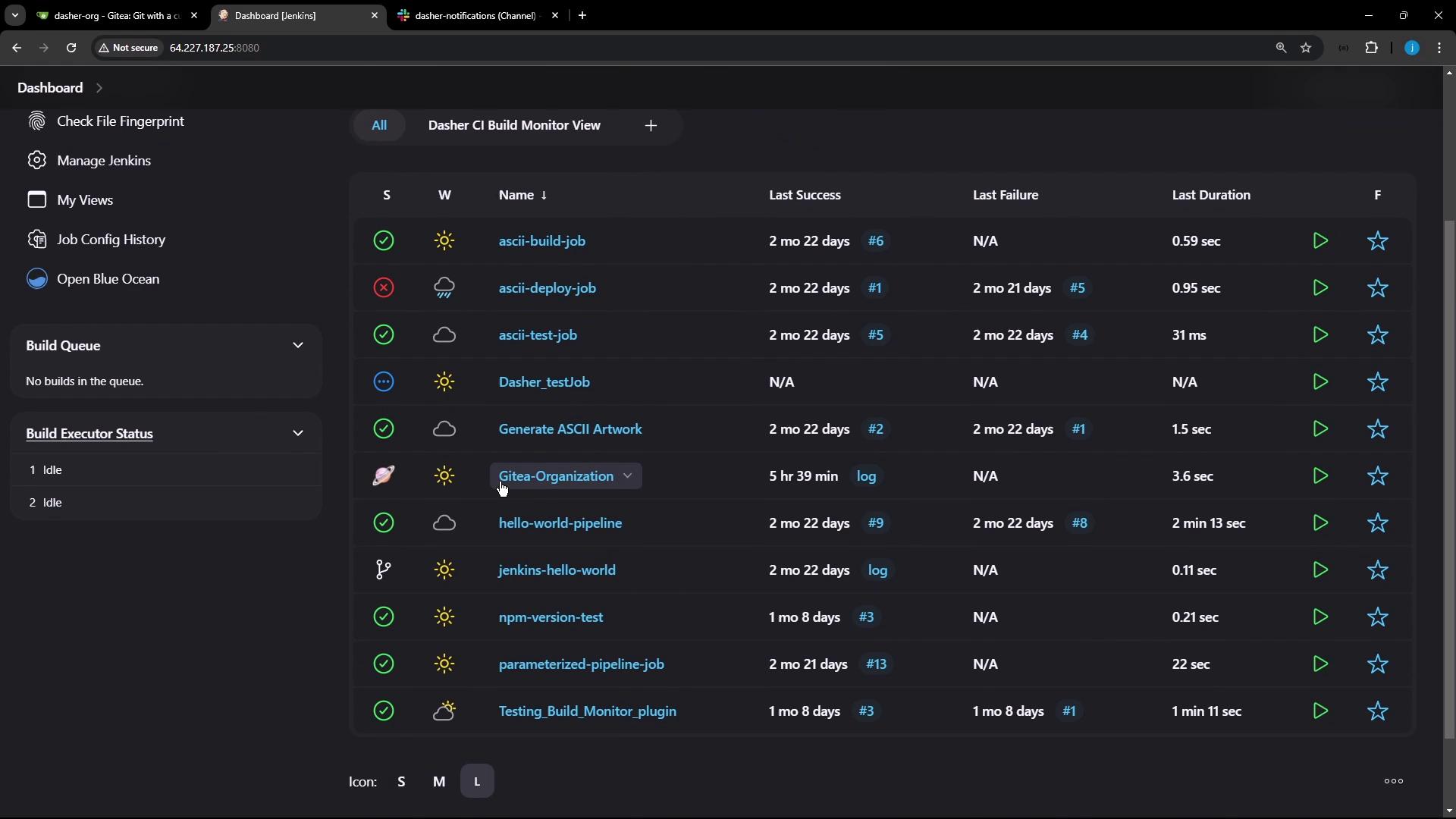
Inside the `solar-system` organization folder, multiple branches are listed. Last time, our focus was `feature/enabling-flag`.
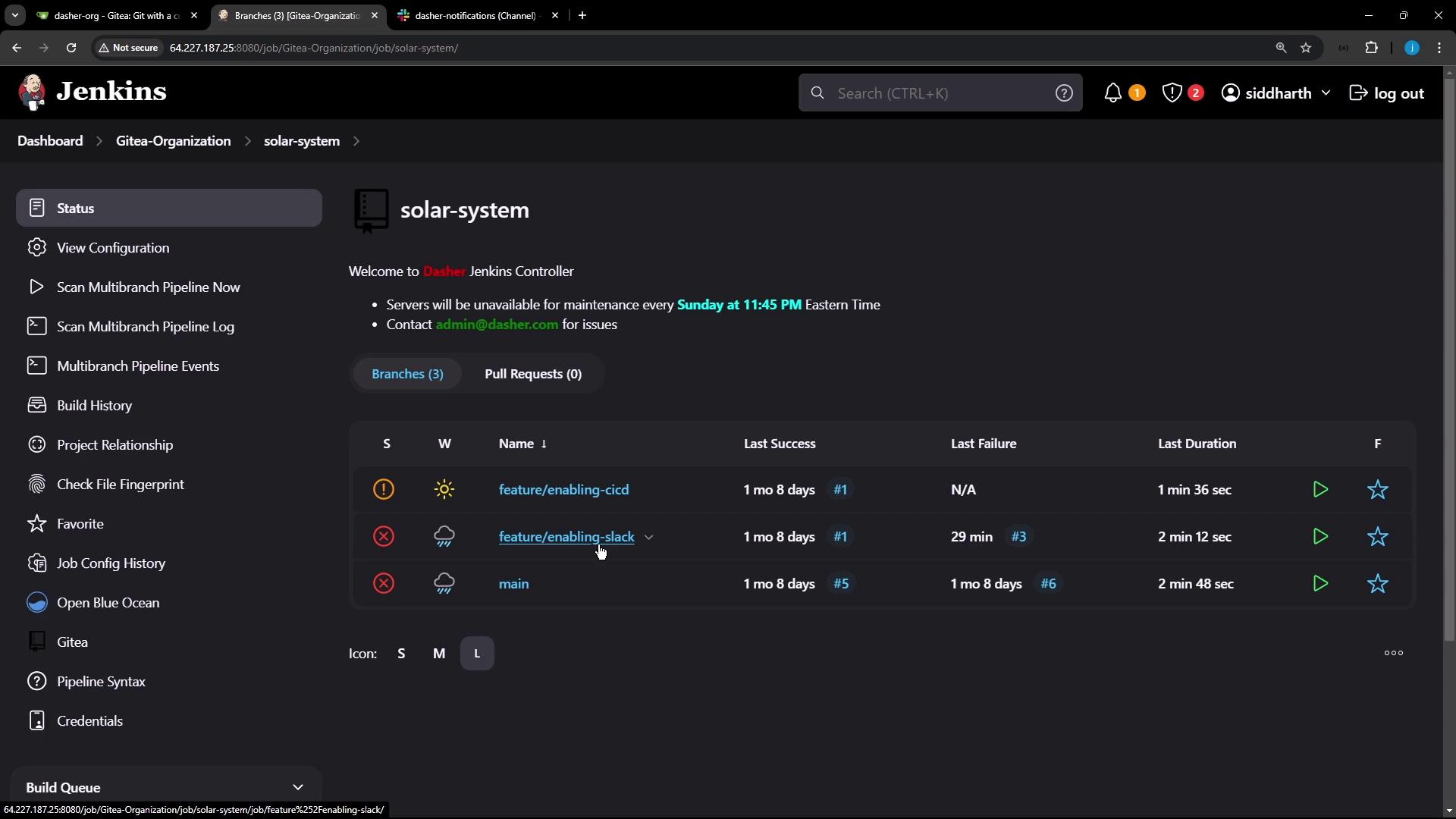
On the Git hosting side, the repository belongs to the `dasher-org` organization and currently has three branches, including `feature/enabling-slack`.
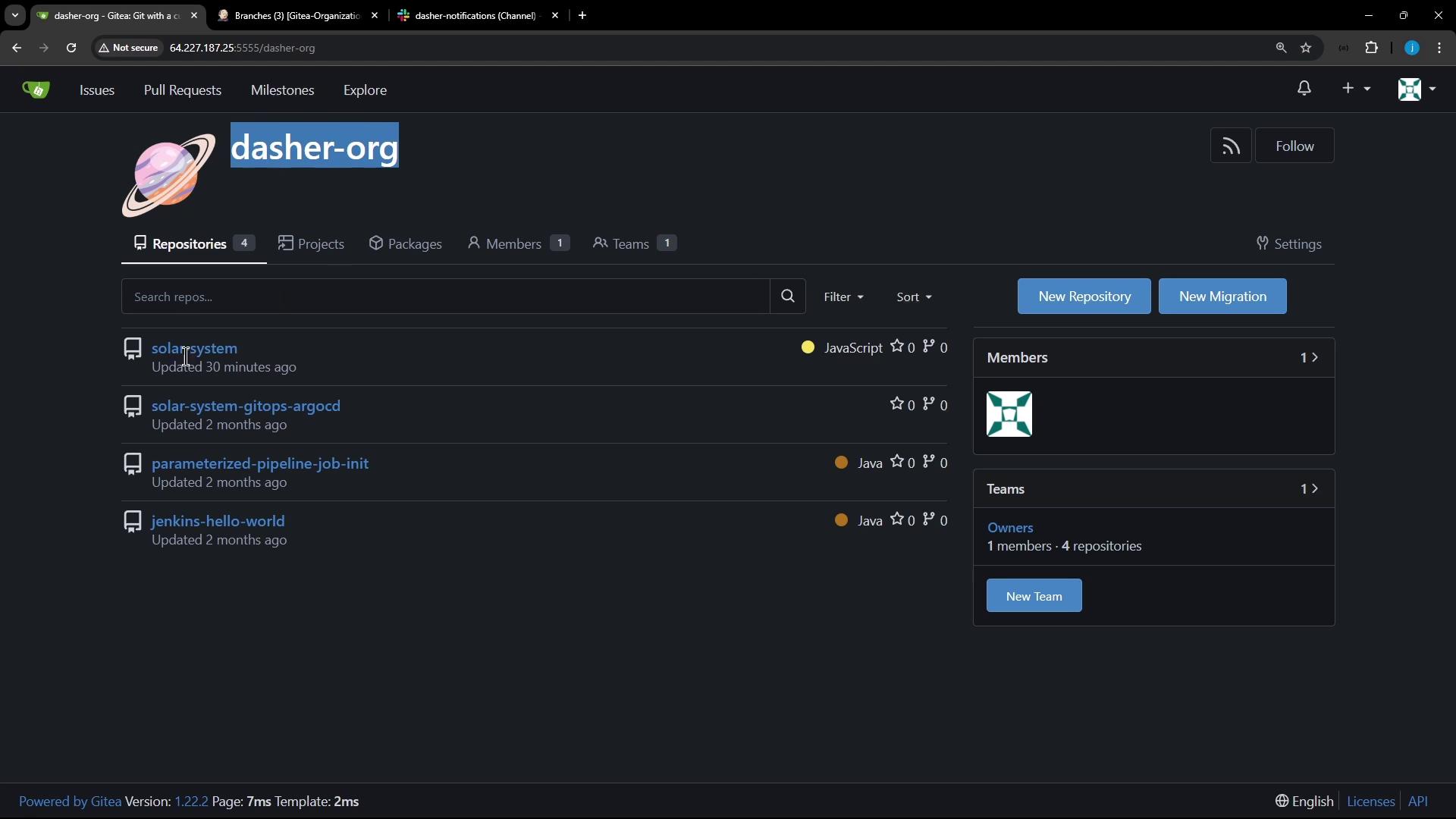
Here’s the code view on the `feature/enabling-slack` branch, showing recent commits and file structure.
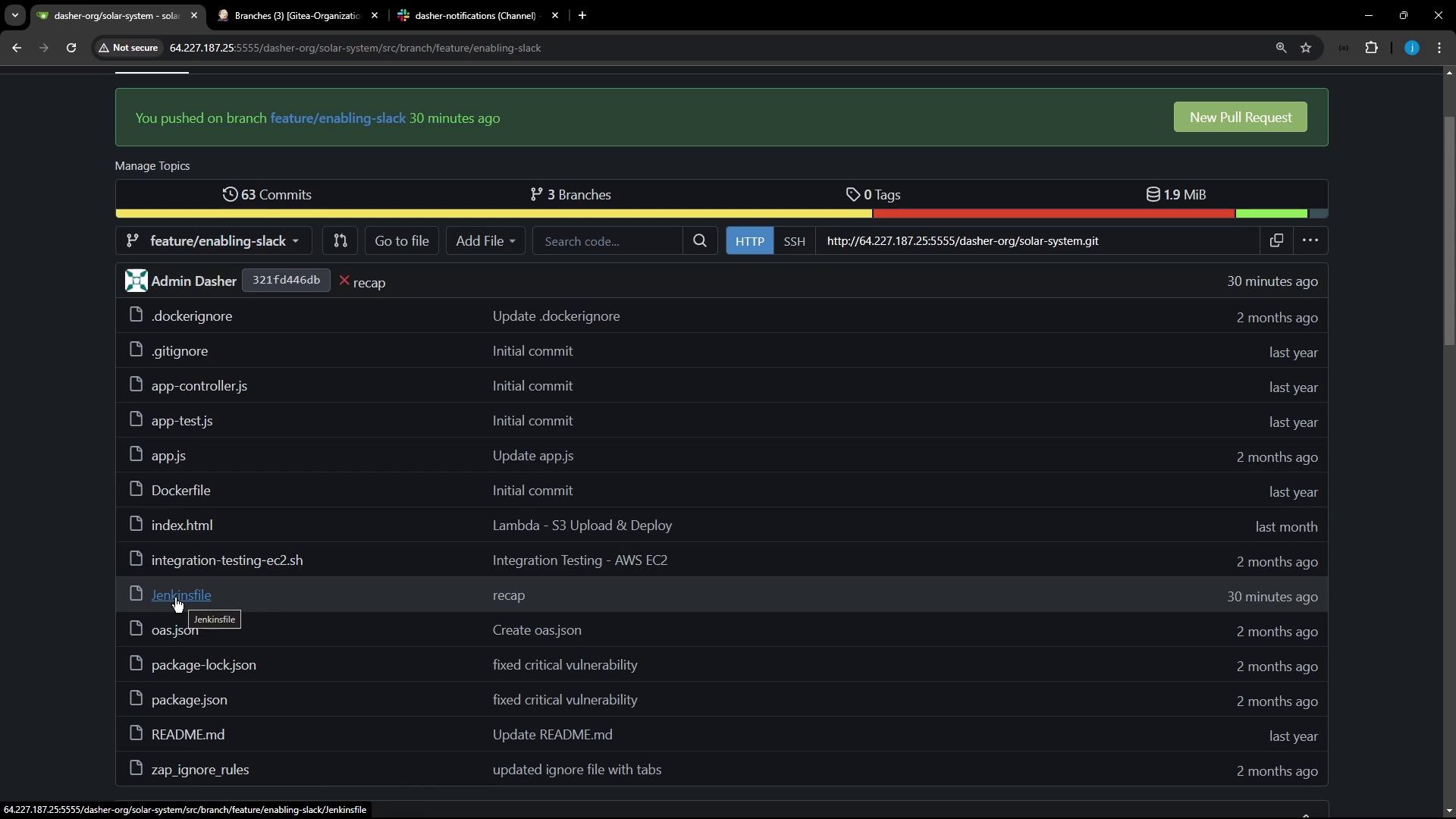
## Editing the Jenkinsfile
Switch to your local `solar-system` directory and check out the `feature/enabling-slack` branch:
```bash theme={null}
cd solar-system
git checkout feature/enabling-slack
```
Open **Jenkinsfile** in your code editor. It contains roughly 19 stages including notifications, dependency checks, testing, Docker builds, deployments, and more. For our advanced demos, we only need these stages:
| Stage | Purpose | Command(s) |
| ------------------------ | ------------------------------------------------ | ---------------------------------------------------------- |
| Installing Dependencies | Install NPM packages without audit | `npm install --no-audit` |
| Dependency Scanning | Run NPM audit | `npm audit --json > npm-audit-results.json` |
| Unit Testing | Execute unit tests | `npm test` |
| Code Coverage | Generate coverage reports | `npm run coverage`
(Fails safe with `catchError`) |
| Build Docker Image | Build application container | `docker build -t siddharth67/solar-system:$GIT_COMMIT .` |
| Trivy Vulnerability Scan | Scan Docker image and publish HTML/JUnit reports | `trivy image …` + `trivy convert …` (see detailed snippet) |
We’re removing all other stages (e.g., OWASP Dependency Check, deployment) by commenting them out. This keeps the pipeline focused and faster to iterate.
### Original Notification and Pipeline Block
Below is the initial portion of the `Jenkinsfile`, including the Slack notification logic and full pipeline definition:
```groovy theme={null}
// Slack notification function
def color = '#ec2805'
def msg = "${buildStatus}: `${env.JOB_NAME} #${env.BUILD_NUMBER}:\n${env.BUILD_URL}`"
slackSend(color: color, message: msg)
pipeline {
agent any
environment {
MONGO_URI = "mongodb+srv://supercluster.d83jj.mongodb.net/superData"
MONGO_DB_CREDS = credentials('mongo-db-credentials')
MONGO_USERNAME = credentials('mongo-db-username')
MONGO_PASSWORD = credentials('mongo-db-password')
}
stages {
// …
}
post {
always {
slackSend(color: color, message: msg)
}
}
}
```
### Refactored Jenkinsfile
Comment out unused stages and update the `stages` block:
```groovy theme={null}
pipeline {
agent any
environment {
MONGO_URI = "mongodb+srv://supercluster.d83jj.mongodb.net/superData"
MONGO_DB_CREDS = credentials('mongo-db-credentials')
}
options {
timestamps()
}
stages {
stage('Installing Dependencies') {
steps {
sh 'npm install --no-audit'
}
}
stage('Dependency Scanning') {
parallel {
stage('NPM Dependency Audit') {
steps {
sh 'npm audit --json > npm-audit-results.json'
}
}
// stage('OWASP Dependency Check') { … }
}
}
stage('Unit Testing') {
steps {
sh 'npm test'
}
}
stage('Code Coverage') {
steps {
catchError(buildResult: 'SUCCESS', message: 'Coverage thresholds failed', stageResult: 'FAILURE') {
sh 'npm run coverage'
}
}
}
stage('Build Docker Image') {
steps {
sh 'docker build -t siddharth67/solar-system:$GIT_COMMIT .'
}
}
stage('Trivy Vulnerability Scanner') {
steps {
sh '''
trivy image siddharth67/solar-system:$GIT_COMMIT --severity LOW,MEDIUM,HIGH \
--exit-code 0 --quiet --format json -o trivy-results.json
trivy convert --format template \
--template "/usr/local/share/trivy/templates/html.tpl" \
--output trivy-results.html trivy-results.json
trivy convert --format template \
--template "/usr/local/share/trivy/templates/junit.tpl" \
--output trivy-results.xml trivy-results.json
'''
}
post {
always {
publishHTML([
allowMissing: true,
alwaysLinkToLastBuild: true,
keepAll: true,
reportDir: '.',
reportFiles: 'trivy-results.html',
reportName: 'Trivy HTML Report'
])
junit testResults: 'trivy-results.xml', allowEmptyResults: true
}
}
}
}
post {
always {
slackSend(
color: '#ec2805',
message: "${currentBuild.currentResult}: ${env.JOB_NAME} #${env.BUILD_NUMBER} - ${env.BUILD_URL}"
)
}
}
}
```
## Creating a New Branch for Advanced Demos
Rather than committing directly to `feature/enabling-slack`, spin off a dedicated branch:
1. Push any local changes on `feature/enabling-slack`.
2. In your Git UI, create `feature/advanced-demo` from `feature/enabling-slack`.
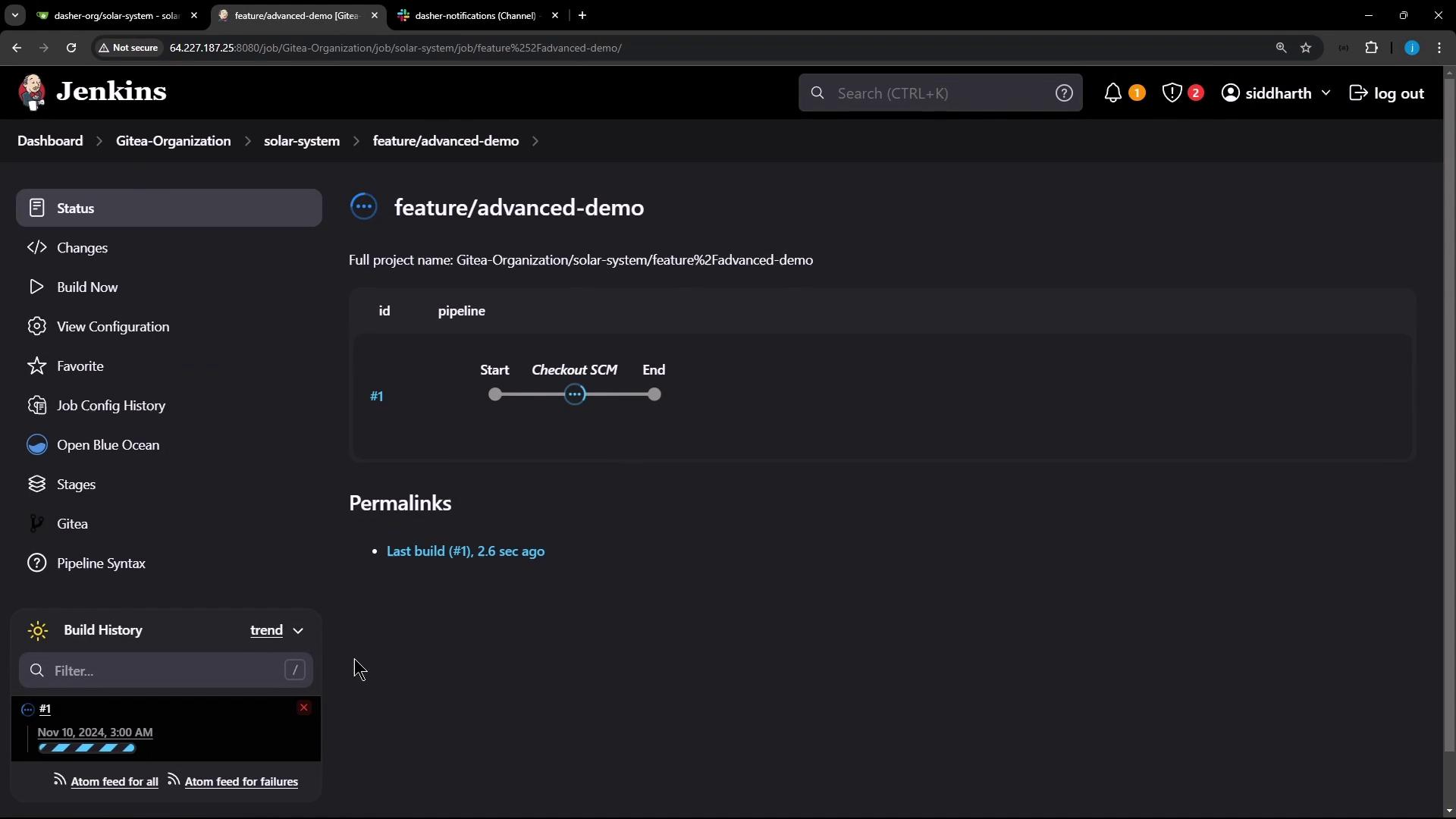
3. Jenkins detects the new branch and automatically triggers a build.
Locally switch to the new branch:
```bash theme={null}
git fetch origin
git checkout feature/advanced-demo
```
Add the refactored Jenkinsfile, commit, and push:
```bash theme={null}
git add Jenkinsfile
git commit -m "Refactor pipeline for advanced demos"
git push origin feature/advanced-demo
```
Once pushed, Jenkins should detect `feature/advanced-demo` and start a new build.
## Verifying the Streamlined Pipeline
Open **Blue Ocean** or the classic Jenkins UI to inspect your build stages. You should see only the simplified stages in sequence.
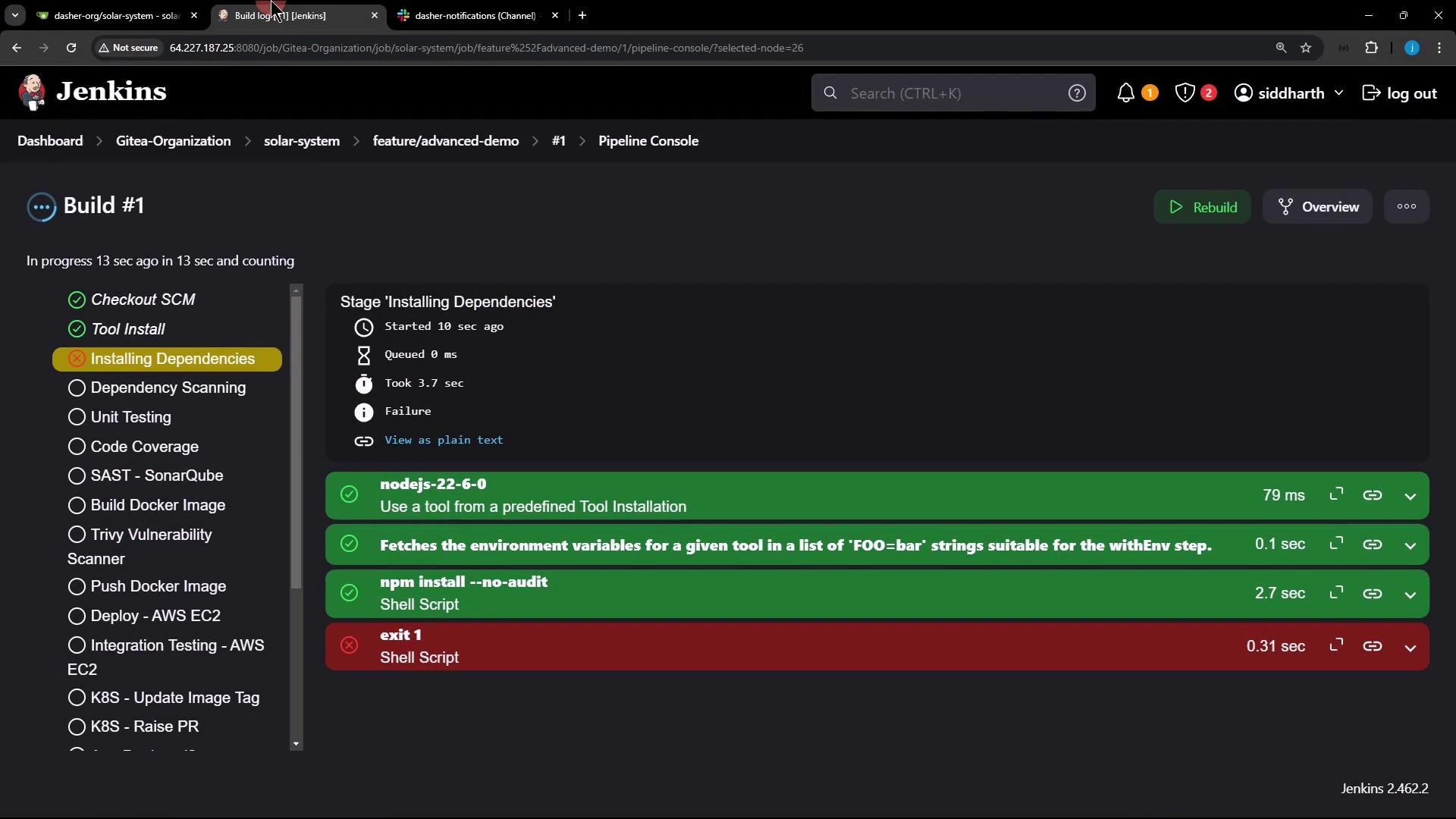
The `Installing Dependencies` stage may fail because of the `--no-audit` flag. This is intentional. Subsequent Slack notifications will still provide build status updates in your channel.
### Example Trivy Rate-Limit Error
When running the Trivy scanner, you might encounter a rate-limit error:
```shell theme={null}
trivy image siddharth67/solar-system:$GIT_COMMIT --severity LOW,MEDIUM,HIGH ...
2024-11-10T03:23:22Z FATAL error: database download error: TOOMANYREQUESTS
```
We’ll cover Trivy caching and handling rate limits in future lessons.
Congratulations! Your `feature/advanced-demo` branch now has a clean, focused Jenkins pipeline ready for advanced demos.