> ## Documentation Index
> Fetch the complete documentation index at: https://notes.kodekloud.com/llms.txt
> Use this file to discover all available pages before exploring further.
# Introduction to Shared Libraries
> Learn to use Jenkins Shared Libraries for centralizing pipeline logic, reducing duplication, and ensuring consistency across projects.
In this lesson, you’ll discover how to use **Jenkins Shared Libraries** to centralize common pipeline logic, reduce duplication, and enforce consistency across all your projects.
A Shared Library is a Git-hosted collection of Groovy scripts that define reusable pipeline steps. By abstracting repetitive tasks into library functions, your Jenkinsfiles become cleaner, easier to read, and maintain.
## Why Use Shared Libraries?
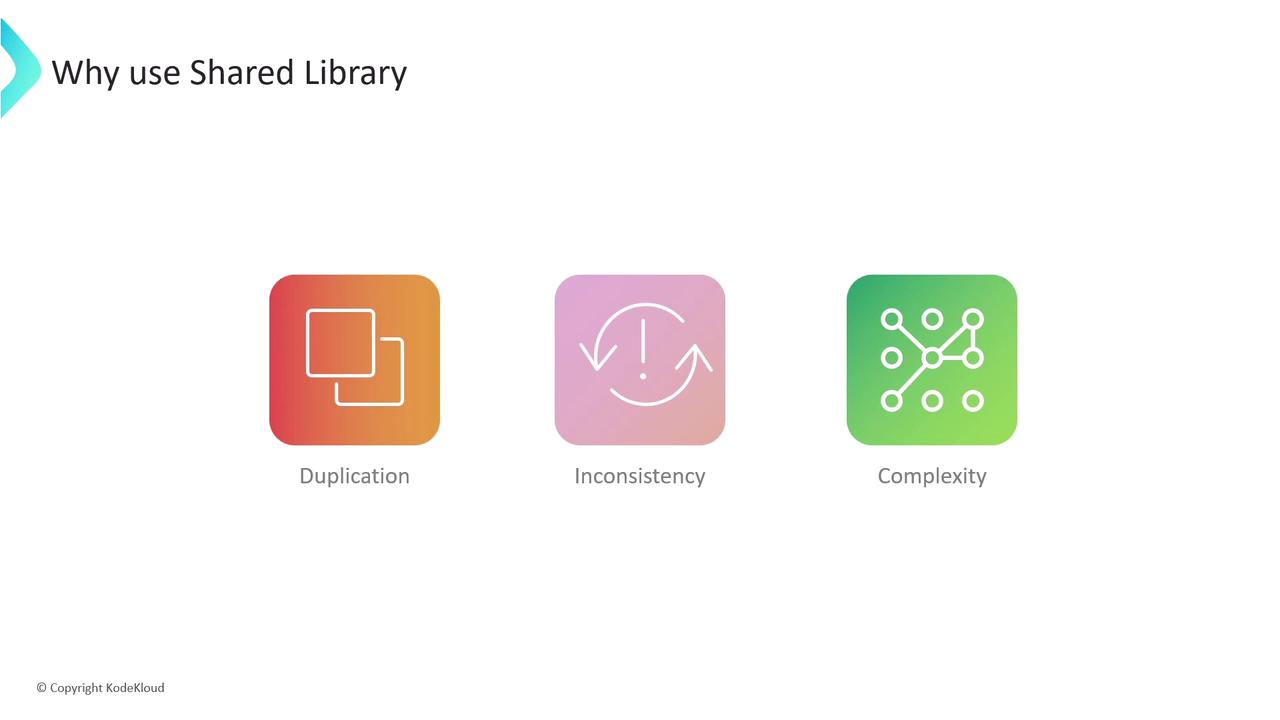
Imagine maintaining dozens of Jenkinsfiles, each running the same build-and-test steps. You’ll encounter:
* **Duplication**: Copy-pasting identical pipeline blocks.
* **Inconsistency**: Updates applied to one pipeline aren’t reflected in others.
* **Complexity**: Scattering changes across repositories becomes error-prone.
Following the **DRY (Don’t Repeat Yourself)** principle helps you write pipeline logic once and use it everywhere.
## Example: From Hard-Coded to Library-Driven
### Before: Repeating the Welcome Message
```groovy theme={null}
// Jenkinsfile (generic)
pipeline {
agent any
stages {
stage('Welcome') {
steps {
sh 'echo Welcome to the DevOps team from Dasher Organization'
}
}
stage('Build') {
steps {
sh 'npm install'
sh 'npm run build'
}
}
}
}
```
Variations for Linux and Windows pipelines simply duplicate that same **Welcome** step:
```groovy theme={null}
// Jenkinsfile (windows)
pipeline {
agent { label 'windows' }
stages {
stage('Welcome') {
steps {
bat 'echo Welcome to the DevOps team from Dasher Organization'
}
}
stage('Checkout') {
steps {
checkout scm
}
}
}
}
```
Updating the organization name to **KodeKloud** in hundreds of Jenkinsfiles is both time-consuming and risky.
### After: Centralizing the Welcome Step
Move the welcome logic into a shared library function:
```groovy theme={null}
// vars/welcomeMessage.groovy
def call() {
sh 'echo Welcome to the DevOps team from Dasher Organization'
}
```
Invoke it in any Jenkinsfile:
```groovy theme={null}
@Library('kode-kloud-shared-library')
pipeline {
agent any
stages {
stage('Welcome') {
steps {
welcomeMessage()
}
}
stage('Build') {
steps {
sh 'npm install'
sh 'npm run build'
}
}
}
}
```
Now a single change in `welcomeMessage.groovy` updates every pipeline automatically.
***
## Setting Up Your Shared Library
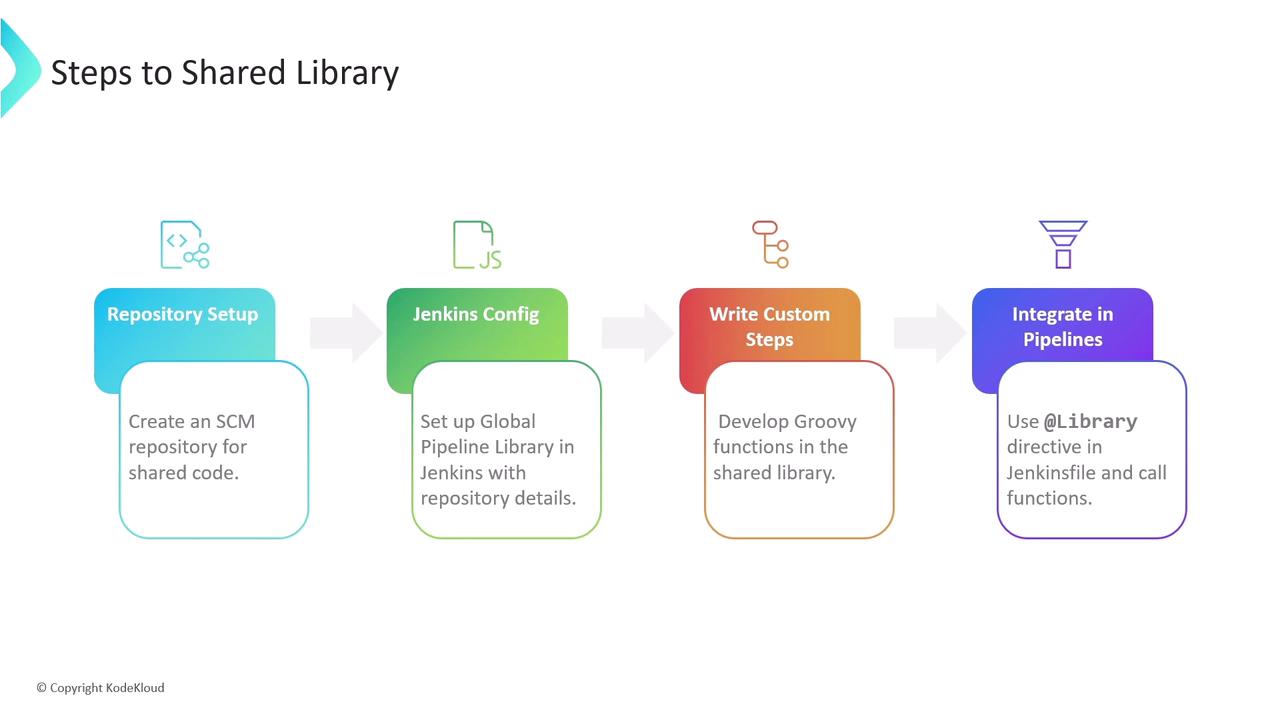
1. **Create a Git repository** dedicated to your shared library.
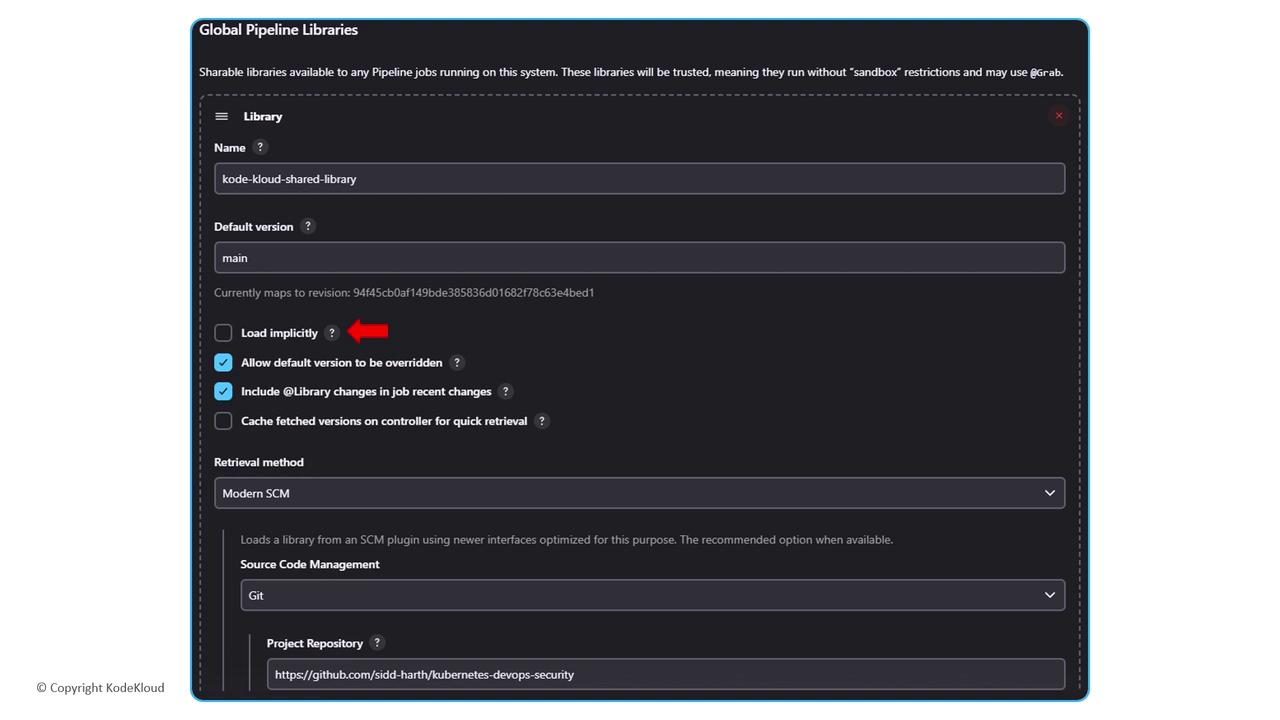
2. **Configure Jenkins** under **Manage Jenkins > Configure System > Global Pipeline Libraries**: define the library name, default version (branch), and SCM details.
3. **Structure your repo** with `src/`, `vars/`, and `resources/` directories.
4. **Use** `@Library('your-library-name')` in Jenkinsfiles to load and call your custom steps.
***
### Typical Repository Layout
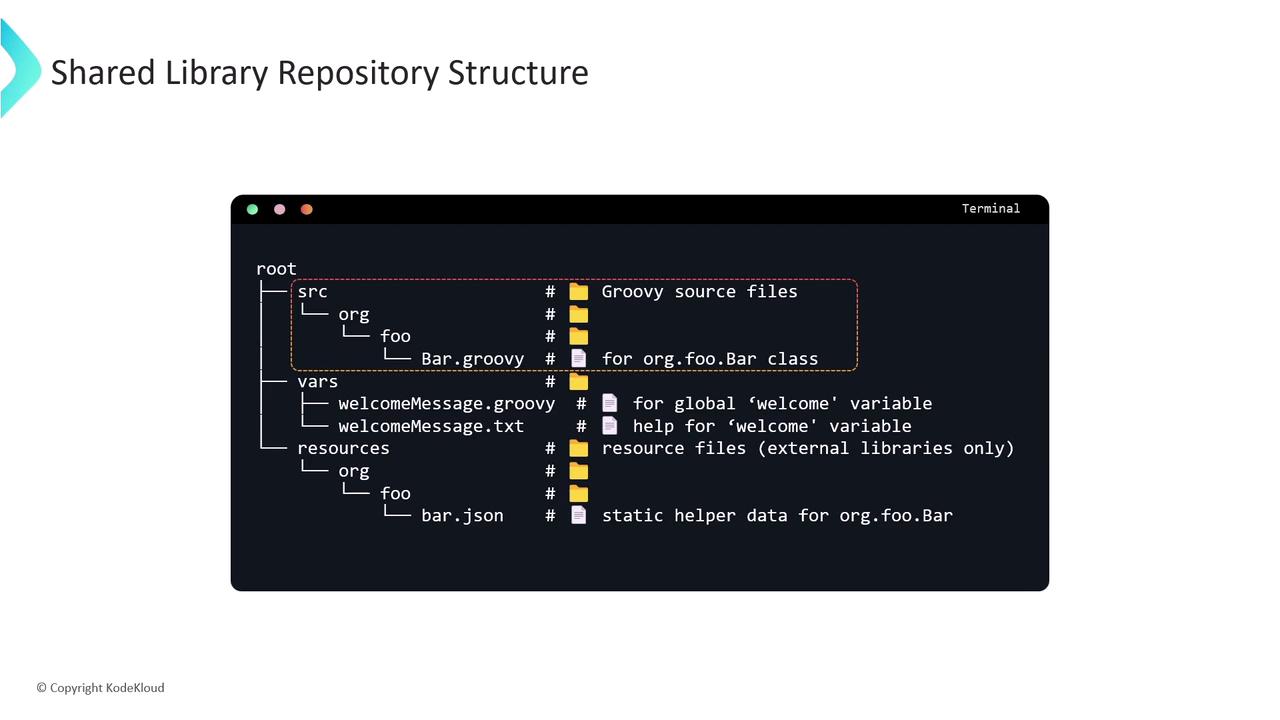
```text theme={null}
(shared-library-repo)
├── src/ # Optional: compiled Groovy/Java code
├── vars/ # Required: one .groovy per pipeline step
│ ├── welcomeMessage.groovy
│ └── welcomeMessage.txt # Documentation for the step
└── resources/ # Optional: non-code files (JSON, templates)
```
| Directory | Purpose |
| ---------- | ----------------------------------------------------------------- |
| src/ | Standard Java/Groovy classes (compiled on the classpath) |
| vars/ | Each Groovy file defines a pipeline step; filenames use camelCase |
| resources/ | Static files loaded via `libraryResource` |
***
## Configuring Global Pipeline Libraries
In **Manage Jenkins > Configure System** under **Global Pipeline Libraries**, add your library:
| Field | Description |
| -------------------------------------- | -------------------------------------------------------- |
| Name | `kode-kloud-shared-library` |
| Default Version | `main` (branch or tag) |
| Retrieval Method | Modern SCM (Git) with repository URL |
| Allow default version to be overridden | Enable if you want to load other branches via `@Library` |
Ensure Jenkins has appropriate read permissions for your Shared Library repository.
***
## Advanced Example: Notification Utility
Add a reusable notification step in `vars/sendNotification.groovy`:
```groovy theme={null}
def call(String buildStatus = 'STARTED') {
buildStatus = buildStatus ?: 'SUCCESS'
def color, emoji
if (buildStatus == 'SUCCESS') {
color = '#47c265'; emoji = ':smile:'
} else if (buildStatus == 'UNSTABLE') {
color = '#f39c12'; emoji = ':neutral_face:'
} else {
color = '#e74c3c'; emoji = ':boom:'
}
// Example: slackSend(color: color, message: "${emoji} Build ${currentBuild.fullDisplayName} is ${buildStatus}")
}
```
Invoke it in your Jenkinsfile after tests:
```groovy theme={null}
@Library('kode-kloud-shared-library')
pipeline {
agent any
stages {
stage('Build') { steps { sh 'npm install'; sh 'npm run build' } }
stage('Test') { steps { sh 'npm test' } }
}
post {
always { sendNotification(currentBuild.currentResult) }
}
}
```
***
## References
* [Jenkins Pipeline Shared Libraries](https://www.jenkins.io/doc/book/pipeline/shared-libraries/)
* [Jenkins Pipeline Syntax](https://www.jenkins.io/doc/book/pipeline/syntax/)
* [Groovy Language Documentation](https://groovy-lang.org/documentation.html)