> ## Documentation Index
> Fetch the complete documentation index at: https://notes.kodekloud.com/llms.txt
> Use this file to discover all available pages before exploring further.
# Lab Solution Cluster Upgrade Process
> Guide to safely upgrading a two-node kubeadm Kubernetes cluster in-place, upgrading control plane then worker node one at a time to minimize downtime and follow supported upgrade paths.
This guide walks through a safe, kubeadm-supported upgrade of a small Kubernetes cluster (control plane + one worker) without provisioning new VMs and with minimal impact to users. The strategy is to upgrade nodes one at a time while keeping workloads available by leveraging Kubernetes scheduling.
Key goals:
* No new VMs.
* No downtime for user-facing applications.
* Follow kubeadm-supported upgrade paths (upgrade `kubeadm` first when changing minor versions).
Before upgrading a control plane node to a newer minor version, update the local `kubeadm` package to the target minor version (for example, `1.20.x`) and verify the upgrade plan with `kubeadm upgrade plan`.
## Prerequisites and constraints
* Two-node cluster: one control plane and one worker (`controlplane`, `node01`).
* Both nodes are schedulable (no taints preventing workloads).
* You have SSH access to both nodes and apt package access (Debian/Ubuntu example).
* Follow the kubeadm upgrade documentation: [https://kubernetes.io/docs/tasks/administer-cluster/kubeadm/kubeadm-upgrade/](https://kubernetes.io/docs/tasks/administer-cluster/kubeadm/kubeadm-upgrade/)
## Quick reference: upgrade strategy (summary)
| Stage | Node(s) | Action |
| - | - | - |
| Control plane | `controlplane` | Drain → upgrade `kubeadm` → `kubeadm upgrade apply` → upgrade `kubelet`/`kubectl` → uncordon |
| Worker | `node01` | Drain → upgrade `kubeadm` → `kubeadm upgrade node` → upgrade `kubelet`/`kubectl` → uncordon |
| Validation | cluster-wide | Check pods, components, and CNI compatibility |
## 1) Inspect the cluster
Start by listing nodes and observing where workloads run. Create a short alias if you like:
```bash theme={null}
# temporary alias for convenience in this shell
alias k=kubectl
# list nodes
k get nodes
```
Example output:
```bash theme={null}
NAME STATUS ROLES AGE VERSION
controlplane Ready master 147m v1.19.0
node01 Ready 146m v1.19.0
```
Check for node taints to confirm schedulability:
```bash theme={null}
kubectl describe node controlplane | grep -i taint -A2
```
List deployments and pods to see application distribution:
```bash theme={null}
kubectl get deploy
kubectl get pods -o wide
```
Note: In this lab the application pods are distributed across `controlplane` and `node01`. Because the control plane is schedulable, you can move workloads between nodes during the upgrade.
## 2) Choose an upgrade strategy
Constraints to respect:
* Only two VMs (no extra capacity).
* Applications must remain available.
Strategy:
* Upgrade nodes one at a time. Drain a node and let Kubernetes reschedule pods onto the other node.
* Never upgrade all nodes simultaneously.
## 3) Check what kubeadm can upgrade to
On the control plane node (or wherever `kubeadm` is installed), run:
```bash theme={null}
kubeadm upgrade plan
```
This outputs the recommended target versions that the current `kubeadm` binary supports and explains whether you must update `kubeadm` first (required when moving to a newer minor version).
Example excerpt:
```text theme={null}
[upgrade/versions] Cluster version: v1.19.0
[upgrade/versions] kubeadm version: v1.19.0
[upgrade/versions] Latest stable version: v1.19.16
You can now apply the upgrade by executing:
kubeadm upgrade apply v1.19.16
Note: Before you can perform this upgrade, you have to update kubeadm to v1.19.16.
```
This tells you whether you can upgrade in-place or if you need to update the `kubeadm` package first to follow the kubeadm-supported path (for minor bumps).
## 4) Consult the official docs and pick the exact target
Follow the official guide: [Upgrading kubeadm clusters](https://kubernetes.io/docs/tasks/administer-cluster/kubeadm/kubeadm-upgrade/).
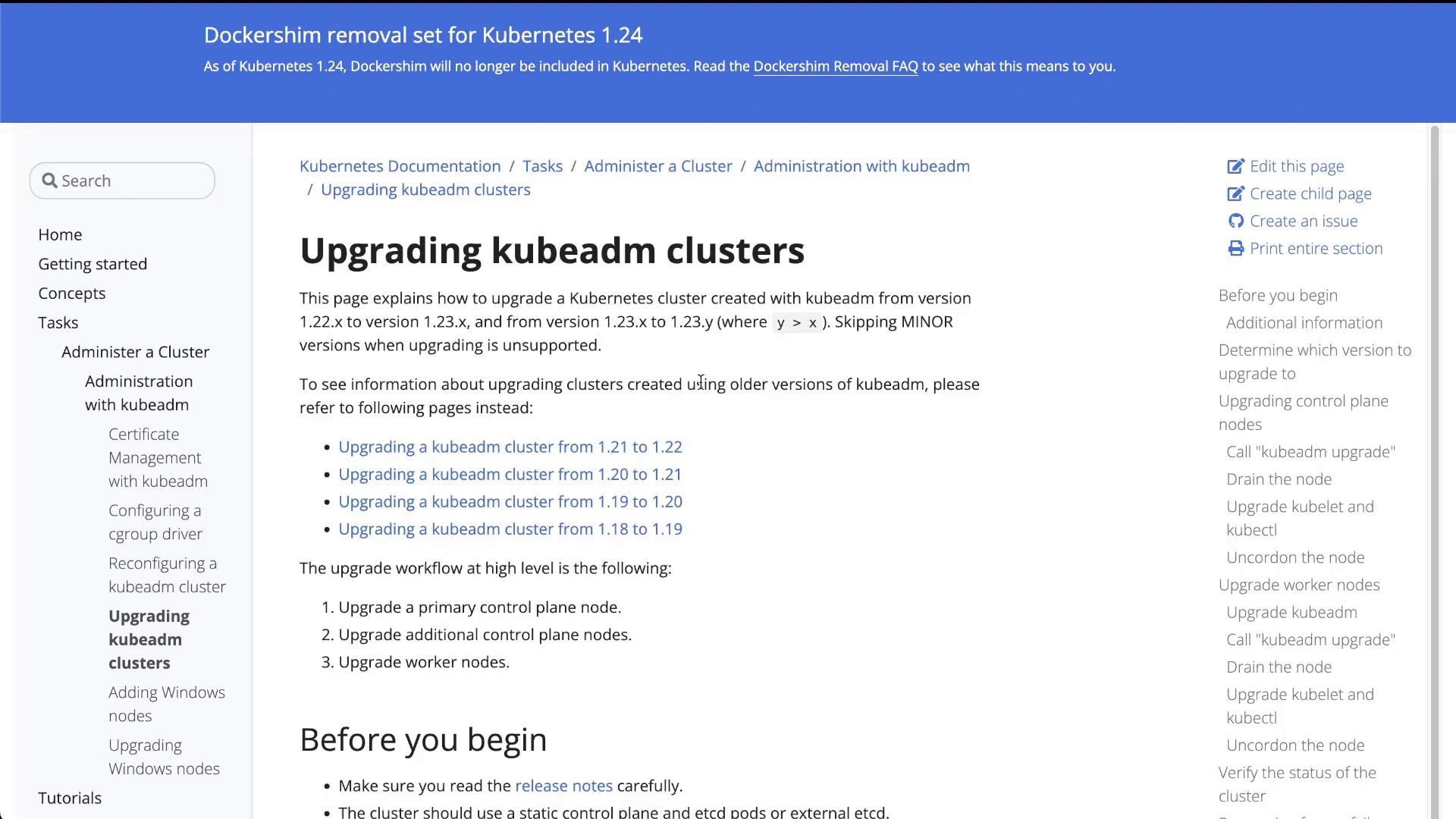 From the docs:
* Select the supported upgrade path (e.g., 1.19 → 1.20).
* Determine the exact patch package to install (e.g., `1.20.0-00` or latest `1.20.x-00` available from apt).
On Debian/Ubuntu, find available kubeadm versions:
```bash theme={null}
apt update
apt-cache madison kubeadm
# look for kubeadm | 1.20.x-00 in the output
```
Confirm OS release if needed:
```bash theme={null}
cat /etc/*release*
```
## 5) Control plane node upgrade (step-by-step)
High-level steps:
1. Drain and cordon the control plane node (move regular workloads off).
2. Upgrade `kubeadm` on the control plane to the target minor version (e.g., `1.20.x-00`).
3. Run `kubeadm upgrade apply v1.20.0` (or chosen patch).
4. Upgrade `kubelet` and `kubectl`.
5. Restart `kubelet` and uncordon the control plane node.
Important: always use `--ignore-daemonsets` when draining so DaemonSet-managed pods do not block eviction.
Upgrade the `kubeadm` package on the control plane to the target minor version before running `kubeadm upgrade apply` when moving across minor versions (for example 1.19 → 1.20). Failing to do so will prevent the upgrade.
### 5.1 Drain the control plane node
From your management shell:
```bash theme={null}
kubectl drain controlplane --ignore-daemonsets
```
Sample output:
```text theme={null}
node/controlplane cordoned
WARNING: ignoring DaemonSet-managed Pods: kube-system/kube-flannel-ds-9q9h4, kube-system/kube-proxy-vfd7p
evicting pod default/blue-746c87566d-r8h27
evicting pod kube-system/coredns-f9fd979d6-jzt89
...
node/controlplane evicted
```
Verify the node is cordoned:
```bash theme={null}
kubectl get nodes
# controlplane will show SCHEDULING disabled (SchedulingDisabled)
```
Confirm application pods now run on `node01`.
### 5.2 Upgrade kubeadm on the control plane node
SSH into `controlplane` and update `kubeadm` to the chosen patch. Replace `1.20.0-00` with your selected patch:
```bash theme={null}
# on controlplane
sudo apt-mark unhold kubeadm && \
sudo apt-get update && \
sudo apt-get install -y kubeadm=1.20.0-00 && \
sudo apt-mark hold kubeadm
# verify
kubeadm version
kubeadm upgrade plan
```
### 5.3 Apply the control plane upgrade
Run the upgrade apply command on the control plane:
```bash theme={null}
sudo kubeadm upgrade apply v1.20.0
```
What this does:
* Updates control plane static pods: `kube-apiserver`, `kube-controller-manager`, `kube-scheduler`.
* Writes new kubelet config and creates a `kubelet-config-1.20` ConfigMap.
* Updates required cluster addons (e.g., CoreDNS, kube-proxy) if needed.
Success message example:
```text theme={null}
[upgrade/successful] SUCCESS! Your cluster was upgraded to "v1.20.0". Enjoy!
[upgrade/kubelet] Now that your control plane is upgraded, please proceed with upgrading your kubelets.
```
### 5.4 Upgrade `kubelet` and `kubectl` on the control plane
Still on `controlplane`, install matching `kubelet` and `kubectl` packages:
```bash theme={null}
sudo apt-get update && \
sudo apt-get install -y --allow-change-held-packages kubelet=1.20.0-00 kubectl=1.20.0-00
sudo systemctl daemon-reload
sudo systemctl restart kubelet
```
Verify node version from your management shell:
```bash theme={null}
kubectl get nodes
# controlplane should show VERSION v1.20.0
```
### 5.5 Uncordon the control plane node
Make the control plane schedulable again:
```bash theme={null}
kubectl uncordon controlplane
```
Control plane is now running v1.20.0 and can host pods again.
## 6) Worker node upgrade (node01)
Repeat similar steps for each worker node, one at a time.
High-level worker steps:
1. Drain the worker (`--ignore-daemonsets`).
2. Upgrade `kubeadm` on the worker.
3. Run `sudo kubeadm upgrade node` on the worker to update node kubelet config.
4. Upgrade `kubelet` and `kubectl`.
5. Restart `kubelet` and uncordon the worker.
### 6.1 Drain node01
From the control plane or management shell:
```bash theme={null}
kubectl drain node01 --ignore-daemonsets
```
Verify pods moved to `controlplane`:
```bash theme={null}
kubectl get pods -o wide
```
### 6.2 Upgrade kubeadm on node01
SSH to `node01` (or use its internal IP discovered with `kubectl get nodes -o wide`) and run:
```bash theme={null}
# on node01
sudo apt-mark unhold kubeadm && \
sudo apt-get update && \
sudo apt-get install -y kubeadm=1.20.0-00 && \
sudo apt-mark hold kubeadm
# verify
kubeadm version
sudo kubeadm upgrade node
```
`kubeadm upgrade node` updates kubelet configuration and supporting files on the worker to match the upgraded control plane.
### 6.3 Upgrade kubelet and kubectl on node01
Still on `node01`:
```bash theme={null}
sudo apt-get update && \
sudo apt-get install -y --allow-change-held-packages kubelet=1.20.0-00 kubectl=1.20.0-00
sudo systemctl daemon-reload
sudo systemctl restart kubelet
```
Return to the control plane and uncordon `node01`:
```bash theme={null}
# on controlplane
kubectl uncordon node01
kubectl get nodes
```
Expected final output:
```bash theme={null}
NAME STATUS ROLES AGE VERSION
controlplane Ready control-plane,master 165m v1.20.0
node01 Ready 165m v1.20.0
```
## 7) Final checks and validation
* Ensure all pods are Running and Ready:
```bash theme={null}
kubectl get pods -A -o wide
```
* Verify cluster components and API health:
```bash theme={null}
kubectl get componentstatuses
kubectl get cs
```
* Check addons and CNI plugin compatibility. Consult the CNI plugin docs for any required post-upgrade steps (for example, Flannel, Calico, Weave).
* Validate application-level availability by exercising endpoints or load balancers.
## Troubleshooting tips
* If `kubeadm upgrade plan` reports incompatible versions, do not proceed—consult kubeadm docs for the supported path.
* Use `kubectl describe pod ` and `kubectl logs ` for pod-level failures.
* If kubelet fails after restart, inspect `journalctl -u kubelet` on the node.
## Summary
* Inspected the cluster and confirmed two schedulable nodes on v1.19.0.
* Upgraded the control plane first: drained, upgraded `kubeadm`, ran `kubeadm upgrade apply v1.20.0`, then upgraded `kubelet`/`kubectl`.
* Upgraded the worker next: drained, upgraded `kubeadm`, ran `kubeadm upgrade node`, then upgraded `kubelet`/`kubectl`.
* After uncordoning each node, both nodes show Ready at v1.20.0 and user workloads remained available throughout the process.
Congratulations — your cluster has been upgraded with minimal impact to workloads.
## Links and references
* [Upgrading kubeadm clusters (official docs)](https://kubernetes.io/docs/tasks/administer-cluster/kubeadm/kubeadm-upgrade/)
* [kubeadm command reference](https://kubernetes.io/docs/reference/setup-tools/kubeadm/kubeadm/)
* [Kubernetes release notes](https://kubernetes.io/releases/)
This documentation is built and hosted on [Mintlify](https://mintlify.com), a developer documentation platform.
From the docs:
* Select the supported upgrade path (e.g., 1.19 → 1.20).
* Determine the exact patch package to install (e.g., `1.20.0-00` or latest `1.20.x-00` available from apt).
On Debian/Ubuntu, find available kubeadm versions:
```bash theme={null}
apt update
apt-cache madison kubeadm
# look for kubeadm | 1.20.x-00 in the output
```
Confirm OS release if needed:
```bash theme={null}
cat /etc/*release*
```
## 5) Control plane node upgrade (step-by-step)
High-level steps:
1. Drain and cordon the control plane node (move regular workloads off).
2. Upgrade `kubeadm` on the control plane to the target minor version (e.g., `1.20.x-00`).
3. Run `kubeadm upgrade apply v1.20.0` (or chosen patch).
4. Upgrade `kubelet` and `kubectl`.
5. Restart `kubelet` and uncordon the control plane node.
Important: always use `--ignore-daemonsets` when draining so DaemonSet-managed pods do not block eviction.
Upgrade the `kubeadm` package on the control plane to the target minor version before running `kubeadm upgrade apply` when moving across minor versions (for example 1.19 → 1.20). Failing to do so will prevent the upgrade.
### 5.1 Drain the control plane node
From your management shell:
```bash theme={null}
kubectl drain controlplane --ignore-daemonsets
```
Sample output:
```text theme={null}
node/controlplane cordoned
WARNING: ignoring DaemonSet-managed Pods: kube-system/kube-flannel-ds-9q9h4, kube-system/kube-proxy-vfd7p
evicting pod default/blue-746c87566d-r8h27
evicting pod kube-system/coredns-f9fd979d6-jzt89
...
node/controlplane evicted
```
Verify the node is cordoned:
```bash theme={null}
kubectl get nodes
# controlplane will show SCHEDULING disabled (SchedulingDisabled)
```
Confirm application pods now run on `node01`.
### 5.2 Upgrade kubeadm on the control plane node
SSH into `controlplane` and update `kubeadm` to the chosen patch. Replace `1.20.0-00` with your selected patch:
```bash theme={null}
# on controlplane
sudo apt-mark unhold kubeadm && \
sudo apt-get update && \
sudo apt-get install -y kubeadm=1.20.0-00 && \
sudo apt-mark hold kubeadm
# verify
kubeadm version
kubeadm upgrade plan
```
### 5.3 Apply the control plane upgrade
Run the upgrade apply command on the control plane:
```bash theme={null}
sudo kubeadm upgrade apply v1.20.0
```
What this does:
* Updates control plane static pods: `kube-apiserver`, `kube-controller-manager`, `kube-scheduler`.
* Writes new kubelet config and creates a `kubelet-config-1.20` ConfigMap.
* Updates required cluster addons (e.g., CoreDNS, kube-proxy) if needed.
Success message example:
```text theme={null}
[upgrade/successful] SUCCESS! Your cluster was upgraded to "v1.20.0". Enjoy!
[upgrade/kubelet] Now that your control plane is upgraded, please proceed with upgrading your kubelets.
```
### 5.4 Upgrade `kubelet` and `kubectl` on the control plane
Still on `controlplane`, install matching `kubelet` and `kubectl` packages:
```bash theme={null}
sudo apt-get update && \
sudo apt-get install -y --allow-change-held-packages kubelet=1.20.0-00 kubectl=1.20.0-00
sudo systemctl daemon-reload
sudo systemctl restart kubelet
```
Verify node version from your management shell:
```bash theme={null}
kubectl get nodes
# controlplane should show VERSION v1.20.0
```
### 5.5 Uncordon the control plane node
Make the control plane schedulable again:
```bash theme={null}
kubectl uncordon controlplane
```
Control plane is now running v1.20.0 and can host pods again.
## 6) Worker node upgrade (node01)
Repeat similar steps for each worker node, one at a time.
High-level worker steps:
1. Drain the worker (`--ignore-daemonsets`).
2. Upgrade `kubeadm` on the worker.
3. Run `sudo kubeadm upgrade node` on the worker to update node kubelet config.
4. Upgrade `kubelet` and `kubectl`.
5. Restart `kubelet` and uncordon the worker.
### 6.1 Drain node01
From the control plane or management shell:
```bash theme={null}
kubectl drain node01 --ignore-daemonsets
```
Verify pods moved to `controlplane`:
```bash theme={null}
kubectl get pods -o wide
```
### 6.2 Upgrade kubeadm on node01
SSH to `node01` (or use its internal IP discovered with `kubectl get nodes -o wide`) and run:
```bash theme={null}
# on node01
sudo apt-mark unhold kubeadm && \
sudo apt-get update && \
sudo apt-get install -y kubeadm=1.20.0-00 && \
sudo apt-mark hold kubeadm
# verify
kubeadm version
sudo kubeadm upgrade node
```
`kubeadm upgrade node` updates kubelet configuration and supporting files on the worker to match the upgraded control plane.
### 6.3 Upgrade kubelet and kubectl on node01
Still on `node01`:
```bash theme={null}
sudo apt-get update && \
sudo apt-get install -y --allow-change-held-packages kubelet=1.20.0-00 kubectl=1.20.0-00
sudo systemctl daemon-reload
sudo systemctl restart kubelet
```
Return to the control plane and uncordon `node01`:
```bash theme={null}
# on controlplane
kubectl uncordon node01
kubectl get nodes
```
Expected final output:
```bash theme={null}
NAME STATUS ROLES AGE VERSION
controlplane Ready control-plane,master 165m v1.20.0
node01 Ready 165m v1.20.0
```
## 7) Final checks and validation
* Ensure all pods are Running and Ready:
```bash theme={null}
kubectl get pods -A -o wide
```
* Verify cluster components and API health:
```bash theme={null}
kubectl get componentstatuses
kubectl get cs
```
* Check addons and CNI plugin compatibility. Consult the CNI plugin docs for any required post-upgrade steps (for example, Flannel, Calico, Weave).
* Validate application-level availability by exercising endpoints or load balancers.
## Troubleshooting tips
* If `kubeadm upgrade plan` reports incompatible versions, do not proceed—consult kubeadm docs for the supported path.
* Use `kubectl describe pod ` and `kubectl logs ` for pod-level failures.
* If kubelet fails after restart, inspect `journalctl -u kubelet` on the node.
## Summary
* Inspected the cluster and confirmed two schedulable nodes on v1.19.0.
* Upgraded the control plane first: drained, upgraded `kubeadm`, ran `kubeadm upgrade apply v1.20.0`, then upgraded `kubelet`/`kubectl`.
* Upgraded the worker next: drained, upgraded `kubeadm`, ran `kubeadm upgrade node`, then upgraded `kubelet`/`kubectl`.
* After uncordoning each node, both nodes show Ready at v1.20.0 and user workloads remained available throughout the process.
Congratulations — your cluster has been upgraded with minimal impact to workloads.
## Links and references
* [Upgrading kubeadm clusters (official docs)](https://kubernetes.io/docs/tasks/administer-cluster/kubeadm/kubeadm-upgrade/)
* [kubeadm command reference](https://kubernetes.io/docs/reference/setup-tools/kubeadm/kubeadm/)
* [Kubernetes release notes](https://kubernetes.io/releases/)
This documentation is built and hosted on [Mintlify](https://mintlify.com), a developer documentation platform.