> ## Documentation Index
> Fetch the complete documentation index at: https://notes.kodekloud.com/llms.txt
> Use this file to discover all available pages before exploring further.
# etcd in Kubernetes
> Explains etcd's role in Kubernetes, deployment methods, inspection, high availability, security, and backup practices for protecting the cluster's authoritative datastore.
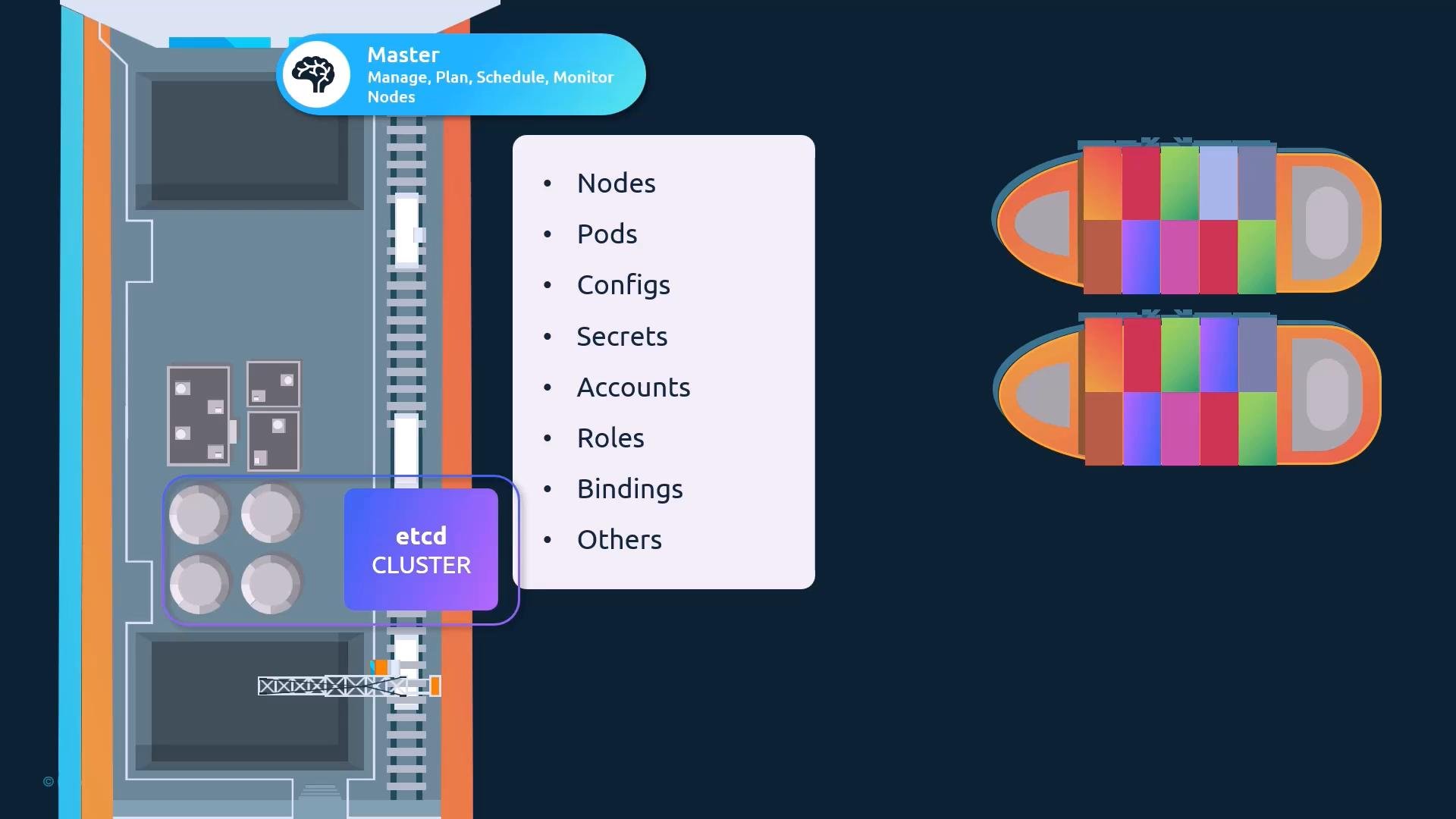
This lesson expands on basic etcd concepts by explaining etcd’s role within Kubernetes clusters, common deployment methods, and how to inspect and protect the datastore. Understanding etcd is essential because it is the single source of truth for the entire cluster—nodes, pods, ConfigMaps, Secrets, ServiceAccounts, RBAC objects, and more are persisted here.
etcd holds the authoritative cluster state. Any resource shown by `kubectl get` comes from etcd. A change (for example, creating a Pod or updating a ConfigMap) is considered complete only after it is written to etcd.
 ## Where etcd fits in Kubernetes
* The kube-apiserver reads from and writes to etcd; it presents the Kubernetes API surface.
* All cluster objects are stored under the API server’s keyspace (Kubernetes uses `/registry` as the top-level path).
* Losing or corrupting etcd can make the entire cluster unusable, so availability and backups are critical.
## Common etcd deployment approaches
Two common approaches you’ll encounter:
* Manual installation (from scratch): you install and manage the etcd binaries and systemd service yourself.
* kubeadm-managed: kubeadm provisions etcd for you, typically as a static pod in the `kube-system` namespace.
Both approaches are important to understand—practice-test environments commonly use kubeadm, while many production or custom setups use manual installs.
### Quick comparison
| Deployment method | Typical location | Management responsibilities | Common use case |
| - | - | - | - |
| Manual install | Control-plane node(s) as a systemd service | Install binaries, configure TLS, manage systemd, membership, and backups | Custom clusters, learning how etcd works |
| kubeadm-managed | `kube-system` namespace (static pod) | kubeadm creates the static pod; you manage pod runtime, TLS as provisioned by kubeadm, and backups | Quick cluster creation, labs, many managed tutorials |
## Deploying etcd from scratch (manual)
When you manage etcd manually you typically:
1. Download and extract the etcd release tarball from the etcd GitHub releases page:
```bash theme={null}
wget -q --https-only "https://github.com/coreos/etcd/releases/download//etcd--linux-amd64.tar.gz"
```
Replace `` with the chosen release (keep the placeholder in backticks in MDX).
2. Configure TLS certificates for peer and client communication.
3. Create an etcd configuration file and a systemd service unit to start the etcd process.
Key etcd flags you’ll commonly set:
* `--listen-client-urls` — where this etcd instance listens for client requests (e.g., `http://0.0.0.0:2379` or `https://:2379`).
* `--advertise-client-urls` — the URL(s) the etcd member advertises to clients (for example, the kube-apiserver). Typically uses the server IP and default client port `2379`.
* For clusters: `--initial-cluster`, `--listen-peer-urls`, and `--initial-advertise-peer-urls` — used to define and form the member list for Raft.
When configuring the kube-apiserver, point it to the etcd `--advertise-client-urls` so the API server can persist and read cluster state.
## Deploying etcd with kubeadm
kubeadm typically provisions etcd as a static pod on control-plane nodes, placing the pod manifest in the control-plane node’s static pod manifest directory. To inspect the running components:
```bash theme={null}
kubectl get pods -n kube-system
```
Example output (truncated):
```bash theme={null}
NAMESPACE NAME READY STATUS RESTARTS AGE
kube-system coredns-78fcdf6894-prwv1 1/1 Running 0 1h
kube-system etcd-master 1/1 Running 0 1h
kube-system kube-apiserver-master 1/1 Running 0 1h
kube-system kube-controller-manager-master 1/1 Running 0 1h
kube-system kube-scheduler-master 1/1 Running 0 1h
```
To inspect etcd’s key-value store inside the etcd pod using `etcdctl`:
```bash theme={null}
kubectl exec -n kube-system etcd-master -- etcdctl get / --prefix --keys-only
```
Example (truncated):
```bash theme={null}
/registry/apiregistration.k8s.io/apiservices/v1.
/registry/apiregistration.k8s.io/apiservices/v1.apps
/registry/apiregistration.k8s.io/apiservices/v1.authentication.k8s.io
/registry/apiregistration.k8s.io/apiservices/v1.authorization.k8s.io
/registry/apiregistration.k8s.io/apiservices/v1.autoscaling
/registry/apiregistration.k8s.io/apiservices/v1.batch
/registry/apiregistration.k8s.io/apiservices/v1.networking.k8s.io
/registry/apiregistration.k8s.io/apiservices/v1.rbac.authorization.k8s.io
/registry/apiregistration.k8s.io/apiservices/v1.storage.k8s.io
```
Kubernetes stores each resource type under distinct `/registry/` paths; these keys reflect the objects returned by `kubectl`.
## etcd in High-Availability (HA) environments
For HA control planes you generally run multiple control-plane nodes and multiple etcd members. The etcd members must form a Raft quorum:
* Each member must know the other members (configured with `--initial-cluster` or similar).
* Peer communication typically uses port `2380` (peer port), while clients talk on `2379`.
* Loss of quorum (less than half of members available) prevents writes and can cause API server failures.
## Where etcd fits in Kubernetes
* The kube-apiserver reads from and writes to etcd; it presents the Kubernetes API surface.
* All cluster objects are stored under the API server’s keyspace (Kubernetes uses `/registry` as the top-level path).
* Losing or corrupting etcd can make the entire cluster unusable, so availability and backups are critical.
## Common etcd deployment approaches
Two common approaches you’ll encounter:
* Manual installation (from scratch): you install and manage the etcd binaries and systemd service yourself.
* kubeadm-managed: kubeadm provisions etcd for you, typically as a static pod in the `kube-system` namespace.
Both approaches are important to understand—practice-test environments commonly use kubeadm, while many production or custom setups use manual installs.
### Quick comparison
| Deployment method | Typical location | Management responsibilities | Common use case |
| - | - | - | - |
| Manual install | Control-plane node(s) as a systemd service | Install binaries, configure TLS, manage systemd, membership, and backups | Custom clusters, learning how etcd works |
| kubeadm-managed | `kube-system` namespace (static pod) | kubeadm creates the static pod; you manage pod runtime, TLS as provisioned by kubeadm, and backups | Quick cluster creation, labs, many managed tutorials |
## Deploying etcd from scratch (manual)
When you manage etcd manually you typically:
1. Download and extract the etcd release tarball from the etcd GitHub releases page:
```bash theme={null}
wget -q --https-only "https://github.com/coreos/etcd/releases/download//etcd--linux-amd64.tar.gz"
```
Replace `` with the chosen release (keep the placeholder in backticks in MDX).
2. Configure TLS certificates for peer and client communication.
3. Create an etcd configuration file and a systemd service unit to start the etcd process.
Key etcd flags you’ll commonly set:
* `--listen-client-urls` — where this etcd instance listens for client requests (e.g., `http://0.0.0.0:2379` or `https://:2379`).
* `--advertise-client-urls` — the URL(s) the etcd member advertises to clients (for example, the kube-apiserver). Typically uses the server IP and default client port `2379`.
* For clusters: `--initial-cluster`, `--listen-peer-urls`, and `--initial-advertise-peer-urls` — used to define and form the member list for Raft.
When configuring the kube-apiserver, point it to the etcd `--advertise-client-urls` so the API server can persist and read cluster state.
## Deploying etcd with kubeadm
kubeadm typically provisions etcd as a static pod on control-plane nodes, placing the pod manifest in the control-plane node’s static pod manifest directory. To inspect the running components:
```bash theme={null}
kubectl get pods -n kube-system
```
Example output (truncated):
```bash theme={null}
NAMESPACE NAME READY STATUS RESTARTS AGE
kube-system coredns-78fcdf6894-prwv1 1/1 Running 0 1h
kube-system etcd-master 1/1 Running 0 1h
kube-system kube-apiserver-master 1/1 Running 0 1h
kube-system kube-controller-manager-master 1/1 Running 0 1h
kube-system kube-scheduler-master 1/1 Running 0 1h
```
To inspect etcd’s key-value store inside the etcd pod using `etcdctl`:
```bash theme={null}
kubectl exec -n kube-system etcd-master -- etcdctl get / --prefix --keys-only
```
Example (truncated):
```bash theme={null}
/registry/apiregistration.k8s.io/apiservices/v1.
/registry/apiregistration.k8s.io/apiservices/v1.apps
/registry/apiregistration.k8s.io/apiservices/v1.authentication.k8s.io
/registry/apiregistration.k8s.io/apiservices/v1.authorization.k8s.io
/registry/apiregistration.k8s.io/apiservices/v1.autoscaling
/registry/apiregistration.k8s.io/apiservices/v1.batch
/registry/apiregistration.k8s.io/apiservices/v1.networking.k8s.io
/registry/apiregistration.k8s.io/apiservices/v1.rbac.authorization.k8s.io
/registry/apiregistration.k8s.io/apiservices/v1.storage.k8s.io
```
Kubernetes stores each resource type under distinct `/registry/` paths; these keys reflect the objects returned by `kubectl`.
## etcd in High-Availability (HA) environments
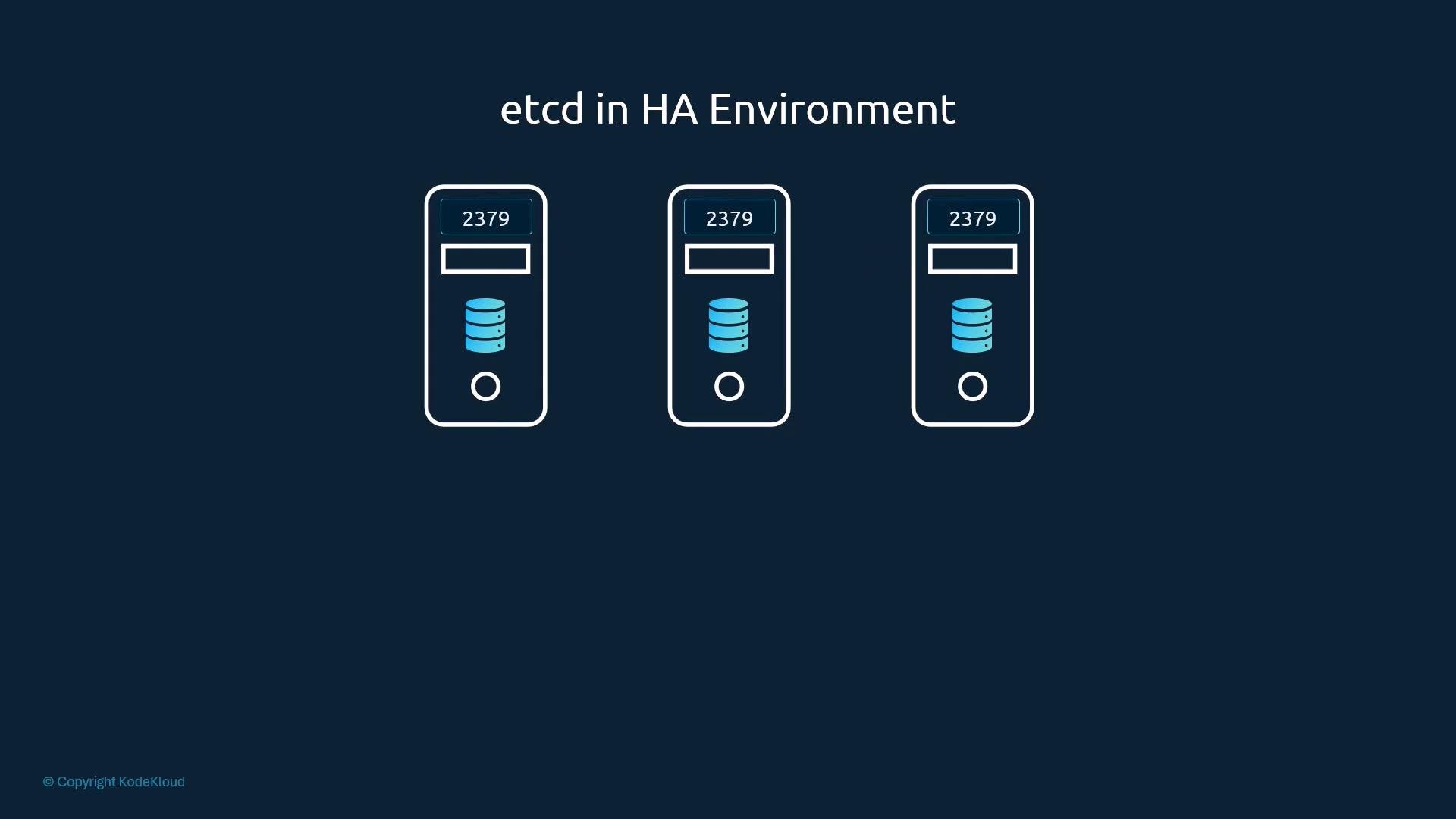
For HA control planes you generally run multiple control-plane nodes and multiple etcd members. The etcd members must form a Raft quorum:
* Each member must know the other members (configured with `--initial-cluster` or similar).
* Peer communication typically uses port `2380` (peer port), while clients talk on `2379`.
* Loss of quorum (less than half of members available) prevents writes and can cause API server failures.
 For a multi-member manual setup you will typically set flags such as:
* `--initial-cluster="node1=https://1.2.3.1:2380,node2=https://1.2.3.2:2380,node3=https://1.2.3.3:2380"`
* `--initial-cluster-state=new`
* Appropriate `--listen-peer-urls` and `--initial-advertise-peer-urls` for peer communication.
High-availability configuration and detailed tuning are covered in dedicated resources, but the essential points are:
* etcd must be available and consistent for kube-apiserver operations.
* Configure secure TLS-based peer and client communication.
* Monitor cluster health and maintain backups.
## Useful links and references
* [Kubernetes Documentation](https://kubernetes.io/docs/)
* [etcd Releases (GitHub)](https://github.com/etcd-io/etcd/releases)
* [kubeadm Documentation](https://kubernetes.io/docs/reference/setup-tools/kubeadm/)
etcd contains every object in the cluster, including Secrets. Secure etcd access with TLS and strict host/pod access controls, and maintain regular, tested backups. Loss or corruption of etcd can lead to full cluster outage and data loss.
That concludes this lesson on etcd in Kubernetes.
This documentation is built and hosted on [Mintlify](https://mintlify.com), a developer documentation platform.
For a multi-member manual setup you will typically set flags such as:
* `--initial-cluster="node1=https://1.2.3.1:2380,node2=https://1.2.3.2:2380,node3=https://1.2.3.3:2380"`
* `--initial-cluster-state=new`
* Appropriate `--listen-peer-urls` and `--initial-advertise-peer-urls` for peer communication.
High-availability configuration and detailed tuning are covered in dedicated resources, but the essential points are:
* etcd must be available and consistent for kube-apiserver operations.
* Configure secure TLS-based peer and client communication.
* Monitor cluster health and maintain backups.
## Useful links and references
* [Kubernetes Documentation](https://kubernetes.io/docs/)
* [etcd Releases (GitHub)](https://github.com/etcd-io/etcd/releases)
* [kubeadm Documentation](https://kubernetes.io/docs/reference/setup-tools/kubeadm/)
etcd contains every object in the cluster, including Secrets. Secure etcd access with TLS and strict host/pod access controls, and maintain regular, tested backups. Loss or corruption of etcd can lead to full cluster outage and data loss.
That concludes this lesson on etcd in Kubernetes.
This documentation is built and hosted on [Mintlify](https://mintlify.com), a developer documentation platform.