> ## Documentation Index
> Fetch the complete documentation index at: https://notes.kodekloud.com/llms.txt
> Use this file to discover all available pages before exploring further.
# Kustomize Problem Statement and Ideology
> Explains Kustomize's base and overlays approach to manage Kubernetes manifests, avoiding duplication and enabling environment-specific patches without templating.
This article explains the problem Kustomize solves, why it exists, and how the Kustomize approach (base + overlays) makes environment-specific Kubernetes configuration manageable without duplicating manifests.
## The problem: duplicated manifests across environments
Consider a simple NGINX Deployment that defaults to one replica:
```yaml theme={null}
apiVersion: apps/v1
kind: Deployment
metadata:
name: nginx-deployment
spec:
replicas: 1
selector:
matchLabels:
component: nginx
template:
metadata:
labels:
component: nginx
spec:
containers:
- name: nginx
image: nginx
```
Now imagine three environments with different replica requirements:
* dev: 1 replica (local)
* stg: 2 replicas
* prod: 5 replicas
A naive solution is to copy the full Deployment YAML into separate environment folders and change the `replicas` value in each file. For a small repo this might work, but it quickly becomes unmanageable as the number of resources grows (Services, ConfigMaps, Secrets, etc.). Keeping all copies synchronized is error-prone.
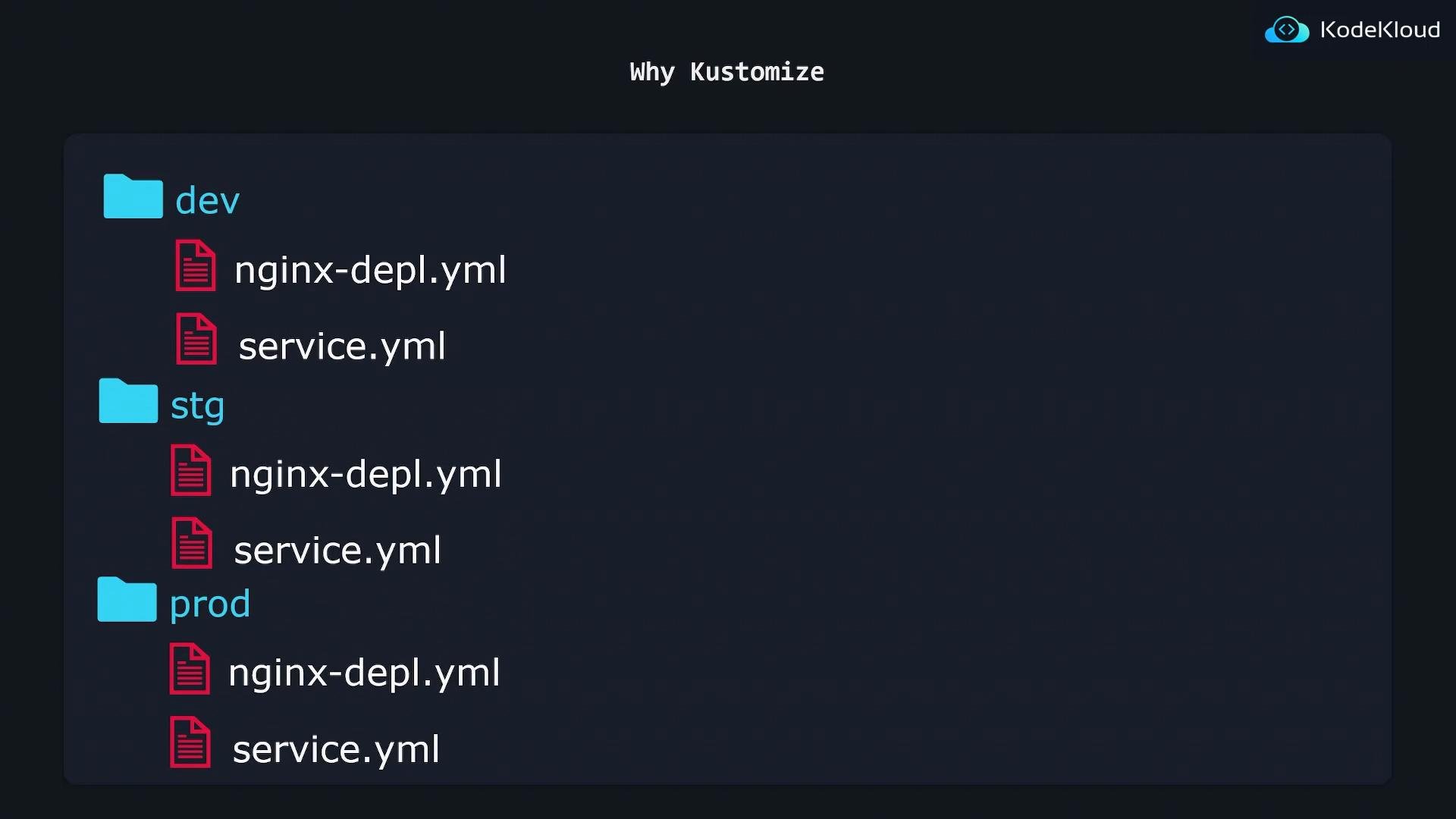 You would run kubectl against a specific environment directory:
```bash theme={null}
# Apply dev environment files
kubectl apply -f dev/
# Apply staging environment files
kubectl apply -f stg/
```
This works but scales poorly.
## Kustomize: base + overlays
Kustomize was created to solve exactly this problem: reuse common manifests and apply environment-specific modifications without duplicating entire files.
Core concepts
* Base: the shared, environment-agnostic resources.
* Overlay: small, environment-specific patches or additions applied on top of the base.
Benefits:
* No templating language — plain YAML is preserved and remains valid.
* DRY — put common resources in a base; overlays only modify what changes.
* Predictable output — Kustomize emits a final manifest you can inspect and apply.
### Example: single base, multiple overlays
Base deployment (k8s/base/nginx-depl.yaml):
```yaml theme={null}
apiVersion: apps/v1
kind: Deployment
metadata:
name: nginx-deployment
spec:
replicas: 1
selector:
matchLabels:
component: nginx
template:
metadata:
labels:
component: nginx
spec:
containers:
- name: nginx
image: nginx
```
Base kustomization (k8s/base/kustomization.yaml):
```yaml theme={null}
resources:
- nginx-depl.yaml
- service.yaml
- redis-depl.yaml
```
Create small patch files for each environment that only include the fields to change.
Staging patch (k8s/overlays/stg/replica-patch.yaml):
```yaml theme={null}
apiVersion: apps/v1
kind: Deployment
metadata:
name: nginx-deployment
spec:
replicas: 2
```
Production patch (k8s/overlays/prod/replica-patch.yaml):
```yaml theme={null}
apiVersion: apps/v1
kind: Deployment
metadata:
name: nginx-deployment
spec:
replicas: 5
```
Overlay kustomization files reference the base and apply the patch:
k8s/overlays/stg/kustomization.yaml:
```yaml theme={null}
resources:
- ../../base
patchesStrategicMerge:
- replica-patch.yaml
```
k8s/overlays/prod/kustomization.yaml:
```yaml theme={null}
resources:
- ../../base
patchesStrategicMerge:
- replica-patch.yaml
```
For dev you can simply reuse the base defaults (no replica patch needed).
Repository layout (example)
```text theme={null}
k8s/
base/
kustomization.yaml
nginx-depl.yaml
service.yaml
redis-depl.yaml
overlays/
dev/
kustomization.yaml
config-map.yaml
stg/
kustomization.yaml
replica-patch.yaml
config-map.yaml
prod/
kustomization.yaml
replica-patch.yaml
config-map.yaml
```
## Workflow and commands
Kustomize composes the final manifest from base + overlay and emits a merged YAML you can apply.
Common commands:
| Purpose | Command |
| - | - |
| Apply an overlay using kubectl (includes built-in Kustomize) | `kubectl apply -k k8s/overlays/stg/` |
| Print generated manifest with kubectl | `kubectl kustomize k8s/overlays/stg/` |
| Build with standalone kustomize | `kustomize build k8s/overlays/stg/` |
Example:
```bash theme={null}
# Apply the staging overlay
kubectl apply -k k8s/overlays/stg/
# Output:
# deployment.apps/nginx-deployment configured
```
kubectl includes a built-in Kustomize implementation. However, it may lag behind the standalone Kustomize project in features. If you need newer Kustomize functionality, install the standalone `kustomize` binary or ensure your `kubectl` version supports the desired features.
## Quick comparison: base vs overlay
| Concept | Purpose | Example contents |
| - | - | - |
| Base | Shared resources used across environments | `nginx-depl.yaml`, `service.yaml` |
| Overlay | Environment-specific patches or additions | `replica-patch.yaml`, `config-map.yaml` |
| Kustomization file | Declares resources and patches to build | `kustomization.yaml` with `resources` and `patchesStrategicMerge` |
## Why choose Kustomize?
* Keeps YAML readable and valid — no templating syntax injected into manifests.
* Promotes reuse and reduces duplication by layering environment changes.
* Produces a final manifest you can inspect, validate, and apply like any other YAML.
Further reading and references:
* Kustomize docs: [https://kubectl.docs.kubernetes.io](https://kubectl.docs.kubernetes.io) (or [https://github.com/kubernetes-sigs/kustomize](https://github.com/kubernetes-sigs/kustomize) for the standalone project)
* kubectl kustomize: [https://kubernetes.io/docs/reference/kubectl/kustomize/](https://kubernetes.io/docs/reference/kubectl/kustomize/)
This documentation is built and hosted on [Mintlify](https://mintlify.com), a developer documentation platform.
You would run kubectl against a specific environment directory:
```bash theme={null}
# Apply dev environment files
kubectl apply -f dev/
# Apply staging environment files
kubectl apply -f stg/
```
This works but scales poorly.
## Kustomize: base + overlays
Kustomize was created to solve exactly this problem: reuse common manifests and apply environment-specific modifications without duplicating entire files.
Core concepts
* Base: the shared, environment-agnostic resources.
* Overlay: small, environment-specific patches or additions applied on top of the base.
Benefits:
* No templating language — plain YAML is preserved and remains valid.
* DRY — put common resources in a base; overlays only modify what changes.
* Predictable output — Kustomize emits a final manifest you can inspect and apply.
### Example: single base, multiple overlays
Base deployment (k8s/base/nginx-depl.yaml):
```yaml theme={null}
apiVersion: apps/v1
kind: Deployment
metadata:
name: nginx-deployment
spec:
replicas: 1
selector:
matchLabels:
component: nginx
template:
metadata:
labels:
component: nginx
spec:
containers:
- name: nginx
image: nginx
```
Base kustomization (k8s/base/kustomization.yaml):
```yaml theme={null}
resources:
- nginx-depl.yaml
- service.yaml
- redis-depl.yaml
```
Create small patch files for each environment that only include the fields to change.
Staging patch (k8s/overlays/stg/replica-patch.yaml):
```yaml theme={null}
apiVersion: apps/v1
kind: Deployment
metadata:
name: nginx-deployment
spec:
replicas: 2
```
Production patch (k8s/overlays/prod/replica-patch.yaml):
```yaml theme={null}
apiVersion: apps/v1
kind: Deployment
metadata:
name: nginx-deployment
spec:
replicas: 5
```
Overlay kustomization files reference the base and apply the patch:
k8s/overlays/stg/kustomization.yaml:
```yaml theme={null}
resources:
- ../../base
patchesStrategicMerge:
- replica-patch.yaml
```
k8s/overlays/prod/kustomization.yaml:
```yaml theme={null}
resources:
- ../../base
patchesStrategicMerge:
- replica-patch.yaml
```
For dev you can simply reuse the base defaults (no replica patch needed).
Repository layout (example)
```text theme={null}
k8s/
base/
kustomization.yaml
nginx-depl.yaml
service.yaml
redis-depl.yaml
overlays/
dev/
kustomization.yaml
config-map.yaml
stg/
kustomization.yaml
replica-patch.yaml
config-map.yaml
prod/
kustomization.yaml
replica-patch.yaml
config-map.yaml
```
## Workflow and commands
Kustomize composes the final manifest from base + overlay and emits a merged YAML you can apply.
Common commands:
| Purpose | Command |
| - | - |
| Apply an overlay using kubectl (includes built-in Kustomize) | `kubectl apply -k k8s/overlays/stg/` |
| Print generated manifest with kubectl | `kubectl kustomize k8s/overlays/stg/` |
| Build with standalone kustomize | `kustomize build k8s/overlays/stg/` |
Example:
```bash theme={null}
# Apply the staging overlay
kubectl apply -k k8s/overlays/stg/
# Output:
# deployment.apps/nginx-deployment configured
```
kubectl includes a built-in Kustomize implementation. However, it may lag behind the standalone Kustomize project in features. If you need newer Kustomize functionality, install the standalone `kustomize` binary or ensure your `kubectl` version supports the desired features.
## Quick comparison: base vs overlay
| Concept | Purpose | Example contents |
| - | - | - |
| Base | Shared resources used across environments | `nginx-depl.yaml`, `service.yaml` |
| Overlay | Environment-specific patches or additions | `replica-patch.yaml`, `config-map.yaml` |
| Kustomization file | Declares resources and patches to build | `kustomization.yaml` with `resources` and `patchesStrategicMerge` |
## Why choose Kustomize?
* Keeps YAML readable and valid — no templating syntax injected into manifests.
* Promotes reuse and reduces duplication by layering environment changes.
* Produces a final manifest you can inspect, validate, and apply like any other YAML.
Further reading and references:
* Kustomize docs: [https://kubectl.docs.kubernetes.io](https://kubectl.docs.kubernetes.io) (or [https://github.com/kubernetes-sigs/kustomize](https://github.com/kubernetes-sigs/kustomize) for the standalone project)
* kubectl kustomize: [https://kubernetes.io/docs/reference/kubectl/kustomize/](https://kubernetes.io/docs/reference/kubectl/kustomize/)
This documentation is built and hosted on [Mintlify](https://mintlify.com), a developer documentation platform.