> ## Documentation Index
> Fetch the complete documentation index at: https://notes.kodekloud.com/llms.txt
> Use this file to discover all available pages before exploring further.
# 2025 Updates Solution Validating and Mutating Admission Controllers
> This article demonstrates validating and mutating admission controllers in Kubernetes, focusing on their operation and deployment for enforcing security policies.
In this lesson, we walk through a lab designed to demonstrate the concepts of validating and mutating admission controllers in Kubernetes. You will learn how these controllers operate and how to deploy configurations that enforce security policies.
## Distinguishing Admission Controllers
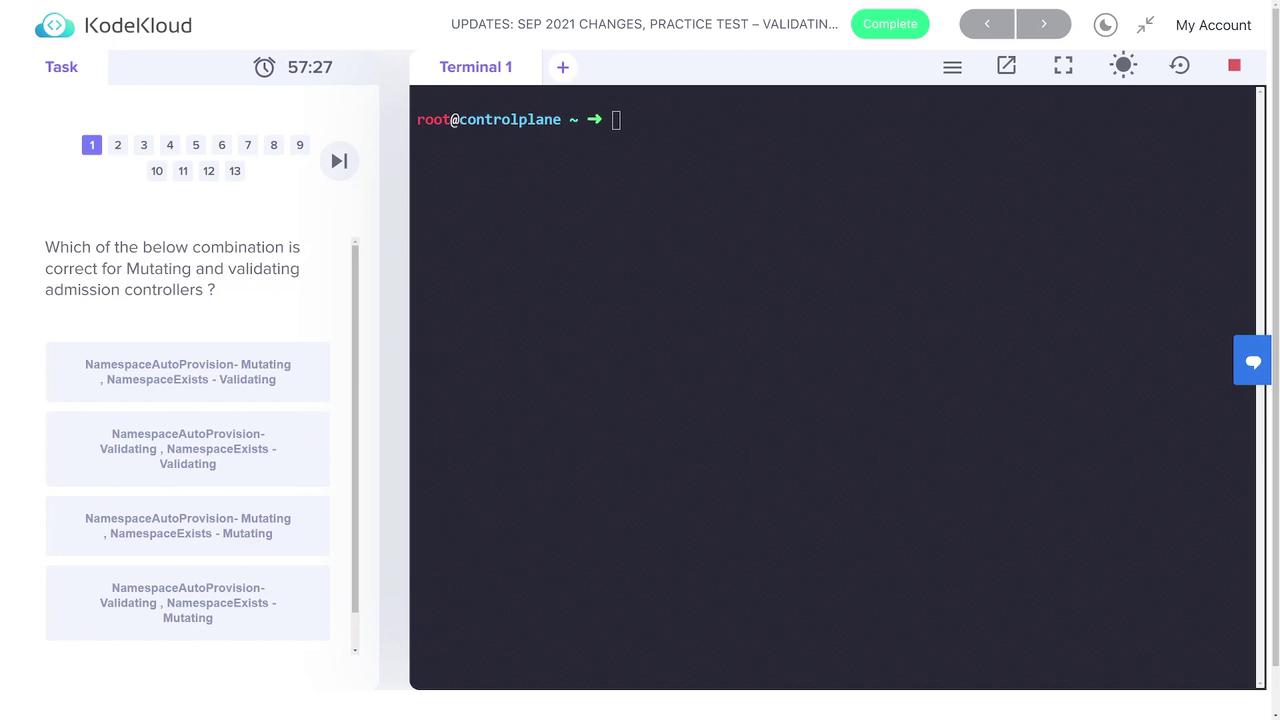
The lab begins with a question on the differences between mutating and validating admission controllers. The correct answer is that the "namespace auto-provision" admission controller is mutating because it creates or modifies a resource, while the "namespace exists" admission controller is validating since it checks for the presence of a namespace. This distinction is key to understanding how admission controllers intercept and process Kubernetes API requests.
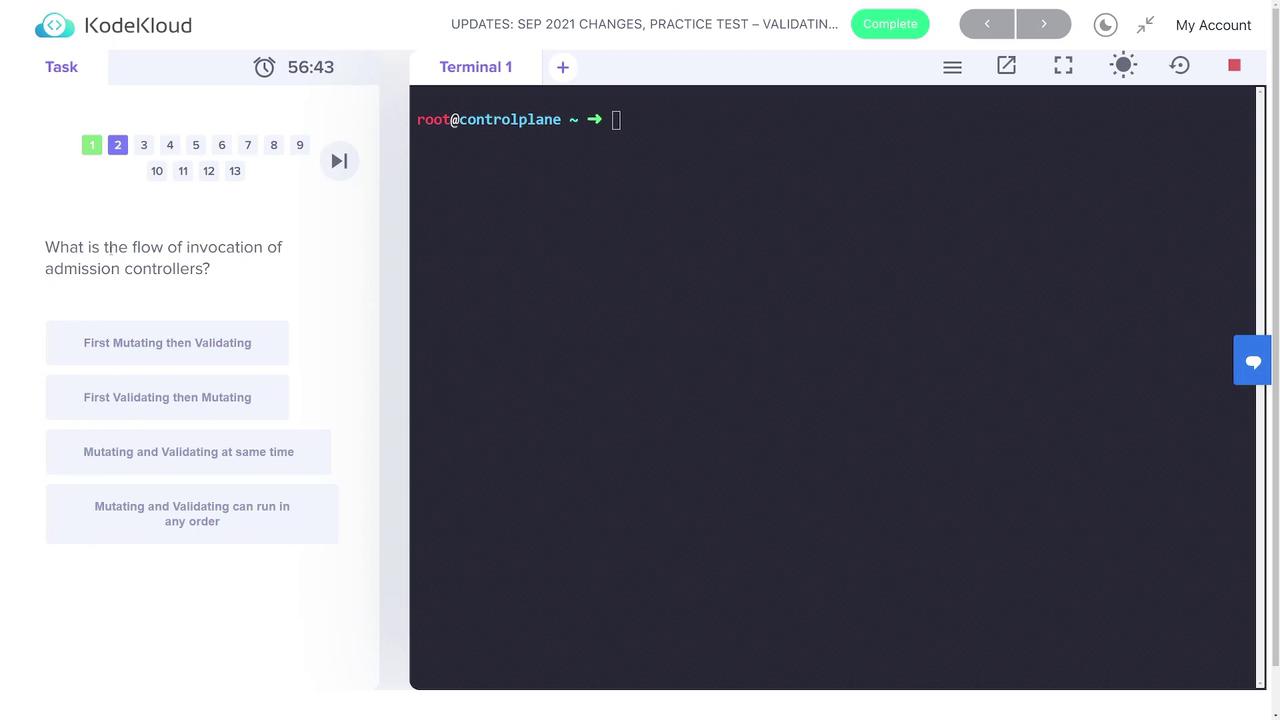
Next, the lab explores the invocation flow of admission controllers. The mutating controller is invoked first, followed by the validating controller, establishing a clear processing order for API requests.
## Step 1: Creating the Namespace
Begin by creating a new namespace called "webhook-demo". This namespace will isolate all resources related to the webhook demo. Use the command below:
```bash theme={null}
kubectl create ns webhook-demo
```
To confirm that the namespace was created successfully, list all namespaces:
```bash theme={null}
kubectl get ns
```
Example output:
```bash theme={null}
root@controlplane ~ ➜ kubectl create ns webhook-demo
namespace/webhook-demo created
root@controlplane ~ ➜ kubectl get ns
NAME STATUS AGE
default Active 37m
kube-node-lease Active 37m
kube-public Active 37m
kube-system Active 37m
webhook-demo Active 3s
```
## Step 2: Creating the TLS Secret
A TLS secret is required for secure webhook communication. Create the secret "webhook-server-tls" in the "webhook-demo" namespace with the certificate and key located at the specified paths:
```bash theme={null}
kubectl -n webhook-demo create secret tls webhook-server-tls \
--cert "/root/keys/webhook-server-tls.crt" \
--key "/root/keys/webhook-server-tls.key"
```
After execution, you should receive a confirmation that the secret has been created.
## Step 3: Deploying the Webhook
### Deploy the Webhook Server
Apply the provided deployment definition in "webhook-deployment.yaml" as follows:
```bash theme={null}
kubectl apply -f webhook-deployment.yaml
```
### Create the Service for the Webhook
Next, deploy the service that will enable communication with the webhook server. Use the configuration in "webhook-service.yaml":
```bash theme={null}
kubectl apply -f webhook-service.yaml
```
### Configure the Webhook
A mutating webhook configuration is specified in "webhook-configuration.yaml". This configuration sets up the webhook to intercept CREATE operations on pods. An excerpt of the configuration is shown below:
```yaml theme={null}
webhooks:
- name: webhook-server.webhook-demo.svc
clientConfig:
service:
name: webhook-server
namespace: webhook-demo
path: "/mutate"
caBundle: LS0tLS1CRUdJTiBDRVJUUzJ0QFUrS0tLS0tck1JSURqekNDQWl1Z0F3UJBZ0lV...
rules:
- operations: [ "CREATE" ]
apiGroups: [""]
apiVersions: [ "v1" ]
resources: ["pods"]
```
Apply the webhook configuration:
```bash theme={null}
kubectl apply -f webhook-configuration.yaml
```
The demo webhook enforces the following rules:
* Denies pod requests where the container runs as root if no security context is provided.
* Automatically mutates pods by setting `runAsNonRoot` to true and `runAsUser` to 1234 when not explicitly specified.
* Permits running as root only if the security context explicitly sets `runAsNonRoot` to false.
## Step 4: Testing the Webhook with Different Pod Configurations
### Pod with Default Security Settings
Deploy a pod without any security context using the "pod-with-defaults.yaml" definition. Without the webhook, this pod would run as the root user. The webhook mutates the pod to enforce best practices.
```yaml theme={null}
# A pod with no securityContext specified.
# Without the webhook, it would run as user root (0). The webhook mutates it.
apiVersion: v1
kind: Pod
metadata:
name: pod-with-defaults
labels:
app: pod-with-defaults
spec:
restartPolicy: OnFailure
containers:
- name: busybox
image: busybox
command: ["sh", "-c", "echo I am running as user $(id -u)"]
```
Deploy the pod:
```bash theme={null}
kubectl apply -f pod-with-defaults.yaml
```
Inspect the pod configuration to ensure that `runAsNonRoot` is set to true and `runAsUser` is set to 1234:
```bash theme={null}
kubectl get pods pod-with-defaults -o yaml
```
### Pod with an Explicitly Overridden Security Context
Next, test a pod configured to allow running as root. The "pod-with-override.yaml" file has its security context explicitly set to allow root execution by setting `runAsNonRoot` to false:
```yaml theme={null}
apiVersion: v1
kind: Pod
metadata:
name: pod-with-override
labels:
app: pod-with-override
spec:
restartPolicy: OnFailure
securityContext:
runAsNonRoot: false
containers:
- name: busybox
image: busybox
command: ["sh", "-c", "echo I am running as user $(id -u)"]
```
Deploy the pod:
```bash theme={null}
kubectl apply -f pod-with-override.yaml
```
### Pod with Conflicting Security Context
Finally, demonstrate the validation process by deploying a pod that conflicts with the established security policies. The "pod-with-conflict.yaml" file sets `runAsNonRoot` to true while specifying `runAsUser` as 0, which should be rejected by the webhook:
```yaml theme={null}
apiVersion: v1
kind: Pod
metadata:
name: pod-with-conflict
labels:
app: pod-with-conflict
spec:
restartPolicy: OnFailure
securityContext:
runAsNonRoot: true
runAsUser: 0
containers:
- name: busybox
image: busybox
command: ["sh", "-c", "echo I am running as user $(id -u)"]
```
Deploy the pod:
```bash theme={null}
kubectl apply -f pod-with-conflict.yaml
```
If a pod conflicts with the security context policy, the creation request will be rejected with an error message similar to:
Error from server: error when creating "pod-with-conflict.yaml": admission webhook "webhook-server.webhook-demo.svc" denied the request: runAsNonRoot specified, but runAsUser set to 0 (the root user)
This verifies that the validating admission controller is actively enforcing the security policy by rejecting pods with invalid configurations.
***
This concludes the lab session on validating and mutating admission controllers in Kubernetes. For more detailed information, please refer to the [Kubernetes Documentation](https://kubernetes.io/docs/).