> ## Documentation Index
> Fetch the complete documentation index at: https://notes.kodekloud.com/llms.txt
> Use this file to discover all available pages before exploring further.
# Node Affinity
> This article explains node affinity in Kubernetes, detailing advanced scheduling rules for pod placement based on node labels.
Welcome to this comprehensive lesson on node affinity in Kubernetes. In this guide, you'll learn how node affinity extends the capabilities of basic node selectors by allowing advanced expressions like In, NotIn, and Exists. This feature enables you to specify detailed rules for pod placement based on node labels.
Previously, you might have used node selectors for basic scheduling. For example, to ensure that a large data processing pod runs on a large node, you could use a configuration like this:
```yaml theme={null}
apiVersion: v1
kind: Pod
metadata:
name: myapp-pod
spec:
containers:
- name: data-processor
image: data-processor
nodeSelector:
size: Large
```
While node selectors are simple and intuitive, they lack support for advanced matching operators. Node affinity overcomes these limitations by allowing more expressive rules. The example below demonstrates how to schedule a pod on a node labeled as large using node affinity:
```yaml theme={null}
apiVersion: v1
kind: Pod
metadata:
name: myapp-pod
spec:
containers:
- name: data-processor
image: data-processor
affinity:
nodeAffinity:
requiredDuringSchedulingIgnoredDuringExecution:
nodeSelectorTerms:
- matchExpressions:
- key: size
operator: In
values:
- Large
```
• The `affinity` key under `spec` introduces the `nodeAffinity` configuration.\
• The field `requiredDuringSchedulingIgnoredDuringExecution` indicates that the scheduler must place the pod on a node meeting the criteria. Once the pod is running, any changes to node labels are ignored.\
• The `nodeSelectorTerms` array contains one or more `matchExpressions`. Each expression specifies a label key, an operator, and a list of values. Here, the `In` operator ensures that the pod is scheduled only on nodes where the label `size` includes ‘Large’.
To allow for more flexible scheduling, such as permitting a pod to run on either large or medium nodes, simply add additional values to the list. Alternatively, you can use the `NotIn` operator to explicitly avoid placing a pod on nodes with specific labels. For example, to avoid nodes labeled as small:
```yaml theme={null}
apiVersion: v1
kind: Pod
metadata:
name: myapp-pod
spec:
containers:
- name: data-processor
image: data-processor
affinity:
nodeAffinity:
requiredDuringSchedulingIgnoredDuringExecution:
nodeSelectorTerms:
- matchExpressions:
- key: size
operator: NotIn
values:
- Small
```
In cases where you only need to verify the presence of a label without checking for specific values, the `Exists` operator is useful. When using `Exists`, you do not provide a list of values:
```yaml theme={null}
apiVersion: v1
kind: Pod
metadata:
name: myapp-pod
spec:
containers:
- name: data-processor
image: data-processor
affinity:
nodeAffinity:
requiredDuringSchedulingIgnoredDuringExecution:
nodeSelectorTerms:
- matchExpressions:
- key: size
operator: Exists
```
Once a pod is scheduled using node affinity rules, these rules are only evaluated during scheduling. Changes to node labels after scheduling will not affect a running pod due to the "ignored during execution" behavior.
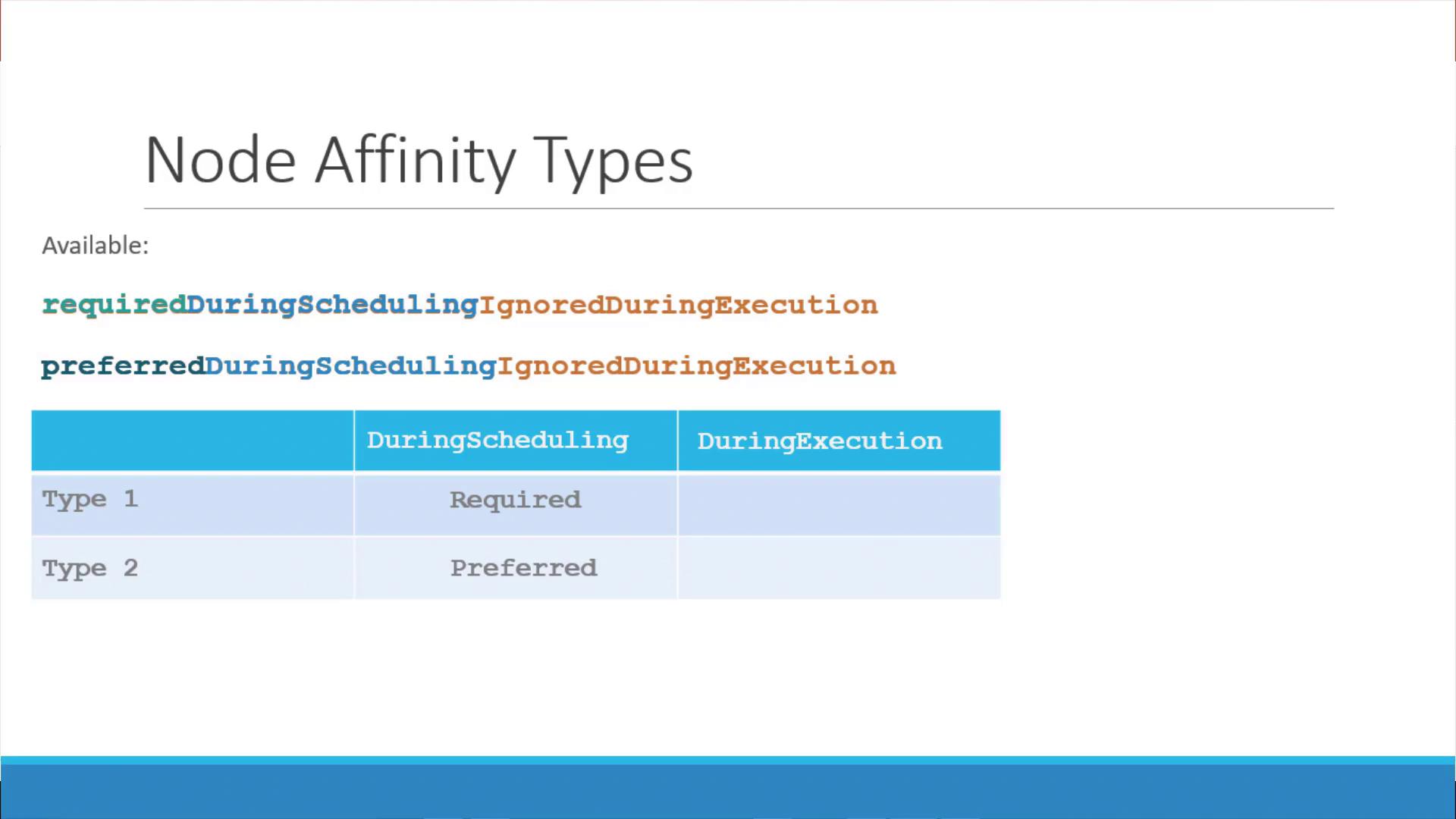
There are two primary scheduling behaviors for node affinity:
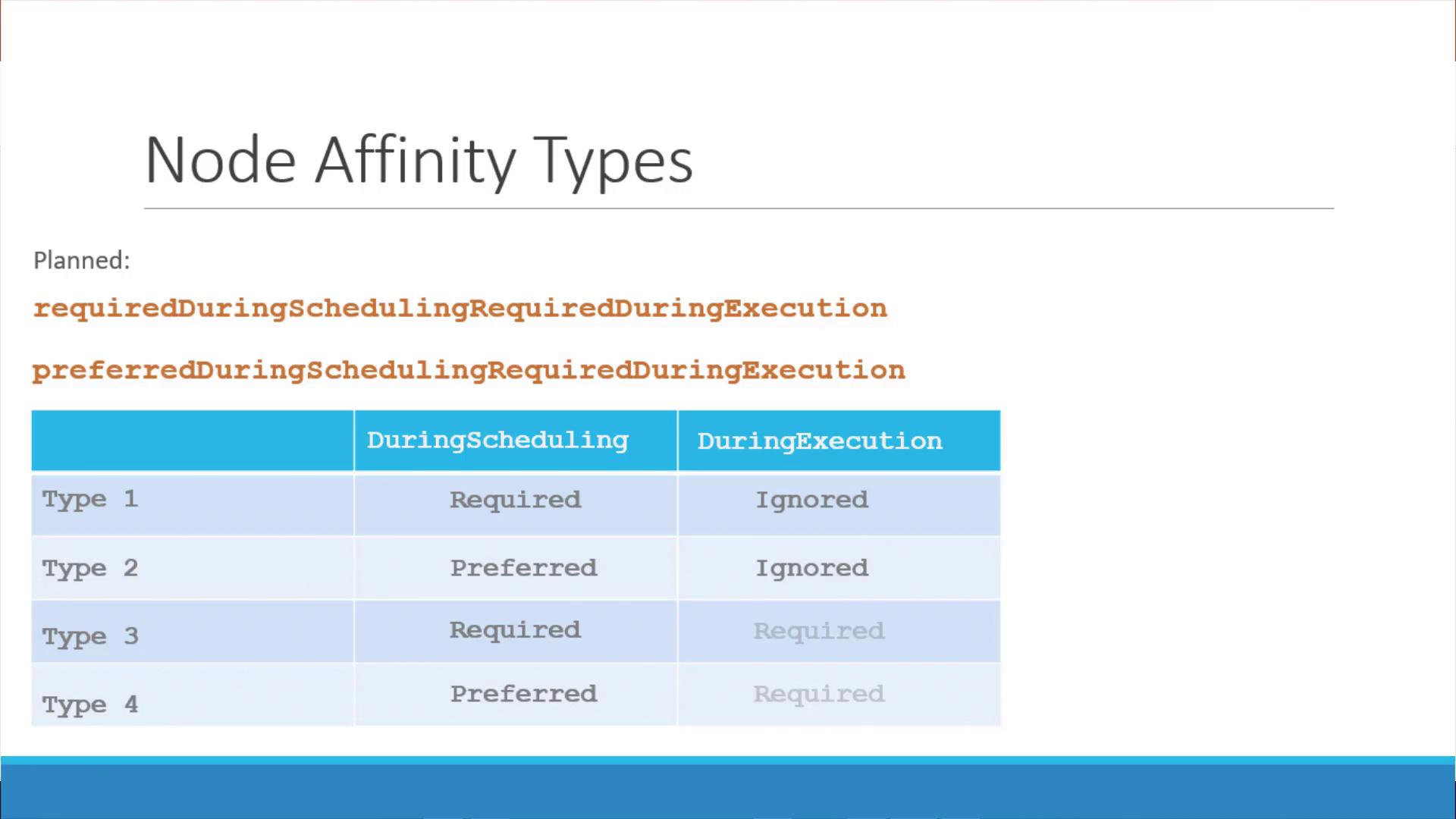
1. **Required During Scheduling, Ignored During Execution**
* The pod is scheduled only on nodes that fully satisfy the affinity rules.
* Once running, changes to node labels do not impact the pod.
2. **Preferred During Scheduling, Ignored During Execution**
* The scheduler prefers nodes that meet the affinity rules but will place the pod on another node if no matching nodes are available.
Future enhancements may introduce additional affinity types, such as **Required During Execution**. In this model, if a node's labels change after a pod is running and no longer meet the affinity criteria, the pod would be evicted.
## Summary
Node affinity empowers you to define sophisticated scheduling rules for pod placement based on node labels. Key takeaways include:
* Using `nodeSelectorTerms` with `matchExpressions` to specify rules.
* Leveraging operators such as `In`, `NotIn`, and `Exists` for flexible matching.
* Understanding the scheduling phases: during scheduling and after deployment (execution), and how they interact.
This concludes our lesson on node affinity. Practice the provided configurations and explore further by comparing node affinity with taints and tolerations. Happy learning and coding!