> ## Documentation Index
> Fetch the complete documentation index at: https://notes.kodekloud.com/llms.txt
> Use this file to discover all available pages before exploring further.
# Resource Requirements
> Explains Kubernetes resource requests, limits, LimitRange, and ResourceQuota and their effects on scheduling, runtime behavior, QoS, evictions, and cluster capacity planning
In this lesson we cover Kubernetes resource requests and limits, and how `LimitRange` and `ResourceQuota` affect scheduling, runtime behavior, and cluster capacity planning. You’ll learn how the scheduler uses these values to place pods, what happens when containers exceed their limits, and recommended practices for production clusters.
Every node advertises an amount of CPU and memory. Each pod (more precisely, each container in a pod) can declare `requests` and `limits`. The scheduler uses `requests` to decide where to place pods. Once a pod is scheduled, requested resources are reserved for scheduling decisions and contribute to a container’s QoS classification.
If a pod requests 2 CPUs and 1Gi of memory, the scheduler will only place it on a node with at least those available resources. If no node meets the requirements, the pod will remain in Pending and `kubectl describe pod` will show events such as "Insufficient cpu" or "Insufficient memory".
 ## Specifying Resource Requests
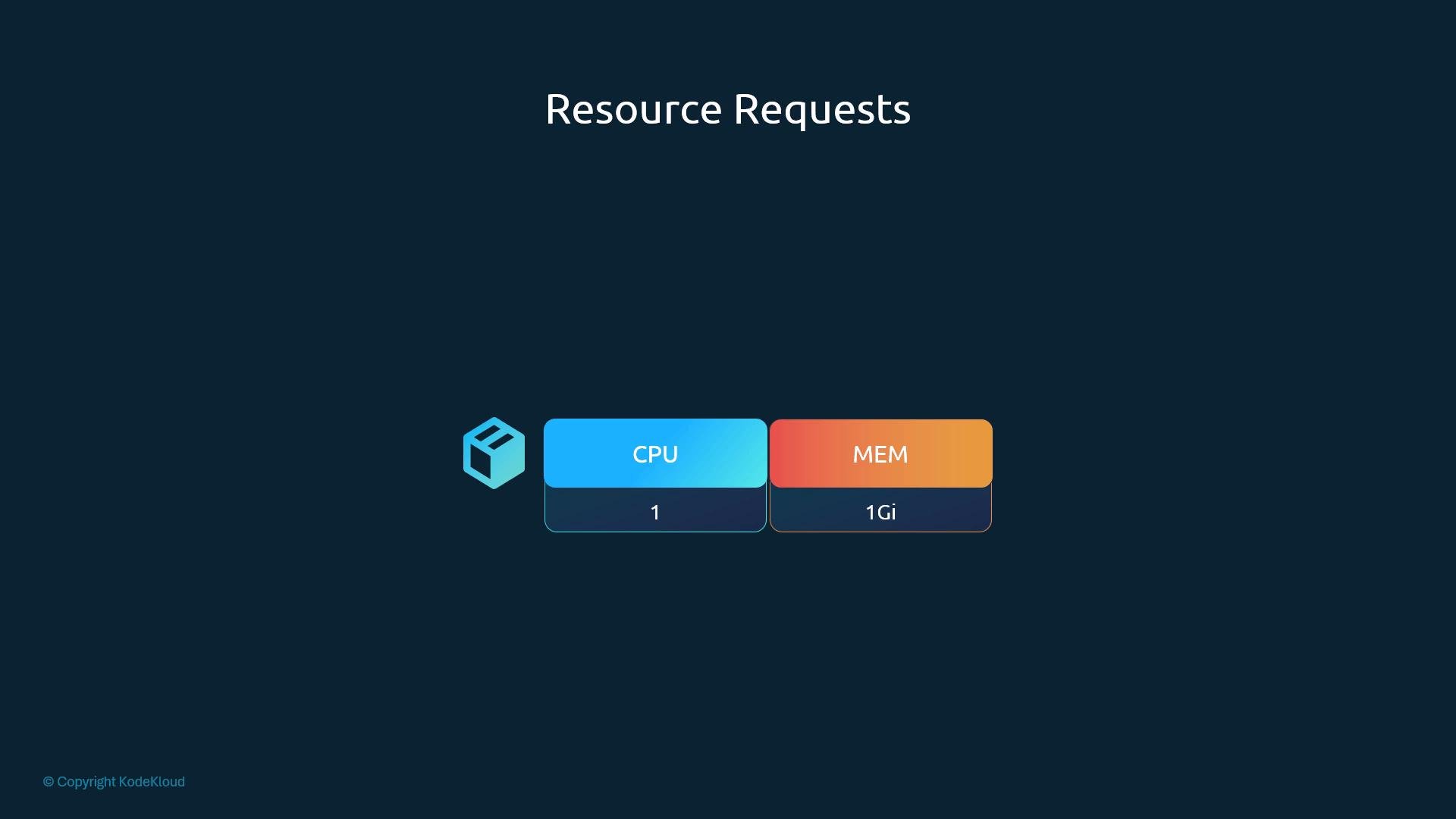
Add a `resources` section to the container spec with `requests` to specify the minimum CPU and memory the container requires:
```yaml theme={null}
apiVersion: v1
kind: Pod
metadata:
name: simple-webapp-color
labels:
name: simple-webapp-color
spec:
containers:
- name: simple-webapp-color
image: simple-webapp-color
ports:
- containerPort: 8080
resources:
requests:
memory: "4Gi"
cpu: "2"
```
In this example the container requests `4Gi` of memory and `2` CPUs. The scheduler will place the pod only on a node that has those resources available; after scheduling, those requests influence QoS and eviction ranking.
## CPU and Memory Units
* CPU:
* Fractional values allowed (e.g., `0.1` CPU).
* `100m` equals `0.1` CPU; the smallest accepted unit is `1m`.
* `1` CPU typically maps to 1 vCPU or 1 core (provider-dependent).
* Memory:
* Use unit suffixes like `Ki`, `Mi`, `Gi` or decimal `K`, `M`, `G`.
* `Gi` = 1024^3 bytes; `G` = 1000^3 bytes.
| Resource | Example units | Notes |
| -: | - | - |
| CPU | `100m`, `500m`, `1` | `1` ≈ 1 vCPU/core |
| Memory | `512Mi`, `1Gi`, `4Gi` | Prefer binary units `Mi`/`Gi` to avoid confusion |
## When to use `limits`
Setting `requests` ensures scheduling guarantees. To cap runtime consumption, add `limits`.
* Without limits, a container can consume any available resources on the node (which may starve other pods).
* With limits, CPU is throttled and memory overuse causes termination (OOM).
## Specifying Resource Requests
Add a `resources` section to the container spec with `requests` to specify the minimum CPU and memory the container requires:
```yaml theme={null}
apiVersion: v1
kind: Pod
metadata:
name: simple-webapp-color
labels:
name: simple-webapp-color
spec:
containers:
- name: simple-webapp-color
image: simple-webapp-color
ports:
- containerPort: 8080
resources:
requests:
memory: "4Gi"
cpu: "2"
```
In this example the container requests `4Gi` of memory and `2` CPUs. The scheduler will place the pod only on a node that has those resources available; after scheduling, those requests influence QoS and eviction ranking.
## CPU and Memory Units
* CPU:
* Fractional values allowed (e.g., `0.1` CPU).
* `100m` equals `0.1` CPU; the smallest accepted unit is `1m`.
* `1` CPU typically maps to 1 vCPU or 1 core (provider-dependent).
* Memory:
* Use unit suffixes like `Ki`, `Mi`, `Gi` or decimal `K`, `M`, `G`.
* `Gi` = 1024^3 bytes; `G` = 1000^3 bytes.
| Resource | Example units | Notes |
| -: | - | - |
| CPU | `100m`, `500m`, `1` | `1` ≈ 1 vCPU/core |
| Memory | `512Mi`, `1Gi`, `4Gi` | Prefer binary units `Mi`/`Gi` to avoid confusion |
## When to use `limits`
Setting `requests` ensures scheduling guarantees. To cap runtime consumption, add `limits`.
* Without limits, a container can consume any available resources on the node (which may starve other pods).
* With limits, CPU is throttled and memory overuse causes termination (OOM).
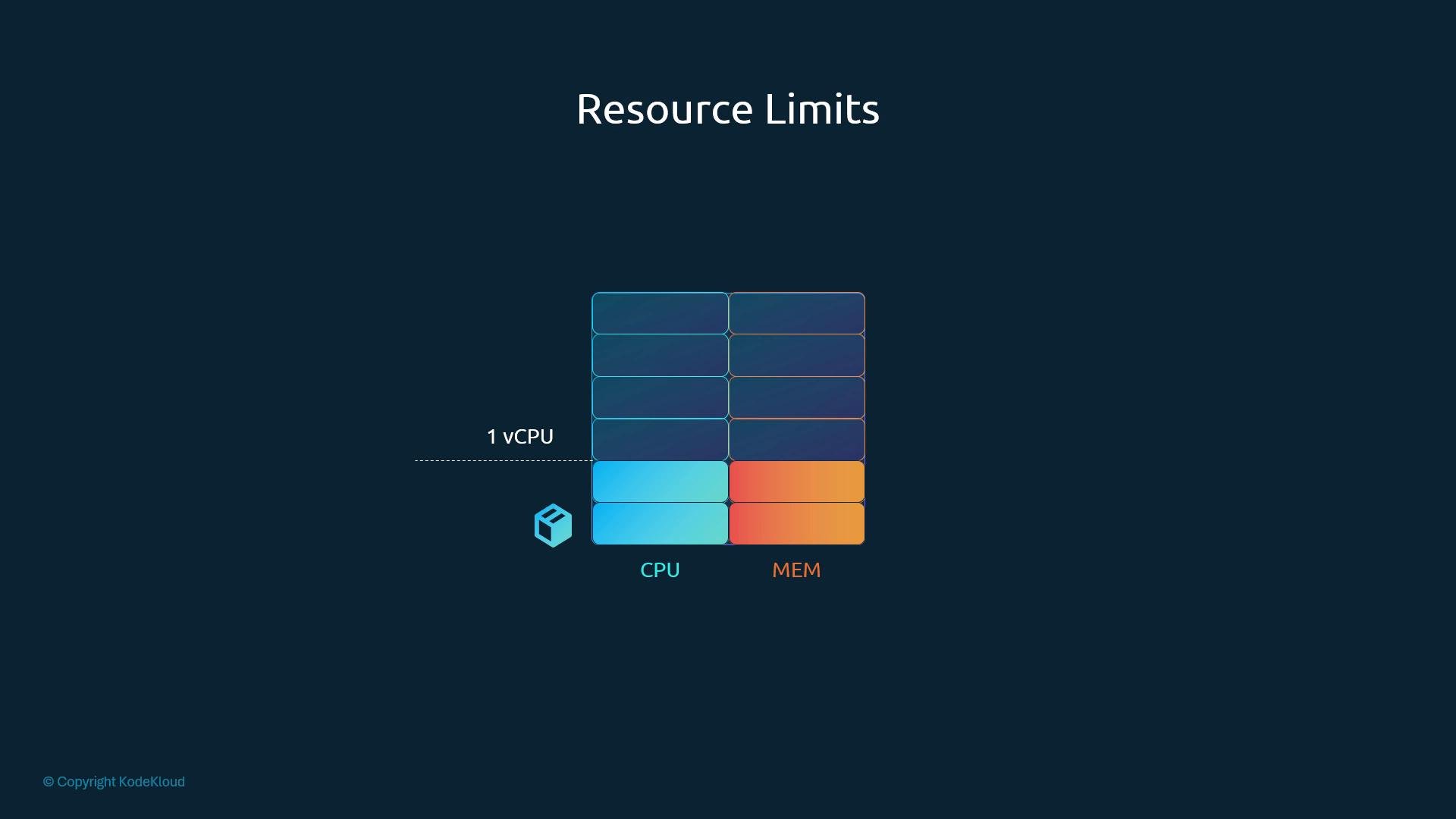 Example with both requests and limits:
```yaml theme={null}
apiVersion: v1
kind: Pod
metadata:
name: simple-webapp-color
labels:
name: simple-webapp-color
spec:
containers:
- name: simple-webapp-color
image: simple-webapp-color
ports:
- containerPort: 8080
resources:
requests:
memory: "1Gi"
cpu: "2"
limits:
memory: "2Gi"
cpu: "2"
```
Requests and limits are defined per container. If a pod has multiple containers, each container declares its own `requests` and `limits`.
## What happens when a container exceeds its limit?
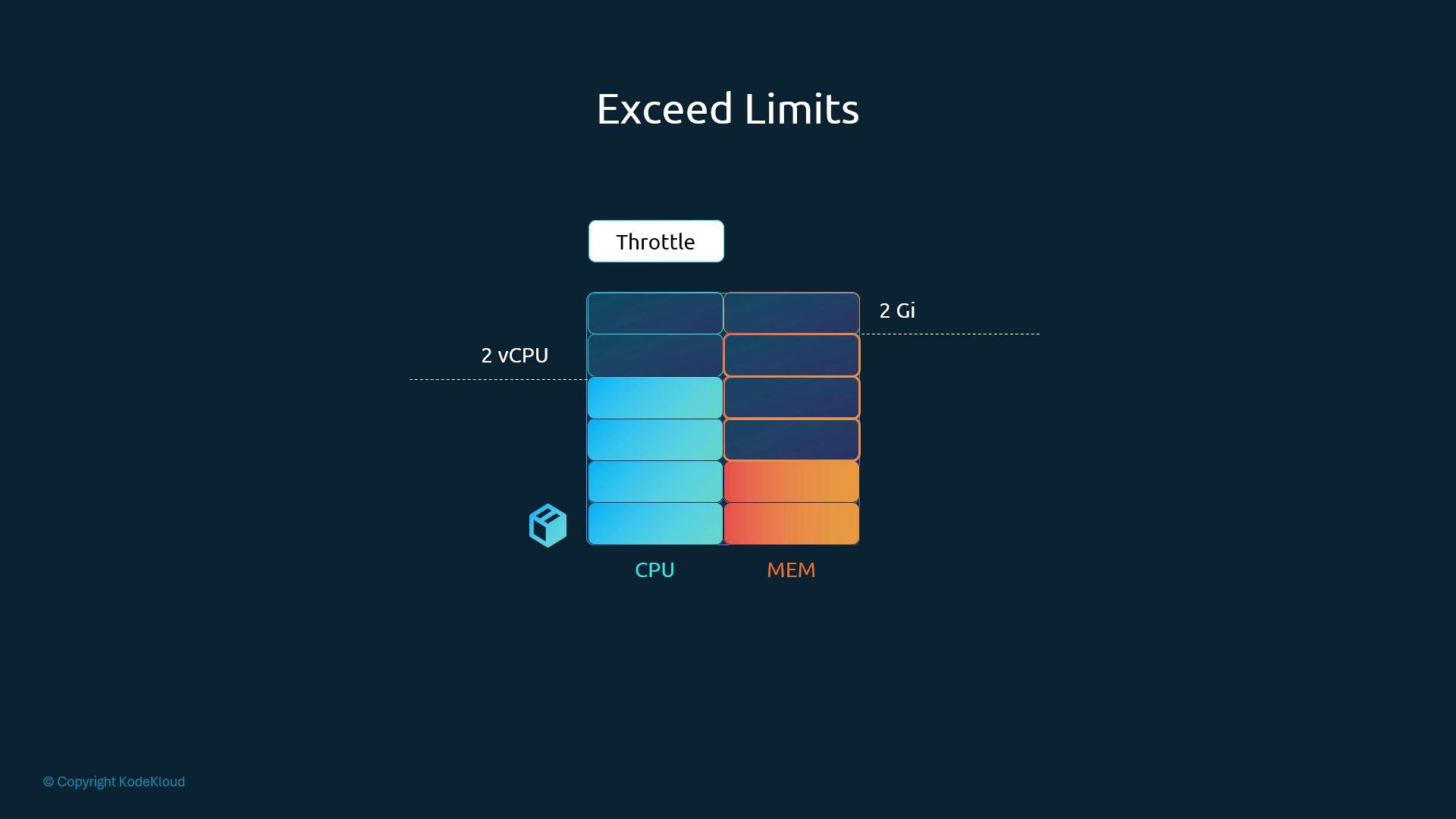
* CPU: the CFS scheduler throttles the container; it will not get more CPU cycles than the limit.
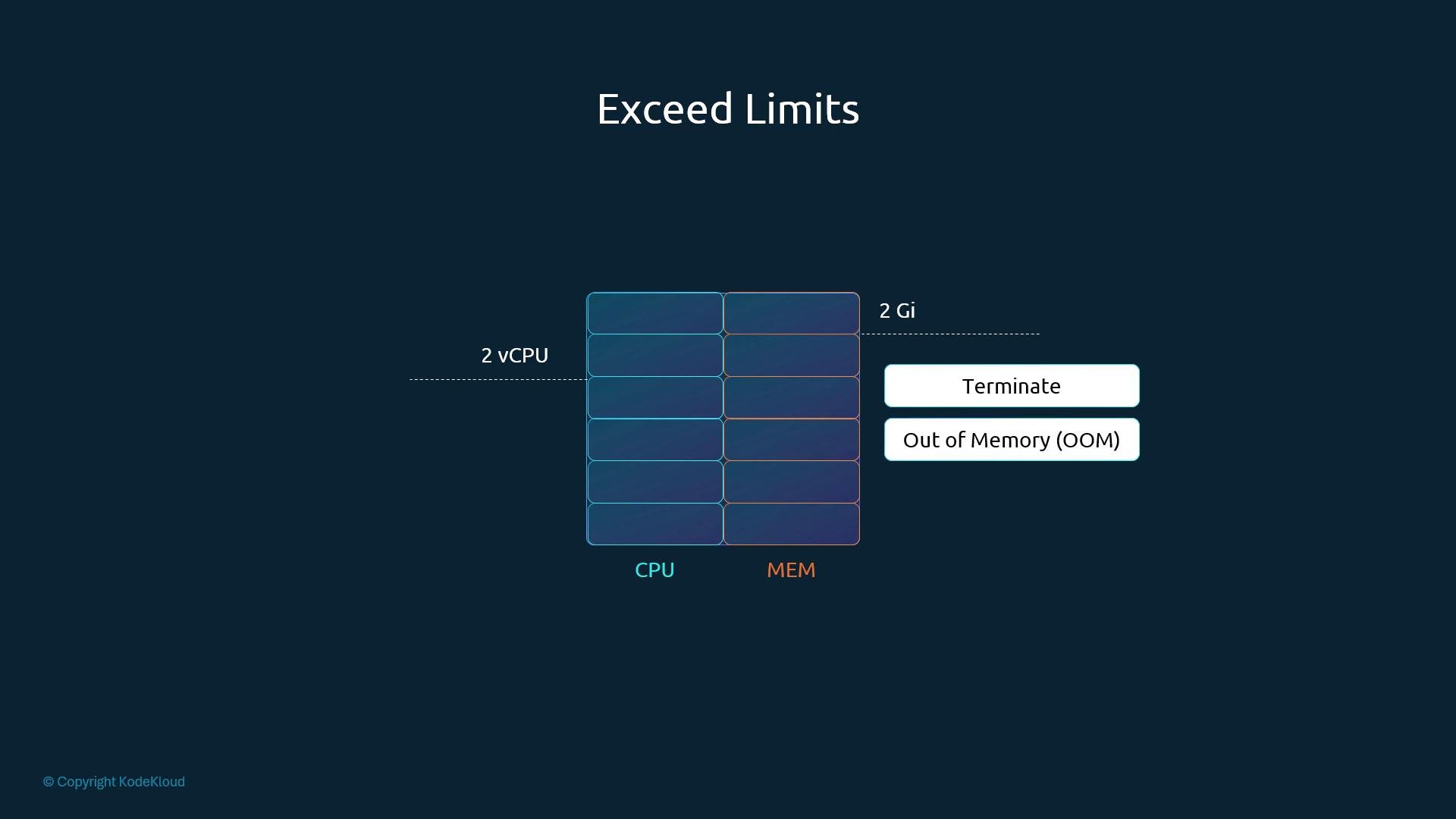
* Memory: memory cannot be throttled. If a container exceeds its memory limit, the kernel may OOM-kill the process and the pod will be terminated.
Example with both requests and limits:
```yaml theme={null}
apiVersion: v1
kind: Pod
metadata:
name: simple-webapp-color
labels:
name: simple-webapp-color
spec:
containers:
- name: simple-webapp-color
image: simple-webapp-color
ports:
- containerPort: 8080
resources:
requests:
memory: "1Gi"
cpu: "2"
limits:
memory: "2Gi"
cpu: "2"
```
Requests and limits are defined per container. If a pod has multiple containers, each container declares its own `requests` and `limits`.
## What happens when a container exceeds its limit?
* CPU: the CFS scheduler throttles the container; it will not get more CPU cycles than the limit.
* Memory: memory cannot be throttled. If a container exceeds its memory limit, the kernel may OOM-kill the process and the pod will be terminated.
 Under memory pressure, the kubelet may evict pods according to QoS and eviction thresholds to reclaim memory before an OOM occurs.
 ## Default configuration and common scenarios
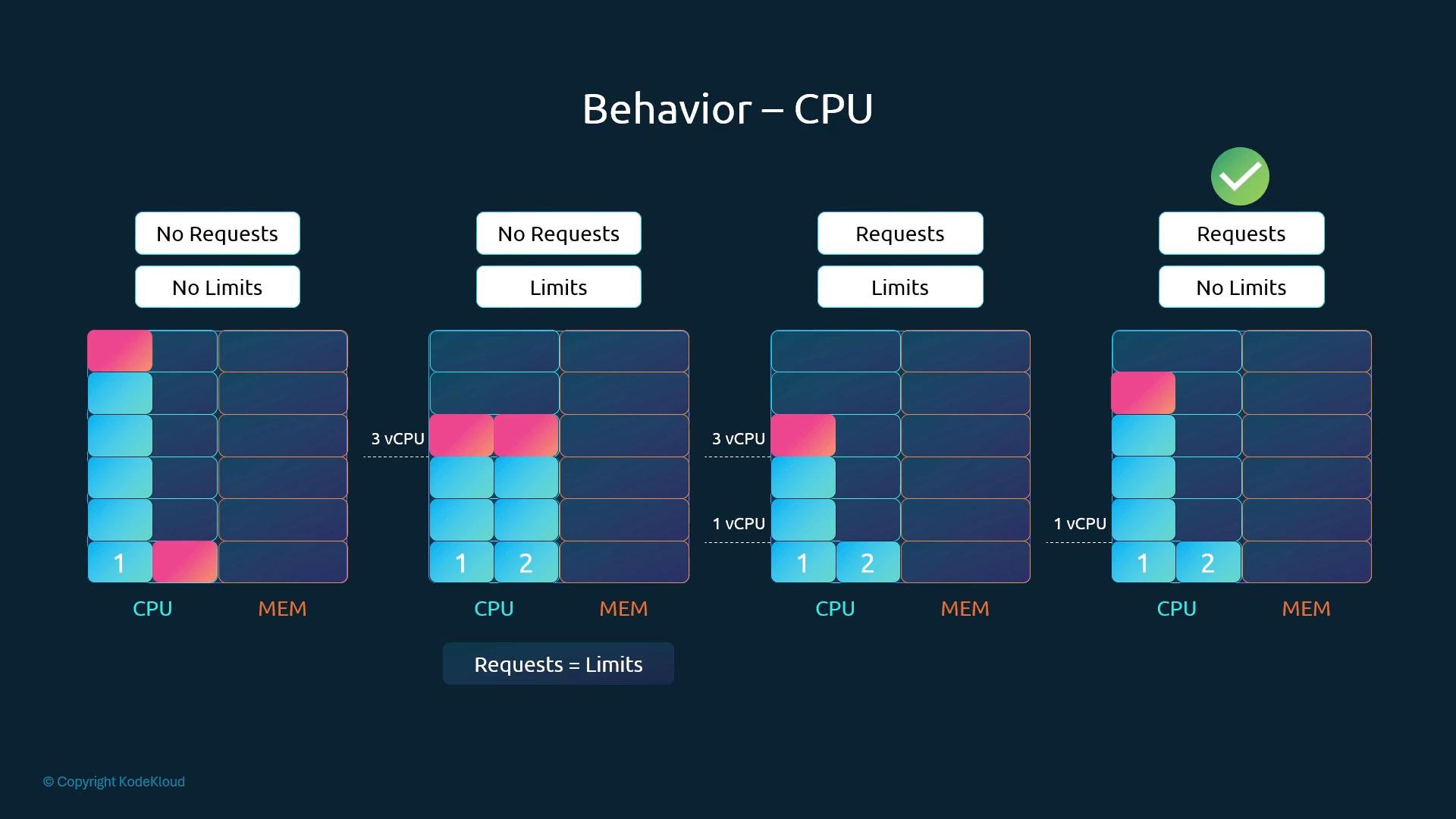
By default, Kubernetes does not require `requests` or `limits`. Omitting them can cause noisy neighbors or unpredictable scheduling. The table below summarizes common combinations and their effects:
| Scenario | Scheduler behavior | Runtime behavior |
| -: | - | - |
| No requests, no limits | Pod schedulable anywhere with available capacity; no guarantees | Pod can use as much node resources as available (risky) |
| No requests, limits set | Effective request = limit for scheduling | CPU capped; memory capped (OOM if exceeded) |
| Requests and limits set | Scheduler respects `request` for placement | Container guaranteed `request`; cannot exceed `limit` |
| Requests set, no limits | Scheduler reserves `request` | CPU can burst above request (throttled if needed); memory can grow if available (risk of eviction/OOM under pressure) |
## Default configuration and common scenarios
By default, Kubernetes does not require `requests` or `limits`. Omitting them can cause noisy neighbors or unpredictable scheduling. The table below summarizes common combinations and their effects:
| Scenario | Scheduler behavior | Runtime behavior |
| -: | - | - |
| No requests, no limits | Pod schedulable anywhere with available capacity; no guarantees | Pod can use as much node resources as available (risky) |
| No requests, limits set | Effective request = limit for scheduling | CPU capped; memory capped (OOM if exceeded) |
| Requests and limits set | Scheduler respects `request` for placement | Container guaranteed `request`; cannot exceed `limit` |
| Requests set, no limits | Scheduler reserves `request` | CPU can burst above request (throttled if needed); memory can grow if available (risk of eviction/OOM under pressure) |
 Always set sensible resource `requests` for production workloads so the scheduler can place pods correctly. Use `limits` when you need to prevent runaway usage (e.g., multi-tenant clusters). If you want safe defaults or namespace restrictions, use `LimitRange` and `ResourceQuota`.
On shared clusters, omitting requests or limits may lead to unfair resource usage and evictions. Enforce namespace policies with `LimitRange` and `ResourceQuota`.
## QoS classes (brief)
QoS classes influence eviction priority and are derived from requests/limits per pod:
* Guaranteed: every container has CPU and memory requests equal to limits.
* Burstable: at least one container has a request but not all request==limit.
* BestEffort: no requests or limits specified.
Pods in BestEffort are the first to be evicted under resource pressure, while Guaranteed pods have the strongest eviction protection.
## LimitRanges — defaults and min/max at namespace level
Use a `LimitRange` to provide defaults or enforce min/max values for containers in a namespace. `LimitRange` affects pods created or updated after it is applied.
Example `LimitRange` (CPU and memory):
```yaml theme={null}
apiVersion: v1
kind: LimitRange
metadata:
name: cpu-resource-constraint
spec:
limits:
- type: Container
default:
cpu: 500m
defaultRequest:
cpu: 500m
max:
cpu: "1"
min:
cpu: 100m
---
apiVersion: v1
kind: LimitRange
metadata:
name: memory-resource-constraint
spec:
limits:
- type: Container
default:
memory: 1Gi
defaultRequest:
memory: 1Gi
max:
memory: 1Gi
min:
memory: 500Mi
```
Notes:
* `default` applies when a container has no explicit `limit`.
* `defaultRequest` applies when a container has no explicit `request`.
* `min`/`max` restrict values for containers in the namespace.
* Existing pods are not retroactively changed when a `LimitRange` is added.
## ResourceQuota — namespace aggregate limits
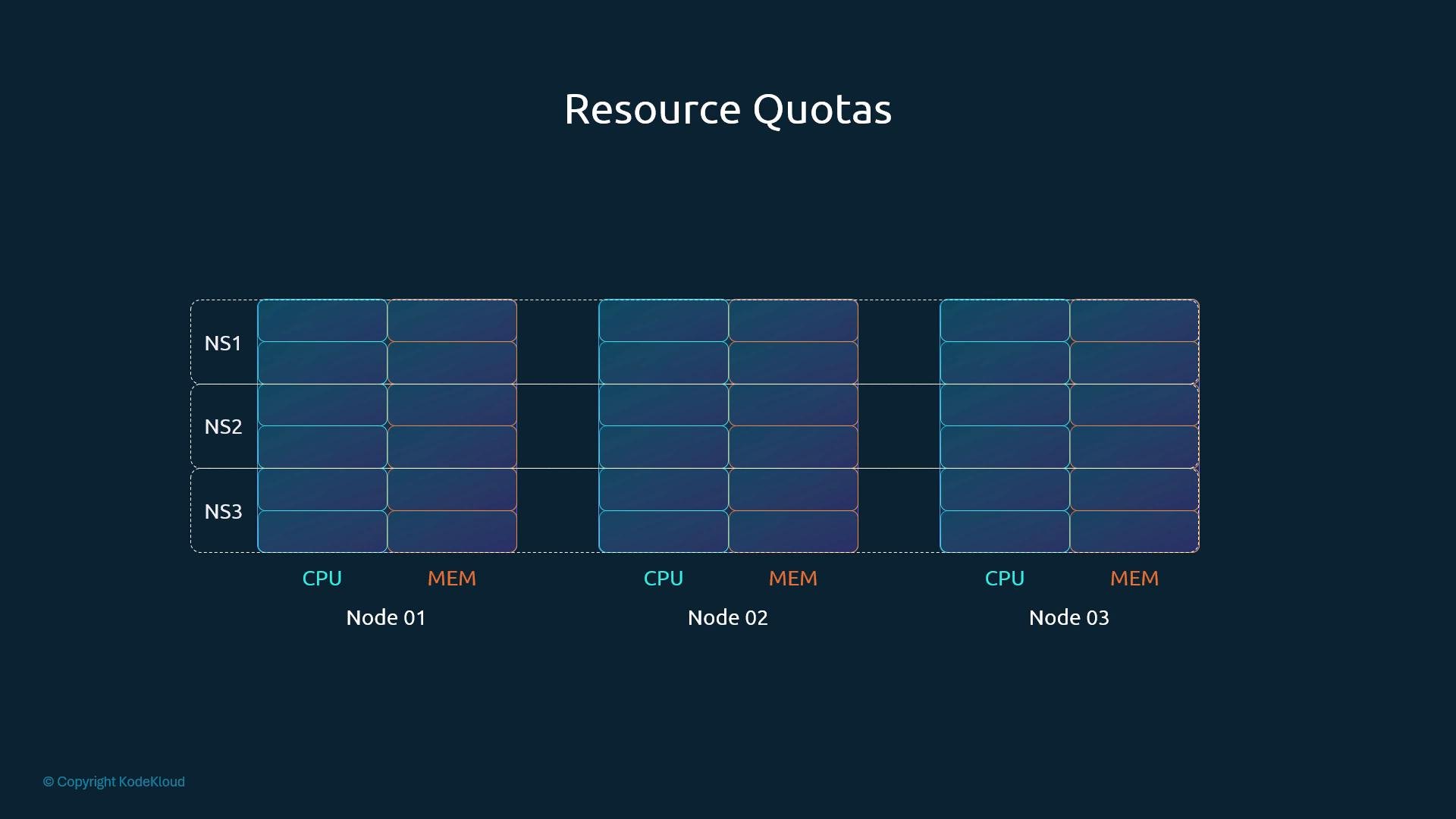
`ResourceQuota` enforces hard caps on the total resource consumption within a namespace, limiting aggregate `requests` and `limits`.
Always set sensible resource `requests` for production workloads so the scheduler can place pods correctly. Use `limits` when you need to prevent runaway usage (e.g., multi-tenant clusters). If you want safe defaults or namespace restrictions, use `LimitRange` and `ResourceQuota`.
On shared clusters, omitting requests or limits may lead to unfair resource usage and evictions. Enforce namespace policies with `LimitRange` and `ResourceQuota`.
## QoS classes (brief)
QoS classes influence eviction priority and are derived from requests/limits per pod:
* Guaranteed: every container has CPU and memory requests equal to limits.
* Burstable: at least one container has a request but not all request==limit.
* BestEffort: no requests or limits specified.
Pods in BestEffort are the first to be evicted under resource pressure, while Guaranteed pods have the strongest eviction protection.
## LimitRanges — defaults and min/max at namespace level
Use a `LimitRange` to provide defaults or enforce min/max values for containers in a namespace. `LimitRange` affects pods created or updated after it is applied.
Example `LimitRange` (CPU and memory):
```yaml theme={null}
apiVersion: v1
kind: LimitRange
metadata:
name: cpu-resource-constraint
spec:
limits:
- type: Container
default:
cpu: 500m
defaultRequest:
cpu: 500m
max:
cpu: "1"
min:
cpu: 100m
---
apiVersion: v1
kind: LimitRange
metadata:
name: memory-resource-constraint
spec:
limits:
- type: Container
default:
memory: 1Gi
defaultRequest:
memory: 1Gi
max:
memory: 1Gi
min:
memory: 500Mi
```
Notes:
* `default` applies when a container has no explicit `limit`.
* `defaultRequest` applies when a container has no explicit `request`.
* `min`/`max` restrict values for containers in the namespace.
* Existing pods are not retroactively changed when a `LimitRange` is added.
## ResourceQuota — namespace aggregate limits
`ResourceQuota` enforces hard caps on the total resource consumption within a namespace, limiting aggregate `requests` and `limits`.
 Example `ResourceQuota`:
```yaml theme={null}
apiVersion: v1
kind: ResourceQuota
metadata:
name: my-resource-quota
spec:
hard:
requests.cpu: "4"
requests.memory: 4Gi
limits.cpu: "10"
limits.memory: 10Gi
```
This caps the sum of all containers' requested CPU in the namespace to `4` CPUs and requested memory to `4Gi`. It also limits total `limits` to `10` CPUs and `10Gi`.
## Practical tips
* Always set at least `requests` for production workloads to avoid scheduling surprises.
* Use `limits` to prevent noisy-neighbor problems in multi-tenant clusters.
* Apply `LimitRange` to ensure consistent defaults and enforce min/max per namespace.
* Apply `ResourceQuota` to enforce team-level resource budgets and prevent runaway consumption.
* Monitor throttling and OOM events (`kubectl describe pod`, kubelet logs, and metrics) to tune requests and limits.
Wrap-up
* Requests affect scheduling and guarantees.
* Limits cap runtime usage (CPU throttled; memory OOM).
* `LimitRange` provides namespace defaults and constraints.
* `ResourceQuota` enforces namespace-level aggregate limits.
References
* Kubernetes: Manage Resources for Containers — [https://kubernetes.io/docs/concepts/configuration/manage-resources-containers/](https://kubernetes.io/docs/concepts/configuration/manage-resources-containers/)
* Kubernetes Quality of Service (QoS) — [https://kubernetes.io/docs/tasks/configure-pod-container/quality-service-pod/](https://kubernetes.io/docs/tasks/configure-pod-container/quality-service-pod/)
This documentation is built and hosted on [Mintlify](https://mintlify.com), a developer documentation platform.
Example `ResourceQuota`:
```yaml theme={null}
apiVersion: v1
kind: ResourceQuota
metadata:
name: my-resource-quota
spec:
hard:
requests.cpu: "4"
requests.memory: 4Gi
limits.cpu: "10"
limits.memory: 10Gi
```
This caps the sum of all containers' requested CPU in the namespace to `4` CPUs and requested memory to `4Gi`. It also limits total `limits` to `10` CPUs and `10Gi`.
## Practical tips
* Always set at least `requests` for production workloads to avoid scheduling surprises.
* Use `limits` to prevent noisy-neighbor problems in multi-tenant clusters.
* Apply `LimitRange` to ensure consistent defaults and enforce min/max per namespace.
* Apply `ResourceQuota` to enforce team-level resource budgets and prevent runaway consumption.
* Monitor throttling and OOM events (`kubectl describe pod`, kubelet logs, and metrics) to tune requests and limits.
Wrap-up
* Requests affect scheduling and guarantees.
* Limits cap runtime usage (CPU throttled; memory OOM).
* `LimitRange` provides namespace defaults and constraints.
* `ResourceQuota` enforces namespace-level aggregate limits.
References
* Kubernetes: Manage Resources for Containers — [https://kubernetes.io/docs/concepts/configuration/manage-resources-containers/](https://kubernetes.io/docs/concepts/configuration/manage-resources-containers/)
* Kubernetes Quality of Service (QoS) — [https://kubernetes.io/docs/tasks/configure-pod-container/quality-service-pod/](https://kubernetes.io/docs/tasks/configure-pod-container/quality-service-pod/)
This documentation is built and hosted on [Mintlify](https://mintlify.com), a developer documentation platform.