> ## Documentation Index
> Fetch the complete documentation index at: https://notes.kodekloud.com/llms.txt
> Use this file to discover all available pages before exploring further.
# Authentication
> Overview of Kubernetes authentication methods for kube-apiserver, covering legacy static files, TLS client certificates, external identity providers, service accounts, and operational recommendations.
Welcome to this lesson on authentication in a Kubernetes cluster. Kubernetes clusters run on multiple nodes (physical or virtual) and include components that coordinate access to the control plane and workloads. Several types of principals interact with the cluster:
* Administrators who perform cluster-level operations.
* Developers who deploy and iterate on applications.
* End users who access applications (application-level auth is handled by the apps themselves and is out of scope here).
* Robots (processes, controllers, CI systems, and third-party services) that call the Kubernetes API programmatically.
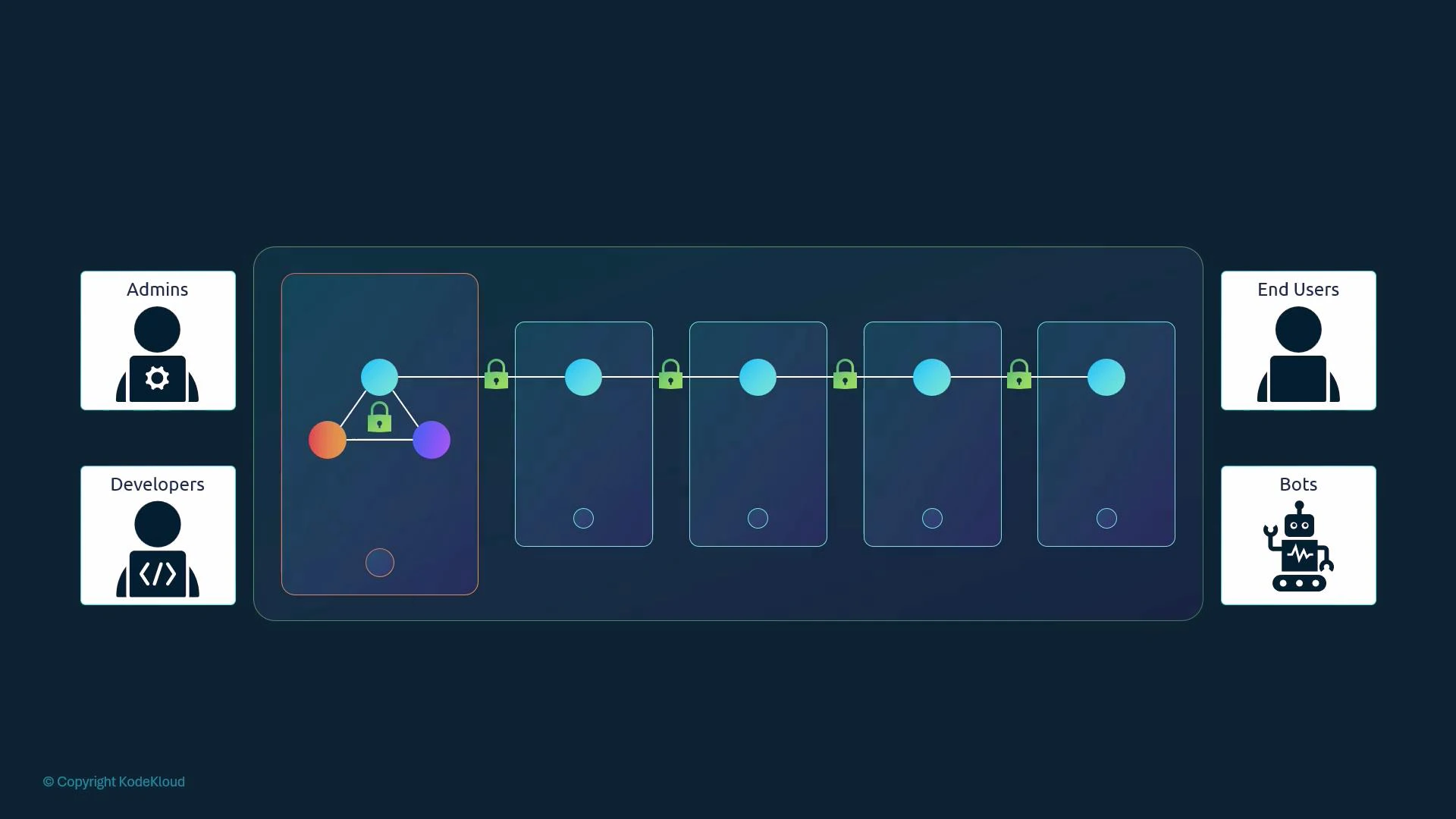 This lesson focuses on securing administrative access to the kube-apiserver — the central API endpoint that authenticates and authorizes all requests to the control plane. That includes access performed by humans (admins, developers) and machines (controllers, CI systems, operators).
Kubernetes does not manage regular user accounts natively: you cannot create or list standard user objects with kubectl. User identities are typically introduced to the cluster through external mechanisms, such as:
* static files (legacy),
* TLS client certificates,
* or an external identity provider (OIDC, LDAP, Kerberos, SAML, etc).
Service accounts, on the other hand, are a Kubernetes resource and are created/managed via the API. Example:
```bash theme={null}
# create a service account
kubectl create serviceaccount sa1
# list service accounts in the current namespace
kubectl get serviceaccounts
```
All incoming API requests (from kubectl, dashboard, controllers, or direct API calls) are received by kube-apiserver, which authenticates each request before applying authorization rules.
Below are the common authentication mechanisms you can configure on kube-apiserver.
This lesson focuses on securing administrative access to the kube-apiserver — the central API endpoint that authenticates and authorizes all requests to the control plane. That includes access performed by humans (admins, developers) and machines (controllers, CI systems, operators).
Kubernetes does not manage regular user accounts natively: you cannot create or list standard user objects with kubectl. User identities are typically introduced to the cluster through external mechanisms, such as:
* static files (legacy),
* TLS client certificates,
* or an external identity provider (OIDC, LDAP, Kerberos, SAML, etc).
Service accounts, on the other hand, are a Kubernetes resource and are created/managed via the API. Example:
```bash theme={null}
# create a service account
kubectl create serviceaccount sa1
# list service accounts in the current namespace
kubectl get serviceaccounts
```
All incoming API requests (from kubectl, dashboard, controllers, or direct API calls) are received by kube-apiserver, which authenticates each request before applying authorization rules.
Below are the common authentication mechanisms you can configure on kube-apiserver.
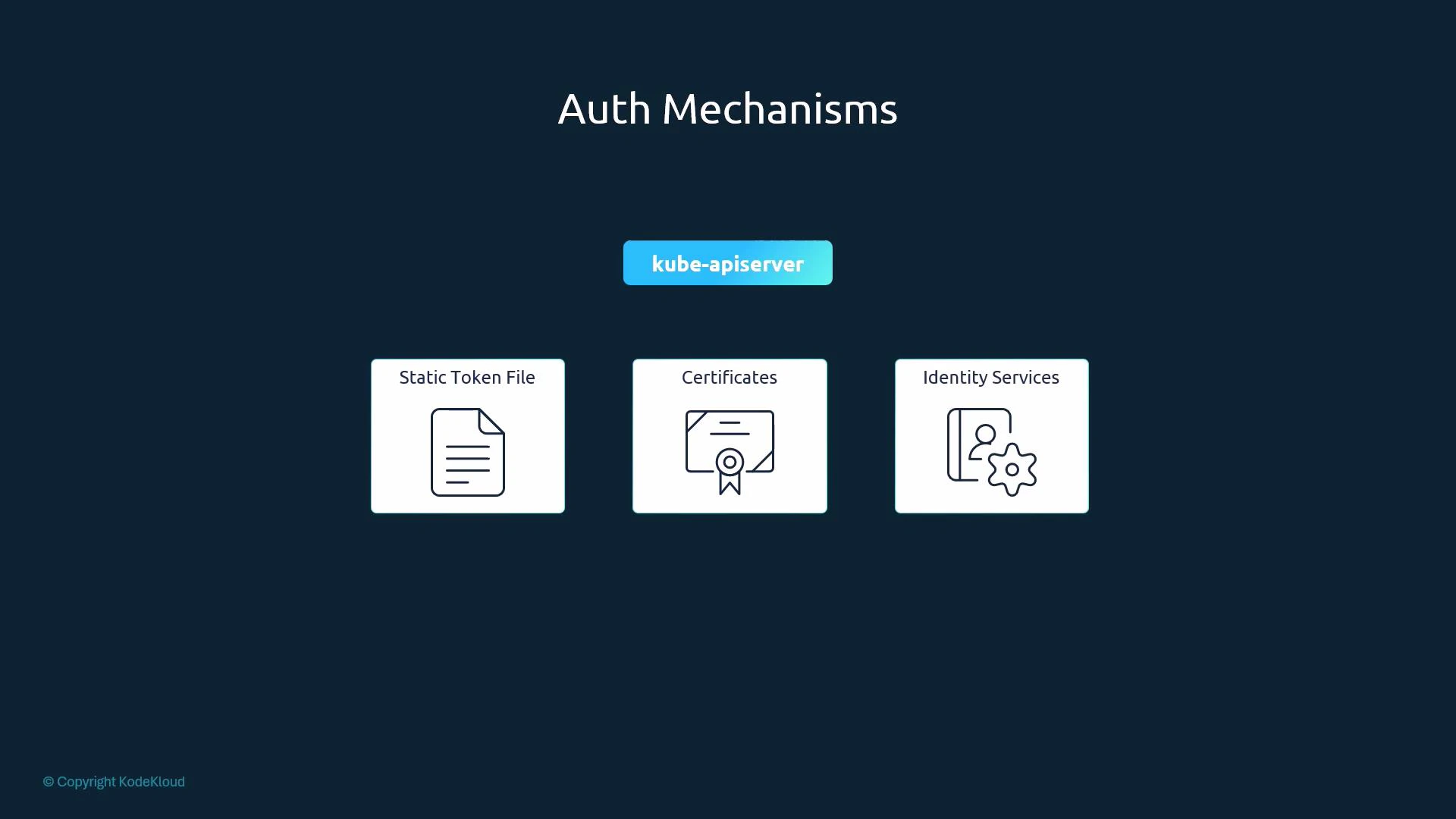 Common authentication options
* Static basic-auth (password) files — legacy.
* Static token files — legacy.
* TLS client certificates — recommended for many production setups.
* External identity providers (OIDC, LDAP, Kerberos) — recommended for large or multi-tenant clusters.
Table: Authentication mechanisms at a glance
| Mechanism | Use case | Example / Notes |
| ---------------------------------------: | ---------------------------------------------- | ----------------------------------------------------------------------------------- |
| Static basic-auth file | Small experiments, local demos | CSV of username/password (plaintext); configured via --basic-auth-file (deprecated) |
| Static token file | Simple automation, throwaway clusters | CSV mapping bearer tokens to users; configured via --token-auth-file (deprecated) |
| TLS client certificates | Secure machine access, admin/user certificates | Use CA-signed client certs; verified by kube-apiserver |
| External identity providers (OIDC, LDAP) | Enterprise SSO, centralized user management | Integrate kube-apiserver with OIDC/LDAP for federated auth |
Legacy mechanisms: static basic-auth and token files
We’ll briefly cover these two legacy mechanisms so you understand the underlying concepts. Both are simple CSV-based approaches and should not be used in production.
Static basic-auth file
* A basic-auth file is a CSV containing password, username, uid, and groups.
* kube-apiserver reads it when started with the --basic-auth-file flag.
* Credentials are stored in clear text — insecure and deprecated.
Example basic-auth CSV (legacy format):
```csv theme={null}
# password,username,uid,groups
KpjCVbI7rCFAHYPkByTIzRb7gu1cUc4B,user10,u0010,group1
rJjncHmvtXHc6MlWQddhtvNyvhgTdxSC,user11,u0011,group1
mjp0FIEiFOKL9toikaRNtt59ePtczZSq,user12,u0012,group2
PG41IXhs7QjqwWkmBkvgGT9g10yUqZij,user13,u0013,group2
```
Enable this mechanism on kube-apiserver (not recommended):
```bash theme={null}
--basic-auth-file=/path/to/basic-auth.csv
```
Authenticate with HTTP Basic (example using curl):
```bash theme={null}
curl -k -u user10:KpjCVbI7rCFAHYPkByTIzRb7gu1cUc4B https://master-node-ip:6443/api
```
Static token file
* A token file is a CSV mapping bearer tokens to user identities and groups.
* kube-apiserver reads it via the --token-auth-file flag.
* Like the basic file, it stores tokens in plaintext — insecure and deprecated.
Example token CSV (legacy format):
```csv theme={null}
# token,username,uid,groups
c29tZXRva2VuMTIz,user21,u0021,group1
aW5vdGhlcnRva2Vu,user22,u0022,group2
```
Enable on kube-apiserver (not recommended):
```bash theme={null}
--token-auth-file=/path/to/token-auth.csv
```
Authenticate with a bearer token (curl example):
```bash theme={null}
curl -k -H "Authorization: Bearer c29tZXRva2VuMTIz" https://master-node-ip:6443/api
```
Important operational notes
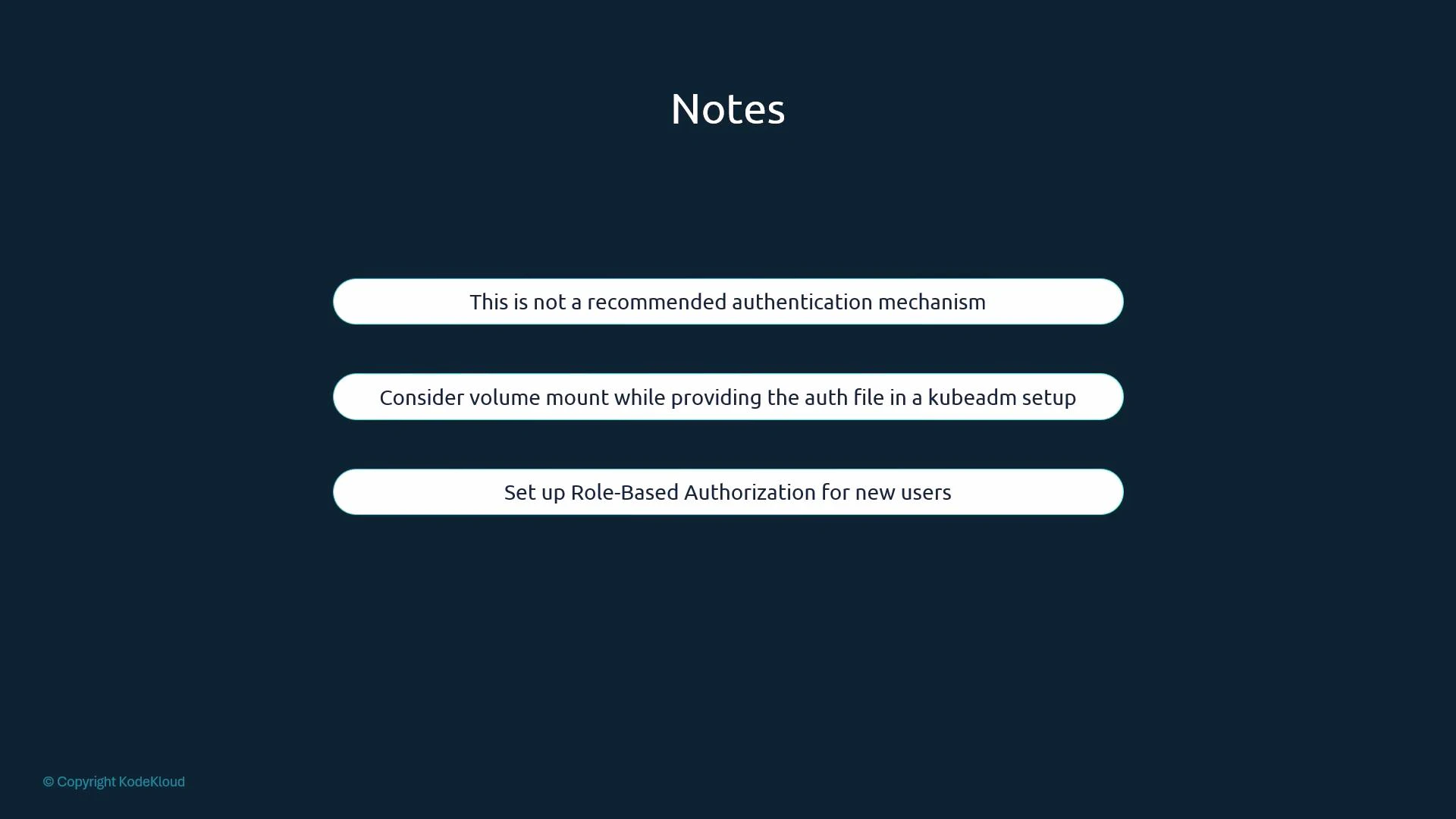
* kubeadm-managed clusters: kube-apiserver runs as a static pod. To add flags such as --basic-auth-file or --token-auth-file you must edit the kube-apiserver manifest (commonly /etc/kubernetes/manifests/kube-apiserver.yaml) and add hostPath/volume mounts so the files are accessible to the pod. The kubelet will detect the manifest change and restart kube-apiserver automatically.
* When you modify kube-apiserver flags or change its static pod manifest, the kube-apiserver process will restart under kubeadm-managed setups; plan for a short control-plane interruption.
* Always combine authentication with proper authorization (RBAC) to control what an authenticated identity can do.
Static basic-auth and token files store credentials in clear text and are considered legacy and unsafe. They are deprecated in modern Kubernetes releases. Prefer certificate-based authentication or external identity providers (OIDC, LDAP, etc.), and always enforce RBAC for authorization.
Common authentication options
* Static basic-auth (password) files — legacy.
* Static token files — legacy.
* TLS client certificates — recommended for many production setups.
* External identity providers (OIDC, LDAP, Kerberos) — recommended for large or multi-tenant clusters.
Table: Authentication mechanisms at a glance
| Mechanism | Use case | Example / Notes |
| ---------------------------------------: | ---------------------------------------------- | ----------------------------------------------------------------------------------- |
| Static basic-auth file | Small experiments, local demos | CSV of username/password (plaintext); configured via --basic-auth-file (deprecated) |
| Static token file | Simple automation, throwaway clusters | CSV mapping bearer tokens to users; configured via --token-auth-file (deprecated) |
| TLS client certificates | Secure machine access, admin/user certificates | Use CA-signed client certs; verified by kube-apiserver |
| External identity providers (OIDC, LDAP) | Enterprise SSO, centralized user management | Integrate kube-apiserver with OIDC/LDAP for federated auth |
Legacy mechanisms: static basic-auth and token files
We’ll briefly cover these two legacy mechanisms so you understand the underlying concepts. Both are simple CSV-based approaches and should not be used in production.
Static basic-auth file
* A basic-auth file is a CSV containing password, username, uid, and groups.
* kube-apiserver reads it when started with the --basic-auth-file flag.
* Credentials are stored in clear text — insecure and deprecated.
Example basic-auth CSV (legacy format):
```csv theme={null}
# password,username,uid,groups
KpjCVbI7rCFAHYPkByTIzRb7gu1cUc4B,user10,u0010,group1
rJjncHmvtXHc6MlWQddhtvNyvhgTdxSC,user11,u0011,group1
mjp0FIEiFOKL9toikaRNtt59ePtczZSq,user12,u0012,group2
PG41IXhs7QjqwWkmBkvgGT9g10yUqZij,user13,u0013,group2
```
Enable this mechanism on kube-apiserver (not recommended):
```bash theme={null}
--basic-auth-file=/path/to/basic-auth.csv
```
Authenticate with HTTP Basic (example using curl):
```bash theme={null}
curl -k -u user10:KpjCVbI7rCFAHYPkByTIzRb7gu1cUc4B https://master-node-ip:6443/api
```
Static token file
* A token file is a CSV mapping bearer tokens to user identities and groups.
* kube-apiserver reads it via the --token-auth-file flag.
* Like the basic file, it stores tokens in plaintext — insecure and deprecated.
Example token CSV (legacy format):
```csv theme={null}
# token,username,uid,groups
c29tZXRva2VuMTIz,user21,u0021,group1
aW5vdGhlcnRva2Vu,user22,u0022,group2
```
Enable on kube-apiserver (not recommended):
```bash theme={null}
--token-auth-file=/path/to/token-auth.csv
```
Authenticate with a bearer token (curl example):
```bash theme={null}
curl -k -H "Authorization: Bearer c29tZXRva2VuMTIz" https://master-node-ip:6443/api
```
Important operational notes
* kubeadm-managed clusters: kube-apiserver runs as a static pod. To add flags such as --basic-auth-file or --token-auth-file you must edit the kube-apiserver manifest (commonly /etc/kubernetes/manifests/kube-apiserver.yaml) and add hostPath/volume mounts so the files are accessible to the pod. The kubelet will detect the manifest change and restart kube-apiserver automatically.
* When you modify kube-apiserver flags or change its static pod manifest, the kube-apiserver process will restart under kubeadm-managed setups; plan for a short control-plane interruption.
* Always combine authentication with proper authorization (RBAC) to control what an authenticated identity can do.
Static basic-auth and token files store credentials in clear text and are considered legacy and unsafe. They are deprecated in modern Kubernetes releases. Prefer certificate-based authentication or external identity providers (OIDC, LDAP, etc.), and always enforce RBAC for authorization.
 Summary and recommendations
* kube-apiserver is the central authentication gateway for Kubernetes; every request to the API is authenticated by it.
* Kubernetes does not create or manage regular user accounts itself — integrate with external identity providers or use client certificates. Service accounts are native Kubernetes objects for in-cluster processes.
* Static basic-auth and token files are easy to understand but insecure and deprecated. Use them only for quick tests or isolated labs.
* For production, prefer TLS client certificates or integrate kube-apiserver with a robust external identity provider (OIDC, LDAP). Always pair authentication with RBAC authorization.
Further reading and references
* [Kubernetes Authentication Overview](https://kubernetes.io/docs/reference/access-authn-authz/authentication/)
* [kube-apiserver command line reference](https://kubernetes.io/docs/reference/command-line-tools-reference/kube-apiserver/)
* [Using OpenID Connect (OIDC) with Kubernetes](https://kubernetes.io/docs/reference/access-authn-authz/authentication/#openid-connect-tokens)
Summary and recommendations
* kube-apiserver is the central authentication gateway for Kubernetes; every request to the API is authenticated by it.
* Kubernetes does not create or manage regular user accounts itself — integrate with external identity providers or use client certificates. Service accounts are native Kubernetes objects for in-cluster processes.
* Static basic-auth and token files are easy to understand but insecure and deprecated. Use them only for quick tests or isolated labs.
* For production, prefer TLS client certificates or integrate kube-apiserver with a robust external identity provider (OIDC, LDAP). Always pair authentication with RBAC authorization.
Further reading and references
* [Kubernetes Authentication Overview](https://kubernetes.io/docs/reference/access-authn-authz/authentication/)
* [kube-apiserver command line reference](https://kubernetes.io/docs/reference/command-line-tools-reference/kube-apiserver/)
* [Using OpenID Connect (OIDC) with Kubernetes](https://kubernetes.io/docs/reference/access-authn-authz/authentication/#openid-connect-tokens)