> ## Documentation Index
> Fetch the complete documentation index at: https://notes.kodekloud.com/llms.txt
> Use this file to discover all available pages before exploring further.
# Operator Framework 2025 Updates
> This article explores the operator frameworks role in simplifying application deployment and management on Kubernetes.
In this article, we explore the operator framework and its role in simplifying the deployment and management of applications on Kubernetes. Traditionally, you would create a Custom Resource Definition (CRD) and a custom controller separately. After manually defining the CRD and associated resources, you would deploy the controller as a pod or Deployment. With the operator framework, however, these components are packaged together and deployed as a single entity.
For example, when deploying the flight operator, the framework automatically creates the CRD, provisions the required resources, and deploys the custom controller as a Deployment. Consider the CRD definition and deployment command below:
```yaml theme={null}
apiVersion: apiextensions.k8s.io/v1
kind: CustomResourceDefinition
metadata:
name: flighttickets.flights.com
spec:
scope: Namespaced
group: flights.com
names:
kind: FlightTicket
singular: flightticket
plural: flighttickets
shortnames:
- ft
versions:
- name: v1
served: true
storage: true
```
```bash theme={null}
kubectl create -f flight-operator.yaml
```
The operator framework offers more than simply deploying a CRD and a controller. A notable real-world example is the etcd operator, widely used for deploying and managing etcd clusters in Kubernetes. The etcd operator includes:
* A CRD to define an etcd cluster.
* A custom controller that monitors and manages etcd deployments.
* Backup and restore functionalities enabled via corresponding CRDs that trigger specialized operators to handle these tasks.
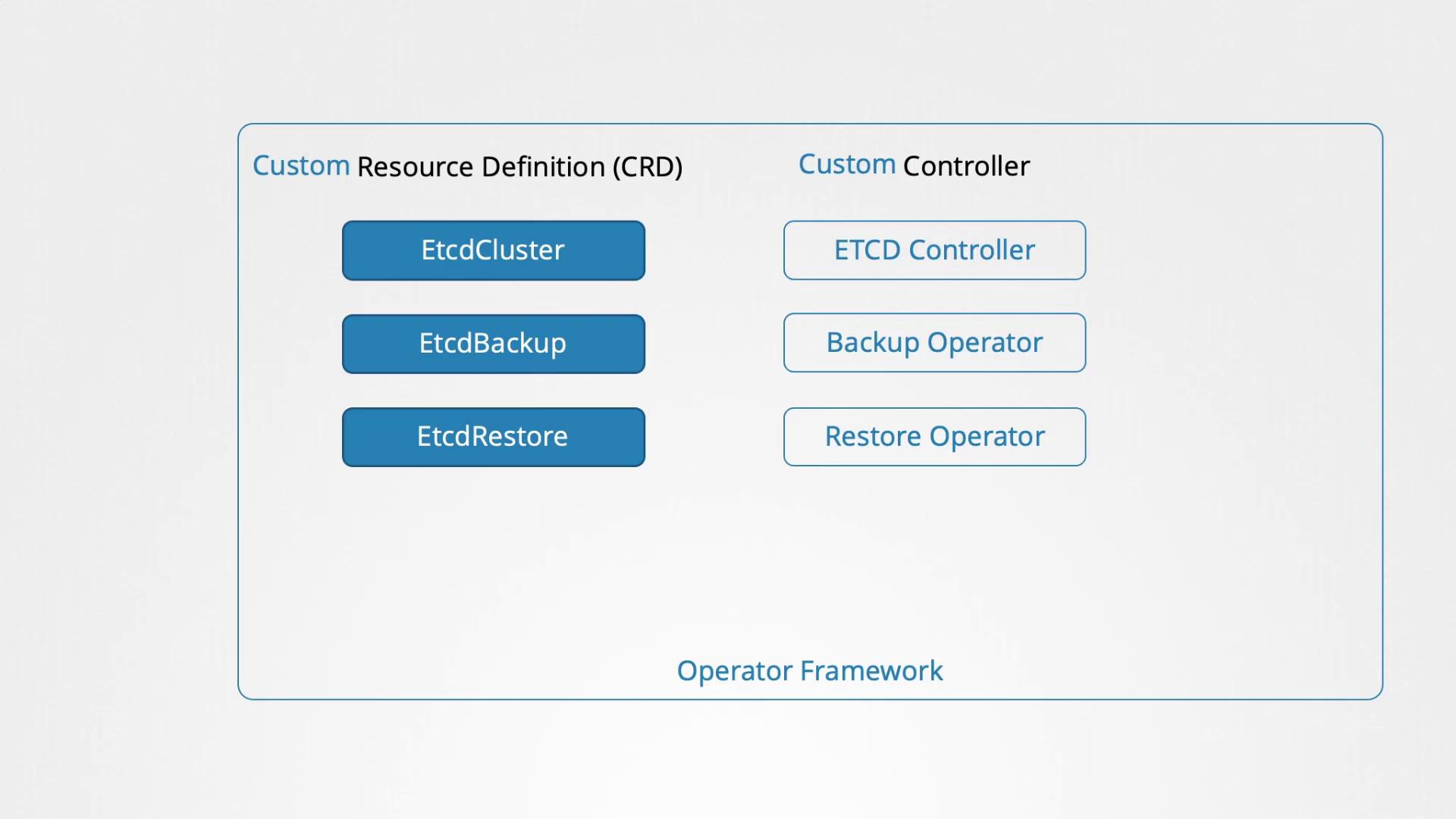
Kubernetes operators perform many tasks traditionally handled by human operators, such as installing applications, conducting regular backups, restoring from backups during disasters, and troubleshooting issues.
Operators are available on the Operator Hub, where you can select operators for popular applications like etcd, MySQL, Prometheus, Grafana, Argo CD, and Istio. Installation instructions are provided on each operator's page, and deploying an application typically involves these three steps:
1. Install the Operator Lifecycle Manager.
2. Install the desired operator.
3. Allow the operator to automatically manage the application.
Below are some shell commands that showcase how to install the Operator Lifecycle Manager and deploy an operator:
```bash theme={null}
curl -sL https://github.com/operator-framework/operator-lifecycle-manager/releases/download/v0.19.1/install.sh | bash -s v0.19.1
```
```bash theme={null}
kubectl create -f https://operatorhub.io/install/etcd.yaml
```
```bash theme={null}
kubectl get csv -n my-etcd
```
While the exam curriculum may primarily focus on CRDs, understanding operators adds significant value to managing modern Kubernetes applications. A dedicated mini-course on operators might be offered in the future for a deeper dive into the topic.
For more in-depth knowledge, consider exploring the following resources:
* [Kubernetes Basics](https://kubernetes.io/docs/concepts/overview/what-is-kubernetes/)
* [Kubernetes Documentation](https://kubernetes.io/docs/)
* [Operator Lifecycle Manager Installation Guide](https://github.com/operator-framework/operator-lifecycle-manager)
Thank you for reading, and see you in the next article!