> ## Documentation Index
> Fetch the complete documentation index at: https://notes.kodekloud.com/llms.txt
> Use this file to discover all available pages before exploring further.
# Solution Role Based Access Controls
> This lab explores role-based access controls in Kubernetes, focusing on roles, role bindings, and user permissions.
In this lab, we explore role-based access controls (RBAC) within a Kubernetes cluster. You will inspect the environment, review the API server authorization modes, and work through practical scenarios with roles, role bindings, and user permissions.
***
## Inspecting the API Server Authorization Modes
The first step is to examine the cluster configuration to determine which authorization modes are active. One approach is to review the Kubernetes API server manifest. The diagram below illustrates a terminal interface where the task is focused on inspecting Kubernetes authorization modes—specifically, Node, RBAC, and ABAC—by checking the kube-apiserver settings.
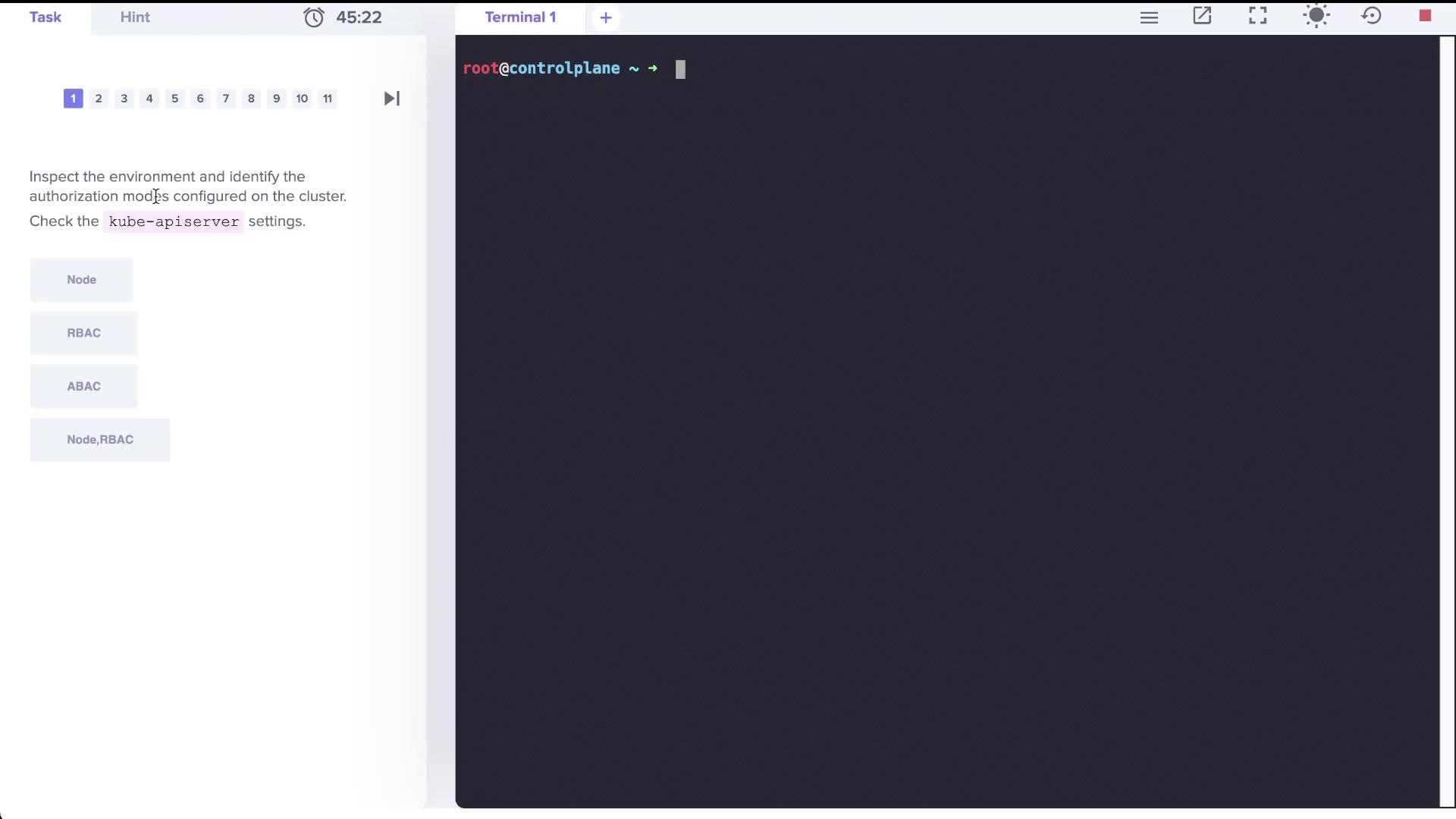
Examine the kube-apiserver manifest file. In the YAML excerpt below, note that the parameter `--authorization-mode` is configured with the value `Node,RBAC`:
```yaml theme={null}
creationTimestamp: null
labels:
component: kube-apiserver
tier: control-plane
name: kube-apiserver
namespace: kube-system
spec:
containers:
- command:
- kube-apiserver
- --advertise-address=10.48.174.6
- --allow-privileged=true
- --authorization-mode=Node,RBAC
- --client-ca-file=/etc/kubernetes/pki/ca.crt
- --enable-admission-plugins=NodeRestriction
- --enable-bootstrap-token-auth=true
- --etcd-cafile=/etc/kubernetes/pki/etcd/ca.crt
- --etcd-certfile=/etc/kubernetes/pki/apiserver-etcd-client.crt
- --etcd-keyfile=/etc/kubernetes/pki/apiserver-etcd-client.key
- --etcd-servers=https://127.0.0.1:2379
- --kubelet-client-certificate=/etc/kubernetes/pki/apiserver-kubelet-client.crt
- --kubelet-client-key=/etc/kubernetes/pki/apiserver-kubelet-client.key
- --kubelet-preferred-address-types=InternalIP,ExternalIP,Hostname
- --proxy-client-cert-file=/etc/kubernetes/pki/front-proxy-client.crt
- --proxy-client-key-file=/etc/kubernetes/pki/front-proxy-client.key
- --requestheader-allowed-names=front-proxy-client
- --requestheader-client-ca-file=/etc/kubernetes/pki/front-proxy-ca.crt
- --requestheader-extra-headers-prefix=X-Remote-Extra-
- --requestheader-group-headers=X-Remote-Group
- --requestheader-username-headers=X-Remote-User
- --secure-port=6443
- --service-account-issuer=https://kubernetes.default.svc.cluster.local
- --service-account-key-file=/etc/kubernetes/pki/sa.pub
- --service-account-signing-key-file=/etc/kubernetes/pki/sa.key
- --tls-cert-file=/etc/kubernetes/pki/apiserver.crt
- --tls-private-key-file=/etc/kubernetes/pki/apiserver.key
image: k8s.gcr.io/kube-apiserver:v1.23.0
imagePullPolicy: IfNotPresent
livenessProbe:
```
Alternatively, you can verify the authorization mode by inspecting the running control plane processes. Look for the authorization-related parameters using this command:
```bash theme={null}
root@controlplane ~ → ps aux | grep authorization
root 3403 0.0 0.0 830588 115420 ? Ssl 22:54 0:55 kube-controller-manager --allocate-node
root 3614 0.0 0.0 759136 55292 ? Ssl 22:55 0:10 kube-scheduler --authentication-kubeconfig=/etc/kubernetes/scheduler.conf ...
root 3630 0.0 0.1 111896 316984 ? 2:07 2:07 kube-apiserver --advertise-address=10.48.174.6 ...
root 3637 0.0 0.1 111896 36984 ? 2:20 2:20 kube-apiserver --authorization-mode=Node,RBAC
root 25283 0.0 0.0 13444 1068 pts/0 S+ 23:40 0:00 grep --color=auto authorization
```
This confirms that the kube-apiserver is running with the "Node" and "RBAC" authorization modes.
***
## Checking Roles and Their Permissions
Inspect the roles available in the cluster by counting the total number of roles across all namespaces:
```bash theme={null}
root@controlplane ~ # k get roles -A --no-headers | wc -l
12
```
Next, review the kube-proxy role within the `kube-system` namespace to see what resources it manages:
```bash theme={null}
root@controlplane ~ # k get roles -A --no-headers
blue developer
kube-public kubeadm:bootstrap-signer-clusterinfo
kube-system system:controller:bootstrap-signer
kube-system extension:apiserver-authentication-reader
kube-system kube-proxy
kube-system kubeadm:kubelet-config-1.23
kube-system system:leader-locking-kubeadm-config
kube-system system:leader-locking-kube-controller-manager
kube-system system:controller:cloud-provider
kube-system system:controller:token-cleaner
root@controlplane ~ # k get roles -A --no-headers | wc -l
12
```
Describe the `kube-proxy` role:
```bash theme={null}
root@controlplane ~ # k describe role kube-proxy -n kube-system
Name: kube-proxy
Labels:
Annotations:
PolicyRule:
Resources Non-Resource URLs Resource Names Verbs
----------- ---------------- -------------- -----------
configmaps [] [kube-proxy] [get]
```
The kube-proxy role is explicitly permitted to retrieve (get) the ConfigMap named "kube-proxy" but not to modify or delete it.
***
## Role Bindings and User Permissions
To determine which accounts are associated with the kube-proxy role, review the role bindings in the `kube-system` namespace:
```bash theme={null}
root@controlplane ~ # k get rolebindings -n kube-system
NAME AGE
kube-proxy 48m
kubeadm:kubelet-config-1.23 48m
kubeadm:nodes-kubeadm-config 48m
system:extension-apiserver-authentication-reader 48m
system:leader-locking-kube-controller-manager 48m
system:leader-locking-kube-scheduler 48m
system:controller:bootstrap-signer 48m
system:controller:cloud-provider 48m
system:controller:token-cleaner 48m
```
The kube-proxy role is assigned via its respective role binding, which generally targets a specific group (for example, system bootstrappers).
Additionally, a user account named "dev-user" is created with corresponding credentials in the kubeconfig file. To inspect this file, execute:
```bash theme={null}
kubectl config view
```
Below is an excerpt from the kubeconfig showing the "dev-user" credentials:
```yaml theme={null}
apiVersion: v1
clusters:
- cluster:
certificate-authority-data: DATA+OMITTED
server: https://controlplane:6443
name: kubernetes
contexts:
- context:
cluster: kubernetes
user: kubernetes-admin
current-context: kubernetes-admin@kubernetes
kind: Config
preferences: {}
users:
- name: dev-user
user:
client-certificate-data: REDACTED
client-key-data: REDACTED
- name: kubernetes-admin
user:
client-certificate-data: REDACTED
client-key-data: REDACTED
```
Test the "dev-user" permissions by attempting to list pods in the default namespace:
```bash theme={null}
root@controlplane ~ # k get pods --as dev-user
Error from server (Forbidden): pods is forbidden: User "dev-user" cannot list resource "pods" in API group "" in the namespace "default"
```
Since listing pods is forbidden for "dev-user," you will need to create an appropriate role and role binding that grants permissions to create, list, and delete pods.
***
## Creating a Role and Role Binding for a Developer
### Step 1: Create the Role
Create a Role named `developer` in the default namespace that permits listing, creating, and deleting pods. Ensure that you use the singular form for resource flag:
```bash theme={null}
root@controlplane ~ # k create role developer --verb=list,create,delete --resource=pods
role.rbac.authorization.k8s.io/developer created
```
Verify the newly created role:
```bash theme={null}
root@controlplane ~ # k describe role developer
Name: developer
Labels:
Annotations:
PolicyRule:
Resources Non-Resource URLs Resource Names Verbs
----------- ---------------- -------------- -----------------
pods [] [] [list create delete]
```
### Step 2: Bind the Role to dev-user
Create a RoleBinding called `dev-user-binding` that assigns the `developer` role to the "dev-user":
```bash theme={null}
root@controlplane ~ # k create rolebinding dev-user-binding --role=developer --user=dev-user
rolebinding.rbac.authorization.k8s.io/dev-user-binding created
```
Inspect the binding details to confirm the assignment:
```bash theme={null}
root@controlplane ~ # k describe rolebinding dev-user-binding
Name: dev-user-binding
Labels:
Annotations:
Role:
Kind: Role
Name: developer
Subjects:
Kind Name Namespace
---- ---- ---------
User dev-user
```
***
## Adjusting Permissions in the Blue Namespace
When "dev-user" attempts to access the pod (named `dark-blue-app`) in the `blue` namespace, a forbidden error occurs. Begin by checking the roles and role bindings in the `blue` namespace:
```bash theme={null}
root@controlplane ~ # k get roles -n blue
NAME CREATED AT
developer 2022-04-24T17:25:04Z
root@controlplane ~ # k get rolebindings -n blue
NAME ROLE AGE
dev-user-binding Role/developer 24m
```
View the details of the `developer` role in the blue namespace:
```bash theme={null}
root@controlplane ~ # k describe role developer -n blue
Name: developer
Labels:
Annotations:
PolicyRule:
Resources Non-Resource URLs Resource Names Verbs
--------- ------------------ -------------- ---------------------
pods [] [blue-app] [get watch create delete]
```
The current configuration permits access only to a pod named "blue-app". To allow "dev-user" to access the `dark-blue-app` pod, edit the role accordingly:
```bash theme={null}
root@controlplane ~ # k edit role developer -n blue
```
After updating the resource names, verify access using the following command:
```bash theme={null}
root@controlplane ~ # k --as dev-user get pod dark-blue-app -n blue
NAME READY STATUS RESTARTS AGE
dark-blue-app 1/1 Running 0 25m
```
Always double-check that the resource names in your Role match the actual names in the namespace. This ensures that the correct permissions are applied.
***
## Granting Permissions to Manage Deployments
The next requirement is to allow "dev-user" to create Deployments in the blue namespace. Initially, an attempt to create a deployment as "dev-user" might fail due to insufficient permissions:
```bash theme={null}
root@controlplane ~ # k --as dev-user create deployment nginx --image=nginx -n blue
error: failed to create deployment: deployments.apps is forbidden: User "dev-user" cannot create resource "deployments" in API group "apps" in the namespace "blue"
```
To fix this, update the `developer` role in the blue namespace to include a new rule for deployments in the "apps" API group. The updated role should maintain the existing permissions for pods while adding the required permissions for deployments. An example of the modified role manifest is shown below:
```yaml theme={null}
apiVersion: rbac.authorization.k8s.io/v1
kind: Role
metadata:
name: developer
namespace: blue
spec:
rules:
- apiGroups: [""]
resources:
- pods
resourceNames:
- dark-blue-app
verbs:
- get
- watch
- create
- delete
- apiGroups: ["apps"]
resources:
- deployments
verbs:
- get
- watch
- create
- delete
```
After saving the updated configuration, verify the role:
```bash theme={null}
root@controlplane ~ # k describe role developer -n blue
Name: developer
Labels:
Annotations:
PolicyRule:
Resources Non-Resource URLs Resource Names Verbs
------------------ ------------------ ------------------ -------------------------
pods [] [dark-blue-app] [get watch create delete]
deployments.apps [] [] [get watch create delete]
```
Test the new permissions by creating a deployment as "dev-user":
```bash theme={null}
root@controlplane ~ # k --as dev-user create deployment nginx --image=nginx -n blue
deployment.apps/nginx created
```
With these changes, "dev-user" now has the necessary permissions to manage Deployments in the blue namespace.
***
## Conclusion
This lab provided a comprehensive walkthrough on inspecting Kubernetes authorization modes, reviewing role assignments, and adjusting Role-Based Access Control (RBAC) configurations. By carefully modifying roles and role bindings, you ensure that users like "dev-user" receive only the permissions required to perform their tasks, enhancing both security and operational efficiency.
Happy clustering!
***
## References
* [Kubernetes Documentation](https://kubernetes.io/docs/)
* [Kubernetes RBAC Overview](https://kubernetes.io/docs/reference/access-authn-authz/rbac/)
* [kubectl Cheat Sheet](https://kubernetes.io/docs/reference/kubectl/cheatsheet/)
Explore creating ClusterRoles and ClusterRoleBindings to manage permissions across the entire cluster in future labs.