> ## Documentation Index
> Fetch the complete documentation index at: https://notes.kodekloud.com/llms.txt
> Use this file to discover all available pages before exploring further.
# Lab Solution Control Plane Failure
> Guide to troubleshooting Kubernetes control plane failures by fixing static Pod manifest errors, restoring kube-scheduler and controller-manager, and recovering Deployment ReplicaSet scheduling.
In this lesson you'll troubleshoot a Kubernetes cluster where an application Deployment never becomes Ready. We'll:
* Inspect the cluster and the failing Deployment.
* Identify which control-plane components are failing.
* Fix typos and misconfigured hostPath volumes in static Pod manifests.
* Confirm the cluster returns to a healthy state and Pods are scheduled.
Quick tip — make `kubectl` shorter and enable shell autocompletion:
Set an alias and enable bash completion so you can use `k` as a short form for `kubectl`.
```bash theme={null}
# Set alias for this shell session
alias k=kubectl
# Enable kubectl bash completion for current session (requires bash-completion package)
source <(kubectl completion bash)
# Persist completion and alias in your ~/.bashrc
echo 'source <(kubectl completion bash)' >> ~/.bashrc
echo 'alias k=kubectl' >> ~/.bashrc
complete -F __start_kubectl k
```
***
## 1) Inspect the cluster and the failing Deployment
Start by verifying nodes and workloads:
```bash theme={null}
k get nodes
```
List Deployments in the default namespace:
```bash theme={null}
k get deploy
# Example output:
# NAME READY UP-TO-DATE AVAILABLE AGE
# app 0/1 1 0 4m
```
Describe the problematic Deployment to compare desired vs available replicas:
```bash theme={null}
k describe deploy app
# Key lines:
# Replicas: 1 desired | 1 updated | 1 total | 0 available | 1 unavailable
# NewReplicaSet: app-586bddbc54 (1/1 replicas created)
# Events: Scaled up replica set app-586bddbc54 to 1
```
Check the ReplicaSet and its Pods:
```bash theme={null}
k get rs
# NAME DESIRED CURRENT READY AGE
k describe rs app-586bddbc54
# Pods Status: 0 Running / 1 Waiting / 0 Succeeded / 0 Failed
k get pod
# NAME READY STATUS RESTARTS AGE
# app-586bddbc54-hc779 0/1 Pending 0 5m
```
Describe the Pod to gather scheduler-related clues:
```bash theme={null}
k describe pod app-586bddbc54-hc779
# Status: Pending
# Node:
# IPs:
# Containers: nginx: Image: nginx:alpine
# Events:
```
If the Pod shows `Node: `, it hasn't been scheduled. The kube-scheduler is responsible for assigning Pods to nodes — check the scheduler next.
***
## 2) kube-scheduler CrashLoopBackOff — fix static manifest typo
List control-plane Pods in the `kube-system` namespace:
```bash theme={null}
k get pods -n kube-system
# ... other control plane pods ...
# kube-scheduler-controlplane 0/1 CrashLoopBackOff ...
```
Describe the scheduler Pod to see why the container fails:
```bash theme={null}
k describe pod kube-scheduler-controlplane -n kube-system
# Events include:
# Warning Failed ... Error: failed to start container "kube-scheduler": OCI runtime create failed:
# starting container process caused: exec: "kube-schedulerrrr": executable file not found in $PATH: unknown
# Last State: Terminated Reason: ContainerCannotRun Exit Code: 127
```
This indicates the scheduler executable specified in the static Pod manifest is incorrect. Static Pod manifests are read by the kubelet from the control plane host directory `/etc/kubernetes/manifests`. Edit the manifest on the control plane host to correct the command.
Static control-plane Pods are managed by kubelet reading manifest files from `/etc/kubernetes/manifests`. Edit those files on the control plane host to fix static Pod configuration.
Example of the incorrect command in the static manifest:
```yaml theme={null}
# /etc/kubernetes/manifests/kube-scheduler.yaml (excerpt)
spec:
containers:
- command:
- kube-schedulerrrr
- --authentication-kubeconfig=/etc/kubernetes/scheduler.conf
- --authorization-kubeconfig=/etc/kubernetes/scheduler.conf
...
image: k8s.gcr.io/kube-scheduler:v1.20.0
```
Correct the executable name to the proper `kube-scheduler`:
```yaml theme={null}
# Corrected command in /etc/kubernetes/manifests/kube-scheduler.yaml
spec:
containers:
- command:
- kube-scheduler
- --authentication-kubeconfig=/etc/kubernetes/scheduler.conf
- --authorization-kubeconfig=/etc/kubernetes/scheduler.conf
...
```
Save the manifest on the host. Kubelet will detect the change and recreate the static Pod. Watch the `kube-system` Pods until the scheduler is `Running`/`Ready`:
```bash theme={null}
k get pods -n kube-system --watch
# kube-scheduler-controlplane 1/1 Running ...
```
Once the scheduler is healthy, pending Pods should be scheduled. If not, proceed to the next step to check the controller manager.
***
## 3) Scale the Deployment and check kube-controller-manager
Try scaling the Deployment:
```bash theme={null}
k scale deploy app --replicas=2
k get deploy
# NAME READY UP-TO-DATE AVAILABLE AGE
# app 1/2 1 1 10m
```
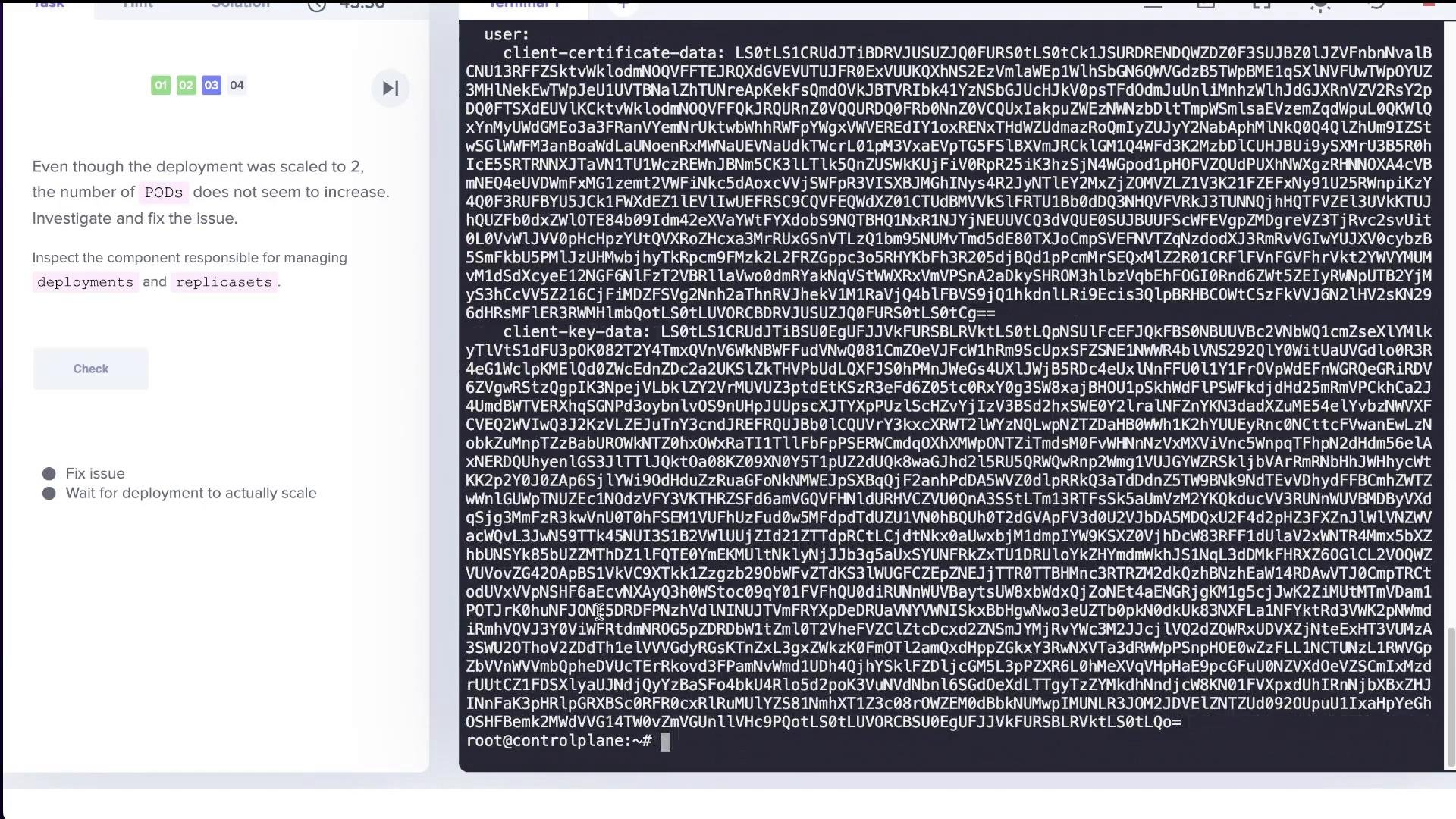
If the Deployment reports `1/2` (desired 2 but only 1 available), the controller manager may be failing. The controller-manager runs the control loops that reconcile Deployments and ReplicaSets.
Check the controller manager Pod:
```bash theme={null}
k get pods -n kube-system
# ... kube-controller-manager-controlplane 0/1 CrashLoopBackOff ...
```
Describe and inspect logs for the controller manager Pod. A common cause is an incorrect `--kubeconfig` flag in the static manifest, pointing to a non-existent file:
```yaml theme={null}
# /etc/kubernetes/manifests/kube-controller-manager.yaml (excerpt)
spec:
containers:
- command:
- kube-controller-manager
...
- --kubeconfig=/etc/kubernetes/controller-manager-XXXX.conf
...
```
If the kubeconfig path is wrong, the container will fail with "no such file or directory" or a similar message. Update the `--kubeconfig` flag to point to the correct file:
```yaml theme={null}
# Corrected entry in /etc/kubernetes/manifests/kube-controller-manager.yaml
- --kubeconfig=/etc/kubernetes/controller-manager.conf
```
Save the manifest. After kubelet restarts the static Pod, verify the controller manager becomes `Running`/`Ready`:
```bash theme={null}
k get pods -n kube-system --watch
# kube-controller-manager-controlplane 1/1 Running ...
```
When the controller manager is healthy, scaling operations should be processed by the ReplicaSet controller. Confirm additional Pods are created:
```bash theme={null}
k get pods
# app-586bddbc54-hc779 1/1 Running
# app-586bddbc54-kbccr 1/1 Running
# (now 2 pods)
```
***
## 4) controller-manager: missing CA file — fix hostPath volume mapping
If scaling further fails (for example, scaling to 3 replicas but only 2 are created), check controller manager logs for filesystem/volume errors:
```bash theme={null}
kubectl logs -n kube-system kube-controller-manager-controlplane
# Example error: unable to load client CA file "/etc/kubernetes/pki/ca.crt": no such file or directory
```
This indicates the controller-manager container cannot access the host's PKI files, often due to a misconfigured `hostPath` volume in the static manifest. Inspect `/etc/kubernetes/manifests/kube-controller-manager.yaml` and review the `volumes:` section.
Example of an incorrect hostPath mapping:
```yaml theme={null}
# problematic volume mapping
volumes:
- hostPath:
path: /etc/kubernetes/WRONG-PKI-DIRECTORY
type: DirectoryOrCreate
name: k8s-certs
```
Fix the hostPath to point to the actual PKI directory on the host:
```yaml theme={null}
# fixed volume mapping
volumes:
- hostPath:
path: /etc/kubernetes/pki
type: DirectoryOrCreate
name: k8s-certs
```
Save the manifest. After kubelet restarts the static Pod, confirm the controller manager becomes Ready and that the Deployment now reaches the desired replica count:
```bash theme={null}
# After fixes
k get pods
# app-586bddbc54-hc779 1/1 Running
# app-586bddbc54-kbccr 1/1 Running
k get deploy
# NAME READY UP-TO-DATE AVAILABLE
# app 3/3 3 3
```
***
 ***
## Troubleshooting checklist
Use this quick checklist when control-plane components fail or Pods remain pending.
| Symptom | Likely cause | Quick checks / fix |
| - | - | - |
| Pods Pending with `Node: ` | kube-scheduler not running | `k get pods -n kube-system` → check `kube-scheduler-*` Pod; inspect static manifest at `/etc/kubernetes/manifests/kube-scheduler.yaml` |
| kube-scheduler CrashLoopBackOff | Typo in `command:` or wrong flags | Edit `/etc/kubernetes/manifests/kube-scheduler.yaml` and correct the `command` to `kube-scheduler` |
| Deployments not reconciling (ReplicaSet not scaling) | kube-controller-manager failing | `k get pods -n kube-system`; inspect controller manager logs and manifest |
| kube-controller-manager CrashLoopBackOff | Wrong `--kubeconfig` path or missing files | Fix `--kubeconfig` in `/etc/kubernetes/manifests/kube-controller-manager.yaml` |
| Errors about missing CA/kubeconfigs | hostPath volume misconfiguration | Fix `volumes.hostPath.path` to actual host path (e.g. `/etc/kubernetes/pki`) in the manifest |
After any change to static manifests, kubelet will automatically restart the static Pod. Monitor status with:
```bash theme={null}
k get pods -n kube-system --watch
```
***
## Summary
* If Pods are pending with `Node: `, start by checking the kube-scheduler.
* Static control-plane Pods are defined as manifest YAMLs in `/etc/kubernetes/manifests` and are managed by kubelet.
* Common failures are caused by simple typos in the `command:` field or incorrect flags like `--kubeconfig`.
* Filesystem errors (missing CA or kubeconfig) most often point to an incorrect `hostPath` mapping in the static manifest.
* Edit the static manifest on the control-plane host, save it, then watch `kubectl get pods -n kube-system --watch` to confirm components return to `Running`/`Ready`.
* Once control-plane components are healthy, Deployments and ReplicaSets will reconcile and Pods will be scheduled.
## Links and references
* [Kubernetes Concepts — Control Plane](https://kubernetes.io/docs/concepts/overview/components/)
* [Static Pods documentation](https://kubernetes.io/docs/tasks/configure-pod-container/static-pod/)
* [kubectl reference](https://kubernetes.io/docs/reference/kubectl/)
This documentation is built and hosted on [Mintlify](https://mintlify.com), a developer documentation platform.
***
## Troubleshooting checklist
Use this quick checklist when control-plane components fail or Pods remain pending.
| Symptom | Likely cause | Quick checks / fix |
| - | - | - |
| Pods Pending with `Node: ` | kube-scheduler not running | `k get pods -n kube-system` → check `kube-scheduler-*` Pod; inspect static manifest at `/etc/kubernetes/manifests/kube-scheduler.yaml` |
| kube-scheduler CrashLoopBackOff | Typo in `command:` or wrong flags | Edit `/etc/kubernetes/manifests/kube-scheduler.yaml` and correct the `command` to `kube-scheduler` |
| Deployments not reconciling (ReplicaSet not scaling) | kube-controller-manager failing | `k get pods -n kube-system`; inspect controller manager logs and manifest |
| kube-controller-manager CrashLoopBackOff | Wrong `--kubeconfig` path or missing files | Fix `--kubeconfig` in `/etc/kubernetes/manifests/kube-controller-manager.yaml` |
| Errors about missing CA/kubeconfigs | hostPath volume misconfiguration | Fix `volumes.hostPath.path` to actual host path (e.g. `/etc/kubernetes/pki`) in the manifest |
After any change to static manifests, kubelet will automatically restart the static Pod. Monitor status with:
```bash theme={null}
k get pods -n kube-system --watch
```
***
## Summary
* If Pods are pending with `Node: `, start by checking the kube-scheduler.
* Static control-plane Pods are defined as manifest YAMLs in `/etc/kubernetes/manifests` and are managed by kubelet.
* Common failures are caused by simple typos in the `command:` field or incorrect flags like `--kubeconfig`.
* Filesystem errors (missing CA or kubeconfig) most often point to an incorrect `hostPath` mapping in the static manifest.
* Edit the static manifest on the control-plane host, save it, then watch `kubectl get pods -n kube-system --watch` to confirm components return to `Running`/`Ready`.
* Once control-plane components are healthy, Deployments and ReplicaSets will reconcile and Pods will be scheduled.
## Links and references
* [Kubernetes Concepts — Control Plane](https://kubernetes.io/docs/concepts/overview/components/)
* [Static Pods documentation](https://kubernetes.io/docs/tasks/configure-pod-container/static-pod/)
* [kubectl reference](https://kubernetes.io/docs/reference/kubectl/)
This documentation is built and hosted on [Mintlify](https://mintlify.com), a developer documentation platform.