> ## Documentation Index
> Fetch the complete documentation index at: https://notes.kodekloud.com/llms.txt
> Use this file to discover all available pages before exploring further.
# API Groups
> This article explains the organization of API groups in Kubernetes and how to interact with the Kubernetes API.
Before diving into authorization, it's essential to understand how API groups are organized in Kubernetes.
## Understanding the Kubernetes API
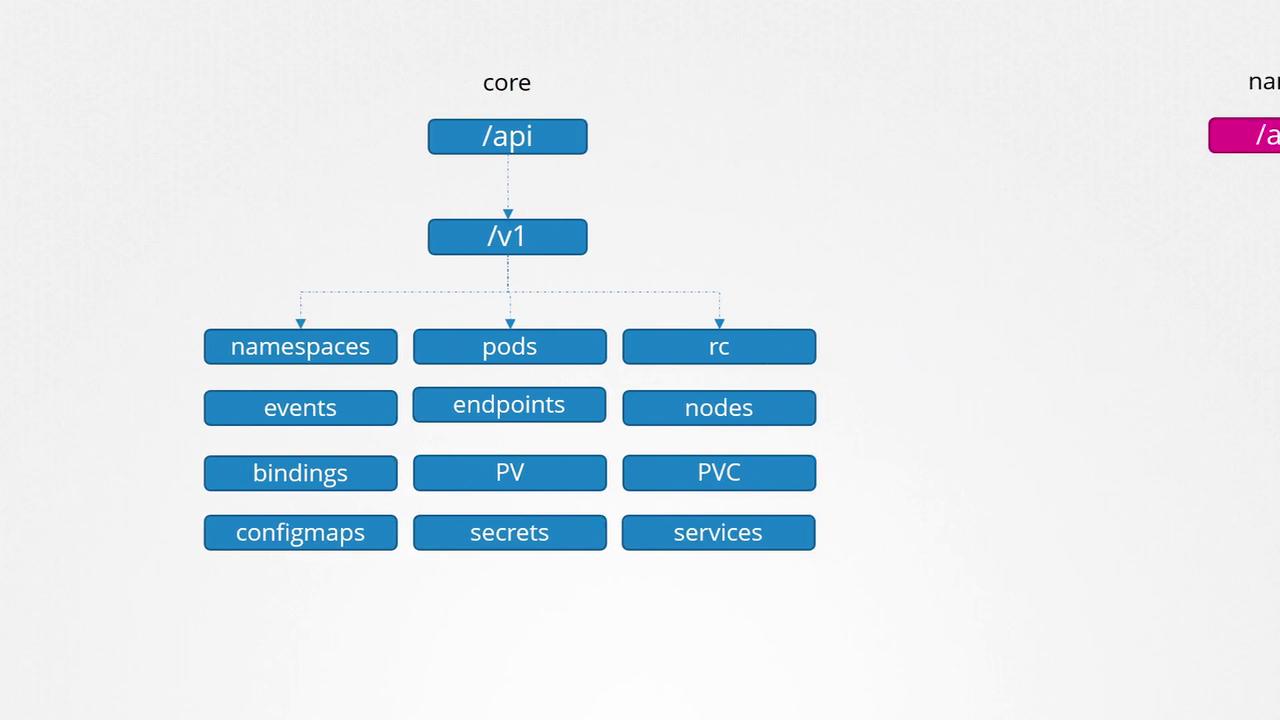
The Kubernetes API serves as the central interface for interacting with the cluster. Whether you use the kubectl command-line tool or make direct REST calls, every operation in the cluster is handled by the API server. For example, to check the cluster version, you can query the API server running on the master node (default port 6443) by appending the API version to the URL. Similarly, to list all the pods, you would send a request to `/api/v1/pods`.
Below is an example command that retrieves the Kubernetes version:
```bash theme={null}
curl https://kube-master:6443/version
```
The expected output is:
```json theme={null}
{
"major": "1",
"minor": "13",
"gitVersion": "v1.13.0",
"gitCommit": "ddd47ac13c1a9483ea035a79cd7c1005ff21a6d",
"gitTreeState": "clean",
"buildDate": "2018-12-03T20:56:12Z",
"goVersion": "go1.11.2",
"compiler": "gc",
"platform": "linux/amd64"
}
```
## API Groups Overview
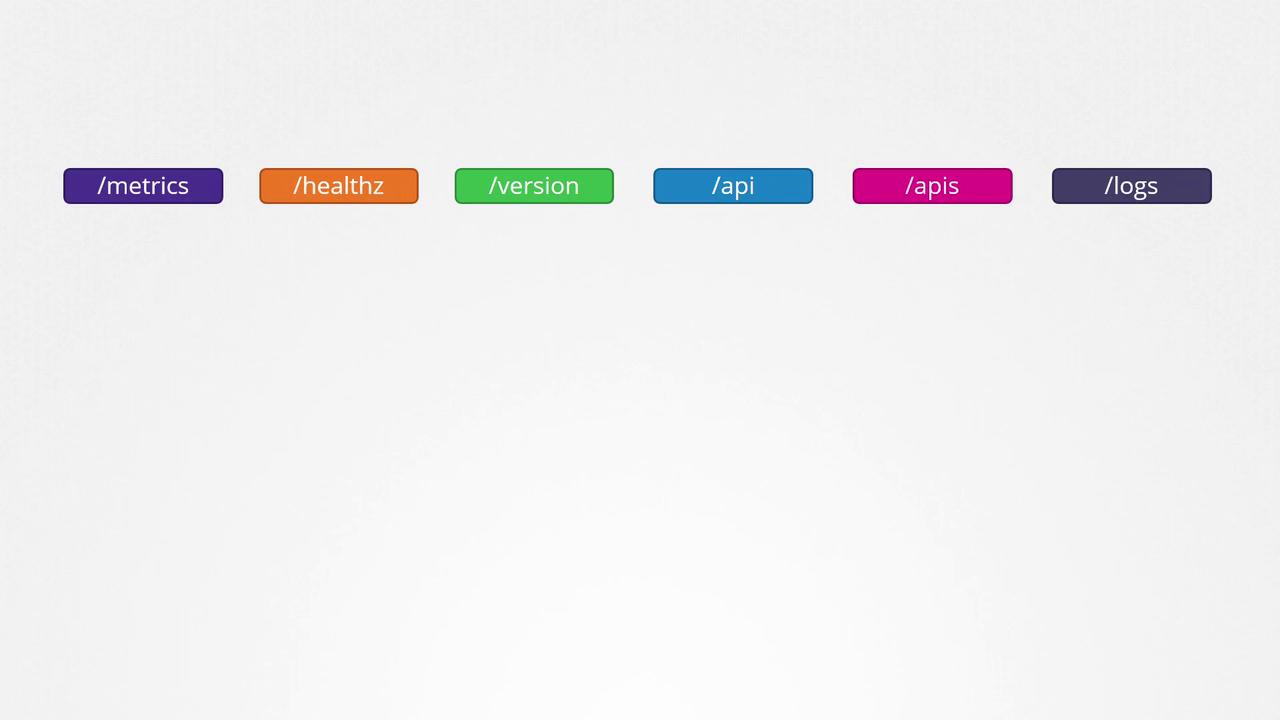
Kubernetes organizes its API functionalities into various groups, making it easier to manage and scale operations. These groups include endpoints for version information, metrics, health checks, logs, and more. For instance, while the `/version` API reveals the cluster version, the `/metrics` and `/healthz` endpoints help monitor your cluster's health. The `/logs` endpoint can be integrated with third-party logging tools.
Kubernetes APIs can be broadly divided into two categories:
1. **Core API Group**: Contains fundamental components such as namespaces, pods, replication controllers, events, endpoints, nodes, bindings, persistent volumes, persistent volume claims, config maps, secrets, and services.
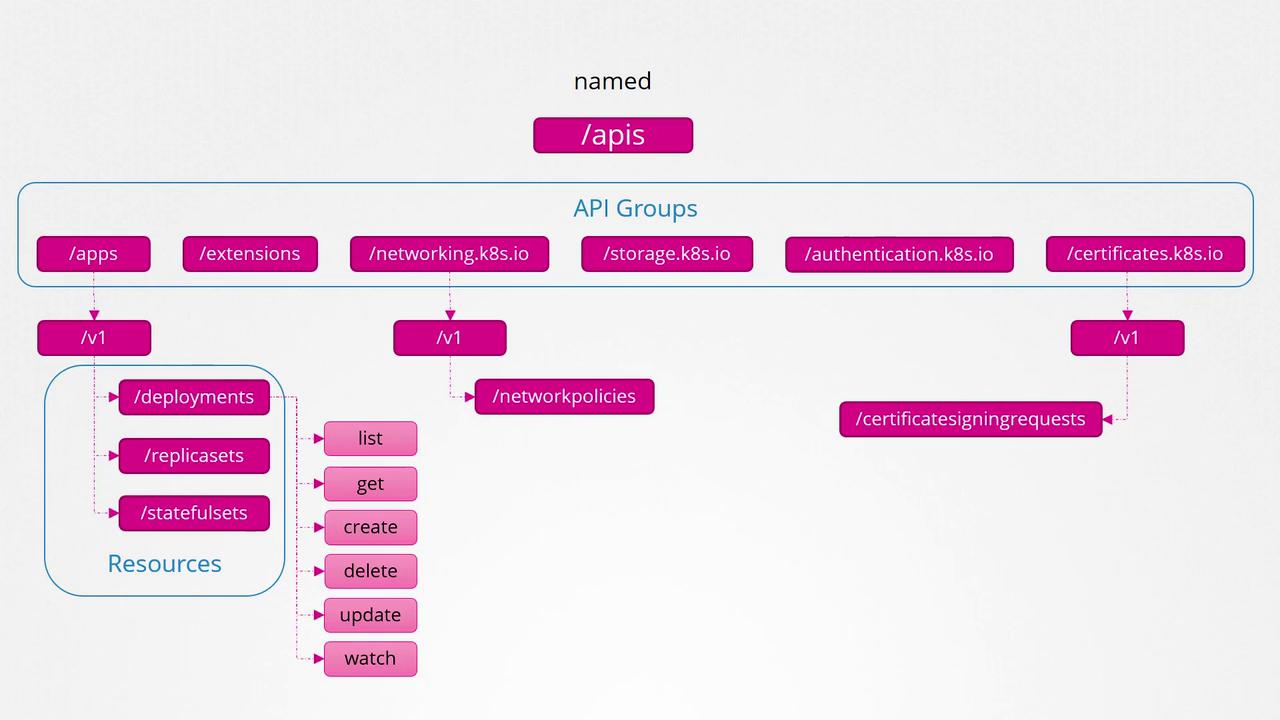
2. **Named API Groups**: Organizes newer features into groups like apps, extensions, networking, storage, authentication, and authorization. For example, the "apps" group includes Deployments, ReplicaSets, and StatefulSets, while the "networking" group covers Network Policies. Other functionalities such as Certificate Signing Requests belong to different named groups.
Each resource in these API groups supports a collection of actions—referred to as "verbs"—that allow you to perform operations like list, get, create, delete, update, and watch.
For a detailed overview of each API object, including its associated group and version, check out the Kubernetes API reference. For example, "v1 core" indicates the core API group at version v1. You can also explore your cluster’s API groups by accessing the API server on port 6443 without providing any specific path:
```bash theme={null}
curl http://localhost:6443 -k
```
The response may resemble:
```json theme={null}
{
"paths": [
"/api",
"/api/v1",
"/apis",
"/apis/",
"/healthz",
"/logs",
"/metrics",
"/openapi/v2",
"/swagger-2.0.0.json"
]
}
```
## Accessing the Kubernetes API
When making direct requests to the Kubernetes API using curl, you might face authentication restrictions. For example, executing the following command without proper certificates might lead to a Forbidden error:
```bash theme={null}
curl http://localhost:6443 -k
```
Output:
```json theme={null}
{
"kind": "Status",
"apiVersion": "v1",
"metadata": {},
"status": "Failure",
"message": "Forbidden: User \"system:anonymous\" cannot get path \"/\"",
"reason": "Forbidden",
"details": {},
"code": 403
}
```
To access the API securely, include your certificate files in the curl command as follows:
```bash theme={null}
curl http://localhost:6443 -k --key admin.key --cert admin.crt --cacert
```
Alternatively, you can use the `kubectl proxy` command. This command starts a local proxy service on port 8001, utilizing the credentials from your kubeconfig file to authenticate your requests—eliminating the need to explicitly specify certificates.
Start the proxy by running:
```bash theme={null}
kubectl proxy
```
This command outputs:
```bash theme={null}
Starting to serve on 127.0.0.1:8001
```
Then, access the API via the proxy:
```bash theme={null}
curl http://localhost:8001 -k
```
Expected response:
```json theme={null}
{
"paths": [
"/api",
"/api/v1",
"/apis",
"/apis/",
"/healthz",
"/logs",
"/metrics",
"/openapi/v2",
"/swagger-2.0.0.json"
]
}
```
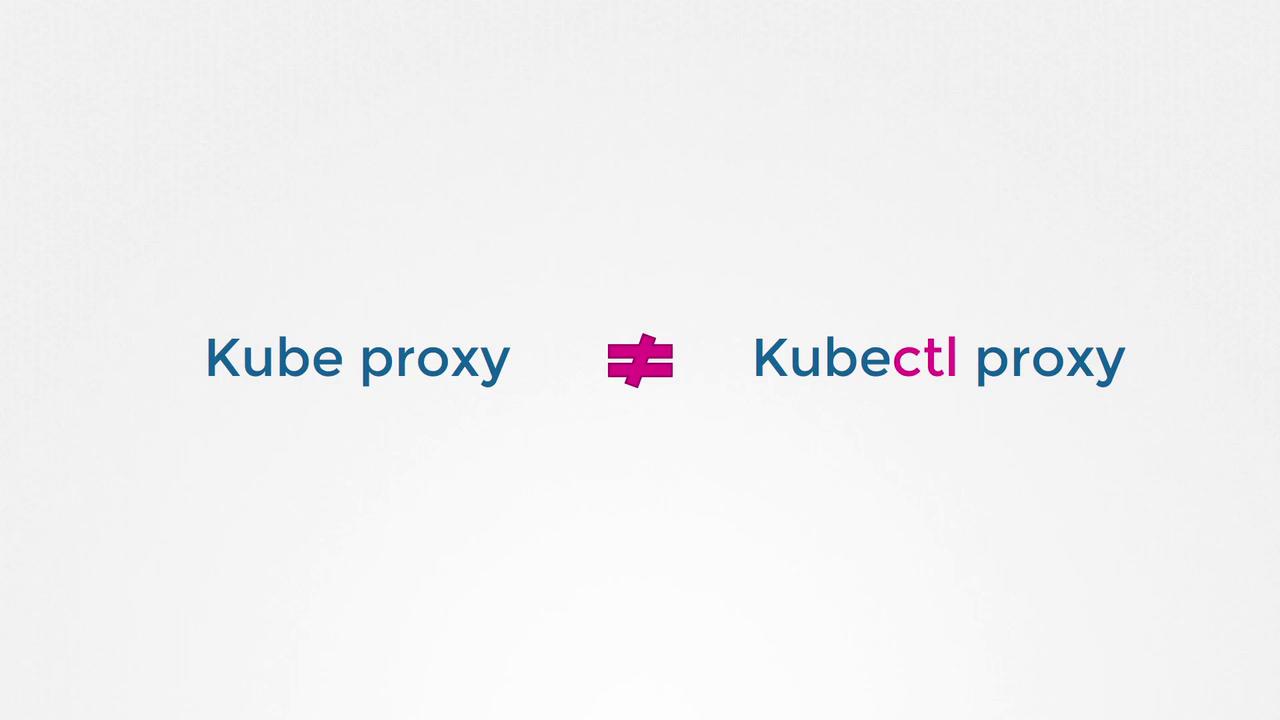
Do not confuse `kubectl proxy` with `kube-proxy`. The `kube-proxy` manages networking and connectivity between pods across nodes, while `kubectl proxy` forwards API requests using your kubeconfig credentials.
## Summary
Kubernetes organizes its resources within various API groups, divided into the core API group and named API groups. Each group contains specific resources, and these resources support multiple actions (verbs) such as list, get, create, delete, update, and watch. In the next lesson on authorization, you will learn how these verbs control access within the cluster.
That concludes this lesson. See you in the next one!