> ## Documentation Index
> Fetch the complete documentation index at: https://notes.kodekloud.com/llms.txt
> Use this file to discover all available pages before exploring further.
# Kubernetes Security Primitives
> Overview of Kubernetes security primitives covering host hardening, API server authentication and RBAC authorization, TLS/mTLS for components, and NetworkPolicy best practices.
In this guide we cover the core Kubernetes security primitives you should understand to secure clusters running production workloads. Kubernetes is widely used for mission-critical applications, so protecting the control plane, nodes, and workload communications is essential. This article gives a focused overview of the most important building blocks and practical recommendations for each area.
## Host security (Control plane and worker nodes)
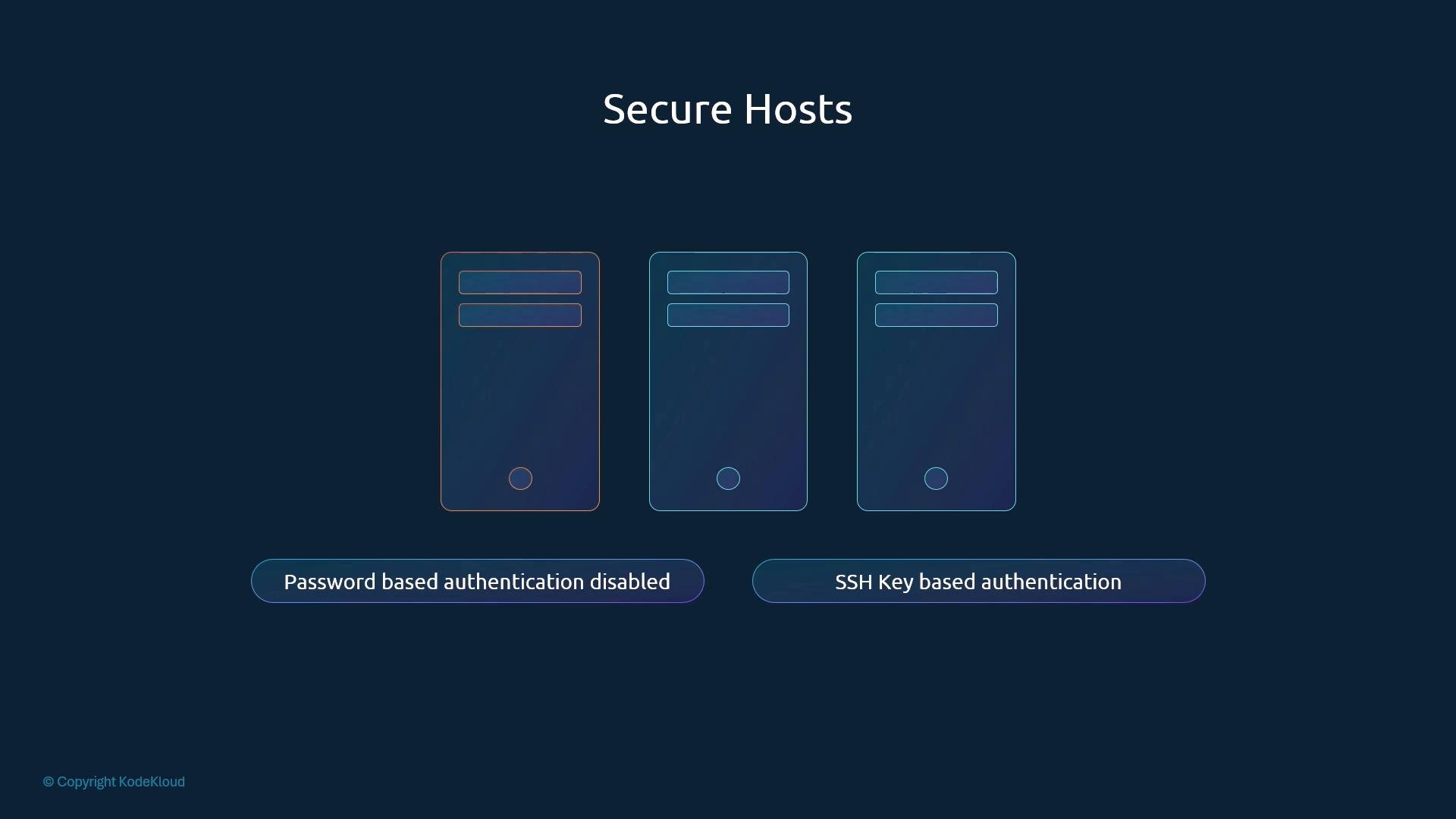
All access to the machines that host control plane components and worker nodes must be hardened. Attackers who gain shell access to these hosts can pivot into workloads and cluster services.
Key host-hardening practices:
* Disable direct root logins and disable password-based SSH authentication. Use SSH key-based authentication only.
* Restrict SSH access with allowlists (by IP, bastion host, or IAM-based access).
* Apply OS-level hardening (SELinux/AppArmor, minimal packages, up-to-date kernels).
* Restrict cloud/virtualization management consoles and metadata APIs.
* Use centralized logging and host-level intrusion detection/monitoring.
If a host (control plane or worker) is compromised, an attacker can potentially gain control of workloads and cluster services. Prioritize host-level hardening and access controls.
 ## API server: Risks, authentication, and authorization
The kube-apiserver is the central control plane component—all management operations (kubectl, client libraries, controllers) interact with it. Because it exposes powerful cluster APIs, you must control access carefully.
Two fundamental questions to answer:
* Who can access the API server? (Authentication)
* What are they allowed to do? (Authorization)
### Authentication — Who can access the API server?
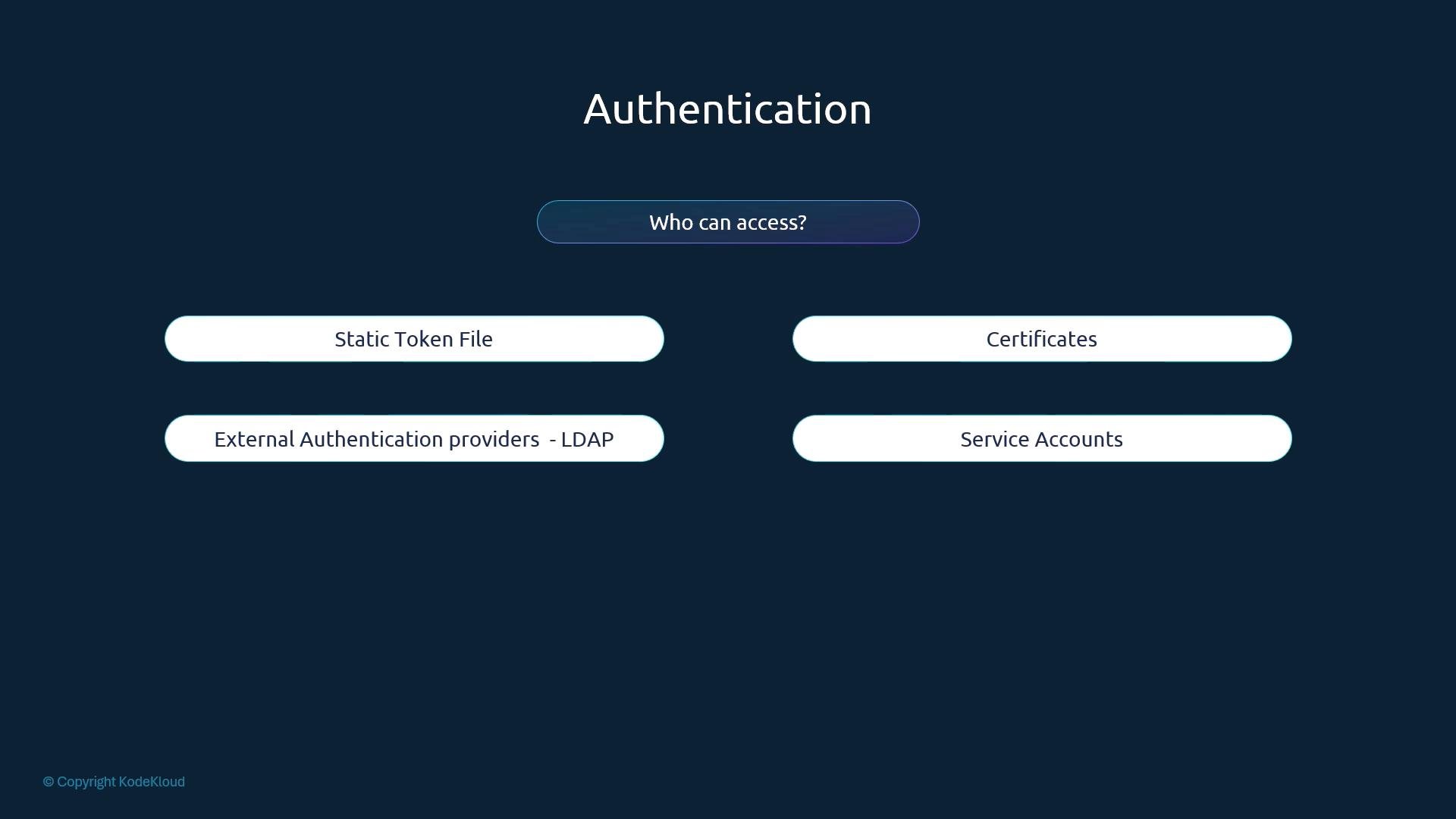
Kubernetes supports several authentication methods. Choose a method appropriate for each actor (human user, system component, or in-cluster workload).
| Method | Typical use case | Notes / Recommendation |
| - | - | - |
| Static token files | Legacy tooling, bootstrap scripts | Not recommended for production due to lack of rotation |
| TLS client certificates | Components (kubelets, controller manager) and service accounts | Common for component-to-component auth; requires certificate lifecycle management |
| External identity providers (OIDC, LDAP) | Human users and SSO integration | Use OIDC (e.g., Dex, Keycloak) for federated authentication and central identity management |
| Service accounts | In-cluster workloads (Pods) | Use for pod identities; pair with RBAC and limit token scope and lifetime |
Best practice: Integrate an external identity provider (OIDC) for user authentication and enforce short-lived credentials where possible.
## API server: Risks, authentication, and authorization
The kube-apiserver is the central control plane component—all management operations (kubectl, client libraries, controllers) interact with it. Because it exposes powerful cluster APIs, you must control access carefully.
Two fundamental questions to answer:
* Who can access the API server? (Authentication)
* What are they allowed to do? (Authorization)
### Authentication — Who can access the API server?
Kubernetes supports several authentication methods. Choose a method appropriate for each actor (human user, system component, or in-cluster workload).
| Method | Typical use case | Notes / Recommendation |
| - | - | - |
| Static token files | Legacy tooling, bootstrap scripts | Not recommended for production due to lack of rotation |
| TLS client certificates | Components (kubelets, controller manager) and service accounts | Common for component-to-component auth; requires certificate lifecycle management |
| External identity providers (OIDC, LDAP) | Human users and SSO integration | Use OIDC (e.g., Dex, Keycloak) for federated authentication and central identity management |
| Service accounts | In-cluster workloads (Pods) | Use for pod identities; pair with RBAC and limit token scope and lifetime |
Best practice: Integrate an external identity provider (OIDC) for user authentication and enforce short-lived credentials where possible.
 ### Authorization — What can authenticated subjects do?
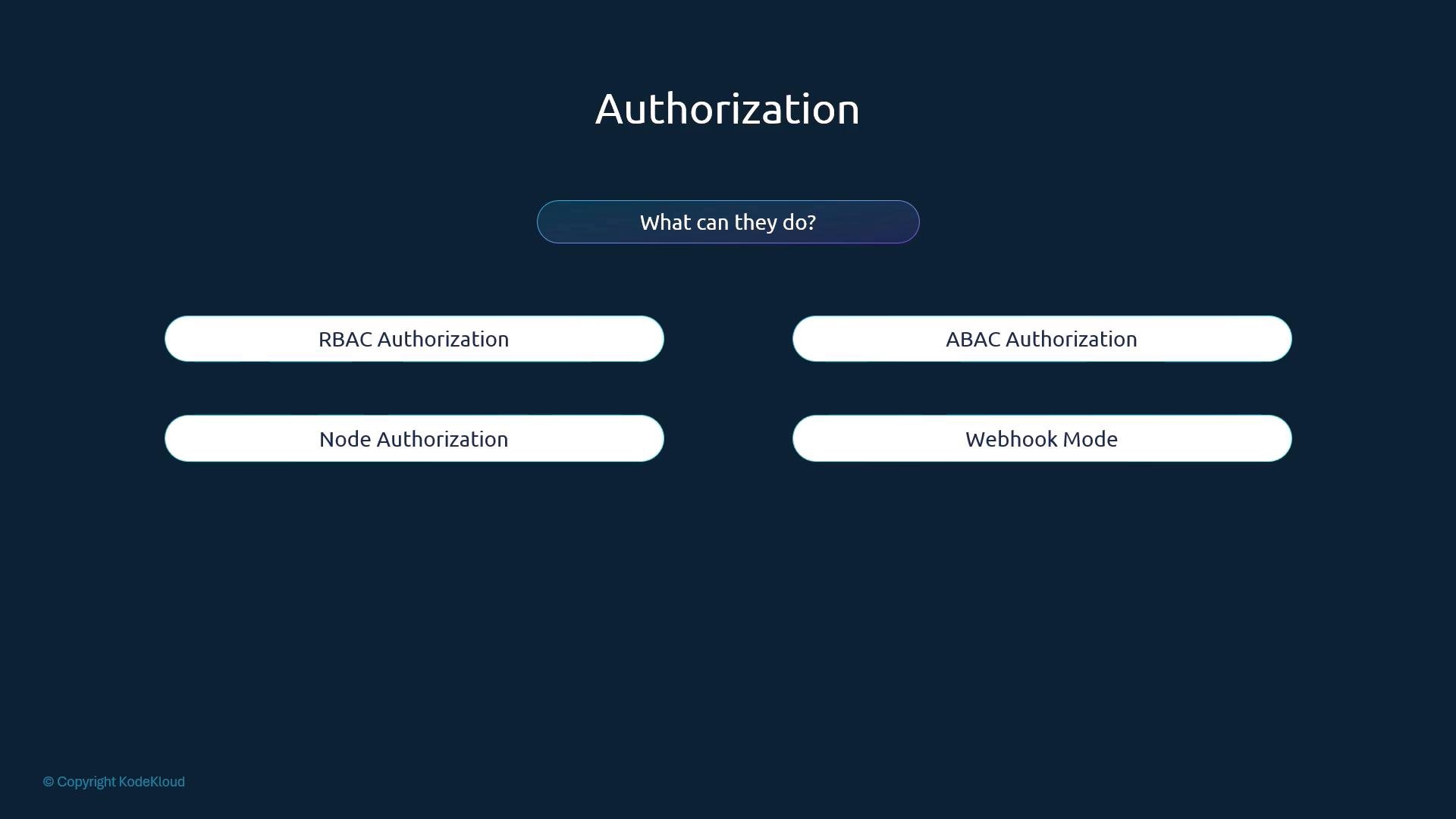
After authentication, authorization determines permitted actions. RBAC (Role-Based Access Control) is the most widely used authorization mechanism in Kubernetes and should be the default choice for most clusters.
| Authorization mode | Purpose | When to use |
| - | - | - |
| RBAC | Assign roles and bind them to users, groups, and service accounts | Standard for most clusters; implement least privilege |
| ABAC (Attribute-Based) | Policy based on attributes in requests | Deprecated/legacy in many setups; avoid for new clusters |
| Node Authorizer | Restricts kubelet access to API objects related to its node | Enabled in clusters to protect node-specific resources |
| Webhook authorizer | External decision point for authorization | Use for custom or centralized policy engines |
Best practice: Implement least privilege via RBAC, create narrowly scoped Roles/ClusterRoles, and prefer RoleBindings over ClusterRoleBindings unless cluster-wide permissions are explicitly required.
### Authorization — What can authenticated subjects do?
After authentication, authorization determines permitted actions. RBAC (Role-Based Access Control) is the most widely used authorization mechanism in Kubernetes and should be the default choice for most clusters.
| Authorization mode | Purpose | When to use |
| - | - | - |
| RBAC | Assign roles and bind them to users, groups, and service accounts | Standard for most clusters; implement least privilege |
| ABAC (Attribute-Based) | Policy based on attributes in requests | Deprecated/legacy in many setups; avoid for new clusters |
| Node Authorizer | Restricts kubelet access to API objects related to its node | Enabled in clusters to protect node-specific resources |
| Webhook authorizer | External decision point for authorization | Use for custom or centralized policy engines |
Best practice: Implement least privilege via RBAC, create narrowly scoped Roles/ClusterRoles, and prefer RoleBindings over ClusterRoleBindings unless cluster-wide permissions are explicitly required.
 ## TLS and secure control plane / node communications
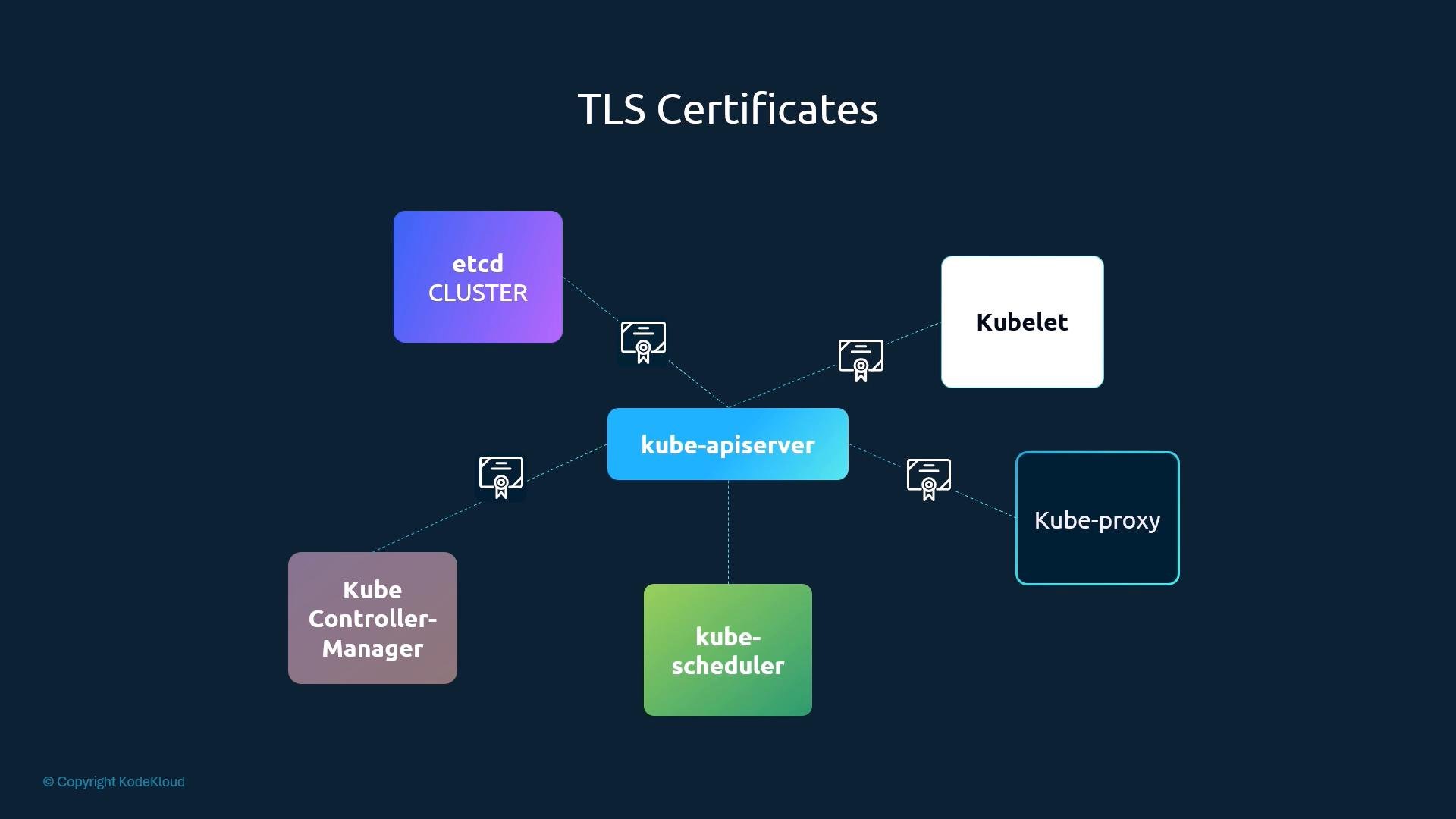
All control plane components (etcd, kube-apiserver, kube-controller-manager, kube-scheduler) and node components (kubelet, kube-proxy) should use TLS to encrypt and authenticate traffic. In production, mutual TLS (mTLS) with signed certificates is standard.
Key recommendations:
* Protect etcd with TLS and restricted access; enable encryption at rest where available.
* Use mTLS between kube-apiserver and kubelets, and between other control plane components.
* Implement certificate rotation and automate the certificate lifecycle.
* Limit API server access to trusted networks and load balancers; use API aggregation and admission controllers (e.g., PodSecurity, OPA/Gatekeeper) for additional enforcement.
## TLS and secure control plane / node communications
All control plane components (etcd, kube-apiserver, kube-controller-manager, kube-scheduler) and node components (kubelet, kube-proxy) should use TLS to encrypt and authenticate traffic. In production, mutual TLS (mTLS) with signed certificates is standard.
Key recommendations:
* Protect etcd with TLS and restricted access; enable encryption at rest where available.
* Use mTLS between kube-apiserver and kubelets, and between other control plane components.
* Implement certificate rotation and automate the certificate lifecycle.
* Limit API server access to trusted networks and load balancers; use API aggregation and admission controllers (e.g., PodSecurity, OPA/Gatekeeper) for additional enforcement.
 ## Network-level security between workloads
By default, Kubernetes allows all pod-to-pod traffic across the cluster network. Use NetworkPolicy resources to restrict connectivity between pods by selectors, ports, and protocols. Enforcement depends on the cluster's CNI plugin—ensure your CNI supports NetworkPolicies.
Important NetworkPolicy principles:
* Start with a “deny by default” posture: create a default deny ingress/egress policy for namespaces, then allow required traffic.
* Use label selectors to express intent and keep policies maintainable.
* Test policies in non-production environments to verify connectivity and monitoring.
Example minimal ingress NetworkPolicy (YAML):
```yaml theme={null}
apiVersion: networking.k8s.io/v1
kind: NetworkPolicy
metadata:
name: allow-frontend-to-backend
namespace: production
spec:
podSelector:
matchLabels:
app: backend
policyTypes:
- Ingress
ingress:
- from:
- podSelector:
matchLabels:
app: frontend
ports:
- protocol: TCP
port: 8080
```
NetworkPolicies only take effect if your CNI/plugin enforces them. Verify compatibility and use network policy logging or flow exporters to audit traffic after applying policies.
## Summary / Conclusion
This article presented a concise overview of Kubernetes security primitives and recommended practices:
* Host hardening and tightly controlled SSH access to nodes.
* Strong API server authentication (prefer external identity providers for users) and RBAC-based authorization following least privilege.
* TLS/mTLS for control plane and node communications; secure etcd and automate certificate rotation.
* NetworkPolicies to enforce pod-to-pod isolation; adopt a deny-by-default approach.
Each of these domains deserves deeper, hands-on exploration for implementation details, automation, and continuous monitoring.
## Links and references
* Kubernetes Authentication: [https://kubernetes.io/docs/reference/access-authn-authz/authentication/](https://kubernetes.io/docs/reference/access-authn-authz/authentication/)
* Kubernetes RBAC: [https://kubernetes.io/docs/reference/access-authn-authz/rbac/](https://kubernetes.io/docs/reference/access-authn-authz/rbac/)
* NetworkPolicy docs: [https://kubernetes.io/docs/concepts/services-networking/network-policies/](https://kubernetes.io/docs/concepts/services-networking/network-policies/)
* etcd security guide: [https://etcd.io/docs/v3.5/op-guide/security/](https://etcd.io/docs/v3.5/op-guide/security/)
* OIDC in Kubernetes: [https://kubernetes.io/docs/reference/access-authn-authz/authentication/#openid-connect-tokens](https://kubernetes.io/docs/reference/access-authn-authz/authentication/#openid-connect-tokens)
This documentation is built and hosted on [Mintlify](https://mintlify.com), a developer documentation platform.
## Network-level security between workloads
By default, Kubernetes allows all pod-to-pod traffic across the cluster network. Use NetworkPolicy resources to restrict connectivity between pods by selectors, ports, and protocols. Enforcement depends on the cluster's CNI plugin—ensure your CNI supports NetworkPolicies.
Important NetworkPolicy principles:
* Start with a “deny by default” posture: create a default deny ingress/egress policy for namespaces, then allow required traffic.
* Use label selectors to express intent and keep policies maintainable.
* Test policies in non-production environments to verify connectivity and monitoring.
Example minimal ingress NetworkPolicy (YAML):
```yaml theme={null}
apiVersion: networking.k8s.io/v1
kind: NetworkPolicy
metadata:
name: allow-frontend-to-backend
namespace: production
spec:
podSelector:
matchLabels:
app: backend
policyTypes:
- Ingress
ingress:
- from:
- podSelector:
matchLabels:
app: frontend
ports:
- protocol: TCP
port: 8080
```
NetworkPolicies only take effect if your CNI/plugin enforces them. Verify compatibility and use network policy logging or flow exporters to audit traffic after applying policies.
## Summary / Conclusion
This article presented a concise overview of Kubernetes security primitives and recommended practices:
* Host hardening and tightly controlled SSH access to nodes.
* Strong API server authentication (prefer external identity providers for users) and RBAC-based authorization following least privilege.
* TLS/mTLS for control plane and node communications; secure etcd and automate certificate rotation.
* NetworkPolicies to enforce pod-to-pod isolation; adopt a deny-by-default approach.
Each of these domains deserves deeper, hands-on exploration for implementation details, automation, and continuous monitoring.
## Links and references
* Kubernetes Authentication: [https://kubernetes.io/docs/reference/access-authn-authz/authentication/](https://kubernetes.io/docs/reference/access-authn-authz/authentication/)
* Kubernetes RBAC: [https://kubernetes.io/docs/reference/access-authn-authz/rbac/](https://kubernetes.io/docs/reference/access-authn-authz/rbac/)
* NetworkPolicy docs: [https://kubernetes.io/docs/concepts/services-networking/network-policies/](https://kubernetes.io/docs/concepts/services-networking/network-policies/)
* etcd security guide: [https://etcd.io/docs/v3.5/op-guide/security/](https://etcd.io/docs/v3.5/op-guide/security/)
* OIDC in Kubernetes: [https://kubernetes.io/docs/reference/access-authn-authz/authentication/#openid-connect-tokens](https://kubernetes.io/docs/reference/access-authn-authz/authentication/#openid-connect-tokens)
This documentation is built and hosted on [Mintlify](https://mintlify.com), a developer documentation platform.