> ## Documentation Index
> Fetch the complete documentation index at: https://notes.kodekloud.com/llms.txt
> Use this file to discover all available pages before exploring further.
# Certificates API
> This article covers managing certificates using the Kubernetes Certificates API, including automation of signing requests and certificate rotation for cluster security.
Welcome to this lesson on managing certificates and exploring the Kubernetes Certificates API. In this guide, you’ll learn how Kubernetes automates certificate signing, rotation, and how it integrates with cluster security.
When setting up a Kubernetes cluster, administrators initially configure a Certificate Authority (CA) server to generate certificates for various components. After assigning these certificates to the services, the cluster operates securely. As the cluster administrator, you already have your own certificate and key pair. However, when a new administrator joins your team, they need their own certificate and key to access the cluster. The process involves the new user generating a private key, creating a certificate signing request (CSR), and sending it to you. You then use the CA server—which signs the CSR using its private key and root certificate—to generate a certificate for the user. Note that certificates have a validity period and may require periodic renewal, a process known as certificate rotation.
The CA server is critically important because it consists of a key and certificate file that can sign certificates for the entire cluster. Unauthorized access to these files could potentially allow anyone to grant privileges within your Kubernetes environment. Ensure these files are secured and managed properly.
In many Kubernetes setups, such as those created with kubeadm, these CA files are stored on the master node.
## Automating Certificate Management with the Certificates API
Traditionally, signing requests were handled manually. However, as the size of teams and clusters grows, automation becomes essential. Kubernetes introduces a built-in Certificates API to streamline handling certificate signing requests (CSRs) and to automate certificate rotation.
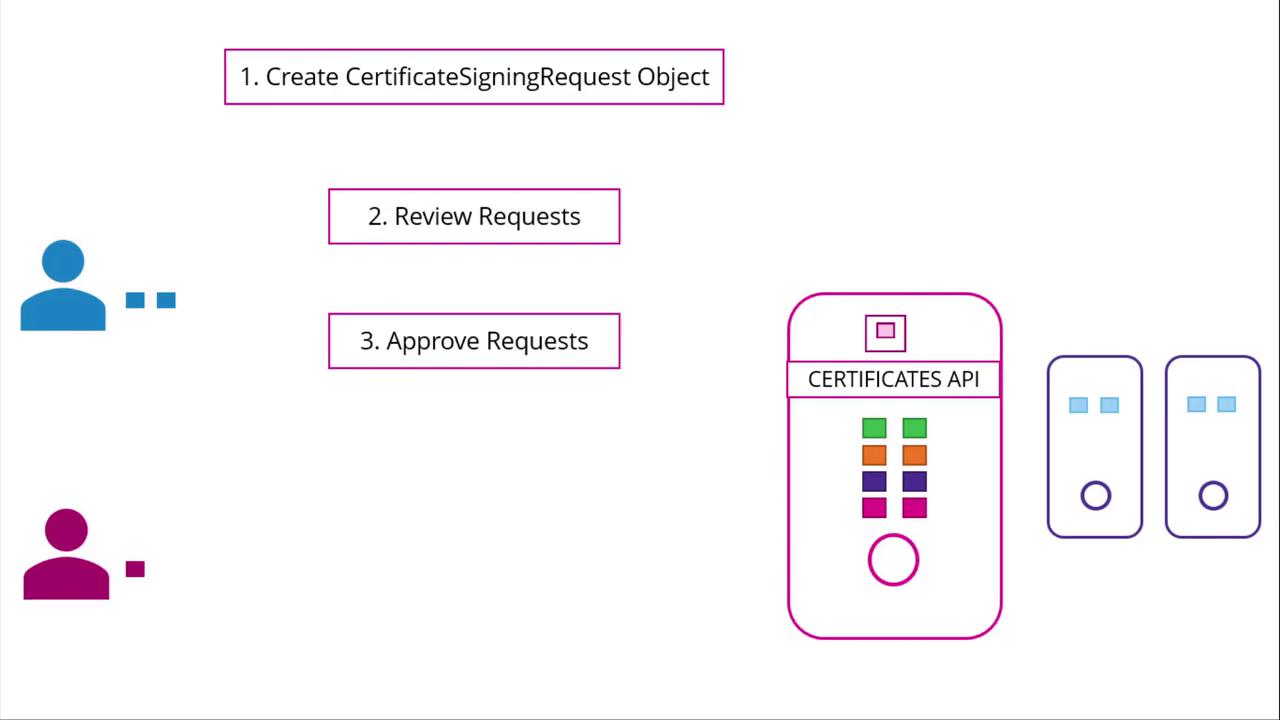
Instead of logging into the master node to sign certificates manually, administrators can now create a Kubernetes object called "CertificateSigningRequest" to submit CSRs directly to the API. This object is visible to cluster administrators, making it easy to review, approve, and manage CSRs using simple kubectl commands.
The following diagram illustrates the automated process:
## Step-by-Step Process
1. **Generate a Private Key and CSR**
A user, such as Jane, first creates a private key and generates a CSR with their details. Run the following commands:
```bash theme={null}
openssl genrsa -out jane.key 2048
openssl req -new -key jane.key -subj "/CN=jane" -out jane.csr
```
The generated CSR (jane.csr) will have a structure similar to:
```text theme={null}
-----BEGIN CERTIFICATE REQUEST-----
MIICWDCCCAAwE...dhk
-----END CERTIFICATE REQUEST-----
```
2. **Submit the CSR to the Administrator**
The user sends the generated CSR to the administrator. The administrator then creates a Kubernetes CSR object with a manifest file. Under the spec section, specify the groups the user qualifies for and the intended usages of the certificate. Make sure to Base64-encode the CSR before including it in the request field. Here’s an example manifest:
```yaml theme={null}
apiVersion: certificates.k8s.io/v1beta1
kind: CertificateSigningRequest
metadata:
name: jane
spec:
groups:
- system:authenticated
usages:
- digital signature
- key encipherment
- server auth
request:
```
Replace `` with your actual Base64-encoded CSR output. Once this manifest is applied, you can review all pending CSRs.
3. **Review Pending CSRs**
To view pending certificate signing requests, use the following command:
```bash theme={null}
kubectl get csr
```
The output may look like:
```bash theme={null}
NAME AGE REQUESTOR CONDITION
jane 10m admin@example.com Pending
```
4. **Approve the CSR**
After thorough review, approve the request by running:
```bash theme={null}
kubectl certificate approve jane
```
Kubernetes will then sign the certificate using the CA key pair.
5. **Retrieve the Signed Certificate**
To view the signed certificate in YAML format, execute:
```bash theme={null}
kubectl get csr jane -o yaml
```
The signed certificate appears in Base64-encoded format in the YAML output. Decode it using Base64 utilities and share the decoded certificate with the end user.
Below is an example of a CSR object with its signed certificate in the status field:
```yaml theme={null}
apiVersion: certificates.k8s.io/v1beta1
kind: CertificateSigningRequest
metadata:
creationTimestamp: 2019-02-13T16:36:43Z
name: new-user
spec:
groups:
- system:masters
- system:authenticated
usages:
- digital signature
- key encipherment
- server auth
username: kubernetes-admin
status:
certificate: |
L$0tS1CRUdJTiBDRVJUSUZJQ09FURS0tL0tCk1SURDakNDQWL
Z0F3SUJBZ0lVRmwyQ2wxyXYoawl5M3JNVisreFRQUW0uJ3dnd0R
Wplb1JaHZjTkFRRUkQlfBd0ZURVRNQkVHQTlRVU4FUtHMlZpw
lKdVpMjkE9UQX1NVE14TmpNeU1QmFGd1dnY0ZFEl2ajNuSyX
2dFsD1IRmS5u041c0tS0Z0vXUwzTFM5VZ96hlZ0dWCmIEZ2F
OMWVRMFBXThJ9N0FvNjVwJclWk1weEVHTkVRU5tdulB1NiwH
S1h6a61d9DwMEd1MGUQYFKWK1WkVmjbVRfcY3dd2xi0C1i9Dk
L0tLS0tL1FkTQgOVSVELG5UNVE8=
conditions:
- lastUpdateTime: 2019-02-13T16:37:21Z
message: This CSR was approved by kubectl certificate approve.
reason: KubectlApprove
type: Approved
```
## Certificate Management in the Kubernetes Control Plane
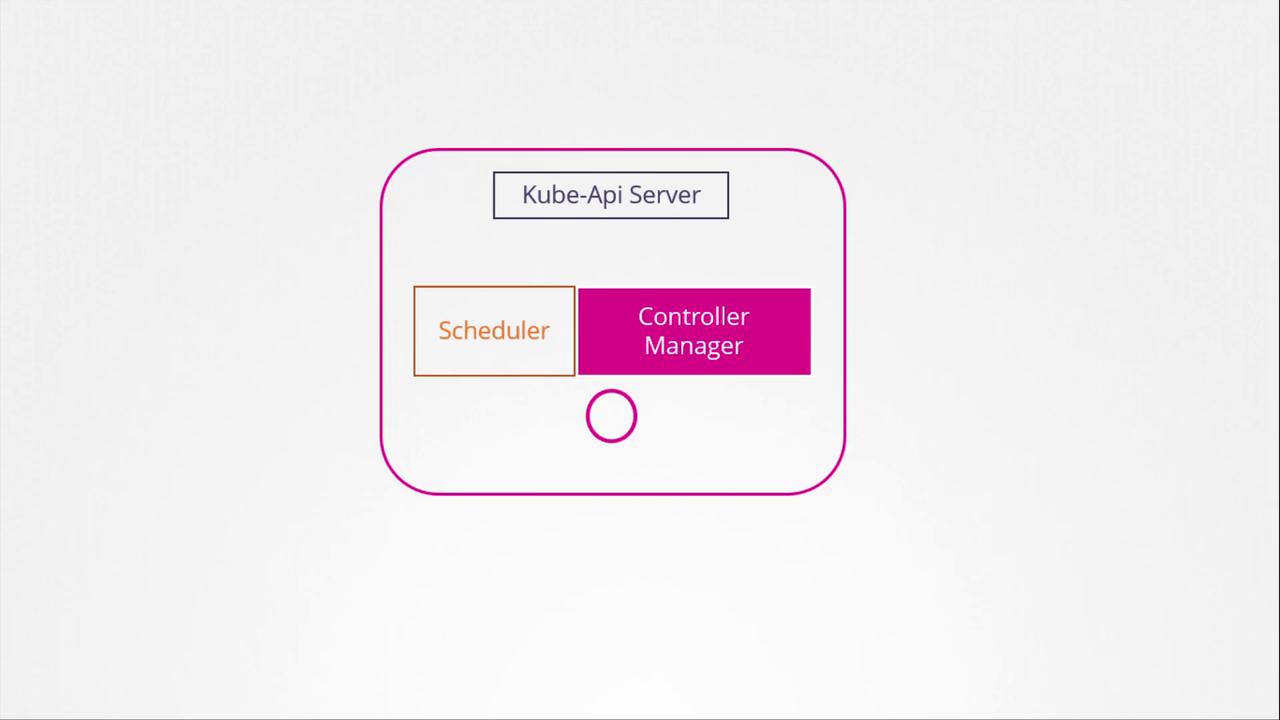
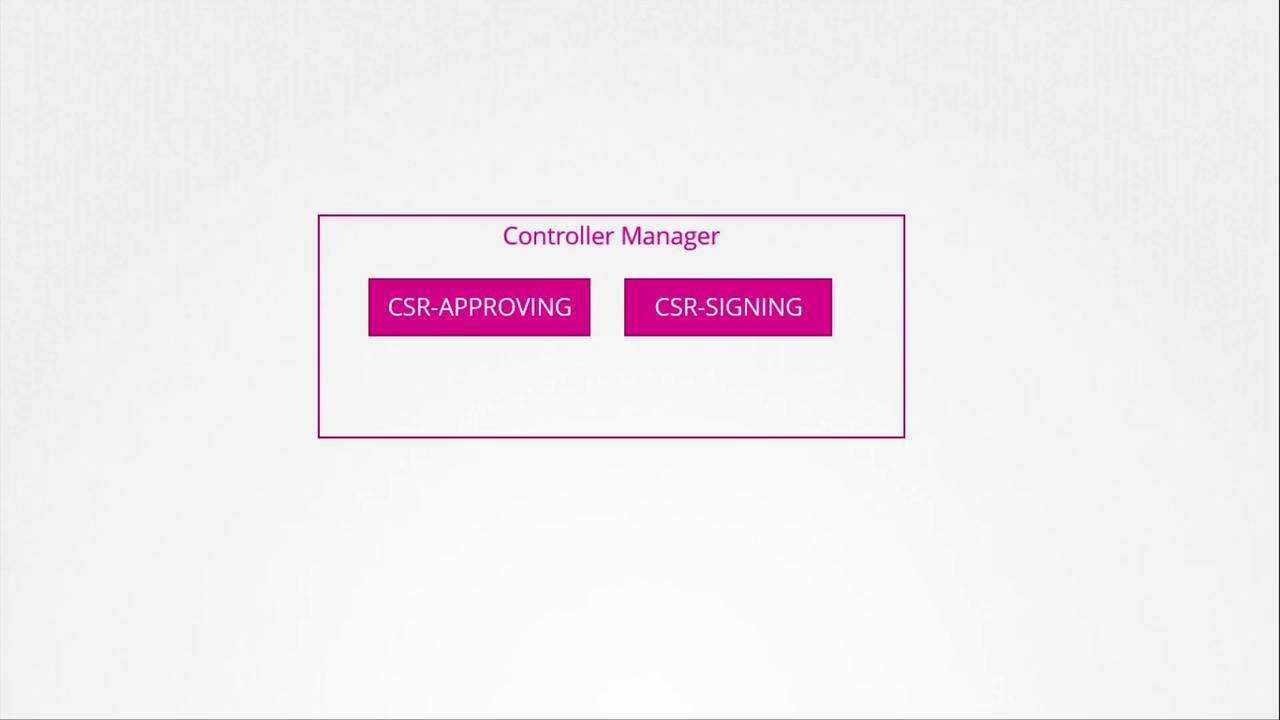
The Kubernetes control plane components, including the kube-apiserver, scheduler, and controller manager, coordinate to manage cluster operations. Certificate-related operations, such as CSR approval and signing, are performed by the controller manager through dedicated controllers.
The diagram below shows the controller manager as part of the Kubernetes architecture:
A closer look at the certificate operations of the controller manager is presented in the following diagram:
The controller manager requires the CA’s root certificate and private key, which are specified in its configuration. Here’s an excerpt from the configuration file:
```yaml theme={null}
spec:
containers:
- command:
- kube-controller-manager
- --address=127.0.0.1
- --cluster-signing-cert-file=/etc/kubernetes/pki/ca.crt
- --cluster-signing-key-file=/etc/kubernetes/pki/ca.key
- --controllers=*,bootstrapsigner,tokencleaner
- --kubeconfig=/etc/kubernetes/controller-manager.conf
- --leader-elect=true
- --root-ca-file=/etc/kubernetes/pki/ca.crt
- --service-account-private-key-file=/etc/kubernetes/pki/sa.key
- --use-service-account-credentials=true
```
This configuration ensures the controller manager can securely sign certificates and manage certificate lifecycles.
That concludes our lesson on the Kubernetes Certificates API. For further hands-on practice with certificate management, head over to our practice test section and deepen your understanding.
See you in the next lesson!