> ## Documentation Index
> Fetch the complete documentation index at: https://notes.kodekloud.com/llms.txt
> Use this file to discover all available pages before exploring further.
# Service Accounts
> This article provides a comprehensive guide on service accounts in Kubernetes, focusing on their creation, management, and security features.
Welcome to this comprehensive guide on service accounts in Kubernetes. In this article, we will explain how to work with service accounts—an essential mechanism that enables applications and machines to interact securely with the Kubernetes API. While Kubernetes includes various security features, such as authentication, authorization, and role-based access controls, this guide specifically focuses on service accounts to support application development. For more details on broader security topics, please refer to the [CKA Certification Course - Certified Kubernetes Administrator](https://learn.kodekloud.com/user/courses/cka-certification-course-certified-kubernetes-administrator).
## Account Types in Kubernetes
Kubernetes supports two types of accounts:
* **User Account:** Used by humans (e.g., administrators or developers).
* **Service Account:** Used by applications or machines (e.g., monitoring tools like Prometheus or CI/CD systems like Jenkins).
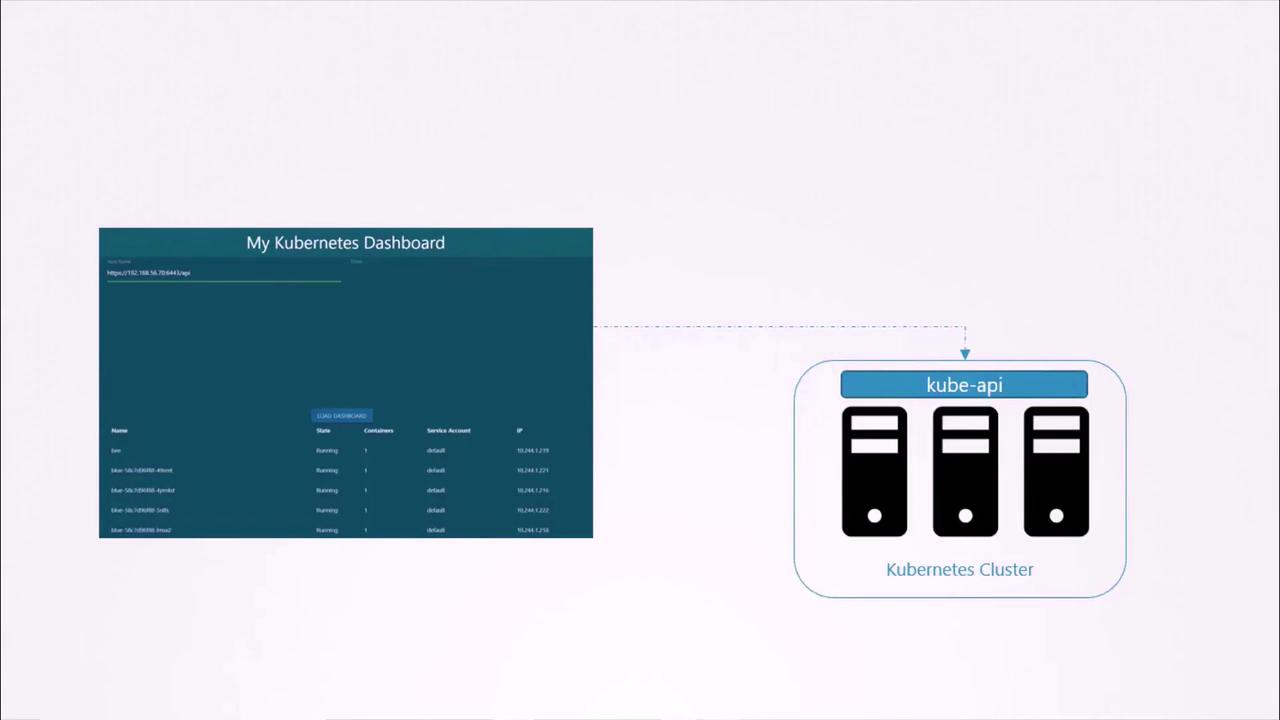
Consider a simple example of a Kubernetes dashboard written in Python. The dashboard queries the Kubernetes API to list all Pods and displays the output on a web interface. To authenticate with the Kubernetes API, the dashboard leverages a service account.
## Creating and Managing Service Accounts
To create a service account for your application, run the following command. In this example, we create a service account named `dashboard-sa`:
```bash theme={null}
kubectl create serviceaccount dashboard-sa
```
After creation, view all service accounts in the current namespace using:
```bash theme={null}
kubectl get serviceaccount
```
When a service account is created, Kubernetes automatically generates a token and stores it as a Secret object. This token is then used by your application for API authentication. An example output could be:
```bash theme={null}
kubectl create serviceaccount dashboard-sa
# Output:
kubectl get serviceaccount
# Output:
# NAME SECRETS AGE
# default 1 218d
# dashboard-sa 1 4d
```
You can inspect the details of the service account, including the token, by running:
```bash theme={null}
kubectl describe serviceaccount dashboard-sa
```
This command provides information similar to the following:
```text theme={null}
Name: dashboard-sa
Namespace: default
Labels:
Annotations:
Image pull secrets:
Mountable secrets: dashboard-sa-token-kbbdm
Tokens: dashboard-sa-token-kbbdm
Events:
```
The associated token (e.g., `dashboard-sa-token-kbbdm`) is stored in a Secret. To view its details, run:
```bash theme={null}
kubectl describe secret dashboard-sa-token-kbbdm
```
The output will display:
```text theme={null}
Name: dashboard-sa-token-kbbdm
Namespace: default
Labels:
Type: kubernetes.io/service-account-token
Data
====
ca.crt: 1025 bytes
namespace: 7 bytes
token: eyJhbGciOiJSUzI1NiIsImtpZCI6Ij...
```
This token is used as a bearer token in API requests. For example, you can use it with a `curl` command:
```bash theme={null}
curl https://192.168.56.70:6443/api -insecure \
--header "Authorization: Bearer eyJhbgG..."
```
If your third-party application is deployed within the Kubernetes cluster (for example, a custom dashboard or Prometheus), Kubernetes can automatically mount the service account token as a volume inside the pod. This simplifies token management since the token becomes immediately accessible without manual intervention.
## Default Service Account Behavior
By default, every Kubernetes namespace contains a default service account. When a pod is created without specifying a service account, Kubernetes mounts the default service account's token automatically. Consider the following pod definition for a custom Kubernetes dashboard application:
```yaml theme={null}
apiVersion: v1
kind: Pod
metadata:
name: my-kubernetes-dashboard
spec:
containers:
- name: my-kubernetes-dashboard
image: my-kubernetes-dashboard
```
When this pod is launched, Kubernetes automatically mounts the default service account token. You can verify this with:
```bash theme={null}
kubectl describe pod my-kubernetes-dashboard
```
The description will include a volume mount similar to:
```text theme={null}
Name: my-kubernetes-dashboard
Namespace: default
Annotations:
Status: Running
IP: 10.244.0.15
Containers:
my-kubernetes-dashboard:
Image: my-kubernetes-dashboard
Mounts:
/var/run/secrets/kubernetes.io/serviceaccount from default-token-j4hkv (ro)
Volumes:
default-token-j4hkv:
Type: Secret (a volume populated by a Secret)
SecretName: default-token-j4hkv
Optional: false
```
To inspect the contents of the mounted token, execute:
```bash theme={null}
kubectl exec -it my-kubernetes-dashboard -- ls /var/run/secrets/kubernetes.io/serviceaccount
```
Expected output:
```bash theme={null}
# ca.crt namespace token
```
To view the token content:
```bash theme={null}
kubectl exec -it my-kubernetes-dashboard -- cat /var/run/secrets/kubernetes.io/serviceaccount/token
```
The output will be the token string (truncated for brevity).
## Using a Custom Service Account
If you prefer to use the `dashboard-sa` service account created earlier, update your pod specification as shown below. Note that changing the service account for a running pod requires deletion and recreation. Deployments, however, automatically trigger a rollout when updated:
```yaml theme={null}
apiVersion: v1
kind: Pod
metadata:
name: my-kubernetes-dashboard
spec:
serviceAccountName: dashboard-sa
containers:
- name: my-kubernetes-dashboard
image: my-kubernetes-dashboard
```
After deployment, verify the pod uses the new service account:
```bash theme={null}
kubectl describe pod my-kubernetes-dashboard
```
The volume mount should now reference `dashboard-sa-token-kbbdm`.
If you wish to prevent the automatic mounting of a service account token, set the field `automountServiceAccountToken: false` as shown:
```yaml theme={null}
apiVersion: v1
kind: Pod
metadata:
name: my-kubernetes-dashboard
spec:
automountServiceAccountToken: false
containers:
- name: my-kubernetes-dashboard
image: my-kubernetes-dashboard
```
## Kubernetes Version Changes: 1.22 and 1.24
Before Kubernetes v1.22, every service account was automatically associated with a Secret containing an unbounded token without an expiry date. For example:
```bash theme={null}
kubectl get serviceaccount
# Output:
# NAME SECRETS AGE
kubectl describe pod my-kubernetes-dashboard
# (Output shows the secret mounted as described above)
```
With Kubernetes v1.22, the token request API was introduced (KEP 1205). Tokens generated via this API are:
* Audience-bound
* Time-bound
* Object-bound
When a pod is created now, Kubernetes communicates with the token controller API to produce a token with a defined lifetime. The following example demonstrates a pod definition using a projected volume:
```yaml theme={null}
apiVersion: v1
kind: Pod
metadata:
name: nginx
namespace: default
spec:
containers:
- name: nginx
image: nginx
volumeMounts:
- mountPath: /var/run/secrets/kubernetes.io/serviceaccount
name: kube-api-access-6mtg8
readOnly: true
volumes:
- name: kube-api-access-6mtg8
projected:
defaultMode: 420
sources:
- serviceAccountToken:
expirationSeconds: 3607
path: token
- configMap:
name: kube-root-ca.crt
items:
- key: ca.crt
path: ca.crt
- downwardAPI:
items:
- fieldRef:
apiVersion: v1
fieldPath: metadata.namespace
```
Starting with Kubernetes v1.24, service accounts no longer automatically create a Secret with an unbounded token. Instead, you need to generate a token explicitly through the token request API:
```bash theme={null}
kubectl create token dashboard-sa
```
This command outputs a token with an expiry (default is one hour unless configured otherwise). To inspect token details, you can decode it using tools such as JWT.io or by running:
```bash theme={null}
jq -R 'split(".") | select(length > 0) | .[0] | @base64 | fromjson' <<< eyJhbGciOiJSUzI1NiIsInR5cCI6IkpXVCJ9.eyJzdWIiOiJzeXN0ZW06c2VydmljZWFjY291bnQ6ZGVmYXVsdC1kYXNob2FyZC1zYSIsImF1ZCI6WyJodHRwczovL2t1YmVybmV0ZXMuZGVmYXVsdC5zdmMuY2x1c3Rlci5sb2NhbCJdLCJleHBpcmF0aW9uIjoxNjY0MDM3NzYzLCJpc3MiOiJodHRwczovL2t1YmVybmV0ZXMuZGVmYXVsdC5zdmMuY2x1c3Rlci5sb2NhbCJ9.k5Y3R-
```
If you decide to revert to the old method of manually creating a Secret, you can do so by defining a Secret with the type `kubernetes.io/service-account-token` and adding the appropriate annotation:
```yaml theme={null}
apiVersion: v1
kind: Secret
type: kubernetes.io/service-account-token
metadata:
name: mysecretname
annotations:
kubernetes.io/service-account.name: dashboard-sa
```
Ensure that the service account exists before creating the Secret to guarantee proper association. However, the recommended practice is to utilize the token request API for better security and token management.
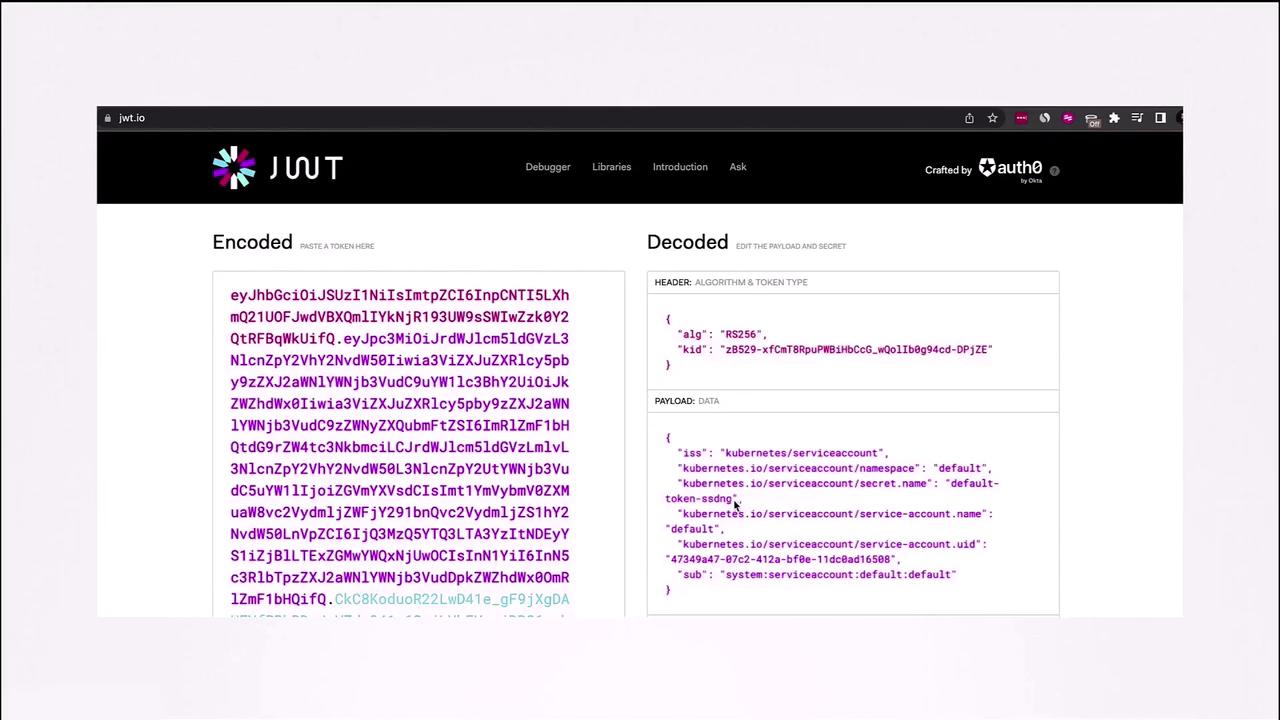
The diagram above illustrates how tokens without an expiry can cause security and scalability concerns; these issues are mitigated by the token request API.
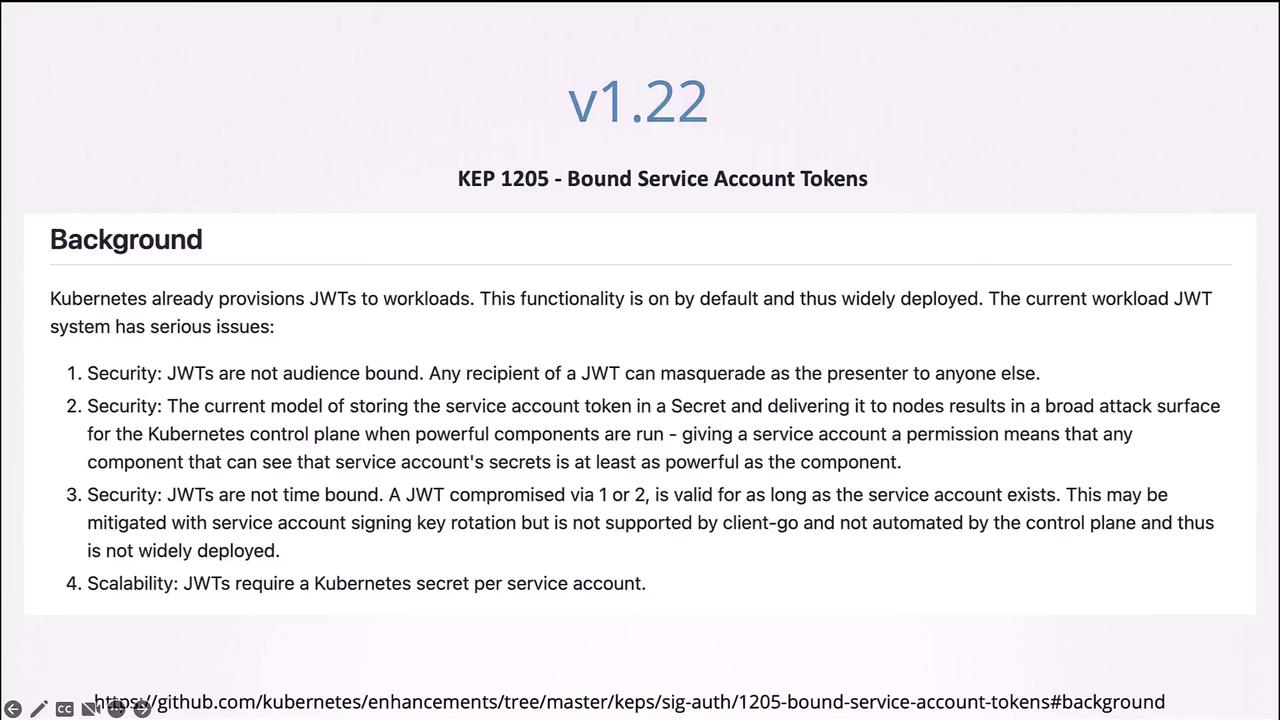
With Kubernetes v1.22 and later, tokens are audience-bound and time-bound, eliminating issues associated with indefinitely valid tokens. Kubernetes v1.24 further refines this approach by minimizing non-expiring secret-based tokens in favor of tokens generated via the token request API.
Below is an additional example of a pod using a projected volume, reflecting the token generation via the token request API:
```yaml theme={null}
apiVersion: v1
kind: Pod
metadata:
name: nginx
namespace: default
spec:
containers:
- name: nginx
image: nginx
volumeMounts:
- mountPath: /var/run/secrets/kubernetes.io/serviceaccount
name: kube-api-access-6mtg8
readOnly: true
volumes:
- name: kube-api-access-6mtg8
projected:
defaultMode: 420
sources:
- serviceAccountToken:
expirationSeconds: 3607
path: token
- configMap:
name: kube-root-ca.crt
items:
- key: ca.crt
path: ca.crt
- downwardAPI:
items:
- fieldRef:
apiVersion: v1
fieldPath: metadata.namespace
```
Prior to these enhancements, the service account token was mounted as a traditional Secret. Today, it is provided as a projected volume that interacts dynamically with the token controller API.
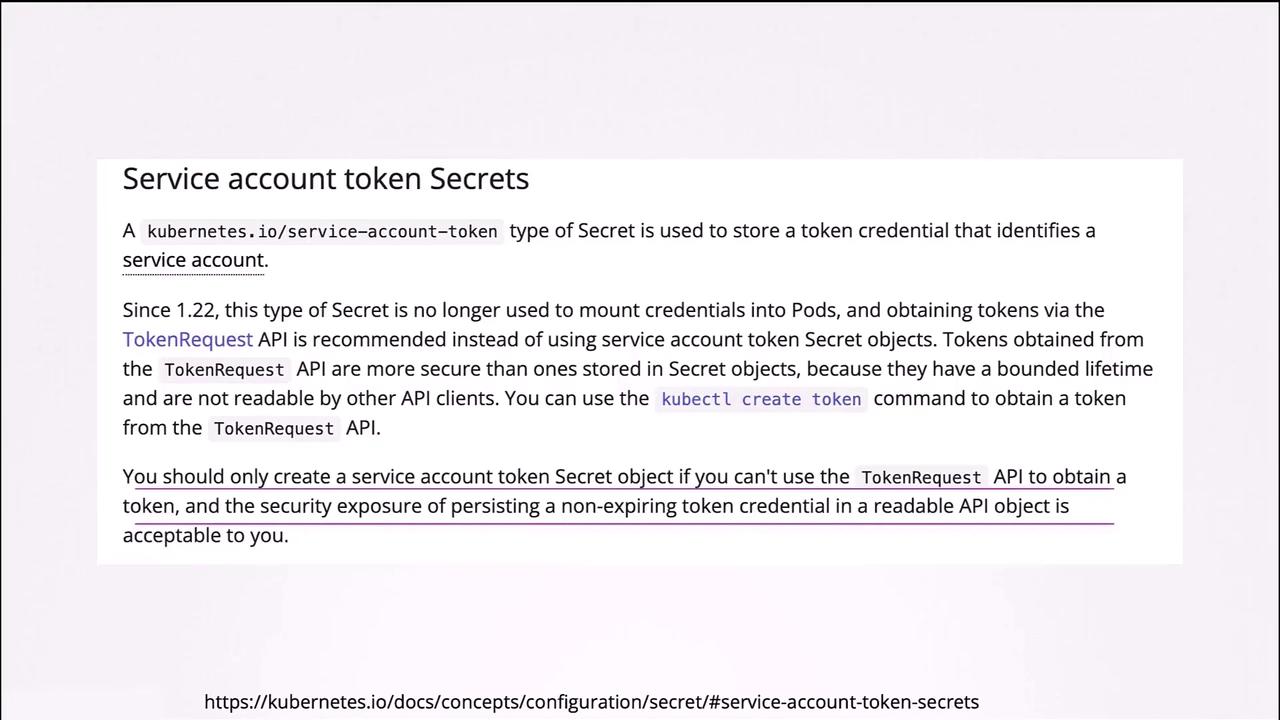
If you require a non-expiring token and are aware of the security implications, you can create a Secret manually. However, using the token request API is strongly recommended for enhanced security.
To generate a token using this approach, run:
```bash theme={null}
kubectl create token dashboard-sa
```
This command returns a token with a defined lifetime, ensuring higher security standards.
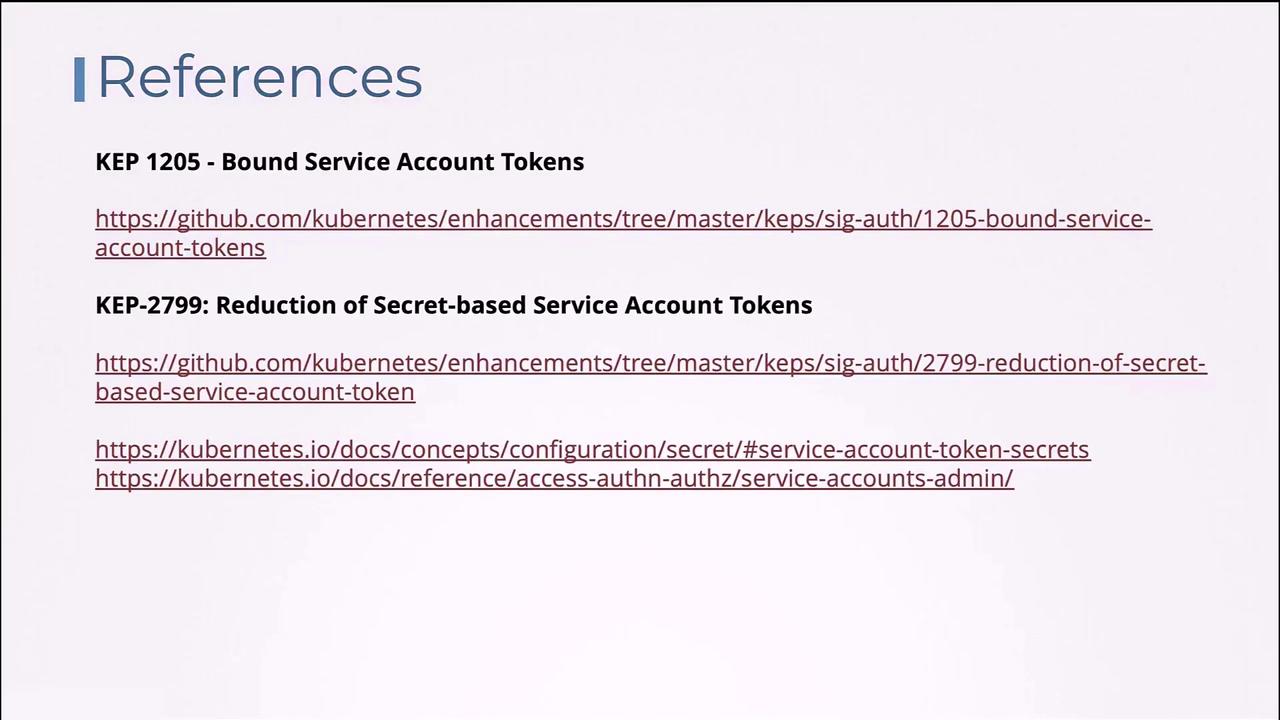
For further information on these changes, please consult the following resources:
* [Kubernetes Enhancement Proposals](https://github.com/kubernetes/enhancements)
* [Official Kubernetes Documentation on Service Accounts and Secrets](https://kubernetes.io/docs/tasks/configure-pod-container/configure-service-account/)
Thank you for reading this detailed guide on Kubernetes service accounts.