> ## Documentation Index
> Fetch the complete documentation index at: https://notes.kodekloud.com/llms.txt
> Use this file to discover all available pages before exploring further.
# Verify platform binaries before deploying
> This lesson covers verifying Kubernetes platform binaries to ensure they are secure and untampered before deployment.
In this lesson, we will learn how to verify platform binaries before deploying a Kubernetes cluster. Verifying these binaries is a critical security step that ensures the downloaded files have not been tampered with during transit over the internet.
The Kubernetes platform binaries are available on the [Kubernetes GitHub release page](https://github.com/kubernetes/kubernetes/releases).
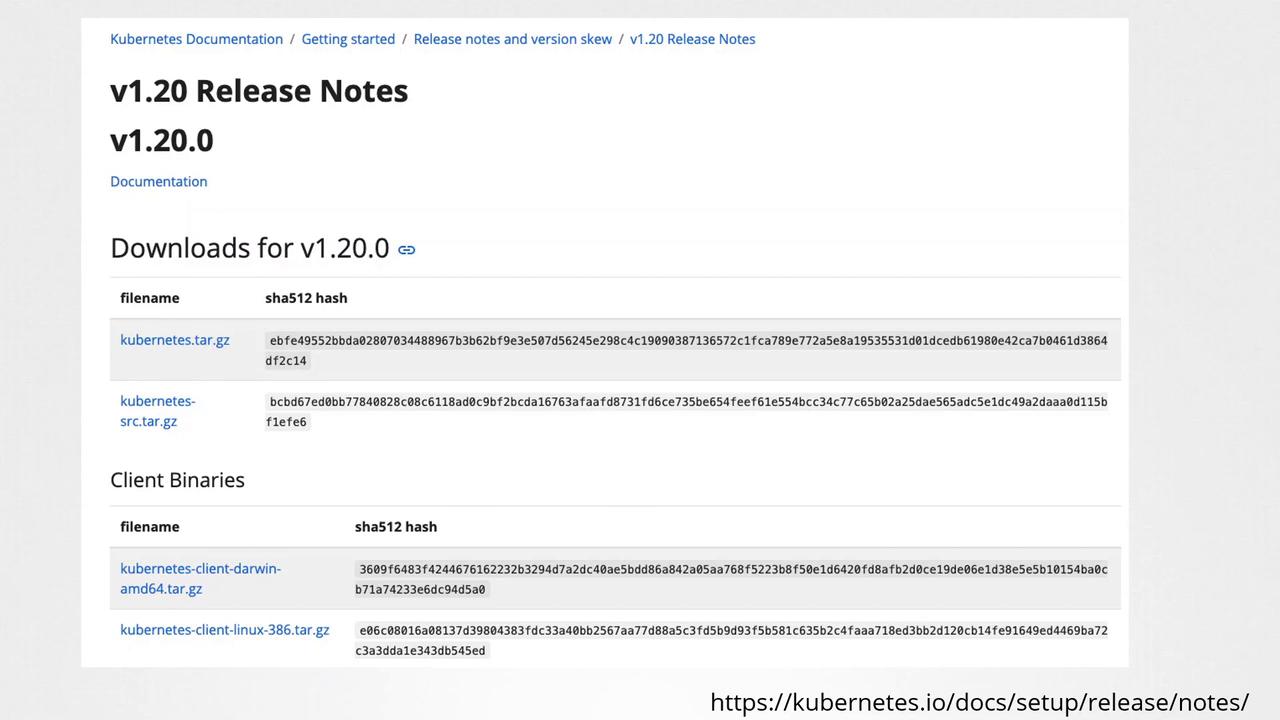
Downloading binaries from the internet may expose your system to risks. An attacker with access to your network could potentially intercept download requests and replace genuine files with malicious ones. Since every file has a unique checksum, even a slight modification will result in a completely different hash.
## Steps to Verify the Integrity of Kubernetes Binaries
1. **Download the Binary**\
Use `curl` to download the Kubernetes binary, as shown in the example below:
```bash theme={null}
curl https://dl.k8s.io/v1.20.0/kubernetes.tar.gz -L -o kubernetes.tar.gz
```
2. **Generate the Checksum**\
After downloading, generate the checksum of the binary file using a checksum utility. Compare this generated hash with the one provided on the release page.
Here’s how to do it using two different commands based on your operating system:
* **macOS and Linux (using shasum):**
```bash theme={null}
shasum -a 512 kubernetes.tar.gz
```
* **Linux (using sha512sum):**
```bash theme={null}
sha512sum kubernetes.tar.gz
```
Ensure that the output of the chosen checksum command exactly matches the hash available on the release page. A mismatch may indicate that the file has been tampered with.
## Command Comparison Table
| Operating System | Command Example | Description |
| ---------------- | --------------------------------- | --------------------------------------------- |
| macOS | `shasum -a 512 kubernetes.tar.gz` | Verify file integrity using SHA-512 checksum. |
| Linux | `sha512sum kubernetes.tar.gz` | Alternative for generating a 512-bit hash. |
| Linux/macOS | `shasum -a 512 kubernetes.tar.gz` | Common command available on multiple systems. |
This lesson walks you through the process of downloading and verifying Kubernetes binaries as a security measure. Further deployment steps will be addressed in subsequent lessons.
For more detailed information on Kubernetes security practices, visit the [Kubernetes Documentation](https://kubernetes.io/docs/).