> ## Documentation Index
> Fetch the complete documentation index at: https://notes.kodekloud.com/llms.txt
> Use this file to discover all available pages before exploring further.
# AquaSec Tracee
> This article explores Tracee, an open-source tool for tracing system calls in containers using eBPF technology.
In this article, we explore Tracee—an open-source tool from Aqua Security that leverages eBPF (Extended Berkeley Packet Filter) to trace system calls on containers at runtime. By running programs directly in kernel space without modifying the kernel or loading additional modules, eBPF empowers Tracee to monitor operating system behavior and detect suspicious activity with minimal overhead.
## Running Tracee as a Docker Container
Running Tracee as a Docker container simplifies dependency management and environment setup. When Tracee runs as a container, it compiles the eBPF program and, by default, stores the output in the `/tmp/tracee` directory. To persist the compiled program between runs, bind mount the `/tmp/tracee` directory from the host to the container.
Additionally, Tracee requires access to kernel headers to compile the eBPF program. On Ubuntu systems, these headers are typically located in `/lib/modules` (with dependencies in `/usr/src`). Ensure these directories are also bind mounted into the container in read-only mode. Since Tracee needs extended privileges for syscall tracing, run the container using Docker’s `--privileged` flag.
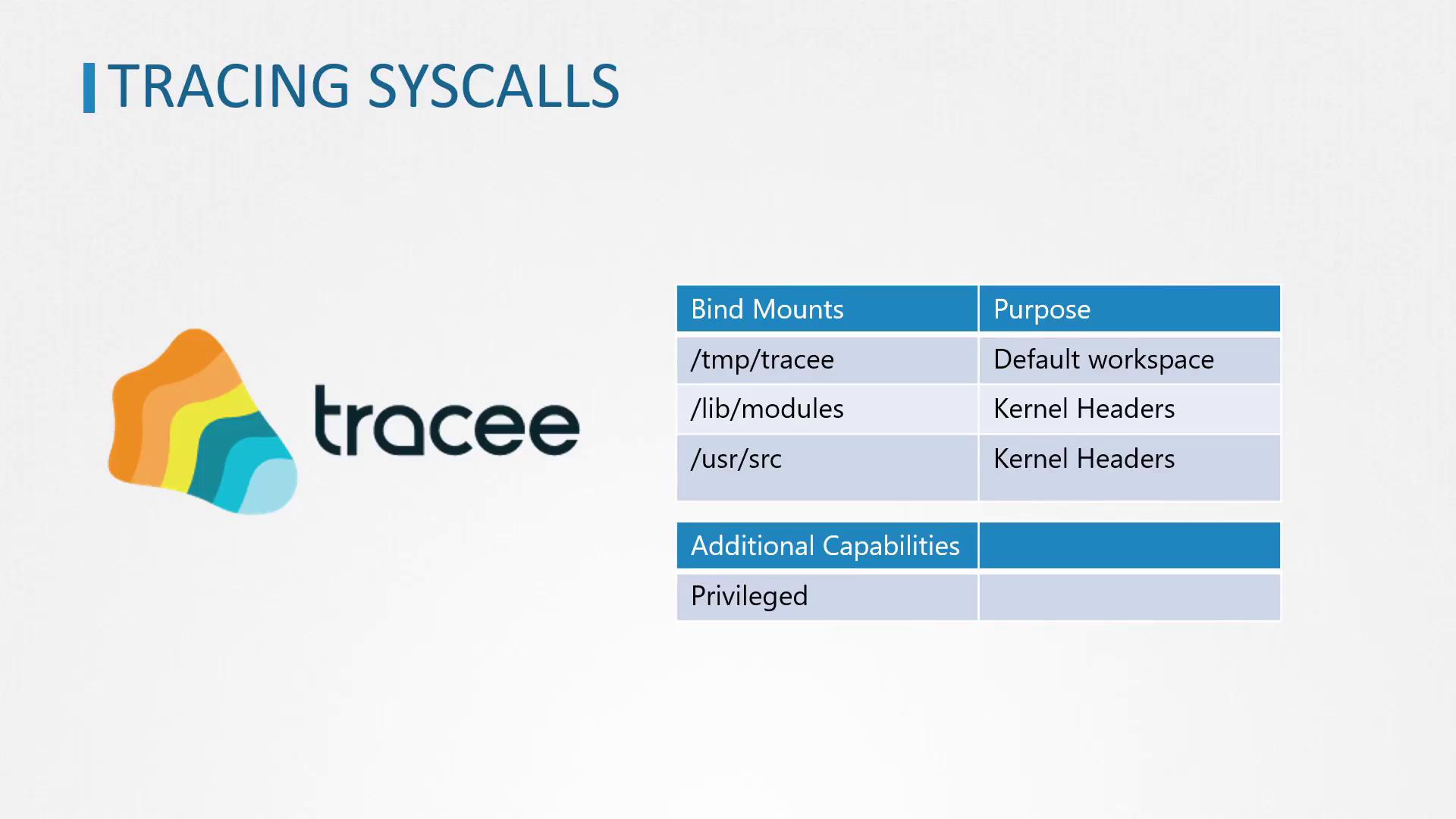
Remember to bind mount the `/tmp/tracee`, `/lib/modules`, and `/usr/src` directories properly to ensure that the eBPF program compiles and persists across runs.
## Tracing Syscalls for a Single Command
To capture system calls generated by a single command (for example, `ls`), run the Tracee container with the `--trace` option specifying the command to trace. Execute the following command:
```bash theme={null}
docker run --name tracee --rm --privileged --pid=host \
-v /lib/modules/:/lib/modules:ro \
-v /usr/src:/usr/src:ro \
-v /tmp/tracee:/tmp/tracee \
aquasec/tracee:0.4.0 --trace comm=ls
```
This command outputs a list of syscalls invoked by the `ls` command. A sample output might include:
```text theme={null}
TIME(s) UID COMM PID TID RET
1263.457188 0 ls 27461 27461 -2
1263.457218 0 ls 27461 27461 -2
1263.457238 0 ls 27461 27461 0
...
[output truncated]
```
## Tracing Syscalls for All New Processes
If you wish to monitor the system calls for all new processes on the host, configure Tracee with the `--trace` flag to track new process IDs. Use the command below:
```bash theme={null}
sudo docker run --name tracee --rm --privileged --pid=host \
-v /lib/modules/:/lib/modules:ro \
-v /usr/src:/usr/src:ro \
-v /tmp/tracee:/tmp/tracee \
aquasec/tracee:0.4.0 --trace pid=new
```
This setup produces extensive output as Tracee collects syscall data for every new process initiated on the host. An excerpt from the output may resemble:
```text theme={null}
1613.769845 0 wc 1619 1619 -2 openat
1613.846148 0 kubectl 1617 1621 -2 openat
...
```
For environments where heavy logging might overwhelm the output, consider filtering or redirecting logs to manage the volume of data.
## Tracing Syscalls for New Containers
Tracee also supports capturing system calls from new containers. To enable this functionality, launch Tracee with the option `--trace container=new`. Follow these steps:
1. Open a terminal and run Tracee with container tracing enabled:
```bash theme={null}
sudo docker run --name tracee --rm --privileged --pid=host \
-v /lib/modules/:/lib/modules:ro \
-v /usr/src:/usr/src:ro \
-v /tmp/tracee:/tmp/tracee \
aquasec/tracee:0.4.0 --trace container=new
```
2. In another terminal window, launch an Ubuntu container that prints a message and exits:
```bash theme={null}
docker run ubuntu echo hi
```
Upon executing the Ubuntu container, you should see "hi" printed in the container's output and Tracee’s terminal will display all syscalls generated by this container.
## Conclusion
Tracee is a powerful eBPF-based tool that enables real-time monitoring of system calls in various environments—whether for a single command, all new processes, or new containers. By running Tracee as a Docker container, you streamline dependency management while ensuring effective tracking of system activities. In our next article, we will cover strategies to restrict system calls made by applications to further enhance security.
For more detailed documentation and related resources, refer to the [Aqua Security Tracee GitHub repository](https://github.com/aquasecurity/tracee) and explore additional guides on eBPF tracing and container security practices.