> ## Documentation Index
> Fetch the complete documentation index at: https://notes.kodekloud.com/llms.txt
> Use this file to discover all available pages before exploring further.
# Reducing the Attack Surface
> Guidance on minimizing host attack surface in Kubernetes clusters by removing unnecessary software and services, enforcing least privilege, restricting kernel modules, limiting access, and automating configuration and patching.
In this lesson we cover practical principles and steps to reduce the attack surface on hosts in your cluster. Keeping each system minimal, consistent, and up to date limits potential entry points an attacker can use. Even one poorly configured or unpatched node can compromise the broader cluster through lateral movement or privilege escalation.
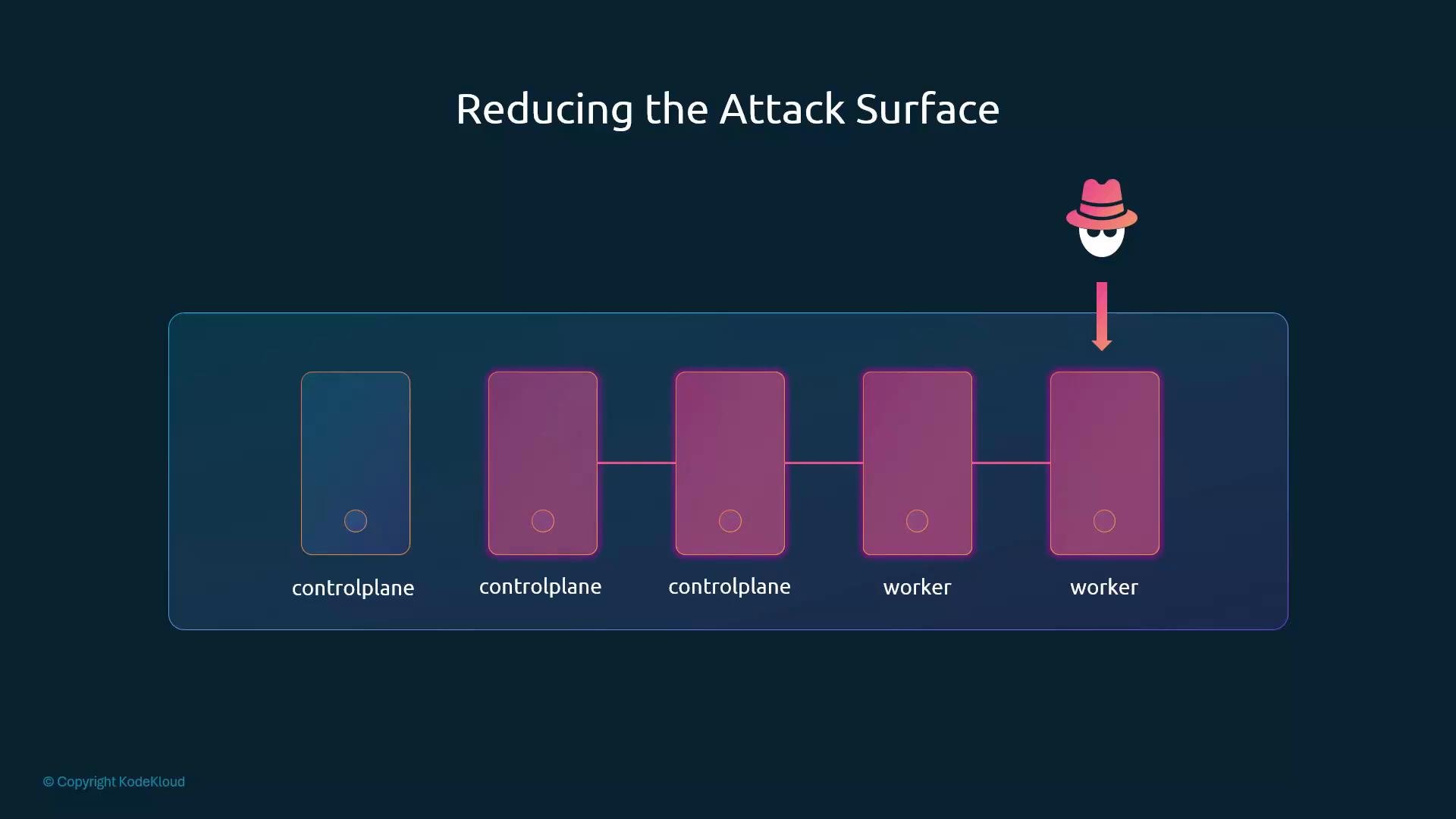 If an attacker gains control of a single node, they may move east–west across the cluster or escalate privileges to affect other workloads. The most common contributors to an expanded attack surface include:
* Unnecessary services and open ports
* Outdated or unpatched software
* Excessive user or process privileges
* Unrestricted kernel modules or drivers
Apply the principle of least privilege and strive for simplicity and consistency to limit exposure.
Minimizing installed software, disabling unused services, and enforcing least privilege are fundamental controls that reduce the number of potential vulnerabilities an attacker can exploit.
If an attacker gains control of a single node, they may move east–west across the cluster or escalate privileges to affect other workloads. The most common contributors to an expanded attack surface include:
* Unnecessary services and open ports
* Outdated or unpatched software
* Excessive user or process privileges
* Unrestricted kernel modules or drivers
Apply the principle of least privilege and strive for simplicity and consistency to limit exposure.
Minimizing installed software, disabling unused services, and enforcing least privilege are fundamental controls that reduce the number of potential vulnerabilities an attacker can exploit.
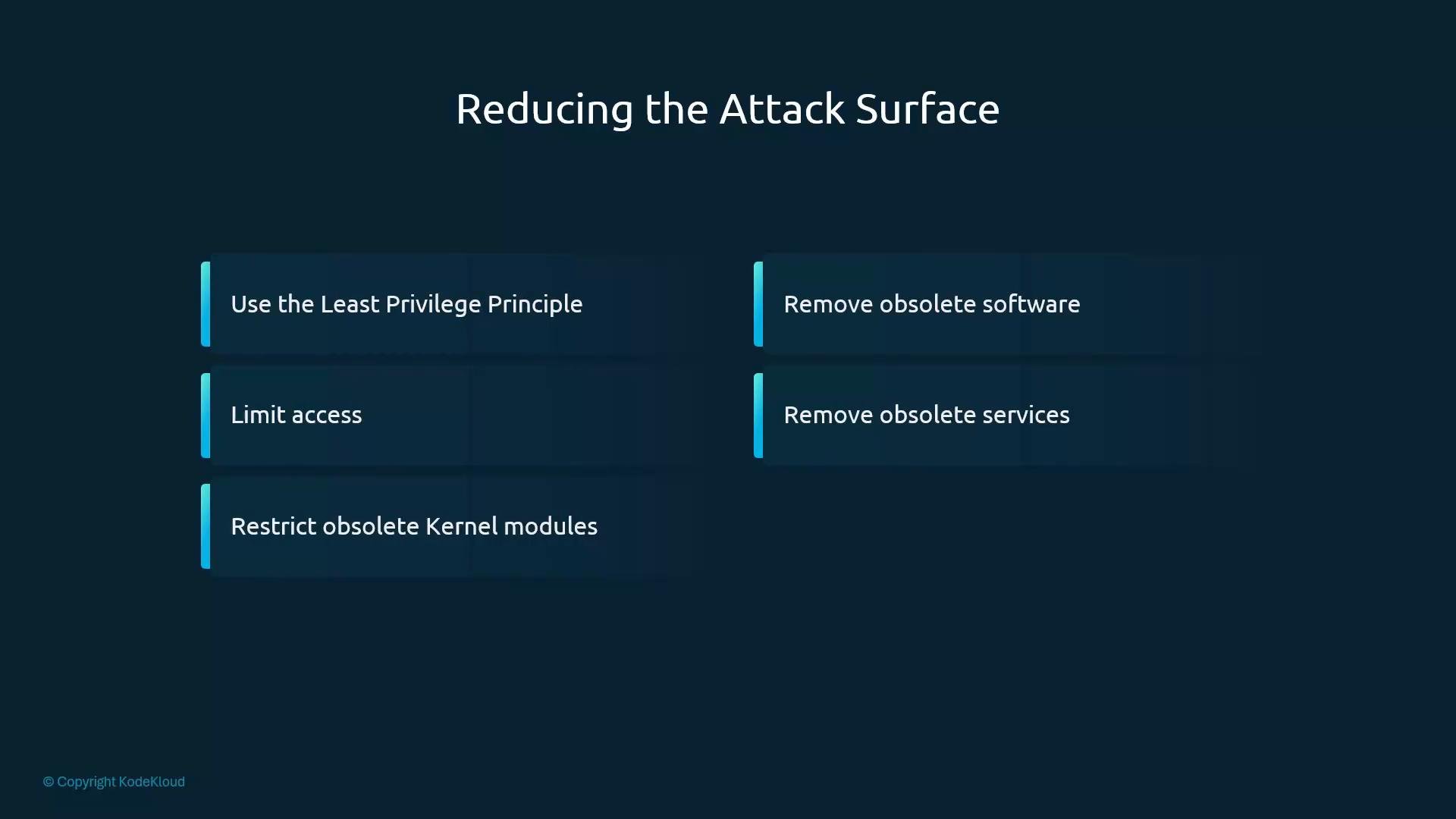 Below are the key measures shown on the slide, with actionable guidance and examples.
| Measure | Why it matters | How to implement (examples) |
| - | - | - |
| Use the principle of least privilege | Limits damage from compromised accounts or services | Implement RBAC with minimal roles; avoid using `cluster-admin` for routine tasks |
| Limit access | Reduces exposure of management interfaces and services | Enforce network policies, firewalls, and use bastion/jump hosts instead of exposing management ports |
| Restrict obsolete kernel modules | Prevents loading of unnecessary drivers or features that increase attack surface | Blacklist modules via `/etc/modprobe.d/` and rebuild initramfs if needed |
| Remove obsolete software | Fewer packages means fewer potential vulnerabilities | Audit installed packages and uninstall unnecessary applications |
| Disable unused services | Prevents unnecessary daemons from listening on ports | Use `systemd` to disable and stop services that are not required |
Use the following practical recommendations and examples for each area.
* Use the principle of least privilege
* Grant users, services, and processes only the permissions they require.
* Prefer narrowly-scoped RBAC roles and role bindings. Reserve `cluster-admin` for tightly controlled admin tasks.
* Limit access
* Restrict traffic using Kubernetes NetworkPolicies, perimeter firewalls, and host-based firewalls (iptables/nftables).
* Use bastion hosts or VPNs for management plane access instead of exposing ports to broad networks.
* Restrict obsolete kernel modules
* Blacklist modules you do not need to prevent them from loading and increasing the kernel attack surface.
```bash theme={null}
# Example: blacklist the floppy module
echo "blacklist floppy" | sudo tee /etc/modprobe.d/blacklist-floppy.conf
sudo update-initramfs -u # Debian/Ubuntu: rebuild initramfs if needed
```
* Remove obsolete software
* Regularly audit installed packages and remove anything unnecessary to reduce the number of vulnerable components.
```bash theme={null}
# Debian/Ubuntu
apt list --installed
# RHEL/CentOS
rpm -qa
```
* Remove or disable obsolete services
* Identify enabled services and disable those not required, which prevents them from running or listening on ports.
```bash theme={null}
# Check enabled services
systemctl list-unit-files --type=service --state=enabled
# Disable and stop an unnecessary service
sudo systemctl disable --now example.service
```
Additional practical controls to keep the attack surface small:
* Use automated configuration management (for example, Ansible) or immutable images so hosts are consistent and reproducible.
* Apply automated patching and vulnerability scanning for OS packages and container images.
* Enforce runtime restrictions to reduce syscall exposure:
* seccomp: [https://www.kernel.org/doc/html/latest/userspace-api/seccomp\_filter.html](https://www.kernel.org/doc/html/latest/userspace-api/seccomp_filter.html)
* AppArmor: [https://apparmor.net/](https://apparmor.net/)
* SELinux: [https://selinuxproject.org/page/Main\_Page](https://selinuxproject.org/page/Main_Page)
* Regularly audit and monitor for configuration drift, unexpected services, or new network listeners.
References and further reading:
* [Kubernetes Documentation](https://kubernetes.io/docs/)
* [Ansible — Automation for configuration management](https://www.ansible.com/)
* [Seccomp filters documentation](https://www.kernel.org/doc/html/latest/userspace-api/seccomp_filter.html)
* [AppArmor project](https://apparmor.net/)
* [SELinux project](https://selinuxproject.org/page/Main_Page)
Next, we will examine each of these measures in more detail.
This documentation is built and hosted on [Mintlify](https://mintlify.com), a developer documentation platform.
Below are the key measures shown on the slide, with actionable guidance and examples.
| Measure | Why it matters | How to implement (examples) |
| - | - | - |
| Use the principle of least privilege | Limits damage from compromised accounts or services | Implement RBAC with minimal roles; avoid using `cluster-admin` for routine tasks |
| Limit access | Reduces exposure of management interfaces and services | Enforce network policies, firewalls, and use bastion/jump hosts instead of exposing management ports |
| Restrict obsolete kernel modules | Prevents loading of unnecessary drivers or features that increase attack surface | Blacklist modules via `/etc/modprobe.d/` and rebuild initramfs if needed |
| Remove obsolete software | Fewer packages means fewer potential vulnerabilities | Audit installed packages and uninstall unnecessary applications |
| Disable unused services | Prevents unnecessary daemons from listening on ports | Use `systemd` to disable and stop services that are not required |
Use the following practical recommendations and examples for each area.
* Use the principle of least privilege
* Grant users, services, and processes only the permissions they require.
* Prefer narrowly-scoped RBAC roles and role bindings. Reserve `cluster-admin` for tightly controlled admin tasks.
* Limit access
* Restrict traffic using Kubernetes NetworkPolicies, perimeter firewalls, and host-based firewalls (iptables/nftables).
* Use bastion hosts or VPNs for management plane access instead of exposing ports to broad networks.
* Restrict obsolete kernel modules
* Blacklist modules you do not need to prevent them from loading and increasing the kernel attack surface.
```bash theme={null}
# Example: blacklist the floppy module
echo "blacklist floppy" | sudo tee /etc/modprobe.d/blacklist-floppy.conf
sudo update-initramfs -u # Debian/Ubuntu: rebuild initramfs if needed
```
* Remove obsolete software
* Regularly audit installed packages and remove anything unnecessary to reduce the number of vulnerable components.
```bash theme={null}
# Debian/Ubuntu
apt list --installed
# RHEL/CentOS
rpm -qa
```
* Remove or disable obsolete services
* Identify enabled services and disable those not required, which prevents them from running or listening on ports.
```bash theme={null}
# Check enabled services
systemctl list-unit-files --type=service --state=enabled
# Disable and stop an unnecessary service
sudo systemctl disable --now example.service
```
Additional practical controls to keep the attack surface small:
* Use automated configuration management (for example, Ansible) or immutable images so hosts are consistent and reproducible.
* Apply automated patching and vulnerability scanning for OS packages and container images.
* Enforce runtime restrictions to reduce syscall exposure:
* seccomp: [https://www.kernel.org/doc/html/latest/userspace-api/seccomp\_filter.html](https://www.kernel.org/doc/html/latest/userspace-api/seccomp_filter.html)
* AppArmor: [https://apparmor.net/](https://apparmor.net/)
* SELinux: [https://selinuxproject.org/page/Main\_Page](https://selinuxproject.org/page/Main_Page)
* Regularly audit and monitor for configuration drift, unexpected services, or new network listeners.
References and further reading:
* [Kubernetes Documentation](https://kubernetes.io/docs/)
* [Ansible — Automation for configuration management](https://www.ansible.com/)
* [Seccomp filters documentation](https://www.kernel.org/doc/html/latest/userspace-api/seccomp_filter.html)
* [AppArmor project](https://apparmor.net/)
* [SELinux project](https://selinuxproject.org/page/Main_Page)
Next, we will examine each of these measures in more detail.
This documentation is built and hosted on [Mintlify](https://mintlify.com), a developer documentation platform.